Hackaday Links Column Banner

Hackaday Links: August 16, 2026

We’re no strangers to unusual hardware failures around these parts, but even so, a swarm of jellyfish clogging up the works is a new one to us. That’s exactly what happened to the cooling system at the Gravelines nuclear power plant in France earlier this week, resulting in three reactors having to be shut down. This isn’t even an isolated incident, as POLITICO points out that the same thing actually happened last year around this same time.

So why are jellyfish staging an annual protest against nuclear power? A warming of the North Sea has extended breeding seasons and produced larger populations of the plankton that the jellyfish feed on. This is great for the gelatinous sea creatures, but not exactly ideal if you’re trying to pump the water they live in through a complex cooling system. The French installed filter screens and monitoring systems after this happened in 2025, but clearly they’re going to need to keep working on the problem.

From a new problem to a very old one, a BBC investigation has revealed that the UK’s National Health Service (NHS) Blood and Transplant department was inadvertently leaking private patient data by sending it in the clear over the pager network. Sniffing pager messages was fairly trivial decades ago, and is even easier these days thanks to the proliferation of cheap software-defined radios and open source decoding software. Given the fragility of the underlying communication network they use, the NHS announced they were going to stop using pagers by 2021, but clearly not everyone got the memo.
Continue reading “Hackaday Links: August 16, 2026”

A GUI Solution For ESP32 Web Development

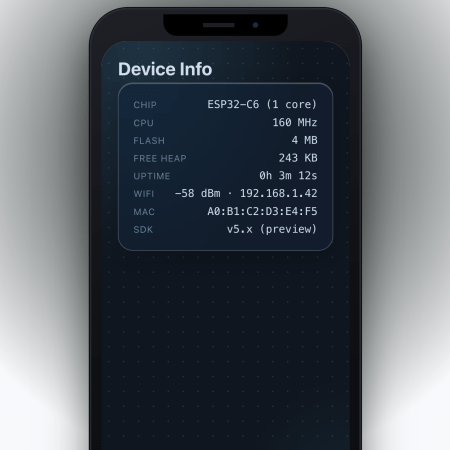
These days, a lot of embedded projects feature some sort of screen, and a screen often creates a desire for a nice user interface. [Geoffrey Wells] has created a tool for developing web interfaces for the ESP32, named ESP-GenUI.

The aim was to make UI development as easy as possible for this platform. ESP-GenUI allows the creation of a website by dragging various nodes on to a canvas and linking them up to create the desired web interface. There are nodes for GPIO control, camera feeds, gauges, and all sorts of other common elements for quickly putting together dashboards and control panels. All this is done from within the browser, and the code generated by the tool can even be flashed without having to open any external tools. Alternatively, it can spit out Arduino code that you can open and flash from within the IDE. You can try the tool out yourself right here.

We’ve featured some other great resources for developing embedded user interfaces, like this highly-flexible display library for the ESP32. Feel free to espouse on your own favorite tools and techniques in the comments.

Continue reading “A GUI Solution For ESP32 Web Development”

Are We Finally At The Point Where Phones Can Replace Computers?

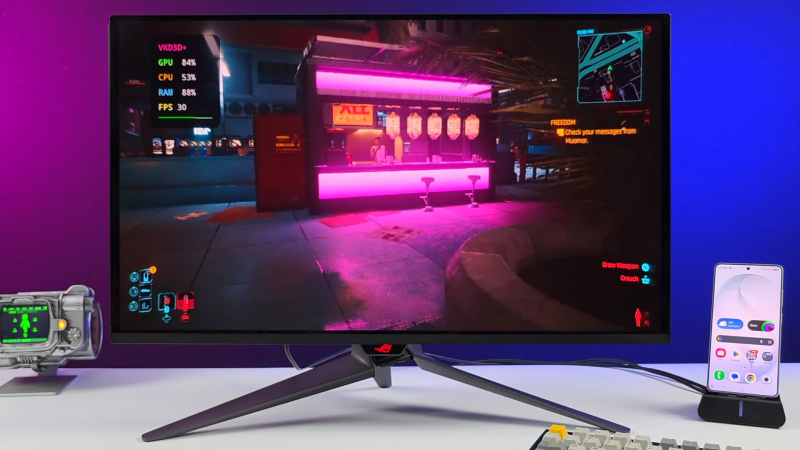
There was an ideal of convergence, a long time ago, when one device would be all you need, digitally speaking. [ETA Prime] on YouTube seems to think we’ve reached that point, and his recent video about the Samsung S26 Ultra makes a good case for it. Part of that is software: Samsung’s DeX is a huge enabler for this use case. Part of that his hardware: the S26 Ultra, as the upcoming latest-and-greatest flagship phone, has absurd stats and a price tag to match.

First, it’s got 12 GB of that unobtanium once called “RAM”. It’s got an 8-core ARM processor in its Snapdragon Elite SOC, with the two performance cores clocked at 4.74 GHz — which isn’t a world record, but it’s pretty snappy. The other six cores aren’t just doddling along at 3.62 GHz. Except for the very youngest of our readers, you probably remember a time when the world’s greatest supercomputers had as much computing power as this phone.

Continue reading “Are We Finally At The Point Where Phones Can Replace Computers?”

Knob over display

Dialing It In: A 3D-Printed Knob With Touchscreen Flair

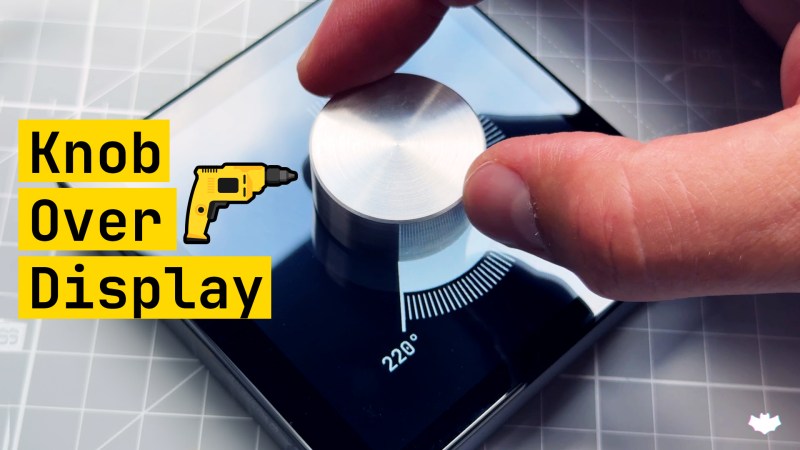
Knobs are ubiquitous in technology user interfaces, but touchscreens are increasingly replacing them for interface controls. The latest project from [upir] combines a rotating knob with a touchscreen for a stunning result. The knob-over-display design features a touchscreen where you can place and remove a spinning knob, creating an interface reminiscent of Microsoft’s Surface Dial but at a fraction of the cost.

The core functionality of this device relies on the MT6701 magnetic encoder, which precisely tracks the orientation of the surrounding magnetic field. This encoder is held in place with a 3D-printed jig behind the small touchscreen, hiding the encoder without blocking the magnetic field generated by the magnet above the display. Most circular magnets are axially magnetized, meaning their larger face is one pole. However, diametrically magnetized magnets, where opposite sides of the smaller face are the poles, are used here.

To avoid scratching the screen and ensure smooth turning, [upir] designed a knob that holds the diametrically magnetized magnet slightly above the screen, with a ball bearing connecting the outside of the knob to the center resting on the screen. All the design files needed to recreate this are available on [upir]’s GitHub page; be sure to check them out. Also, browse through our back catalog for other knob-related projects.

Continue reading “Dialing It In: A 3D-Printed Knob With Touchscreen Flair”

A Web-Based Graphics Editor For Tiny Screens

These days, adding a little LCD or OLED to your project is so cheap and easy that you can do it on a whim. Even if your original idea didn’t call for a display, if you’ve got I2C and a couple bucks burning a hole in your pocket, why not add one? Surely you’ll figure out what to show on it as the project develops.

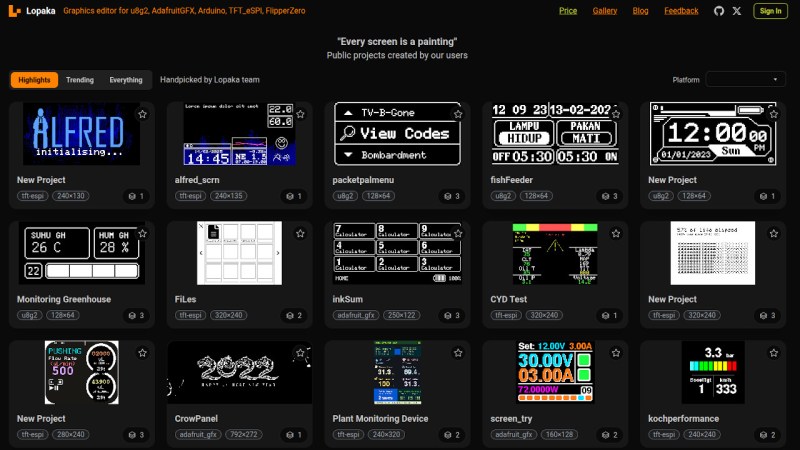
But that’s where it can get a little tricky — in terms of hardware, adding a screen just takes running a few extra wires, but the software side is another story. Not only do you have to contend with the different display libraries, but just creating the image assets to display on the screen can be a hassle if it’s not something you do regularly. Enter Lopaka, a graphics and user interface editor for electronic projects created by [Mikhail Ilin].

Continue reading “A Web-Based Graphics Editor For Tiny Screens”

Heat Pump Control That Works

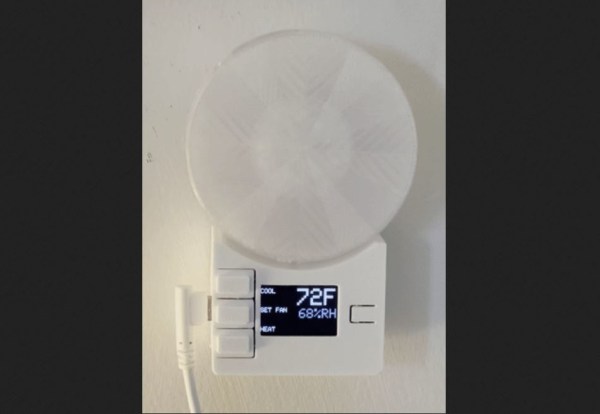
Heat pumps are taking the world by storm, and for good reason. Not only are they many times more efficient than electric heaters, but they can also be used to provide cooling in the summer. Efficiency aside, though, they’re not perfectly designed devices, largely with respect to their climate control abilities especially for split-unit setups. Many of them don’t have remotely located thermostats to monitor temperature in an area, and rely on crude infrared remote controls as the only user interface. Looking to make some improvements to this setup, [Danilo] built a setup more reminiscent of a central HVAC system to control his.

Based on an ESP32 from Adafruit with an integrated TFT display, the device is placed away from the heat pump to more accurately measure room temperature. A humidity sensor is also included, as well as an ambient light sensor to automatically reduce the brightness of the display at night. A large wheel makes it quick and easy to adjust the temperature settings up or down. Armed with an infrared emitter, the device is capable of sending commands to the heat pump to more accurately control the climate of the room than the built-in controls are able to do. It’s also capable of logging data and integrating with various home automation systems.

While the device is optimized for the Mitsubishi heat pumps that [Danilo] has, only a few lines of code need to be changed to get this to work with other brands. This is a welcome improvement for those frustrated with the inaccurate climate controls of their heat pumps, and since it integrates seamlessly into home automation systems could also function in tandem with other backup heat sources, used in cold climates when it’s too cold outside to efficiently run the heat pump. And, if you don’t have a heat pump yet, you can always try and build your own.

Sci Fi UI Made Easy With Arwes

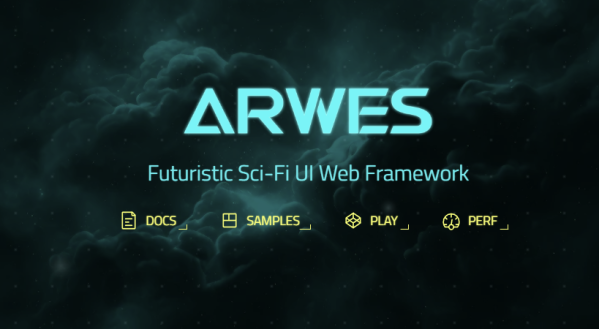
Many of us grew up watching Star Trek, marvelling at the beautiful colorful interfaces on the computers that ran the Starship Enterprise. Today’s computer interfaces have certainly grown fancier since the Windows 3.1 and Mac System 7 days, but they’re still nowhere near that gorgeous. The Arwes framework aims to change that, at least where web apps are concerned.

The framework is inspired by the cyberprep and synthwave aesthetics, while drawing from media like TRON: Legacy and Halo. You can get a peek at what it can do on the Arwes website, or look at how it runs on sites like SoulExtract or the Cyber Movie Database. It’s very much about glowing lines, 1980s computer sounds, and screens with animated text fills.

It’s still in an alpha release, and likely isn’t yet ready for business-critical production use. It currently consists of a set of basic components that can be assembled into a functional futuristic website design, but you’ll need some experience to use the tools at hand. There’s a sandbox for experimenting that should help in that regard.

You might just find that it’s the perfect tool to create an interface for your very own cyberdeck, or you might put it to work on your next website design. Either way, if you create something fantastic, don’t hesitate to drop us a line.