Hackaday Links Column Banner

Hackaday Links: August 16, 2026

We’re no strangers to unusual hardware failures around these parts, but even so, a swarm of jellyfish clogging up the works is a new one to us. That’s exactly what happened to the cooling system at the Gravelines nuclear power plant in France earlier this week, resulting in three reactors having to be shut down. This isn’t even an isolated incident, as POLITICO points out that the same thing actually happened last year around this same time.

So why are jellyfish staging an annual protest against nuclear power? A warming of the North Sea has extended breeding seasons and produced larger populations of the plankton that the jellyfish feed on. This is great for the gelatinous sea creatures, but not exactly ideal if you’re trying to pump the water they live in through a complex cooling system. The French installed filter screens and monitoring systems after this happened in 2025, but clearly they’re going to need to keep working on the problem.

From a new problem to a very old one, a BBC investigation has revealed that the UK’s National Health Service (NHS) Blood and Transplant department was inadvertently leaking private patient data by sending it in the clear over the pager network. Sniffing pager messages was fairly trivial decades ago, and is even easier these days thanks to the proliferation of cheap software-defined radios and open source decoding software. Given the fragility of the underlying communication network they use, the NHS announced they were going to stop using pagers by 2021, but clearly not everyone got the memo.

Continue reading “Hackaday Links: August 16, 2026”

BASICally, Its Retro Machine Language

We enjoyed [Beej’s] trip down memory lane looking at a BASIC game, The Wizard’s Castle, written for the Exidy Sorcerer. It appeared in a 1980 magazine that included the title graphic above. It reminded us how, back in those days, we did things with BASIC that you shouldn’t be able to do and it often looks, today, rather cryptic.

In particular, even if you know modern BASIC, these few lines might give you a pause:

10 REM"_(C2SLFF4
40 POKE 260,218: POKE 261,1: T = USR(0): T = PEEK(-2049)
80 Q = RND(-(2*T+1))

Line 10 is a comment, but a strange one. Certainly that doesn’t matter, right? Actually, it is a key part of the action. On line 40, you can see some pokes to write directly to memory and a peek to read some memory value back. The USR function calls some machine language program. You may realize the whole thing is to get some value T to seed the random number generator in line 80.

This leads to a few obvious questions. First, how does USR know what to call? Second, where is the machine language program? The details varied by system, of course, but in this case, the program knows that location 259 has a jump instruction that USR called. So poking an address into 260 and 261 was telling USR where it should go.

But what’s at that address? Keep in mind that an old computer like the Sorcerer didn’t have megabytes of memory being swapped about by an operating system. That means that things tended to be in known places and that BASIC had to be judicious about storing source code.

Continue reading “BASICally, Its Retro Machine Language”

QT6 Brings BASIC To The Web Browser, Or Your Computer

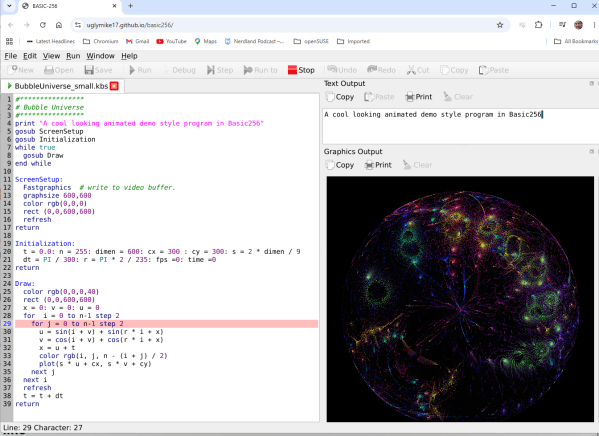
In the old days, you either swore by BASIC or you swore at it — but just about everybody got their start on the educational language. Nowadays, the kids are learning Python, but there’s a case to be made for BASIC — either for education, or just for nostalgic fun. BASIC-256 fills that niche, and now that it’s being ported to the oh-so-portable QT6 by [UglyMike], there’s even a webAssembly version that will let you run BASIC in your browser.

This version of BASIC is based on KidBASIC, which was aimed at the educational market. It’s got some handy-dandy graphics routines, 64-bit variables, and other quality-of-life features you can find in the docs. The new port is multi-platform, though the MacOS version has only been compiled for Apple Silicon — less of an issue than it used to be — and the web version naturally can’t get access to hardware for, e.g., serial ports, so it is somewhat more limited than a full install. There’s a second ARM build for Raspberry Pi along with the ubiquitous x86, but the project is open source, so if you really want to run this on an UltraSPARC system, you are welcome to compile it there. That said, this is a beta version, and the dev is actively looking for problems — so give it a go and let them know.

This isn’t the only open source BASIC out there — even Microsoft released their source code, at least for the 6502.

Thanks to [UglyMike] for the tip!

Write 2D And 3D Games In Modern MoonBASIC

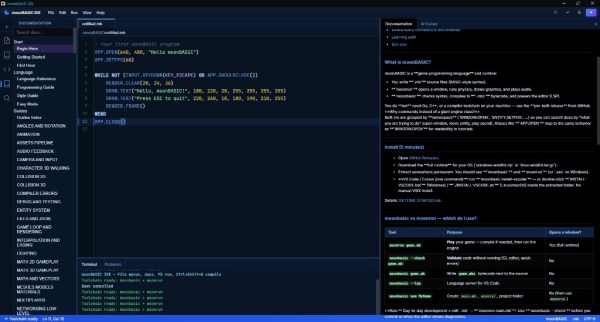
One of the major strengths of the BASIC programming languages has always been their no-fuss setup and rich set of commands for operations that would take considerably more work in a bare-bones language like C. MoonBASIC continues this legacy with a BASIC variant optimized for both 2D and 3D game development.

Included in the package are Raylib, Box2D, and Jolt, whose functionality is exposed via over 4,200 commands in their respective namespaces. You can also download a whole IDE package based around VS Code, use it on the command line, or add it to an existing VS Code installation.

Continue reading “Write 2D And 3D Games In Modern MoonBASIC”

The Arduino UNO, Basically

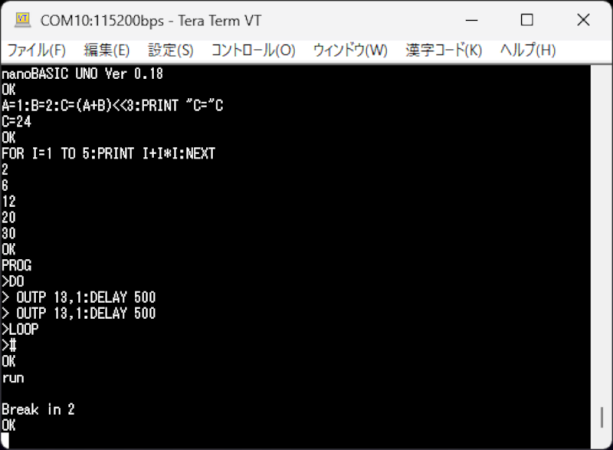
If you miss the days when you used Basic on your classic computer or wrote embedded software with a Basic Stamp, then maybe dust off your Arduino UNO or any similar AVR board and try nanoBASIC_UNO from [shachi-lab].

Apparently, the original code was meant for the STM8S, but this port targets the ATmega328P. It is Basic more or less as you remember it. There are enough extensions to deal with GPIO, the analog systems, and so forth. At build time, you can decide if you want 16-bit or 32-bit integers.

Continue reading “The Arduino UNO, Basically”

Reconstructed SC62015 Opcode Reference For Sharp Pocket Computers

Pocket computers like Sharp’s 8-bit computing marvels were a big part of the 1980s, providing super-portable processing power to anyone who wanted a bit more than what something like a scientific calculator could provide at the time. These days they are mostly just a collector’s item for retrocomputing enthusiasts, which also means that a lot of the knowledge about how to program the CPUs in them is at risk of being lost.

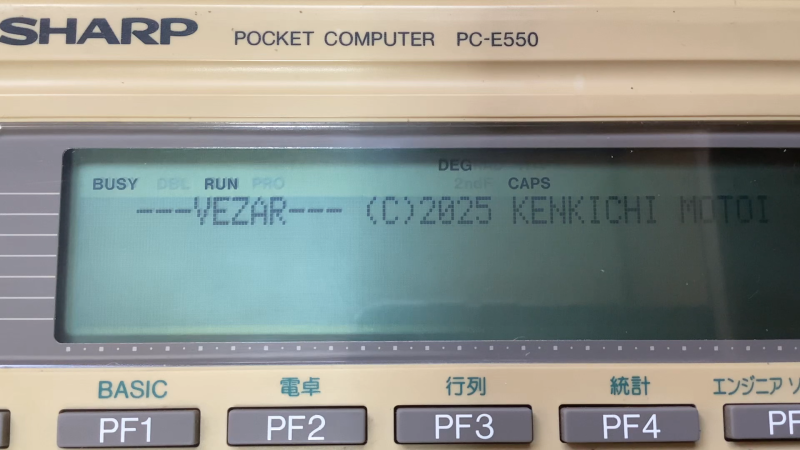
This is why [gikonekos] decided to combine as much knowledge they can glean from official documentation into a reference project on GitHub for the SC62015 equipped Sharp pocket computers like the PC-E550.

Generally you’d program in Sharp’s dialect of BASIC on these computers, such as the ‘PLAY3’ program that [gikonekos] recently unearthed from a November 1993 copy of ‘Pocket Computer Journal’ using which you can create polyphonic tunes. This only unlocks a small part of what the hardware can do, of course, so having a full opcode reference like this is important.

While still a work in progress, it’ll eventually contain the full opcode and register tables, addressing modes, instruction summaries and of course a full accounting of how all of this was reconstructed. As the original Sharp documentation wasn’t released to the public, providing these scans is also not a goal, especially not under any kind of free license.

A cursory search reveals an instruction table for the PC-E500 from 1995 by [Andrew Woods], so documenting this is not a new thing, although at the time these Sharp pocket PCs didn’t count as ‘retro systems’ yet.

BASIC On A Calculator Again

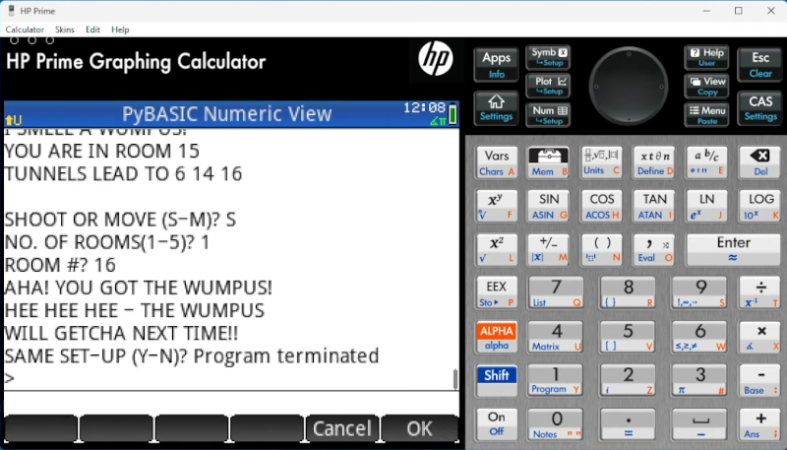
We are always amused that we can run emulations or virtual copies of yesterday’s computers on our modern computers. In fact, there is so much power at your command now that you can run, say, a DOS emulator on a Windows virtual machine under Linux, even though the resulting DOS prompt would probably still perform better than an old 4.77 MHz PC. Remember when you could get calculators that ran BASIC? Well, [Calculator Clique] shows off BASIC running on a decidedly modern HP Prime calculator. The trick? It’s running under Python. Check it out in the video below.

Think about it. The HP Prime has an ARM processor inside. In addition to its normal programming system, it has Micropython as an option. So that’s one interpreter. Then PyBasic has a nice classic Basic interpreter that runs on Python. We’ve even ported it to one or two of the Hackaday Superconference badges.

Continue reading “BASIC On A Calculator Again”