Using The Famicom Network System In 2026

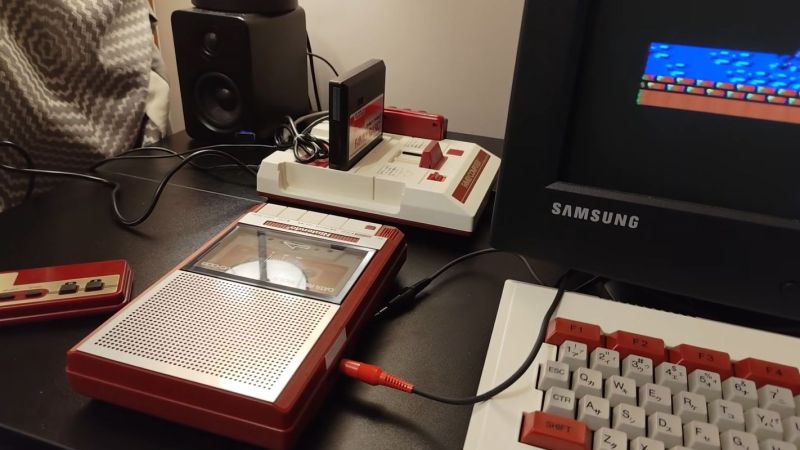
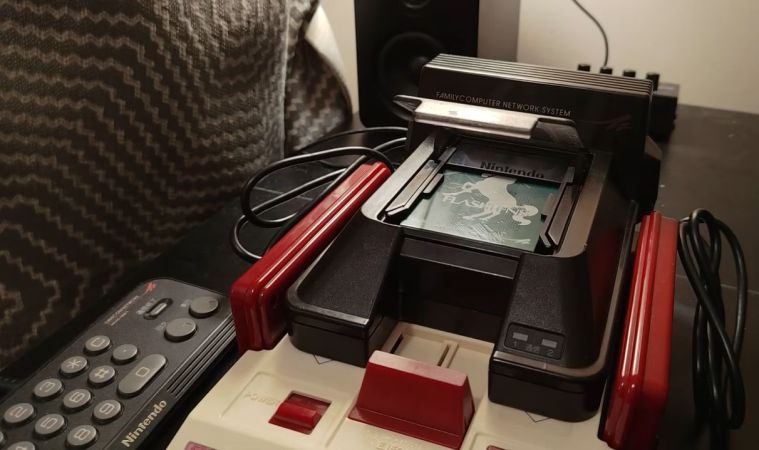
Usually, the name ‘Famicom’ and the associated Nintendo Entertainment System (NES) don’t exactly bring to mind downloadable content and online services. However, at least in Japan, a modem add-on for the Famicom offered those features. Released in 1988, the Family Computer Network System (FCNS) offered all that using its modem to dial into Nintendo’s servers. Recently, [Throaty Mumbo] got his mitts on one of these units to try and see what you can still do with it in 2026.

Voiding that Nintendo warranty. (Credit: Throaty Mumbo, YouTube)

Although only mildly successful in the Japanese market, Nintendo still sold 130,000 of these modem add-ons, with tens of thousands of users for the stock brokering, banking, and Super Mario Club services offered. The experiences with the FCNS would form the foundation for Nintendo’s Satellaview for the Super Famicom and from there into today’s Nintendo Online offerings.

Of course, the main challenge with reviving the FCNS in 2026 is that the remote servers were turned off decades ago, along with the minor detail that to do anything with it you need to insert a special card. This was missing in the used version that [Throaty Mumbo] bought, but fortunately he got a workable Super Mario Club card. The next struggle? He doesn’t speak Japanese, so it took a while to eke out the details.
Continue reading “Using The Famicom Network System In 2026”

The Bit79 Was A Famicom Clone That Took The “Family Computer” Name Seriously

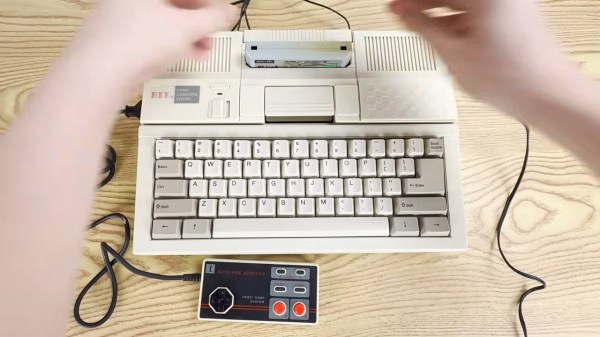
While the original name of what much of the world knows as the NES was the Nintendo Family Computer, or Famicom for short, it was very rarely used as a family computer. Sure, there was a basic cartridge and an add-on keyboard sold in Japan, but it was always a sideshow to the games.

Nintendo recognized that when they brought their Entertainment System overseas. Most of the various famiclones — which date back to the mid-80s — are the same. BIT in Taiwan had a different idea: their Bit 79 would be a full home computer. Picture a C=64 that plays Nintendo games, and you might not be too far off. [Inkbox] tells the full story in his latest YouTube video, and it’s a must-watch for anyone interested in the history of 8-bit machines that are totally unknown in the West.

Continue reading “The Bit79 Was A Famicom Clone That Took The “Family Computer” Name Seriously”

Nintendo’s Family BASIC Keyboard Gets USB Upgrade

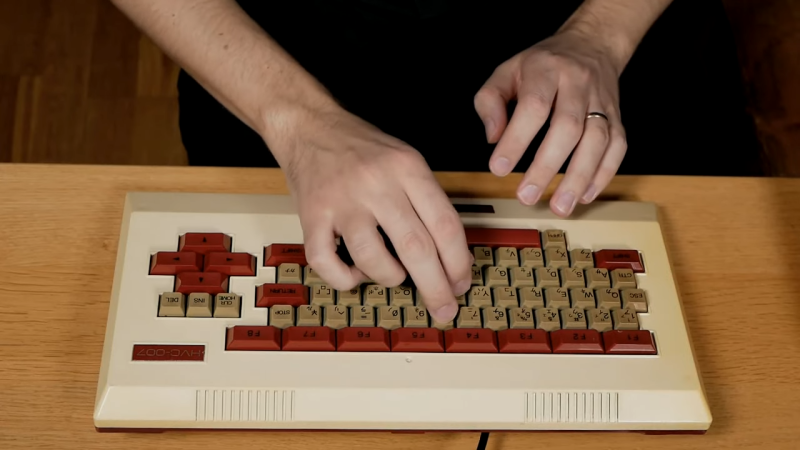
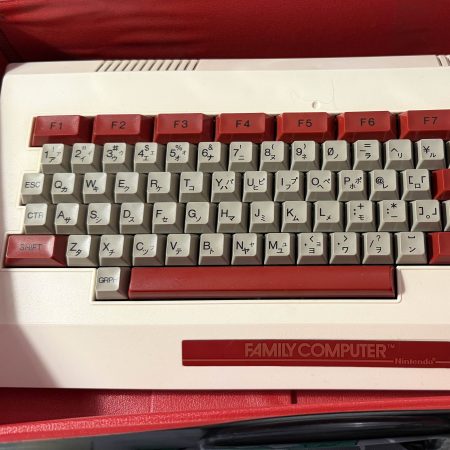
America knew it as the Nintendo Entertainment System, but in Japan, it was the Family Computer (Famicom). It was more than just a home console—it was intended to actually do a whole lot more. All you had to do was plug in the keyboard and chuck in the right Family BASIC cartridge, and you had a computer hooked up to your TV! [Lucas Leadbetter] came across an old Family BASIC keyboard recently, and set about making it more useful in our modern age with a simple USB upgrade.

[Lucas] started with research, and soon found plenty of schematics and details on the keyboard on the NESdev wiki page. Hunting further turned up a video from [Circuit Rewind], who demonstrated how to hook up the keyboard to a Raspberry Pi Pico, including how to interface with the onboard chips to scan the keys. These resources told [Lucas] enough to get going—and that it should be as simple as wiring some custom hardware up to the internal keyboard matrix connector to get it speaking to USB.

[Lucas] went a slightly different path to [Circuit Rewind], implementing the popular QMK firmware to suit the Family Basic keyboard on an Adafruit KB2040. The Adafruit part is basically an RP2040 microcontroller slapped onto a tiny PCB in a form factor that’s ideal for making custom keyboards. [Lucas] was able to reimplement the scanning logic that [Circuit Rewind] had reverse engineered previously, and had the keyboard up and running in short order with all the usability benefits of the QMK firmware. Files are on Github for those eager to recreate the work.

As far as usability goes, [Lucas] notes that the Family BASIC keyboard is more of a conversation piece than a daily driver, thanks to its rather poor feel. Duly noted. We’ve explored how software development is done in Family BASIC before, too. Video after the break.

Continue reading “Nintendo’s Family BASIC Keyboard Gets USB Upgrade”

Software Development On The Nintendo Famicom In Family BASIC

Back in the 1980s, your options for writing your own code and games were rather more limited than today. This also mostly depended on what home computer you could get your hands on, which was a market that — at least in Japan — Nintendo was very happy to slide into with their ‘Nintendo Family Computer’, or ‘Famicom’ for short. With the available peripherals, including a tape deck and keyboard, you could actually create a fairly decent home computer, as demonstrated by [Throaty Mumbo] in a recent video.

Continue reading “Software Development On The Nintendo Famicom In Family BASIC”

EmuDevz Is Literally A Software Game

The idea of gamifying all the things might have died down now that the current hype is shoving AI into all the things — but you’ve probably never seen it quite like EmuDevz, a game in which you develop an 8-bit emulator by [Rodrigo Alfonso].

There’s a lot of learning you’ll have to do along the way, about programming and how retro systems work, including diving into 6502 assembly code. Why 6502? Well, the emulator you’re working on (it’s partially-written at the start of the game; you need only debug and finish the job) is for a fantasy system called the NEEES “an antique game console released in 1983”. It’s the NEEES and not NES for two reasons. One, Nintendo has lawyers and they really, really know how to use them. Two, by creating a fantasy console that is not-quite-a-Famicom, the goalposts for EmuDevz can be moved a bit closer in.

Continue reading “EmuDevz Is Literally A Software Game”

The Nintendo Famicom Reimagined As A 2003-era Family Computer

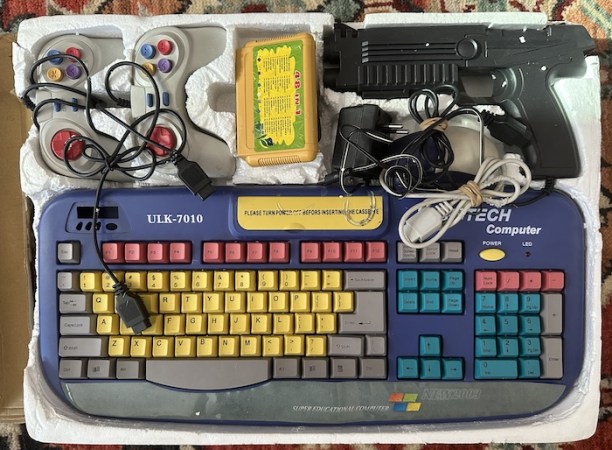
If there’s one certainty in life, it is that Nintendo Famicom and similar NES clone consoles are quite literally everywhere. What’s less expected is that they were used for a half-serious attempt at making an educational family computer in the early 2000s. This is however what [Nicole Branagan]  tripped over at the online Goodwill store, in the form of a European market Famiclone that was still in its original box. Naturally this demanded an up-close investigation and teardown.

The system itself comes in the form of a keyboard that seems to have been used for a range of similar devices based on cut-outs for what looks like some kind of alarm clock on the top left side and a patched over hatch on the rear. Inside are the typical epoxied-over chips, but based on some scattered hints it likely uses a V.R. Technology’s VTxx-series Famiclone. The manufacturer or further products by them will sadly remain unknown for now.

While there’s a cartridge slot that uses the provided 48-in-1 cartridge – with RAM-banked 32 kB of SRAM for Family BASIC – its compatibility with Famicom software is somewhat spotty due to the remapped keys and no ability to save, but you can use it to play the usual array of Famicom/NES games as with the typical cartridge-slot equipped Famiclone. Whether the provided custom software really elevates this Famiclone that much is debatable, but it sure is a fascinating entry.

Family Bass Is Musical NES Magic

The Family BASIC keyboard was a peripheral that was built for programming on the Nintendo Family Computer, or Famicom.  As [Linus Åkesson] demonstrates, though, it can do so much more. Meet the Family Bass.

The core of the project is a special adapter which [Linus] created to work with the Family BASIC keyboard. Traditionally, the keyboard plugs into the Famicom’s expansion port, but [Linus] wanted to hook it up to the controller port on a Nintendo Entertainment System instead. Getting them to talk was achieved with an ATtiny85 which could cycle through the 72-key matrix in the keyboard and spit out a serial stream of data the controller port could understand.

On the NES end, the console is set up to run custom code from [Linus] that lets him play the internal sound chip’s triangle wave with the keyboard. He demonstrates this ably in a video where he performs a song called Platform Hopping along with some of his other retro computer instruments.

We’ve seen [Linus] build some other great instruments in the past too, which are both creative and nostalgic. Video after the break.

Continue reading “Family Bass Is Musical NES Magic”