
In this issue:
How the chat composer became the real AI product surface
3 prompts for specs, critique, and screenshot → system
2 agent skills for craft and anti-slop UI
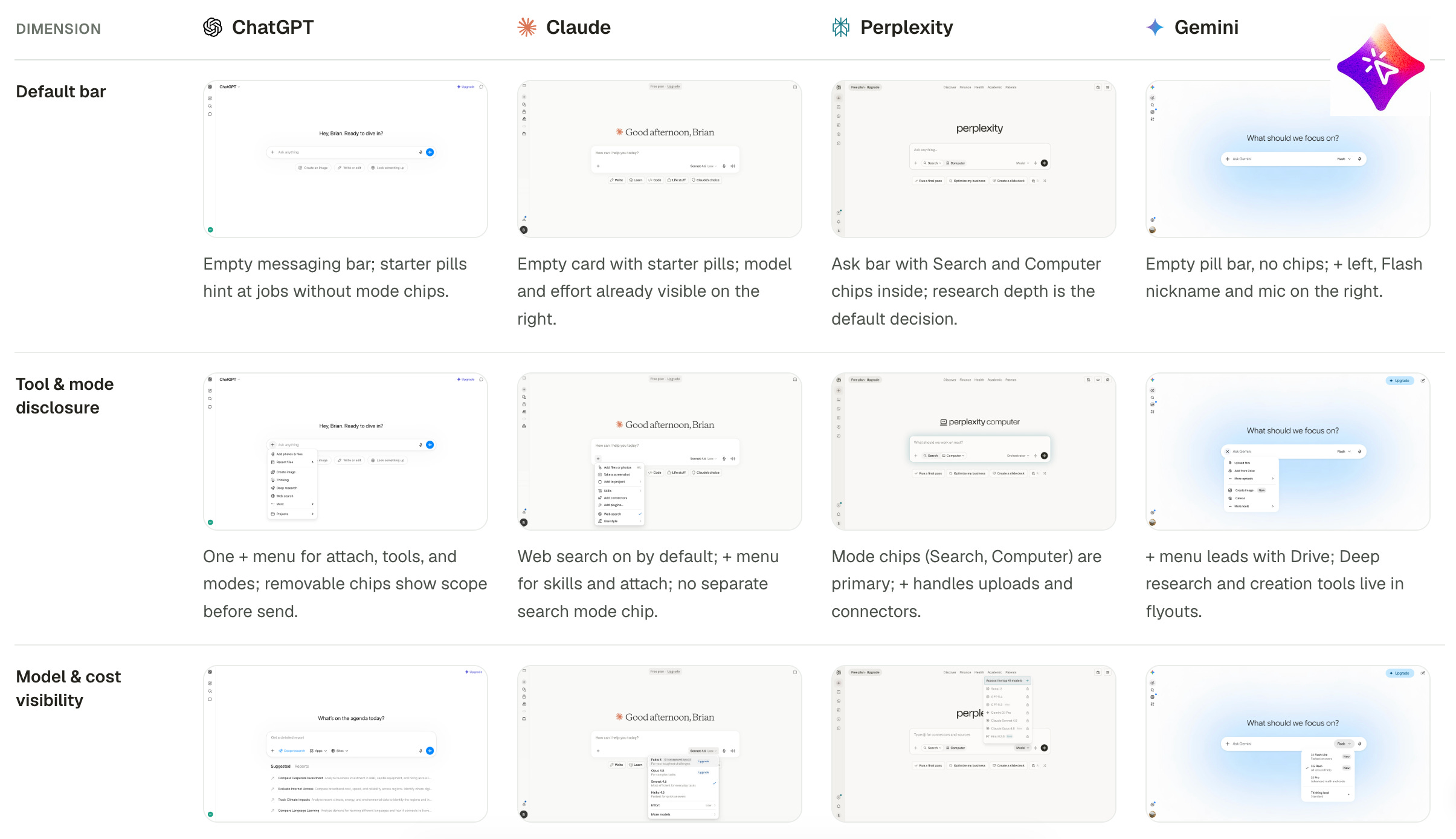
Most AI UX lives in the input bar: tools, attachments, model pickers, slash commands, follow-ups. If that bar is muddy, the whole product feels muddy.
Steal this: design intent capture before you polish the answer bubble.
→ How to Design AI Chat Composer UX
→ Compare composers
UI Component Specification — States, variants, and handoff-ready detail for one component.
Design Critique Framework — Structured feedback instead of “looks fine / feels off.”
Extract Design System from Screenshot — Turn a UI capture into tokens, type, and components you can reuse.
More → https://aiuxplayground.com/prompts/for-designers
Design Engineering — Emil Kowalski’s polish: motion, components, and the details that make UI feel intentional.
Design Taste Frontend — Anti-slop frontend taste: type, spacing, and composition rules for agents that ship UI.
More → https://aiuxplayground.com/skills/for-designers
That’s it for this week. If you’re shipping AI chat this month, start with the composer, then steal one prompt and one skill into your actual workflow.
If this was useful, please subscribe our channel. I send one short digest a week: patterns, AI product case studies, tutorials, prompts, skills and more.
No posts
Comments
Nothing yet. Say the first thing.
Sign in to join the conversation.