
In this issue:
Why the answer bubble is the wrong container for serious AI work
3 prompts for briefs, errors, and microcopy
2 skills for prototyping and evals
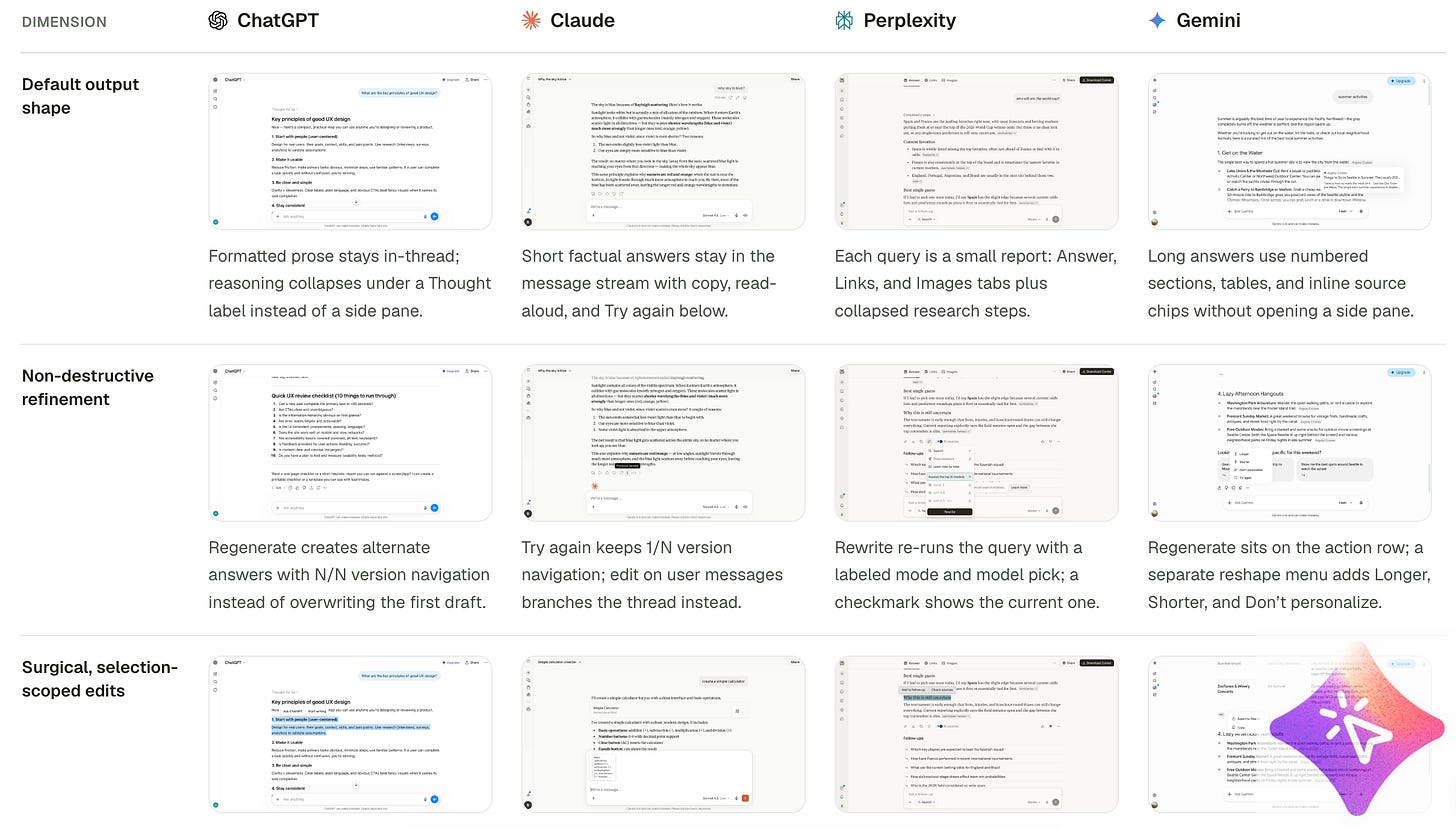
Chat is fine when you’re talking. It’s a terrible filing cabinet. Code, docs, tables, anything you need next Tuesday shouldn’t live in a scroll you can’t edit or share cleanly.
Put the durable work in an artifact. Let people refine that object without restarting the thread.
I keep coming back to this because so many AI products still treat the transcript as the product. It isn’t.
→ How to Design AI Output, Artifacts & Refinement UX
→ Compare output & artifacts
AI Feature Design Brief. Write the behavior, trust, and controls before you open Figma.
AI Error Handling UX. Map what breaks, how users recover, and what the UI says when the model fails.
Microcopy Polish. Fix the vague buttons and empty states that make AI moments feel unfinished.
Prompt library: https://aiuxplayground.com/prompts
Prototype. Build something throwaway that answers one design question. Then throw it away.
AI Evals. Rubrics and pass/fail cases, so “good” stops meaning “looked fine in the demo.”
More skills: https://aiuxplayground.com/skills
That’s it for this week. If your product still traps useful work in a chat scroll, fix the container first. Then run one of the prompts on a feature you’re actually shipping.
If this was useful, please subscribe. One short digest a week: patterns, prompts, and skills worth trying.
No posts
Comments
Nothing yet. Say the first thing.
Sign in to join the conversation.