

The moment your product starts remembering role, tone, or durable facts, the design question shifts. It is no longer “is this reply helpful?” It is “what does the system know about me, and can I change it?”
Memory is where personalization becomes either delightful or creepy. Users want continuity. They also need to see, pause, edit, and wipe what got stored. If those controls are missing, every smart reply feels like surveillance.
I wrote the full build playbook here: How to Design AI Memory & Personalization UX. This post is the shorter version: what memory UX actually means, the three postures worth stealing, and the one product decision that does most of the work.
Framer - The best code-free tool for designers to create beautiful websites. Use our special promotion code: partner25proyearly to get 3 months free yearly Pro subscription.
What memory and personalization UX actually means
Personalization UX lets people shape how the model behaves. Memory UX makes durable facts and preferences inspectable over time.
Together they answer three questions: what does the system know about me, how does that change answers, and how do I stop it?
Two frameworks own different halves of this problem:
Trust Scaffolding treats memory as revocable continuity: stored facts stay useful only if users can audit and revoke them.
Chat UX treats instructions and memory as conversation state the user can inspect, not opaque backend magic.
If you only keep one distinction: custom instructions declare intent. Saved memories accumulate evidence. Both need surfaces. Only one should feel automatic.
The core pattern: a manageable memory list
Start with an explicit list of what the system remembers.
ChatGPT is the clearest shipped version: saved memories as a first-class list, with edit, delete, and version history so continuity is visible and temporal.
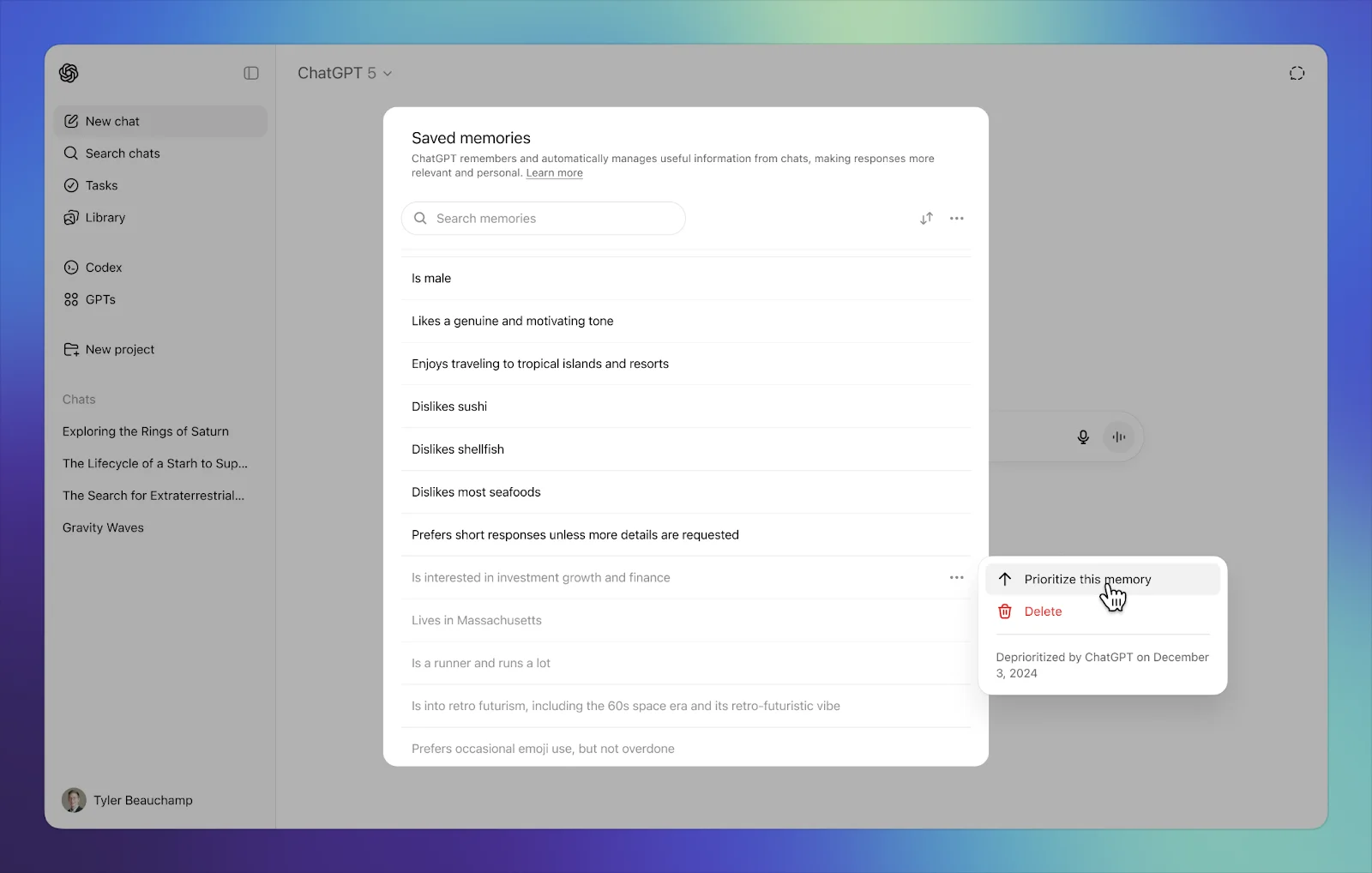
If users cannot see the memories that shape answers, personalization will feel like a leak, not a feature. Design the list so every item is inspectable. A buried “manage memory” link three menus deep does not count.
A memory list alone is not a system, though. Shipped products usually compose personalization with siblings:
Style and tone presets — named behavior without forcing users to write a manifesto
Declared instructions vs learned memory — separate what the user wrote from what the system inferred
Pause vs reset — stop new learning without nuking the profile
Scope toggles — personal vs workspace, chat persona vs search relevance
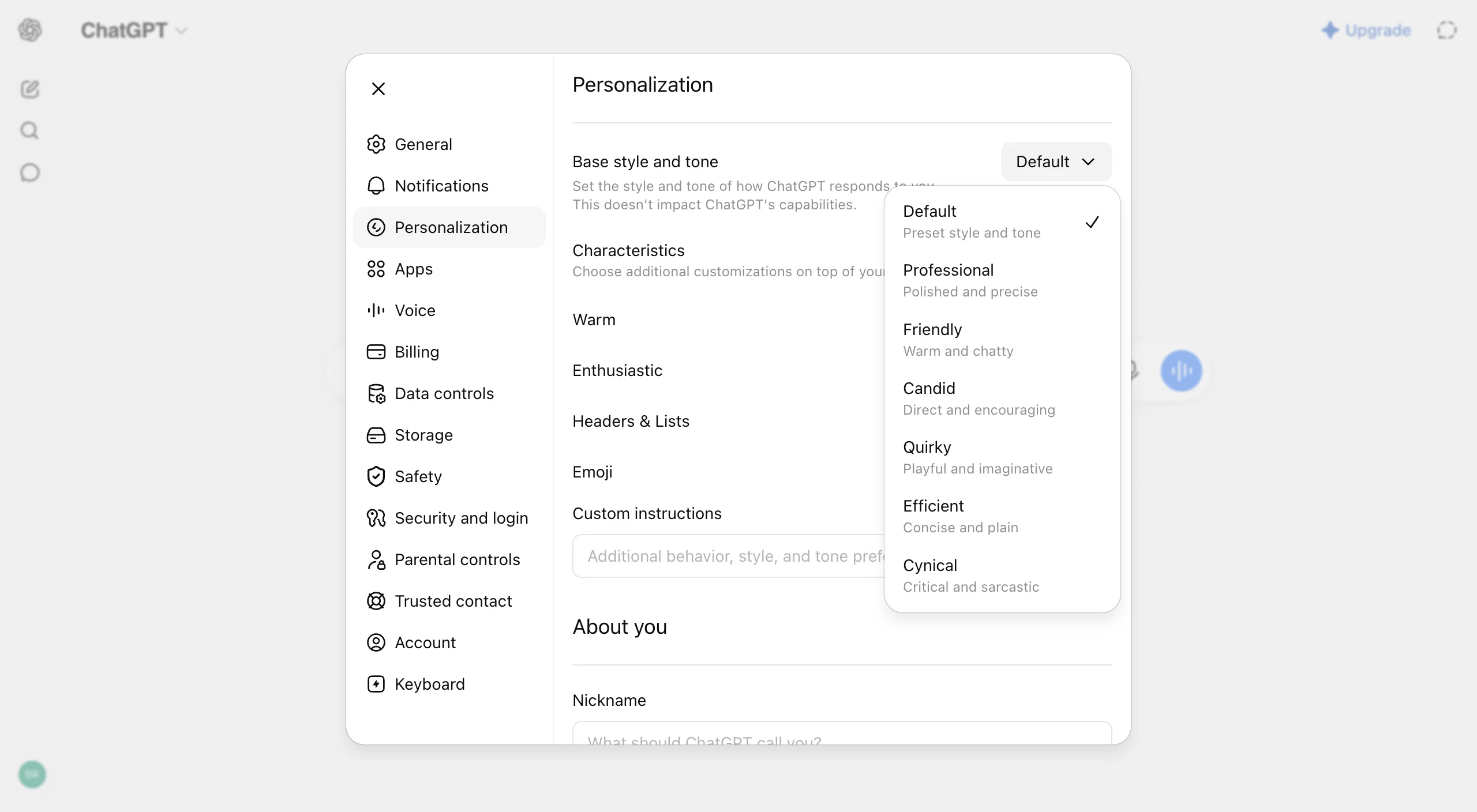
You do not need all four on day one. You need one visible memory list with delete, then add siblings only when style, scope, or temporary off-ramps demand them.
Three product bets: persona, instructions, or relevance
The same continuity job produces three different interfaces. Steal the posture that matches what personalization is for in your product.
ChatGPT: first-class personalization hub
A dedicated Personalization tab with tone presets, characteristic sliders, and versioned saved memories. Continuity is ambient and inspectable.
Steal this when chat persona is core to the brand and users expect the assistant to get smarter over time.
Claude: instructions plus optional memory
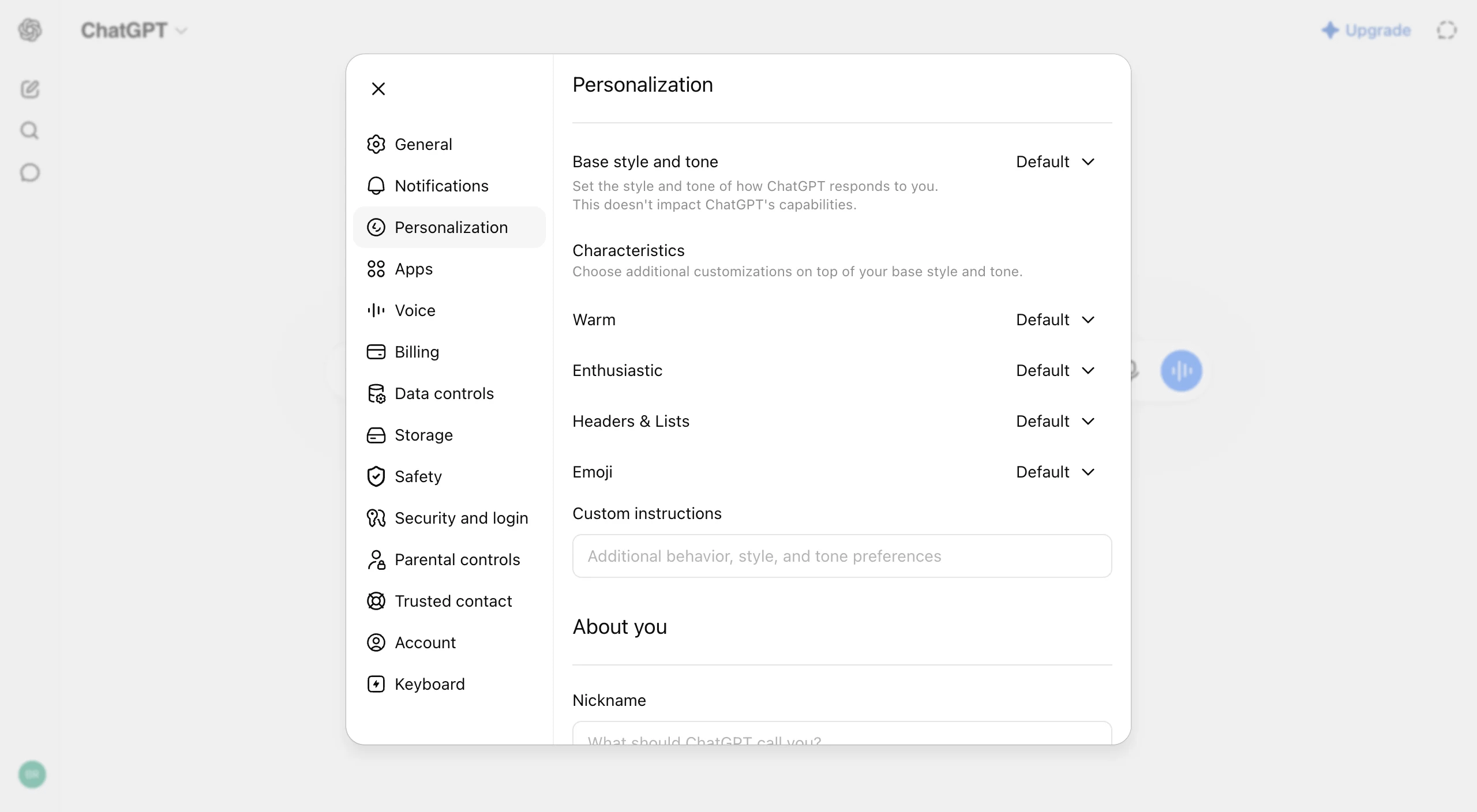
Declared instructions live on General. Memory sits under Capabilities as an opt-in, with import and pause-vs-reset. Separation clarifies intent versus inference.
Steal this when workspace continuity matters and privacy posture matters more than ambient smarts.
Perplexity: relevance profiles
Personalize response length and vertical profiles (like Health or Finance) for search quality. History shapes research memory, not chat character.
Steal this when the product is discovery, not companionship.
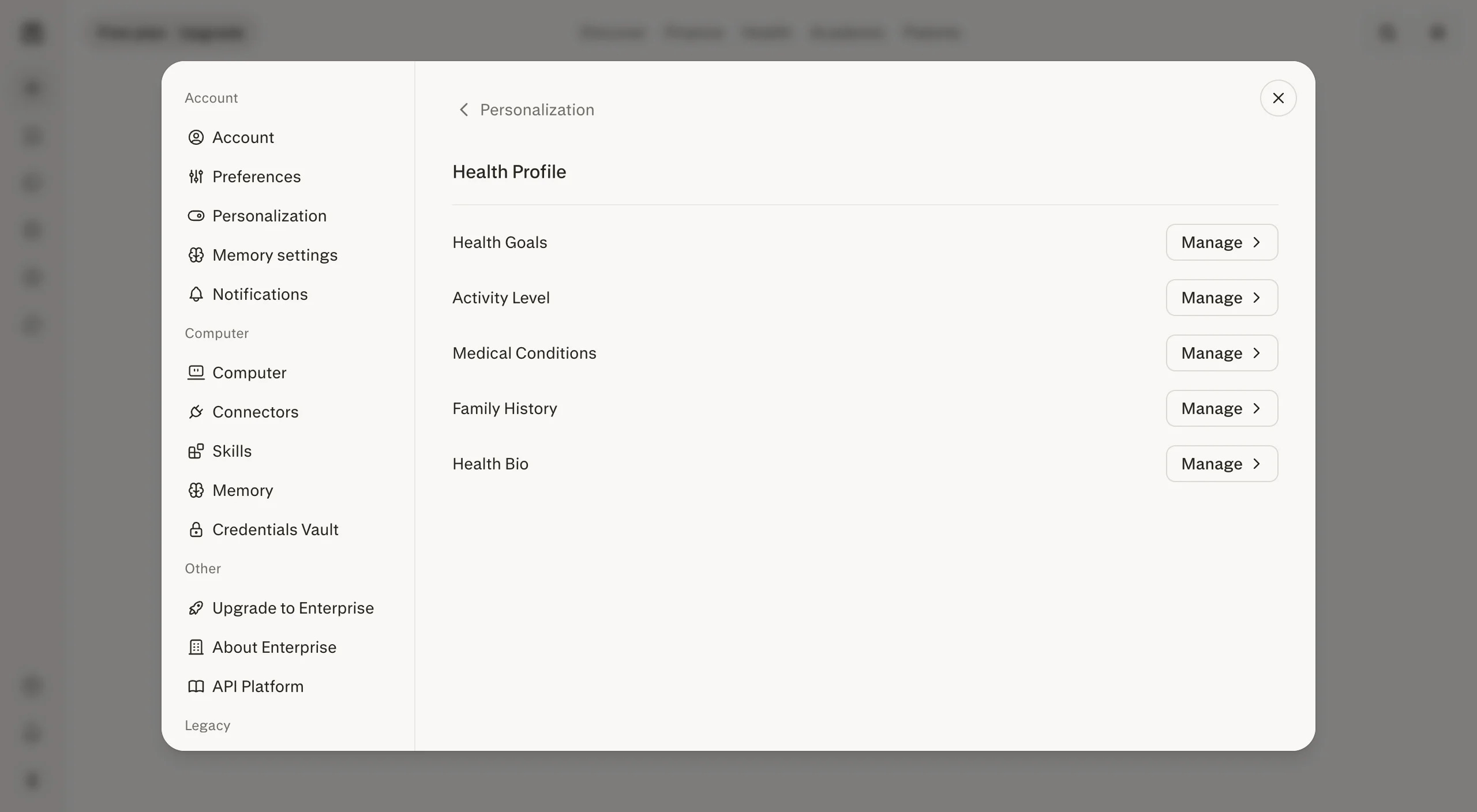
Full side-by-side and steal rules live in the personalization comparison.
Auto-learn, or make people opt in?
This is the argument I hear longest in reviews, and it’s usually the right argument.
If continuity is the product, auto-learn with a visible editable list. ChatGPT is the reference.
If privacy posture matters more than ambient cleverness, keep memory opt-in. Claude is the reference.
If the job is search quality rather than persona, profile for relevance. Perplexity is the reference.
Silent writes with controls stuffed deep in settings will eventually blow up. One wrong fact resurfacing mid-chat is often enough. And if later memory classes get more sensitive, don’t pretend the original toggle still covers them. Revisit consent.
What I’d check before shipping
I want inspectable continuity more than invisible cleverness. If someone can’t edit what you personalized, you didn’t give them control. You gave them lock-in with nicer copy.
I’d invest when people return across sessions for the same long-running work, when tone or role consistency is a real promise, when every stored item can be shown/edited/deleted, when pause/reset exists, and when someone is actually watching privacy regressions in evals.
I’d stay light when sessions are mostly disposable, when shared devices or regulated data make storage a liability, or when nobody can review learned facts.
Patterns I won’t ship
Memory writes with no notification and no list.
Delete that only works if you email support.
Sensitive data folded into style presets with no warning.
Personalization that ignores workspace vs personal boundaries.
Consent that only appears inside a terms update.
Remembering something the user already asked you to forget.
If the UI can’t say what got stored, stop calling it personalization.
Next step
Pick a posture from the comparison. Ship one personalization surface and one memory list with delete.
Grab one rule from the personalization comparison that fits your product. Spec the list against the memory manage pattern and try the demo. Add pause/reset before you turn on aggressive auto-learn. Then watch how often people edit or delete memories. That hygiene rate tells you whether they trust the system more than any satisfaction score I’ve seen.
Longer binder, product shots, and pattern referrals: How to Design AI Memory & Personalization UX
Thanks for reading AI/UX Playground! Subscribe for free to receive new posts and support my work.
Comments
Nothing yet. Say the first thing.
Sign in to join the conversation.