
We shipped getFrames in Jam MCP and the Jam CLI. Now your agent can pull frames from a recording and inspect the visual evidence directly: a modal rendering behind its overlay, a layout breaking at a specific width, a color that simply looks wrong.
Until now, Jam MCP and the Jam CLI exposed a Jam as text. Agents could inspect available console logs and network requests, read the voiceover transcript, and use an AI-generated summary of the recording. They just couldn’t see the screen.
How getFrames helps:
QA: Give an agent a reproduction and let it confirm what appears on screen.
Code review: Pair a code change with a recorded user flow, so the agent can review the behavior alongside the diff.
Product walkthroughs: Hand an agent a recorded demo and get a written walkthrough of the flow.
Design review: Point at the exact moment where it stops matching the design and ask why.
Use this sample Jam to test getFrames for yourself!
Creating an overview is the best place to start when you don’t know exactly when something went wrong. You get back a single image: 6 frames for a short clip up to 16 for a long one, scaled to the recording’s length, with each cell labeled by its timestamp (m:ss). The agent reads the whole flow at a glance, then picks where to look closely.
Try:
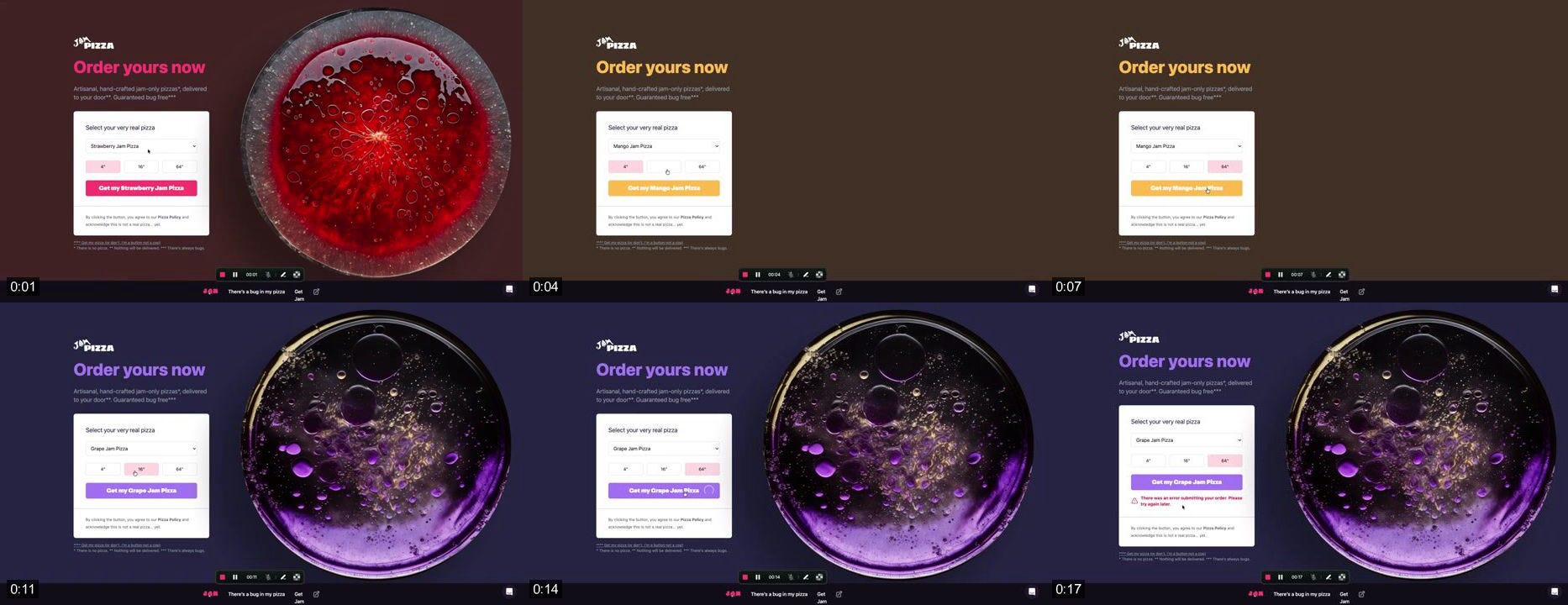
Provide the timestamps you want using at, and getFrames returns the corresponding frames.
Try:
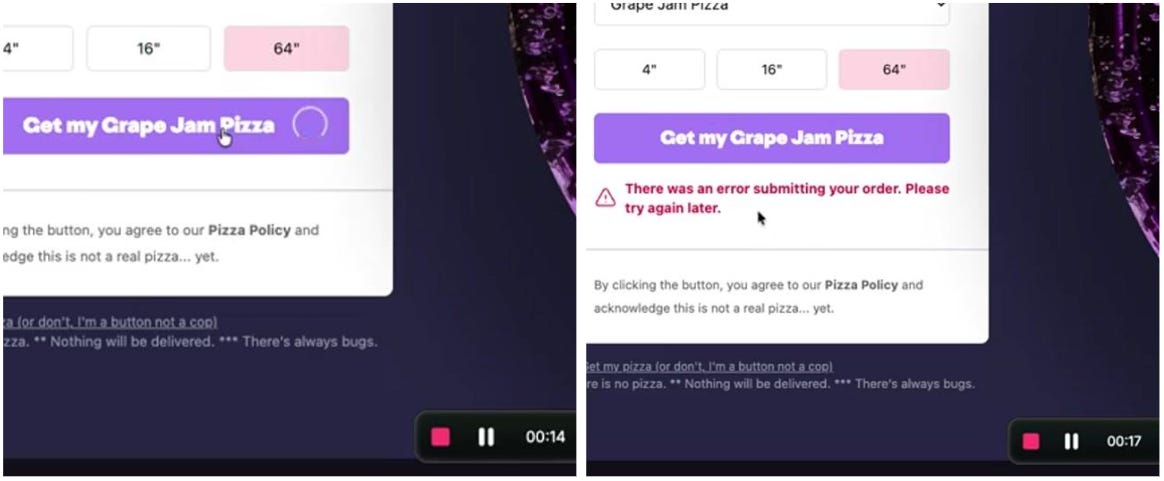
Give a start and end time plus how many frames you want, and Jam spreads them evenly across the range.
Try:
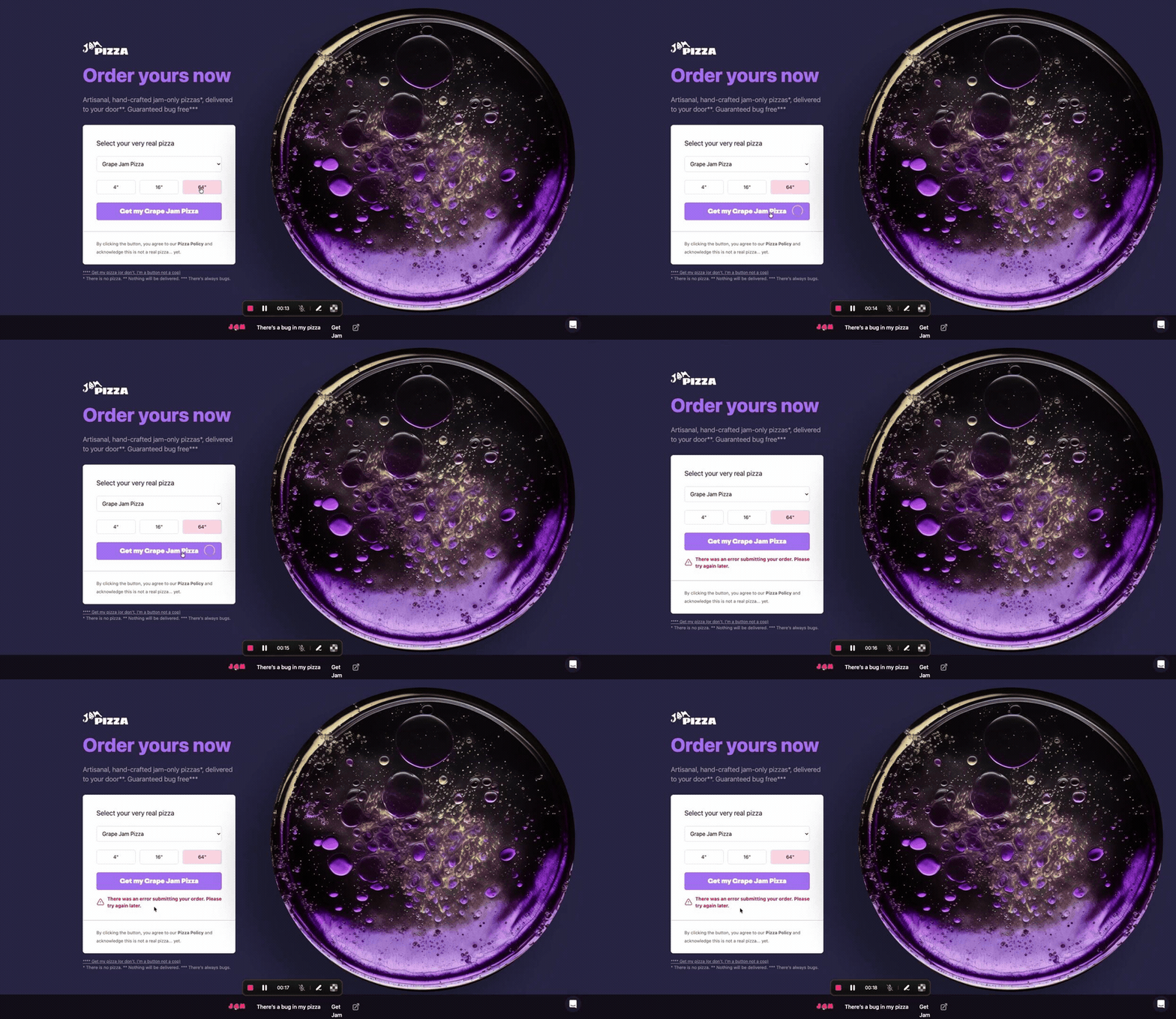
Returned frames include a t=<ms> timestamp, so you can line up the visual state with the console errors or network requests from the same moment.
You can also choose the resolution (360p, 720p, or 1080p) depending on whether you want more visual detail or a smaller context window.
You don’t need to name the tool if you are unsure of the best mode. In Jam MCP, ask in plain language and the agent will pick for you. For example, leave a comment on your Jam and add this to your prompt:
For scripts and automations, the same three modes are available through a single command in the Jam CLI. The CLI writes the resulting JPEG files to a directory:
Use --size small|medium|large to set the frame height, and --out <dir> to choose where the files are written. The default directory is ./jam-frames/<id> .
getFrames is live in the Jam MCP, as is jam get frames in Jam CLI. Hand a Jam to your agent to test it for yourself.
Today, the overview grid samples frames at evenly spaced intervals. For example, six frames from a one-minute recording means one frame every ten seconds, regardless of whether the screen stayed unchanged or something important happened between samples.
Next, we want to introduce smarter sampling that selects frames based on meaningful visual changes and skips periods where nothing happens, ensuring that every frame in the overview adds value to the analysis.
We also want to support sub-second precision before relying on individual frames to diagnose pixel-level glitches.
Is there another tool you’d like to see Jam build? Tell us at hello@jam.dev
Happy Jamming!
No posts
Comments
Nothing yet. Say the first thing.
Sign in to join the conversation.