
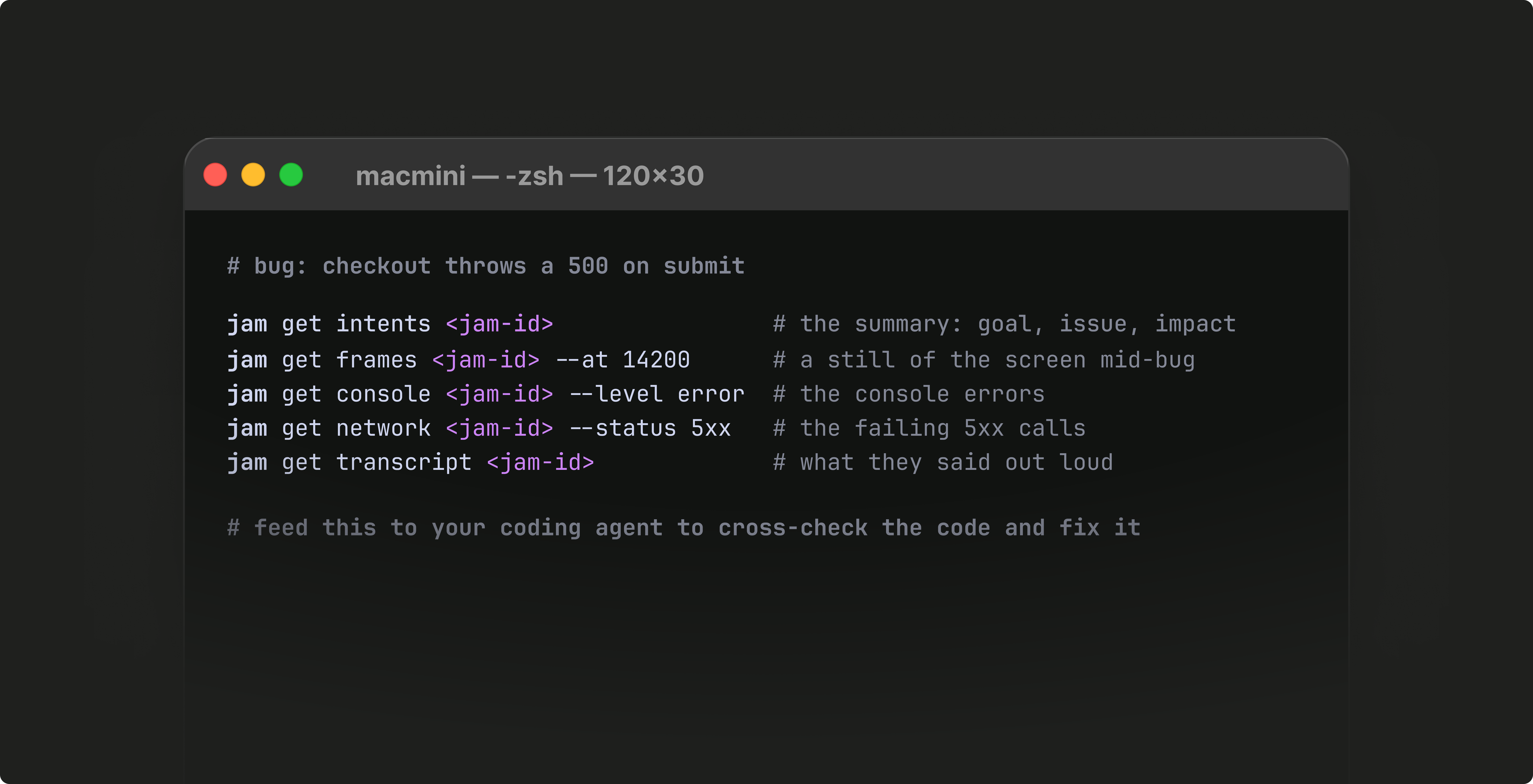
Here are the four upgrades to test with your next Jam:
Review Jams from your command line. Schedule reviews, and your coding agent can investigate every Jam before you get involved. It runs where devs already work, from a quick script or CI, on Mac, Linux and Windows. Read the guide here.
Now your agent can see snapshots of your screen alongside the logs Jam gathers, so it can pinpoint exactly what changed. Example prompts here.
QA: give an agent a Jam and let it confirm what appeared on the screen
Code review: check recorded behavior against the diff
Product demos: voice over a demo and turn it into documentation
Design review: find where a recording drifts from the intended design
Jam detects the language spoken in the recording and transcribes it accurately, so your agent gets a transcript it can work with in any language. Our full list of tools.
Agents can create Recording Links on demand. Build workflows that spot when a Jam is needed and have your agent add a Recording Link. Tip: Start by monitoring bug tickets that should have a Jam but don’t yet. Recording Links in the CLI.
Coding agents are the fastest-growing viewers of Jams. Install the Jam CLI or connect our MCP, and let your agent be the first to review Jams.
Want help getting started?
Happy Jamming!
No posts
Comments
Nothing yet. Say the first thing.
Sign in to join the conversation.