
👋 Hello and welcome to our intermittently appearing newsletter with news, events, updates and other information about our race timing app. #happytiming
After a few months of testing we’ve just released our latest and greatest version of our RaceClocker Finish Cam app for iPhone on the App store for download. Based on the usage and feedback from over 20 alpha users, we’ve made many improvements. Like, for example larger digits in the running clock to make (computer recognized) readability of the clock more reliable. For the playback experience of a livestream in the RaceClocker Dashboard we’ve also added more interactions with the timeline bar, as well as that we now store the user set location of the draggable finish line.
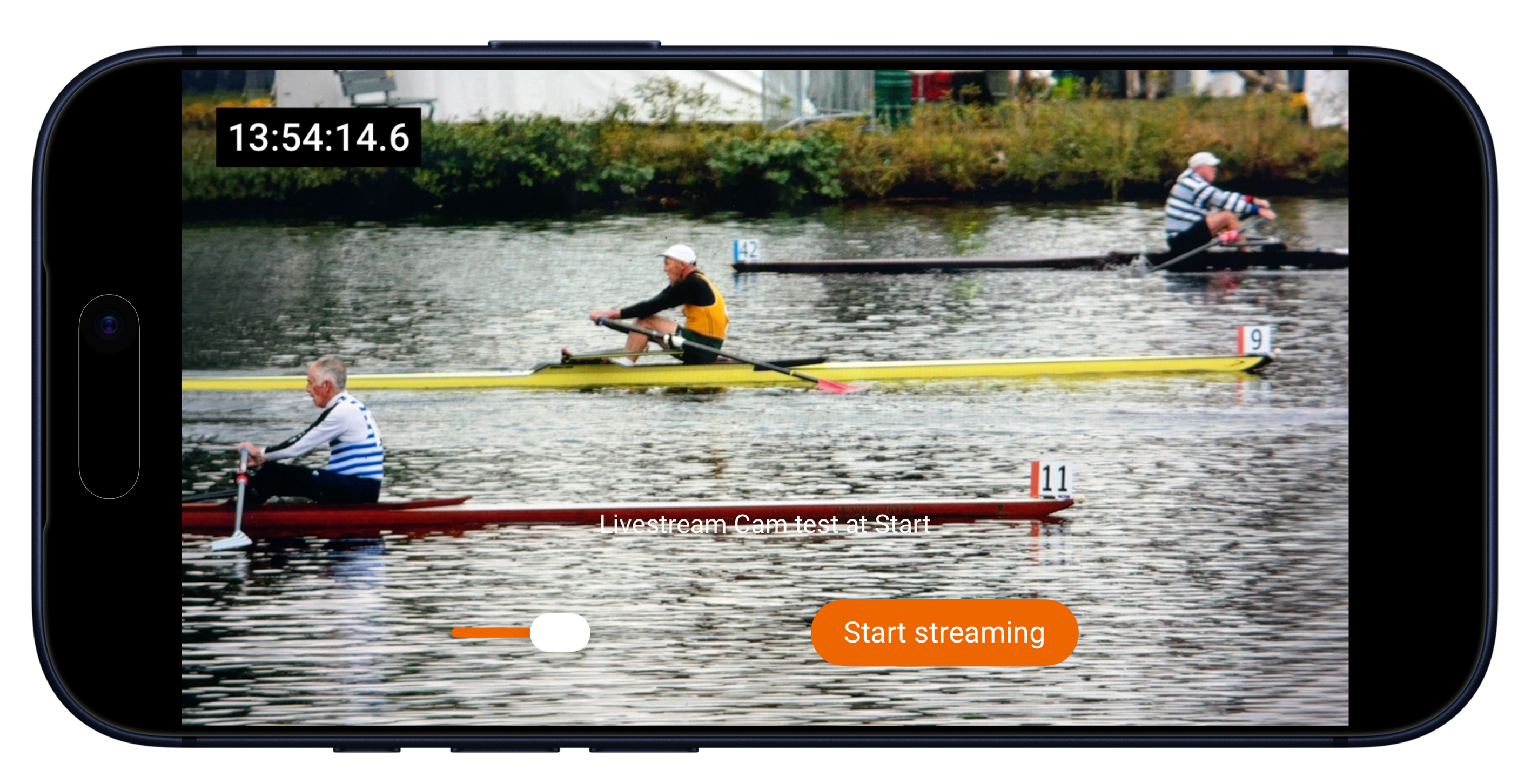
In a seperate post here you may find more details on how the app works as part of our timing system. Or check the short video tutorial on Vimeo. The livestream of your event can both be a backup for manual timekeepers or it can facilitate remote timing (manual timing from the comfort of a dry and warm place).
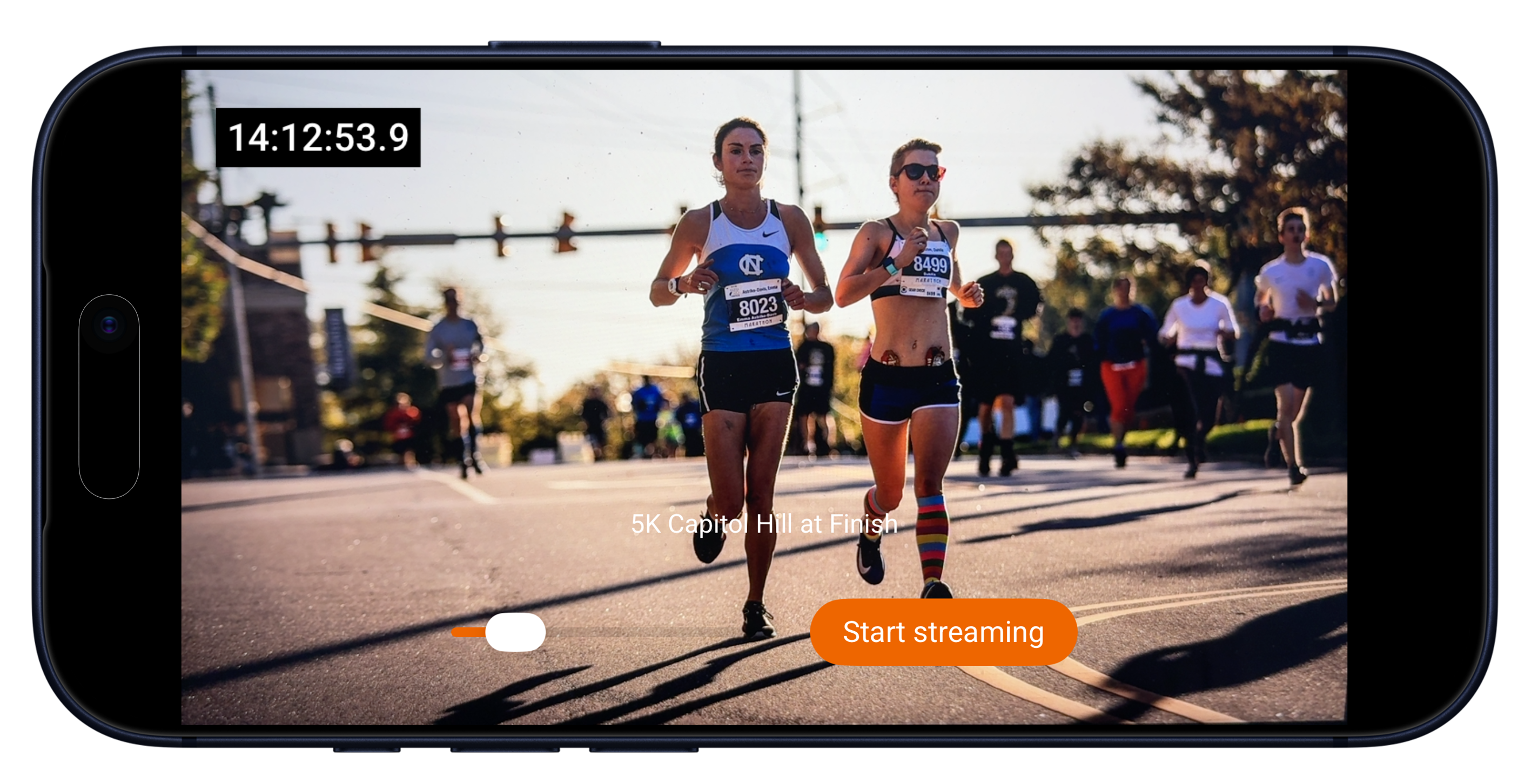
Looking ahead, we’re experimenting with new features for upcoming versions of Finish Cam. These include motion detection to make timeline scrolling in the Dashboard smarter and faster, as well as bib (or bow) number recognition to support easier and semi-automatic timestamp registration.
The Finish Cam app for iPhone is now available for all our RaceClocker Premium customers.
Race results now include a small weather conditions widget on top of the map thumbnail. This applies only to races that have a location set - via the map editor in race set up. Based on location, time and date the wind speed or wind force, wind direction and temperature data are shown.
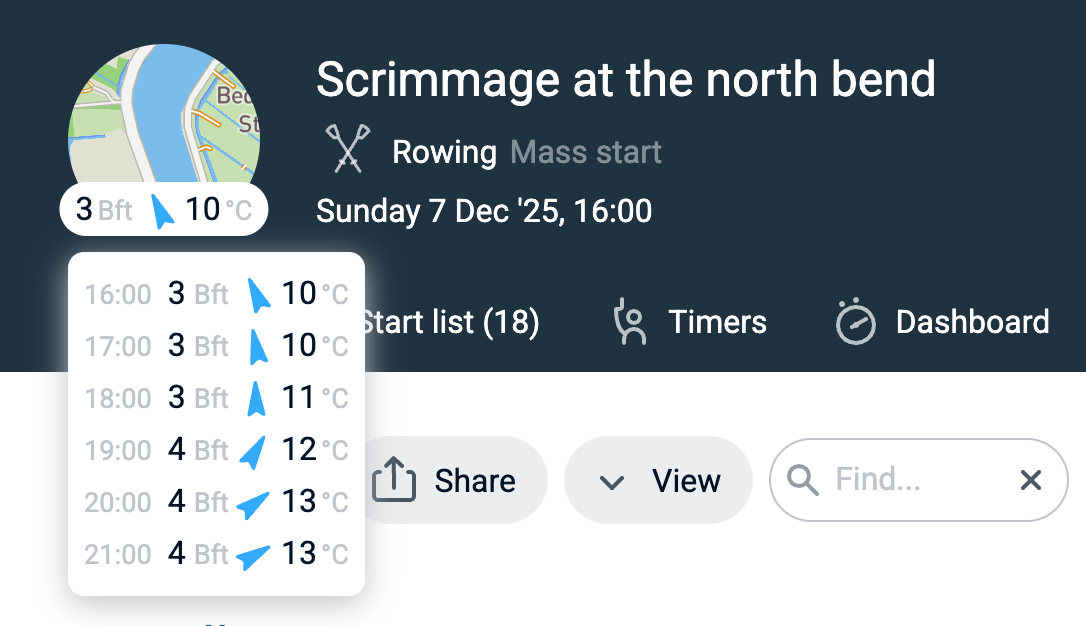
When clicked, a list of hourly weather conditions appears, ranging from the hour before the first time stamp until the hour after the last time stamp of the day.
Inspired by official HYROX races, RaceClocker included a new way to present an athlete’s individual result time and rank in category on large TV screens.
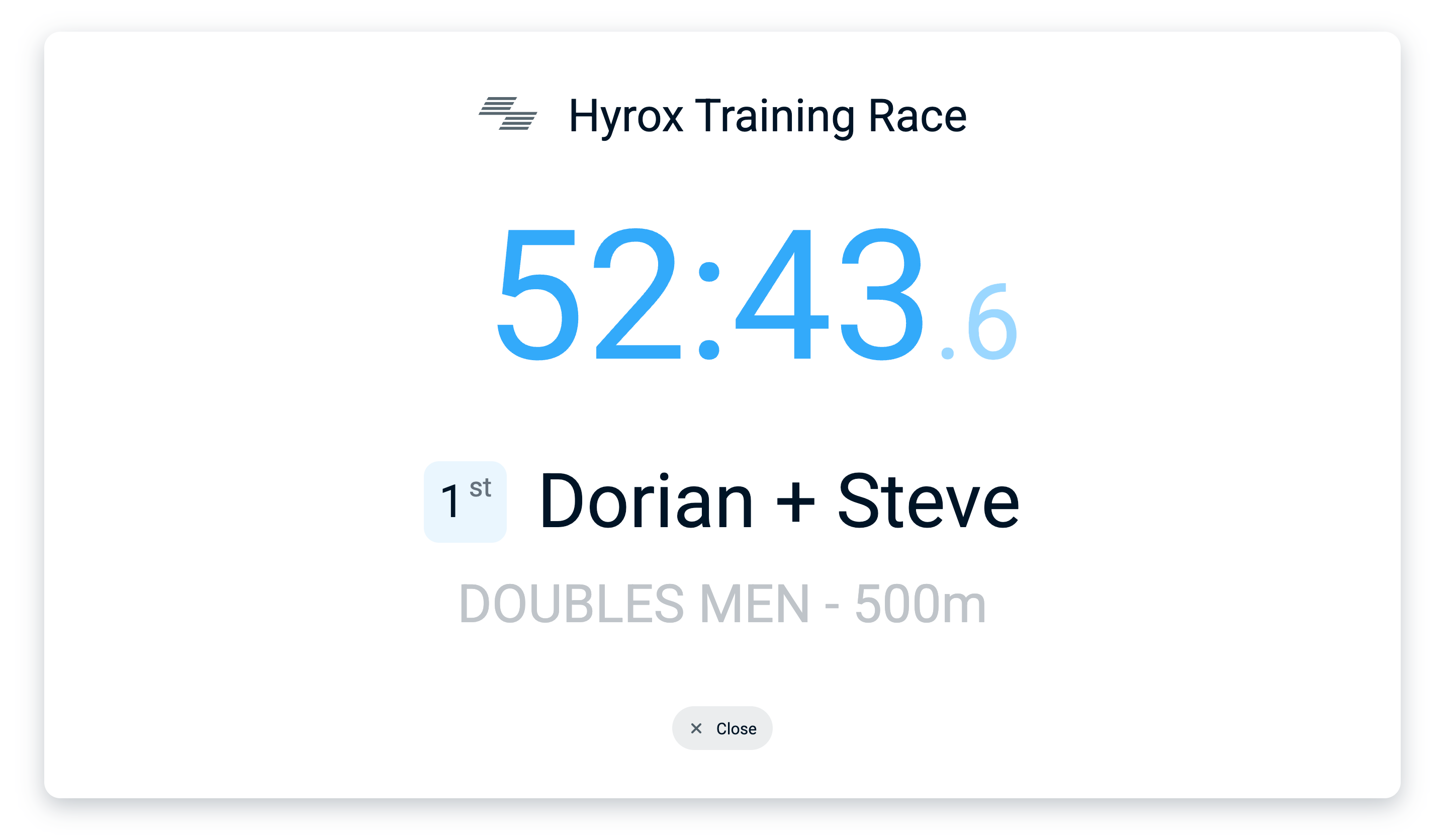
After crossing the finish line, athletes can instantly see their race result displayed as a backdrop for a selfie or a pro shot by a photographer. No tags or chips are required, just a tap on the ranking badge, in the far left column of any results page.
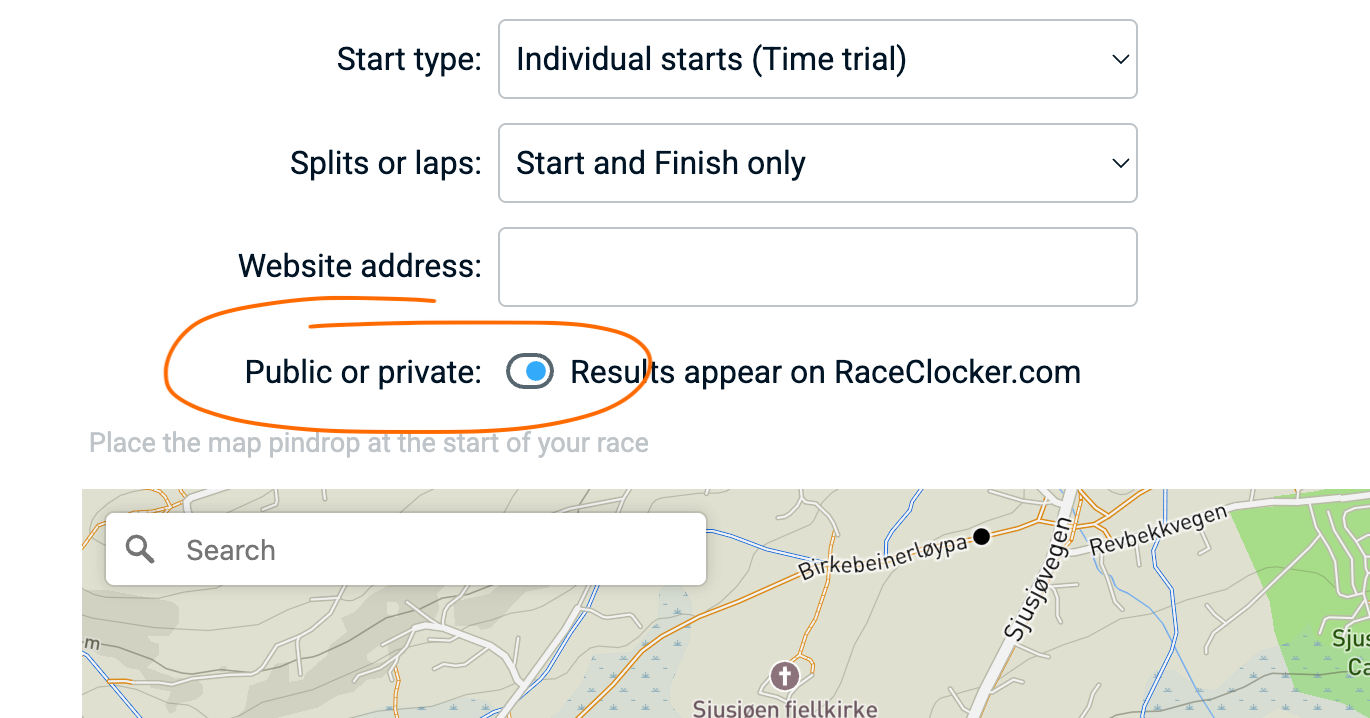
Until now, races on RaceClocker were set as ‘private’ by default and only became visible to others when a race manager chose to take the link or QR code and share that with participants or post it on social media.
In the course of 2026, we will introduce a new RaceClocker page where results of races set as ‘public’ can be searched and discovered more easily.
To prepare for this change, newly created races are now set to ‘public’ by default. Old races remain set as ‘private’. If you do not want your results to be findable, you can change the race setting to private. If you would like your past events to be discoverable on the new results page, then please revisit those races and set them to public.
Note that even a ‘private’ race can still be shared via a link or QR code. This approach gives you better control over the visibility of your race results.
Look what landed on our desk! Once you get used to timing with a FLIC Bluetooth button connected to your phone or laptop, it’s hard to go back. Pair it with this handy stopwatch-style button holder and you’re hooked. The holder is designed and published by GJ (as we like to call him), and it makes manual timing more intuitive and reliable.
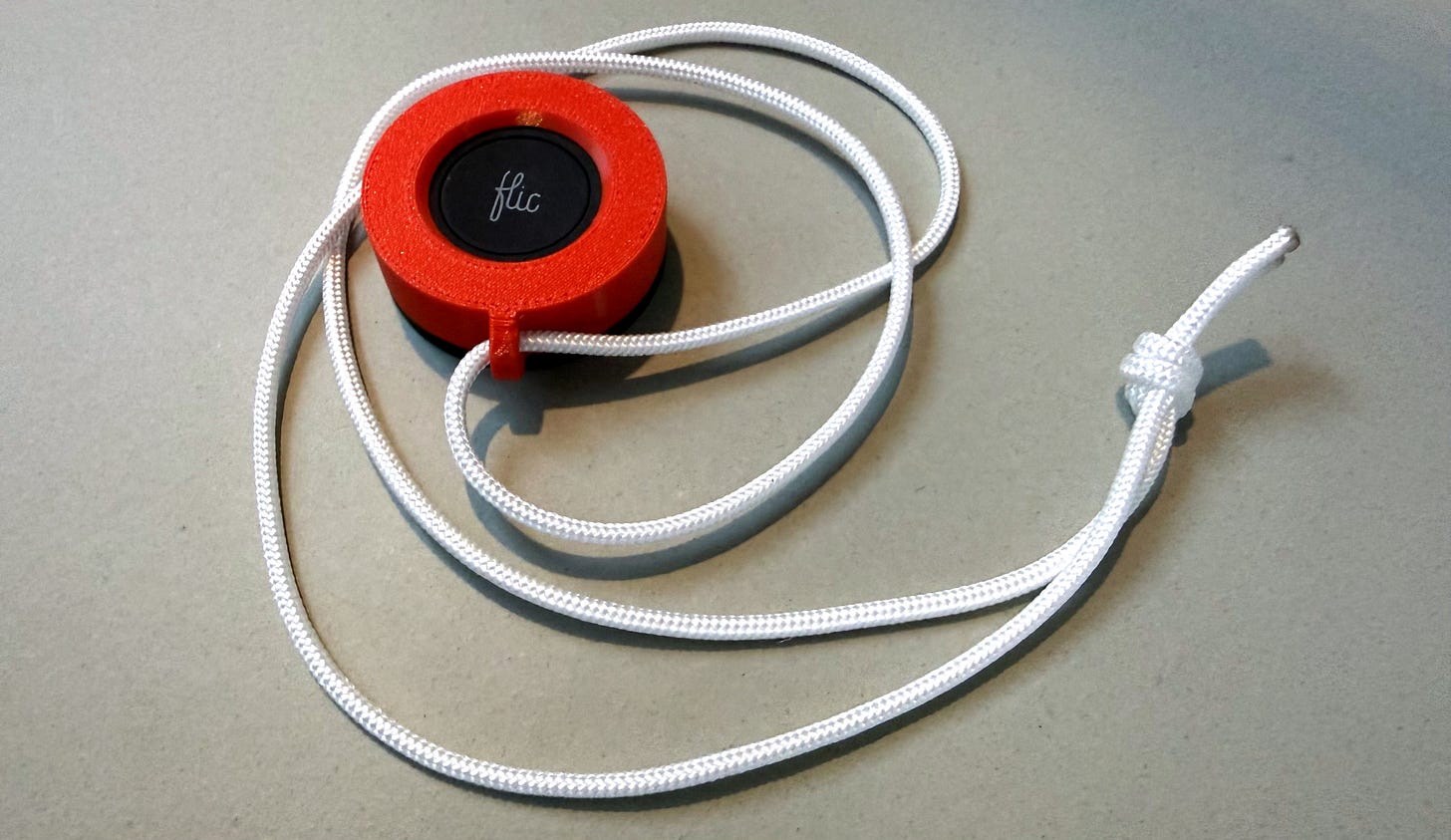
You can find the 3D Print file for the FLIC button holder here.
GJ is one of the more (pro-)active RaceClocker users in our community. Among other he extended RaceClocker functionality with a php app to compare and flag timing of two parallel events, as a way to reduce human error in manual timing.
As we’re investing a lot in new and better features and since we’re now running on a more robust, faster, scalable (and much more expensive) back-end, we’ve updated our pricing starting January ‘26. We also included more global currencies The new price points are depending on currency zone and can be reviewed on our pricing page.
For race managers of Dutch rowing races, the data import from the KNRB registration site has been improved and expanded. A demo video (in Dutch) is over here.
The JSON feed with results and raw timing data has changed somewhat and is now accessible as a regular JSON end point to support building your custom apps. More info here.
Last but not least, we moved ‘under the hood’ our websocket dependency to a new provider (ABLY). After having experienced some hiccups with our previous service, we now happy with a more reliable and much faster alternative.

No posts
Comments
Nothing yet. Say the first thing.
Sign in to join the conversation.