
I’ve been using Pinterest for a year now, in the beginning I simply connected it to my Instagram and automatically everything was reposted on Pinterest, there were a lot of limitations back then, carousels were posted as standalone images and so on, but now, its so much more powerful than it used to be.
Why Pinterest Is Worth Your Time
Pinterest pins have an insanely long shelf life compared to anything else we post. An Instagram post is basically dead within 48 hours unless something wild happens. A Pinterest pin can keep bringing you traffic for months, sometimes years, after you originally posted it. I have pins from over a year ago that are still driving people to my Stan Store and my Posts every single week without me doing anything else to them.
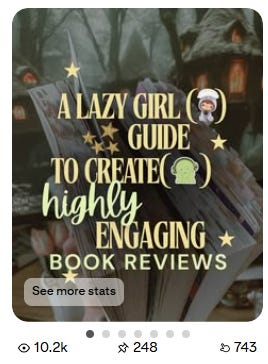
All those 743 clicks are new eyes on my IG post, and sometimes it can even trigger the algorithm, making your post go viral again, because of Pinterest.
Part One: Setting Up Your Pinterest Account
The first thing you need to do is make sure you’re on a Pinterest Business account, not a personal one. Business accounts are free and they unlock the analytics and features you need to actually use Pinterest strategically.

If you already have a personal Pinterest account from your pre-bookstagram life, you can convert it or create a completely new one. Go to your settings, look for “Account settings,” and you’ll see an option to convert to a business account. If you’re starting fresh, go to pinterest.com/business and sign up directly as a business.
P.S My Patreons get this article as part of their tiers <3 Pinterest 101 - Promote your Posts, your products & Affiliate Marketing - Part One | Nissa | The Bookish Studio - Templates, Growth & Resources for Bookstagram Creators on Patreon
Comments
Nothing yet. Say the first thing.
Sign in to join the conversation.