
For the longest time my content planning lived in three different places at once. A notes app full of half finished ideas. A Notion planner I opened maybe twice a month. And a Pinterest board I told myself was “research” but was really just me scrolling for an hour and closing the tab with nothing to show for it.
None of it talked to each other. I would find a great hook idea on my phone at midnight, forget where I saved it, and then reinvent the exact same idea three weeks later because I had no memory of writing it down the first time.
So I moved everything into one Trello board. And I need to tell you, it fixed something I did not even realize was broken.
Here is how I actually use it, start to finish, and of course you get a template link for you to use.
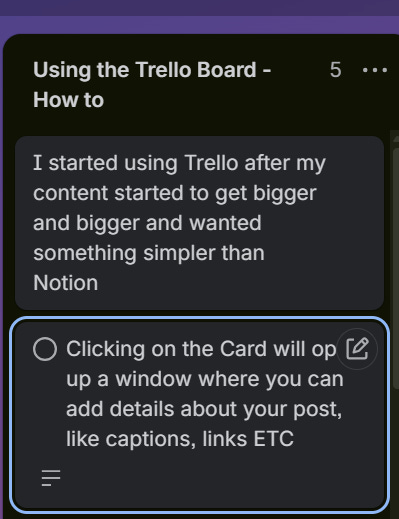
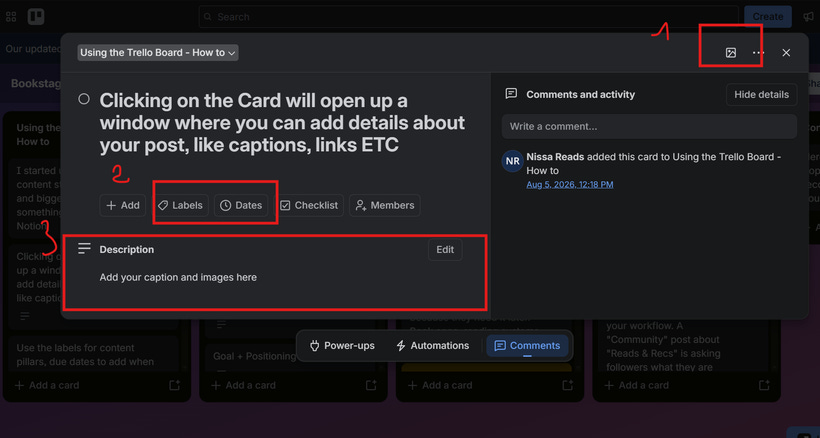
This is how it looks when a card is opened:
You can add a color to your card
You can Add Labels and Due Dates (I added labels for content buckets)
In the description I add the details about a post, link the inspiration link, mood board, etc
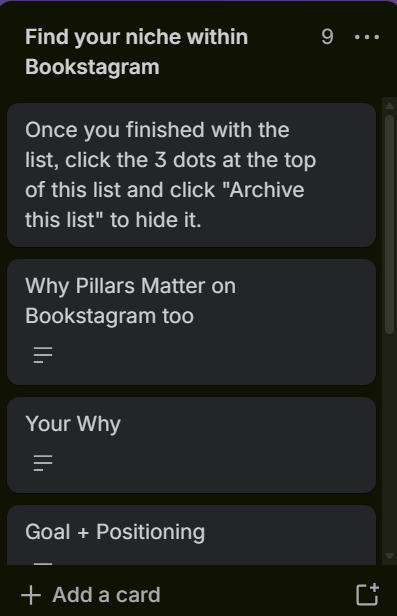
It starts with The Foundation
Before you plan a single post, there is a list that holds your actual why (the real reason), your goal and positioning (what you are trying to accomplish and who you want to attract), and eventually your through-line (the one sentence that ties every pillar you post about back together). I used to skip straight to planning content and wonder why some weeks felt aimless. This is the part that fixes that, and it is also the part most people are tempted to skip.
P.S If you already filled the Excel Playbook on finding your niche, you can skip it.
Your Pillars list now has three ways to find it, it is the same one that we did last week with our playbook but I wanted to add it in the trello board as well since I will be selling it as a standalone too
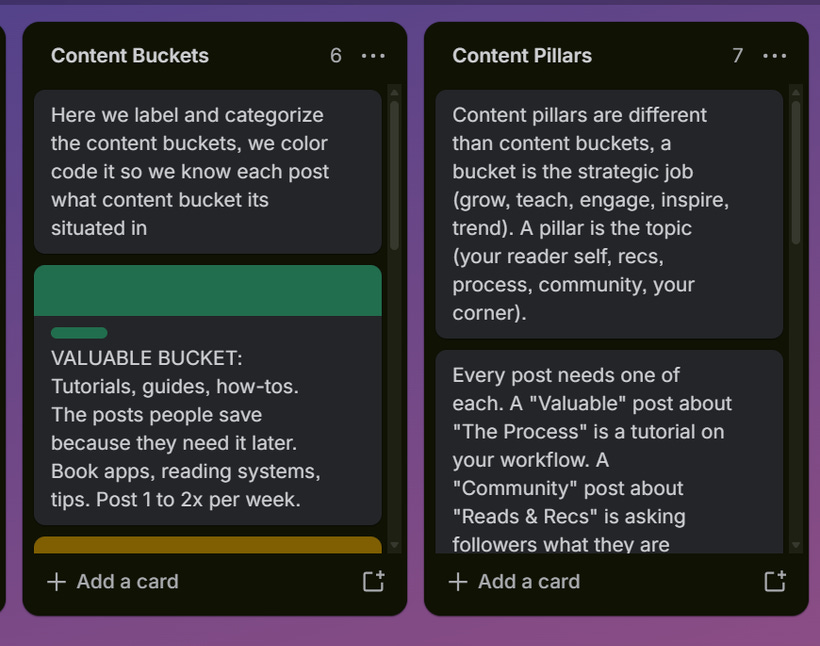
After You used the foundation and you know how you want to organize your labels - you can archive the above lists
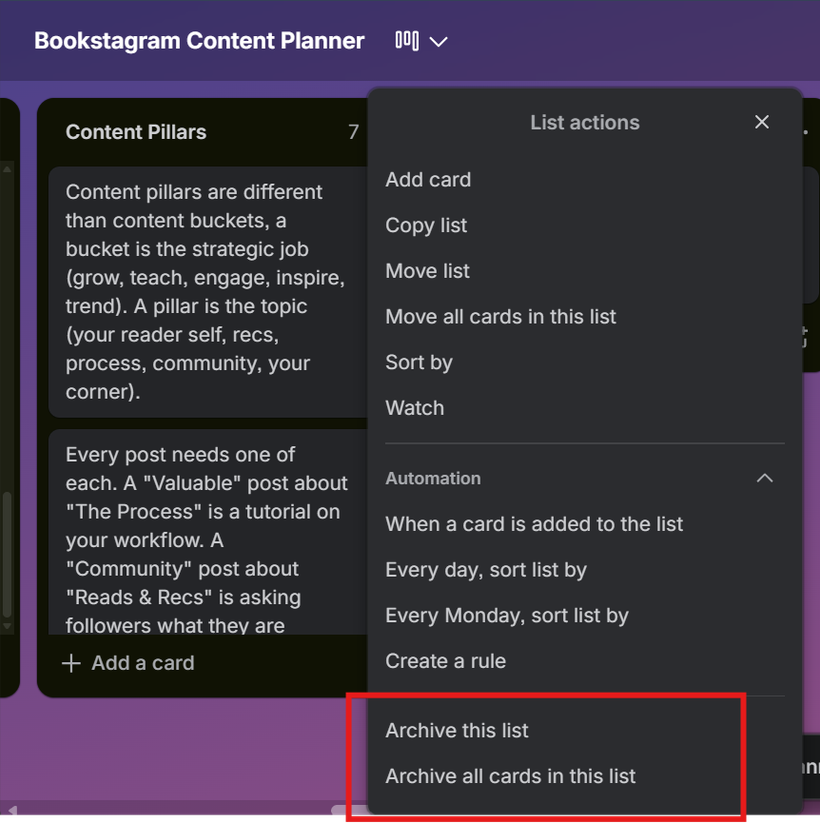
Here are the next lists:
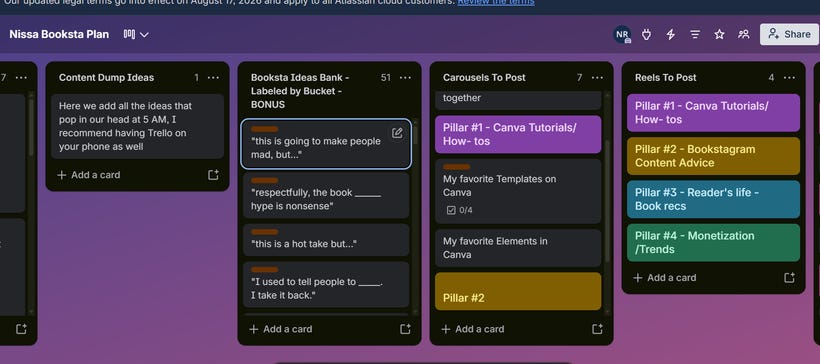
Content Dump Ideas - Here we add anything that pops into our head at 5 AM, or a post we saw and we want to recreate it
Booksta Ideas Bank - this one is a gift from me, some of the ideas we already know and love added here, you can use them or archive the list
Carousels /Reels to Post - from your dump ideas, move the ones you actually want to make into the carousel or reels to post based on your pillars
I added as example a few pillars but add yours instead
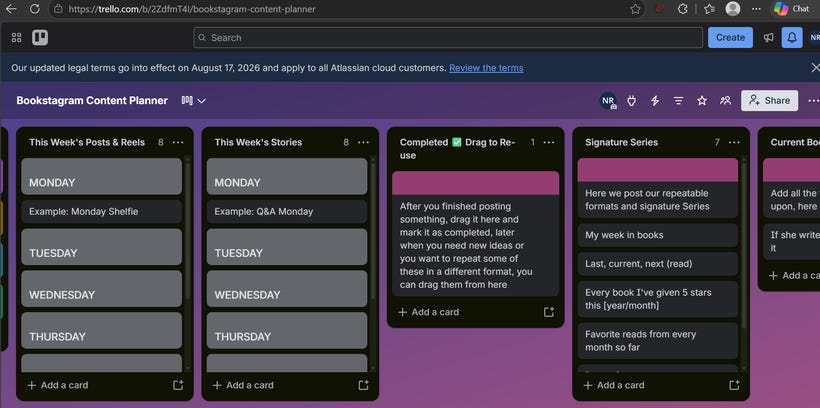
How to get my template
Be a part of my Patreon Subscription
Get it as a standalone in my lovely shop
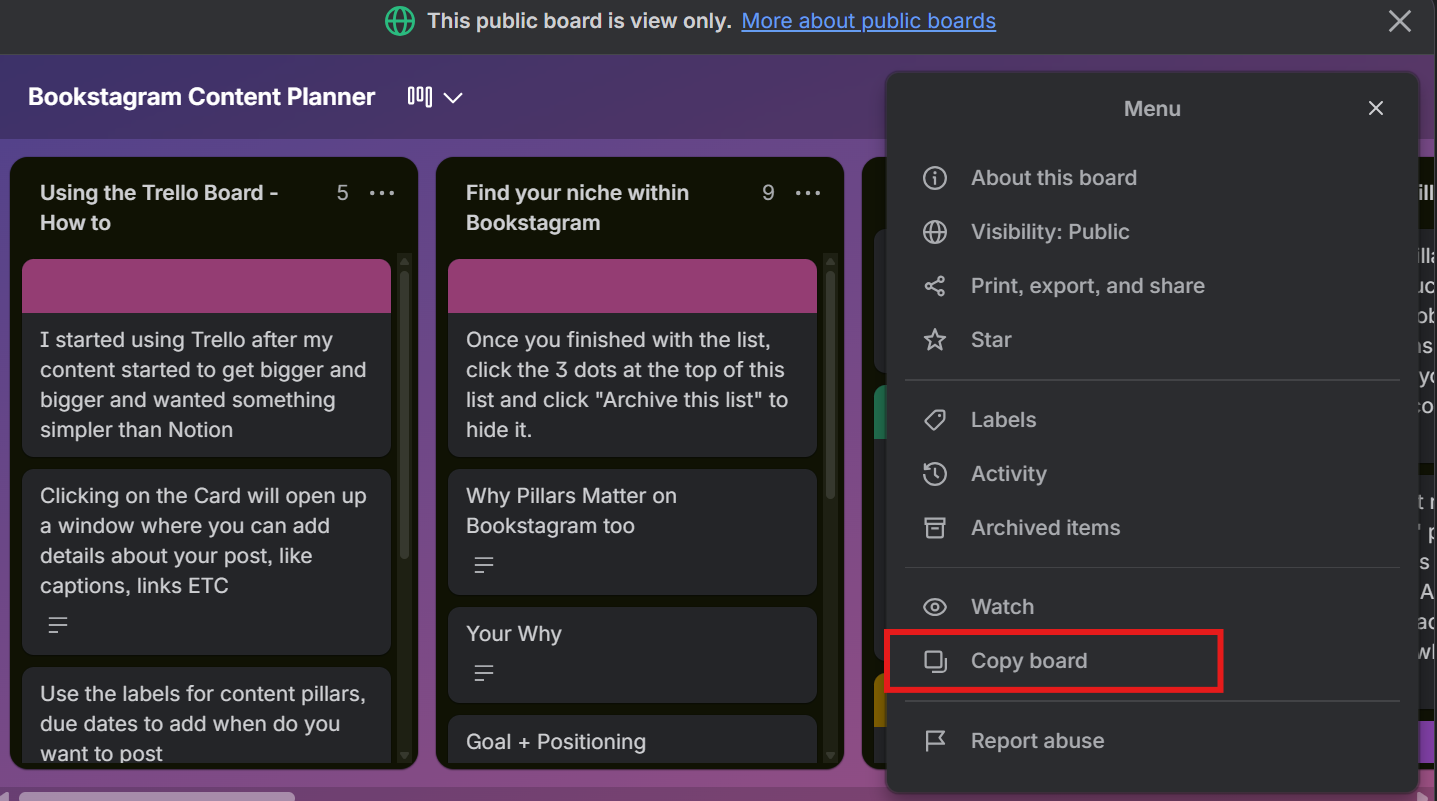
After you open the link
Click on the three dots and “copy board”, happy planning!
Comments
Nothing yet. Say the first thing.
Sign in to join the conversation.