
Claude Code has been making the rounds over the past couple of days due to a couple of tweets from Andrej Karpathy

Andrej Karpathy@karpathy
I've never felt this much behind as a programmer. The profession is being dramatically refactored as the bits contributed by the programmer are increasingly sparse and between. I have a sense that I could be 10X more powerful if I just properly string together what has become
5:36 PM · Dec 26, 2025 · 14.6M Views
2.46K Replies · 6.9K Reposts · 52.6K Likes
And this one from the actual creator of Claude Code, Boris Cherny

Boris Cherny@bcherny
When I created Claude Code as a side project back in September 2024, I had no idea it would grow to be what it is today. It is humbling to see how Claude Code has become a core dev tool for so many engineers, how enthusiastic the community is, and how people are using it for all

12:11 PM · Dec 27, 2025 · 3.91M Views
828 Replies · 1.59K Reposts · 18.7K Likes
Funny enough, Claude code was a side project for him, now it’s a tool thats used by a ton of engineers.
I’ve been using it a lot for both my job as well as on personal projects and I feel like I’ve been able to get a good grasp on how to use it effectively, especially when working on large codebases.
First off, if you’re wondering what I’m even talking about, Claude Code is a tool that has been developed by Anthropic to enable “agentic” development.
It allows a developer (or even non developers!) to write and edit code with the help of AI.
You can have it write all of your code or it can help you plan and ideate to what you need to write. You as the master orchestrator can determine how it serves your needs best.
I’m probably underselling its capabilities, so I’d recommend watching some YouTube tutorials or reading on X what you can actually do with it, it’s pretty sweet.
Now that we have the basic understanding, let’s talk about some of my best tips for using it.
Plan mode is by far my most used feature in Claude Code and one of the most powerful.
It allows you to create and work on a “plan” which Claude Code will then follow when implementing your task.
Plan mode is useful for a lot of different instances.
Implementing large and breaking changes
Analyzing structure and writing an explainer of code
For when you want the model to “think” more before it goes and makes a change
Plan mode will ask clarifying questions, create todo lists, and show you everything it is going to change before it does it.
Then you can iterate on that plan to make sure it gets all the context and information it needs before going crazy.
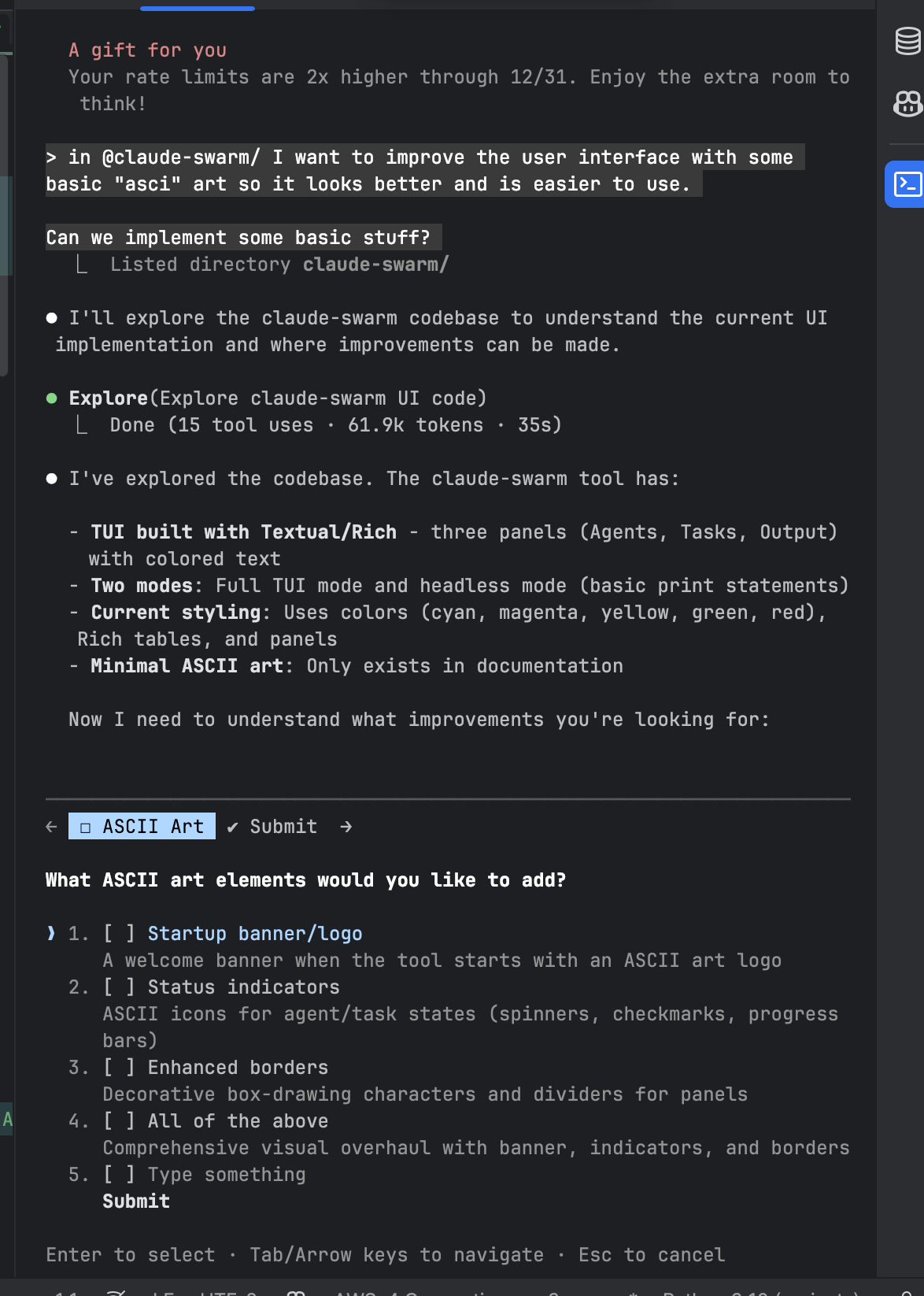
My advice is to make sure you actually understand the plan it’s creating.
Go back and forth a couple of times to make sure you understand what it is going to do. Otherwise you have to basically start over or will spend a lot of time trying to fix the issues it created.
Skills and agents are how you can provide specific instructions on how to do something in your codebase or give a specific system prompt to a sub agent which allows Claude Code to perform differently on specific tasks.
A useful skill that I’ve created and have been using is a merge conflict resolving skill.
This skill gives instructions and guidance to Claude Code on how to resolve merge conflicts and then has some instructions on when to come back and ask the user for input on what to keep.
Skills are relatively new so I’m still trying to get the hang of how to get the most out of them, but they have created a lot of cool use cases for specific instructions in Claude Code.
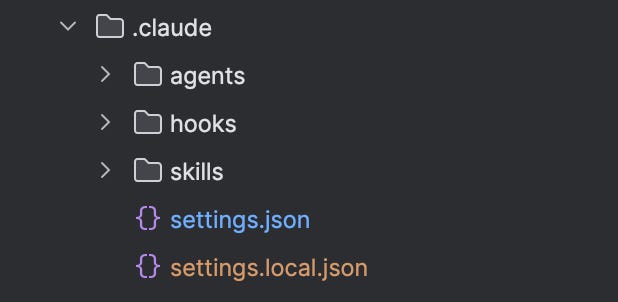
Agents work a little bit differently where each agent has its own custom instructions on how to complete specific workflows and help a lot with context management.
Your main Claude Code becomes a delegator and it will have the subagents run at tasks they are specialized at.
In our team repo we have a couple subagents like:
Design agent
API agent
Backend agent
Database agent
Each one of these has specific use cases and instructions on how to handle tasks related to their domains.
This allows for if I am working on a design element, the design subagent has all of our brand guidelines and instructions on how to best implement so that we don’t get inconsistent results across the application.
Since Claude Code is using LLMs under the hood, it has the classic issue with context management and token limits, which can get really out of hand when it comes to working on large production code bases.
Claude Code uses a compaction method to manage the context window and when it gets too long, but sometimes it still struggles once you have had to compact the session a couple of times.
When you limit the needed context for Claude Code, it performs much better than if it has to determine the context itself.
The easiest way to limit context is by tagging specific files or folders with the “@” operator.
This will directly insert the code into the context of Claude Code so that it knows directly where to look and it will speed up the process.
The other big context management help is to work on a specific task for each instance of Claude Code you have.
For example, if you have a Claude Code that is running at implementing an API endpoint, you want to be limiting it’s context and only be focusing on that endpoint.
If you try to go from implementing the endpoint to then redesigning your home webpage it has to restart but the context window is pretty full already so it will have a hard time with the new stuff.
I always try to start a new session when starting a new task which allows for it to start fresh.
Another context management tip is to use the CLAUDE.md files to properly tell Claude Code how to behave in your codebase.
There are a lot of different ways you can customize this, but one of the most useful that I’ve found is to tell it I don’t want any backwards compatibility.
By default, Claude Code tries not to break anything so it creates a lot of unnecessary code with trying to maintain old compatibility. So in the CLAUDE.md file I’ve said:
- Do not try to keep old code around as “backwards compatibility” if it is not being used anymore. We are ok with changing code and removing old code to implement new patterns and systems.
These specific instructions are passed into Claude Code and it will refrain from writing backwards compatibility code which can be excess at times.
Claude Code can be very slow sometimes because it does a lot of “research” and “searching” for the relevant code (if you use the tips in the context management section that helps, but it still can be slow).
What I’ve been doing is spinning up multiple instances of Claude Code in different terminals that each are working on a different task.
This allows me to work on multiple things at once.
I can have:
one session working on implementing a data processing algorithm
another working on developing and api endpoint
another that is fixing the frontend for an internal tool
This requires a lot more focus because it causes some issues if you are touching the same files with the different sessions, so I recommend doing this only if your tasks are spread out enough that they don’t overlap in what they are touching.
But if you can get into a flow with this, it allows for working on a lot of things at once and you can work a lot faster.
There are some tools that help with this and you’ll need to understand Git and Github to pull this off, but it’s worth trying once you get a better feel for Claude Code’s capabilities.
LLMs are inherently limited by a couple of things, one of them being the recent data that they have access to on their base model training.
So to get around this, we need to give it the docs of tools that we might be working with so that it has all the up to date information needed to build what we need.
One of the ways to do this is through MCP servers.
At work, we are building some stuff around Shopify and their developer docs are not fun to look through but luckily they have an MCP server which allows the LLM to look up and analyze their docs on how to implement something.
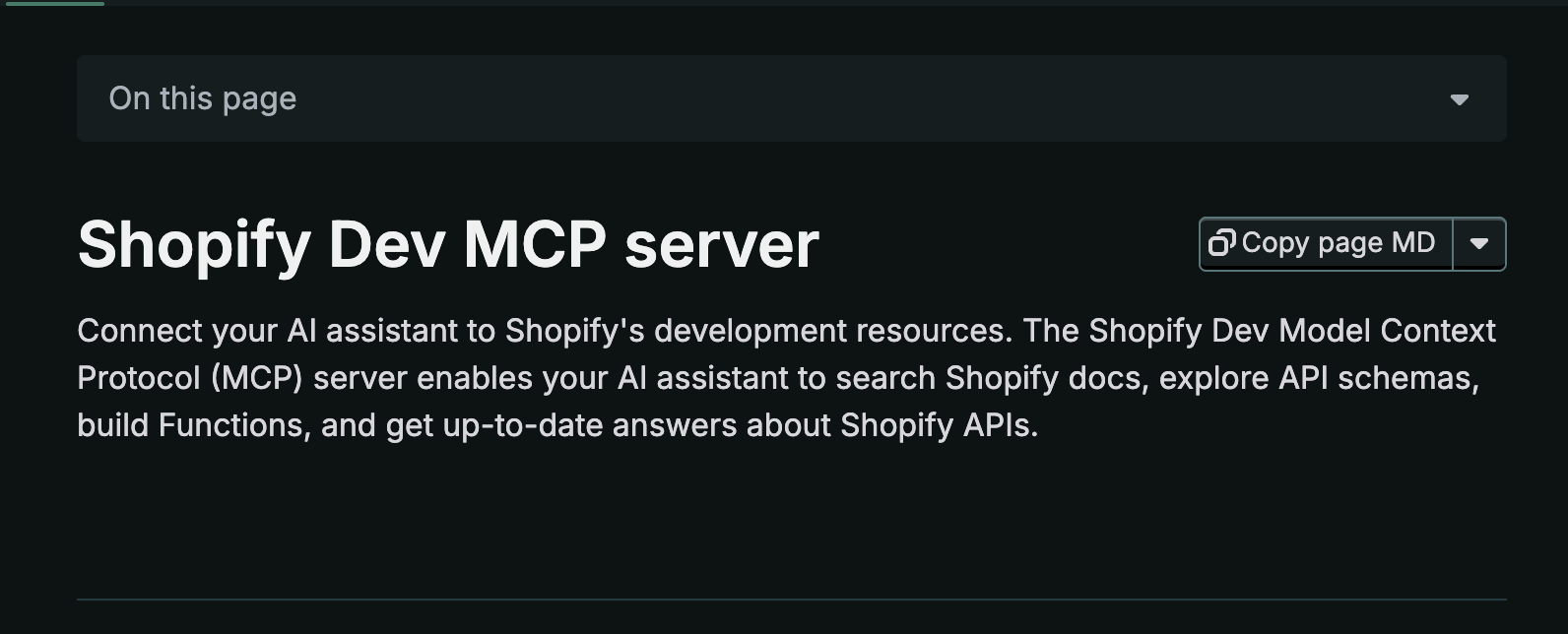
This lets Claude Code have context of everything and it solves the “up-to-date information” problem that LLMs have.
There are also different plugin capabilities which allow Claude to surf the internet and grab information it might need.
Claude Code has become my go to tool for agentic coding and as this space develops the capabilities it has will only continue to improve.
Until next time
McKay
No posts
Comments
Nothing yet. Say the first thing.
Sign in to join the conversation.