
I just cut 20 minutes of weekly manual work to zero with no MCP required.
I’ve run into a few instances where a SaaS product or site I use doesn’t connect to Claude. There isn’t an MCP and I’m stuck back to doing things manually. It’s a quiet killer of productivity on tasks that I still have to do every week.
That’s now changed. Yesss. Claude just released an ability to create skills simply by recording. I tried it on a Substack import I’ve been doing by hand for months. It took a few minutes to record and now it runs on a schedule without me touching it.
Here’s why I’m writing this: most marketers I talk to don’t know this feature exists yet. And the use cases for Marketing Ops are fairly significant, especially if your stack has gaps where MCPs don’t exist yet.
Note: I also filmed a “how to” lesson on Claude Marketers if you prefer to learn visually.
Alrighty, let’s dive in!
–
Tools I actually use and recommend
If I wouldn’t recommend it to you without getting paid, it doesn’t go in this section. Want to sponsor The AI Marketer? Email me at jon@jon4growth.com

Scrunch is the only AEO tool I’ve tested that doesn’t just measure your AI visibility, it fixes it by serving AI-readable pages straight to the bots.
GoDaddy’s Airo for WordPress helps keep your site growing after launch. Publish posts, refresh pages and update products with a simple prompt, right inside WordPress. Explore at no cost with a 7-day trial.
–
The 3 Step Recording Workflow
1. Identify the manual task
Start with something you do at least weekly that follows the same steps every time. This can be something like an export, an import, a routing action, a QA check. Literally anything that’s repetitive. If you’re doing it the same way twice, Claude can probably learn it.
2. Hit “Record a skill” and walk Claude through it
In the Claude desktop app, open the Skills panel and click “Record a skill.” From there, just perform the task the way you normally would. Claude watches what you click, the file handling, the copy-paste steps, etc and builds the skill from your actual workflow. You just do the manual task while Claude records.
3. Schedule it
Once Claude confirms the skill, you can set it to run automatically on a daily, weekly, or custom schedule. This is where the massive leverage is. The few minutes you spent recording becomes zero minutes going forward.
A few marketing use cases where this works well:
- Sending ad platform invoices to finance on Slack
- Scheduling posts on LinkedIn or other platforms without a native MCP
- Importing users as newsletter subscribers (more on this below)
- Lead routing from a form export
- Weekly competitor teardowns with screenshots
- New client onboarding steps
- Email render checks
- Creative QA before launch
This feature works especially well for ops tasks your team is currently doing by hand. Any task that would typically fall through the cracks because they’re too small to build a full integration for, but too frequent to keep ignoring.
How I used it this morning (real example)
Every week, I was going into the Claude Marketers admin portal, exporting a CSV of users who’d recently signed up, and importing them into Substack. Manual, repetitive, 2-5 minutes every time and I’d been putting off fixing it because Substack doesn’t have an official MCP with Claude. Bummer. Until today.
This morning I hit “Record a skill” and just walked Claude through the process I’d been doing manually. Export the file, open Substack, upload the CSV, confirm the import. Claude watched the whole sequence. And while I recorded, I narrated the steps to provide even more context on how I was doing everything.
It’s really as if demonstrating something to someone sitting right next to you.
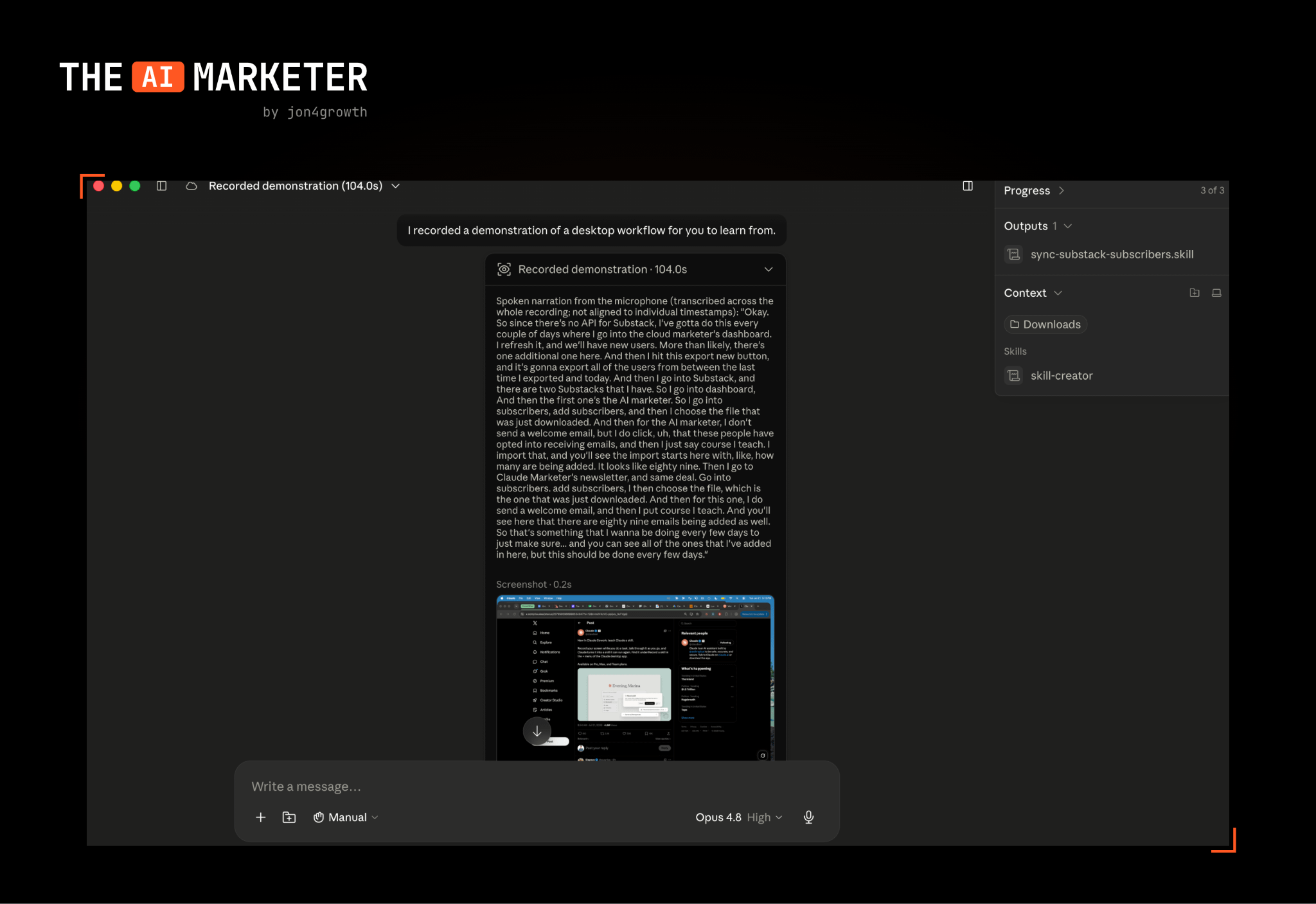
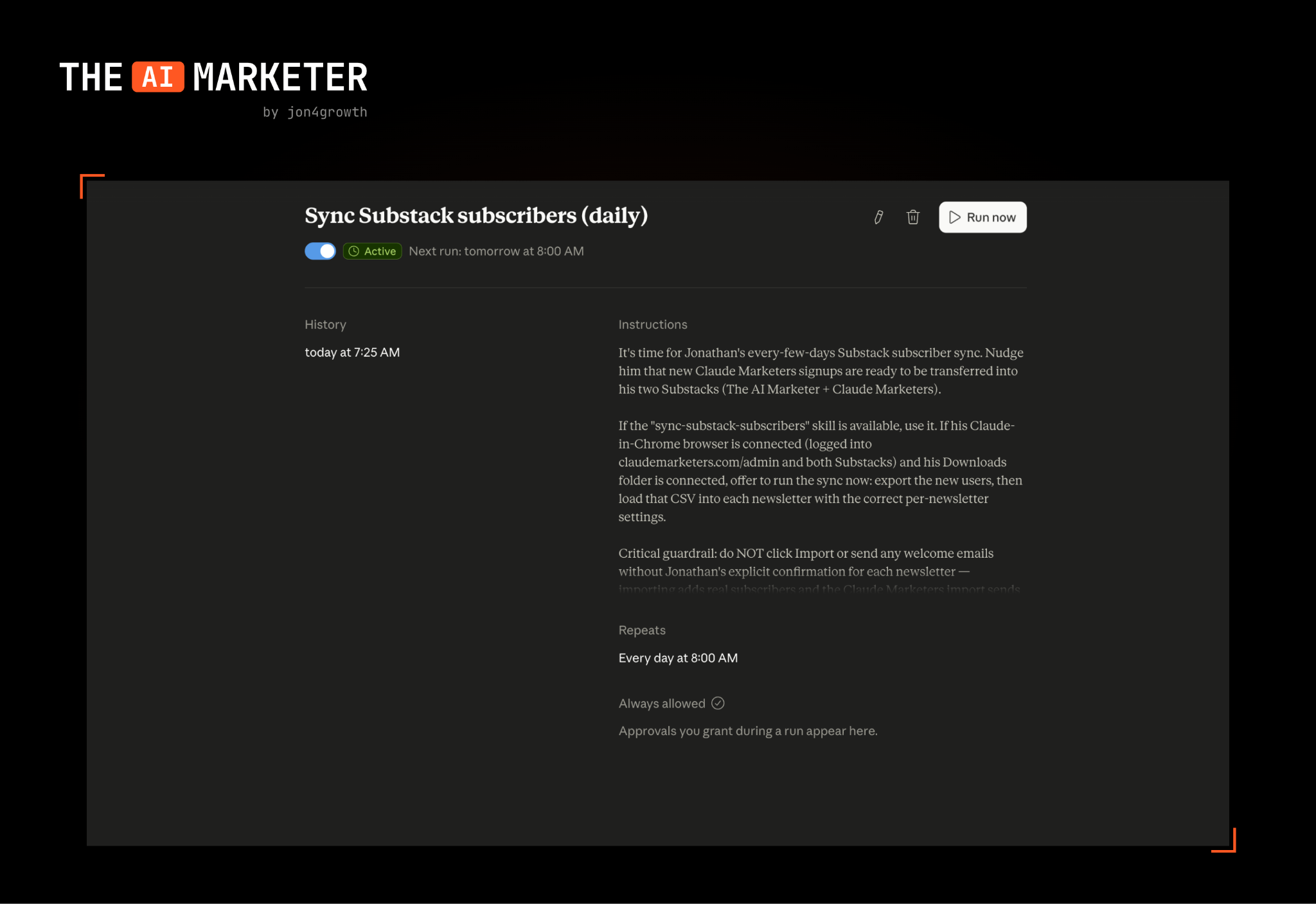
After a couple minutes, Claude asked a couple of clarifying questions and then I scheduled it to run daily. A task I’d done by hand every day for months automated. An honest limitation is that this won’t work well on sites that have anti-bot protections or when the steps change often.
If you’re not sure what to automate first, create a running note this week and log every manual task as you hit it. By Friday, I promise you’ll have a list. Pick the ones you do most often and record them on Claude.
No posts
Comments
Nothing yet. Say the first thing.
Sign in to join the conversation.