
I booked 4 ICP meetings in under 24 hours at CommerceNext with zero prep time and one Claude prompt. Here’s the exact system.
Last month I bought a last-minute flight from LAX to NYC to attend CommerceNext, days before it started. This was a recipe for disaster as it gave me zero time to prepare. In the spirit of being an AI marketer, I thought: how can I still set up quality meetings with GrowthPair’s ICP?
That conference sprint is one of three B2B enrichment workflows I’ve now run with Claude. I’ll walk through all three: what I did, how I set it up, and the exact prompt I used on the conference list.
All you need is a list of emails, Claude, and some iced cold brew (personal preference) to run these starting today.
–
Tools I actually use and recommend
If I wouldn’t recommend it to you without getting paid, it doesn’t go in this section. Want to sponsor The AI Marketer? Email me at jon@jon4growth.com

Riverside beats all other platforms I’ve used to record case studies with clients. I record, caption, and edit clips all with their easy-to-use UI. Get 1 month of Riverside Pro for free with my code: CLAUDEMARKETERS
Scrunch is the only AEO tool I’ve tested that doesn’t just measure your AI visibility, it fixes it by serving AI-readable pages straight to the bots.
–
Workflow 1: Conference attendee scoring
What you need: A conference attendee CSV, Claude with your ICP loaded in a claude.md file.
Alright, let’s dive into the conference blitz process I went through.
Most B2B conferences provide an attendee list prior to the first day, but it’s often thousands of rows and very barebones (name, position, email).
Instead of going through each row manually, I downloaded the CommerceNext list and fed it into Claude to do the following:
Score each contact on how well they fit my ICP
Search contact on LinkedIn and provide direct URL
Create a copy/ paste message I can send when connecting
Since my Claude instance already has a claude.md file with GrowthPair’s ICP, I didn’t need to repeat it. All I did was upload the list and write a prompt like this:
“Given the following conference list of attendees, score each attendee across my ICP and filter out those that don’t fit. Then find each attendee on LinkedIn and craft a personal quick DM that I can copy/ paste when connecting with them. The goal is to set up coffee with them while I’m at the conference for a quick chat.”
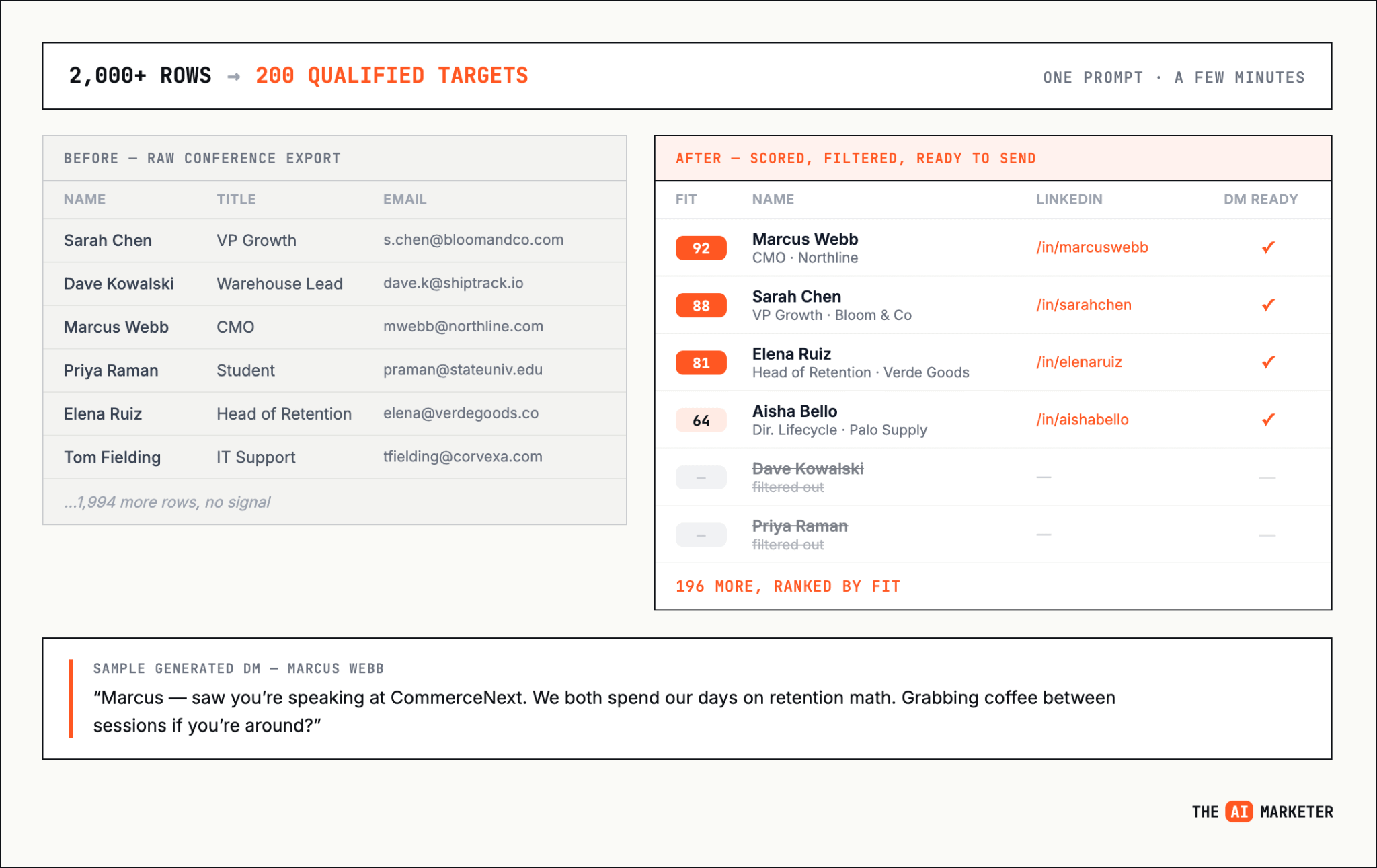
Within a few minutes, I had a target list of 200 out of thousands initially on the list. I took that and went to work on LinkedIn. It’s important to note that I don’t automate anything on LinkedIn as it can risk account suspension (not worth it imo).
Workflow 2: Newsletter subscriber enrichment
What you need: Your subscriber list exported as a CSV, Claude, Apollo connector configured in your Claude environment.
As a newsletter creator, I don’t have the best visibility into who my readers are. Aka you, yes you reading this.
And as a founder of a B2B startup, having this info is valuable to understand whether I’m reaching my ICP and even allows me to spin up warm convos with the most engaged. Don’t worry though, I’m not going to infiltrate your DMs. My goal with this newsletter is to teach AI marketing to thousands, first and foremost.
I realize that not every company has a newsletter, but I can’t recommend it enough. You own the audience. You’re not beholden to algorithm changes on social feeds. It’s the best form for reaching your ideal customer.
Similar to the conference list, I fed my entire subscriber list into Claude and asked it to:
Match each subscriber to a professional profile using Apollo’s connector
Enrich subscriber with info on their company, company size and role
Score each enriched subscriber to my startup’s ICP (1-100)
Provide a list with top matches and ICP match percentage
It’s important to note that not all emails are able to be enriched, especially if subscribers are using personal email addresses. It’s much harder for Apollo or similar enrichment providers to match without a company email.
The cherry on top about this exercise was that I got a great sample on all my readers to be able to share with prospective partners. I’m now able to provide insight into where my readers work and include slides like this in the partnership deck:
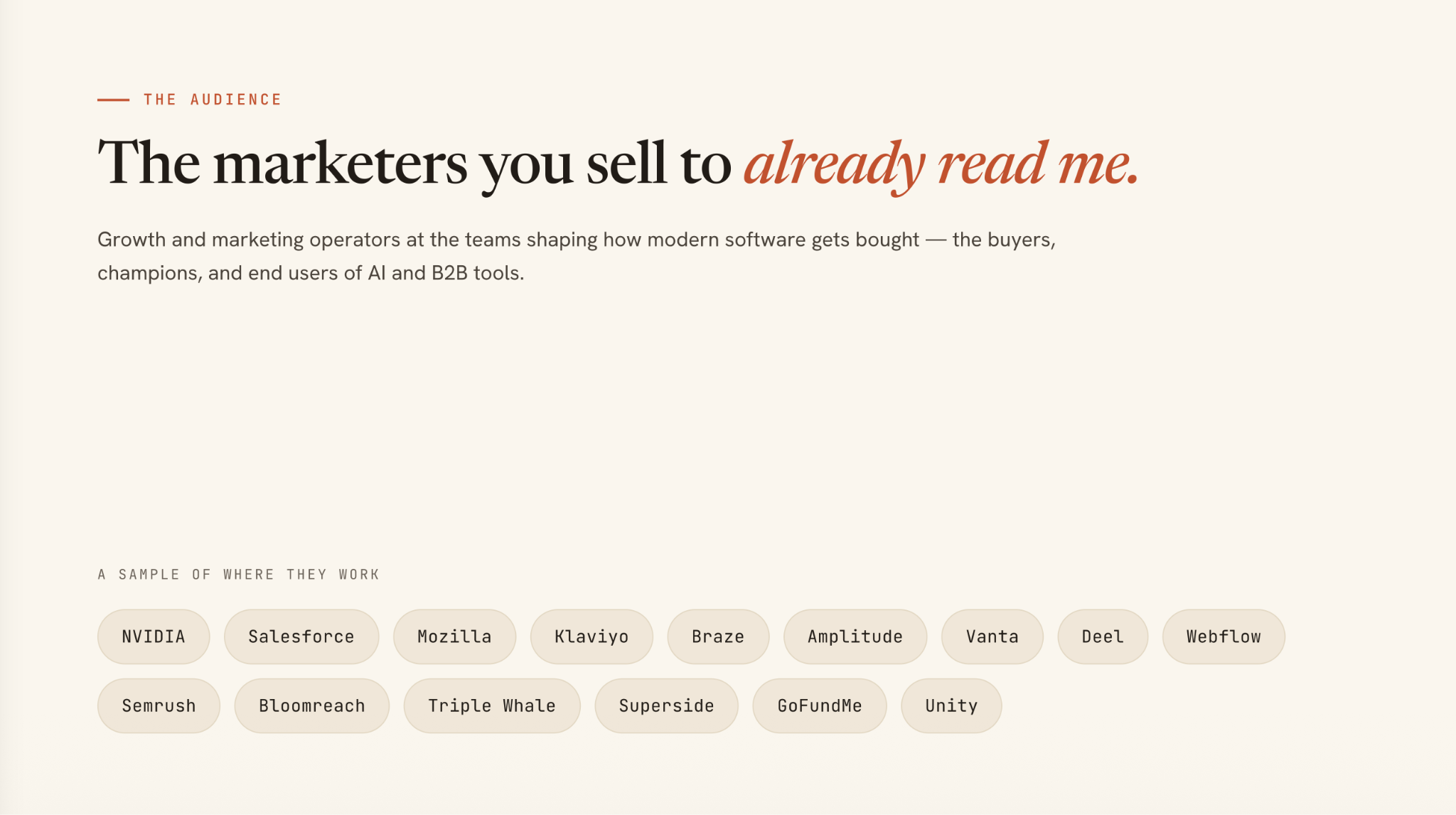
Look at that list of top-tier companies that are reading. You’re in good company (pun intended) ;)
Workflow 3: Website visitor triage in Slack
What you need: RB2B ($49/mo) feeding a Slack channel, Claude connected to that Slack channel.
There are dozens of tools that can de-anonymize website visitors. I personally use RB2B on my startup’s site for $49/mo and it feeds visitor info directly into a Slack channel. It’s amazing.
The big issue I found was that my team wasn’t really doing much with it, especially on days where we had huge website traffic. It became real difficult to keep up with all the Slack pings and sift through the noise.
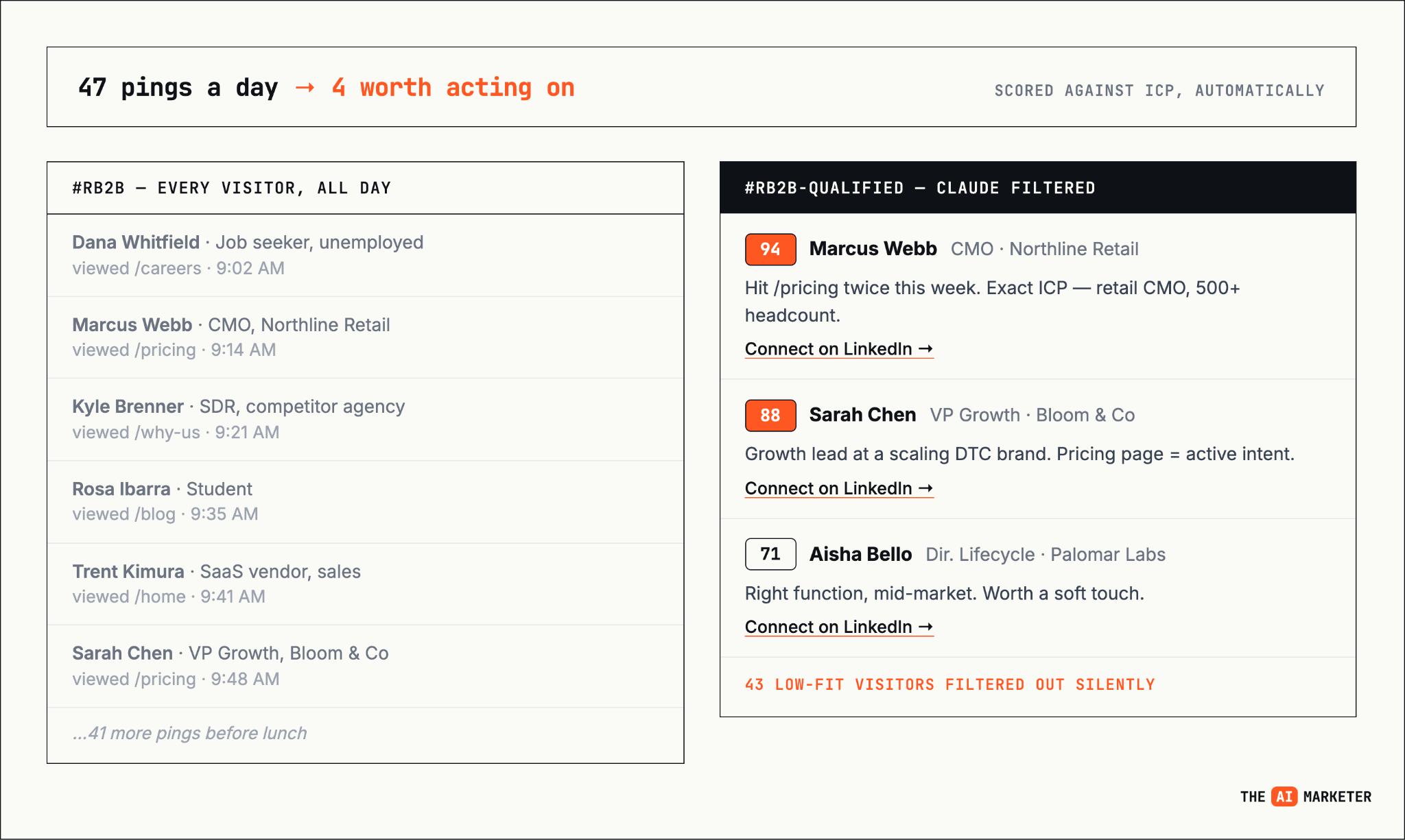
Instead of manual sifting, I set Claude up to take all the website visitors, score them to our ICP and then feed us only with profiles we care about.
The through-line across all three is that most B2B companies are sitting on data they never act on because the signal-to-noise ratio makes it impossible to work manually. Claude doesn’t get tired, lucky for us.
If your team is getting Slack pings, CSV exports, or subscriber lists and doing nothing with them, start here.
No posts
Comments
Nothing yet. Say the first thing.
Sign in to join the conversation.