
I remember being on the early growth team at Postmates in 2018 where campaign results were scattered between Google Sheets, Docs, Dropbox, human brains, and local devices. We ran the same exact campaign test twice in one quarter. A marketer who’d left the company had already run it. Nobody logged it. Nobody could find it.
Now that most marketing teams are onboarding Claude this can finally be solved.
Everyone is running in singleplayer mode though. All their skill files, brand guardrails and historical campaign results are floating everywhere.
Marketing teams must go from singleplayer AI → multiplayer AI to solve this properly.
A few months ago I wrote about how future marketing teams will be living inside of GitHub. This is the concept that all your important marketing files (brand files, guidelines, historical campaign test log) live in a shared repository. It ensures that everyone is running on the same path.
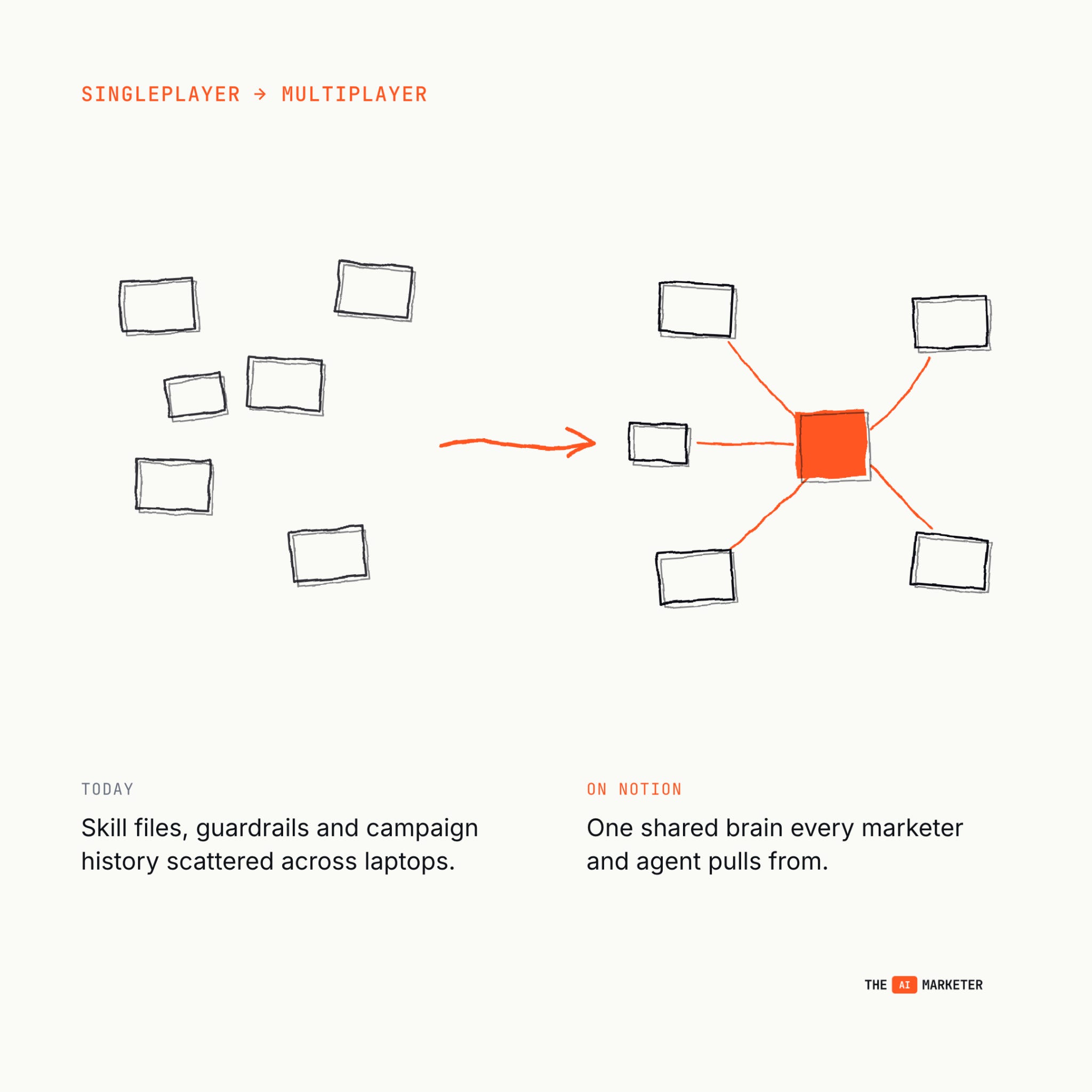
Lately I’ve been thinking more about how to solve this in a lighter weight approach if GitHub seems too technical or advanced for your needs.
If I was a lean marketing team of 3-5 and didn’t want to go through a technical GitHub setup, I’d use Notion. I’m going to start by giving a quick primer on the GitHub shared repo, what it solves, and how to stand up a similar solution on Notion.
If you prefer to see me demo a Notion multiplayer team on video, I recently joined The Quest podcast to chat about it.
Okay, let’s get into it.
–
Tools I actually use and recommend
If I wouldn’t recommend it to you without getting paid, it doesn’t go in this section. Want to sponsor The AI Marketer? Email me at jon@jon4growth.com

Riverside is what I use to record, caption and edit all my startup’s case studies. Their platform saves me so much time in not needing multiple tools to do all of this. Get 1 month of Riverside Pro for free with my code: CLAUDEMARKETERS
Scrunch is the only AEO tool I’ve tested that doesn’t just measure your AI visibility, it fixes it by serving AI-readable pages straight to the bots.
–
A primer on the GitHub solution
The idea with the GitHub solution is to create a repository that the entire marketing team loads inside of their Claude instance. This solves for teams that are struggling with scattered Claude skills stored on local devices, campaign learnings spread across sheets, etc. It houses it all in one place that an entire team can access.
The GitHub repo looks a little something like this when set up:
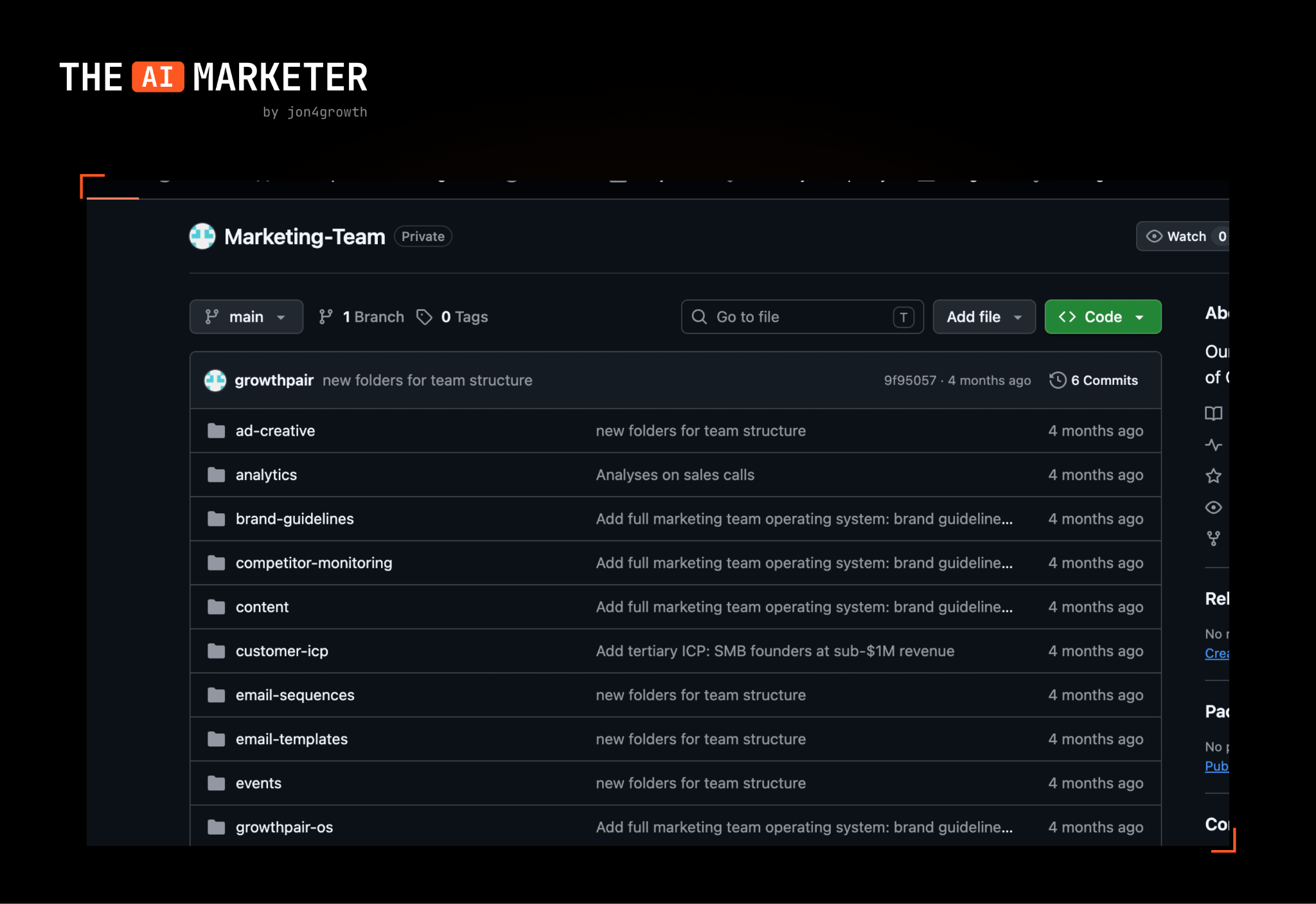
The marketing exec on the team creates this repo, loads in all relevant brand/ skill files, and then distributes across the team. This keeps the team on the same page, and allows for them to continuously upload new files and campaign learnings to it.
Some honest limitations with GitHub include 1) longer onboarding for those that aren’t technical, 2) everyone needs to load new repo into Claude when files get updated and 3) must have the repo folder selected in Claude Code when using it.
This is where the lightweight Notion approach comes to the rescue.
Why Notion for multiplayer AI
It’s very similar to the GitHub solution to going multiplayer with your marketing team, without the technical headache and much less setup time. Some of the advantages include:
Houses folders & files in a very structured way
Claude has a native Notion MCP connector
Minimal onboarding time for entire team
Many teams already using Notion
Add tables into pages for campaign tracking
Claude always uses latest Notion page info
If these advantages have convinced you to run your team out of Notion, keep reading to learn how easy it is to build.
How to build your Notion marketing OS
Step 1: Create a Teamspace
In Notion, create a new Teamspace and name it “Marketing Team OS.” This is what gets shared with the entire team once it’s done.
The main Teamspace page should briefly explain how everything works, what lives in each sub-page, and who owns what. Assign a DRI (directly responsible individual) per page. Without ownership, pages go stale.
Step 2: Build these core pages
I won’t dive into each page (there are 12) so I don’t clutter this essay with dozens of screenshots, but if you’re interested, I’ve made my demo OS Notion Teamspace available here.
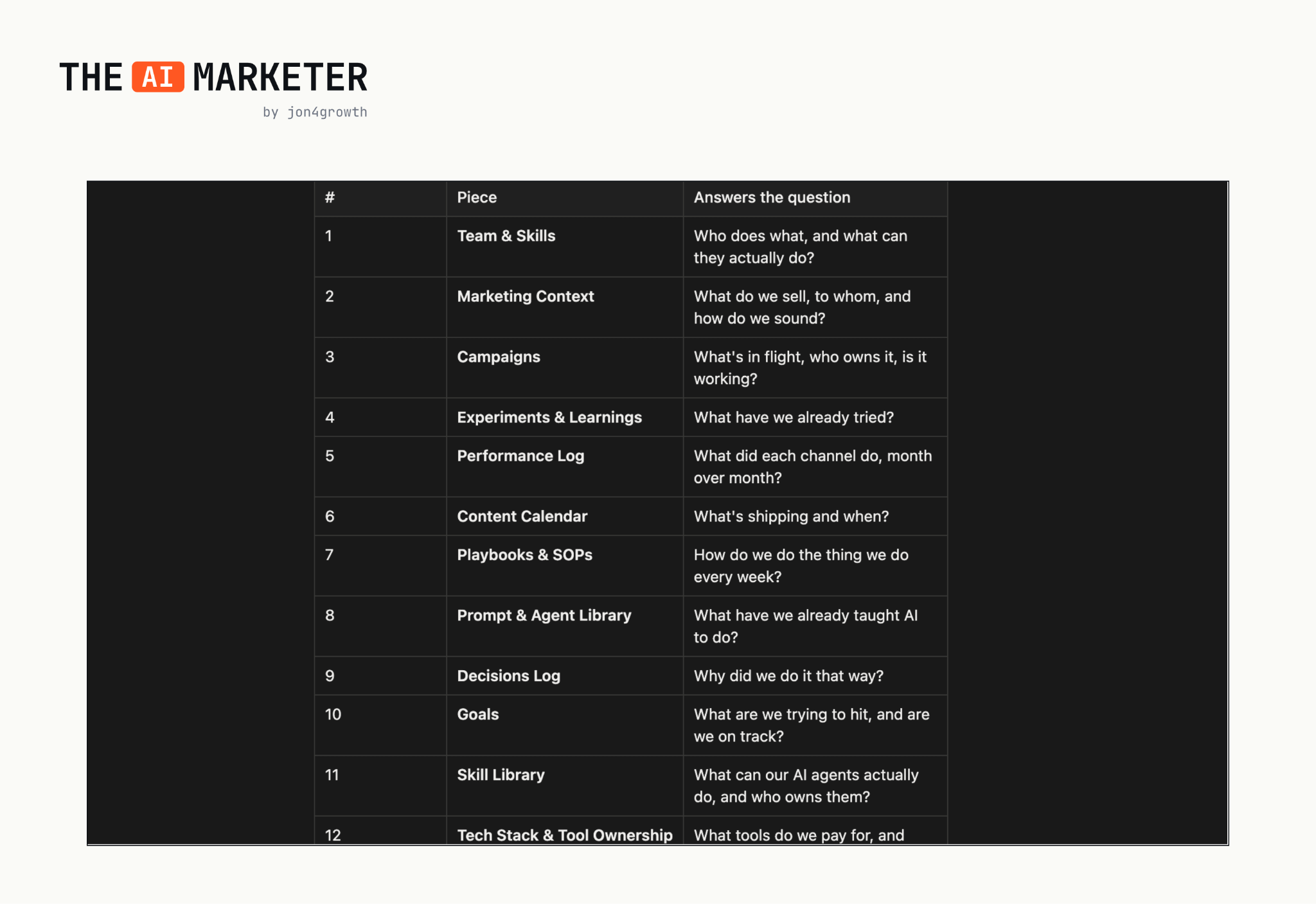
I highly suggest starting your OS with the following 3 pages I’ll be showing: Marketing Context, Experiments & Learnings and Skill Library. Let’s begin with the Marketing Context page.
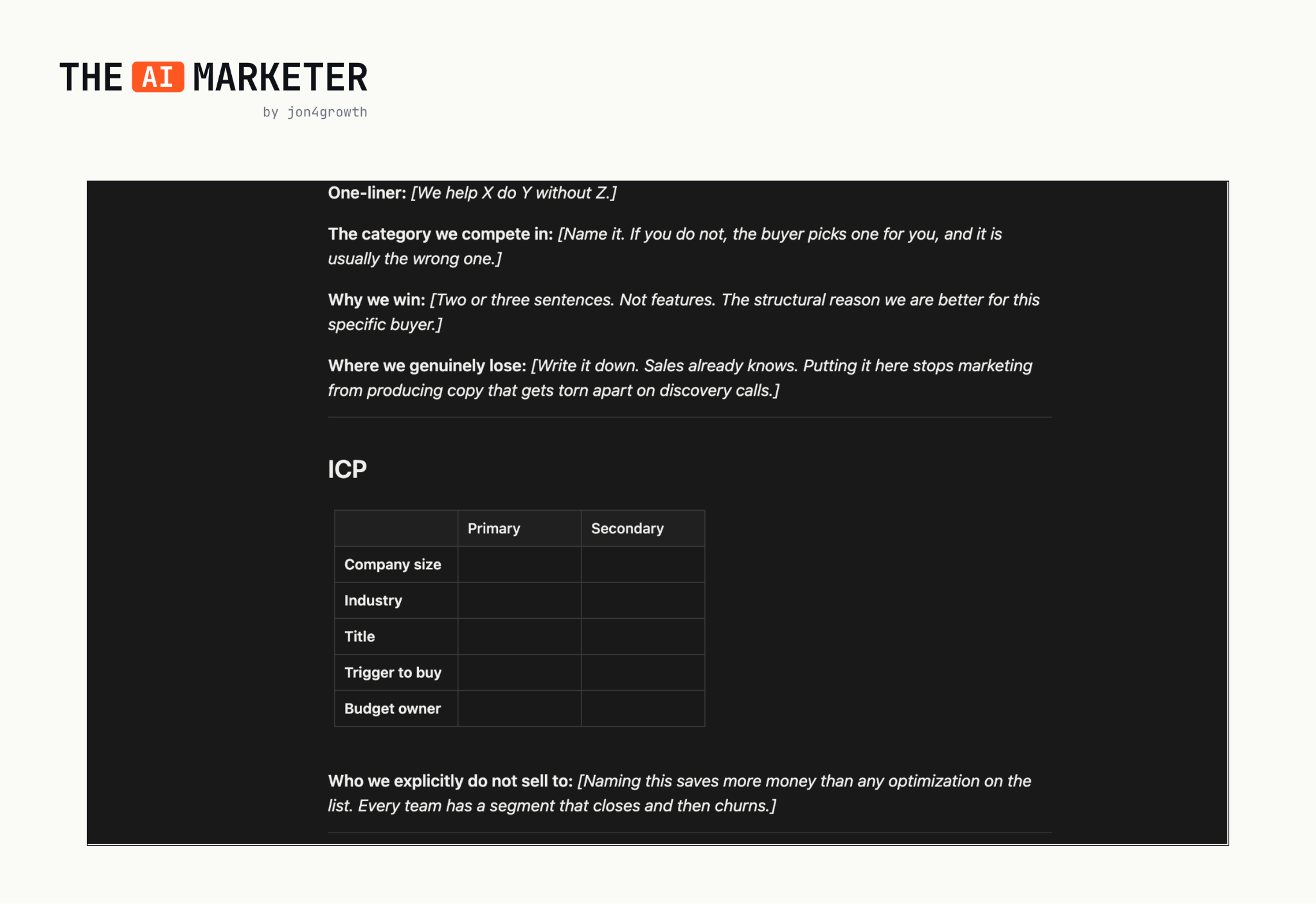
Step 3: Populate Marketing Context first
Imagine being in a leadership meeting where it’s decided that a new ICP will be added to the GTM strategy. Instead of having everyone update their Claude instance, the Marketing Context page gets updated. Now, when everyone loads into Claude to run any new marketing campaigns, it’ll be using the latest info about the new ICP.
This is the highest-leverage page. Every marketer’s Claude instance automatically has the latest context the next time they run a prompt.
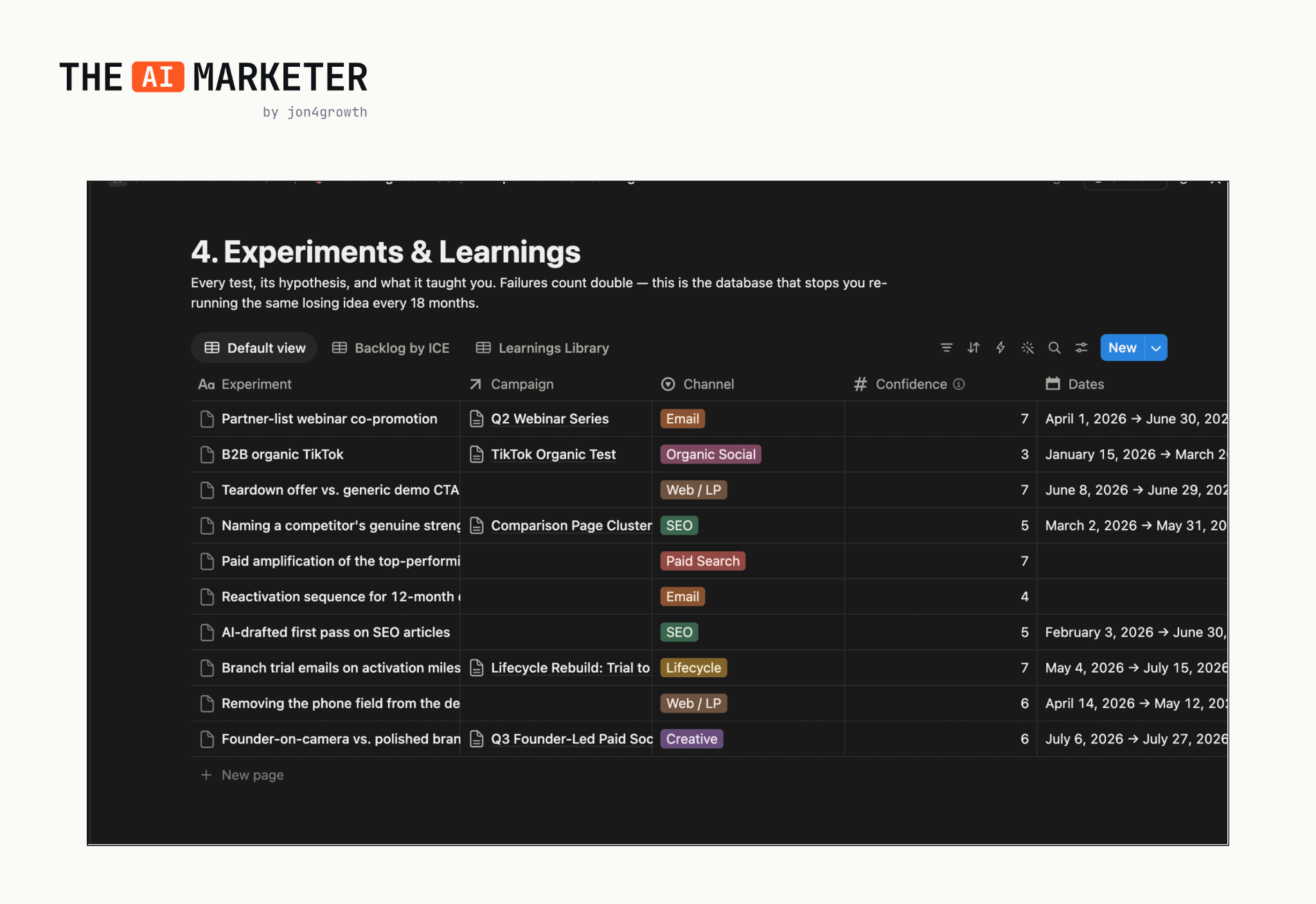
Now, let’s jump to how Experiments & Learning page looks:
Step 4: Backfill Experiments & Learnings
This is the page that solves the Postmates problem; it sucked because we’d sometimes run the same exact campaign test twice. Maybe a marketer that had left the company had already run the test last year. Or maybe we didn’t sync about THAT exact campaign.
With this tracker, everything gets logged and instantly gives anyone access into what worked or failed in the past. You can then ask Claude questions like:
What are the best performing headlines in the last year?
How much have we spent on influencer marketing tests?
Who on the team has had the most test wins?
How are we pacing to reach our goals?
Which channel is being least tested this quarter?
I asked the first question to Claude and here’s what I got:
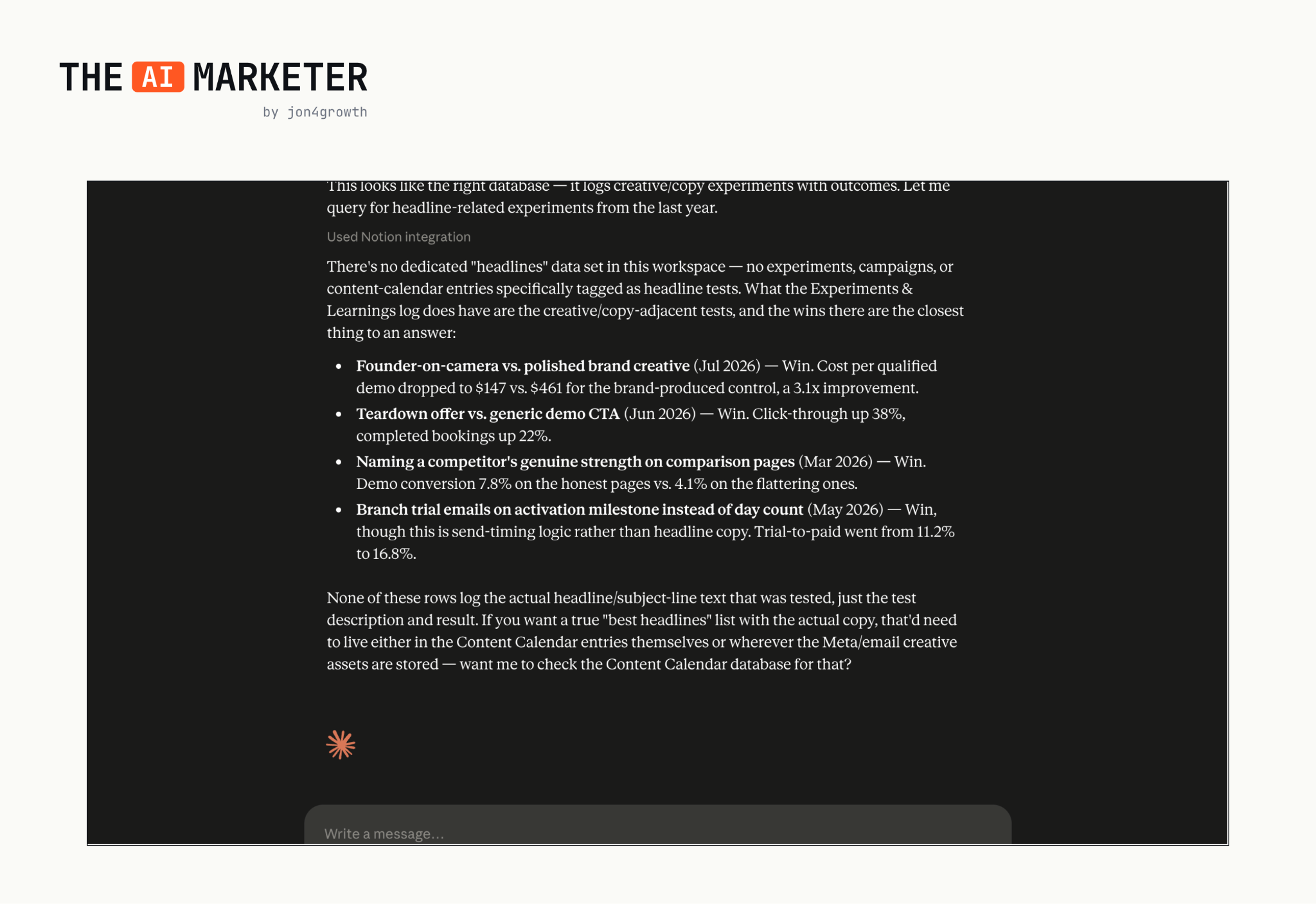
Now you can simply ask Claude about historical campaign results rather than hunting down dozens of doc links or waiting for a team to reply on Slack.
Since Claude can write directly into Notion, marketers can also prompt it to log new campaign results from the chat window. There’s no excuse not to log.
And since I gave the limitations for the GitHub approach, I also need to provide the other side of the coin. For Notion setup, you will have 1) no version history with changes like GitHub has and 2) no review step before pushing changes to files/ folders.
Step 5: Set up the Skill Library
The one other important item, outside of constant campaign logging, is ensuring that everyone on the team is using the latest .md files in their Claude instance.
As a quick primer: Skills are .md files that your local Claude instance uses to do tasks with the right context each time. This is incredibly useful so that you’re not having to repeat yourself or give Claude context on repetitive tasks.
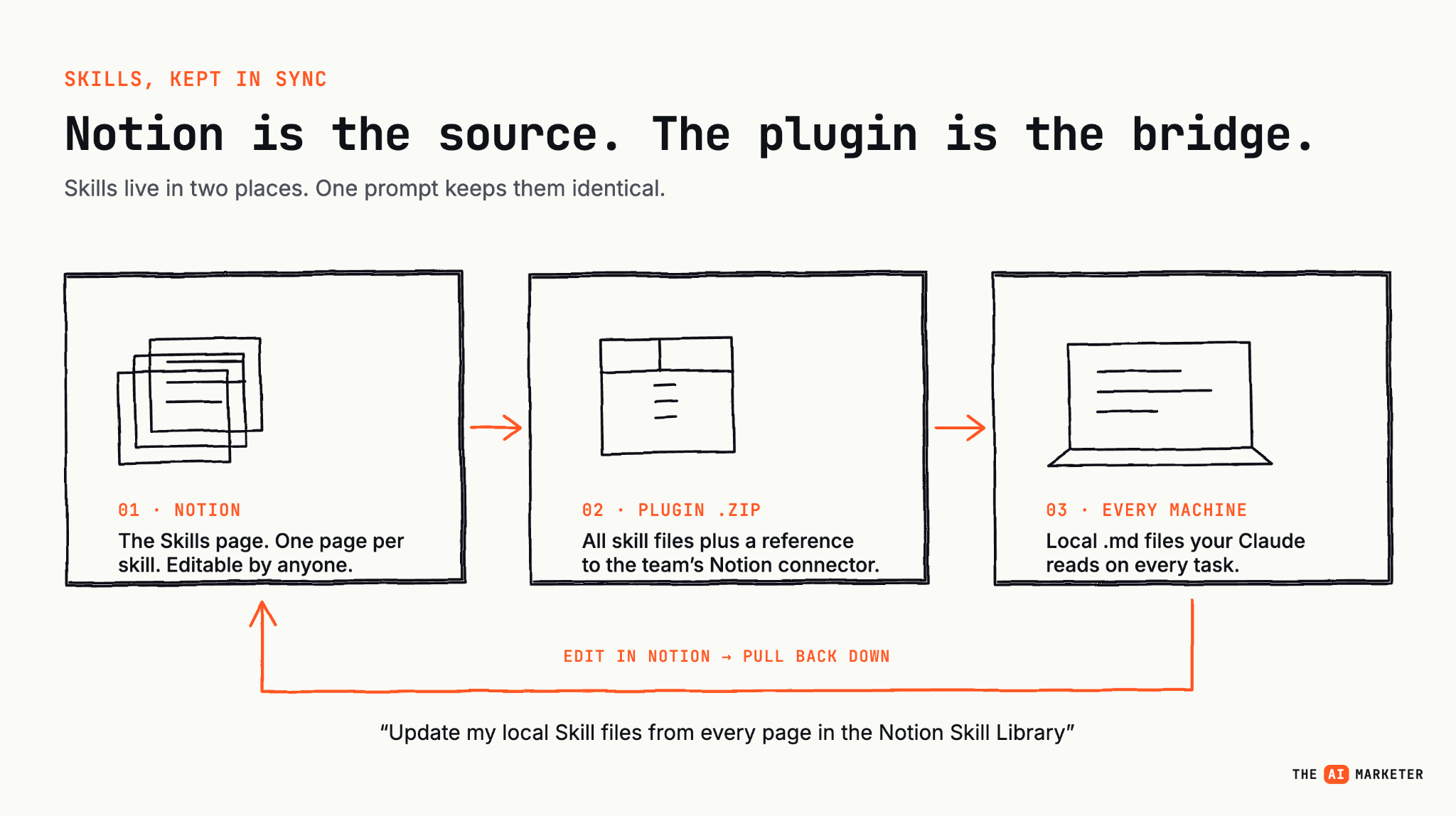
Skills live in Notion in the Skills page (the editable source, one page per skill, human-readable) and each person’s local machine (the actual .md files their Claude reads to do the work). To bridge the two, you need to create a plugin which is a packaged bundle of the skill files plus a reference to the team’s Notion connector.
To set this system up:
Create a plugin .zip file (contains all skill files with reference to Notion connector)
Everyone on the team drags this zip to Claude and prompts “Upload this plugin and copy CLAUDE.md from the marketing-os-skills plugin into the root of this project folder.”
Everyone on team prompts “Update my local Skill files from every page in the Notion Skill Library” whenever updates are made
To edit the Skills, you can either edit it directly inside Notion or ask Claude to do it and update Notion for you. When anyone on the team updates their Skill files, they’ll have the latest edited version.
Note: If your team is on the Team/ Enterprise Claude account, you can actually have the plugin file in the org-wide catalog.
Instead of everyone on the team running with outdated Skill files, this now keeps everyone on the same page using the latest rules and context.
Step 6: Connect Claude to the Teamspace
Once you’ve got your Teamspace created, use Claude’s Connectors and hook it up to Notion. Make sure you give it access to the Teamspace created. Same goes for everyone in the marketing org.
It shouldn’t take longer than a few minutes to get everyone hooked up.
That’s the beauty of this Notion setup. Stupid simple for your team to get started.
The part most teams get wrong
What’s important after onboarding everyone, is that a culture of constantly logging campaigns is instilled. If everyone connects to this OS and it remains stale, the entire system breaks.
I highly suggest having an internal champion that maintains a weekly cadence of ensuring that the OS is up to date. This is typically the marketing exec or marketing lead.
A few early marketing teams I’ve seen running this in the wild will announce in their team meetings to keep everything updated. If you keep pushing it and everyone has that “aha moment” of value and time saved in the long run, you’ve won. The entire team will continuously update.
I’m hoping I’ve convinced you of all the benefits you’ll reap from going multiplayer AI.
To get started, do this today (half an hour):
Create a Teamspace called Marketing Team OS
Build three pages: Marketing Context, Experiments & Learnings, Skill Library
Add your brand’s ICP and voice into Marketing Context
Backfill your last 10 campaigns into Experiments & Learnings
Connect Claude → Notion, grant Teamspace access. Repeat for your team
Ask Claude a question based on what’s inside your Teamspace
This’ll get you to an “aha moment” immediately.
From there, designating individuals on the team to build the rest of the pages, backfill campaign data and maintaining the pages will put you on the right track.
Again, for a shortcut of the demo Teamspace, it’s linked here. You can duplicate it and start from there. Happy building, my fellow AI marketers.
–Jonathan
No posts
Comments
Nothing yet. Say the first thing.
Sign in to join the conversation.