
When I was on the Coinbase growth team, I worked closely on the millions of emails we were sending. We had plenty of resources but still only launched a dozen tests per quarter because of the lift it required.
It was the same problem as paid ads: the data lived in one place, the copy in another, the reporting in a third. Tons of back and forth between tools, team and dashboards, along with tedious work to create reports.
A few months ago I wrote about The AI-Native Paid Ads System. It became one of my most-read essays, and the most common question I got was: “can you do this for email?”
The answer is yes. And frankly, this system can apply to pretty much every marketing pillar.
Before I explain it, here’s an overview graphic:
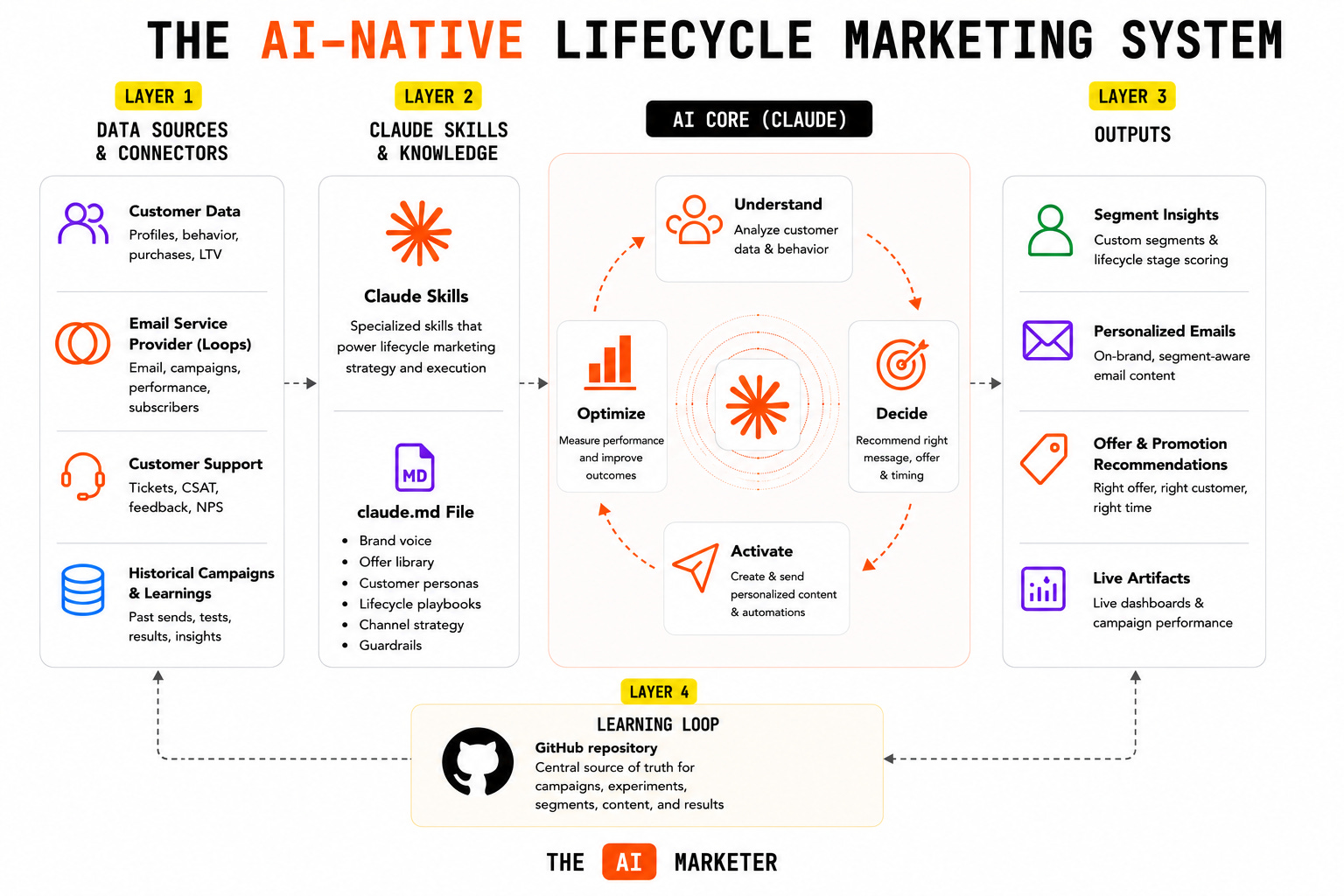
We’ll start with the first layer, and work our way down.
Layer 1: Connectors & data sources
Here’s where email differs from paid ads. Meta built an official connector, so that essay was plug-and-play. Most email platforms haven’t done that yet, and this is the part people assume blocks them.
It doesn’t. If your tool has an API, you can connect it to Claude. I use Loops (loops.so) for email, and I connected it directly via their API. They also have a dedicated page that most Email Service Providers (ESP) will likely create describing their setup with tools like Claude.
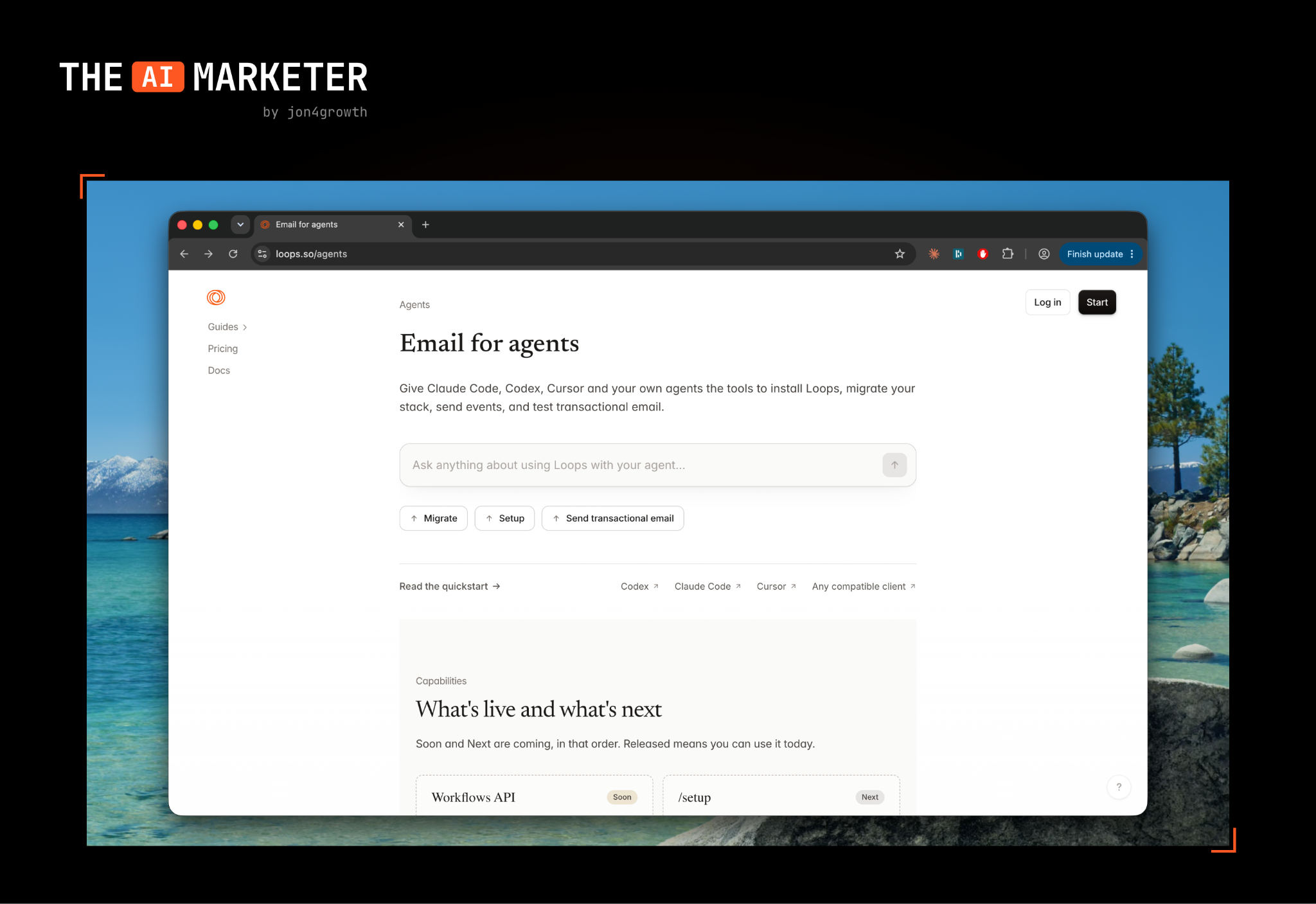
Here’s an example of an ESP that does have a native Connector already inside of Claude:
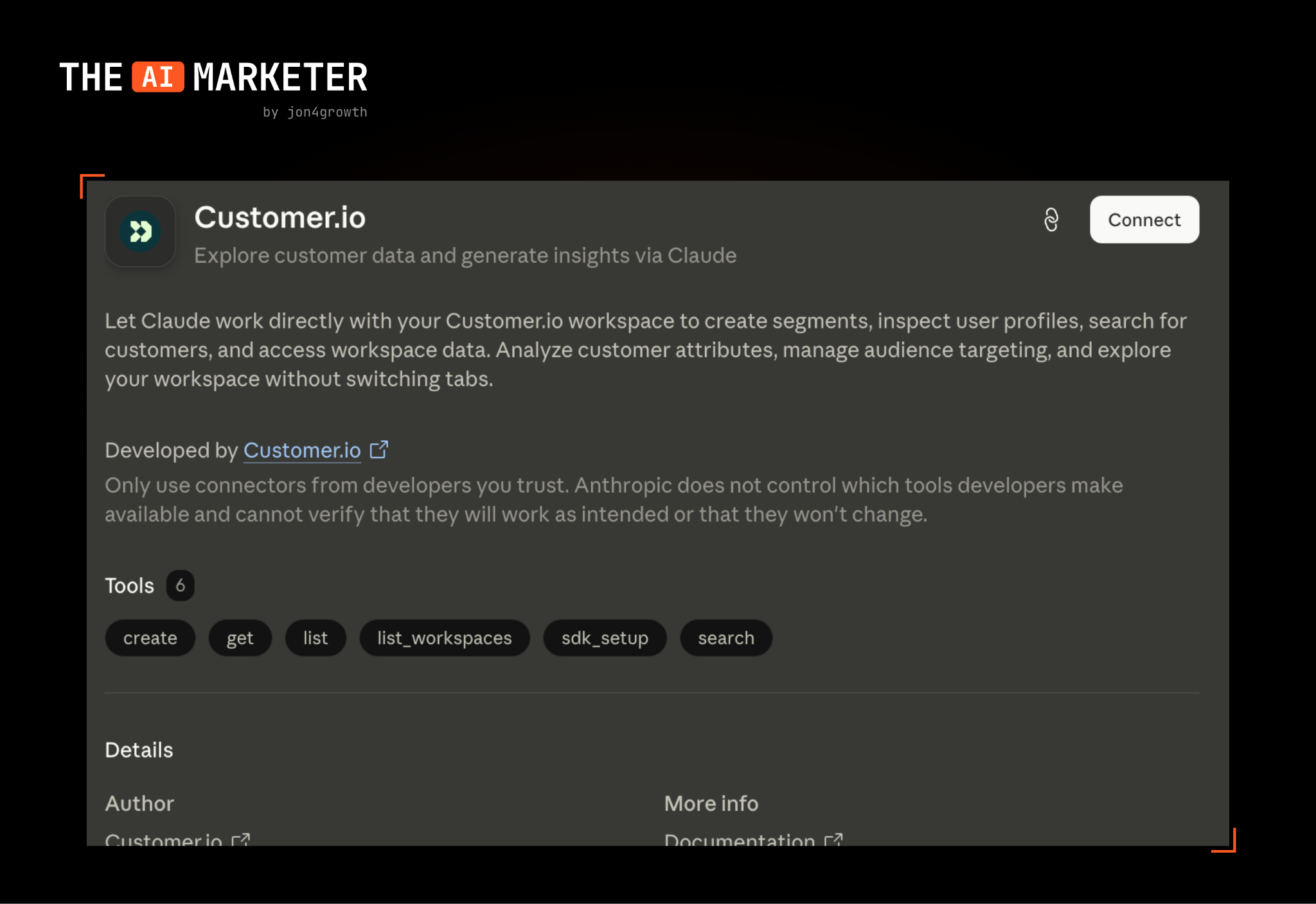
The point isn’t Loops. The same move works for Klaviyo, Customer.io, Beehiiv, whatever you’re on. The pattern is: grab your API key, send it to Claude, and ask it to wire itself up.
Once connected, the system continuously gets stronger with:
Campaign and flow performance data from your email platform
Subscriber events and segment data
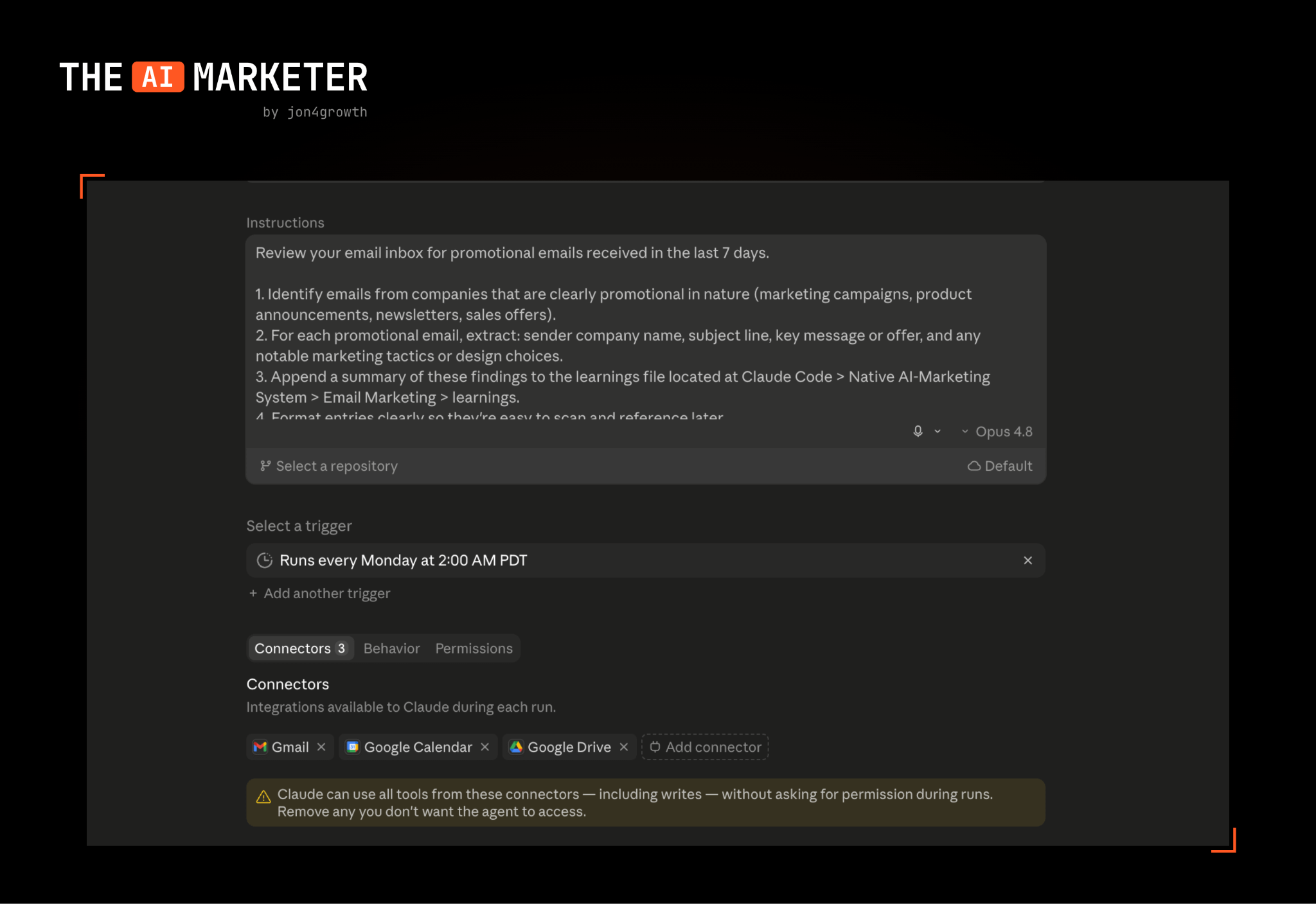
Scheduled tasks running competitive email research
That last one is my favorite. For paid ads I track competitor websites weekly for offer and positioning adjustments. For email, you can do that as well, along with two other really neat things to gather competitive intel:
Create a seed inbox and sign up for your competitors’ emails
ReallyGoodEmails scrape of your competitors’ emails
You can use Claude’s Gmail connector to log all competitor subject lines, offers and send cadence into a table inside Notion. And for ReallyGoodEmails, Claude can use the Chrome extension to do a regular scrape on their database.
Every competitor email now becomes a data point that will feed into subsequent tests.
If you’re using Claude Cowork, you can set this up through scheduled tasks or on Claude Code using routines. This is such an underrated ability within Claude.
Layer 2: Claude skills and claude.md file
Your claude.md file is crucial not only for this system, but also for anything else you’re running within marketing. It gives Claude a pre-read of your brand’s ICP, tone of voice and guardrails. When you launch up Claude to do anything, it starts with this file as the seed which makes your usage much more efficient.
Then build a skill specifically for email best practices. Whenever you mention anything about email campaigns, it’ll call this skill up to use as a basis for the task you’re looking to accomplish. There isn’t a limit on the amount of skills you add to Claude, but I’d suggest consolidating to one skill for email marketing. The best part is that Claude can build it for you with a prompt similar to this:
Running the email audit
Once you have your connection, claude.md file and skill loaded, run the audit:
I ran an audit on the Claude Marketers academy emails I’ve been sending through Loops using this exact prompt and it produced a thorough analysis:
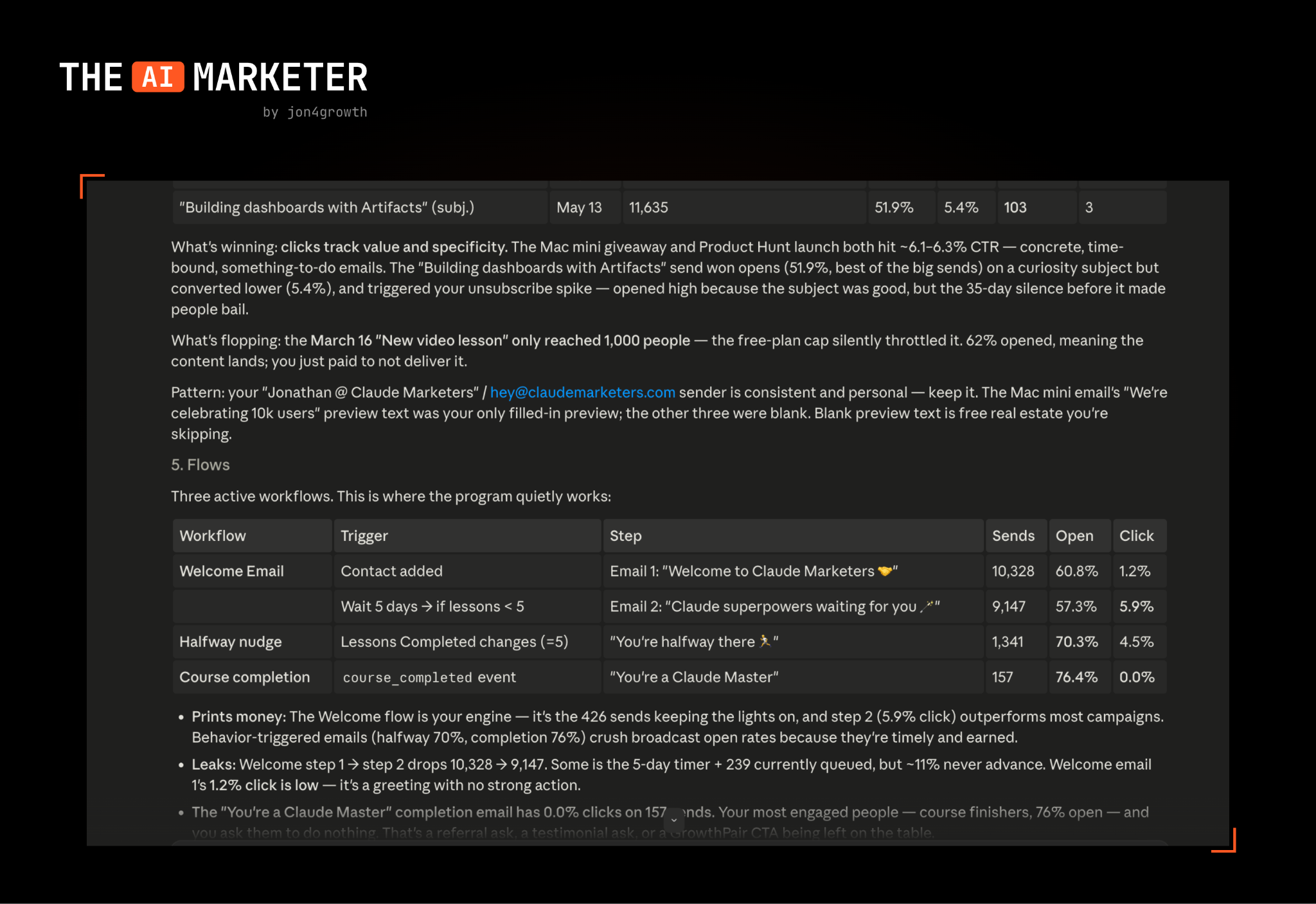
This analysis should be added in as a routine with Claude Code so you have a recurring deep-dive on your latest campaigns. It provides immediate feedback for the team and also feeds right back into a performance database for Claude to draw from.
Claude Design for bespoke email
With the launch of Claude Design, we now have the ability to create beautiful, on-brand HTML templates using our words. I tested this a bit to spruce up the GrowthPair email templates and then imported the HTML designs into beehiv. They turned out much nicer than our generic templates.
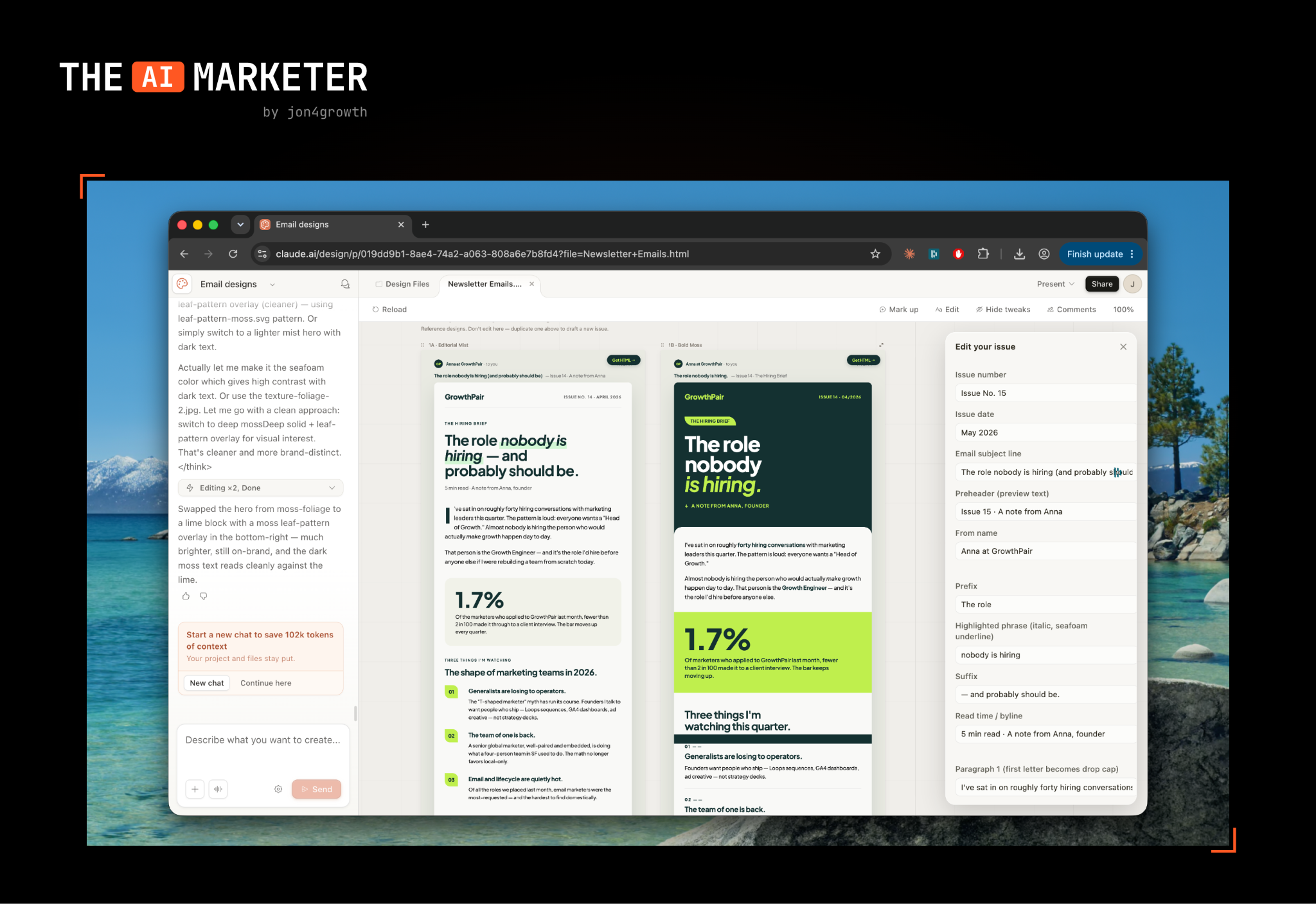
What’s nice about creating designs in Claude Design is that you can either copy the HTML, or share it straight to Claude Code by hitting the “share” button in the top right corner. Makes it super easy to port designs over.
I’ve noticed that it’s best if you have very specific requirements on designs, similar to how important prompting Claude is on anything else. In my case, I specifically ask for a few template variations to choose from that are easily editable.
Layer 3: Claude’s live artifacts and widgets
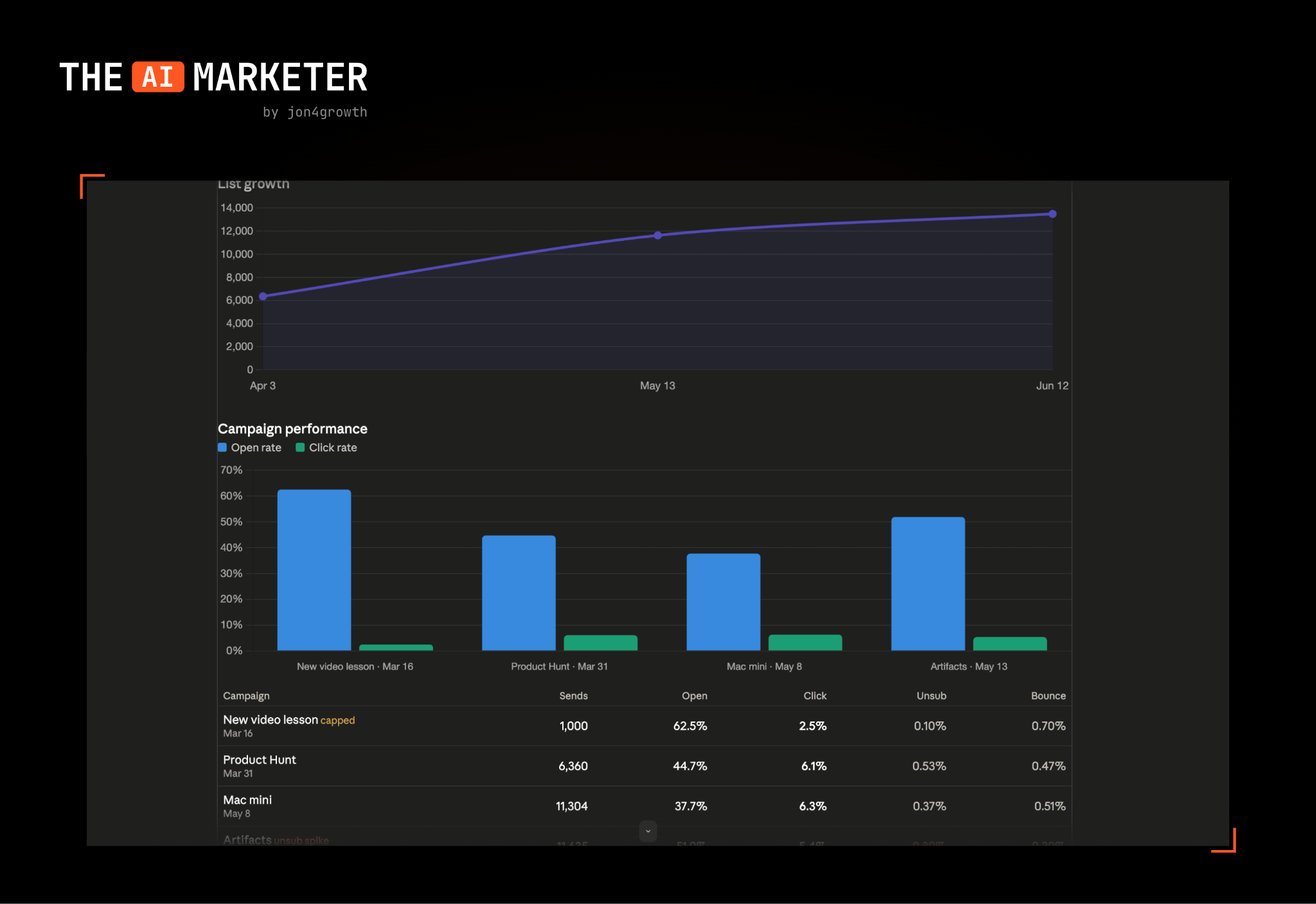
With your email platform connected, build a live dashboard with artifacts: campaign performance, flow health and list growth that pulls fresh data every time you open it. I wrote a more in-depth essay on building these dashboards in minutes, and the exact same approach works here.
Since Loops doesn’t have an active MCP and limited API access, I had to default to building my dashboard using Claude Code’s widgets. This’ll get better as more ESPs launch native connectors into Claude. In my mind, if you’re a marketing tool and don’t have an MCP within the next 6 months, you’re basically dead. Maybe a spicy take, but I think very true.
Layer 4: Learning loop with GitHub
This is the most important layer to ensure your system saves all campaign data and continues to improve over time. Every subject line test, send time experiment, and segment learning goes into a shared GitHub repo so your entire team and Claude have context on historical performance.
This becomes your source of truth for everyone on the team so that everyone is on the same page and has the same context to work from. It never forgets the emoji subject line test, or Black Friday offer you ran 18 months ago.
The setup steps are identical to the paid ads essay (create folder → Claude Code → private GitHub repo → add teammates), so I won’t repeat them. If you built the paid ads repo already, don’t make a separate one. Instead add an /email folder. This is the whole thesis: marketing functions converging into one repo your team and Claude both work from.
This is the future of email marketing
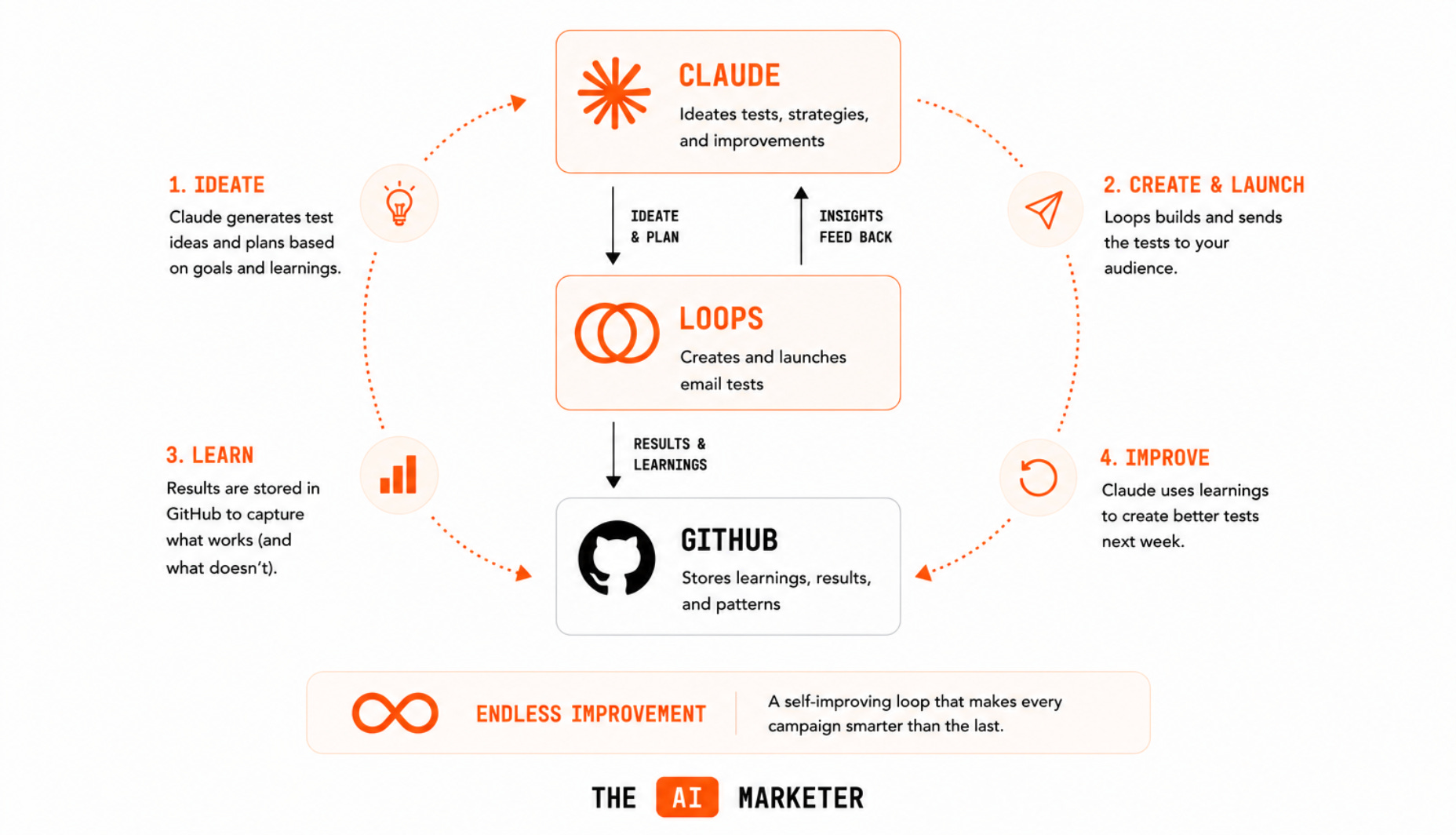
I’m a strong believer that the future of running email campaigns will happen inside a chat window like Claude Code. What’s nice is that once you have Claude connected to your ESP, you have the ability to not only gather data, but also create new campaigns and tests. It’s as simple as asking Claude to “run 5 headline tests on our onboarding series every week.”
Because Claude has all of the data on campaign performance, it can run an endless loop of iterations that are constantly improving itself.
I don’t want to sugarcoat that this will be an easy setup. It will require time, refining and someone on top of the system to ensure it continues running smoothly. Will it be worth the effort though? Yes, and I’d bet my entire growth career on it.
TLDR – how to action on this
1. Connect your email platform: official connector if it exists, API if it doesn’t. Loops took me 15 minutes to set up without an official connector.
2. Build claude.md and an email skill: every prompt gets smarter when these are loaded.
3. Run your first email audit: use my exact prompt above. See what it catches that you missed.
4. Ship one test from the audit: take its #1 action and run it this week.
5. Build a simple dashboard: live artifact or widget pulling your campaign and flow data.
6. Schedule competitor inbox research: one automated task tracking your top 3 competitors’ sends.
7. Add email learnings to your GitHub repo: weekly cadence, same repo as your ads learnings.
Until the next one,
Jonathan
No posts
Comments
Nothing yet. Say the first thing.
Sign in to join the conversation.