
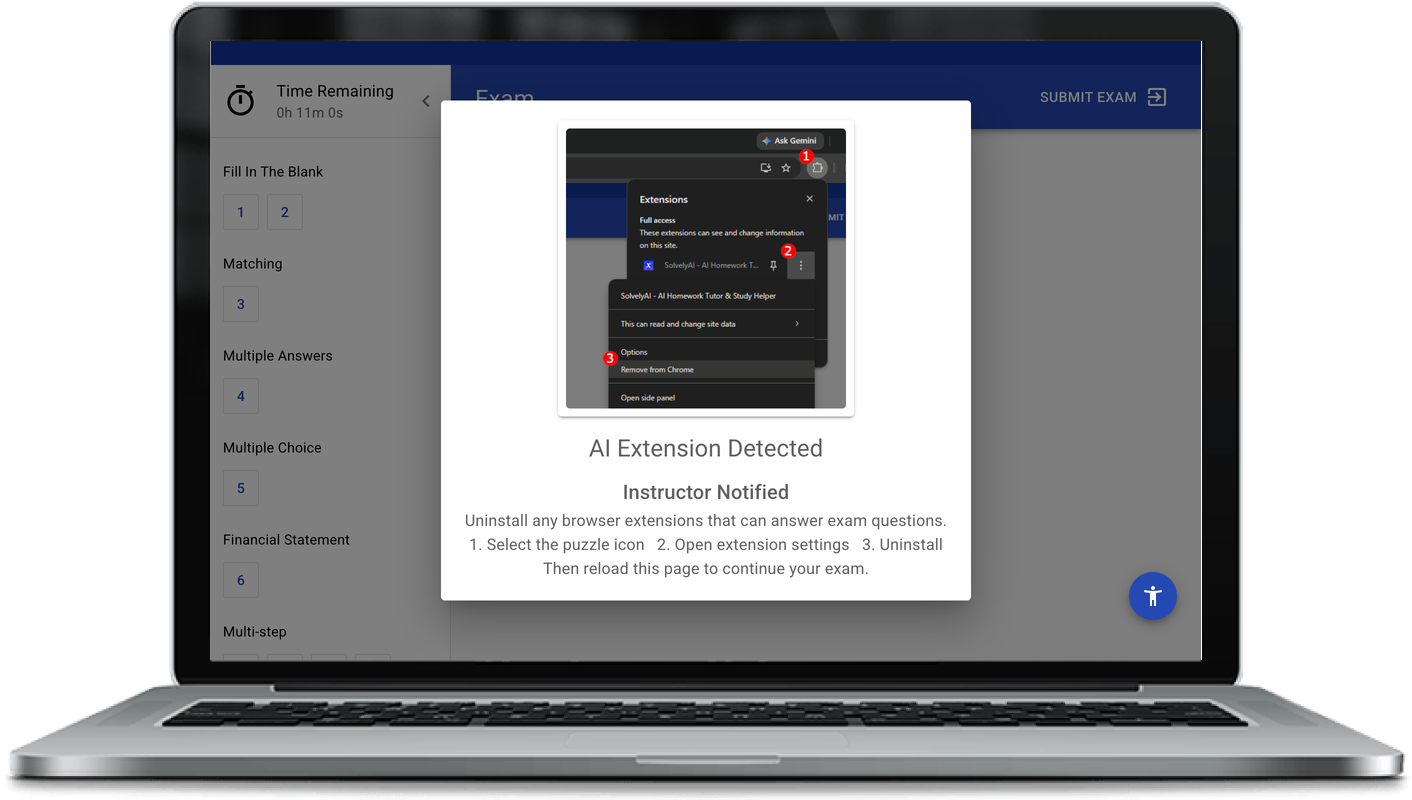
April brought new tools for deterring AI tool use during assessments, alongside improvements to Feedback Machines exports, the Excel auto-grader, and session replay reliability. Here's what's new.
AI Watermarking on Assessments
A new tactical deterrent against AI tool use during assessments. AI Watermarking embeds visible text on the assessment page stating that this is a proctored exam and external assistance is not allowed. When a student photographs their screen and feeds the image to an AI model, many models will refuse to answer because of the embedded directive. It's a per-assessment toggle, so you can decide when to use it.
AI Extension Detection
We now detect over 27 AI browser extensions. When a student starts an assessment with one of these extensions installed, they'll see a dialog explaining what was detected and how to disable it. Detection is always logged for review; blocking is gated behind a per-assessment setting.
Structured Rubric Feedback in LMS Gradebook PDFs
Feedback Machines now passes per-criterion rubric scores through to the gradebook PDF that lands in your LMS from Examind Simulation assessments. Students see the same structured breakdown their instructor sees, not just a final score and overall comment.
Bulk Submission Export Improvements
Instructors using Feedback Machines for long-form written business assignments can now download a zip of all student submissions in a single click. New filters help narrow the export to "highest scoring only" or "last submission only." Filenames now include the student's email username, so files line up with the right student when reviewed offline.
Worksheet Presence Check in the Excel Auto-Grader
When authoring an Excel assignment, you can now require specific worksheets to be present in the submission as part of the grading rubric. Useful for assignments that involve creating new sheets, such as Solver Answer Reports.
More Session Replays Available
Instructors viewing student exam attempts will now see more session replays that were previously missing. Background retries pick up recordings that didn't capture on the first try, so most replays that initially appear unavailable will show up after a short delay.
As always, if you have feedback or thoughts you'd like to share with the development team at EXAMIND, you can follow us on LinkedIn or send us an email at marketing@examind.io.
Comments
Nothing yet. Say the first thing.
Sign in to join the conversation.