
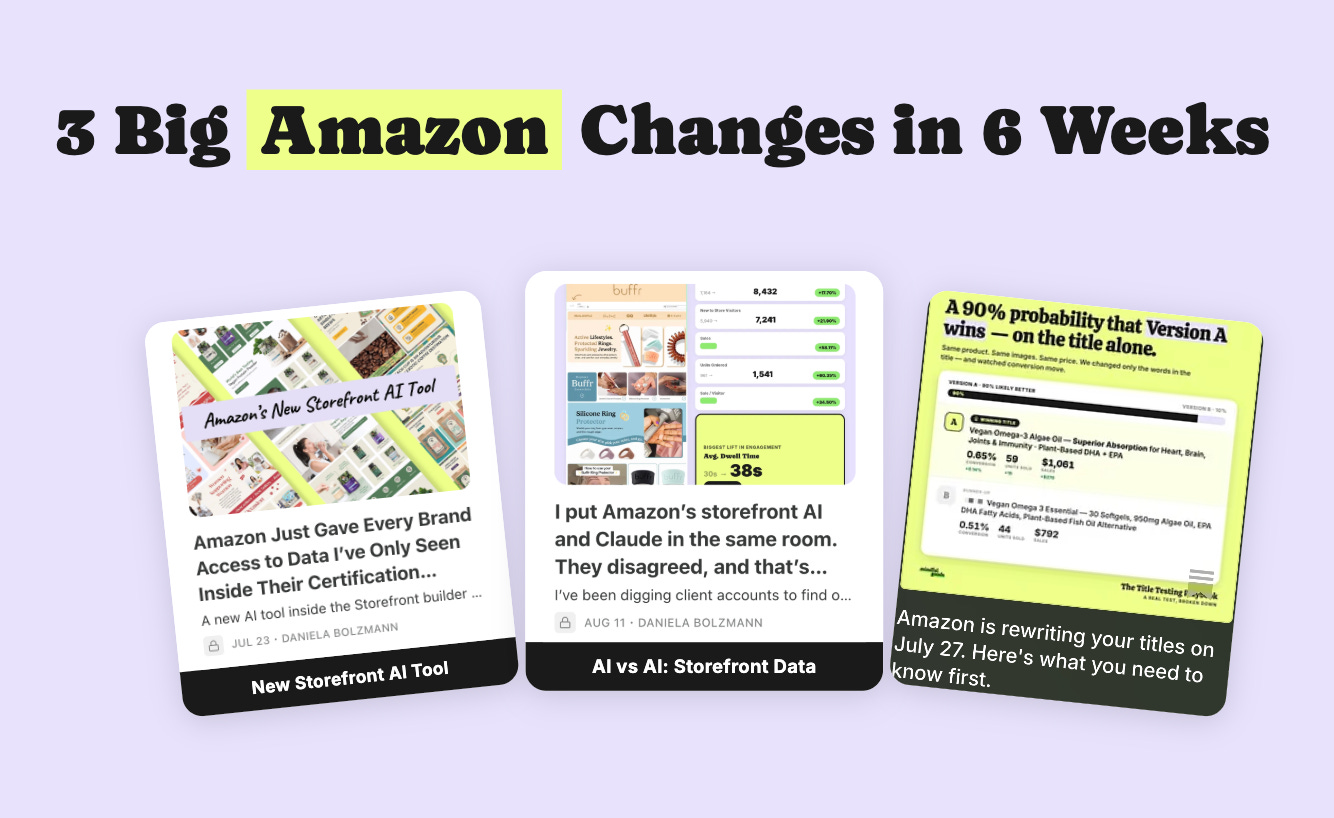
Maybe it’s because everyone was heads down on Prime Day, maybe it’s because none of it came with a press release, but I wanted to take a moment to recap three big-ish things that changed on Amazon in about six weeks.
I found out about all 3 of these via LinkedIn. That’s probably why most brands I speak with have still only heard about one of them.
AND more importantly, one of them can cost you $1,000 per offense.
I won’t gate keep this part. Here’s the whole list, and then I’ll break each one down:
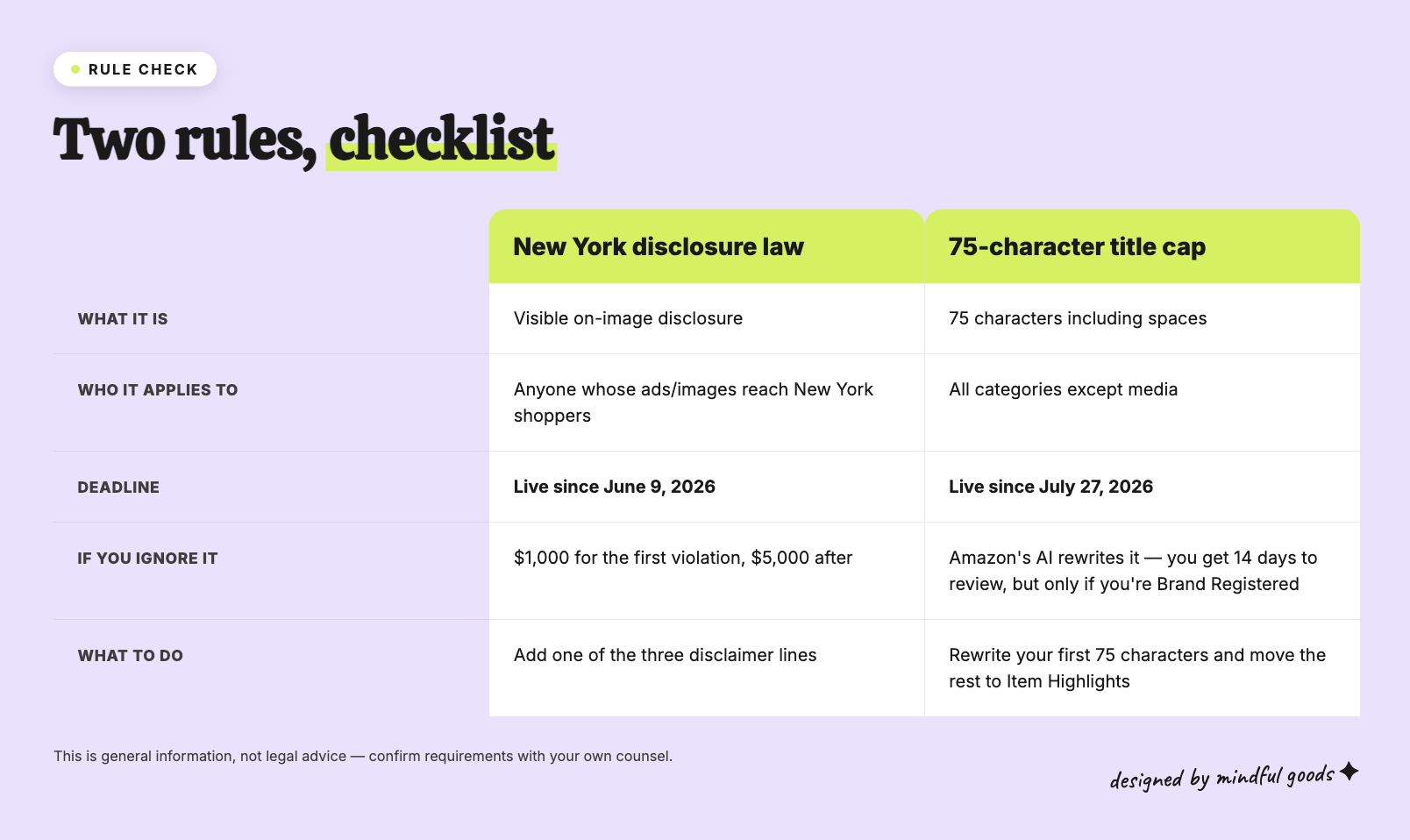
AI-generated people in your images now have to be disclosed. New York law, live since June 9. Amazon has its own separate tagging requirement on top of it.
Your product titles got capped at 75 characters on July 27, and Amazon’s AI is rewriting the ones that were too long.
Amazon quietly put a free benchmarking tool inside your Storefront builder that will grade your own pages against data they used to keep inside their certification program.
The first two you require action to stay compliant. The third is a little gem from the Amazon gods.
A little context on this newsletter: Earlier this year, I did something I’d been wanting to do for years. Using Claude, I analyzed 900+ PickFu split testing polls (now 1,000+) from 34K (now 38K+) respondents across the 850+ eCommerce brands we’ve worked with. The result was a database that lets me look up trends, spot patterns, and answer almost any question about a client’s creative before we even start designing. This has reframed how my team and I make every creative decision and I’m sharing all of it here in Design Proof. Twice a week: data-backed creative insights to help you convert better on Amazon and eCommerce.
We’ve been using AI in our creative work for over a year now, and that’s not changing. If anything, we’re leaning further into it. That said, we use it to augment design not create a design from scratch.
And with that comes a responsibility we take seriously, which is staying on top of how the laws around AI use are evolving. And honestly? I think that’s a good thing. The more guardrails that exist around AI, the better it is for everyone including brands, shoppers, and the industry.

What changed: New York passed a synthetic performer disclosure law, General Business Law 396-b. It took effect June 9, 2026. It requires advertisers who know their ad contains a synthetic performer to conspicuously disclose it.
A synthetic performer, in the law’s own definition, is a digitally created asset made or modified by computer using generative AI or a software algorithm, intended to create the impression of a performance by a human performer who isn’t recognizable as any real identifiable person.
Translation: the AI model holding your product, and now she needs a label. Whether it’s just the hands or a whole AI human, you should label your images with a disclaimer.
The part people are missing: there are actual penalties, and they’re issued by the state of New York. $1,000 for a first violation, $5,000 for each one after that.
Every Amazon product listing has the potential To be served nationwide and there’s no way to control which states are going to view your product listing. Therefore every listing is liable to be compliant.
And if New York is the first to pass this law, they’re likely not going to be the last state to pass this law or something similar to it.
For transparency: I am not a lawyer and this is not legal advice. Talk to your legal counsel about what compliance looks like for your specific situation. What I’m sharing is the best practice we’re implementing across all of our own work, and one I’d recommend you consider too.
This is the piece almost nobody is talking about, and it’s the one that touches every file you upload. Every time you upload an image Amazon is asking you To check one of two checkboxes:
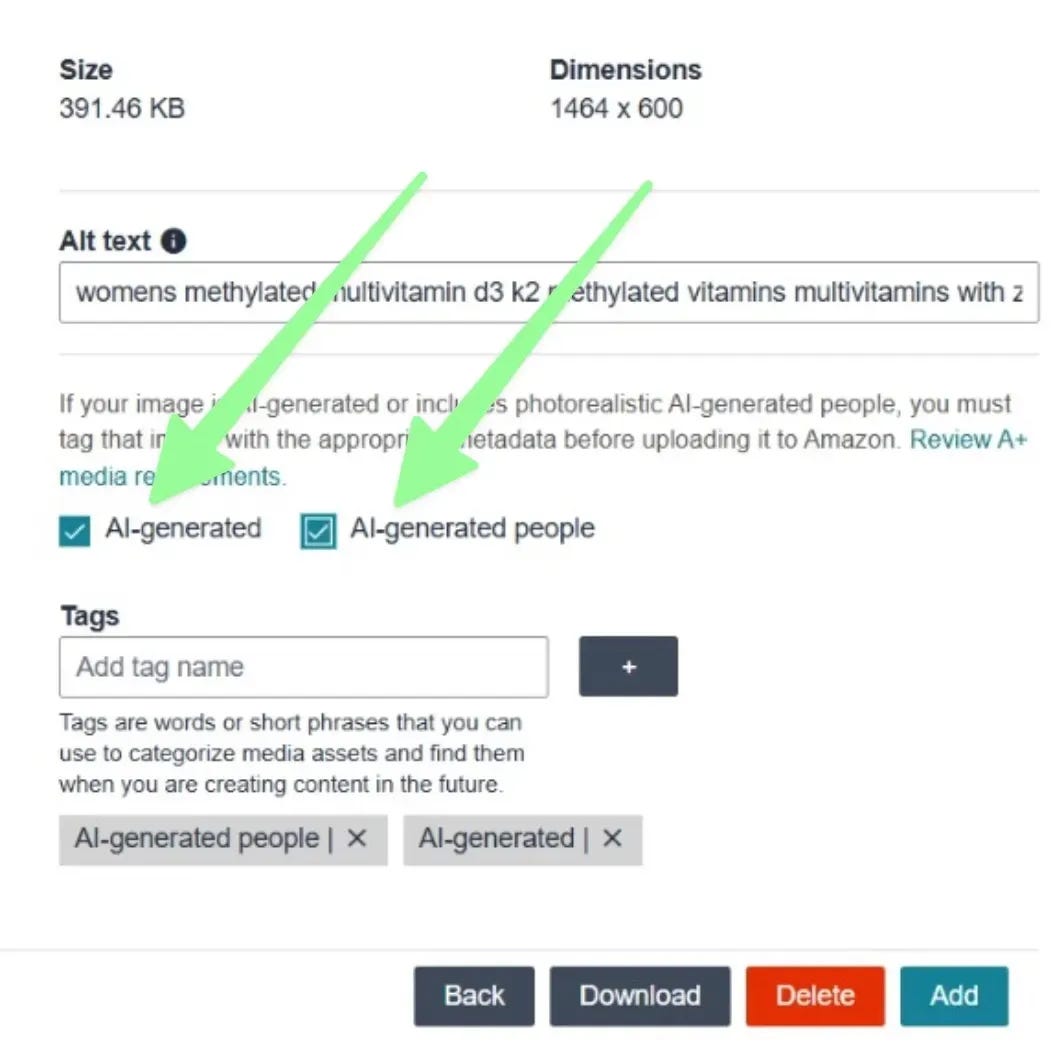
Option A: AI-generated image
Option B: AI-generated people
Sharing this because this part confused me: If you toggle the second checkbox, the first checkbox is automatically selected for you. Toggle only the first checkbox then Amazon leaves the second checkbox unchecked unless you check that box.
Amazon’s own words: “This requirement only applies if your image or video contains photorealistic AI-generated people.”
Amazon uses this entry to add metadata to your image and of today they have not disclosed how or if they will add disclaimers to images.
My guess is that they are already testing. My concern would be if Amazon decides to add front facing disclaimers that are disruptive to conversion.
BUT here’s the important part, the New York law wants a disclosure a shopper can see.
Amazon’s request only adds a keyword in the file that a shopper can’t see. That does not satisfy the NY law.
Something like this example:

Initially we were adding disclaimers to images on behalf of clients but I’m not sure that is the right move. Some clients may not want us to add disclaimers to their images.
For the moment what we are doing as an agency is adding a clear note to the file name. This way, our clients know which images have AI humans in them or not. Using that name of the file they can decide if they want to add a disclaimer or if they want to tag it when they upload it to Amazon’s dashboard.
To make the visible disclosure straightforward, we recommend adding a small text disclaimer to all new creative that features AI-generated models.
Three examples, pick the one that fits your brand:
Option 1, human touch: “This design features AI humans, made by real humans.”
Option 2, brand-forward: “AI-generated models. Human-obsessed creative.”
Option 3, minimal: “Imagery includes AI-generated models.”
Protip: to do this yourself in about five minutes, open the file in Canva, drop the disclaimer in small type in a corner where it doesn’t fight your callouts, and re-upload to Seller Central. You do not need your designer for this.
AI-generated hands holding your product? I’d tag it. The law says: “the impression of a performance by a human who isn’t a real identifiable person.” AI hands are an impression of a human action, and they belong to a fake AI human. No face is a gray area but still risky.
AI-generated background behind a real model? Coverage says the background alone doesn’t trigger it, because the law is about people, not scenery or even pets. Which makes hybrid images, real model + AI environment, a genuinely good strategy. But any single AI human in a background can still trigger a fee.
The useful reframe on all of it: the rule isn’t written around what percentage of your image is AI. It’s written around whether there’s a person in the frame who is not a real human.
How I would do it: If you’re going to use AI humans then limit the use so you don’t have to put multiple disclaimers. In many cases brands may not have photos of a human at a particular angle with their specific product so AI can be a great solution for that. Consider using AI to validate your imagery and once you’ve done that then you can justify a photo shoot with a real human. Alternatively, you can try to find a stock image of a real human You need and then you can use AI to doctor that image and add the product to the image accordingly.
I wrote about this one before it landed. It’s arrived.
What changed: Amazon capped product titles at 75 characters including spaces, in every category except media. The old ceiling was 200. Any listing still over the limit gets rewritten by Amazon’s AI, gradually, without you doing anything.
The detail that decides how bad this is for you: if you’re Brand Registered, you get a 14 day window to review Amazon’s rewrites in Review Listings Changes. If you’re not Brand Registered, there’s no review window. Amazon just applies it.
Amazon also introduced Item Highlights, a 125 character field that shows up below your title in search results and on the detail page. It’s searchable. That’s where your secondary keywords, materials, and use cases go now.
My read: this isn’t really as big an issue as everyone cried about. Titles were already truncated on mobile, and over 70% of Amazon shoppers are on mobile. Amazon using the title you had, they’re just asking you to break it into two. The brands getting hurt are the ones who never looked at their own listing on a phone.
Testing Protip: Title are something we typically test in Amazon’s Manage Your Experiments. As of today August 13th, MYE has yet to be updated on the new title structure. Titles should be tested manually for the moment.
In case you missed it: We created a Title Playbook and Title Generator to help brands reformat titles for Amazon’s new two-field system. Built from 74 tested winning titles, it applies the eight conversion patterns we found across our client experiments to generate a 75-character title and matched Item Highlights field.
Full playbook + tool access on Stan Store → [Stan Store link]
What changed: there’s a feature called Analyze Performance inside the Storefront AI Builder that hands you benchmark data Amazon used to only keep inside their Creative Certification program for select agencies.
Where to find it: Seller Central → Storefront → AI Builder → Analyze Performance (bottom right corner).
Run this exact prompt in your own Storefront right now. Takes two minutes and costs nothing:
“Let’s do a larger analysis of maybe the last six months of store traffic and get your recommendations.”
You’ll get a feature-by-feature breakdown of what’s working on your storefront and where to improve, with the data behind it.
The problem: generic recommendations. I ran this across client accounts and the tool has all the metrics and none of the eyes. It can tell you a page underperforms. It cannot tell you that your category tiles are in the wrong order, or that your product section is illegible on a phone. When I pushed it, the tool was playing dumb because it couldn’t actually see anything.
The solution
Pair it with Claude vision with these two steps:
1) Extract as much storefront data as you can out of Amazon.
2) Upload that data plus screenshots of your storefront design to Claude/Chatgpt and have it analyze both together.
Using this method, we discovered real problems like traffic routing and module type, and most of them were fixable without touching a design.
Full step by step breakdown of that one is in Monday’s post, including the Claude prompt.
I’d tackle these 3 things, in this order:
Sort your lifestyle imagery into real model, AI model, no people. Add disclaimers and re-upload to avoid any surprise fees.
Check whether Amazon rewrote any of your titles. If you’re Brand Registered, your review window is 14 days from the change, so look at Review Listings Changes now rather than in September. Then move your dropped keywords into Item Highlights. (try our title tool here)
Run the Analyze Performance prompt on your storefront. Free, two minutes, and it hands you Amazon’s own benchmark data.
We can all agree that compliance work is nobody’s favorite when it comes to running an eCom business, but a disclaimer in a corner is a five minute Canva job, and a rewritten title you never reviewed is a reach problem you’ll be diagnosing for months.
Daniela Bolzmann is the founder of MindfulGoods.co, an Amazon creative services agency specializing in data-driven content for 850+ 7 and 8-figure brands.
Connect on Instagram, TikTok, and LinkedIn or book a strategy call.
No posts
Comments
Nothing yet. Say the first thing.
Sign in to join the conversation.