
Every focus app on the market gently asks you to please stop scrolling. Freedom, Cold Turkey, Forest, StayFocusd — they all use some variation of “hey, you’re not supposed to be here, do you want to close this?” Two clicks around the reminder and you’re back on Reddit. That’s the flaw. Willpower-plus-a-nag isn’t willpower.
This week we build a focus tool that removes the willpower part entirely. During a focus session, distracting sites don’t load. Not “muted”, not “hidden behind a nag screen” — the browser genuinely cannot reach them. Type reddit.com, get “This site can’t be reached.” Every time. For the duration you chose. When the timer ends, everything is unblocked automatically. If you Ctrl+C to give up, everything unblocks. If the script crashes, everything unblocks. The only way to keep sites blocked forever is to unplug your computer, which is another approach entirely.
Day 1 is the CLI tool — one Python file, zero external dependencies, works on macOS, Linux, and Windows. Day 2 wraps the same engine in a web dashboard with charts, streak tracking, per-site rules, and named presets (”deep-work”, “study”, “morning”). Both days build on the same core insight: you can edit your machine’s hosts file to make specific domains unreachable at the DNS level, and that’s the same technique advertisers, security researchers, and Pi-hole users have been using for years. We’re just wrapping it in a timer.
Day 1: CLI focus timer with real website blocking (Today)
When you run the script with a number of minutes, it starts a live countdown right in your terminal. Big centered time, subtle context lines beneath, and behind the scenes your hosts file is now telling every DNS lookup for Reddit, Twitter, YouTube, TikTok, Facebook, Instagram, and Hacker News to go to 127.0.0.1. Where nothing is listening. So the browser gives up:
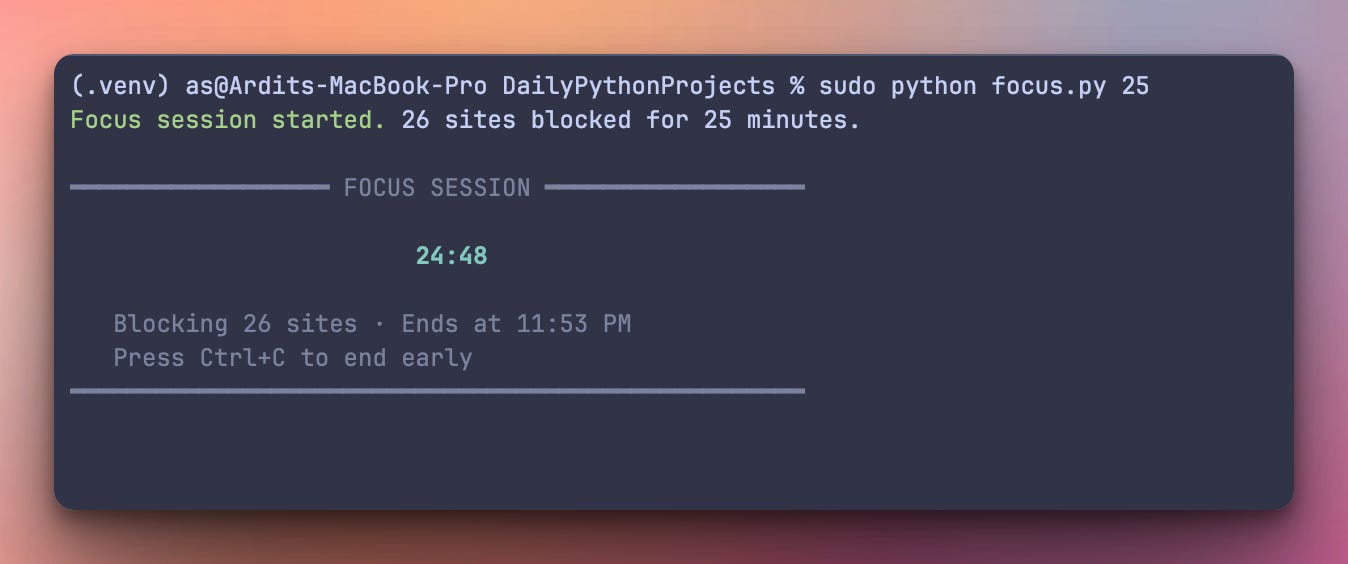
Try to open one of the blocked sites during the session and you get this — the browser genuinely cannot reach it, and no “unblock” button anywhere will change that until the timer ends:
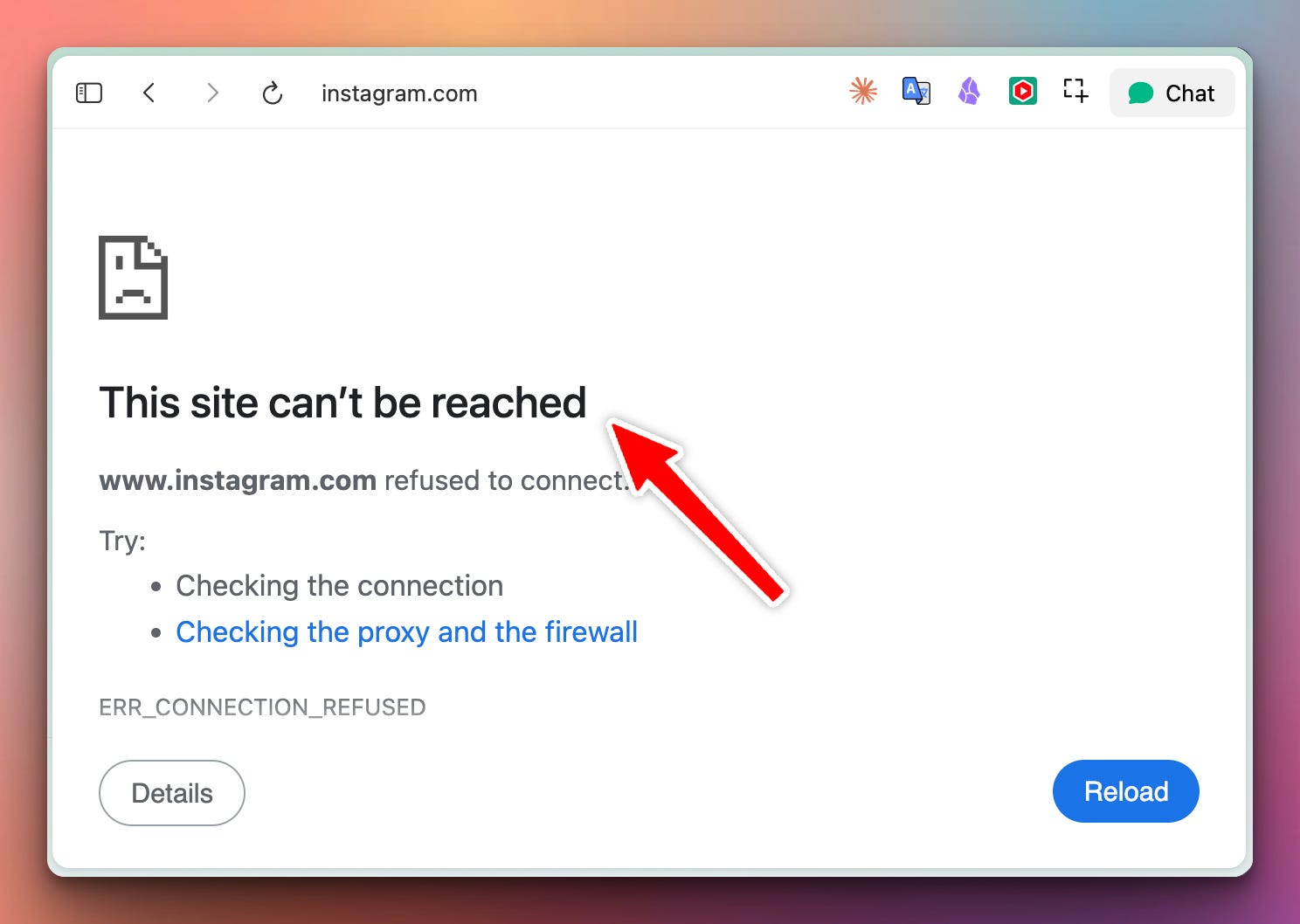
The moment the timer hits zero — or you Ctrl+C early, or the script crashes, or your laptop shuts down and reboots — the block is removed automatically. Sites come back. No manual cleanup required.
Day 2: Web dashboard with charts, streaks, and named presets
The same blocking engine, wrapped in a web UI you can pin as a browser tab. Named presets (”deep-work 90 min”, “pomodoro 25/5”, “study 45 min”) save your favorite combos of duration + blocklist. Per-site rules let you allow LinkedIn during work hours but block it after 6pm, or unblock YouTube only for tutorials on a whitelist of channels. A dashboard on the front page shows your focus time today, this week, and this month, plus your longest streak of consecutive days with a focus session:
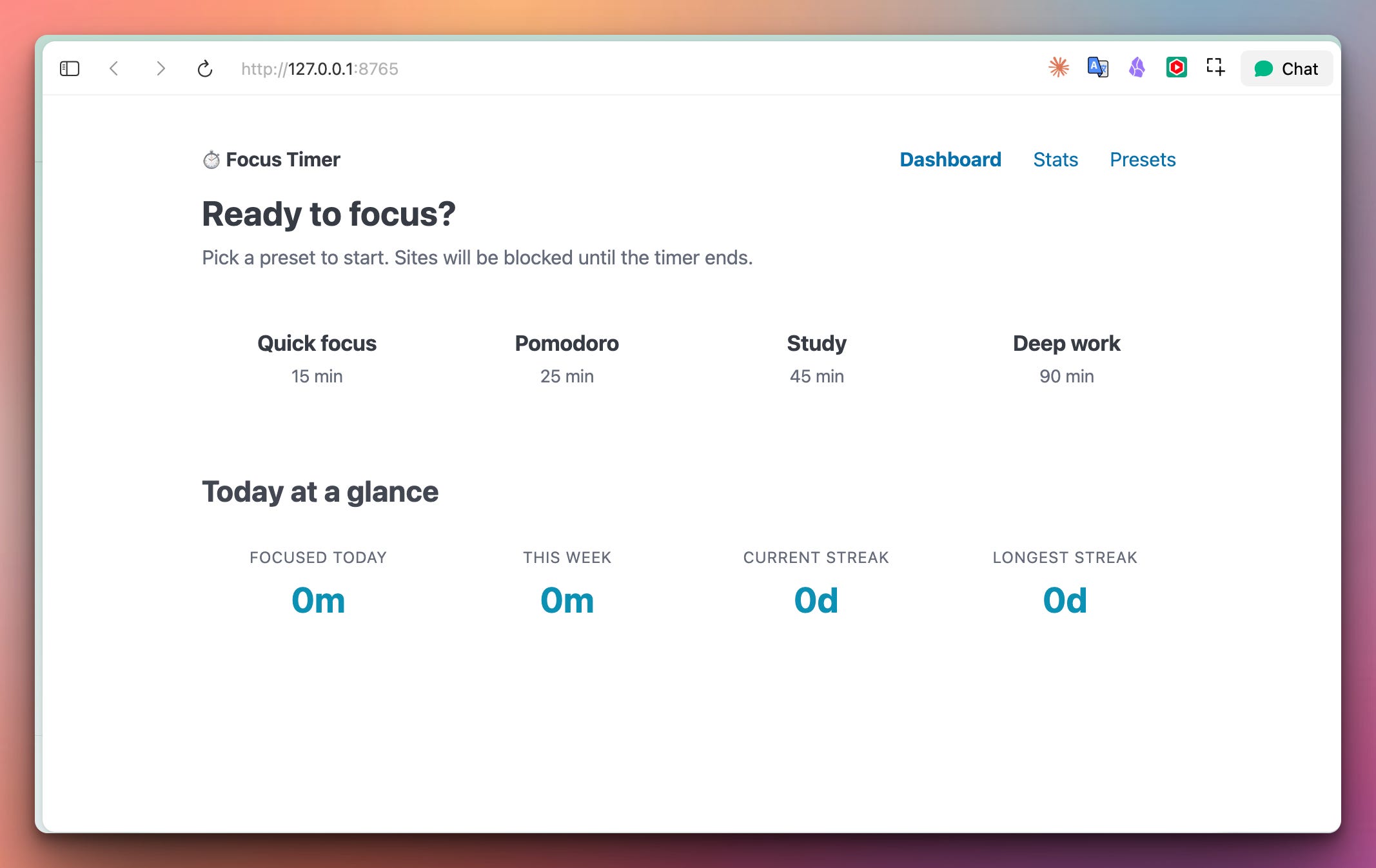
Users can set a focus session by clicking on of the items on the dashboard:
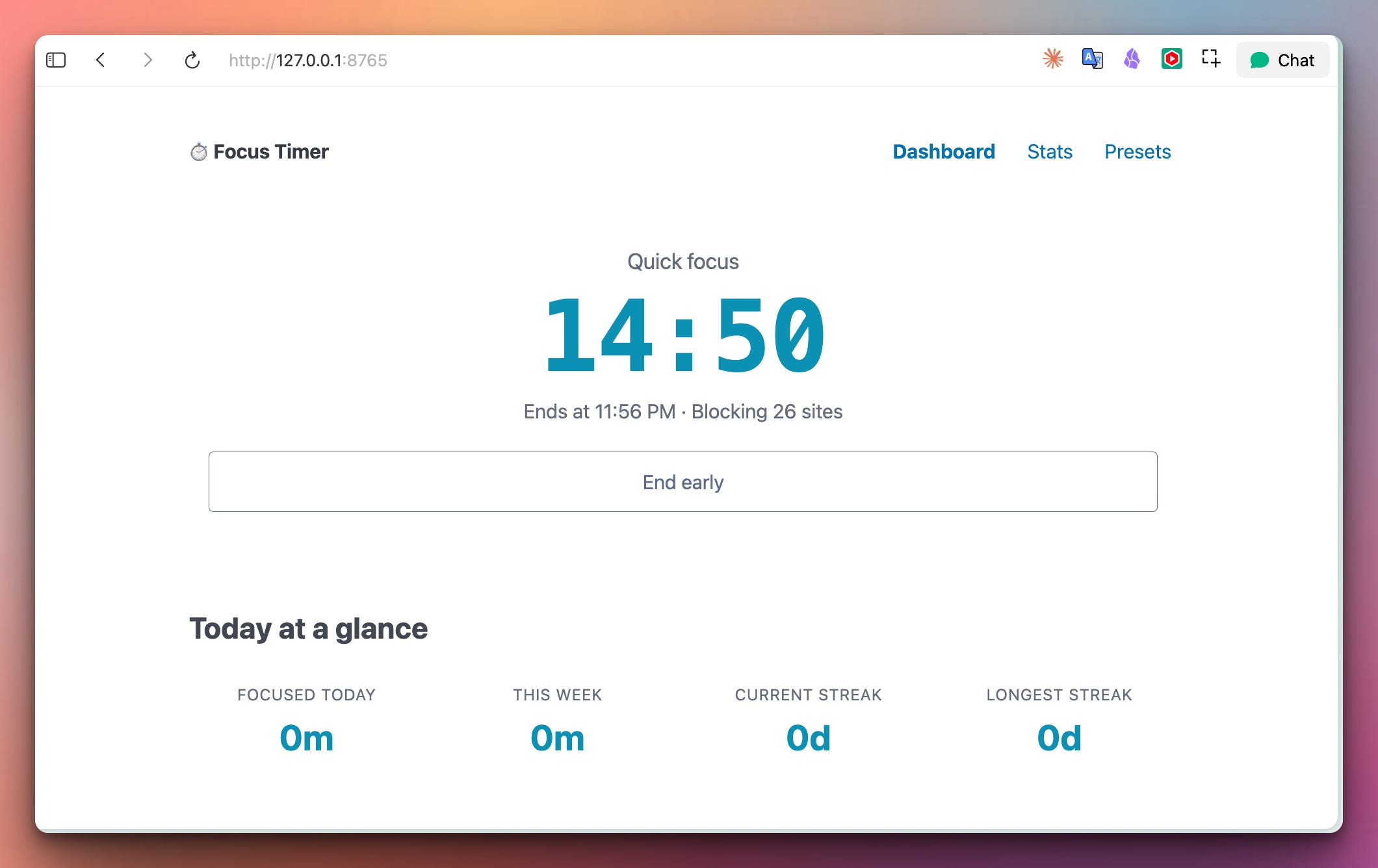
Break enforcement, too — after a completed focus session, the app enforces a mandatory break window where refocusing is disabled. Because the way you burn out isn’t by focusing too hard, it’s by never letting your brain rest between sprints.
Zero external dependencies. No pip install step. Just save the file and run it. That’s a deliberate design choice for system-level tools like this — every extra dependency is another thing that could break in six months when the maintainer decides to change an API, or when Python 3.15 ships and something isn’t ready. For a tool you want to still work in five years, stdlib-only is a real feature.
argparse parses the command-line arguments. Standard library, has been in Python since 3.2, will work forever. Handles --add, --list-sites, --unblock, and the positional minutes argument.
pathlib manages paths to the hosts file. Cross-platform out of the box — /etc/hosts on macOS and Linux, C:\Windows\System32\drivers\etc\hosts on Windows.
subprocess runs the DNS-cache flush commands (dscacheutil on macOS, resolvectl on Linux, ipconfig /flushdns on Windows). Same standard library, best-effort — if the flush command doesn’t exist, the block still works, just with a few seconds of stale cache before it kicks in.
signal and atexit are the cleanup safety net. Signal handles Ctrl+C and SIGTERM gracefully. Atexit runs on any process exit, including unhandled exceptions — so even if the script crashes with a bug, your hosts file gets cleaned up before Python shuts down. Data integrity is critical here: the failure mode of “sites stay blocked forever because we crashed” would be a genuinely bad bug.
ANSI escape codes for the terminal UI — colors, cursor positioning, in-place redraws. All modern terminals on macOS, Linux, and Windows Terminal support them natively. Old Windows CMD shows raw codes but the tool still functions.
No installation. Save the script as focus.py and run:
sudo python focus.py 25                      # 25-minute focus session
sudo python focus.py 90 --add twitch.tv      # add extra site to block
sudo python focus.py --unblock               # emergency unblock
python focus.py --list-sites                 # show default blocklist (no sudo)
On Windows, right-click your terminal (or PowerShell) and pick “Run as Administrator” instead of using sudo. Same script, same commands, just the elevation mechanism is different.
The reason for sudo: editing /etc/hosts requires root, and there’s no clean way around that. It’s the whole point — if any random program could edit your hosts file, malware would use it constantly. The permission gate is a security feature, not a bug.
This whole project rests on one piece of infrastructure everyone has and almost nobody thinks about — the hosts file.
Your operating system resolves domain names through a chain. When your browser wants reddit.com, the OS asks “who is reddit.com?” and the first place it checks is a plain text file. On macOS and Linux that file lives at /etc/hosts. On Windows it’s at C:\Windows\System32\drivers\etc\hosts. The file has been there since roughly forever — it predates DNS by about a decade.
The format is dead simple: one line per entry, IP address then hostname:
127.0.0.1 localhost
::1 localhost
127.0.0.1 reddit.com
The OS reads this file every time it needs to resolve a name, and if the name matches something in the file, it uses that IP and never asks a real DNS server. So 127.0.0.1 reddit.com means “when anything on this machine tries to reach reddit.com, send it to 127.0.0.1 instead.” 127.0.0.1 is your own machine, where nothing is listening for reddit’s traffic, so the browser gets connection refused and shows “This site can’t be reached.”
This isn’t a hack. It’s how the system is designed to work. Advertisers use hosts-file entries to block ad servers. Pi-hole uses network-level DNS blocking based on the same idea. Malware researchers block command-and-control servers this way. We’re just using it for focus.
The only catch: editing the hosts file requires root/admin privileges. That’s why the tool needs sudo. It’s not asking for those privileges to snoop on your system — it’s asking for the exact minimum permission needed to add a few lines to one specific file.
Never, ever, ever overwrite the whole hosts file. Your system has important entries in there — localhost, IPv6 mappings, entries added by Docker, VPN clients, corporate tools. Wiping them and rewriting from scratch would break things you didn’t know you had.
The right pattern is marker-based editing: wrap our block section in commented markers, and on removal only touch lines between those markers:
BEGIN_MARKER = "# BEGIN focustimer -- do not edit; managed by focus.py"
END_MARKER = "# END focustimer"
def add_block_entries(hosts_file, sites):
    remove_block_entries(hosts_file)   # idempotent: clear old block first
    existing = hosts_file.read_text() if hosts_file.exists() else ""
    if existing and not existing.endswith("\n"):
        existing += "\n"
    block = [BEGIN_MARKER]
    for site in sites:
        block.append(f"127.0.0.1 {site}")
    block.append(END_MARKER)
    block.append("")
    hosts_file.write_text(existing + "\n".join(block))
Removal is symmetric — walk the file line by line, and while we’re between our markers, drop those lines. Everything else stays exactly where it was:
def remove_block_entries(hosts_file):
    if not hosts_file.exists():
        return False
    content = hosts_file.read_text()
    if BEGIN_MARKER not in content:
        return False
    lines = content.splitlines(keepends=True)
    out_lines = []
    inside_block = False
    for line in lines:
        stripped = line.rstrip("\n\r")
        if stripped == BEGIN_MARKER:
            inside_block = True
            continue
        if stripped == END_MARKER:
            inside_block = False
            continue
        if not inside_block:
            out_lines.append(line)
    hosts_file.write_text("".join(out_lines).rstrip() + "\n")
    return True
Two properties this gives us for free: the function is idempotent (calling it twice is safe — the second call is a no-op), and it’s crash-tolerant (if a previous session died without cleanup, the next run’s add_block_entries sees the old markers, removes them, and writes fresh ones).
We tested this by writing a hosts file with several unrelated entries, running the full add/remove cycle, and confirming the file came back identical to how it started. Round-trip preserving.
The single most important behavior of this tool is: at the end of every possible execution path, the hosts file must be clean.
If Ctrl+C is pressed, sites must unblock. If the process crashes with an unhandled exception, sites must unblock. If the timer completes normally, sites must unblock. There’s no acceptable outcome where the user’s hosts file gets left blocked forever because a script died mid-session.
The way we get all three is a two-layer defense — signal handlers plus atexit:
def cleanup():
    if remove_block_entries(hosts_file):
        flush_dns()
atexit.register(cleanup)
def _sig_handler(signum, frame):
    print(f"Session interrupted. All sites unblocked.")
    sys.exit(128 + signum)
signal.signal(signal.SIGINT, _sig_handler)
signal.signal(signal.SIGTERM, _sig_handler)
atexit.register runs the callback whenever the Python interpreter exits normally — including when an unhandled exception propagates out of main. So if we hit a bug during the countdown, the exception unwinds, Python starts shutting down, and atexit runs cleanup before actually terminating. Hosts file gets restored.
Signal handlers for SIGINT (Ctrl+C) and SIGTERM (the polite shutdown signal) convert the signal into a normal sys.exit. Because sys.exit triggers atexit, the cleanup runs.
The one case this doesn’t cover is SIGKILL (kill -9) or a power outage — no software can clean up when the OS kills you instantly. That’s what --unblock is for. If you find yourself unable to reach Reddit and don’t remember running a focus session, run sudo python focus.py --unblock and you’re back to normal.
Editing the hosts file changes the source of truth immediately, but your OS may have cached the old resolution for a domain you’re blocking. Result: you edit the file, then your browser still loads Reddit for a few seconds via the cached DNS entry.
The fix is flushing the DNS cache after every hosts change:
def flush_dns():
    system = platform.system()
    try:
        if system == "Darwin":
            subprocess.run(["dscacheutil", "-flushcache"], check=False, capture_output=True)
            subprocess.run(["killall", "-HUP", "mDNSResponder"], check=False, capture_output=True)
        elif system == "Linux":
            r = subprocess.run(["resolvectl", "flush-caches"], check=False, capture_output=True)
            if r.returncode != 0:
                subprocess.run(["systemd-resolve", "--flush-caches"], check=False, capture_output=True)
        elif system == "Windows":
            subprocess.run(["ipconfig", "/flushdns"], check=False, capture_output=True, shell=True)
    except (FileNotFoundError, subprocess.TimeoutExpired):
        pass
Every platform has its own command. macOS needs two calls — one to flush the userspace cache and one to signal the mDNS resolver to reload. Linux switched from systemd-resolve to resolvectl a few years ago so we try both. Windows has had ipconfig /flushdns since Windows 2000 and it just works.
The capture_output=True and check=False mean the calls are best-effort — if the flush command isn’t available or fails, the block still works, just with a few seconds of stale cache before the browser catches up. The tool never crashes over a failed flush.
Note on browsers: Chrome specifically has its own DNS cache separate from the OS. If you find Reddit still loading after starting a session, open chrome://net-internals/#dns and click “Clear host cache”. Or just close and reopen the browser. Firefox and Safari respect the OS cache and don’t have this issue.
The countdown UI is pure ANSI escape codes — no rich, no blessed, no external terminal library:
class LiveDisplay:
    def __init__(self):
        self.prev_line_count = 0
        sys.stdout.write("\033[?25l")   # hide cursor
        sys.stdout.flush()
    def render(self, lines):
        if self.prev_line_count > 0:
            sys.stdout.write(f"\033[{self.prev_line_count}A")   # cursor up N
        for line in lines:
            sys.stdout.write("\033[K" + line + "\n")   # clear line, write, newline
        sys.stdout.flush()
        self.prev_line_count = len(lines)
Every call to render moves the cursor up by the height of the previous frame, then rewrites each line with a leading \033[K (clear-to-end-of-line). Result: smooth in-place redraw, no flicker, no scrollback pollution.
The countdown loop itself uses time.monotonic() — not time.time() — because monotonic time doesn’t jump if the system clock is adjusted mid-session (NTP sync, timezone change, whatever). Your 25-minute session lasts 25 minutes even if your laptop syncs its clock during it:
start = time.monotonic()
while True:
    elapsed = time.monotonic() - start
    remaining = duration_seconds - elapsed
    if remaining <= 0: break
    display.render(build_countdown_view(int(round(remaining)), ...))
    time.sleep(max(0.05, 1 - (time.monotonic() - start) % 1))
That last line is a subtle trick: instead of sleeping exactly 1 second per iteration (which would drift over long sessions because computation takes time), we sleep to the next whole-second boundary. Over an hour, drift stays under a second.
Deep-work sprints for anyone who works from home. Two 90-minute sessions in the morning, protected from Reddit and Twitter, is a completely different day from six hours of shallow work with distractions. Especially for programmers, writers, students, anyone whose job requires sustained attention.
Kids doing homework without infinite YouTube tabs. Parents can start a 45-minute session with an expanded blocklist before homework time. When it ends, YouTube comes back. Beats standing over their shoulder.
Exam prep and studying. The Pomodoro technique combined with real enforcement. Most students who try Pomodoro give up in a week because “just 5 minutes of Reddit” turns into 40. Real blocking removes the option.
Recovering from a Twitter/TikTok habit. Not with a permanent block that feels punishing — with time-boxed sessions that build a habit of not checking. Twenty-five minutes six times a day teaches your brain “you can go 25 minutes without seeing what’s trending.”
Foundation for Day 2. Every function we built today — add_block_entries, remove_block_entries, flush_dns, the cleanup safety net — gets reused tomorrow. Day 2 is a web UI wrapping the same engine, with persistent stats and preset management. That’s the pedagogical arc of the week: minimal working thing today, complete production-quality tool tomorrow.
Tomorrow we wrap this engine in a proper web dashboard — named session presets (”deep-work 90 min”, “pomodoro 25/5”, “study 45 min”), per-site rules with time-of-day windows, a stats page showing your focus time this week and your streak of consecutive days with sessions, and mandatory break enforcement so you don’t burn out chaining focus sprints.
If you want the full tool, upgrade here before Wednesday.
Below you will find the downloadable solution.py file containing the correct solution.
Get the code here:
Comments
Nothing yet. Say the first thing.
Sign in to join the conversation.