
Climate Engine is designed to make Earth observation and climate data easier to access, analyze, and apply to real-world applications . Behind the scenes, that work depends on cloud-native infrastructure: large environmental datasets, scalable cloud processing systems, and tools that allow users to move from raw geospatial data to decision-ready outputs.
Today, we are introducing a new way for advanced Climate Engine API users to connect more directly with that infrastructure: the Climate Engine–Earth Engine Connector.
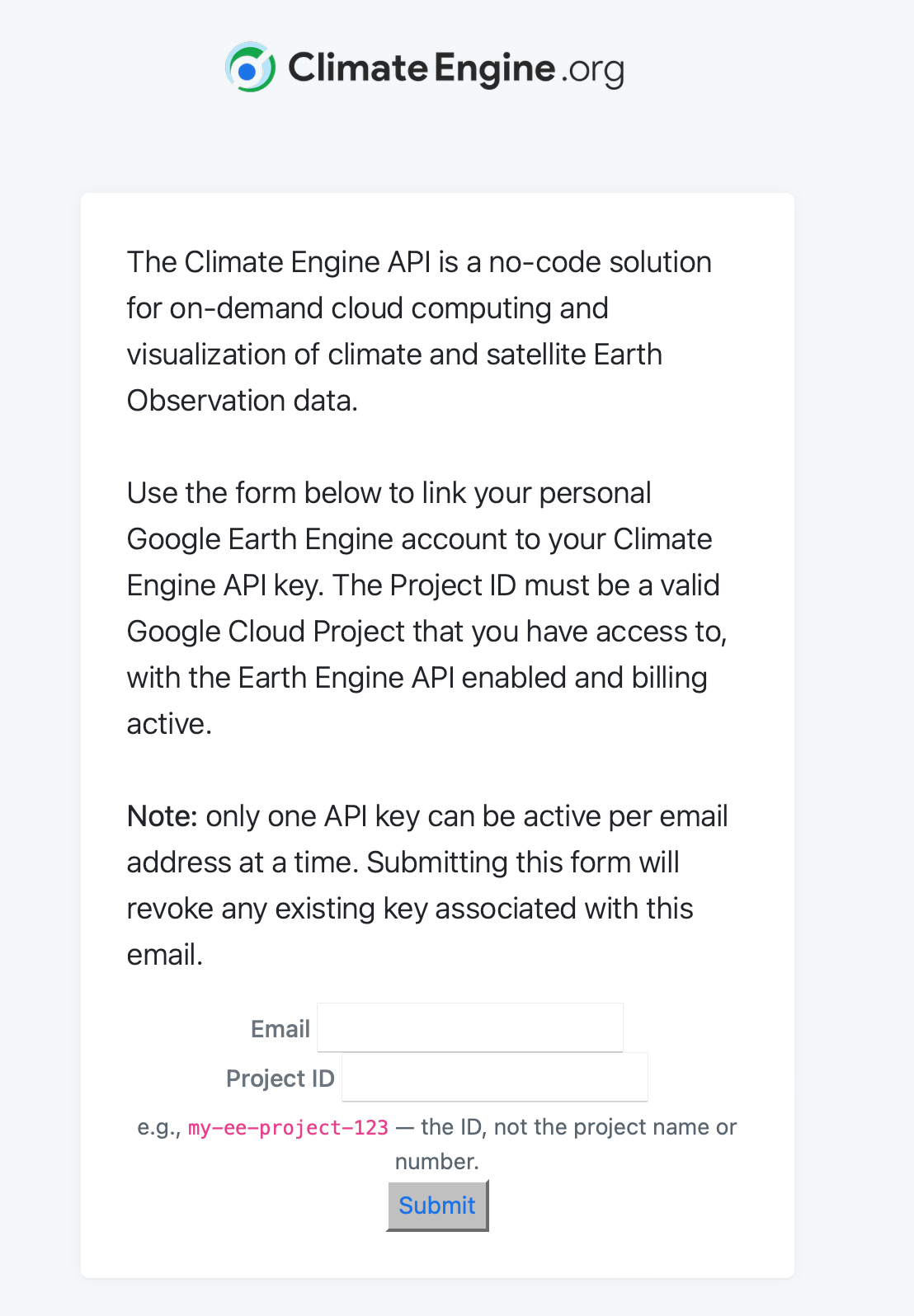
The connector allows Climate Engine API users to authorize Climate Engine to use their own Google Cloud Project for Earth Engine processing and Google Cloud Storage exports. For users building larger, repeated, or operational workflows, this provides a cleaner path for scaling Climate Engine API usage while keeping outputs in cloud resources that they or their organization control. The detailed setup instructions are available in the Climate Engine documentation here.
Climate Engine is built on Google Cloud, with Google Earth Engine providing much of the processing and data infrastructure behind the platform. This architecture is what makes it possible to process long time series of high-resolution Earth observation and climate data quickly across Climate Engine tools.
The Climate Engine web application remains freely available for interactive analysis, and the Climate Engine API continues to support users who need programmatic access to Climate Engine datasets and workflows. However, not all API use cases are the same.
Some users are exploring a dataset, testing a method, or generating occasional outputs. Others are building recurring workflows, exporting large raster products, producing automated summaries, developing decision-support tools, or integrating Climate Engine outputs into a broader cloud-based data system. Those larger workflows require more flexibility than a shared quota system can reasonably provide.
The Earth Engine Connector is intended for these more advanced API workflows.
When a user enables the connector, they authorize Climate Engine to initialize Earth Engine using their selected Google Cloud Project and to write supported outputs to Google Cloud Storage. This can include outputs such as cloud-optimized GeoTIFFs, CSV files, and other supported export products generated through Climate Engine API workflows.
This means that connector-enabled workflows are no longer limited in the same way as standard shared Climate Engine API usage. Instead, they are designed for users who need to move larger jobs, repeated requests, or production workflows into their own Google Cloud environment.
For many users, the practical benefits are straightforward:
larger or more frequent API workflows;
direct export of outputs to user-managed Cloud Storage buckets;
queueing and quotas mediated through user-managed service accounts;
better integration with downstream processing, dashboards, reporting tools, or archives;
longer duration keys and full control over keys;
more administrative control over the cloud resources used in a workflow.
These benefits are especially useful for organizations that already use Google Cloud and want Climate Engine outputs to fit into an existing data pipeline.
The connector will most benefit users who are running scheduled jobs, generating recurring reports, exporting large imagery products, building dashboards, or integrating Climate Engine outputs into operational decision-support systems. If you are using the Climate Engine web application for interactive mapping, graphing, or exploratory analysis, nothing changes. At this stage, the connector is only available for Climate Engine API.
If you are trying to scale or operationalize a Climate Engine API workflow, the connector is likely the right path for your project.
Using the connector requires a Google Cloud Project with the Google Earth Engine API enabled. Additionally, the Google account used during authorization must have access to the selected project. If the workflow exports files to Google Cloud Storage, that same account needs permission to write to the destination bucket.
The setup process is documented step by step in the support documentation on ClimateEngine.org. In general, users will need to create or select a Google Cloud Project, enable the Earth Engine API, confirm Earth Engine registration, complete the Climate Engine authorization form at https://users.climateengine.org/v1/ee_auth, and save their new connector-enabled API key.
Once you have enabled the Earth Engine Connector, you no longer need to use the “Climate Engine API Key Request Form”
We recommend starting with a small test request before moving an existing production workflow to the connector. A small test makes it easier to confirm that the API key authenticates successfully, that Earth Engine initializes with the expected project, and that any exports are written to the expected Cloud Storage bucket.
The Climate Engine–Earth Engine Connector is part of a broader effort to make Climate Engine more useful not only as an interactive analysis platform, but also as operational infrastructure for applied environmental data workflows.
Many users begin with a map, a graph, or a single API request. Over time, those same workflows often expand to recurring analyses, automated reports, or inputs to larger decision-support systems. The connector provides operational users an architecture for that transition by allowing users to bring Climate Engine API workflows into their own Google Cloud environment.
We are continuing to refine this process and would welcome feedback from users who test the connector or have questions about how it fits into their workflow.
For setup instructions, requirements, and troubleshooting guidance, see the full Climate EngineEarth Engine Connector documentation on ClimateEngine.org.
Questions or feedback can be sent to climateengine@gmail.com.
No posts
Comments
Nothing yet. Say the first thing.
Sign in to join the conversation.