
When working on a software project, not every file belongs in your repository. Whether it’s sensitive API keys, bulky build artifacts, or those pesky .DS_Store files generated by your OS, keeping your commit history clean is a fundamental part of good version control hygiene.
Git provides a layered approach to ignoring files, allowing you to choose between rules that apply only to you, rules that stay hidden in your local environment, and rules that are shared with your entire team. Understanding the hierarchy of these methods ensures that you never accidentally leak a secret or clutter a pull request with IDE configurations.
Git provides three primary ways to exclude files from tracking:
Global ignore file
Local exclusion file
Local ignore file
All three methods support pattern matching to specify which files to exclude.
The order of evaluation matters: Git processes exclusions from global ignore file → local exclusion file → local ignore file.
While you can override previously defined rules using negation (!), remember that you cannot re-include a file if its parent directory is already ignored.
For example, a “Local ignore” rule can override a “Global ignore” rule:
Your global ignore file:
Your local ignore file:
Now, let’s go deeper into each method.
This file applies to all repositories on your machine. It’s the best place for files generated by your operating system or your specific code editor.
I usually store it at: ~/.gitignore_global but you can choose any location.
To tell Git where to find it, run:
You can verify the setup by checking your global Git config:
Expected output:
Impact: System-wide - Applies globally to every git repository on your computer.
Typical usage: Ignoring IDE configs (.vscode, .idea) or OS-specific files (.DS_Store).
Example (~/.gitignore_global):
This file lives inside your repository’s metadata and is not committed to version control. You can find it at:
Impact: Affects only your local copy of the repository - it is not shared with others.
Typical usage: Personal notes, local environment secrets, or developer-specific configurations that don’t belong in the main codebase.
Example:
This is the most common method. The file is stored at the root of your repository and is committed to the project (except if you add it as ignore file).
Location:
Impact: Only affects the local repository - shared with everyone who clones the repository.
Typical usage: Excluding build artifacts, dependencies, and temporary files generated by the project itself.
Example:
Choosing the right way to ignore files is about more than just keeping your repository clean—it’s about workflow efficiency and security. By mastering the three layers of Git exclusion, you ensure that your global environment stays tidy, your personal secrets stay private, and your team’s repository remains focused strictly on the code that matters.
Next time you find yourself manually deleting a .DS_Store file or accidentally committing a local .env file, remember: there’s a specific tool for that. Configure your global rules once, use local exclusions for your “dirty” secrets, and keep your .gitignore strictly for project-wide standards.
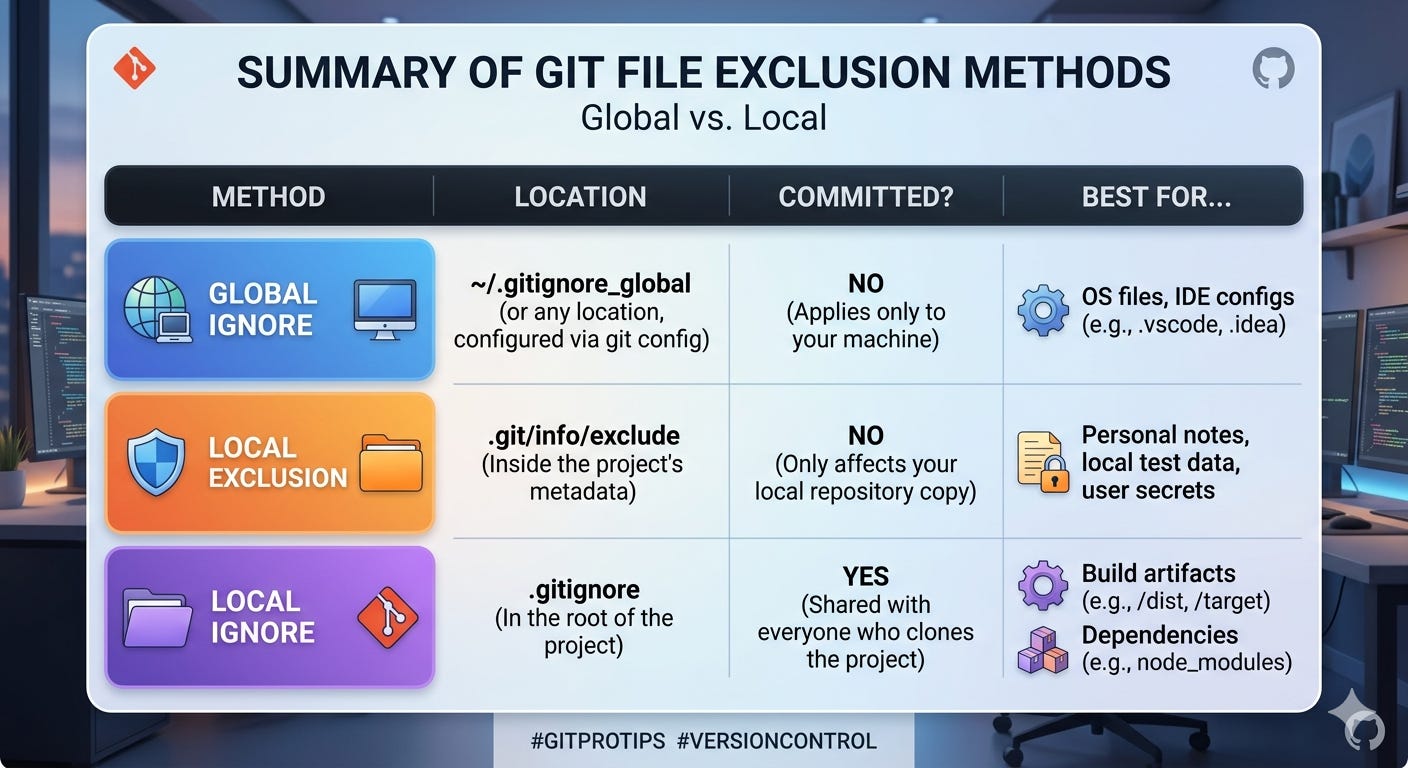
To finish, let's have my favorite LLM generate an image to summarize this post.
No posts
Comments
Nothing yet. Say the first thing.
Sign in to join the conversation.