
You’re writing. It’s flowing. You’re proud of it. Then Substack (or whatever newsletter platform you’re using) delivers this pop-up:
“Nearing email length limit.”
Wait, what? Cue internal freak-out spiral. Did I break something? Will this block my post? Are my open rates about to collapse? 🫠
Take a breath. This is not a writing problem. It’s not even an SEO problem. It’s not Substack (or whatever newsletter company you use) judging your brilliance.
It’s a boring email file size issue.
💥 Big thanks to my sponsor, Booklinker (always free), plus GeniusLink, a paid tool I genuinely use and recommend (affiliate link). Love both, use both, and you should, too. Universal book links enable click tracking.
Substack does not publish a strict word or character limit. The warning appears when the HTML file size of your newsletter exceeds a certain threshold, which usually happens because you have:
Multiple images
Large image files
Embedded posts or videos
Extra formatting from copied text
Too many buttons
(HTML stands for HyperText Markup Language:
HyperText = words or links you can click to move somewhere else
Markup = labels or instructions added to text
Language = the system computers understand for webpages
So, HTML is the standard language for structuring web pages. It tells a browser what each part of a page is, like headings, paragraphs, images, links, buttons, and lists. Sounds like gobbledegook, but I promise you, it’s helpful to understand at least a tiny bit.)
This is about code weight, not visible length. You can write 2,500 words of clean text and be fine. Add five heavy PNG images and three embeds, and suddenly, the Gmail Elves get cranky.
There are many email providers, yet Gmail dominates the market. According to Litmus email client market share data, Gmail and Apple Mail together account for nearly 90% of email opens worldwide, with Gmail alone holding roughly 25%+ of the market depending on the measurement period.
A large percentage of your subscribers are likely opening your emails there. And Gmail clips emails over roughly 102KB of HTML code.
Not words. Code.
When that happens, Gmail inserts: “View entire message.” Tracking pixels can fail. Click tracking can break. Some readers never expand the email. Mailchimp explains this clearly.
This clipping behavior applies whether you send from Substack, Mailchimp, or any other email platform.
Gmail does not care who sends it.
No. This does not affect your Substack web version, Google indexing, AI indexing, or your archive.
It only affects the email version delivered to inboxes.
Tip: If you have more to add but simply can’t edit further, send the newsletter to your subscribers as usual, then go back in to add more of whatever, just don’t click to resend to everyone again. Everything is editable.
Clipped emails can slightly distort engagement tracking. And as lists grow, engagement naturally stabilizes anyway. More ⬇️
Mailchimp’s benchmark data shows engagement rates shift as audience size increases. Higher early open rates often result from a small, highly engaged list and lighter emails.
As your list broadens, metrics normalize. That’s the math (sorry).
Now let’s make this practical.
Most clipping issues are image issues. Phone photos and Canva graphics can easily be 2MB to 8MB. That’s enormous for email. Aim for images under 200KB–500KB.
Easiest Fix: Use the built-in image size options in your newsletter provider options or here on Subtack, or go to free TinyPNG, upload your image, then download the compressed version. Re-upload to Substack. No login required. More here from Substack.
When downloading from Canva, choose JPG instead of PNG and avoid unnecessarily large dimensions. PNG files are heavier. JPG is usually perfectly fine for newsletter graphics (unless you’re a photographer, artist, etc.).
You don’t need a 3000px-wide image for Substack. Use:
1200px wide for hero (top or featured images)
800px or less for inline graphics
Smaller dimensions = smaller file size.
Tip: Did you know you can resize any photo right here in compose?
Click on the picture icon in the toolbar above (first visual, below). This is the toolbar you see while typing your newsletter. If you don’t see this toolbar, you’re writing a Note (social media), not a post/article/newsletter.
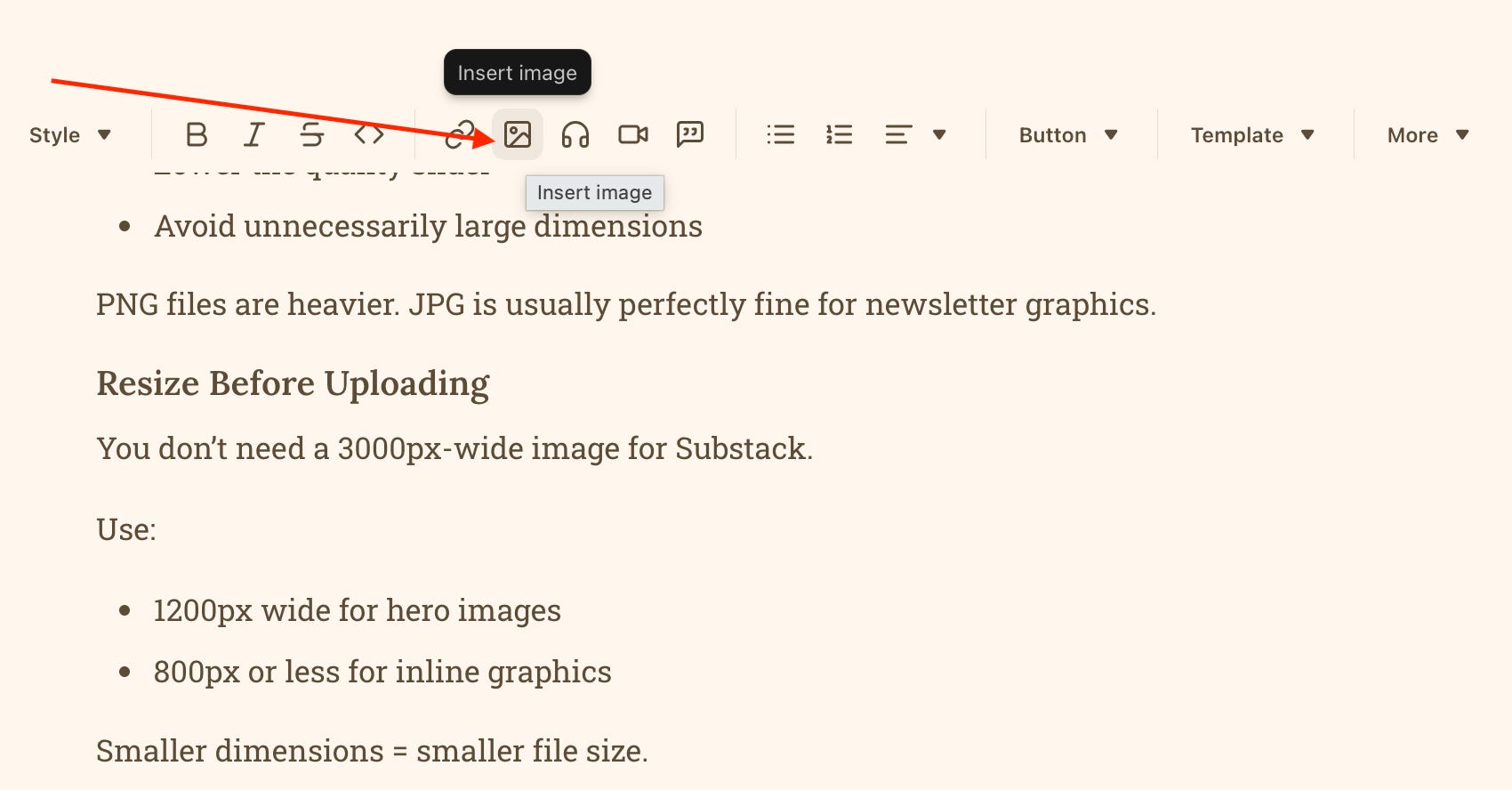
Click on the photo icon I just showed you above, and you’ll see this menu bar pop up (below). Click on the ellipses and then Edit Image.
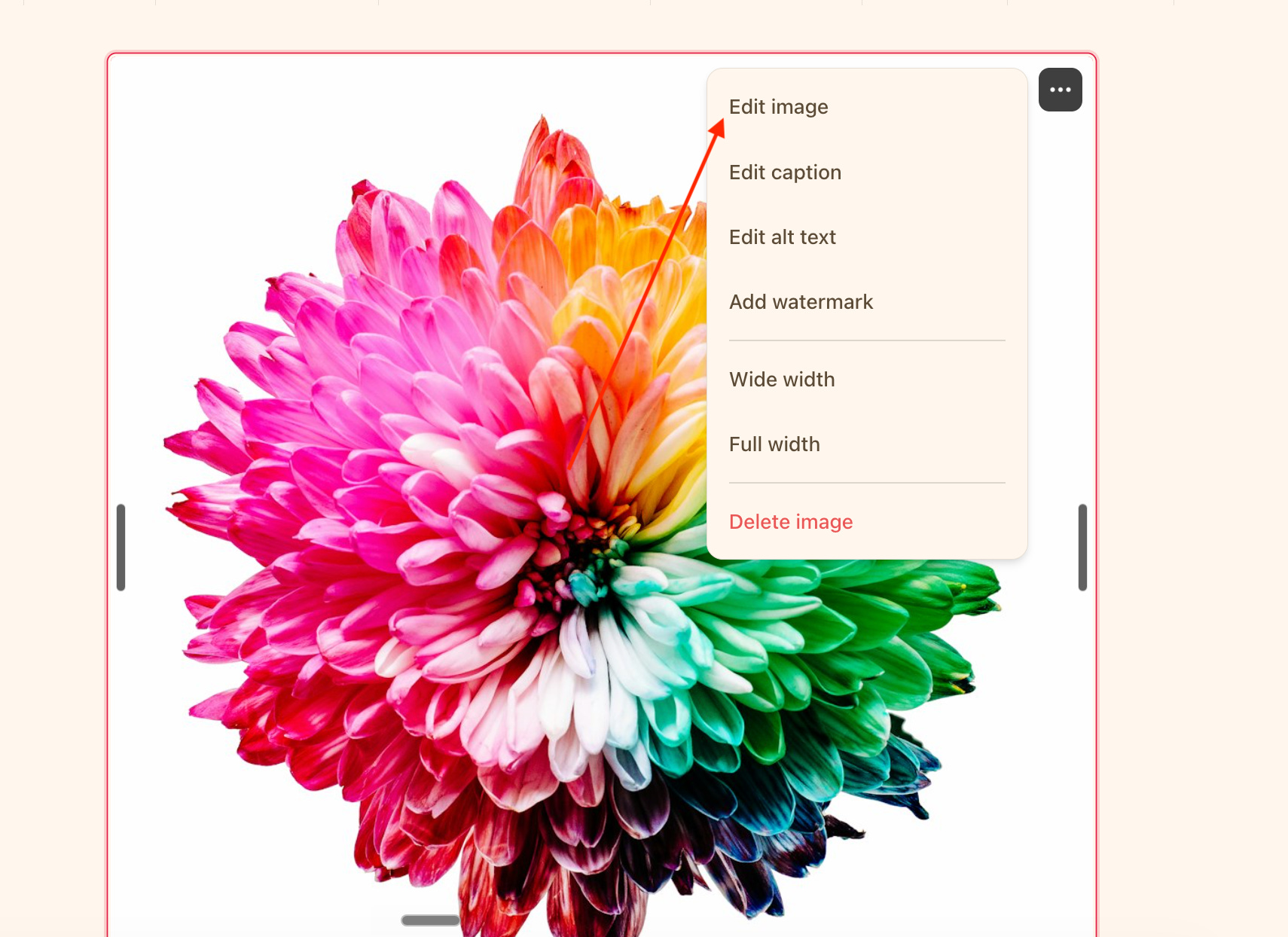
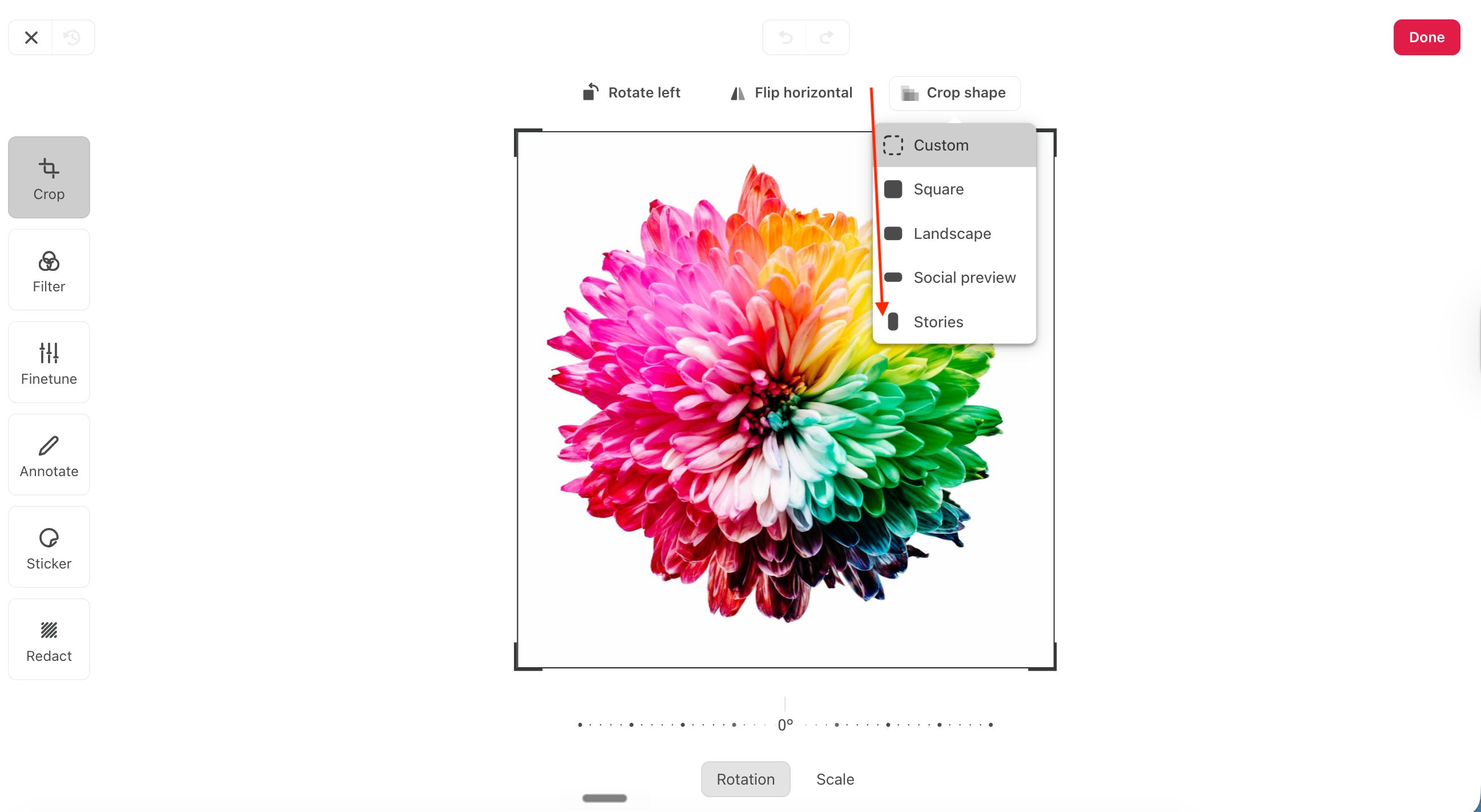
Then click on the next menu, seen below, with several cropping options, and more goodies on the left to play around with if you choose.
Embeds are sneaky. Each embedded YouTube video, song or podcast link, or fancy content block adds weight. Instead of embedding:
Use a screenshot image and link to the video
Quote the social post manually and add a simple link
Cleaner, lighter, yet with the same functionality.
Copying directly from Google Docs or Word brings invisible formatting code.
Best practice: Paste into a plain text editor first (learned this the hard way), then paste into Substack, and then reformat inside Substack. Reduces bloat.
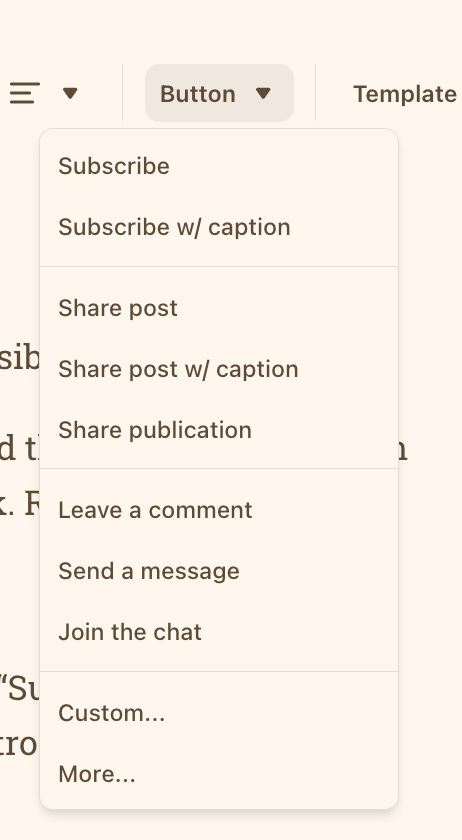
Every button block adds extra HTML. If you have five “Subscribe Now” buttons scattered everywhere, that adds weight. Usually, one strong CTA at the top or bottom is enough.
If your post is 3,000+ words with multiple images and several embeds, consider splitting it into Part I and Part II to maintain interest and build anticipation. If you don’t care that it may be cut off, then ignore this entire post. 🤭
“Nearing email length limit” does not mean you can’t send your post, your growth is in danger, or Substack is punishing you. It means inboxes have limits.
You don’t need to write less. You need to package smarter. You’ve got this.
Did this post help you? Please share or comment! Glad you’re here.
If this saved you from quietly panicking at that warning, please share it with another writer who assumed impending doom. And if you’re building your platform thoughtfully and sustainably, you’re exactly where you need to be.
Want More Substack Tips?If you’re figuring out Substack as you go (aren’t we all), you might like my free section, Substack Tips. I share what’s working, what’s not, and little tips I wish someone had told me sooner.
If these posts save you even one frustrating afternoon, please toss a coin in the BadRedhead Media tip jar. Completely optional, any amount welcome and appreciated. Genuinely. 🙏

Thanks for reading and being part of this little corner of the writing world. I’m really glad you’re here.
📕📘📗 I’ve also written three books just for writers if you want to go deeper:
https://badredheadmediallc.substack.com/about 🌻
Comments
Nothing yet. Say the first thing.
Sign in to join the conversation.