What is Python?
Python is a programming/scripting language that can be used on many different computers and operating systems, including Windows, Unix, Macintosh, etc.
Python is a programming/scripting language that can be used on many different computers and operating systems, including Windows, Unix, Macintosh, etc.

It’s very straightforward and easy to read and write. It’s now one of the most popular programming languages.

The first and most obvious thing to do is download Python and start playing!
You can train a Haar cascade classifier to detect whatever you want and there are different pre-trained Haar cascades to detect faces, cats, number plates, smiles, and more. In this tutorial, we are going to implement a smile detector algorithm using OpenCV and a pre-trained Haar cascade. Smile detention is a subset of facial recognition
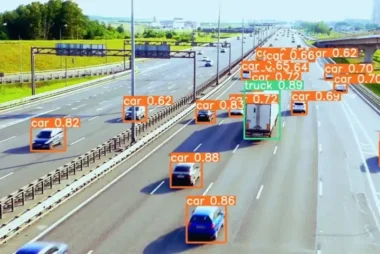
In this tutorial, we will use the YOLO object detection algorithm to detect objects in images and videos. Object detection is a computer vision task that involves identifying and localizing objects in an image or video. It is a challenging task that requires both localizing objects in the image and classifying what type of object
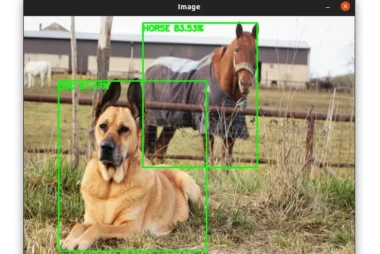
In this tutorial, we will see how to detect objects using deep learning and OpenCV. Object detection is the process of locating objects with bounding boxes in an image or a video. It is one of the most important tasks in computer vision, and it has many applications in various fields such as surveillance, people counting, traffic

In this tutorial, we will tackle the Fashion MNIST dataset to train a neural network that will classify images of clothing. The dataset contains 70,000 grayscale images of 28 × 28 pixels each in 10 categories. The Fashion MNIST dataset is a drop-in replacement of the MNIST dataset which gives us a more challenging problem than the MNIST
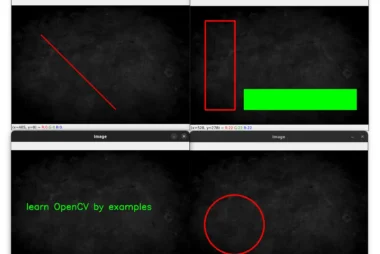
OpenCV makes the process of drawing shapes on an image straightforward by providing convenient functions. In this tutorial, we will see 5 built-in functions to annotate images: cv2.line, cv2.rectangle, cv2.circle, cv2.ellipse, cv2.putText. The image below will be used throughout this part: Draw a Line with OpenCV and Python Let’s start with drawing lines using the cv2.line function: We start by importing cv2 and
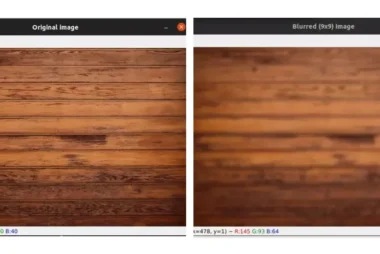
Image blurring is an important preprocessing step in computer vision. It is used to reduce noise and unnecessary detail in an image. In this tutorial, we will cover four blurring techniques: The image below will be used throughout this part: Average Blurring Blurring an image means convolving the image with an MxN matrix called a filter or a
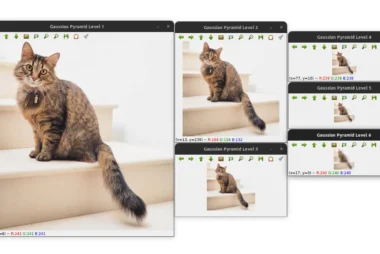
In this article, we will learn about image pyramids and how to implement them in Python using OpenCV. What are Image Pyramids? Image pyramids are a commonly used technique in computer vision and image processing that involves creating a multi-scale representation of an image. This representation consists of a series of progressively downsampled images, where
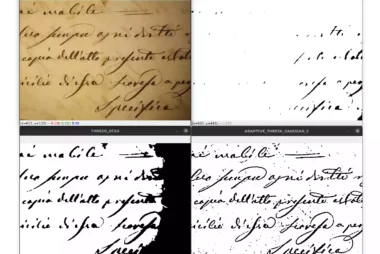
Image thresholding is one of the most basic types of image segmentation. It consists of converting an image (a grayscale image) into a binary image (black and white image). In simple thresholding, we manually set a threshold value T and compare each pixel intensity in the input image with T. If a pixel in the input image is
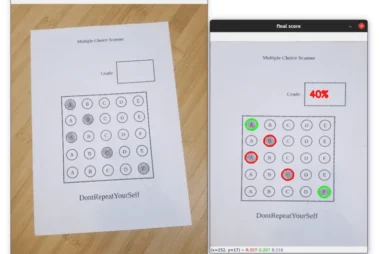
In this tutorial, we are going to use OpenCV and Python to automatically read and grade bubble test sheets. We will be using some techniques that we used in a previous tutorial when we created a simple document scanner. The steps that we need to follow in order to build the project are: Find the Contours
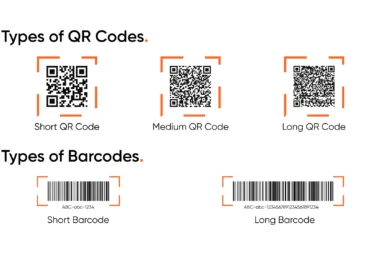
In this tutorial, we are going to build a simple barcode and QR code scanner using OpenCV and the ZBar library. The ZBar library will be responsible for detecting and localizing the QR codes and barcodes. OpenCV will be used for some preprocessing steps such as loading the image, looping through the detected barcodes, and displaying the