
Developers crave speed, control, and security when experimenting with large language models (LLMs).
Whether you're fine-tuning a model or testing prompts offline, RamaLama is a breath of fresh air: fast, container-native, security-first, and best of all, local.
In this guide, I’ll walk you through how to run LLMs securely on your Mac Machine using RamaLama with:
Default runtime (
llama.cpp)Apple Silicon GPU with MLX
Proper Podman setup to enable GPU access.

RamaLama offers a radically simpler, more secure, and more reproducible way to run LLMs locally:
Containerized Runtime: Your models run in lightweight containers (using Podman or Docker), keeping your host clean.
Multiple backends: Use
llama.cpp, MLX, or vLLM as runtime options depending on your model and hardware.Maximum Security (see below).
Plug-and-play support for models from Hugging Face, GGUF, and beyond.
Running AI models with RamaLama is like running them inside a secure vault. Here’s how:
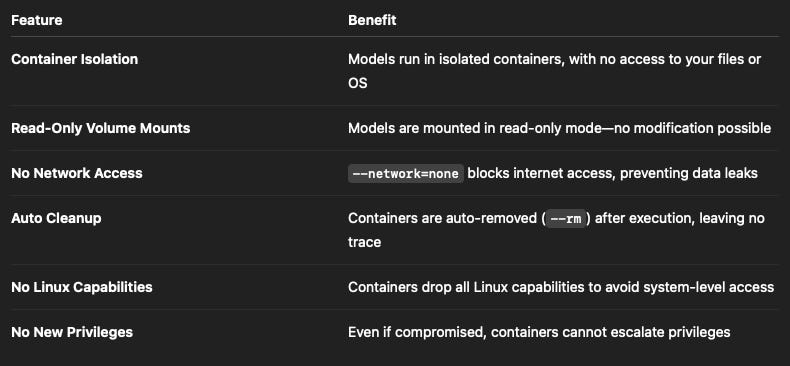
This level of security is rare in LLM tooling, and essential for privacy-conscious devs.
To run RamaLama on macOS (especially with M-series chips), you’ll need Podman for containerization.
Install Podman Desktop with GPU-Enabled LibKrun
brew install podman-desktop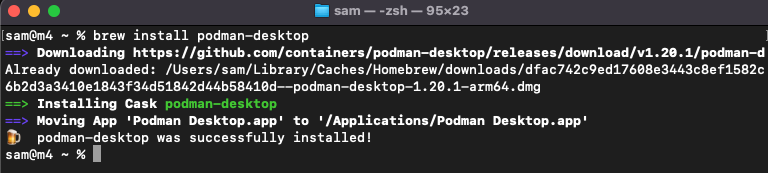
Then:
Open Podman Desktop
Go to Settings > Resources
Click Create New Podman Machine
Set:
Name: (e.g.,
gpu-machine)CPUs: 4
Memory: 8 GB (Tip: Increase memory to
16GBIf you're working with larger 7B+ models.)Disk Size: 14 GB
Select Provider Type:
GPU Enabled (LibKrun)Finish creation
LibKrun tells Podman to use the Libkrun lightweight VMM (Virtual Machine Monitor) instead of the default (qemu or applehv, depending on OS).
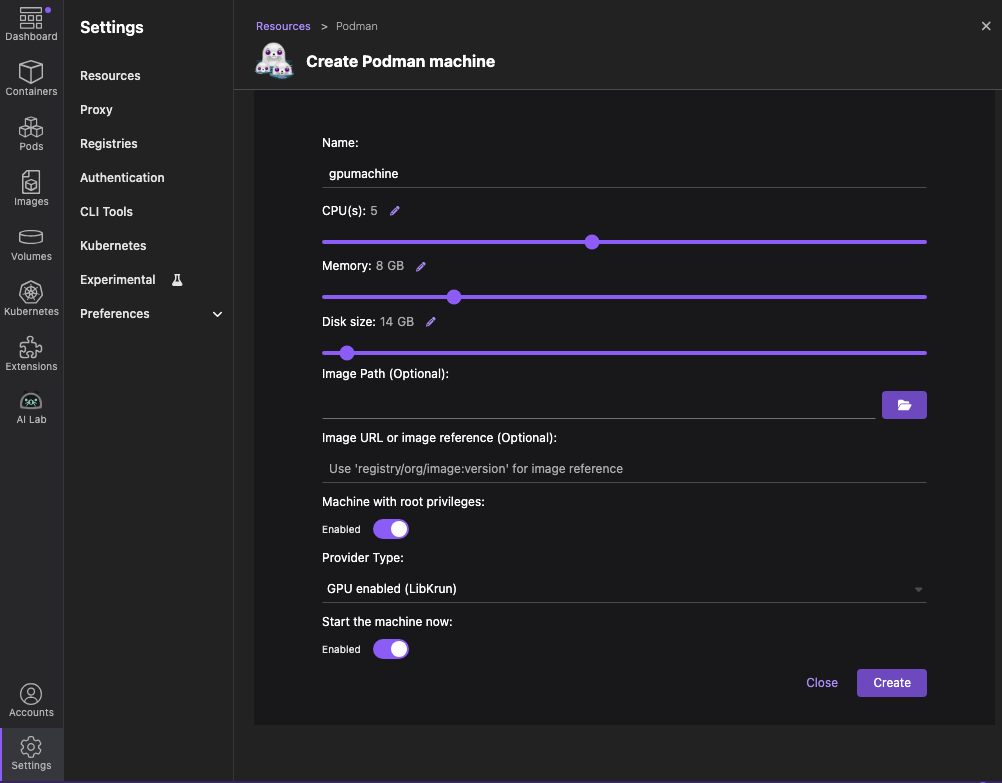
Once the Podman machine is created, you will see the following.
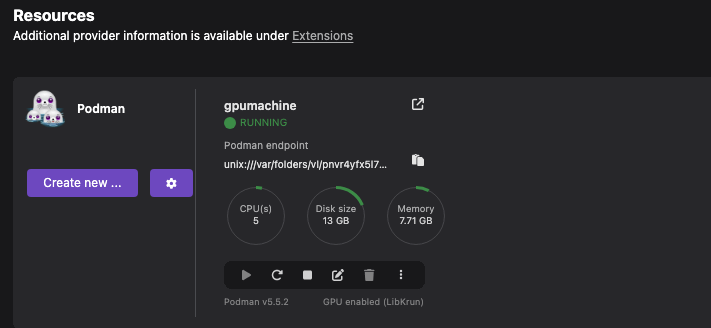
You’re now ready to run LLMs securely using containers.
The default RamaLama experience uses llama.cpp, a highly optimized C++ backend for CPU and Apple GPU inference. It supports .gguf models, ideal for most 1B–13B models.
You need to first install RamaLama; run the following command.
brew install ramalamaVerify installation:
ramalama version
# should return something like: ramalama version 0.11.0
Now you are ready to run a local LLM with RamaLama
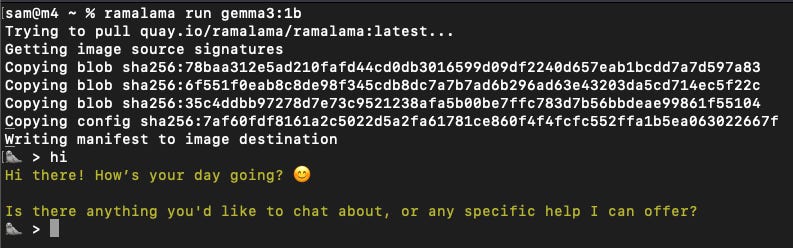
Run Gemma 1B
ramalama serve gemma3:1b This automatically
Pulls the GGUF model
Runs it inside a secure container
Exposes an API or shell for interaction
You will see something like this.
If you want the Web UI to experience the chat interface, use the following command.
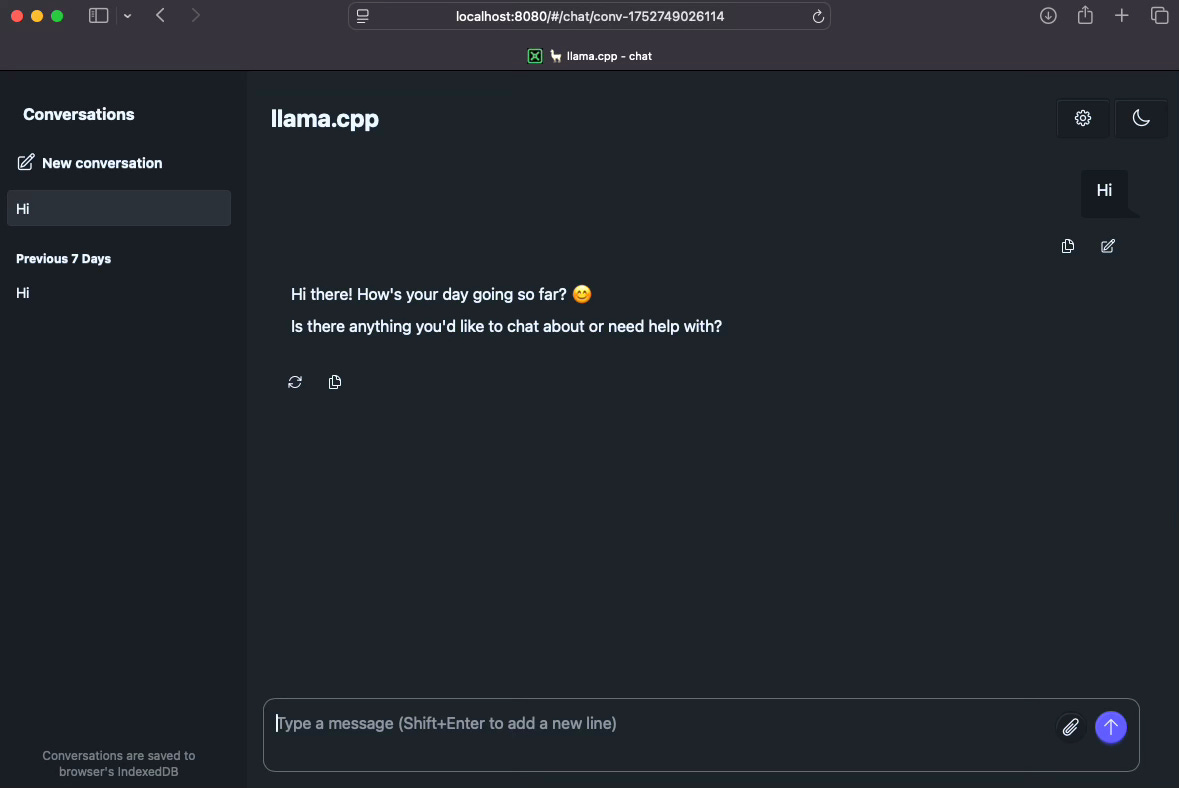
ramalama serve gemma3:1b --webui=on

Then go to:
http://localhost:8080You'll see the chat interface, which you can use with the local model.
If you're on an M series Mac (M3, M4), take advantage of Apple’s MLX framework for native GPU inference with zero containers.
RamaLama's --nocontainer or --runtime=mlx mode expects python and pip to be available globally. But most macOS systems only have python3.
Fix
pythonandpipSymlinks
sudo ln -s $(which python3) /usr/local/bin/python
sudo ln -s $(which pip3) /usr/local/bin/pip
Create MLX Python Environment
python3 -m venv ~/mlx-env
source ~/mlx-env/bin/activate
pip install mlx-lm
Then, point your global
pythonto this venv
sudo ln -sf ~/mlx-env/bin/python /usr/local/bin/pythonRamaLama invokes python directly in --nocontainer mode, when run with --nocontainer, It tries to spawn Python directly via the python command using:
os.execvp("python", ["python", "-m", "mlx_lm", "server", ...])The MLX runtime only works without containers (--nocontainer), since container technologies aren’t supported in this mode.
ramalama --runtime=mlx --nocontainer serve hf://mlx-community/gemma-3-1b-it-4bit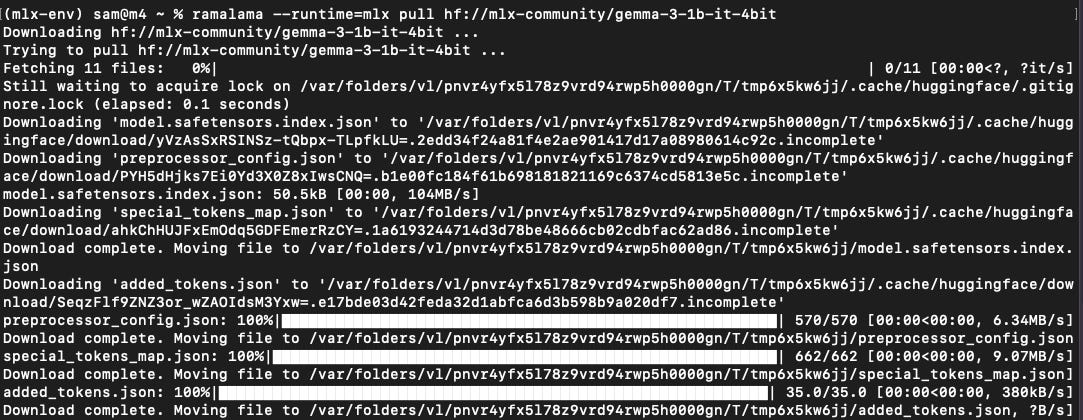
This loads the model using mlx_lm and runs inference directly on the Apple GPU.
Which means
No container required
Works fully on GPU
Fast for small to mid-sized models
Confirm by sending curl request.
curl localhost:8080/v1/chat/completions \
  -H "Content-Type: application/json" \
  -d '{
     "messages": [{"role": "user", "content": "Say this is a test!"}],
     "temperature": 0.7
   }'
MLX runtime cannot run .gguf models, it expects models in MLX format (like from mlx-community on Hugging Face), which include a config.json, tokenizer.json, and PyTorch/MLX weights (.safetensors, etc.)
Look for other MLX-compatible models in the mlx-community on Hugging Face:
mlx-community/gemma-3-1b-it-4bitmlx-community/mistral-7b-instruct-v0.2-4bit
Running LLMs locally shouldn't be risky, slow, or complicated.
With RamaLama, you get:
Fast, clean local inference
Support for multiple runtimes (
llama.cpp,mlx,vLLM, etc.)Security baked in, no extra setup needed
Developer-focused experience for rapid prompt + model experimentation
Whether you're building a local agent, testing prompts offline, or just experimenting, RamaLama gives you a safe and solid foundation.
No posts
Comments
Nothing yet. Say the first thing.
Sign in to join the conversation.