

Most people use AI the wrong way.
They open ChatGPT, ask a random question, get an answer, close the tab, and repeat the same process tomorrow.
That isn’t actually a workflow you should be proud of. It’s just using Google with AI.
The biggest productivity gains don’t come from asking better prompts. They come from building systems where multiple AI tools work together to solve real problems and save you time.
That’s exactly how I’ve been using AI over the past few months.
Instead of treating AI as a chatbot, I use it as a researcher, a knowledge manager, a business analyst, and even an idea generator.
These four workflows save me hours every single week, and they’ve become part of my daily routine.
Note: If you found this post valuable or learned something new, consider becoming a paid subscriber to this newsletter if you haven’t. It’s the best way to support my work and keep this kind of content coming.
With that said, let’s dive in.
1. This AI workflow became my second brain
We’ve all bookmarked articles, YouTube videos, GitHub repositories, and X threads thinking, “I’ll go through this later”.
But later rarely comes.
A few weeks pass, you completely forget why you saved them, and your bookmarks become a graveyard of useful information you’ll probably never revisit.
I was doing the exact same thing until I built a simple AI workflow that organizes everything for me and makes it easy to find exactly what I need whenever I need it.
Here’s how it works.
First, I use Perplexity to research a topic and collect the best resources from across the web instead of opening dozens of random Google results.
Once I have the best articles, research papers, documentation, and videos, I create a new notebook in NotebookLM and add all those sources in one place. This becomes my dedicated knowledge hub for that topic.
Next, whenever I come across useful screenshots, diagrams, UI inspiration, or images that explain something visually, I save them to mymind. It automatically organizes everything using AI, so I don’t have to create folders or tags manually.
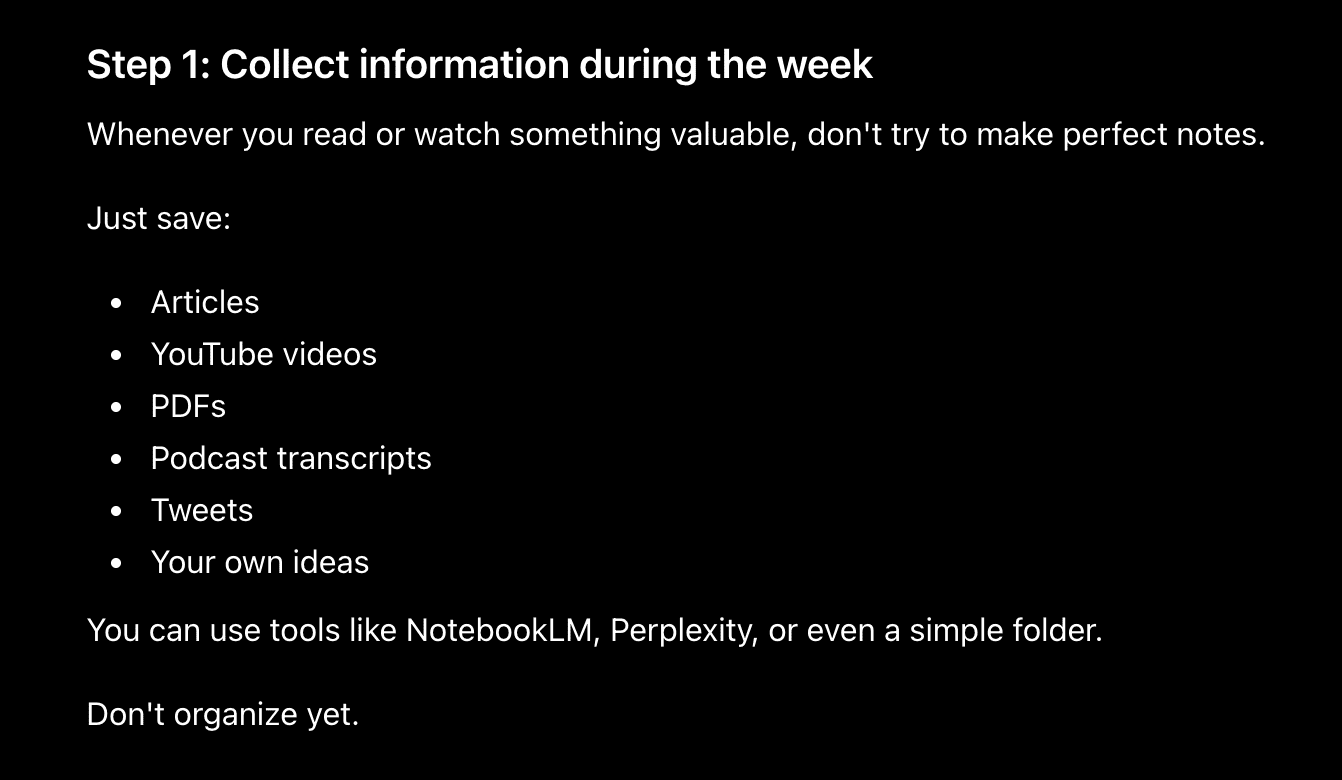
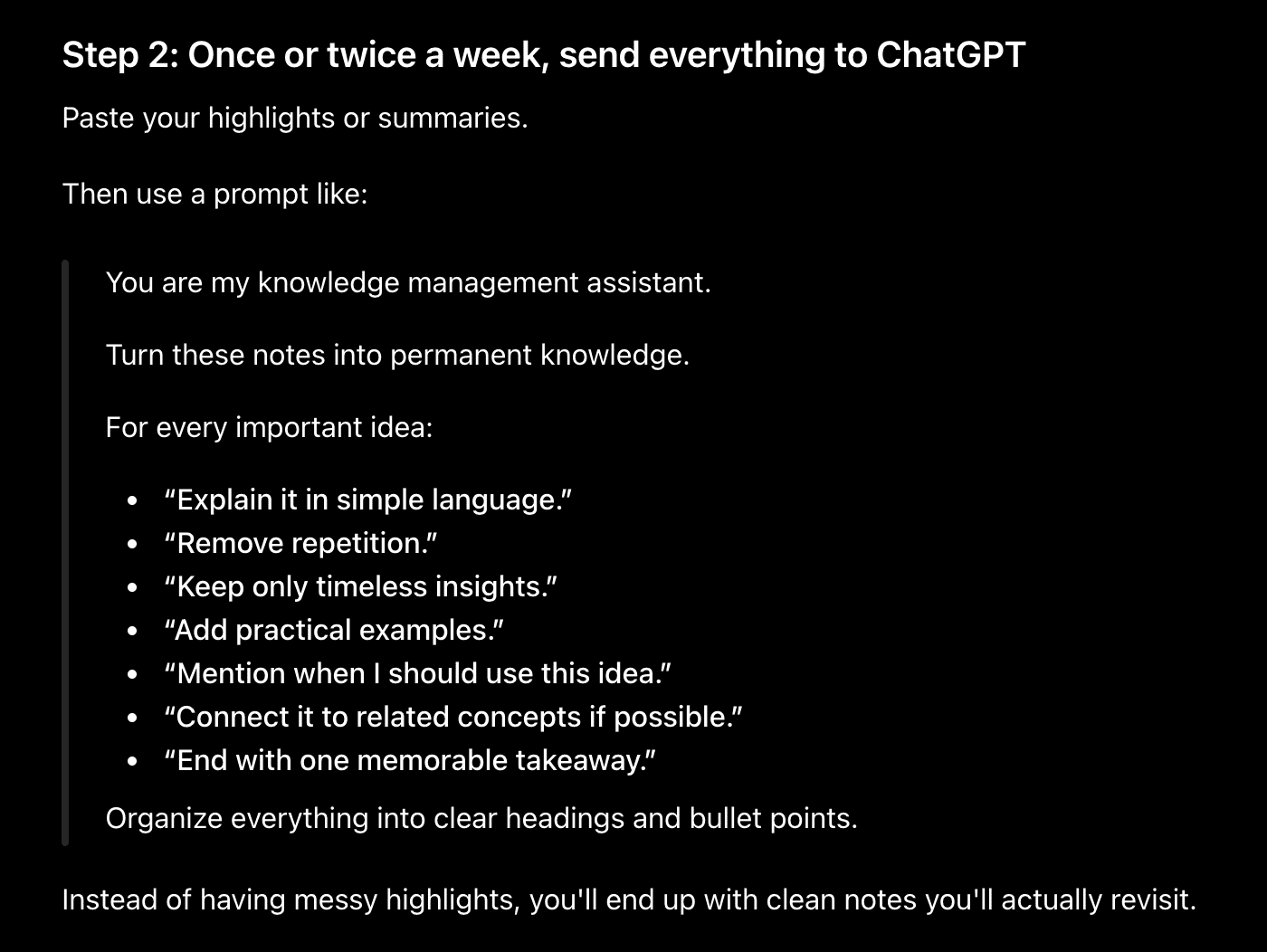
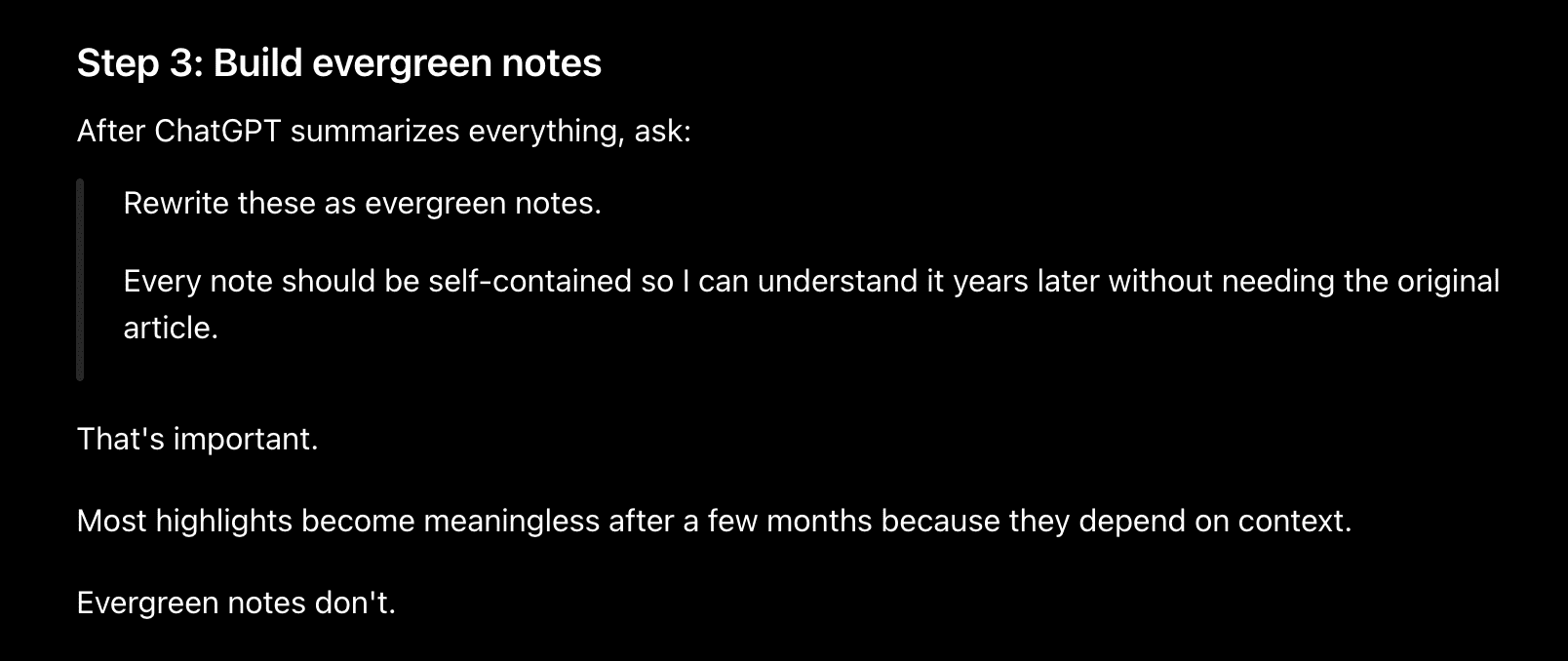
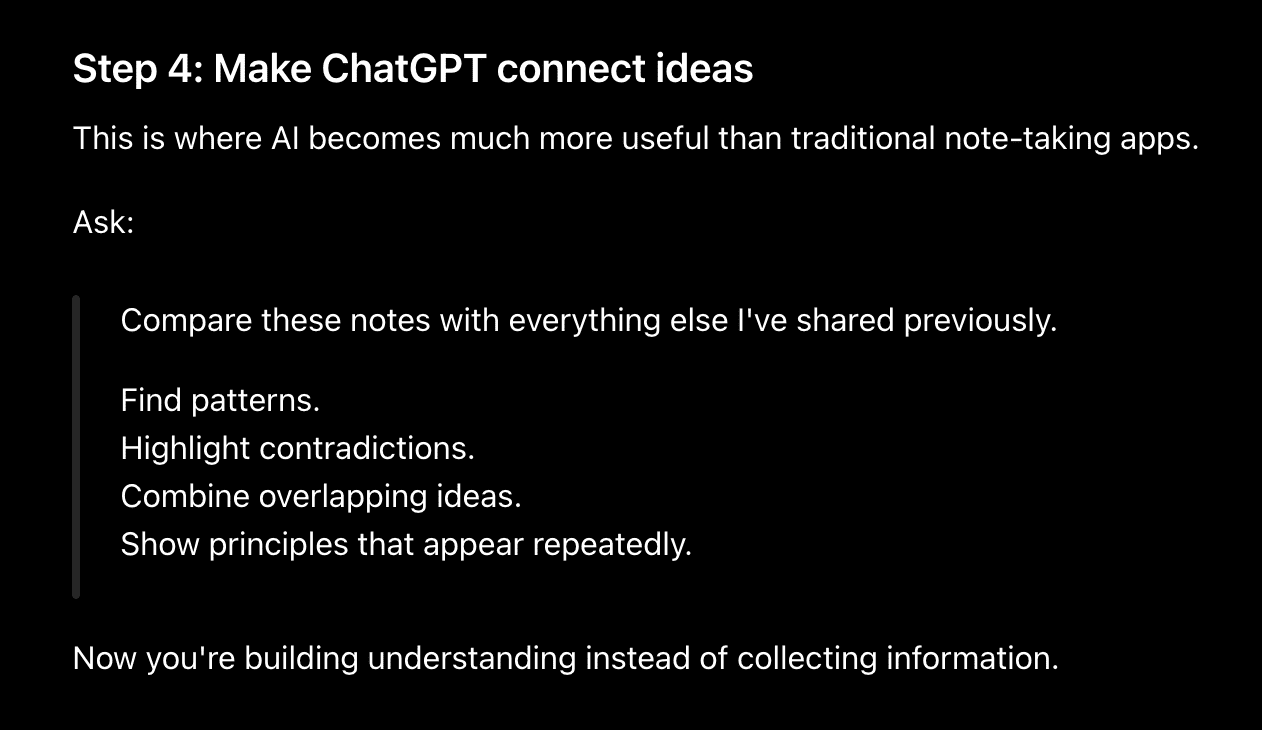
Finally, I upload everything to ChatGPT and ask it to turn everything into permanent notes. Instead of dumping raw summaries into a notes app, I ask it to create concise explanations, actionable checklists, key takeaways, and FAQs that are easy to review later.
Here are the steps, along with the prompt I use:
At the end of every week, I spend 15 minutes asking ChatGPT to recap everything I learned that week, highlight the biggest insights, and suggest topics I should explore next based on my notes.
The result is that I no longer lose valuable information in hundreds of browser bookmarks. And lastly, I use that research to build or write something.
Before you read further:
Everything in this post is something I actually use, but it’s only a small part of my complete AI workflow.
Over the past few months, I’ve built a practical system that helps me learn faster, research smarter, create content consistently, validate business ideas, automate repetitive tasks, and save hours every single week.
I’ve packaged everything inside “The AI Leverage System”.
Inside, you’ll find the exact workflows, prompts, templates, and step-by-step systems I use daily, so you don’t have to figure everything out from scratch or waste time jumping between random YouTube videos and blog posts.
You can spend months reverse-engineering this on your own, or you can get the exact system I use right now.
2. This AI workflow helps me finish 60-minute videos in 5 minutes
There are amazing videos on YouTube.

The problem is that many of them spend 60 minutes explaining what could be understood in 10.
Whenever I find a couple of videos worth learning from, I simply add their YouTube links to NotebookLM.
It automatically generates transcripts that become searchable.
Then I ask questions like:
What are the five biggest lessons?
Skip the introduction and give me only the actionable advice.
Turn this into a step-by-step implementation plan.
Create a checklist I can finish this week.
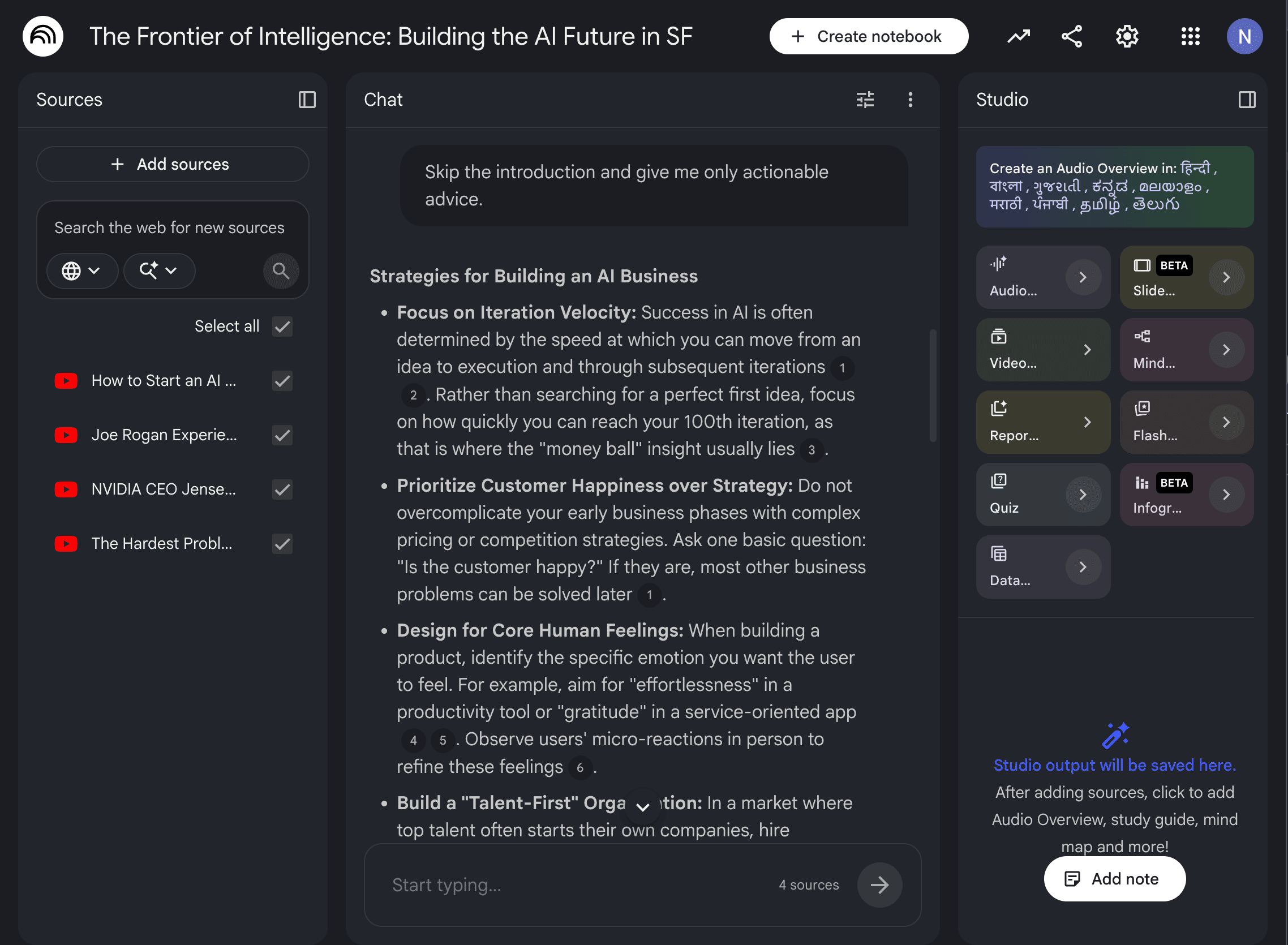
If the topic is important, I ask NotebookLM to generate an audio overview or a quiz so I actually remember what I learned instead of forgetting it the next day.
You see, I still consume great content, but now I spend far less time doing it.
3. My AI workflow that researches while I sleep
You know, I use Claude Cowork or OpenClaw to schedule all the top AI news that comes out every day at 7 AM in a PDF file.
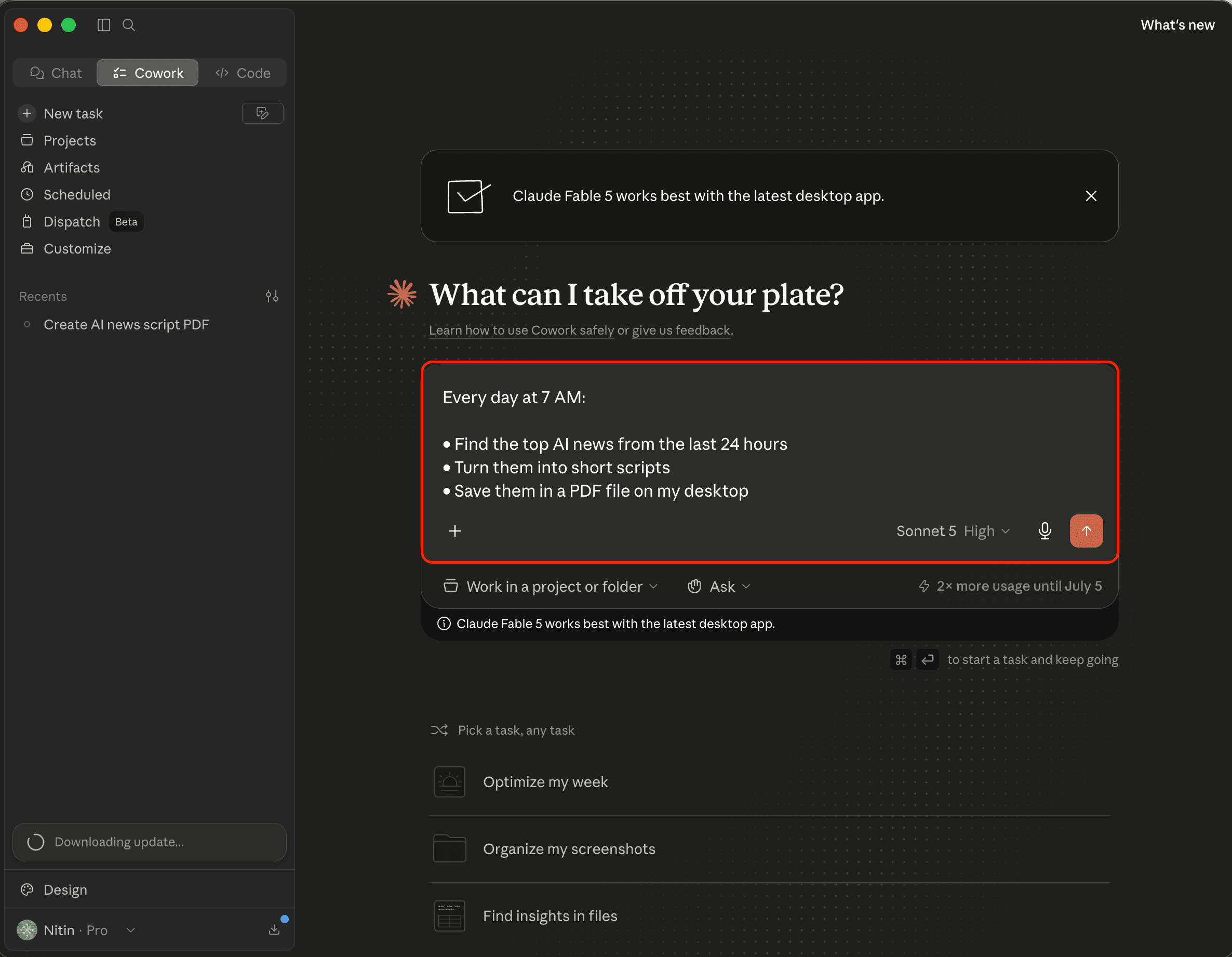
Here’s a simple prompt I use:
Every day at 7 AM:
• Find the top AI news from the last 24 hours.
• Turn it into short scripts.
• Save it as a PDF file on my desktop.
And here’s what it generated:
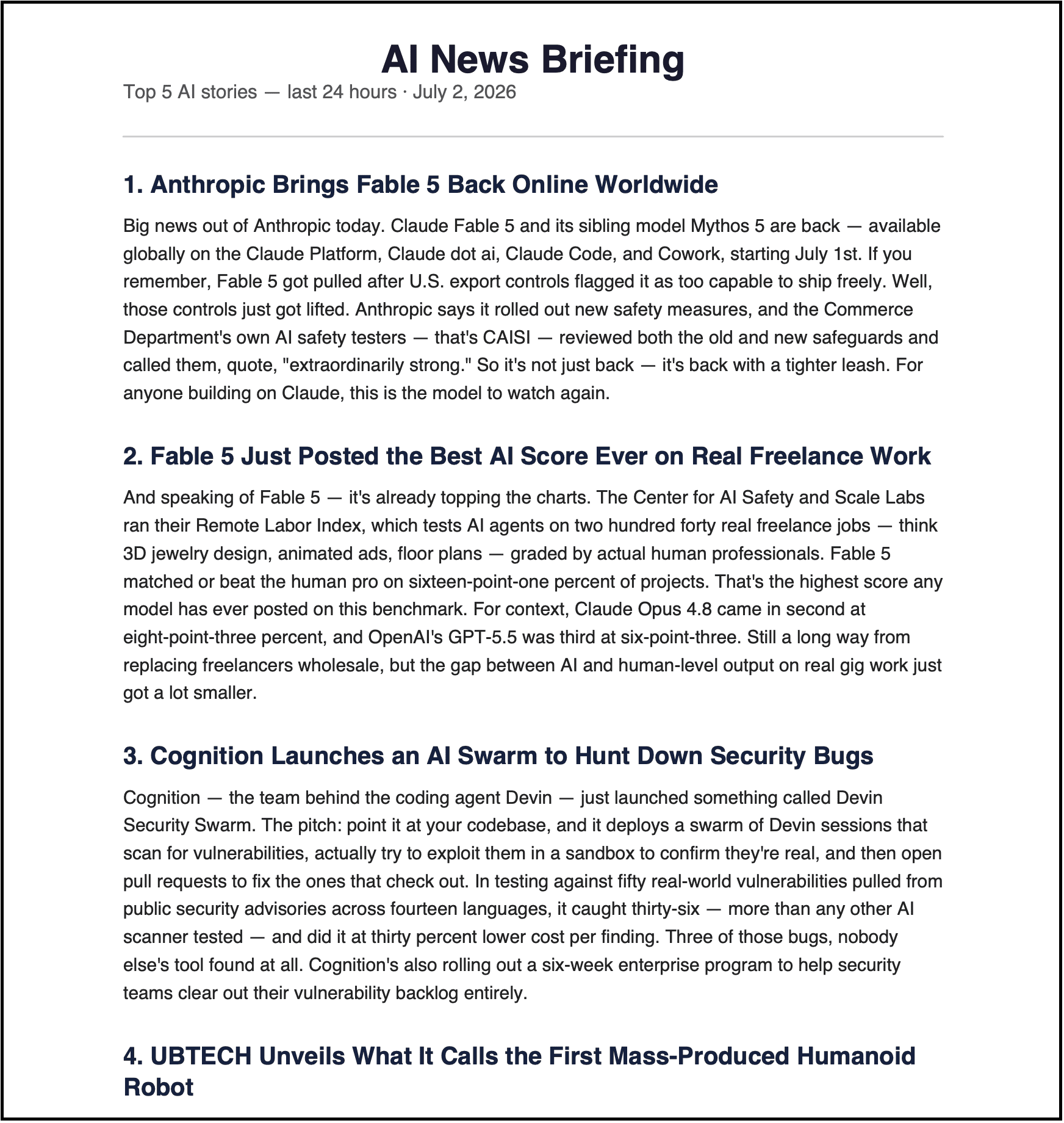
Then I may go through this PDF, or simply upload it to NotebookLM and generate an audio overview that I listen to while taking a walk or exercising.
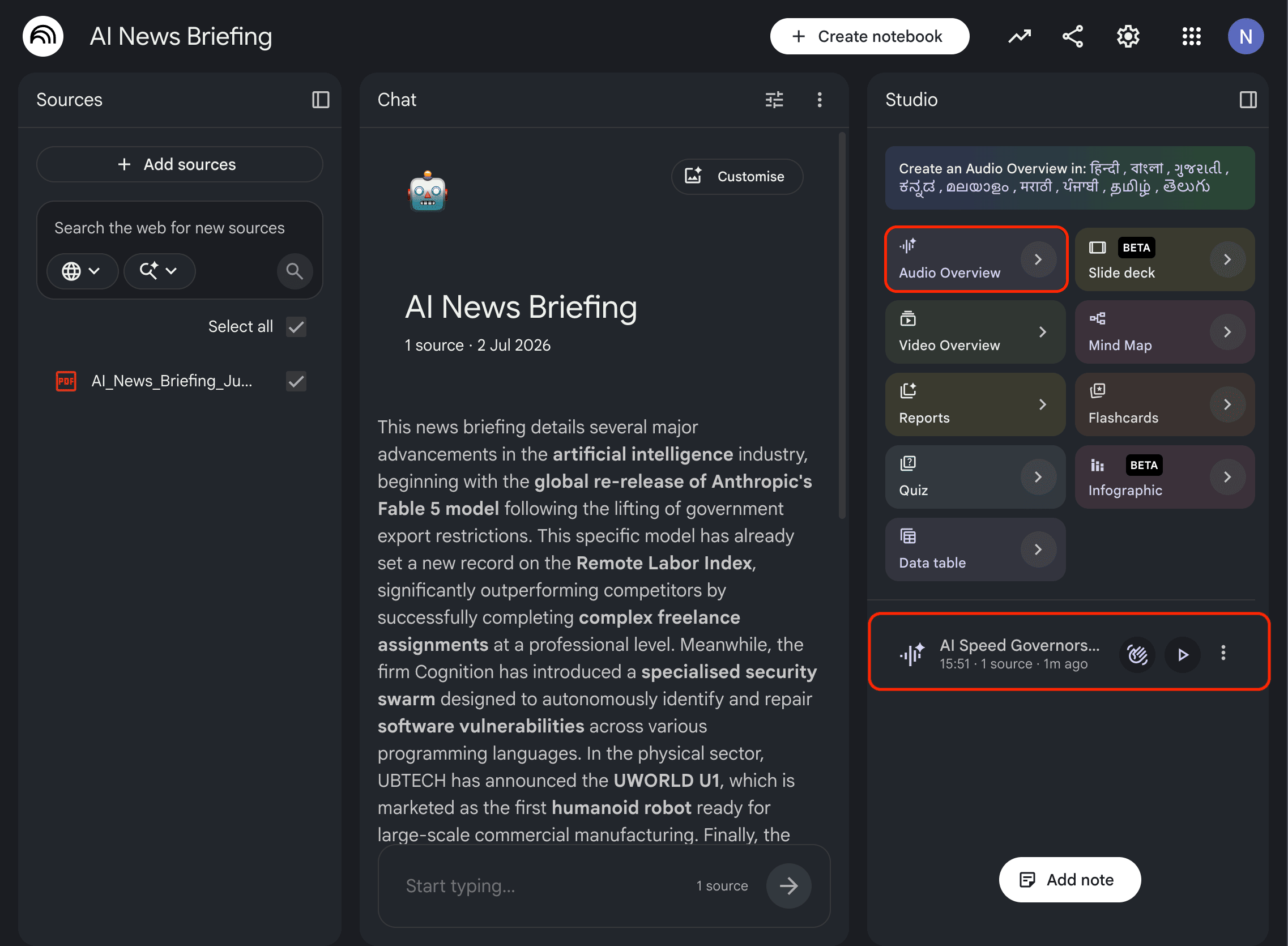
For sure, I can even generate a video overview, flashcards, infographics, quizzes, and so on, but the audio overview is more than enough for me.
And if you can’t buy the paid version of Claude to use Claude Cowork, then simply use Perplexity to find the top AI news from the last 24 hours along with the links. Then paste all the sources into NotebookLM to generate the audio overview.
It gets the job done.
4. This AI workflow helps me find business ideas before they become obvious
Most startup ideas don’t come from brainstorming or finding a problem you face in your 9-to-5 job.
They come from paying attention to problems people complain about repeatedly.
For that, here’s the workflow I use:
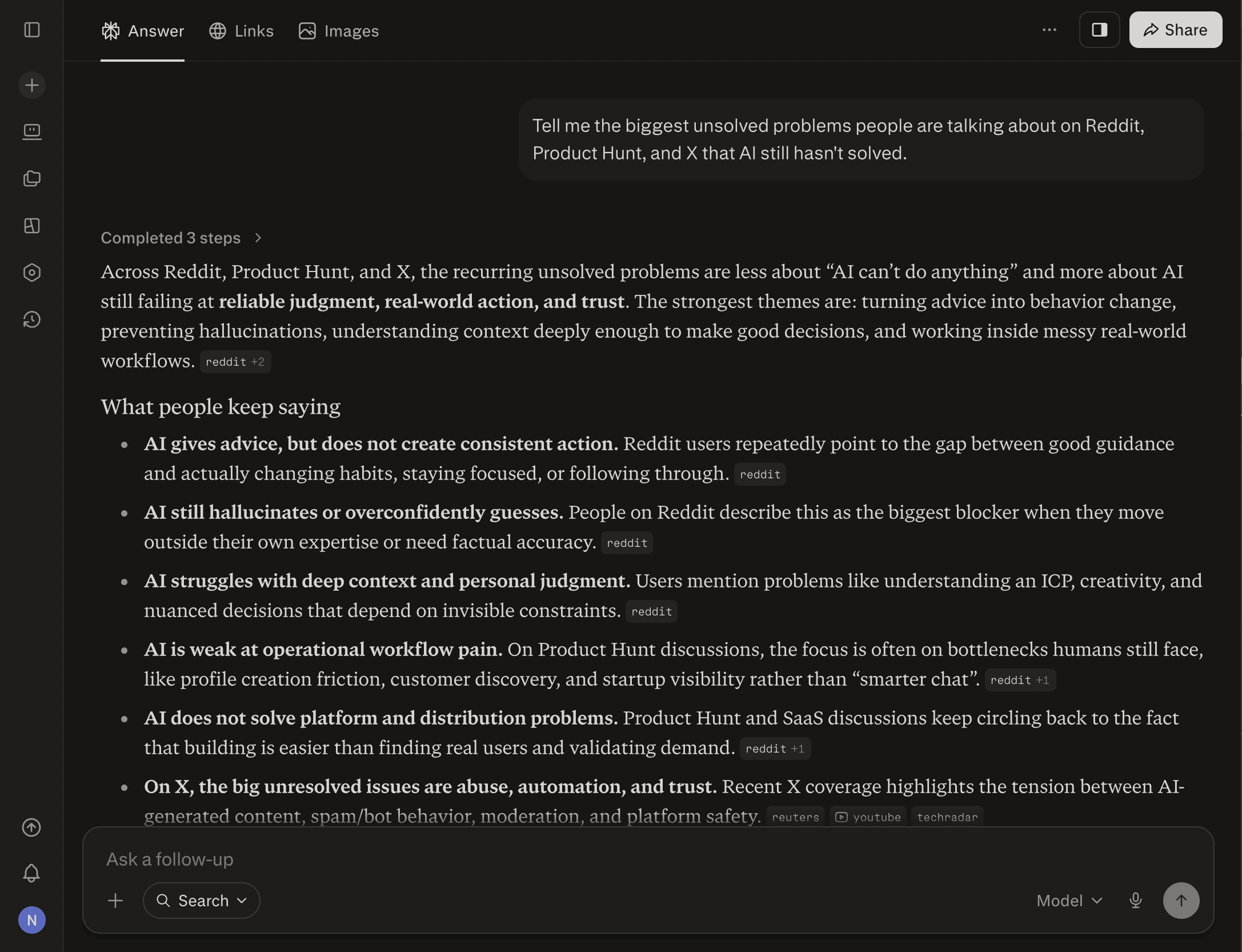
I start by exploring communities like Reddit, Product Hunt, and X using Perplexity to see what people are talking about.
I even ask questions like:
Who is already solving this?
Is this problem getting bigger?
Which industries are growing quickly?
What’s missing from existing solutions?
After collecting enough information, I drop everything into NotebookLM.
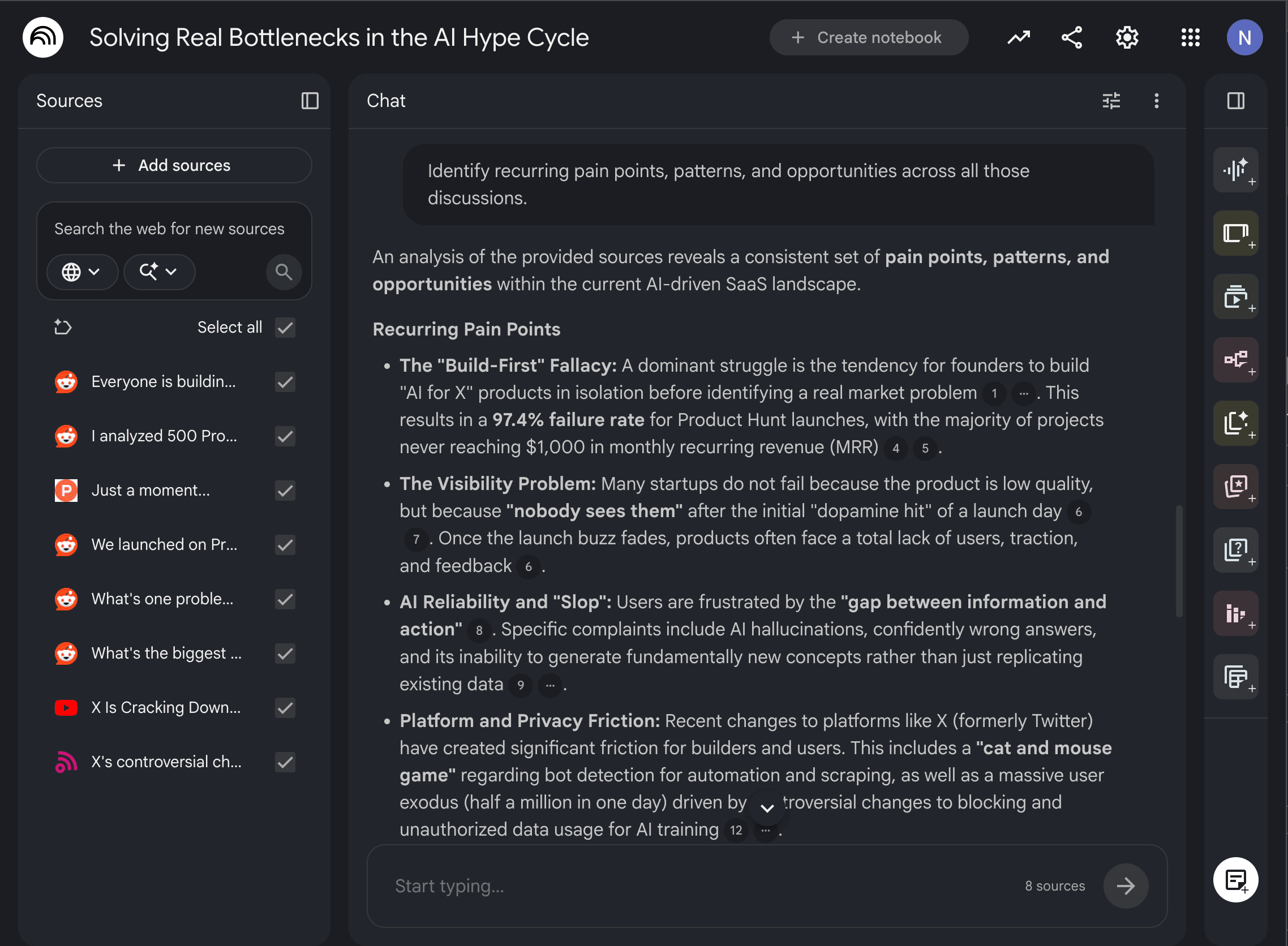
Then I ask it to identify recurring pain points, patterns, and opportunities across all those discussions.
You see, instead of chasing random ideas, I end up with business opportunities backed by real user demand. Even if I don’t build the product myself, these insights often become content ideas, newsletter topics, or new services.
Let’s wrap up
You know, the biggest shift I’ve made isn’t using more AI tools.
It’s building simple workflows that save time every single week.
Here’s a quick recap:
Build an AI second brain instead of collecting endless bookmarks.
Turn long YouTube videos into practical knowledge in minutes.
Automate your research so valuable information comes to you.
Find business ideas by analyzing real user problems instead of guessing.
Now, you don’t need to try all four workflows today.
Just pick the one that solves your biggest problem right now.
Once you see how much time it saves, you’ll naturally start improving the rest of your workflow.
Because that’s where AI becomes truly valuable, not as a chatbot that answers questions, but as a system that helps you learn faster, think better, and get more done every day.
Hope you like it.
That’s it — thanks.
If this resonated with you, share it with someone who needs to read it or repost it, since most people want to learn practically about AI but won’t access posts like this.
And that’s where you can help someone you care about use AI practically and get ahead.
Also, don’t forget to check out “The AI Leverage System” where I share the exact set of AI workflows I use daily to learn faster, research smarter, create content, and build products.
Comments
Nothing yet. Say the first thing.
Sign in to join the conversation.