

We all know what usually happens with AI tools.
A new one launches, people start hyping it on X, LinkedIn, and YouTube, and for a few days, it feels like this tool is going to change everything.
Then you try it, and within 10 minutes, you realize it’s just another wrapper with a pretty UI and nothing underneath that actually helps you do better work.
That’s exactly why I spend so much time testing new AI tools to find the few that can actually save time, remove tedious work, and help you do something useful that would otherwise take hours.
And recently, I came across a couple of new AI tools that stood out for very different reasons.
Some of them help you automate real work.
Some help you run AI agents on your own setup.
Some help with research, coding, or content.
And one of them is so simple that most people would ignore it, even though it can be surprisingly useful in day-to-day work.
So in this post, I’m going to share the ones I think are actually worth trying.
Note: If you found this post valuable or learned something new, consider becoming a paid subscriber to this newsletter if you haven’t. It’s the best way to support my work and keep this kind of content coming.
With that said, let’s get started.
1. MyClaw
We all know OpenClaw is powerful, but that’s not where most people struggle.
The real challenge is turning that power into finished work. You give it a goal, and before you know it, you’re dealing with runtimes, models, tools, skills, schedules, and channels instead of getting a report, a daily brief, or an alert in Telegram or WhatsApp.
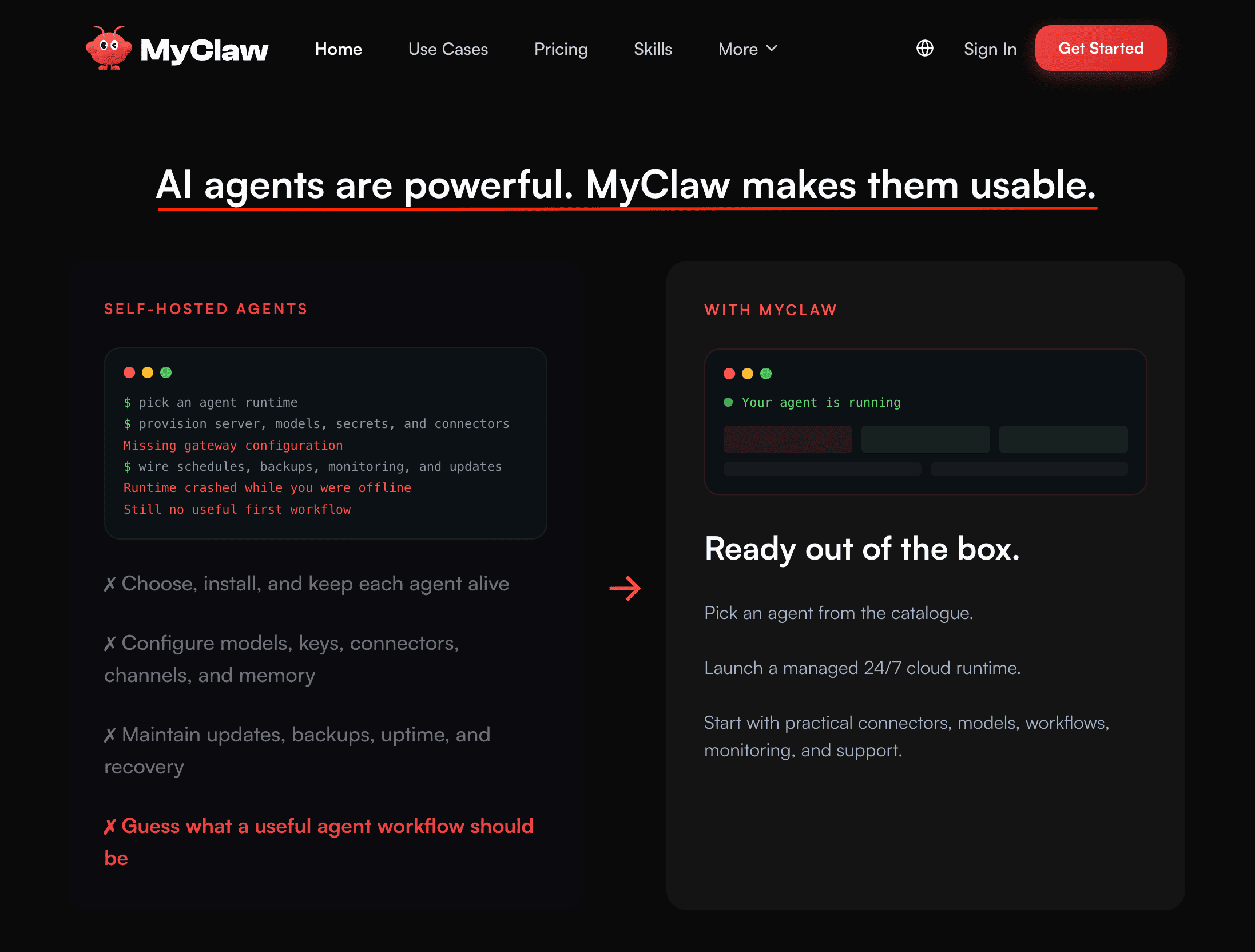
That’s perfectly fine if you enjoy tinkering and setting everything up yourself. But if you just want an AI agent that takes a goal and delivers something useful in Telegram or WhatsApp, whether it’s a daily brief, competitor alerts, or a triaged inbox summary, on a schedule or whenever you need it, then MyClaw is worth checking out.
It was built for exactly that. OpenClaw and Hermes are already set up, so your agents can think, act, and deliver results from day one.
How to get started:

Go to the MyClaw website, create & setup your account in 30 seconds, and then explore the kinds of workflows and models you want to use to automate your tasks.
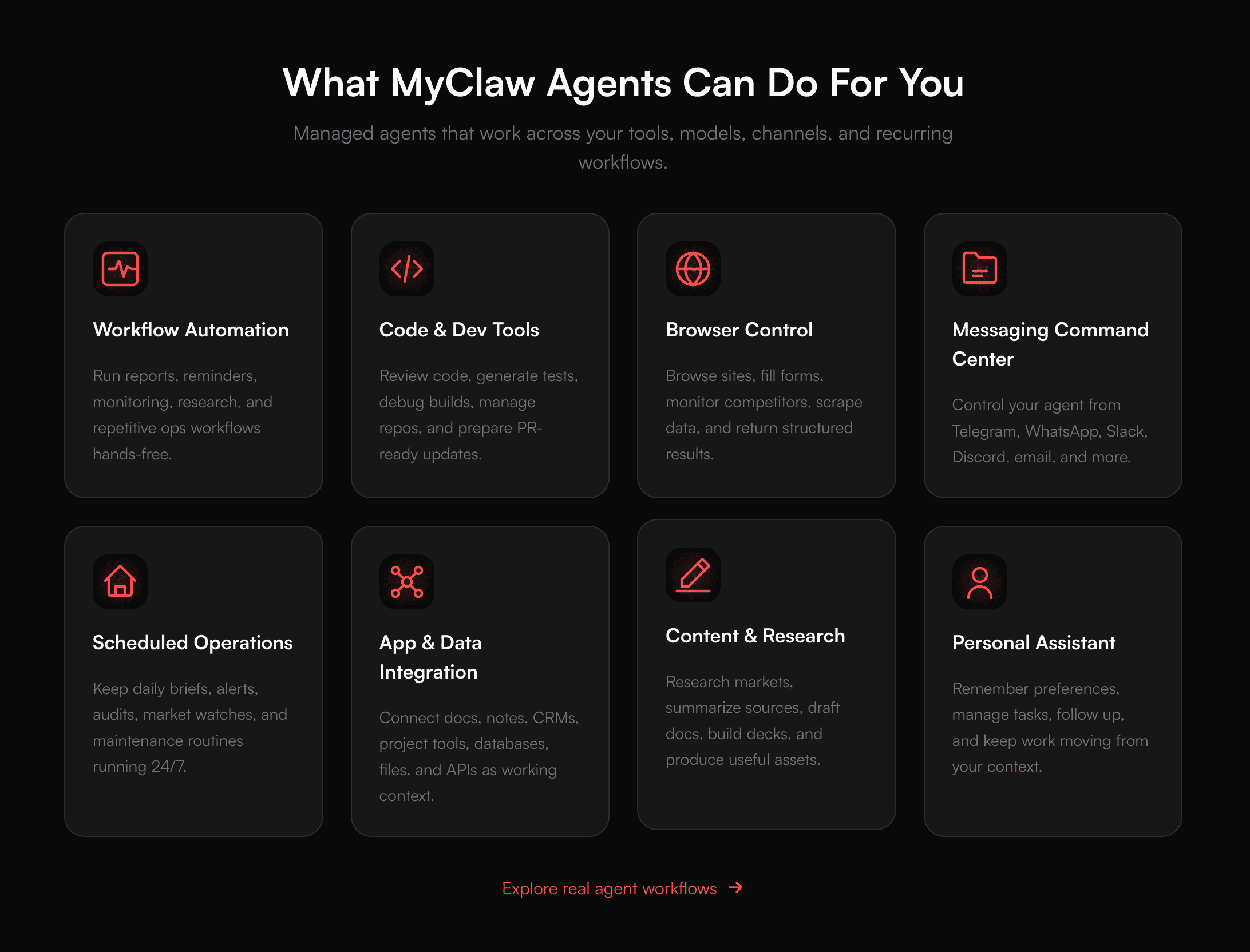
I’m using it regularly for:
managing repetitive tasks across email by building an autonomous email agent
setting up AI workflows like an automated morning briefing
automating research, SEO, code automation, and admin work
running different models for different tasks instead of forcing one model to do everything
You see, that’s a lot more practical than opening five separate AI tools all day.
2. GLM-5.2
Most people are still stuck comparing ChatGPT, Claude, and Gemini.
But what I’ve been paying attention to lately is GLM-5.2 because it’s open-source and works better for agentic and coding-heavy workflows than a lot of people realize.
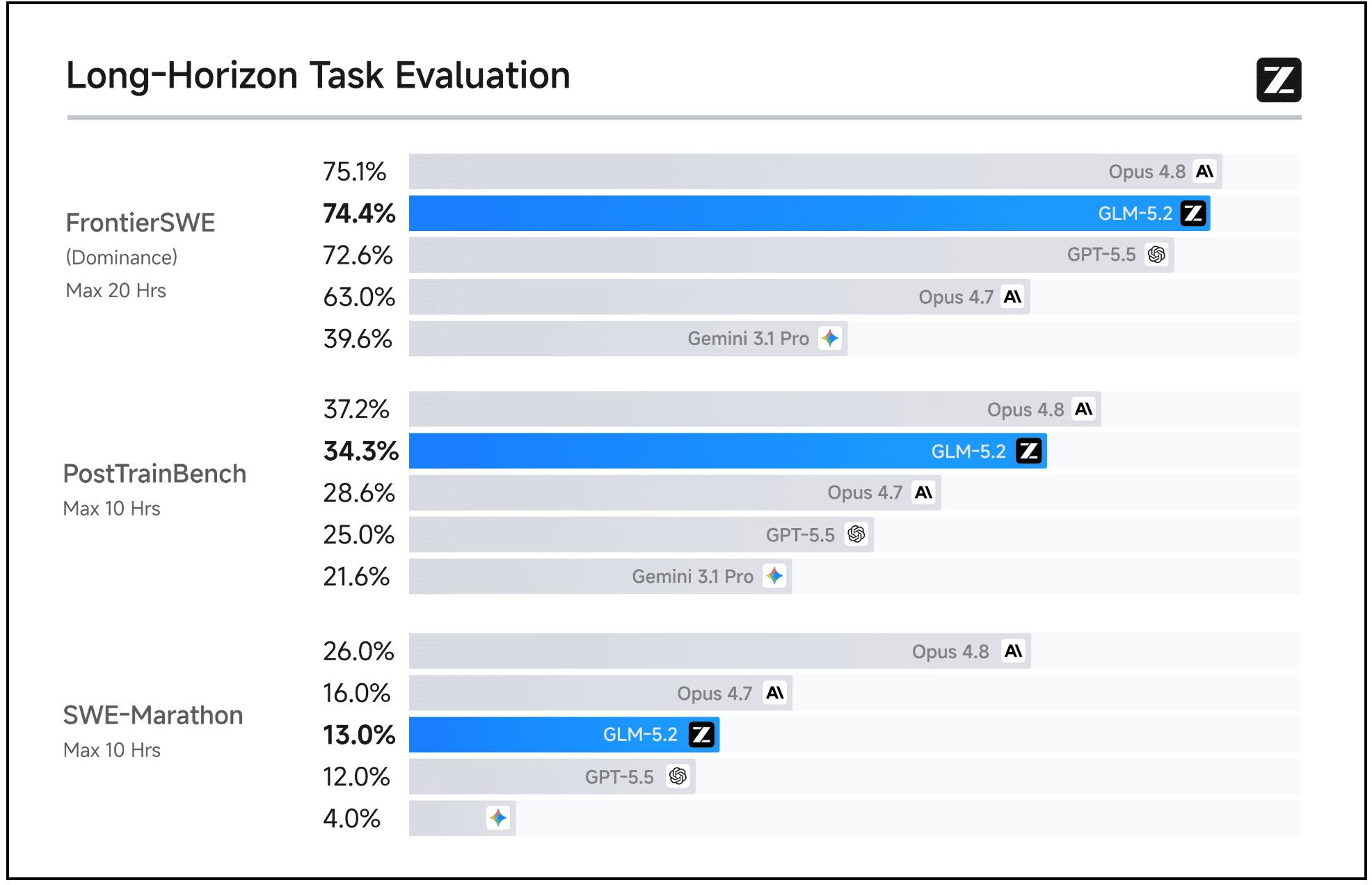
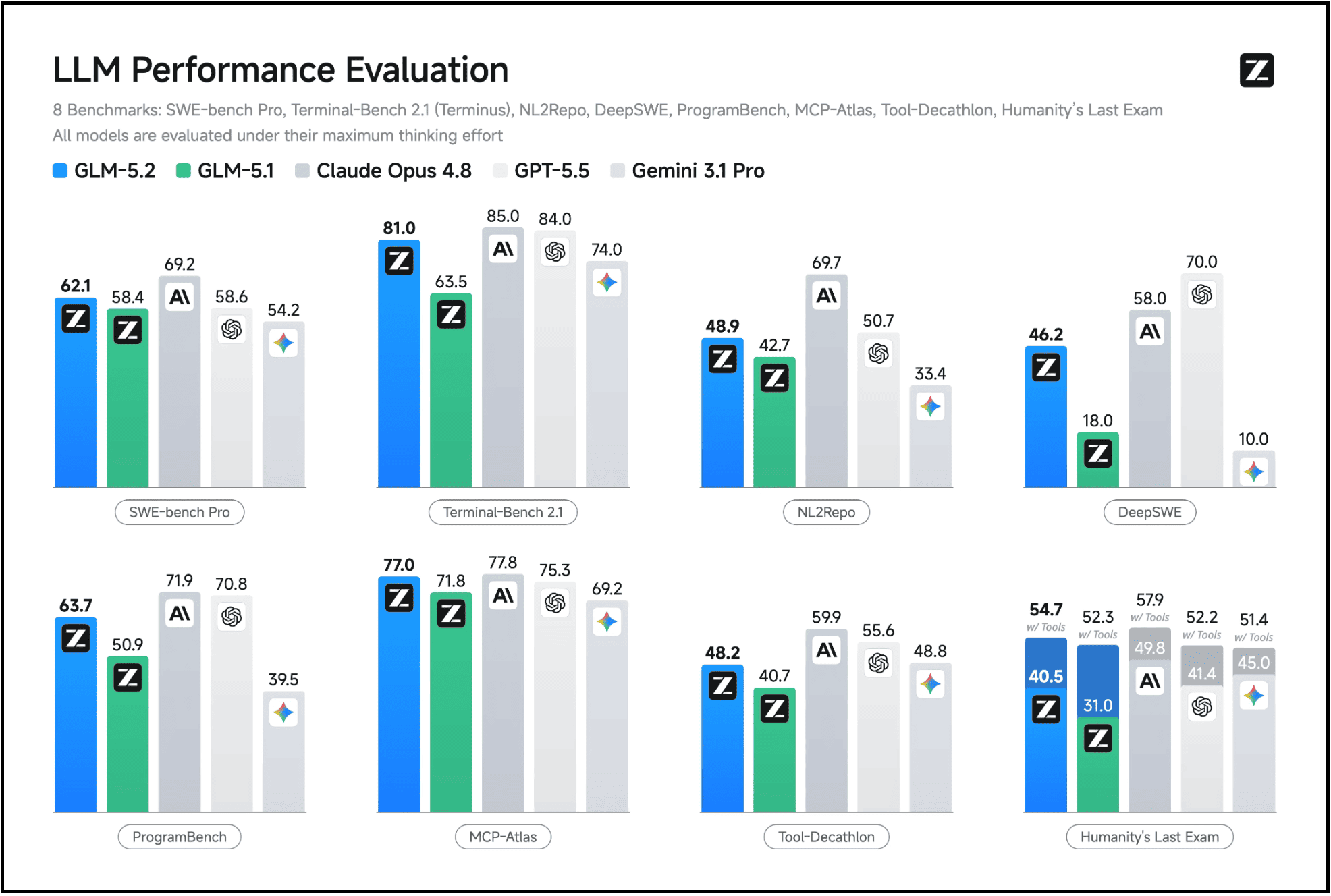
From what I’ve seen, GLM-5.2 is being positioned as a model for long-horizon tasks, coding, tool use, and multi-step workflows. In other words, not just “write me a caption” or “summarize this PDF”, but tasks where the model needs to reason, call tools, and keep track of a larger working context.
And it’s way cheaper than many other AI models, so you can use it for multiple tasks without paying more.
How to get started:

You can go to Z.ai and try GLM-5.2 there by creating an account and prompting it with something more realistic, like:
a coding problem
a workflow-planning task
a multi-step automation prompt
a large chunk of text or context to reason through
That’s where you’ll get a much better sense of whether it’s actually useful for your work.
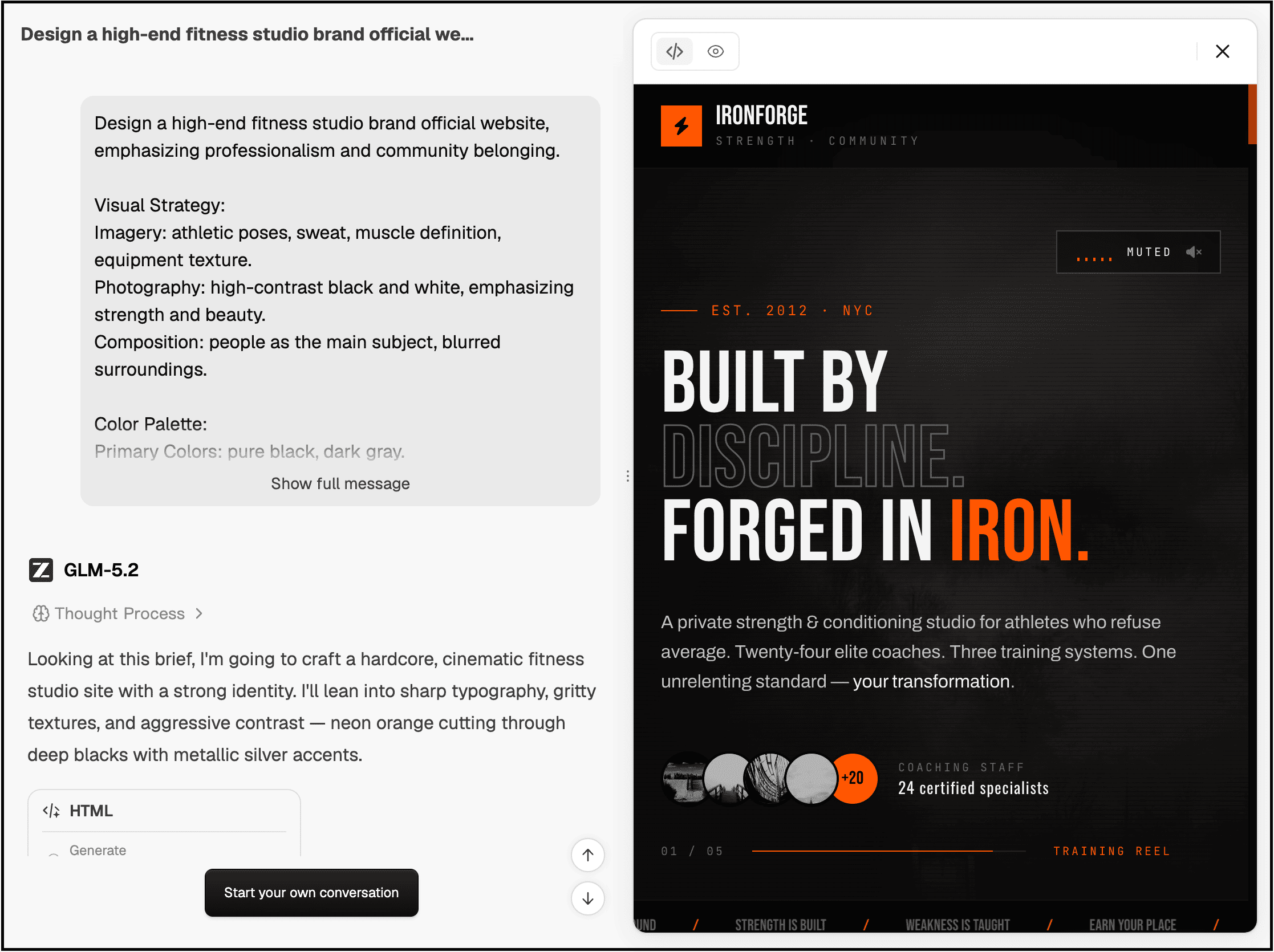
Where I think it’s most useful:
If you’re a developer, builder, or even just someone experimenting with AI agents, you can test GLM-5.2 for tasks like:
coding workflows
debugging and refactoring
AI assistants that need tool use
longer, reasoning-heavy tasks
model backends for assistants like OpenClaw or MyClaw-style workflows
And the best part? You’ll save a lot more money because, most of the time, you don’t need an expensive model to handle these tasks.
Before you read further:
Everything in this post is something I actually use.
But this post is just one piece of a much bigger system.
If you want the full thing, every AI workflow I use daily to learn faster, research smarter, create content, and build products, I’ve packaged it all inside The AI Leverage System.
It’s $19. One saved hour pays for it many times over.
You can spend months reverse-engineering this on your own, or you can get the exact system I use right now.
Explore The AI Leverage System
3. readywhen
This one is solving a very boring but real problem:
You say you’ll do something, and you fully intend to do it, but then it disappears under meetings, messages, tabs, Slack pings, and 17 other things competing for your attention.
That’s where you can use this AI tool called readywhen.
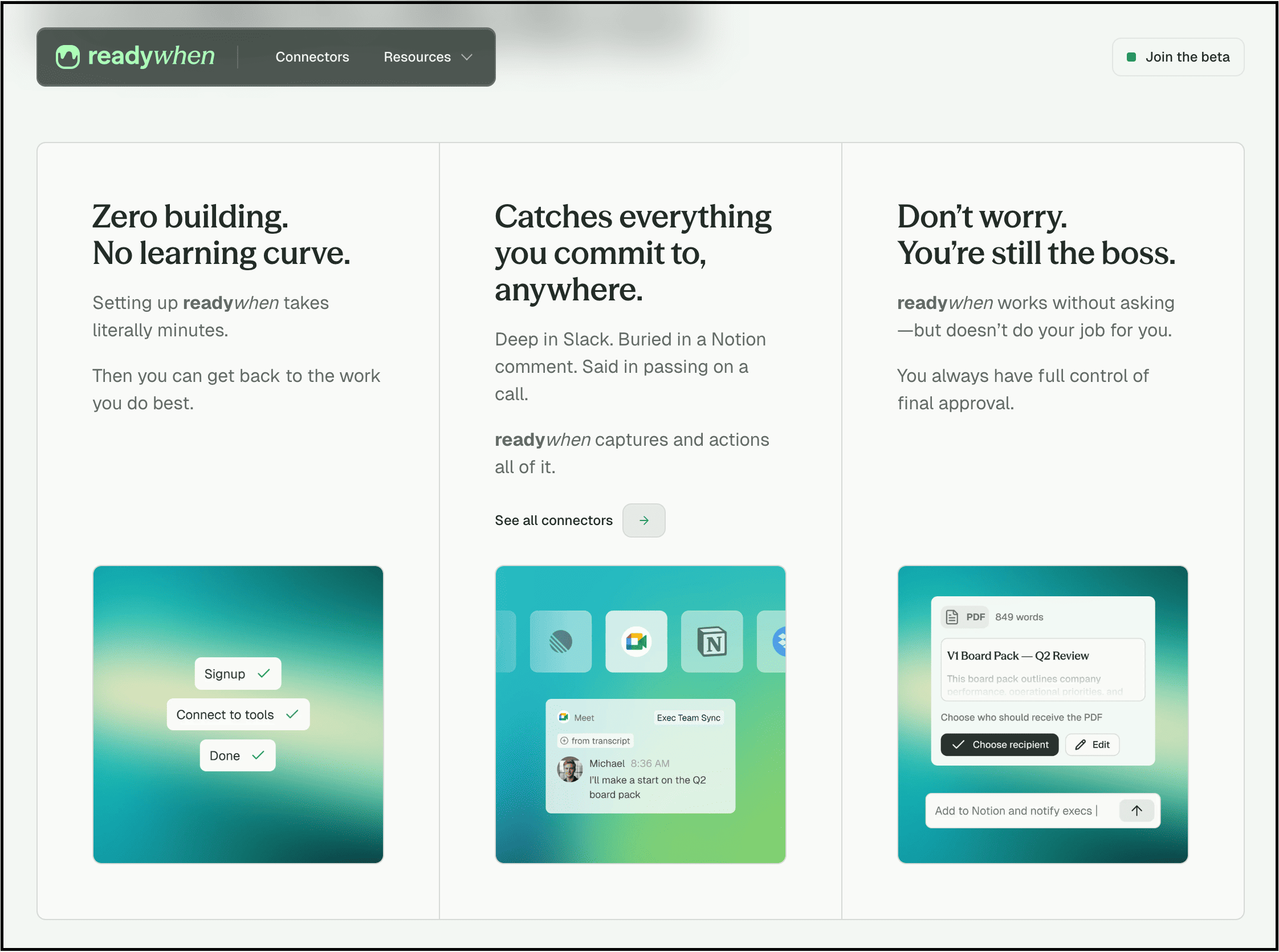
The whole idea is around AI automation for getting actual work done without turning your setup into a complicated automation mess.
How to get started:
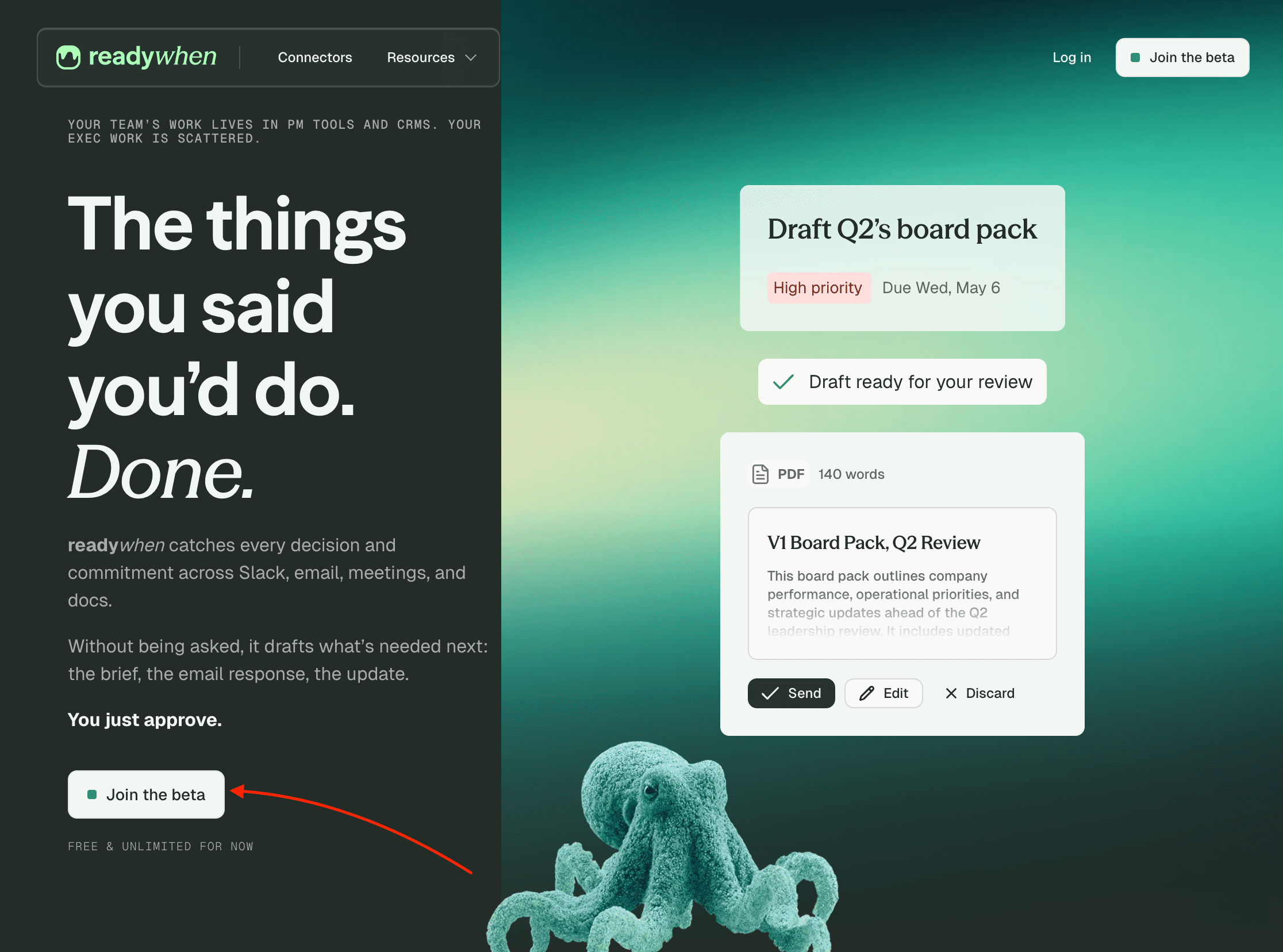
To try it out, simply visit their official website and click the “Join the beta” button. Yes, it’s free right now, and you can use it without limits.
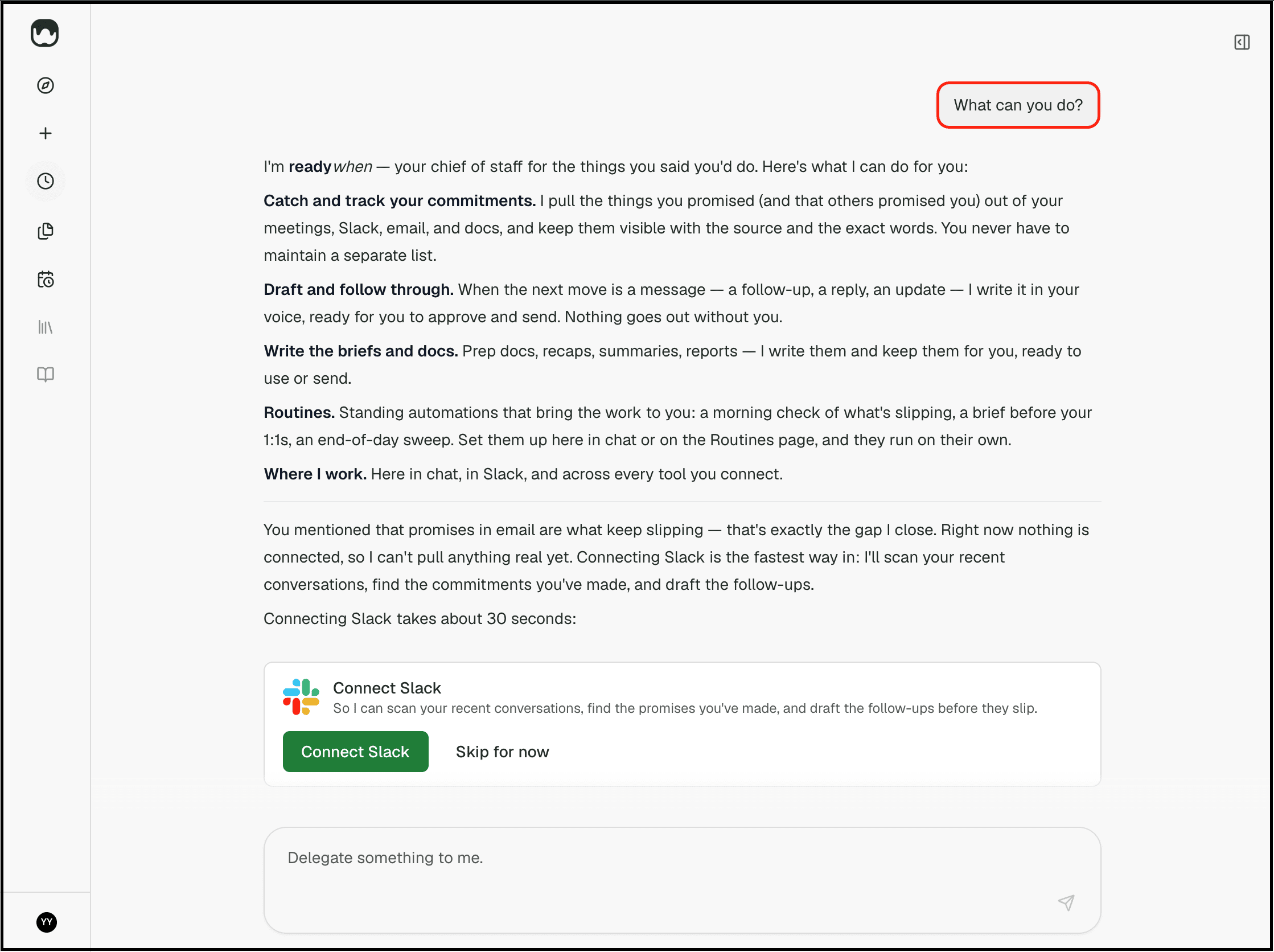
Then connect your tools, tell it what you want it to do, and set up routines or create new ones.
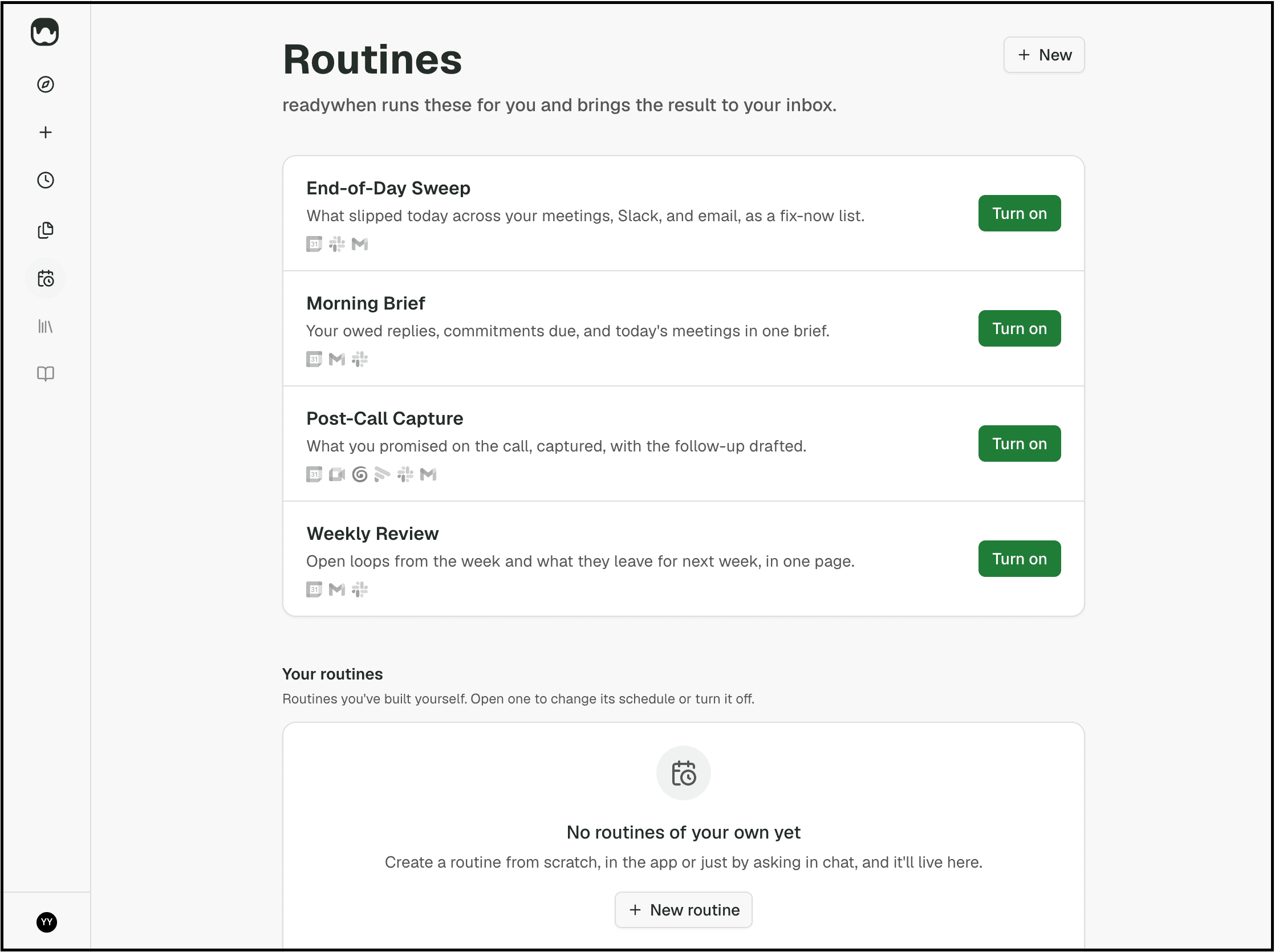
I specifically tested it on a small real workflow first and then tried it with different workflows to see how well it works.
I’m using it for:
making sure important follow-ups and tasks don’t get buried under everything else in my day
setting up simple routines for work that I know I’ll forget unless something actively keeps them moving
keeping small but important tasks from slipping through the cracks while I’m writing, researching, or juggling multiple projects
4. Screen Ruler
This one is not an AI tool, but I wanted to include it because it quietly solves one of the problems that keeps showing up in my workflow.
To be precise, I’m a web developer, and it saves me time and effort when I’m inspecting a website.
Here are some more features that make it worth using while inspecting a website:
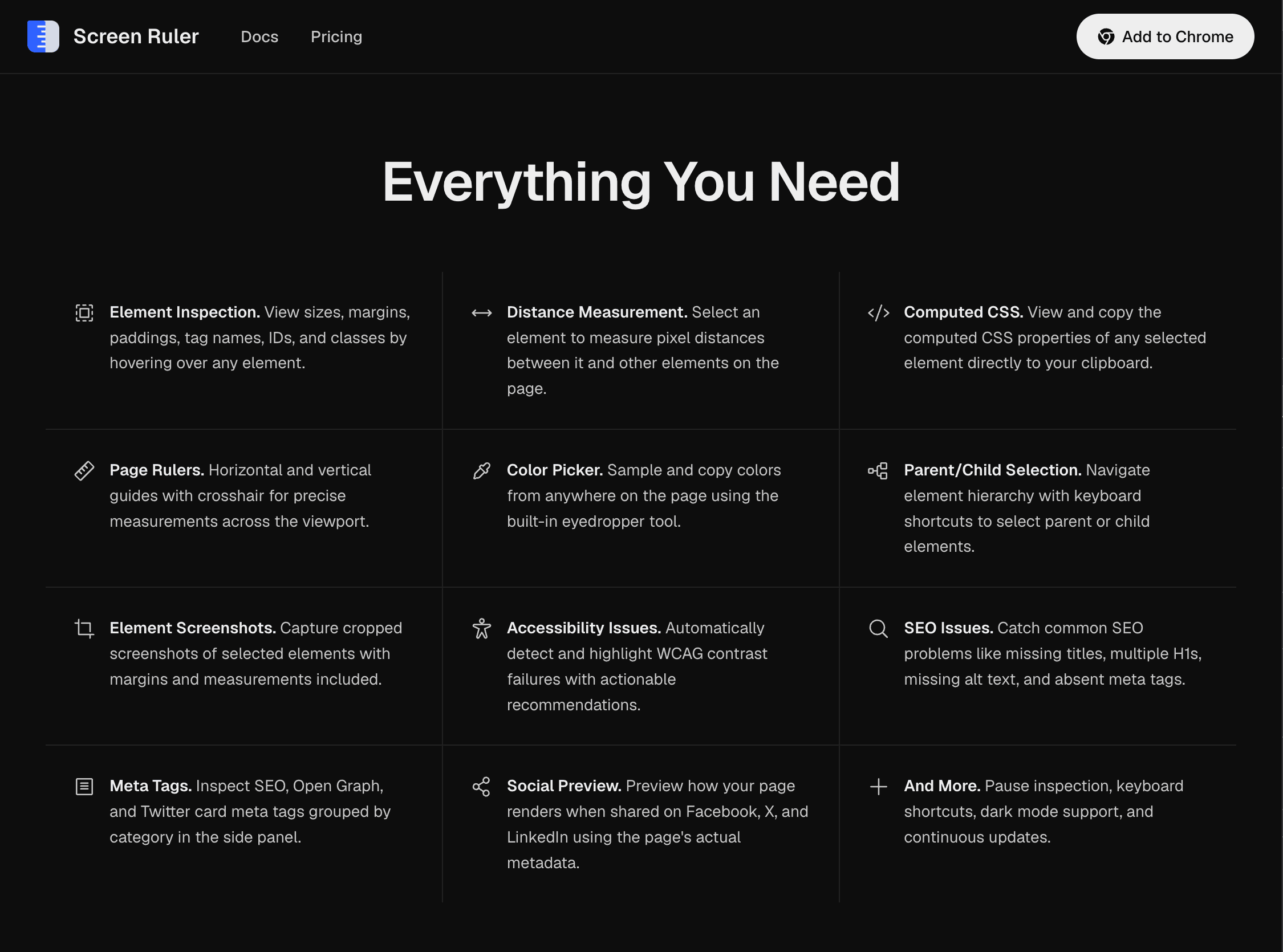
And in the same way, if you work with layouts, screenshots, UI elements, designs, content blocks, visual spacing, or anything where you constantly need to inspect what’s on your screen, then this tool is for you.
How to get started:
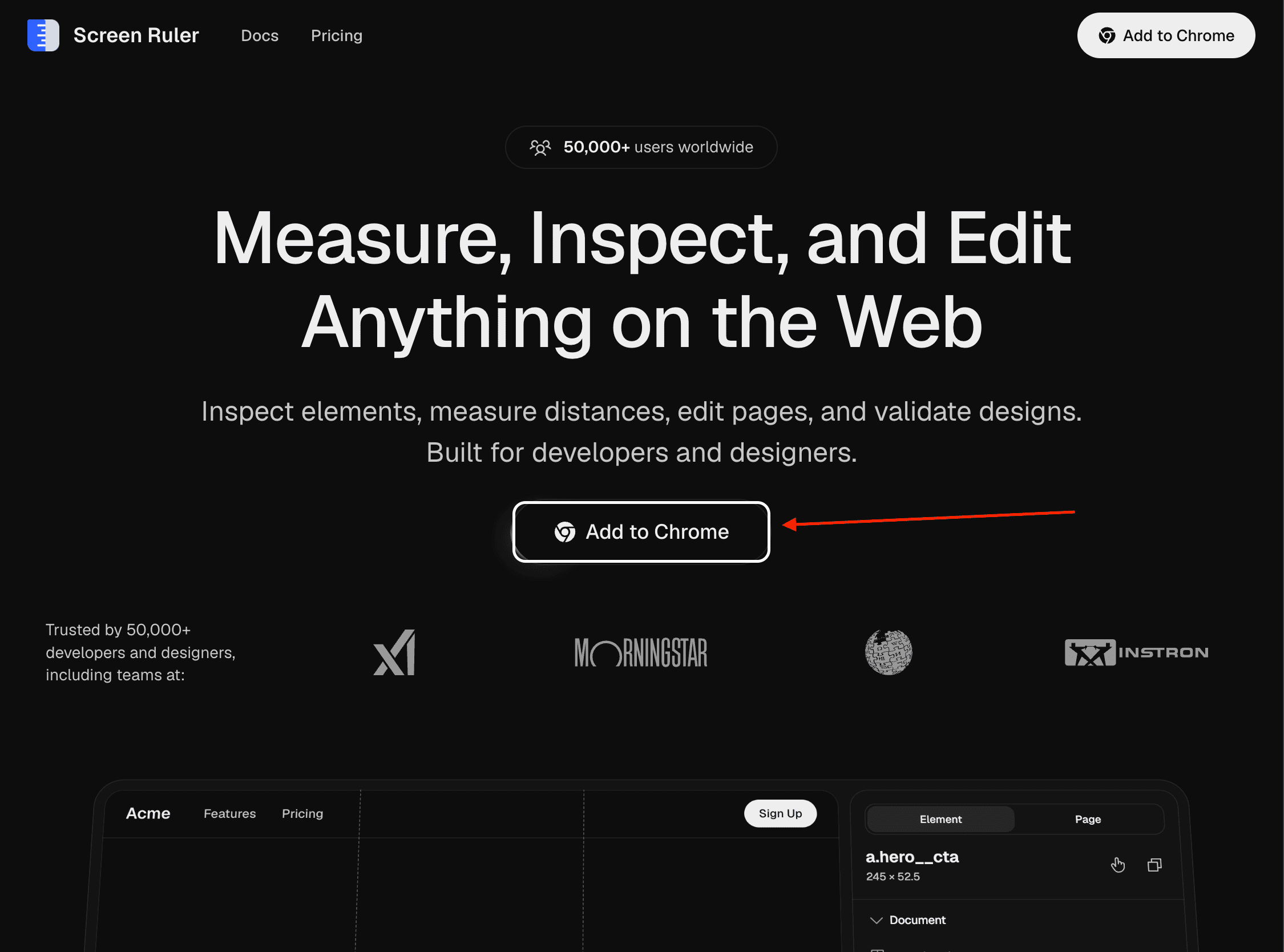
To try it out, simply visit their website, click the “Add to Chrome” button, and install their Chrome extension.
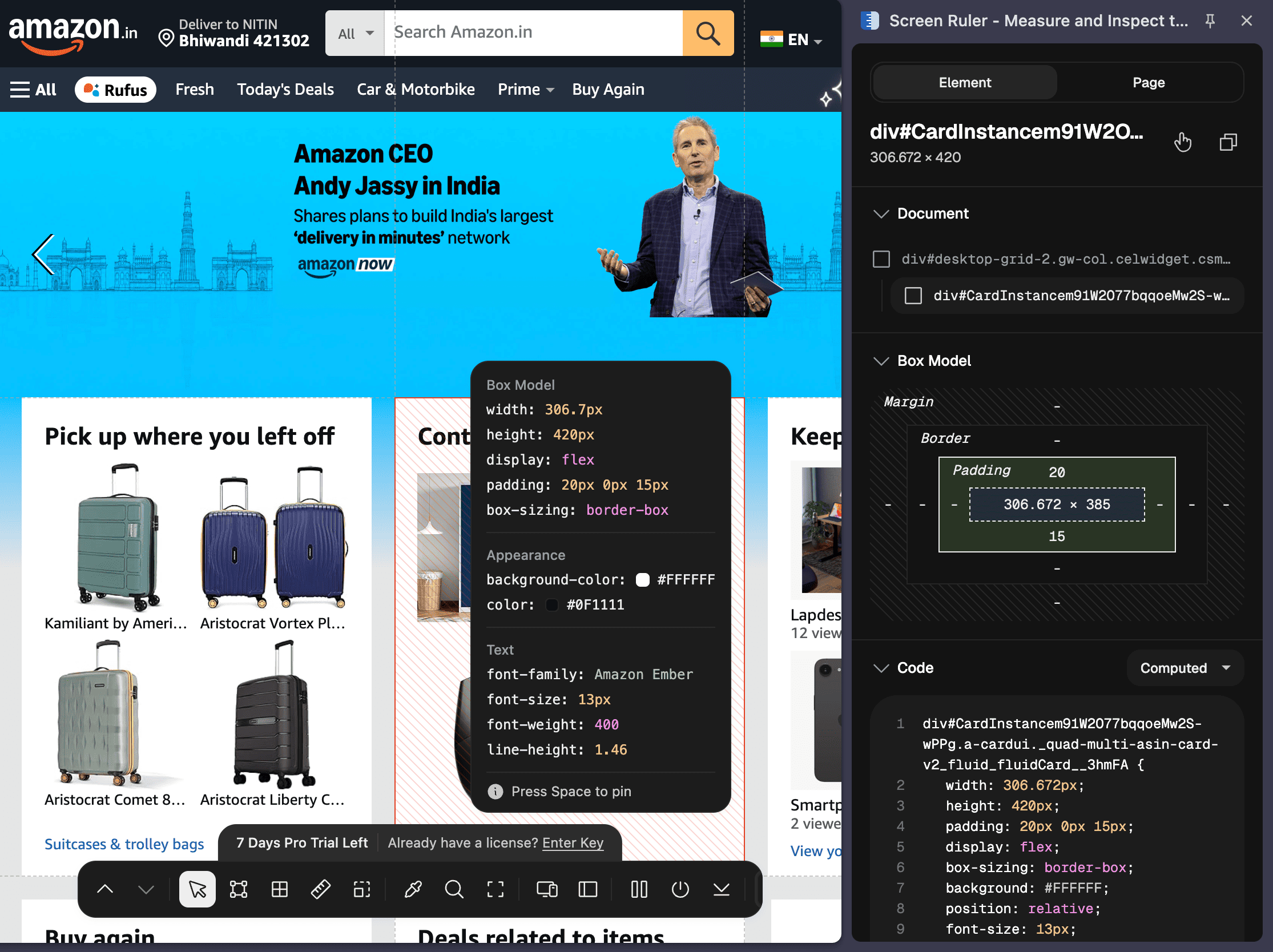
Then visit any specific website, inspect the layout by selecting the Screen Ruler Chrome extension, and use its other features as well.
I’m using it while:
reviewing website layouts
checking spacing on landing pages
comparing element sizes visually
creating cleaner screenshots or tutorials
making sure a design actually looks aligned rather than “close enough”
5. Juno
If you follow me, you may know that I wrote about Wispr Flow, an AI tool that helps you write 4x faster in any app by simply speaking naturally.

And now, I came across Juno, which is a local, open-source voice writing app that works in a very similar way, and it’s free forever.
But what does it do?
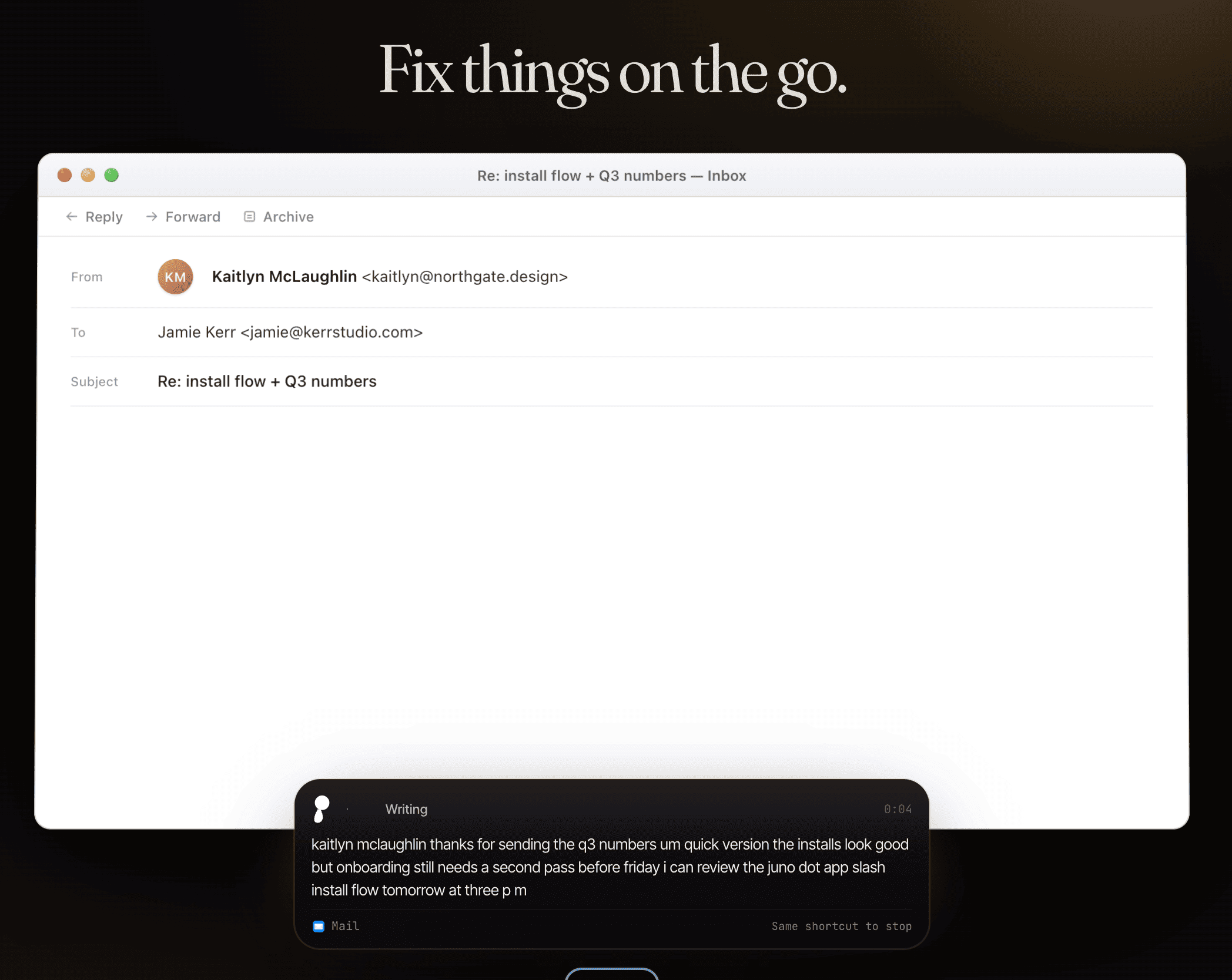
Juno lets you speak naturally and turn that into written text across your apps, which makes it useful for people who write a lot every day but don’t always want to type everything manually.
The best part about Juno is that it’s free, works well, helps speed up the writing process, and is better than many other similar tools.
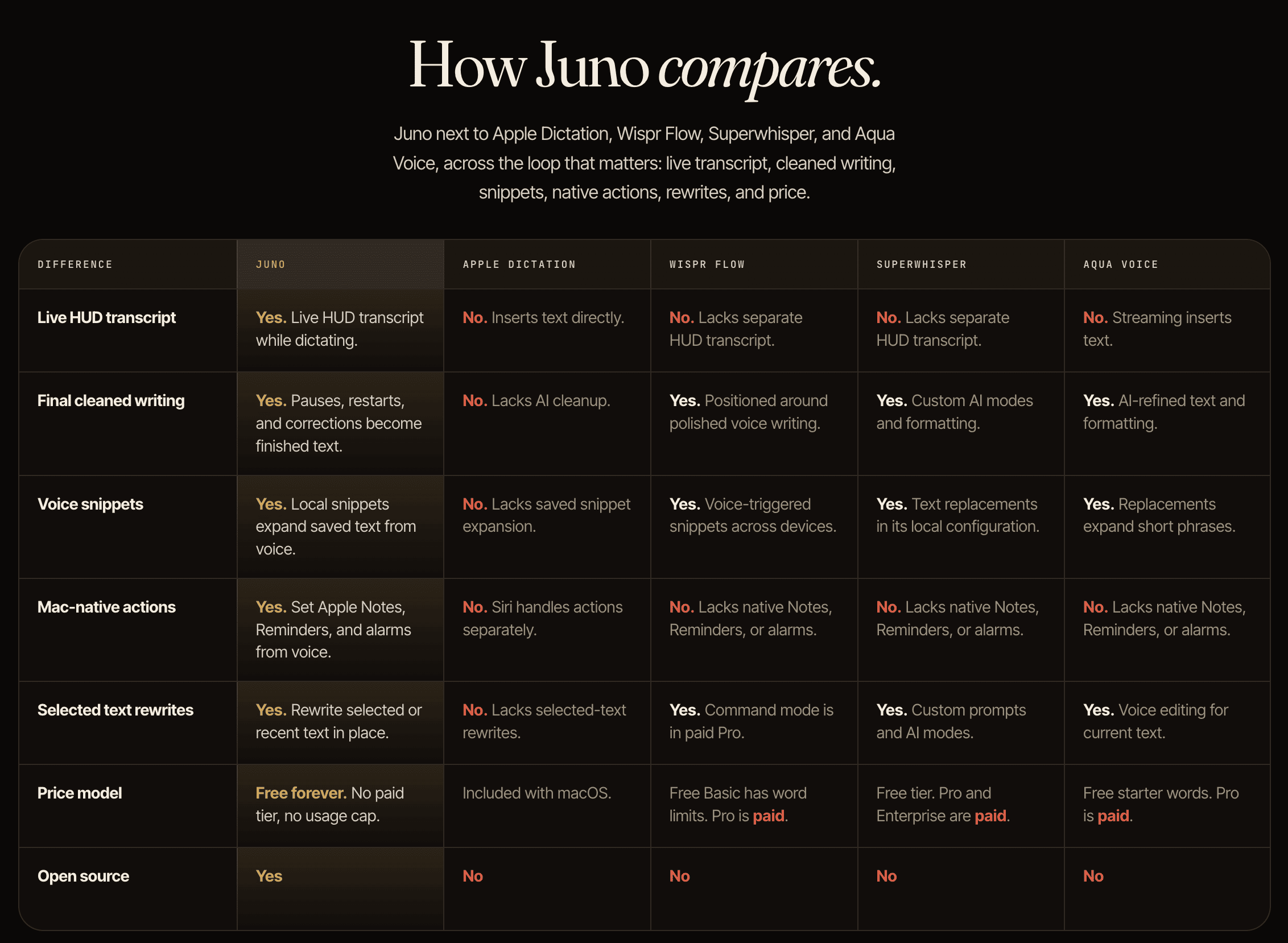
How to get started:
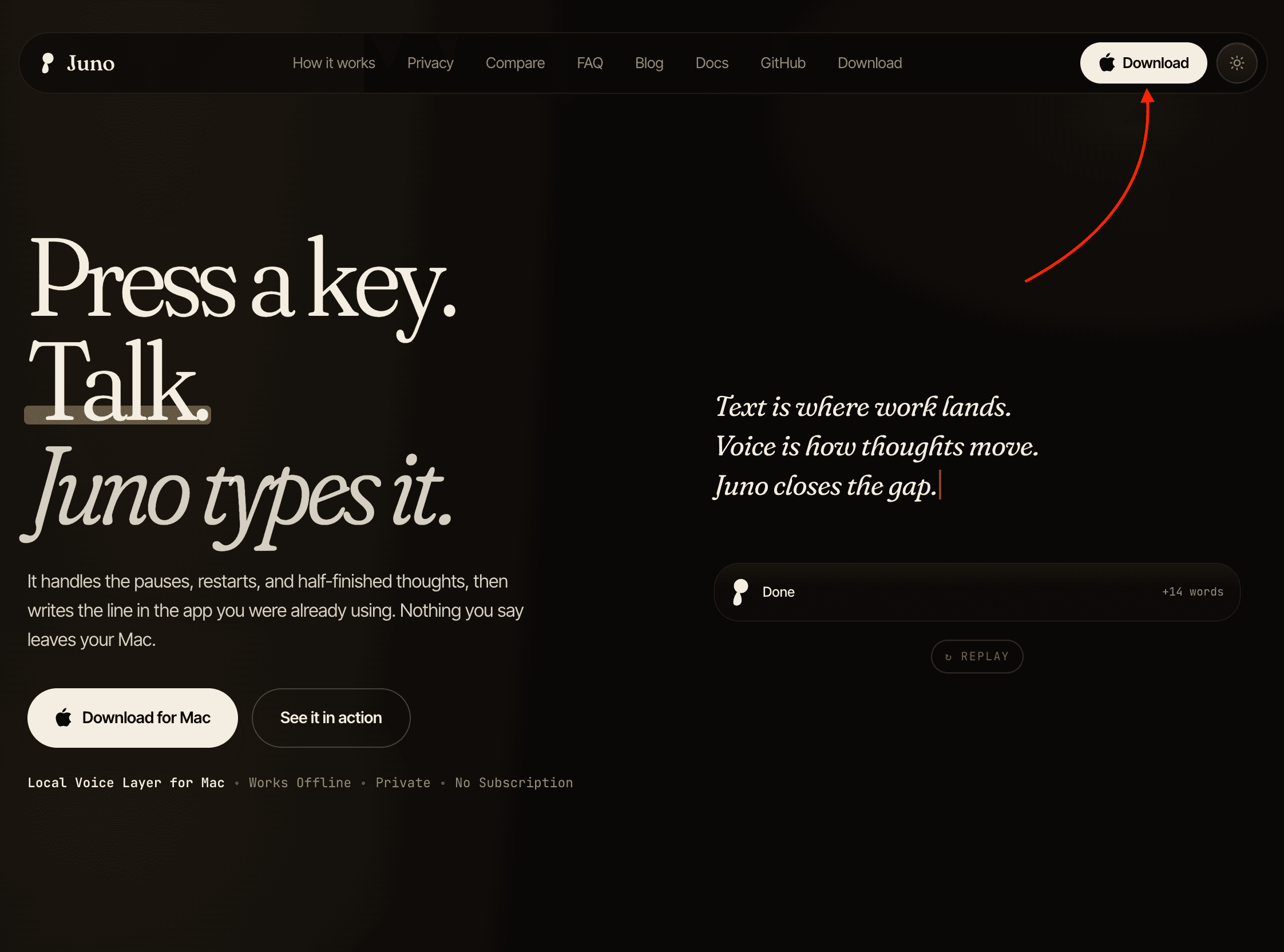
To try it out, visit their website and click the “Download” button to install the app.
Then use it inside any app by naturally speaking what you want to write.
I’m using it while:
writing first drafts of articles much faster
replying to emails and messages without typing everything manually
capturing ideas the moment they come to mind
brainstorming hooks, outlines, and rough notes while walking or thinking
writing in apps where I don’t want to keep switching between the keyboard and my thought process
To be more specific, if I’m drafting a post and already know what I want to say, I’d rather speak the rough version and then edit it later.
That alone can make writing feel much faster and less exhausting.
Hope you like it.
That’s it — thanks.
If this resonated with you, share it with someone who needs to read it or repost it, since most people want to learn practically about AI but won’t access posts like this.
And that’s where you can help someone you care about use AI practically and get ahead.
Also, don’t forget to check out “The AI Leverage System” where I share the exact set of AI workflows I use daily to learn faster, research smarter, create content, and build products.
Comments
Nothing yet. Say the first thing.
Sign in to join the conversation.