
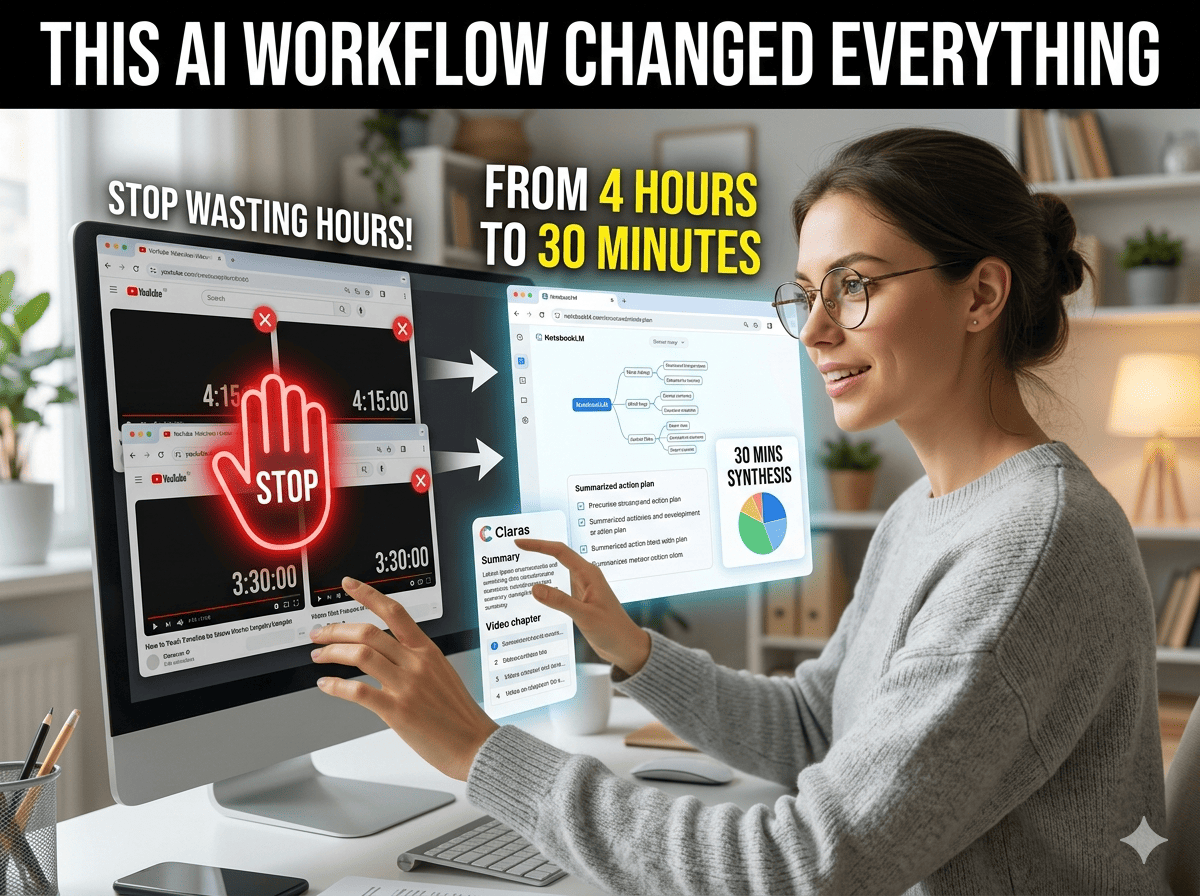
Last week, I wanted to learn more about how to build a company with AI and what AI will do to programming jobs by 2030.
So I did what most people do.
I opened YouTube and searched for those topics. Soon, I found multiple videos with attention-grabbing thumbnails asking me to click and watch them.
And before I realized it, I had saved almost 4 hours of videos on the same topic. Sure, I wanted to learn everything I could and hear the thoughts of multiple creators, but I didn’t want to spend tons of time doing that.
The problem was figuring out what video to actually watch, how to learn and retain the necessary information, and how to deal with all this information.
And watching seven videos doesn’t automatically mean I’ve learned everything. I would have gotten bored halfway through and simply closed all the tabs.
That’s why, instead of watching every video from start to finish and taking random notes, I used a simple workflow involving Claras and NotebookLM.
The result? In less than 30 minutes, I had:
A combined summary from multiple videos
A visual mind map, audio overviews, and more to help me retain as much as possible
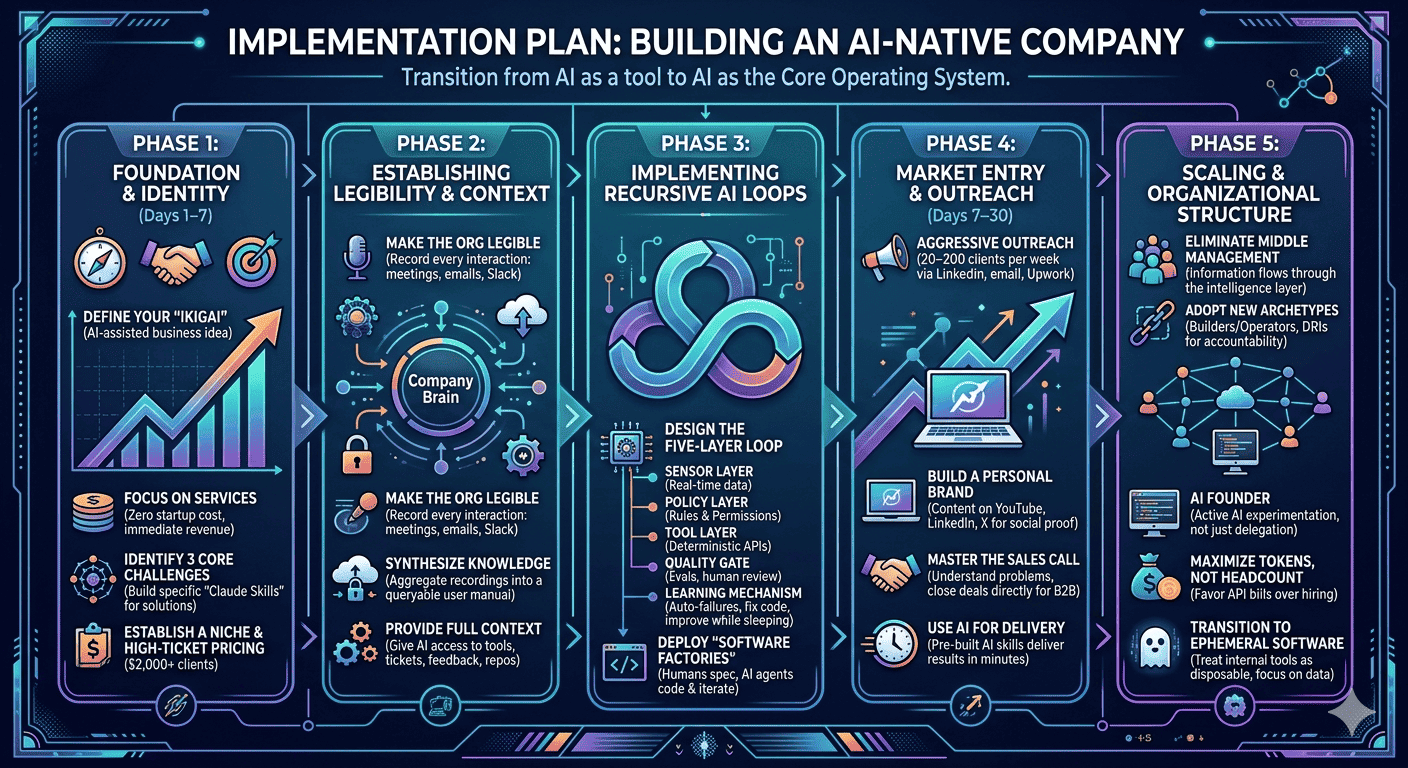
An implementation plan and a checklist of actions I could actually follow
Note: If you found this post valuable or learned something new, consider becoming a paid subscriber to this newsletter if you haven’t. It’s the best way to support my work and keep this kind of content coming.
With that said, here’s the exact workflow I used:
You know, I always open multiple similar videos in different tabs and start watching them from start to finish before moving on to the next one.
But most of them share the same topic, the same process, and the same concepts for almost half of the video.
Additionally, video content lacks a 'ctrl+f' function, forcing users to consume filler content just to find a single relevant insight.
And in reality, a 45-minute video might contain only 5 to 10 minutes of information that is actually relevant to what you’re trying to learn. The rest is often examples, stories, introductions, repetitions, or content that doesn’t apply to your situation.
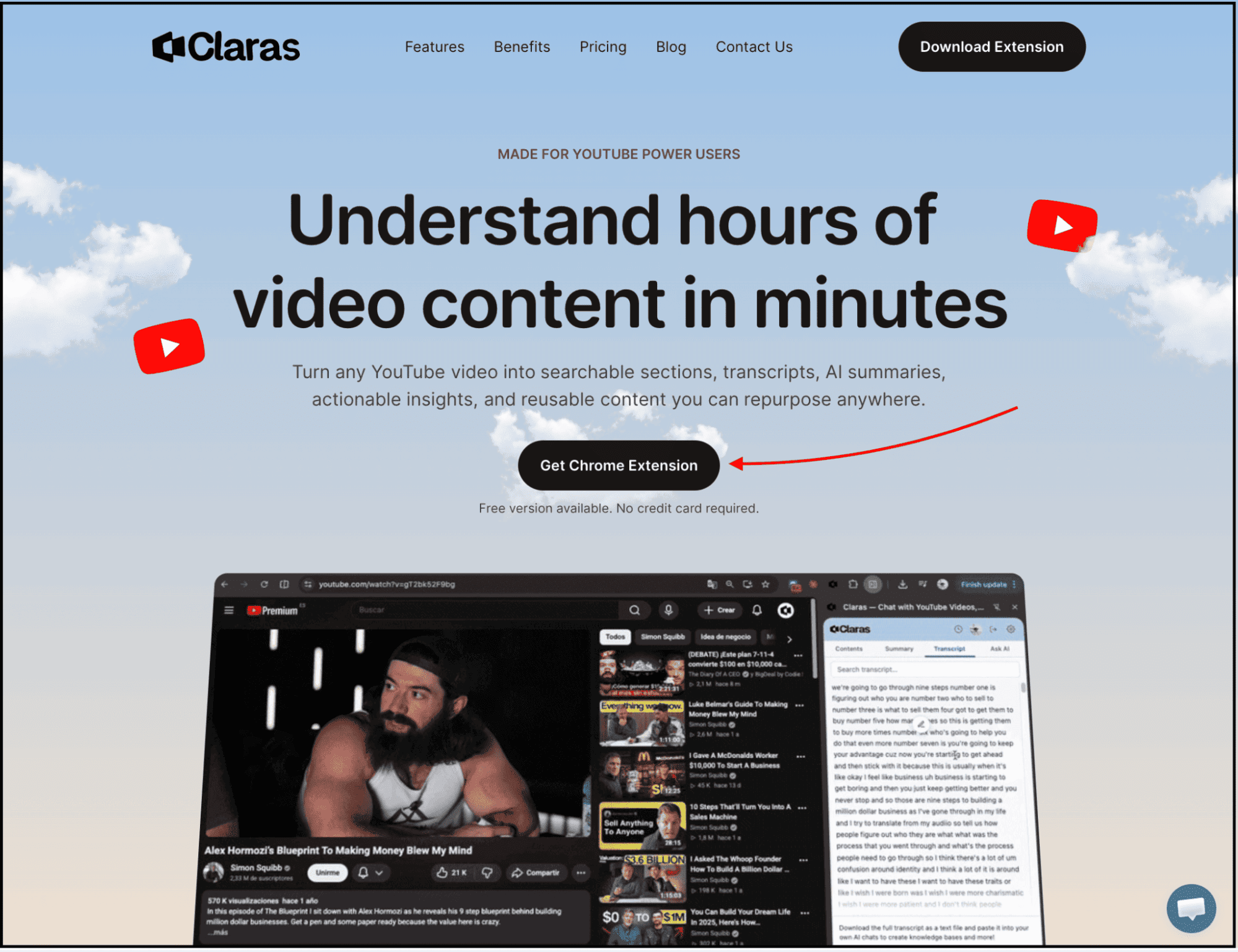
That’s why, before I upload anything to NotebookLM, I first use Claras as a filtering layer. More specifically, I want to understand what each video contains and extract only the valuable insights that I need to learn.
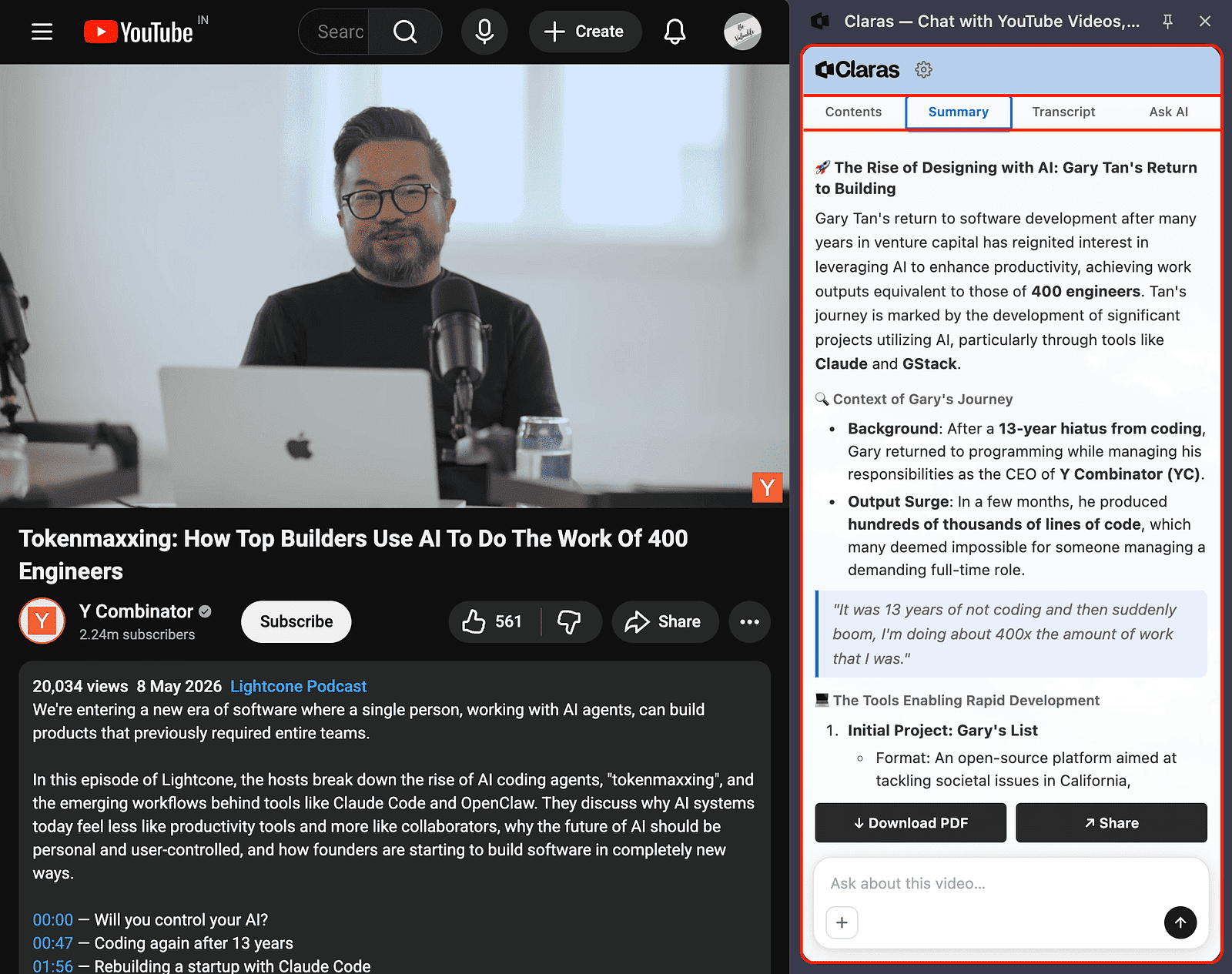
So I open a YouTube video and then open the Claras Chrome extension, where I immediately get access to:
Video chapters
Full transcripts
AI-generated summaries
An AI chat interface connected to the video’s content
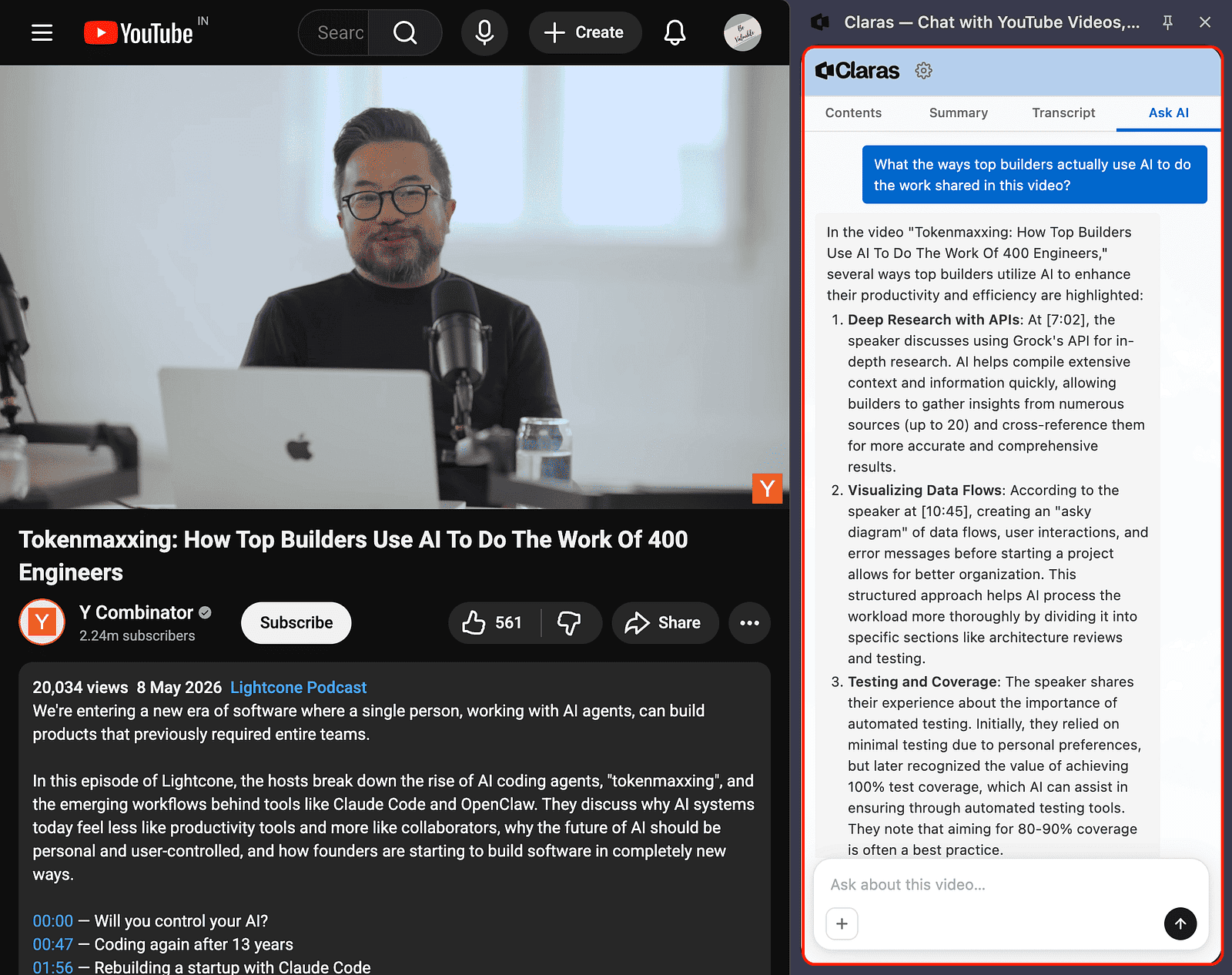
Then I go through the transcript, video chapters, and sometimes even ask questions like:
What are the most actionable ideas from this video?
What implementation steps are discussed?
Which sections are worth paying attention to?
What are the ways top builders actually use AI to do the work shared in this video?
And that’s how Claras helps me understand what the video is about, what chapters it contains, whether the video is actually good, and what I need to take away from it.
P.S. Even if you’re simply watching YouTube, you can follow the above steps to identify the topics you want to focus on, watch those sections, and skip the parts that aren’t relevant to you.
Before you read further:
Everything in this post is something I actually use.
But this workflow is just one piece of a much bigger system.
If you want the full thing, every AI workflow I use daily to learn faster, research smarter, create content, and build products, I’ve packaged it all inside The AI Leverage System.
It’s $19. One saved hour pays for it many times over.
You can spend months reverse-engineering this on your own, or you can get the exact system I use right now.
Most people stop after getting a summary, and that’s perfectly fine.
But if I want to learn a new skill, create a workflow, or apply something to my business, I like to dig deeper.
That’s where I take the help of NotebookLM.
But how? Most often, I upload the YouTube videos that I’ve filtered through the Claras Chrome extension directly into NotebookLM.
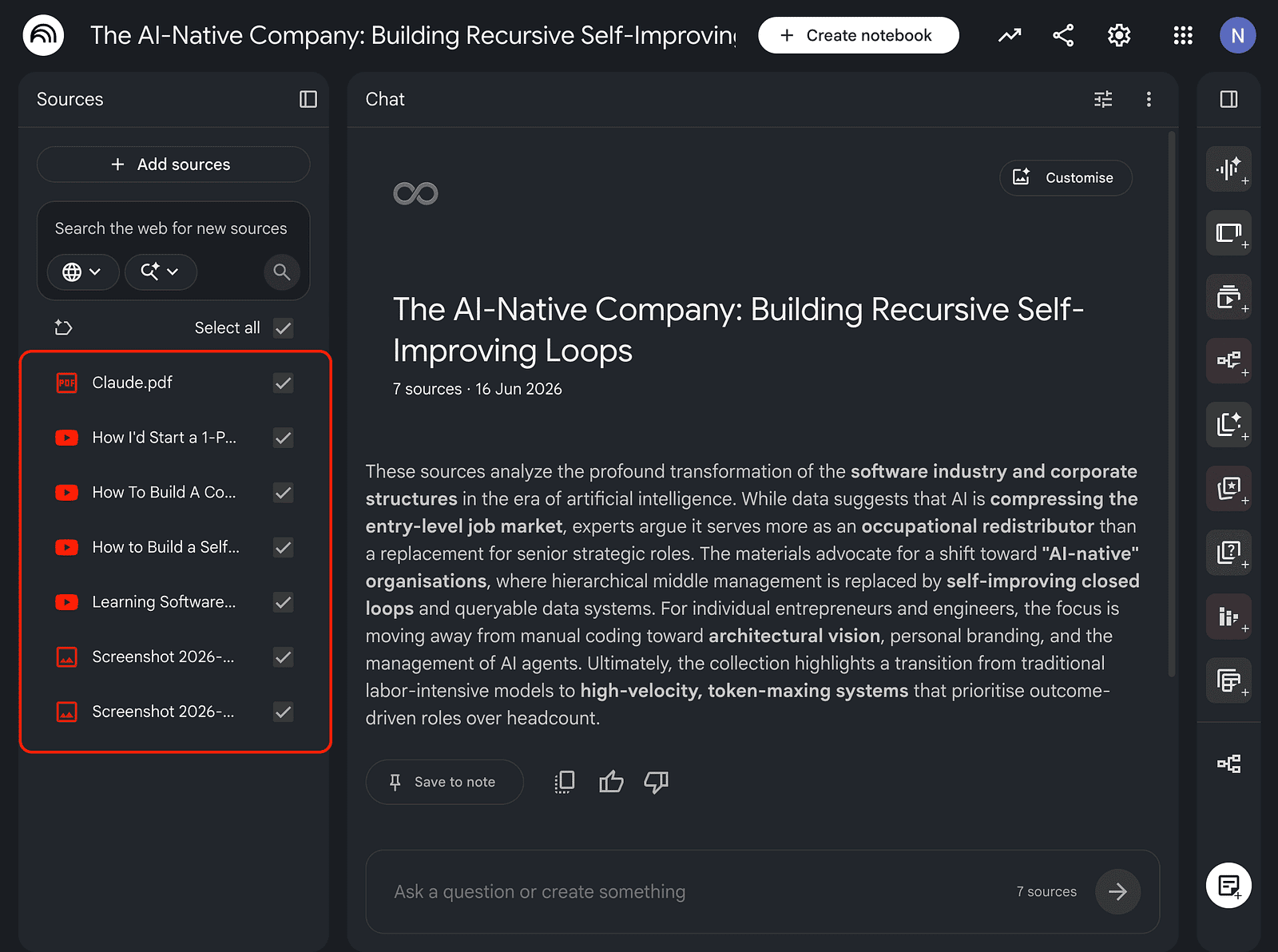
I’ve found that NotebookLM, and most AI tools, work much better when you give them filtered information instead of hours of raw content.
I also upload research papers, blog posts, and even research I’ve done using Gemini Deep Research, Claude Research, and other similar tools.
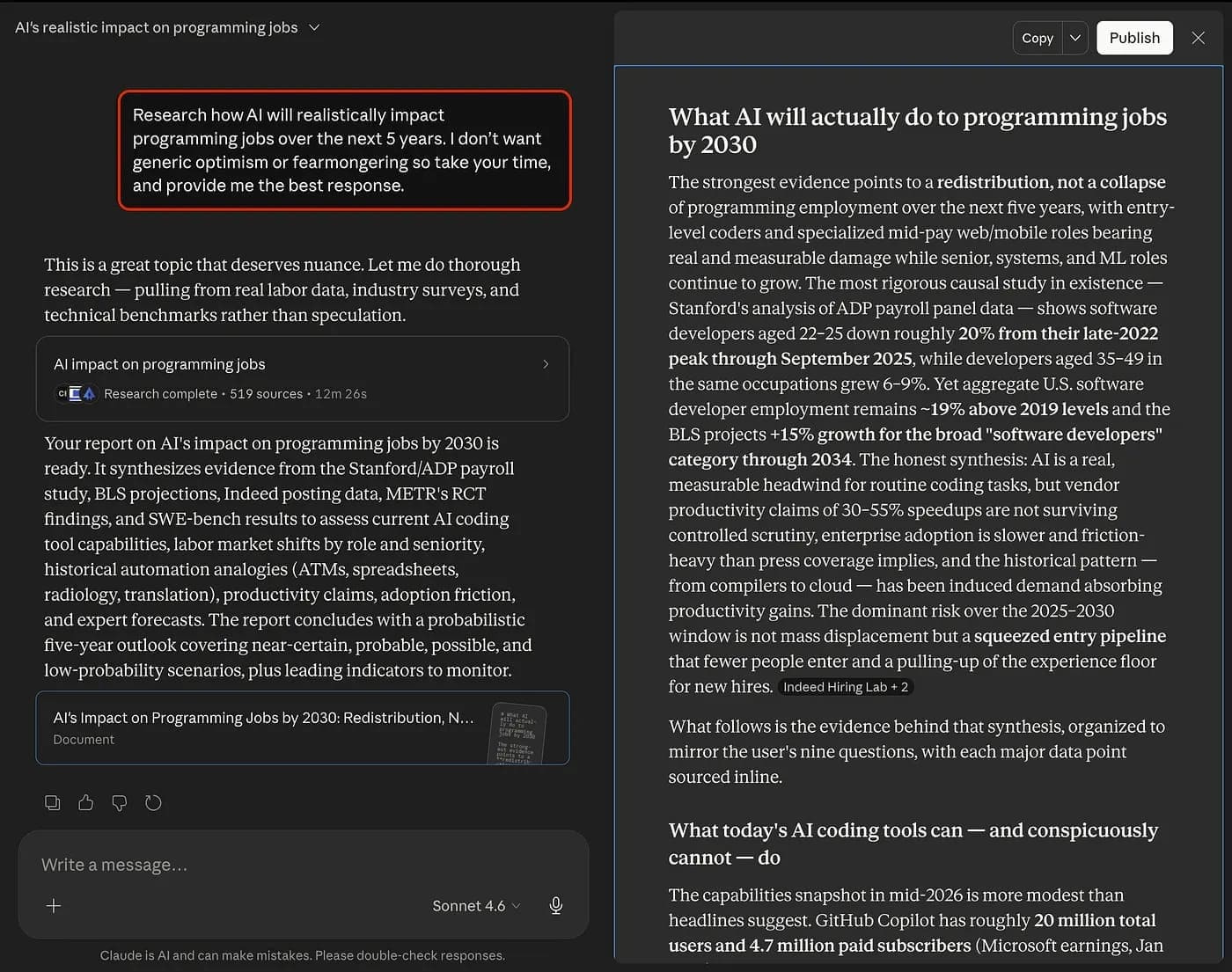
This way, I end up with high-quality information from multiple sources, which I then upload into NotebookLM to learn and retain as much as possible.
Most people collect information, but I try to convert information into action so I can learn in a better way.
But how?
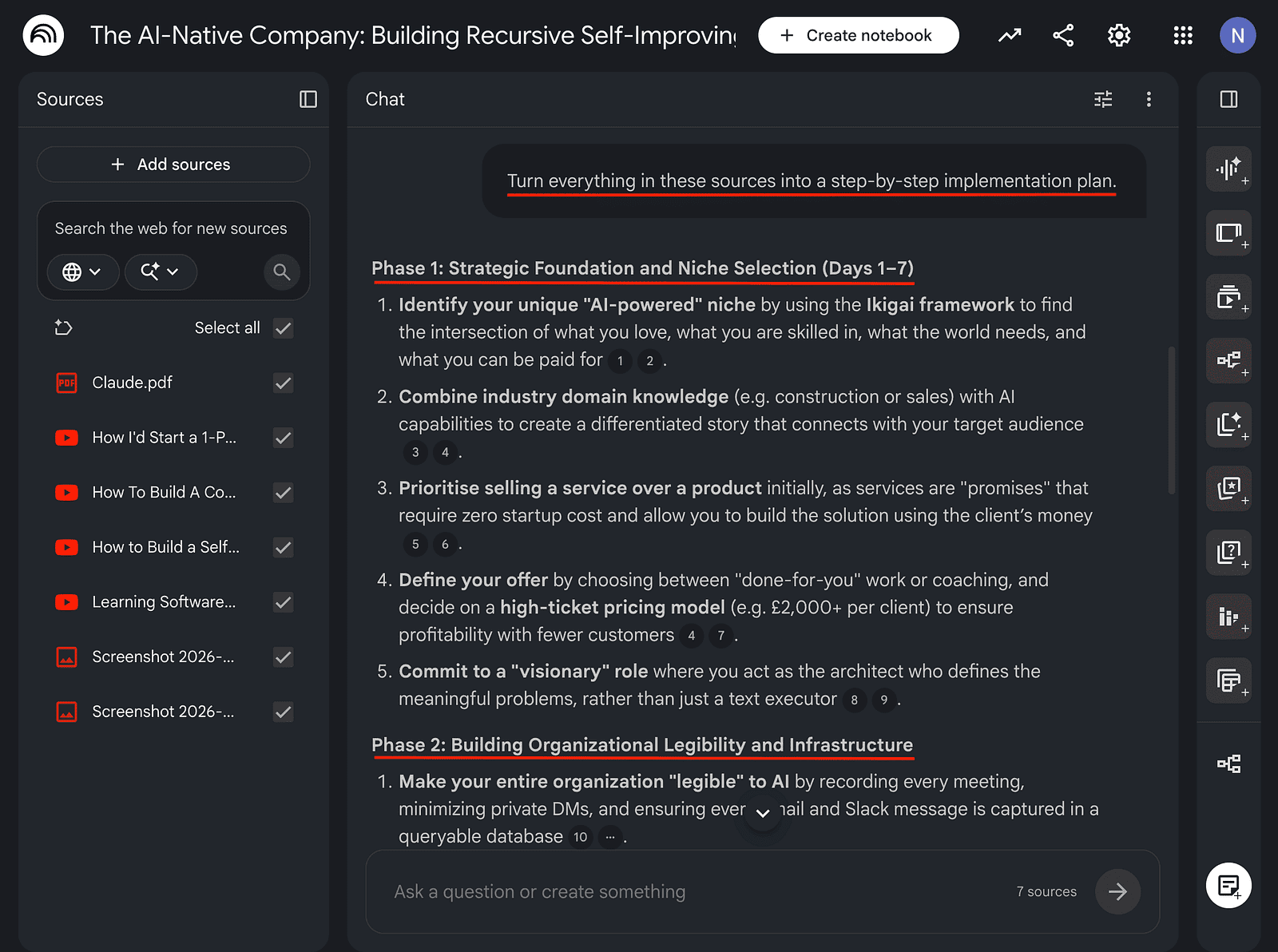
Once the videos are inside NotebookLM, I ask it to create three things.
First, a mind map. This helps me understand the entire topic visually.
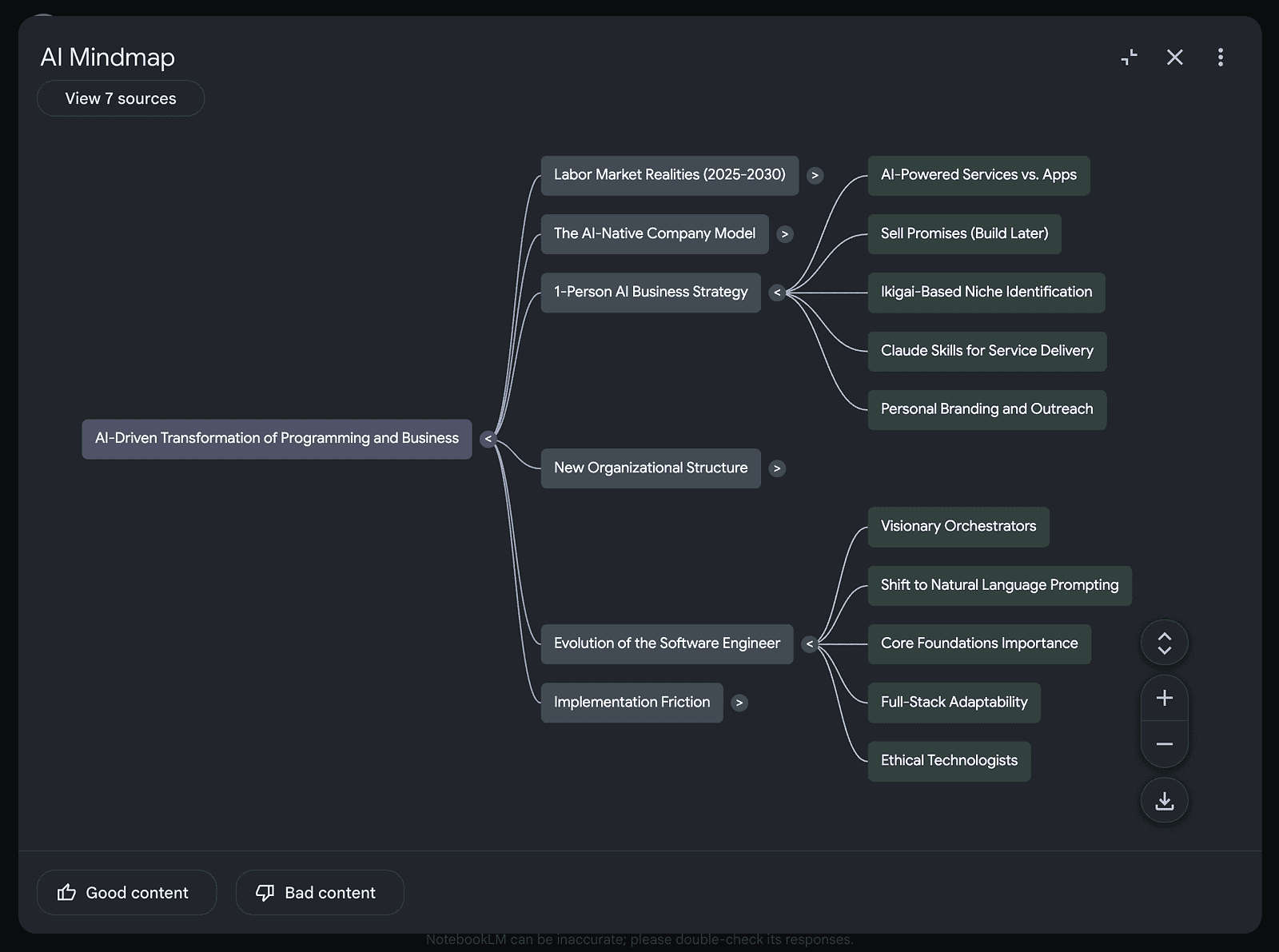
Instead of seeing dozens of disconnected ideas, I can instantly understand how everything connects.
Second, I use audio overviews, quizzes, video overviews, slide decks, and more to retain the information.
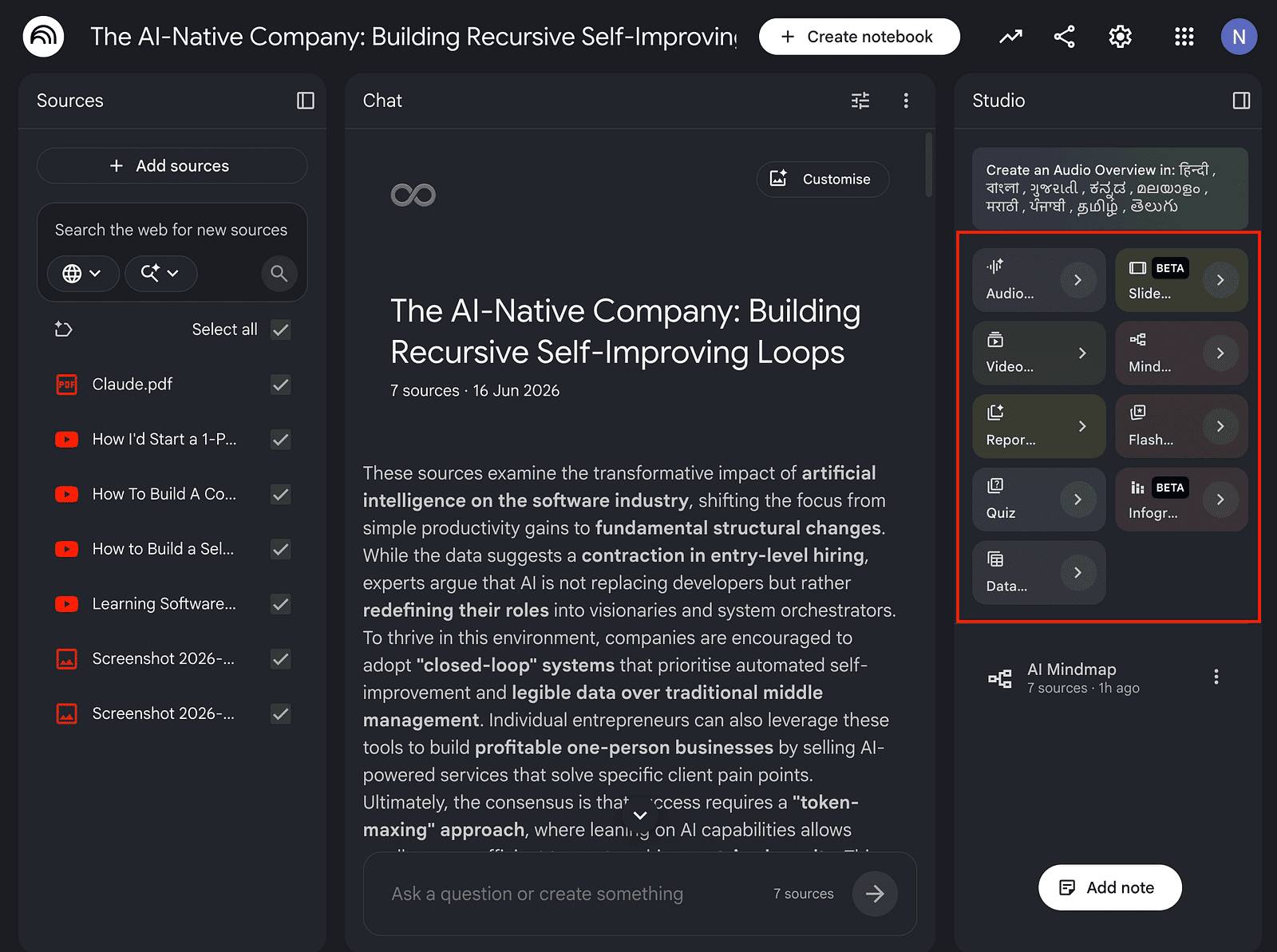
Third, an action plan. For that, I use prompts like:
Turn everything in these sources into a step-by-step implementation plan.
If I wanted results in the next 30 days, what should I do first?
And based on specific questions or information, I generate infographics, audio overviews, explanatory videos, reports, slide decks, and more.
Let me be honest, most people finish a learning session and do nothing with it.
They close NotebookLM, feel productive, and move on.
And a week later? They’ve forgotten 80% of what they consumed.
Here’s what I do instead:
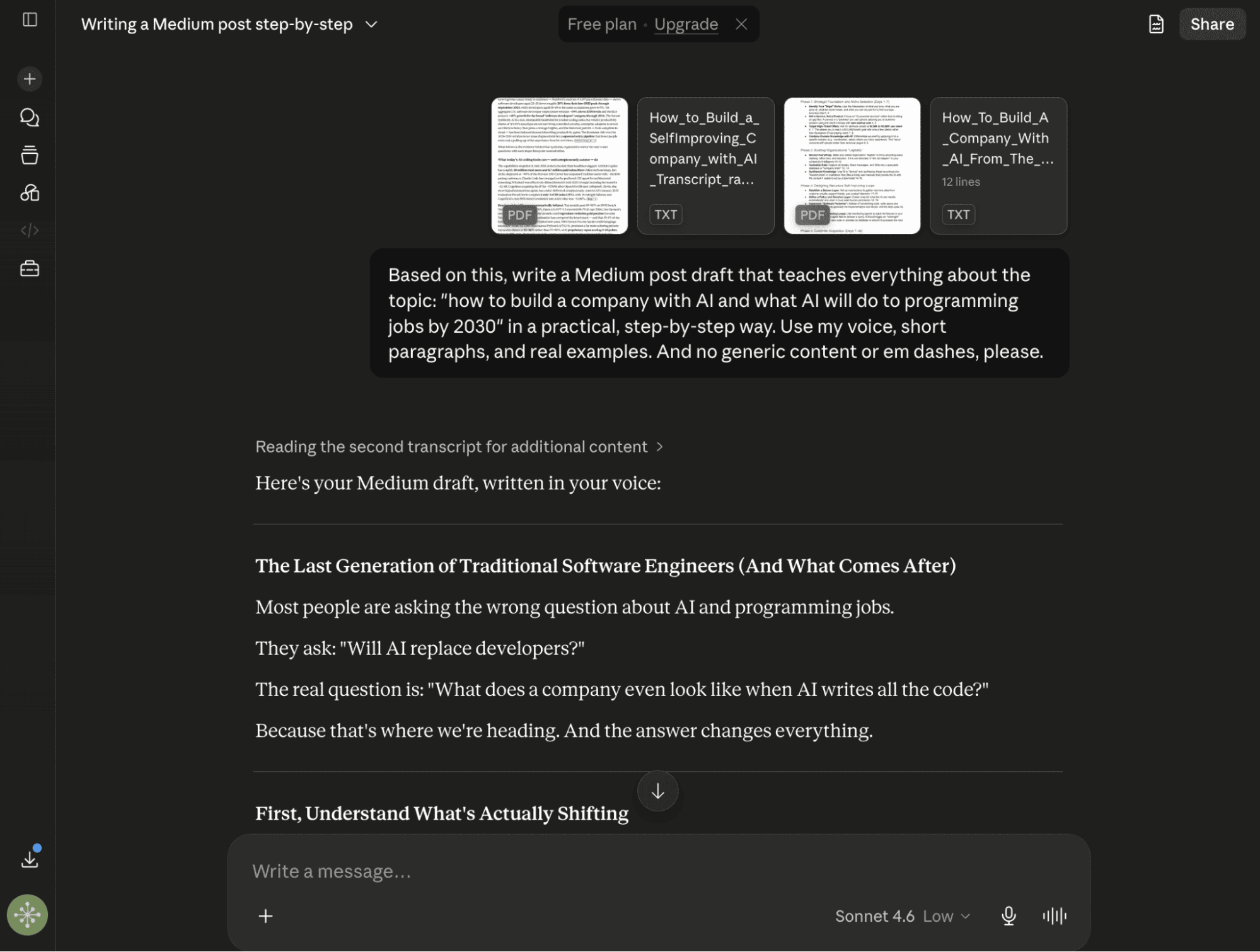
I open a fresh Claude chat, upload the transcripts from the Claras AI tool, the mind map, and the other responses I generated from NotebookLM in Step #3, and use a prompt like:
Based on this, write a Medium post draft that teaches everything about this topic in a practical, step-by-step way. Use my voice, short paragraphs, and real examples. And no generic content or em dashes, please.
In under a minute, I have a rough draft that I can further improve using what I’ve learned through the above process.
You see, the workflow becomes the content, and the learning becomes the output. That’s how one 30-minute session gives me something most people spend hours trying to do separately: learn and create.
And this process actually helps me write better, and the act of turning my learning into notes and content forces me to truly understand what I’ve learned.
And yes, this is the exact workflow I use every time I do deep research on a topic, write faster, or create a digital product.
Hope you like it.
That’s it — thanks.
If this resonated with you, share it with someone who needs to read it or repost it, since most people want to learn practically about AI but won’t access posts like this.
And that’s where you can help someone you care about use AI practically and get ahead.
Also, don’t forget to check out “The AI Leverage System” where I share the exact set of AI workflows I use daily to to learn faster, research smarter, create content, and build products.
Comments
Nothing yet. Say the first thing.
Sign in to join the conversation.