
A big part of using AI well comes down to knowing where to use it and where to not.
This means knowing what AI is good at, and where it’s likely to mess up.
But most importantly, it means knowing where AI will make you sharper and more specific vs. dumber and more generic.
Here’s how I think about it in my own writing workflow.
beat perfectionism
deepen my thinking
refine my output
generate content from scratch
make decisions for me
edit without supervision
Let’s see what that looks like in practice.
The steps in my writing workflow are pretty standard:
generate idea
create first draft
edit to final draft
What surprises most people is how much time I spend on each step:
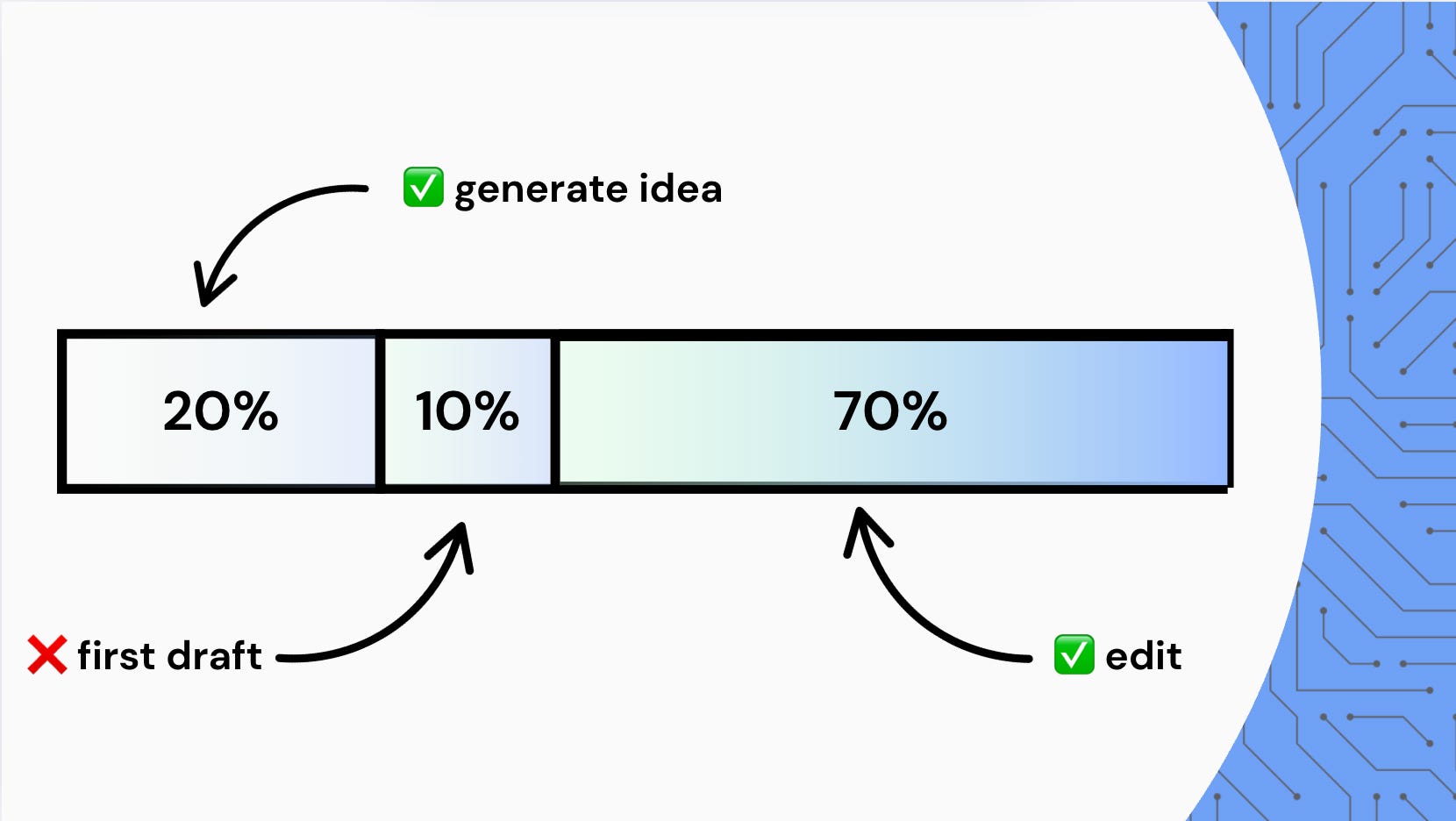
Instead of spending 90% of my time writing, I only spend 10.
The majority of my time, I go back and forth with ChatGPT editing and refining my text.
This has been a huge unlock for how fast I produce content.
Instead of spending 5+ hours to write something as simple as a LinkedIn post, I can get a first draft out in 15 minutes, and spend 1-2 hours with ChatGPT to make it good.
Here’s a walkthrough of my workflow with sample prompts, if you’re curious to try it yourself.
First, I use ChatGPT to beat the blank page.
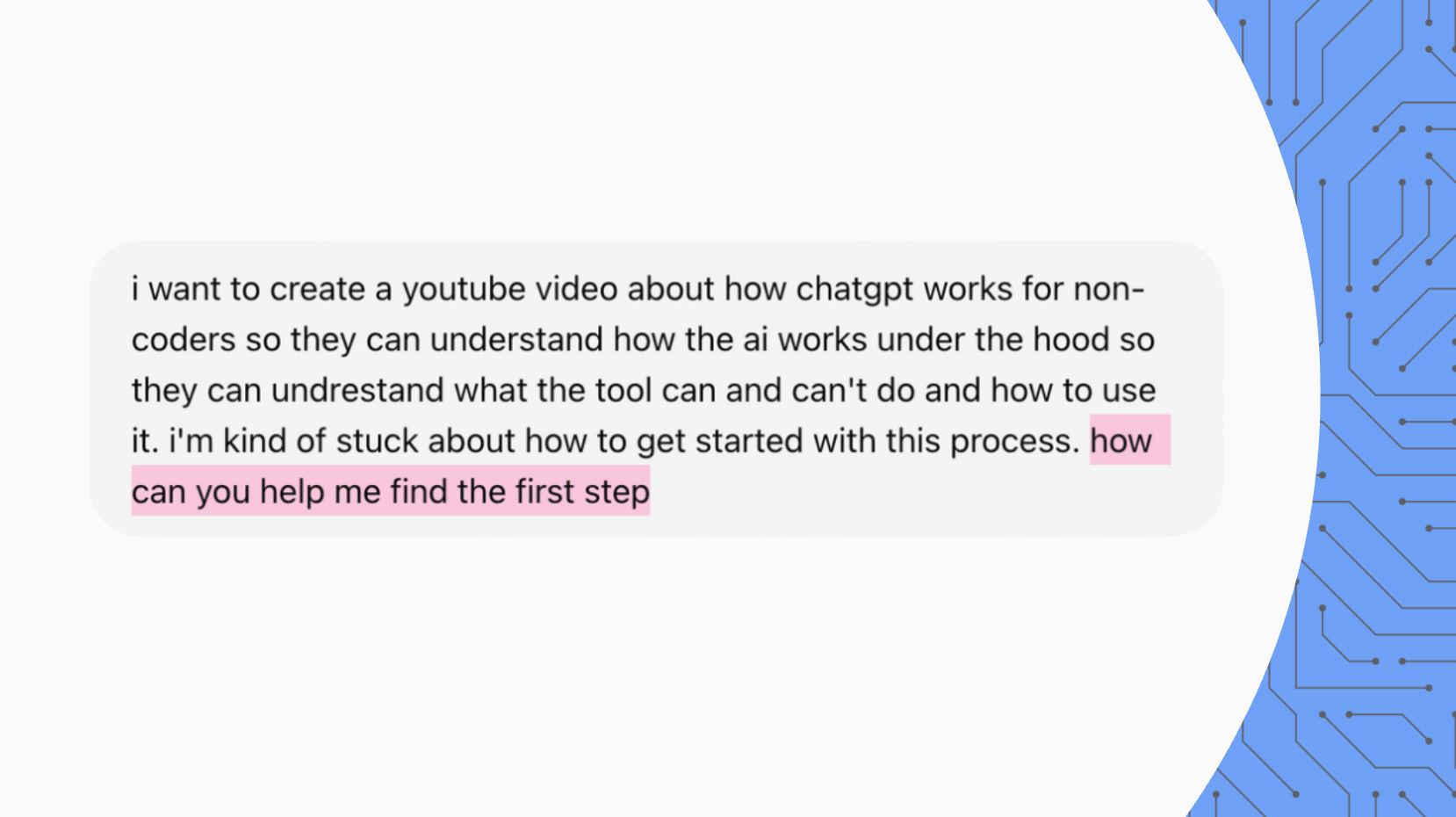
Notice how I:
Brain dump my own unfiltered ideas in the prompt instead of saying, “Come up with ideas for a YouTube video”
Ask it how it can help me find the first step instead of asking, “What should I do?”
This gets ChatGPT to bring out my own ideas, rather than just give me ideas — which really helps with preserving my voice and perspective.
Once I have a general direction I want to go in, I use ChatGPT to solidify my idea.
This includes:
Figuring out what I need to learn to write the piece (i.e. any specific knowledge or research)
Brainstorming different ideas and directions I want to take (i.e. what should I include vs. leave out)
Refining my arguments based on my thesis (i.e. are the points I’m making proving what I want to prove)
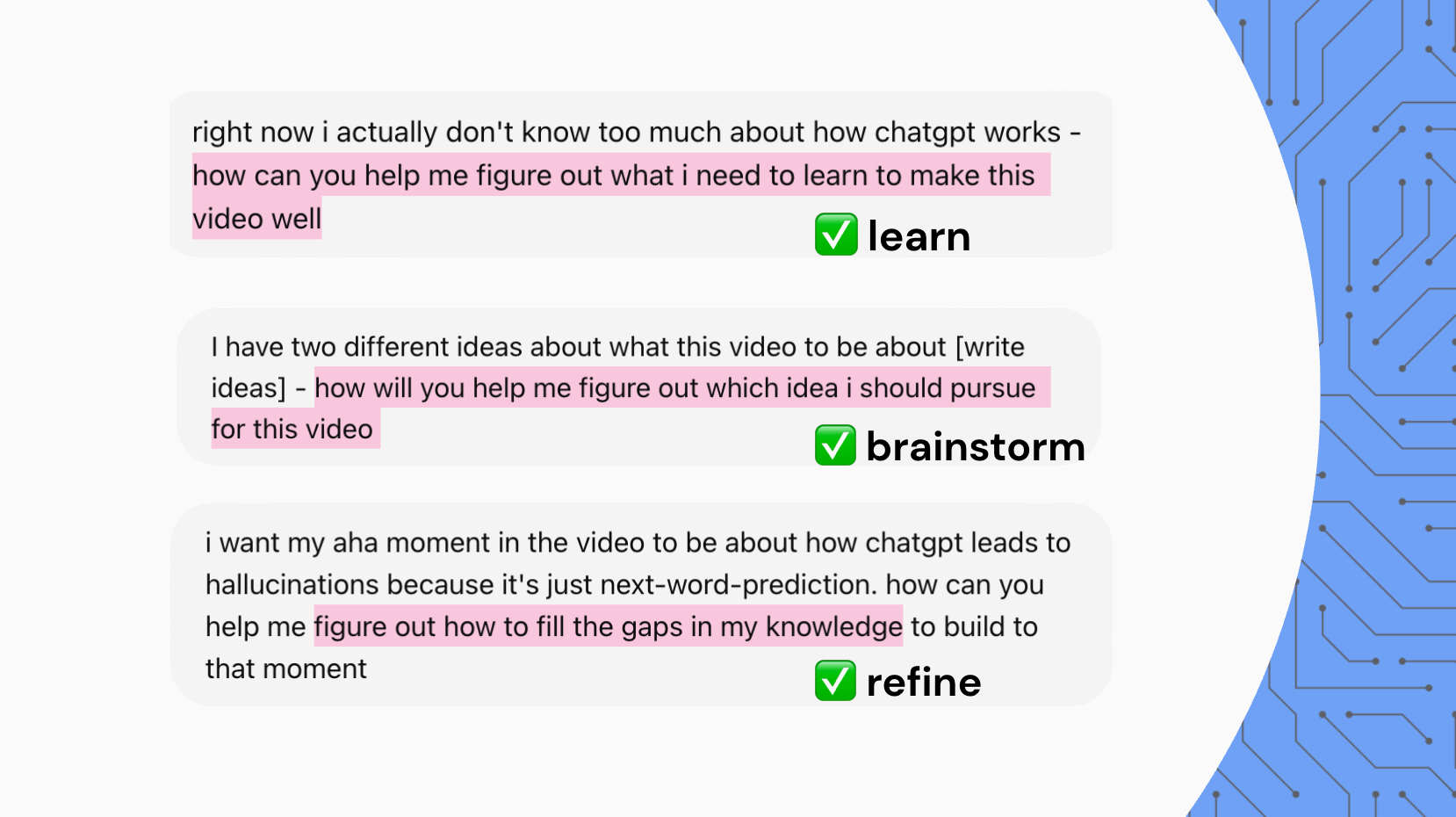
Notice how I always frame prompts as “help me figure out how to do X”.
This gets ChatGPT to tell me how to find the answer instead of just giving me the answer, which lets me deepen my thinking rather than outsource it.
By the end of this step, I have a workable outline in my head of what I want to say, and what arguments I want to make to get there.
This is where I take the workable outline in my head and dump it into my Notes App.
❌ I DO NOT USE AI FOR THIS STEP.
I’ve noticed it’s a lot easier to take something rough that sounds like you and use ChatGPT to polish it, than to take something polished that sounds like ChatGPT and make it sound like you.
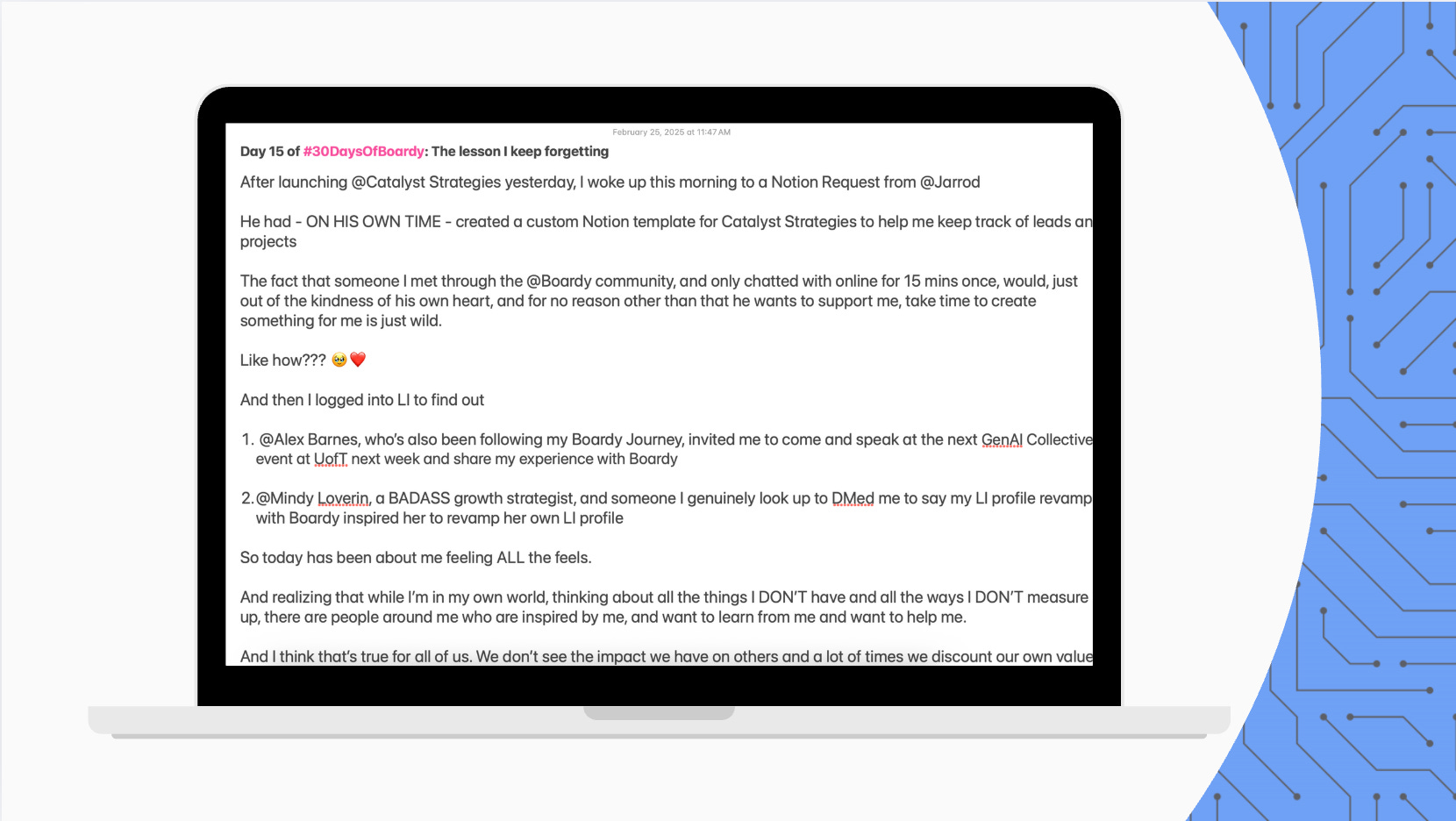
Notice how I:
Actually write it out → no bullet points or outlines
Don’t worry about polish, grammar, or “good writing” yet
The goal at this step is to get my voice and the flow of ideas down.
So I write like I talk, and I make sure to explain every idea in detail to bring out any hidden inconsistencies or gaps.
💡 It can be useful, at this step, to record yourself talking through your piece as if you’re explaining it to someone, and use the transcript of that recording as your first draft.
I start an editing session with ChatGPT by pasting in my first draft and giving it this prompt.
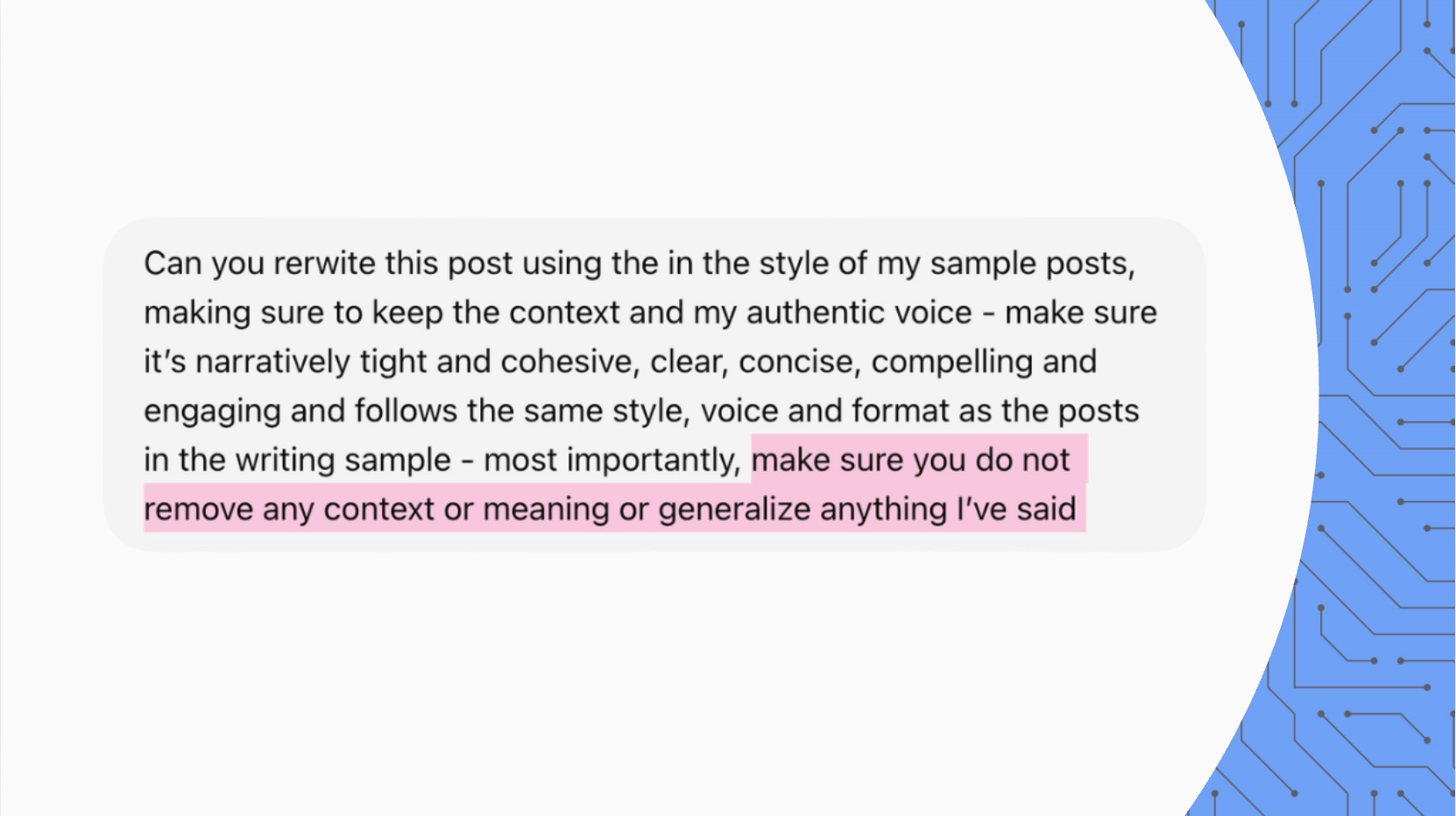
Notice how I specifically ask it to not generalize or remove any meaning or context.
ChatGPT is notorious for glossing over meaning and writing things that “sounds nice” but don’t actually say anything.
This is why you can’t let it edit without supervision.
Especially when you’re writing something that’s educational or persuasive, it can merge sentences or switch words around in a way that breaks your argument.
Telling it not to generalize helps you keep your structure and content intact.
💡 To make sure ChatGPT’s edits sound like YOU, you can use ChatGPT Projects:
Create a new Project and drag all your past writing chats into it.
Upload a PDF into its “Project files” with some of your writing samples
Once I have a draft with ChatGPT that I generally like, I start going through it line by line to make sure it carries the nuances of my voice and perspective.
In his book A Swim in the Pond in the Rain, creative writing professor George Saunders says that editing is like reading with a barometer.
You read slowly (out loud) and edit the parts that “break” your flow.
When you can get through the whole piece without any “breaks”, you have your final draft.
This is what I do with ChatGPT.
I paste in each part that feels “off”, plus a brain dump of what I think the problem might be.
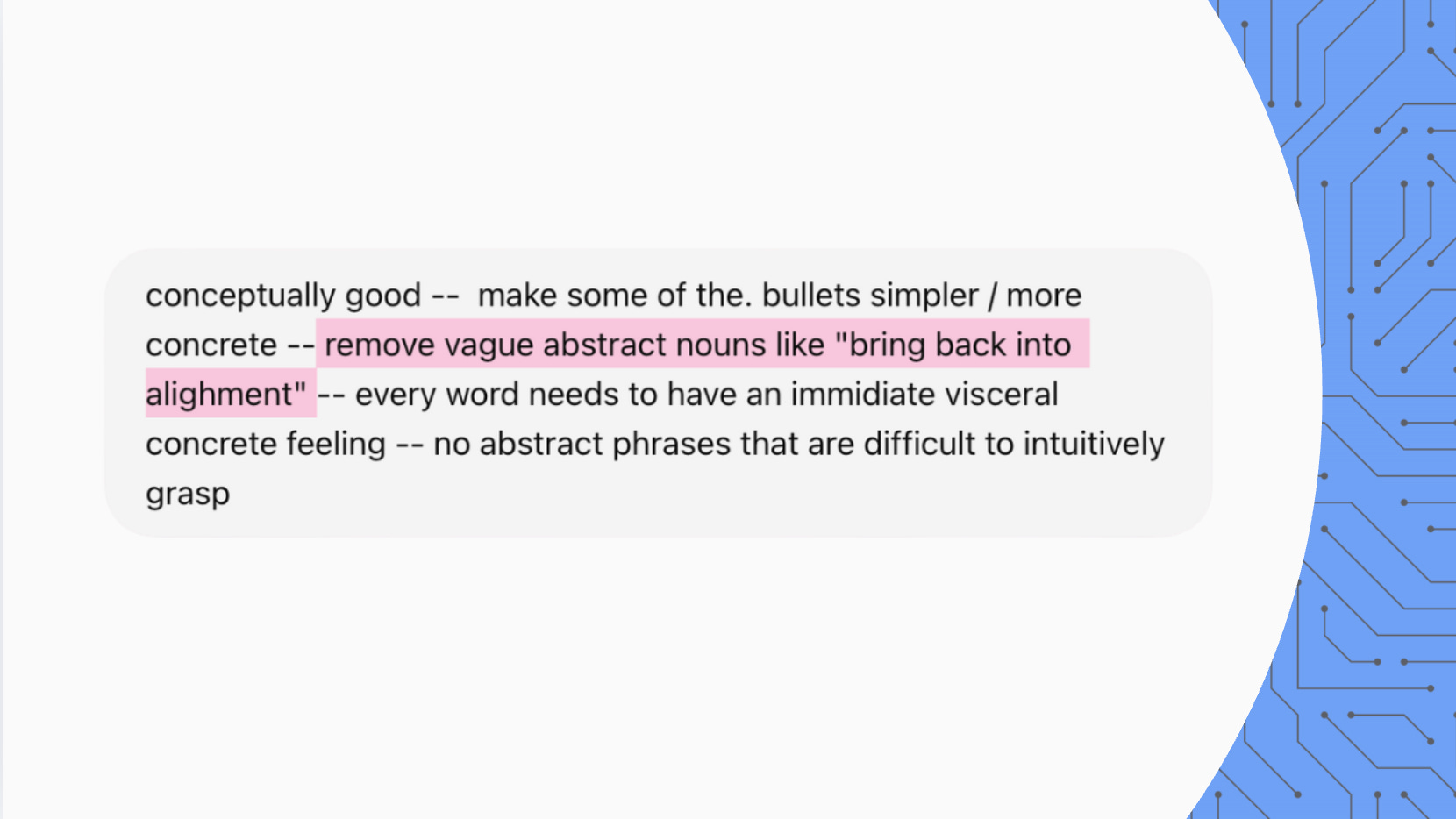
I’ve even used prompts like, “Something feels off about this passage but I don’t know what. Ask me questions to help me figure it out.”
This gives me a thread to follow so that I never get lost or stuck during the editing process.
Following this workflow helps me write better and faster than I would on my own, while still sounding like ME.
And the principles here apply not just to writing, but to all creative tasks.
I’ve broken down these principles into 3 mental models you can use anytime you want to create authentically with AI.
I cover these mental models in Part 2 of this guide.
This guide is part of a talk I gave called How to write with AI without losing your soul for The AI Collective.
Subscribe below for more guides like this.
If you’d like to bring this talk to your event, team, or community, shoot me a message on LinkedIn.
Comments
Nothing yet. Say the first thing.
Sign in to join the conversation.