
✌️ Hey, I’m Caitlin. I help product, design, and insights folks do better customer research with AI—without the hype. Dive deeper: AI Analysis Course | Claude Code for Customer Insights | Free Lightning Lessons
Thanks for reading AI Customer Research! Subscribe for free to receive new posts and support my work.
We’ve moved!
In April 2024, I ran a demand test to see who wanted a newsletter like this. The first subscribers paid for this to exist.
That starting point determined the platform I chose and how I set things up. But now that it’s free, I have other ideas. So we’re starting 2026 on Substack. ✌️
This year is kicking off strong: ChatGPT is adding ads, and Claude is integrating everything. Anyone who hasn’t played around with MCP integrations yet likely will now that they’re accessible in Claude’s desktop app—zero technical understanding required.
I ran a quick test chaining Notion and Figma together in one conversation. Two simple prompts, two tools called, one workflow turning feedback sources into a map of which data is worth comparing.
Also, the difference between prompts, skills, and agents — so anyone still using Claude the hard (spontaneous prompting) way can switch to easier modes.
In this edition:
🖥️ Claude Code Skills: Reusable workflows, easily updated.
📰 News: Big updates in Claude and ChatGPT.
📂 On My Desk: How to write specs that actually work for AI agents.
Let’s dive in —
WORKFLOW UPGRADES
🖥️ Claude Code Skills
Reusable workflows, easily updated
Most people using Claude are still typing the same instructions over and over. “Follow our brand guidelines.” “Create an interview guide using this {basic} interview analysis framework.”
There are a few ways to make everything you do a repeatable system - Skills are one of them. But first, let’s clear up any confusion about where Skills sit among other Claude Code options.
The actual difference between prompts, skills, and agents:
Prompts are one-off instructions. Good for single requests.
Skills are reusable packages Claude loads when relevant. Not a single prompt—a whole folder of useful pieces.
Agents (or subagents) are independent workers you delegate tasks to. They can use Skills.
What’s is a Skill made of?
A Skill is a folder containing multiple files that work together:
A Markdown file with instructions (the “how to do this” part)
Scripts that execute specific steps (Python, shell, whatever)
Resource files / assets (templates, examples, validation rules)
This is different from saving a prompt. A prompt tells Claude what you want. A Skill gives Claude the instructions, the tools, AND the resources to actually do it consistently.
One of Anthropic’s early Skills published was for creating Slack-optimized GIFs. It included not just instructions, but a validation function that checked whether the output actually meets Slack’s size constraints. The Skill packages the knowledge AND the quality check.
That’s one of the simplest ways to start using Skills for customer research: package knowledge, frameworks, and quality checks all in one.
How they load (the smart part)
When you start a session, Claude scans available Skills—consuming minimal tokens per skill to read the metadata. Claude only loads the full instructions and files when a skill becomes relevant.
This is the opposite of dumping everything into a system prompt and hoping for the best. Plus if you’ve used Claude Projects, everything you store in your Project’s knowledge base files gets loaded every time—wasting tokens if every file isn’t always needed.
When to actually use them
You want a Skill when you catch yourself typing the same instructions across multiple steps and conversations. Three signs you need one:
You’ve been copy-pasting prompts between sessions
You have a workflow with specific steps Claude keeps getting wrong
You want consistent outputs for a repeated task (PDF exports, data analysis, brand compliance)
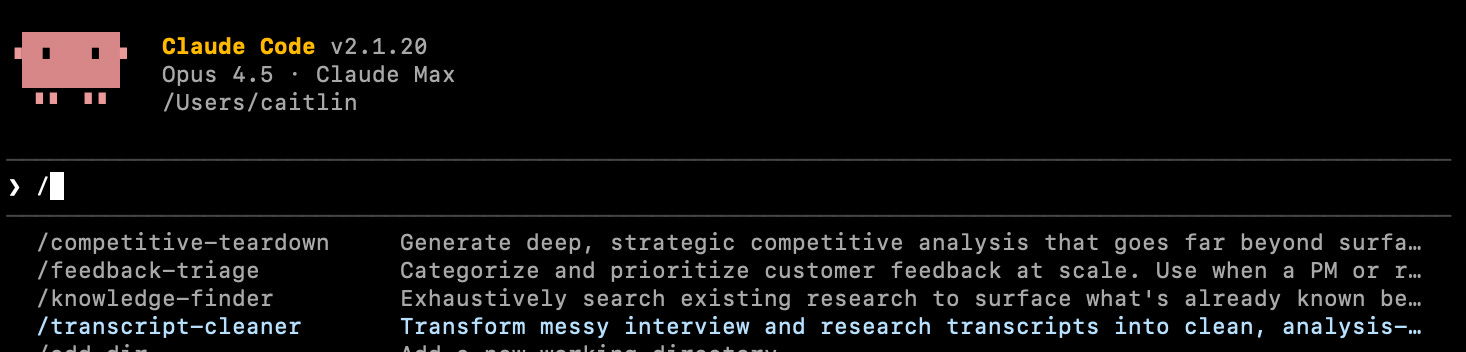
Here’s what they end up looking like in my terminal when I turn Skills into slash commands. I type “ / “ and the name, then the workflow runs the same way every time.
Where to start
I’ve been building a Skills library for PMs, designers, and researchers who want Claude Code to systematize workflows exactly the way you want them done.
Inside: skills for interview transcript analysis, competitive research workflows, and document transformation. A few from me, a few borrowed from others like Notion and Atlassian. Each one is a folder you download and drop in—instructions, scripts, and resources ready to go. I’ll be adding to this starter set.
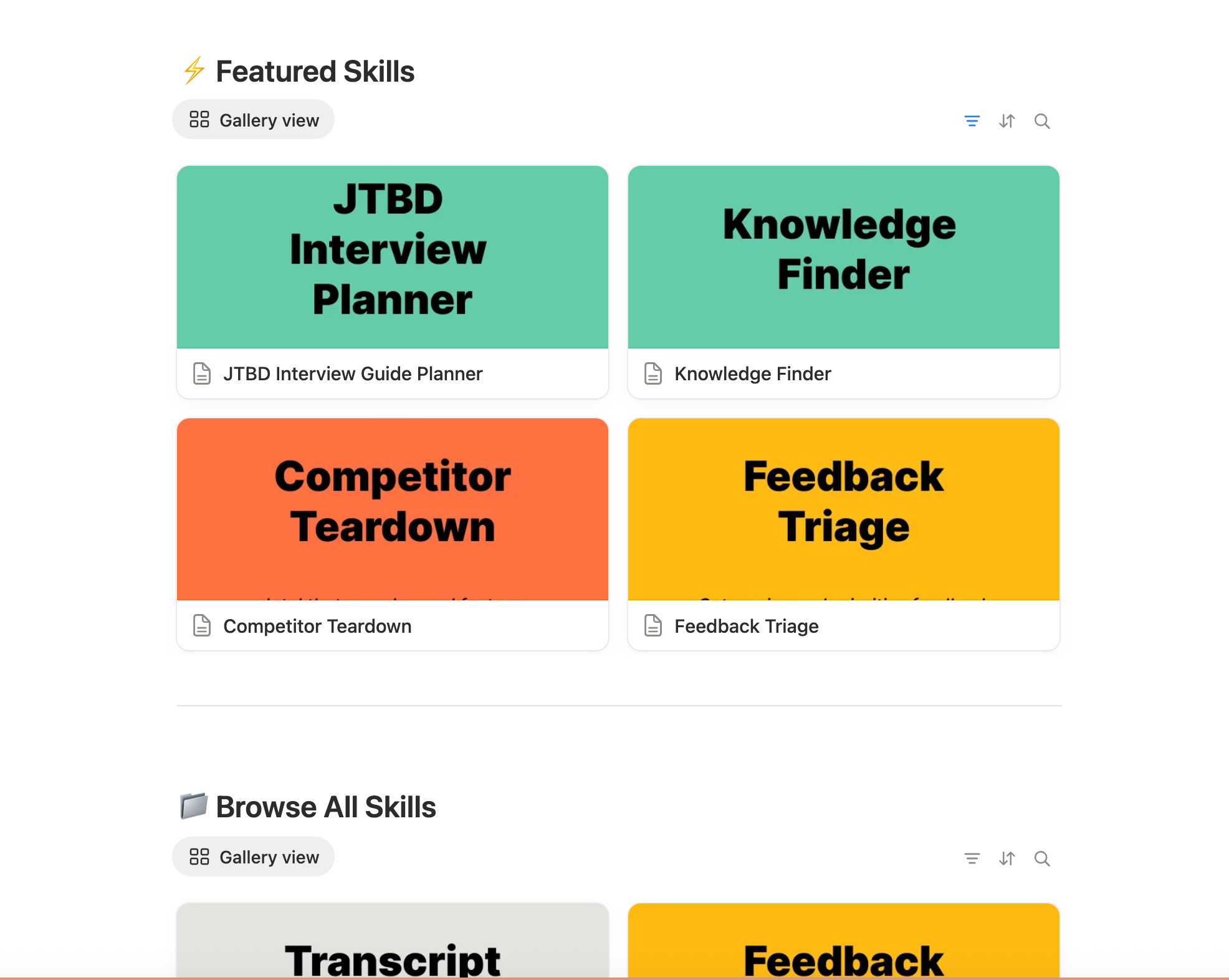
I’ve heard from non-technical friends that many haven’t gotten past the “typing instructions manually” phase. They didn’t have time to figure out how to set up anything consistent. Skills are how you cross that gap—by packaging what you already know into something Claude can reuse.
If you have Skills you’d love to share publicly in adatabase (rather than GitHub), let me know. I’d love to crowdsource this.
The best part: Skill packages can be easily kept updated.
I’ve gotten sick of keep my library of prompts updated. Doing this in the terminal with Claude is easy. Say you’ve used a Skill, but something changed - you want an extra step in the instructions, another layer of verification, or for Claude to check one more source before calling the workflow done.
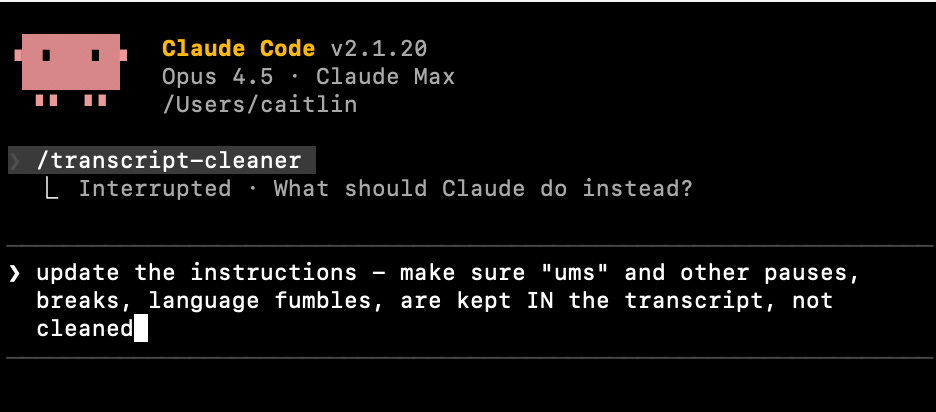
You’ll say, “update the Skill with those new instructions” or explain whatever needs to be improved. It will ask you for permission before editing files, and you’re done.
〰️
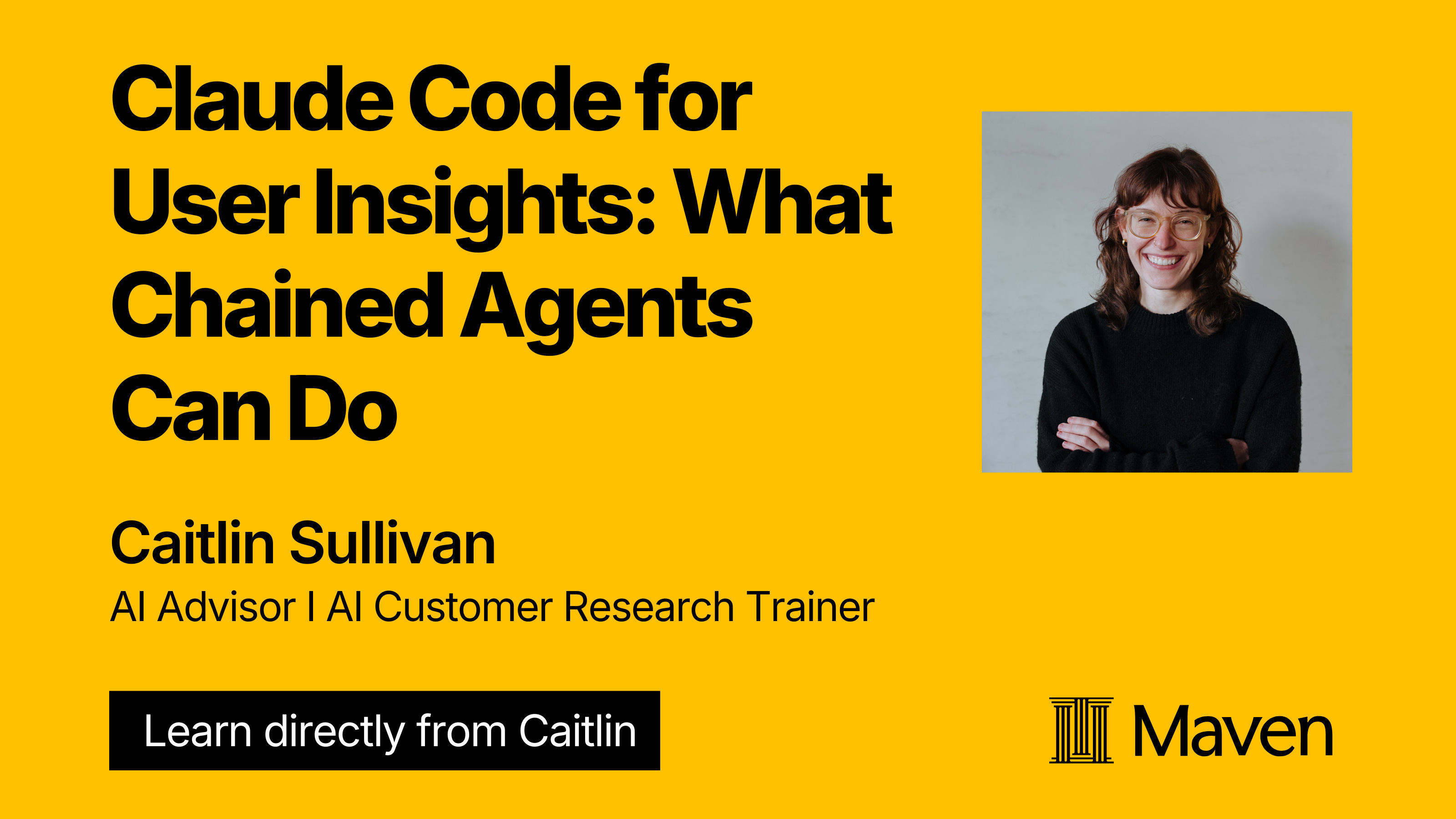
I have a live session on the agents part of this coming up
If you want to see what agents in Claude Code can do — running customer research steps in parallel and cutting time dramatically — this session next week is free ↓
〰️
NEWS
📢 ChatGPT is launching ads.
In a few weeks, US users on the free tier and the $8/mo plan will see ads at the bottom of ChatGPT’s answers. OpenAI says the ads won’t affect the actual responses, and no conversation or personal data gets shared with advertisers. (I’m skeptical, but let’s see what happens).
For context: OpenAI hit $20B in revenue for 2025—more than 3x their 2024 numbers. Sounds huge. But Meta made $180B+ from ads last year. Google made $295B. OpenAI is still tiny.
Why this matters: If you’re running customer research through ChatGPT, nothing changes yet—ads don’t touch your data or outputs. But it’s a signal. Free tiers will get noisier. If you’re handling customer data—your employer’s or your own for side projects—this is a new moment to ask yourself whether free tools are the right home for that work.
🔁 Claude's MCP apps: live in the desktop app
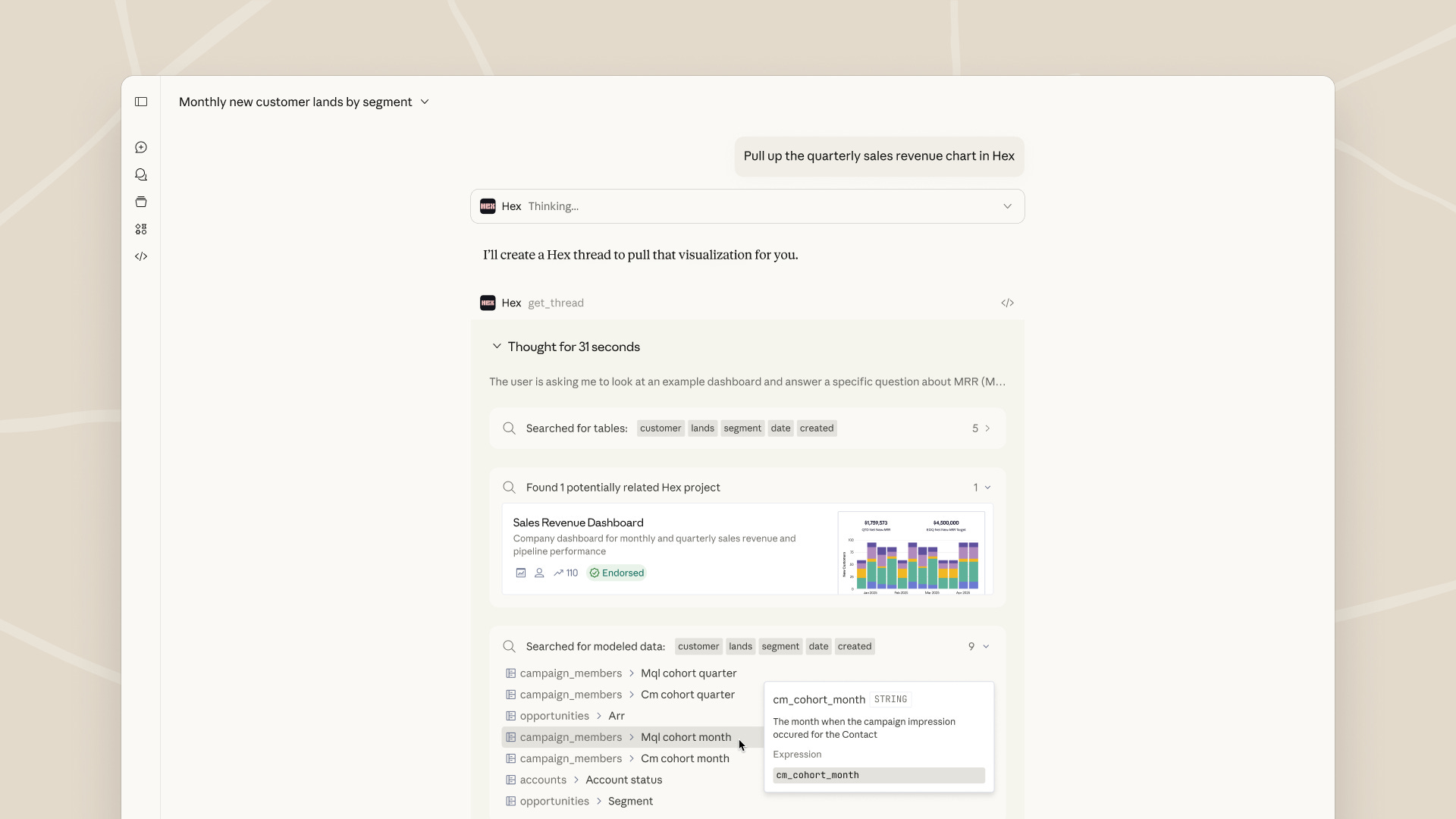
Anthropic just made Claude’s MCP integrations a lot easier and more useful. Instead of just connecting tools, you can now interact with them directly inside Claude’s desktop app—no tab-switching or terminal MCP/API setup required.
What’s connected now: Amplitude, Asana, Box, Canva, Clay, Clickup, Figma, Fireflies, Hex, Notion, Slack, Vercel, Wordpress, and more. (Full list in Claude’s directory.)
Why it matters: You can chain tools together in a single conversation. Ask Claude to pull information from one app, then send it to another—all without leaving the chat.
—
A quick test I ran:
I prompted Notion to pull every piece of customer feedback I have on my AI courses and client training across my workspace. Then I asked Figma to map those sources visually—showing which are related, which are comparable, and why.
One chat. Two tools. No terminal. 🙃
Watch the 2-min experience.
This isn’t a workflow yet—just me poking at what’s possible. When I was a designer, it took me ages to get from finding the right feedback to analyzing it, mapping it, and showing my team what we have visually. I’m seeing the potential to get from “what do we know?” to understanding what we need to dig deeper into—faster.
〰️
On My Desk
📂 How to write specs that make better AI agents
Addy Osmani published a guide on writing specs for AI agents worth bookmarking. The core insight: vague prompts still don’t work, and piling on more instructions degrades performance. He gets into the details of a workflow to fix that.
What works instead:
Start high-level, let the AI elaborate the details
Break tasks into modular prompts instead of one massive instruction dump
Build in self-checks with three tiers: always do, ask first, never do
Treat specs as living documents—update as you learn what breaks
If you’re setting up agentic workflows, this is a solid guide on writing instructions that make them reliable.
—
And Q1 is rolling. See you next time.
-Caitlin
Thanks for reading AI Customer Research! Subscribe for free to receive new posts and support my work.
Comments
Nothing yet. Say the first thing.
Sign in to join the conversation.