
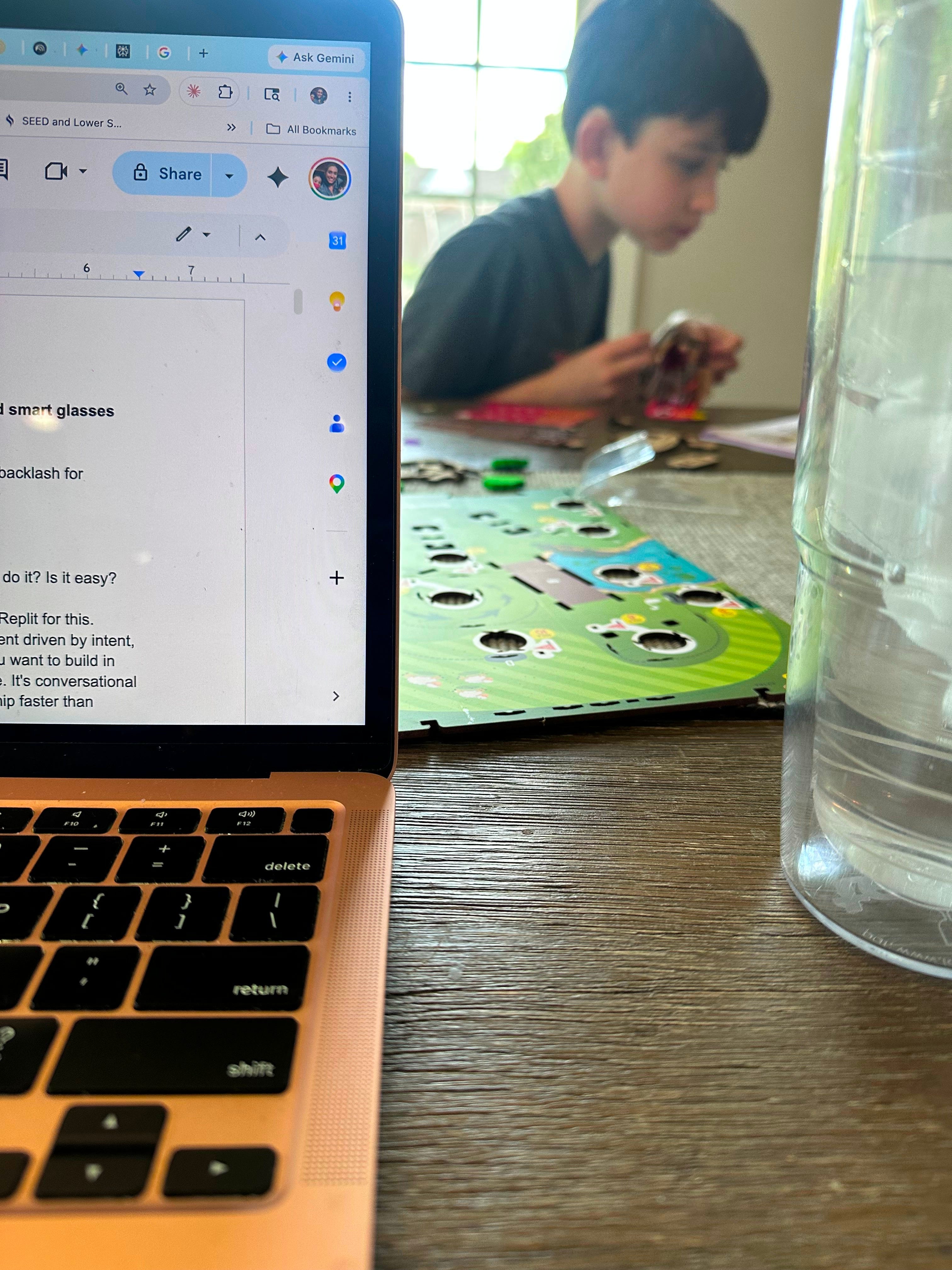
As I write this, my 11-year-old son is at our kitchen table building a cool tabletop golf game out of plywood, rubber bands, and pure determination. He’s been at it for hours — focused, tinkering, deeply in it.
And, watching him feels strangely emotional right now.
Maybe it’s because so much of the AI conversation this week has centered on backlash, anxiety, and what we may be losing as artificial intelligence removes more friction from how we work and create. Maybe it’s because even Pope Leo XIV is now warning us all about the slow erosion of the kind of human formation that happens when people struggle through problems, develop judgment, and learn by doing.
But, before I go full encyclical on you, let’s start with the fun stuff.
Disclaimer: This week’s post is a bit of a mishmash of experiments and news.
I want to start with the thing I’m most genuinely excited about, which is also the thing that sounds the most like tech-bro nonsense: vibe coding.
Vibe coding, in the simplest possible terms, is building software using conversational terms instead of actual java/html/python computer code. You have a conversation with an AI tool about what you want using plain language, you then iterate through feedback, and end up with a working app.
I’ve never written a single line of code in my life, so I can’t tell you what this feels like compared to traditional development. But I can tell you that as a non-developer doing it, it’s kind of insane (like magic🪄)
Goal: Inspired by this “Mostly Human” podcast interview with tech investor Andrew Yeung where he coached host Laurie Segall through her first vibe coding session, I wanted to vibe code an app that will help with a particularly chaotic area of my life—my email inbox.
Tools: Lovable, Replit (for comparison)
The Experiment: Here was my original prompt:
“I am completely overwhelmed by my email inbox much of the time. I want something that can help me sort through what matters and also help me stay focused and on track to do the things I need to do each day. A schedule and routine that doesn’t get hijacked by my inbox.”
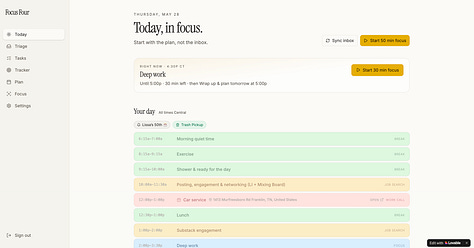
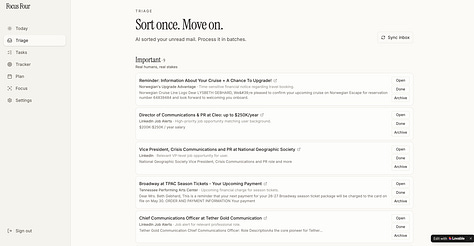
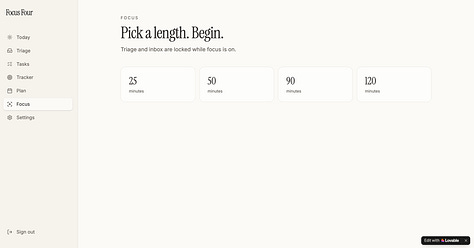
The Results: After several rounds of back-and-forth and testing, I created (or “shipped,” as they say) an online dashboard divided into four main sections:
Today- provides a an overview of the day’s schedule, priorities, and emails that actually matter
Triage- tackles my inbox and filters per level of importance
Tasks- pulls important actions that are needed based on emails and those that I manually enter
Tracker- creates a checklist of daily/monthly/quarterly habits tied to my goals for the year
I then connected it to my Google calendar and Gmail so it pulls in my actual appointments and data.
Lovable offers various color palettes to choose from for your work, and I landed on a bright multi-color scheme: green for “breaks,” blue for “focus,” purple for “inbox triage”), as well as a way to design and color-code your favicon (a yellow bullseye).
You’re able to then use the name they offer (Lovable suggested “Inbox Sanctuary”), but that felt too zen for me, so I went with “Focus Four.”
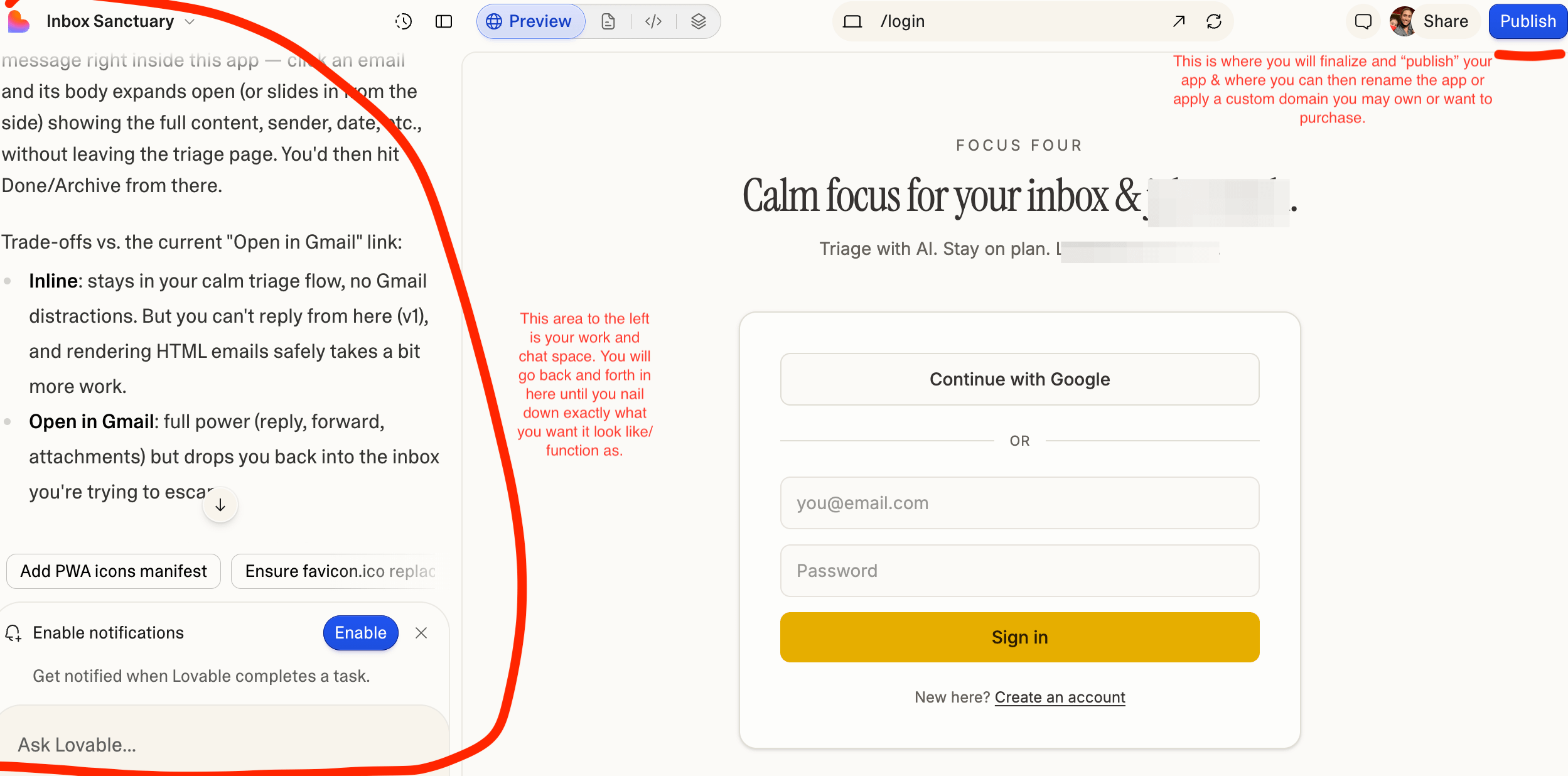
And, voilà, here it is: focusfour.lovable.app (which is public, hosted on Lovable’s site, and available to connect/tailor to your own needs), a hub for my everyday, in order to feel a little more focused and a little less stuck-in-my-overflowing-inbox-and-frozen in motion.
The whole build (meaning, all the iterations where I wanted this button added or that capability included or that thing isn’t working type of work) took maybe 3 hours spread across a few days (not consecutive).
Lovable vs. Replit: The Quick Verdict
I also tried Replit. Oddly, my favorite thing about working with Replit was silly but true. It makes these very satisfying whoosh/jingle sound after each iteration 🎶. But, beyond the audio experience, Replit was harder to talk to, harder to interpret, and just harder overall. So, I asked Gemini to summarize the difference and the description is accurate to my personal experience:
Lovable: Best for SaaS prototypes, client dashboards, directory sites, or consumer apps where you want a polished, premium look with minimal design tweaking.
Replit: Best when the backend logic is the whole point — heavy Python automation, custom server-side processing, or if you want to actually get your hands in the source code.
For me (and those like me), I’d say Lovable is your best starting point.
Pricing, for the record
Lovable offers free and paid plans across individual, business, and enterprise tiers. I’m on the Pro 1 monthly at $25/month, which gives you 150 credits and a private workspace. Credits fund your builds, in other words, the more complex your build, the more credits you use. The free tier is a solid way to test before committing.
Similar to this post, I’ll frequently share a handful of the top AI-related news stories that are dominating the chatter and what they mean for comms teams.
You may have already noticed the “AI Overview” that surfaces at the top of your Google search results. Ask it how to paint a wall and it will surface a step by step process with a few embedded links that you don’t need to click. This is not a coincidence, it’s a strategy.
At Google I/O last week, Google officially announced it’s transforming Search from a directory of links into an AI assistant, and publishers are terrified. The term circulating right now is “Google Zero” or the “looming death of search traffic.” It is a future where Google sends them zero traffic because users get the answer without ever clicking through.
Honestly, it feels unfair. Publishers create the content. AI learns from it. Users consume the summary. The website gets nothing for it.💸
From a communications standpoint, this is genuinely worth a hard look because:
What does SEO even mean when the goal is to be quoted by AI rather than clicked on by humans (and yes, SEO vs. GEO is a future topic I plan to cover)
If your client’s website is built for link clicks, is it still built for the right thing (the answer is no, and thus begins the work of rethinking everything 🫠)?
Are the first two sentences of your “About” page doing enough work to stand alone as an answer (likely not and certainly not for the audible AI glasses, more on that👇🏻)
For more information on this, I recommend listening to The New York Times “Hard Fork” podcast interview with Google CEO Sundar Pichai. It’s an thoughtful (albeit biased) interview on this topic and on the broader AI disruption discussion.
I did not expect to be writing about a papal encyclical this week. And yet …
Pope Leo XIV just released his first encyclical, “Magnifica humanitas: On Safeguarding the Human Person in the Time of Artificial Intelligence,” marking the 135th anniversary of Rerum novarum, the Church’s foundational document on labor and social justice.
A few things he’s worried about that hit close to home:
Automation is compressing not just jobs, but the human formation process that creates expertise in the first place. When the foundational work disappears before younger generations can learn through doing it, what exactly are we passing on? (Yep, I feel you … I wrote about this recently.)
Work is not only economic, it’s tied to identity, meaning, and contribution. AI systems that maximize productivity while hollowing out human participation create new forms of alienation.
AI is shaping public opinion invisibly through feeds and recommendation systems, and this is worrisome, communications professionals know all too well.
He continues that we’re beginning to confuse:
intelligence with wisdom
information with truth
automation with progress
convenience with flourishing
His central question isn’t “Can we build this?”, it’s “What kind of people are we becoming while we build it?”
Whether you’re religious or not, it’s a serious and culturally relevant conversation to consider and one that has largely been dominated by investors and developers thus far. Which is also a problem 🤔.
One student described a speaker’s remarks as “a knife to the chest.”
A Cornell professor who studies technology adoption put it plainly: “These tech executives are not reading the room. These kids have spent hundreds of thousands of dollars on a degree that they don’t know will serve them well.”
The context that makes this sharper is that in 2025, the share of unemployed Americans who are new workforce entrants hit a 37-year high, peaking at 13.3% in July. That’s higher than at any point during the Great Recession. These aren’t just abstract fears.
What’s especially frustrating for these students is that most universities still have strict no-AI policies. So, they’ve spent four years being trained to not use the tools employers are now actively looking and expecting them to know how to adeptly use.
From a communications standpoint, if you’re advising a company or executive on AI messaging and you’re not pressure-testing it against the intended audience, you’re missing something real.
Google just announced intelligent eyewear at I/O, shipping this fall. These are Gemini-powered eye glasses that speak one answer aloud when you ask a question. Not a list of links, no visuals, no bullet points, no sidebar, and no second screen. Just the AI reading one line out loud.
Let’s think about what this means for brand communications. The cues that corporate copy usually depends on — hierarchy, formatting, visual emphasis — won’t survive voice. If your client’s positioning statement is full of jargon, hedged language, and abstraction, it’s going to fail in the exact moment an AI chooses it as the answer to someone’s question.
What will perform in this environment is plain English, specificity, and a first sentence that can be quoted aloud and still make sense without visuals.
So, between now and October when these ship, it’s worth auditing the first two sentences of every About page, executive bio, and key product description your company and work includes. Read them out loud. If they don’t hold up without the rest of the page behind them, they need work.
There’s an odd but very apparent through-line this week that I didn’t fully see until I started writing this: all of it — the vibe coding, the Google Zero panic, the pope, the booing students, the voice glasses — is really about the same thing.
What do humans do now? What is ours to keep?
I don’t think the answer is to refuse the tools. I built a whole app this week using AI that’s genuinely useful. But, I also think we need to be honest about what we might lose along the way.
It’s a lot to think about for sure.
What's your rubber-band golf game building set— the thing you hope AI never touches? Share below and let’s discuss!
You Beta Believe It is a newsletter for communications professionals about learning AI in public, in real time. If this one made you think or you enjoyed it, please share it!
Comments
Nothing yet. Say the first thing.
Sign in to join the conversation.