
Reminder: I’m offering a limited-time 50% discount on the annual plan:
Once you claim it, the discount will be applied forever.
Now, with only $5/month, you will have access to:
200+ deep-dive data engineering articles
practice-spark: 65 LeetCode-style problems to practice Spark SQL/DataFrame
learn-spark/dbt/airflow: CLI tools to master Spark/dbt/Airflow
If you’re a Vietnamese user, please DM me for an upgrade due to payment issues
In the previous article, I shared my experience of self-learning stream processing from zero. While writing it, I realized that theory alone won’t make it click. That’s why I designed a project to better understand what a stream processing project looks like.
This article acts as a guideline to walk you through the project. There will be 4 scenarios, each with a different setup, output, and relevant concepts. My intention is to give you a playground where you can tune all kinds of configurations to learn about stream processing.
Throughout this article, I also share what I learned after running these scenarios.
We will go through them one by one.
Note 1: This project is developed with the help of Claude. The planning, design and intention still from myself.
Note 2: This project aims to dive deeper into the technical aspects of stream processing, so we will skip the "business" aspect here. If you're building a side project to learn the full data engineering lifecycle or strengthen your resume, I still recommend focusing on the business value and doing data modeling before moving on other things.
This project requires you to have experience working with Python and Docker. Also, it would be great if you read or learned Kafka, Flink, and ClickHouse fundamentals, as well as stream processing concepts (event/process time, windowing, watermarking, …) beforehand.
If not, I suggest you read this article first.
You can follow along by cloning the GitHub repo here.
After cloning, make sure you’re in the folder and start the Docker containers:
The project has three main components:
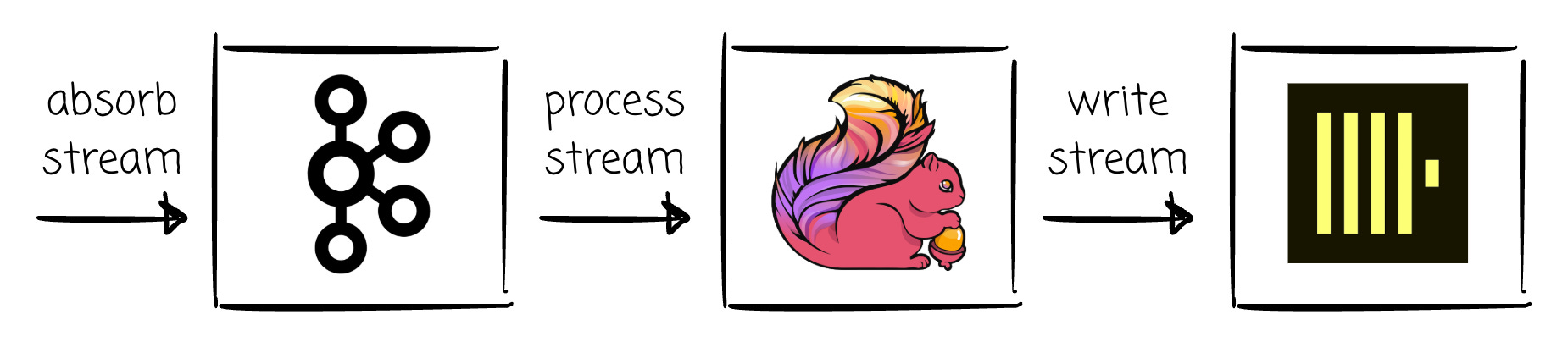
Kafka for message absorption: A single Kafka broker container that exposes port 9092. We will publish messages using this port.
Flink for stream processing: two containers:
Flink JobManager container that exposes port 8081. We will submit a Flink job using this port. Also, access localhost:8081 for the Flink UI.
Flink TaskManager container is where the Flink job is executed. The TaskManager will have 6 slots. We will understand what these slots mean later.
ClickHouse is the destination: a single container that exposes port 8123.
Prometheus and Grafana are also there for observability. All the Grafana charts’ configurations can be found in charts.json

You can access the Grafana UI for monitoring metrics via localhost:3000. The dashboard name is “Stream Processing Project”
—
Then install the Python libraries for some related Python scripts.
Those Python scripts are:
event_gen.py: the synthetic clickstream event generator. Its job is to simulate user sessions moving through a funnel (page_view → product_view → add_to_cart → purchase). Each event will be ~1KB. We will use logic in this script for our source data in this project.producer.py: a configurable Kafka producer logic. Leverageevent_gen.pyfor generating events and publishing them (to Kafka). Accept inputs from outside to control running duration, the Kafka batch size, or the linger ms.multi_producer.py: run severalproducer.pyprocesses in parallel.event_injector.py: publishes a set of ad-hoc events (from a JSON spec file) with controllableevent_timeand send-order. It is used for the two scenarios that we observe on the correctness (basic window sum, late-event threshold).run_experiment.py: this is the scenario runner. It readsexperiments/scenarios.ymlto get each scenario’s configuration and automates each scenario: Flink TaskManager resource limiting, Kafka topic recreation, Flink job cancel/submit, launching producers, and printing a pipeline measurement report at the end.windowed_revenue.py: the PyFlink job that readsclickstreamfrom Kafka, counts every event (no filtering) in a tumbling window grouped by (category, country), writes results to ClickHouse.raw_event_sink.py: simpler PyFlink job with no-windowing logic. Writes every event straight to ClickHouse as its own row (no aggregation), used to measure true single-event latency.
For Flink execution resources in this project, we set the number of TaskSlots to 6.

But what is a TaskSlot?
A TaskManager is a JVM process, whereas a TaskSlot is a piece of the resource within that process.
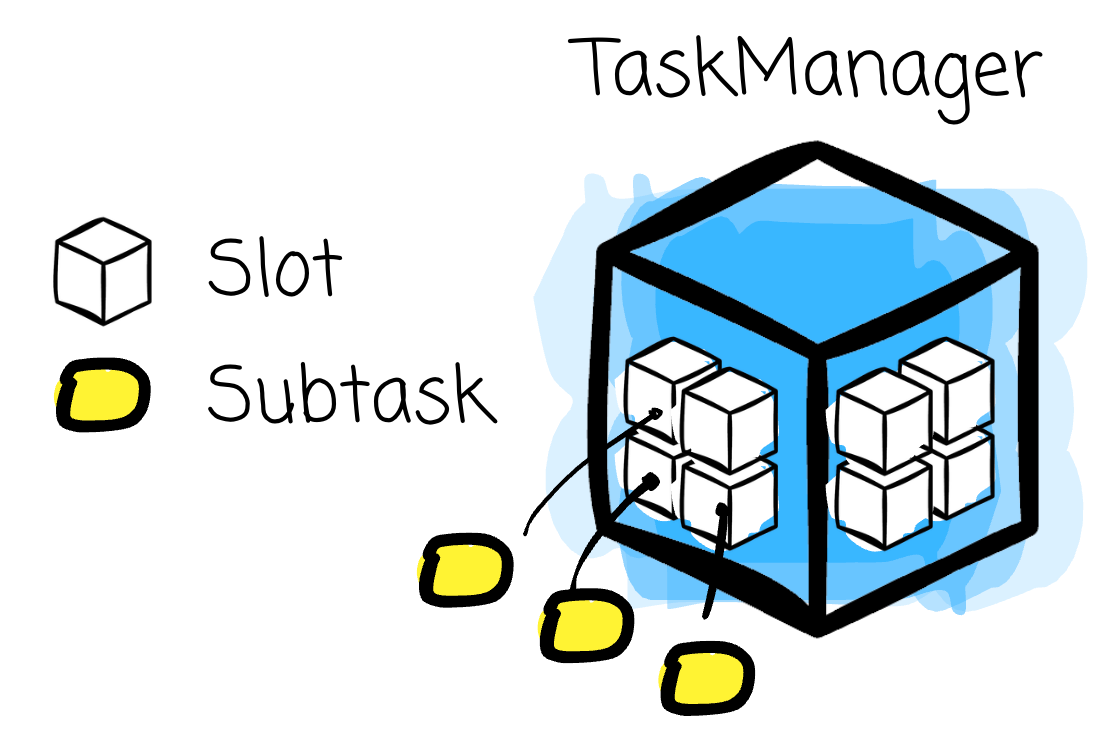
The TaskManager’s memory is shared between the slots.
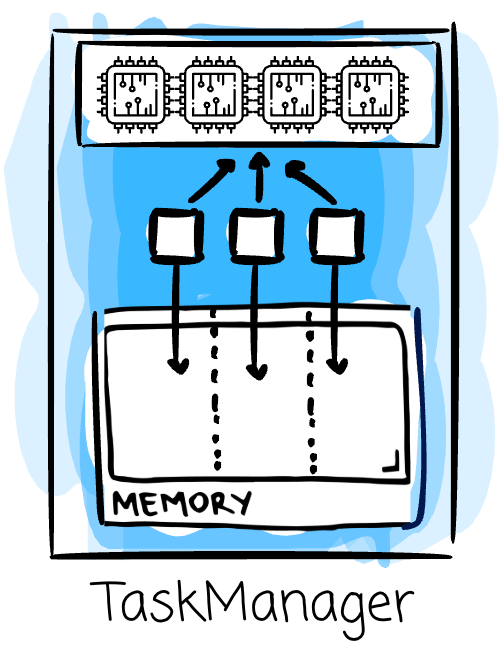
There is no CPU isolation between the TaskSlots.
By default, a slot can run subtasks of different tasks as long as they are from the same job.
A Flink job is a dataflow graph with a series of transformation. You can think of task is a step in it where subtask is a parallel unit execution of a task.
This mechanism is called slot sharing. Tasks that share the same slot-sharing group can be executed in the same slot and, thus, share resources. By default, all tasks are assigned the same
SlotSharingGroup, calleddefault
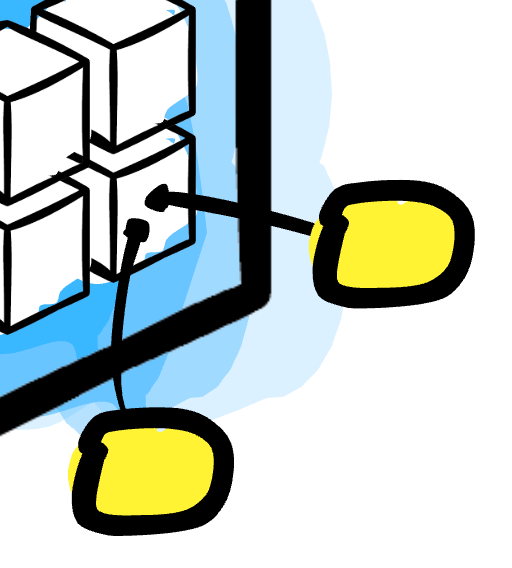
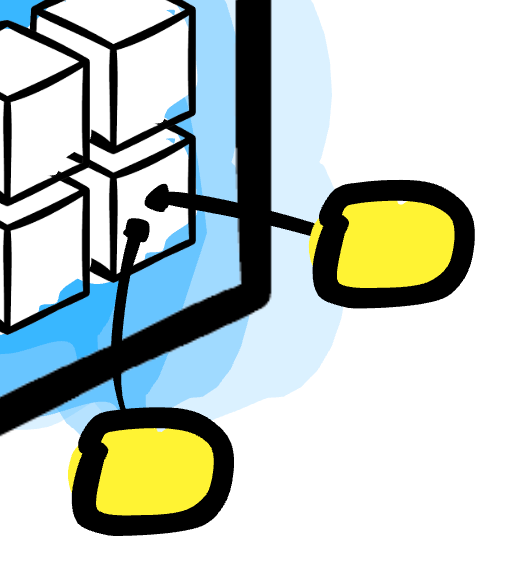
This means that a slot can hold one parallel job instance, which by default can contain one subtask from each task in the job. In our scenarios, the Flink job will have two tasks (e.g., A and B); each will have 6 subtasks that run in parallel (e.g., A1, A2…, B1, B2…), for a total of 12 subtasks. Because subtasks from different tasks can run on the same slot, these 12 subtasks can share 6 slots, for example:
Slot 1: A1 + B1
Slot 2: A2 + B2
Slot 3: A3 + B3
Slot 4: A4 + B4
Slot 5: A5 + B5
Slot 6: A6 + B6
Now let’s jump on the first scenario.
Reminder: I’m offering a limited-time 50% discount on the annual plan:
Once you claim it, the discount will be applied forever.
Now, with only $5/month, you will have access to:
200+ deep-dive data engineering articles
practice-spark: 65 LeetCode-style problems to practice Spark SQL/DataFrame
learn-spark/dbt/airflow: CLI tools to master Spark/dbt/Airflow
If you’re a Vietnamese user, please DM me for an upgrade due to payment issues
Comments
Nothing yet. Say the first thing.
Sign in to join the conversation.