
Planning and organization is such a personal thing; like are you a paper planner person, or digital planning person, do you just use the nearest paper and excelling with it, are you not sure??
Regardless - I think overall we can agree that equestrians and horse people are NOT generally known for being hyper organized (excluding keeping up with registration papers, of course). I know I certainly have my faults!

Today, we are going to walk through my current planner and organization system that I use solely for horses and horsetok. In this guide, I’m going to show how I’m using my Laurel Denise paper planning system, because it has truly changed my life in terms of organization, so I feel passionately about being borderline evangelical to convert others in my life to this brand.
I’m hoping that as you begin planning for the new year - whether social media, content or new business ventures are involved or not - this guide can help give you some inspiration.
Have questions? Share in the comments!!
Let’s jump in!!!
Narrator’s note: I’ll be linking to some things in this post + adding photos, but I am not in any way affiliated with the Laurel Denise brand (I wish) nor am I compensated by any of the brands linked or mentioned. Purely providing links to save you, the reader, time. But this post is not sponsored nor was I gifted anything (again! I (and my husband) wish!!!)
The planner that I use is by a company called Laurel Denise and currently I am using the Valerie layout for my content creation organization.
Since becoming a loyal customer just over 3 years ago now, I have quite literally used all of the spiral and coil bound layouts available at one point or another so… yeah you can say things are pretty serious. (And, yes, I do have a problem)
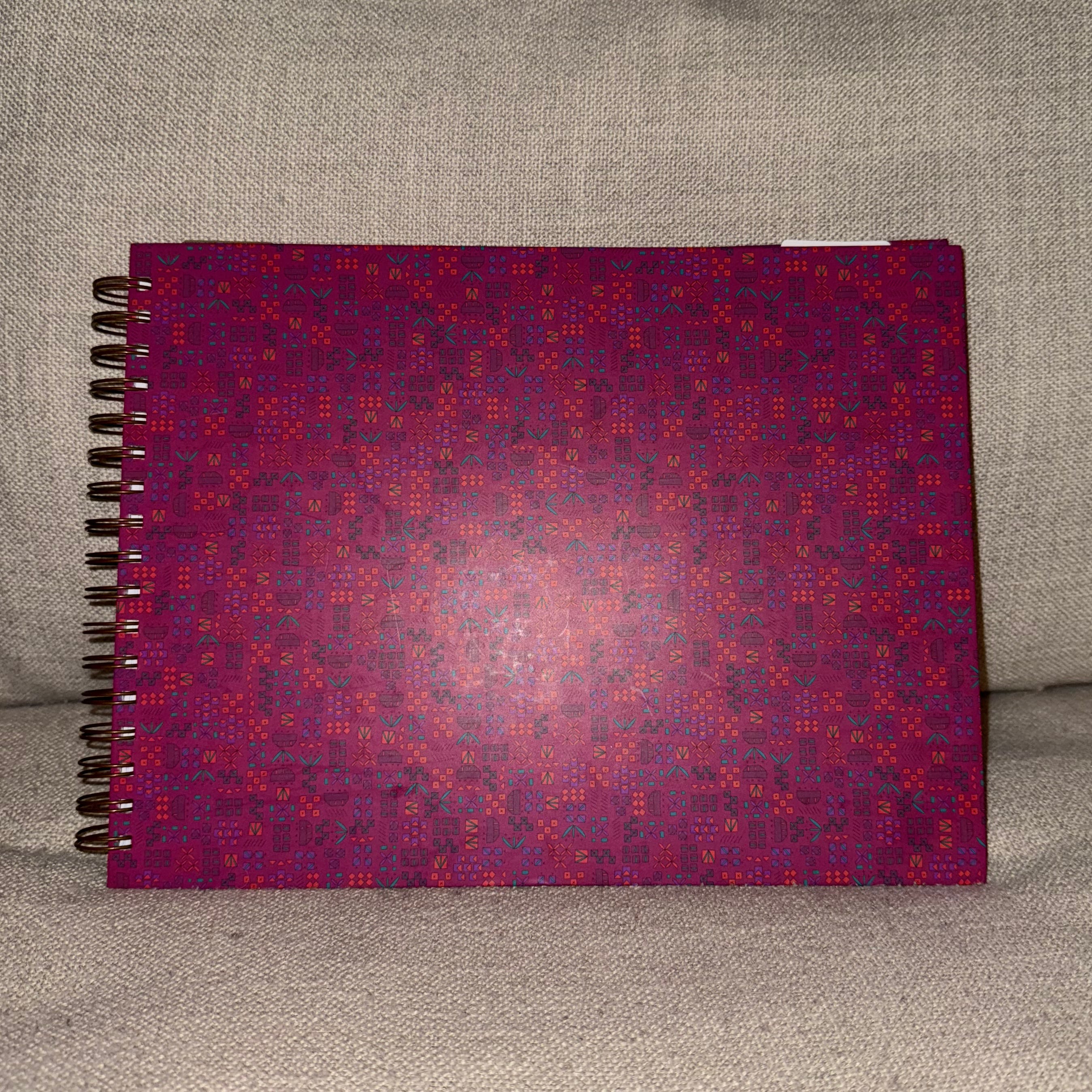
There are a lot of reasons why I’ve remained a customer for as long as I have, with no urge to venture outside of the brand, but one of the largest reasons is having the ability to see my month, week and misc sticky notes without flipping through pages is… life changing. And I mean that.
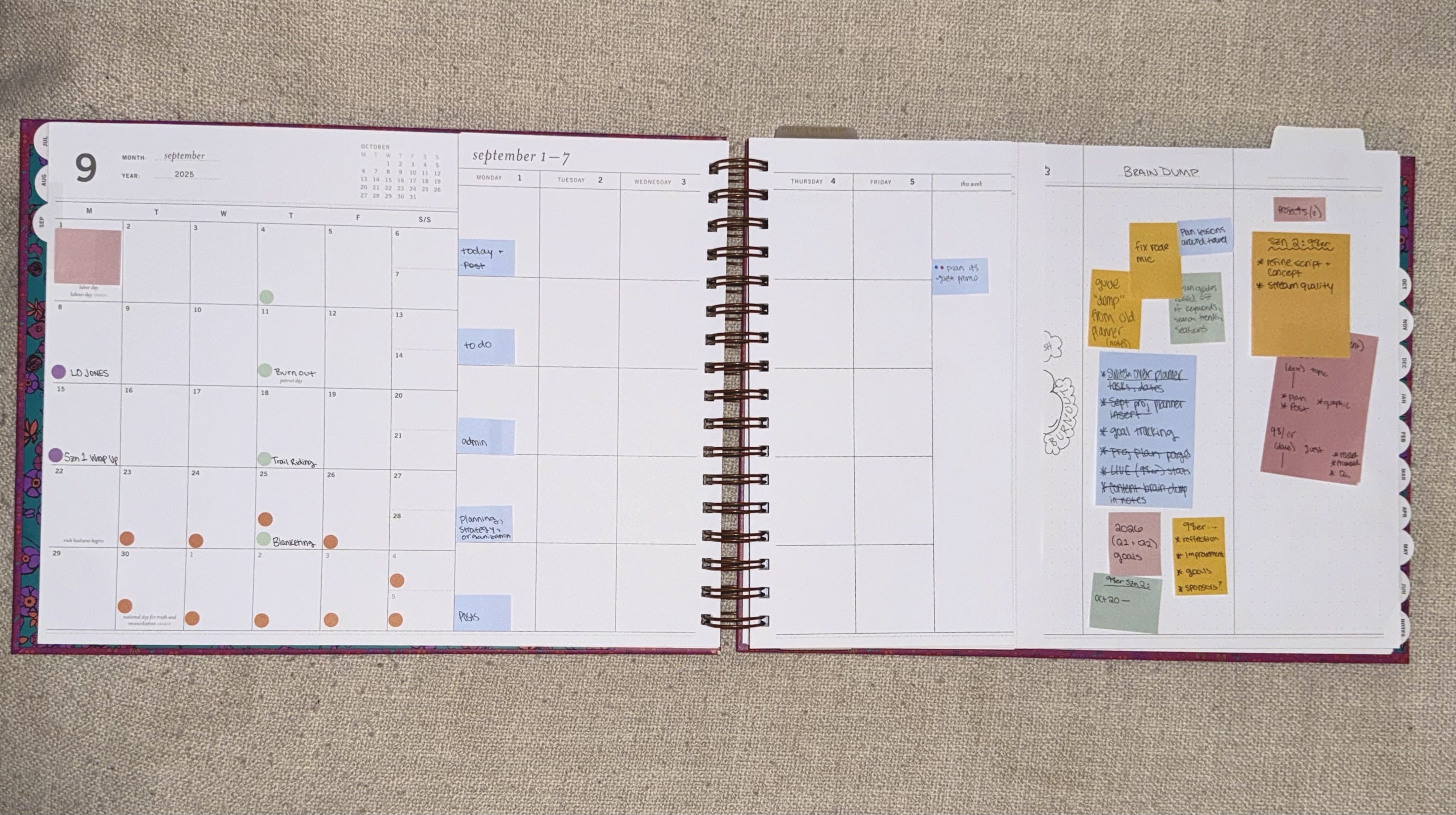
Now I won’t lie - she’s a big ol’ gal.
If the size is inconceivable to you, the great news is that they have a smaller planner size for most layouts (not Valerie). However, I don’t mind the size; I tried a small sized planner this year for my social media and horse hobby planning, but it was WAY too small for the amount of stuff that I haven’t live in here.
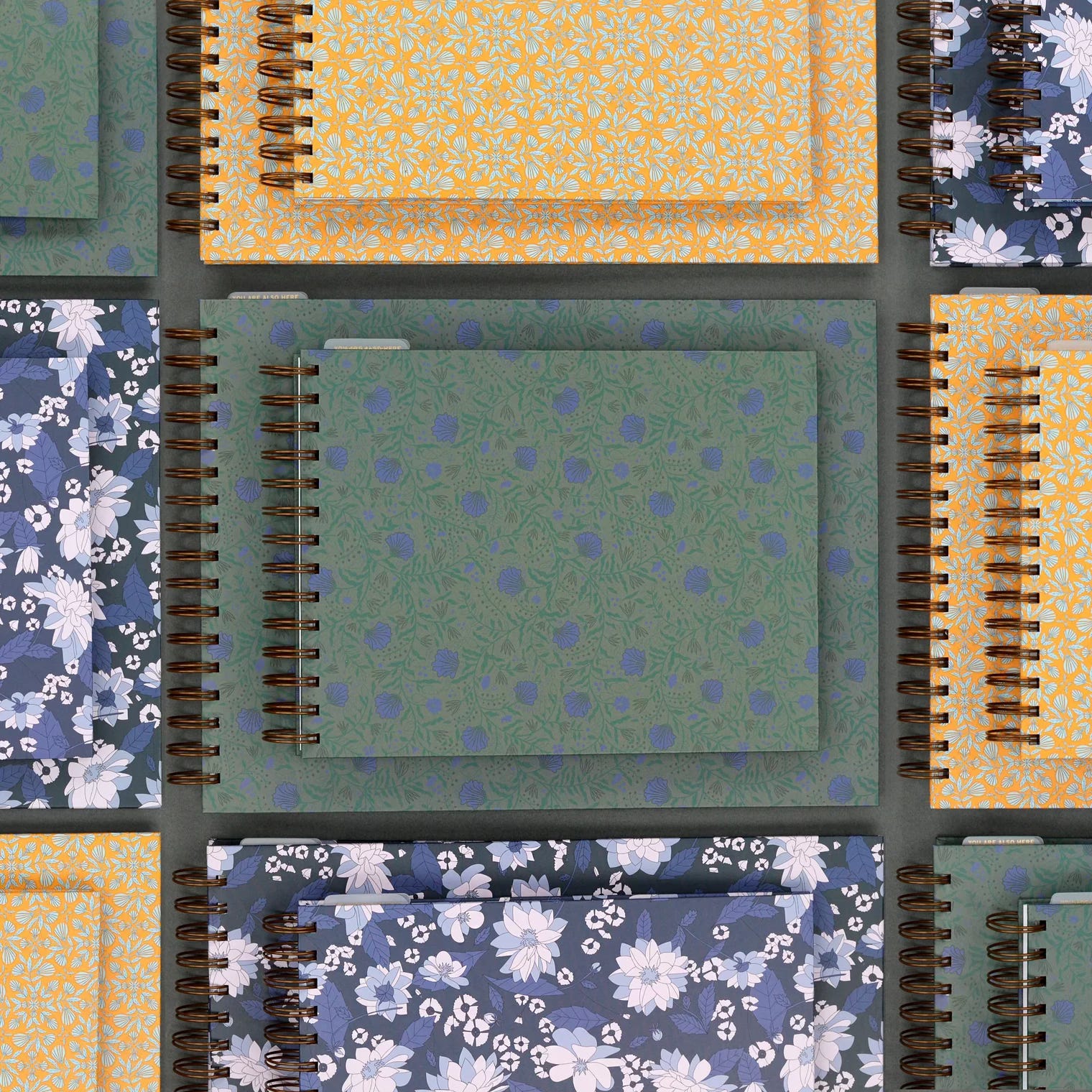
Taking a look at the month view, here is where I’ll put recurring content series, any travel, meetings and due dates. I keep this pretty bare mostly because honestly I can’t find a way to add more without me messing up the vibe, and therefore sacrificing aesthetic (which is genuinely triggering for me - I told you I have a problem!)
Admittedly - I don’t use this space to its full potential because I live HEAVILY in the week section. I’m a task list girly through and through!!!!
But do you see what I mean? This layout is so unique. I just really, really love being able to see my week and month in one fell swoop.
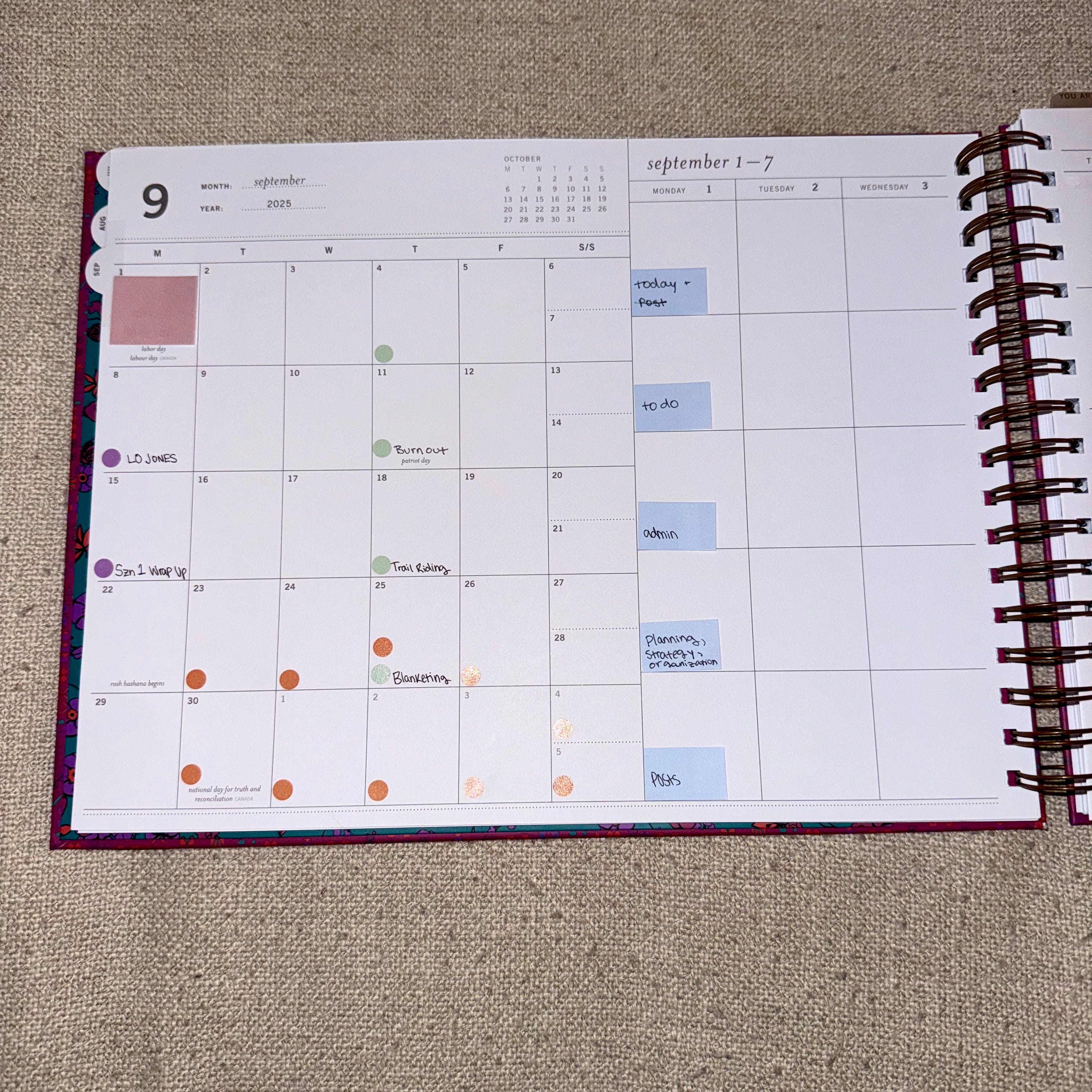
I live in my weak view. When I’m looking at my week, what I like about this layout and the two reasons why I picked it up this year is that:
Each day is broken up into 5 boxes, of which I use as sections
It only goes M-F which is perfect for me since I do not prioritize and plan out weekend content
Here is how I’m using the weekly spread:
In the picture below you can see the sections assigned to each box, and then that there is also a “this week” box to the far right. Prior to creating content, (I use a Laurel Denise planner for work too!) I never used that box. But it’s so nice to have a dedicated place for stuff that just needs to get done by EOW.
Recurring series, scheduled meetings and any tasks would go in the appropriate box, of course. The task “dot” that I’d use is a color coded system based on who (which brand) the tasks is for and what’s happening with it (posting to TikTok vs Instagram? Admin, organization or planning task? General to do? Fix that thing on the website that I’ve been ignoring?)
Scheduled riding lessons or days when I know I want to go to the barn go in that top “Today” box. That box tends to be a catch all for the important stuff - what’s due, important, etc., but also by having it at the top of my day, I’ll usually plan out the rest of my day around it (or plan for it, if needed).
I can do another post if it’s requested about what my actual process of planning out my week looks like since it is hyper specific to social media, creating content, horses and building & growing 3 equestrian-adjacent brands - but in sake of brevity (lol), this will have to do.
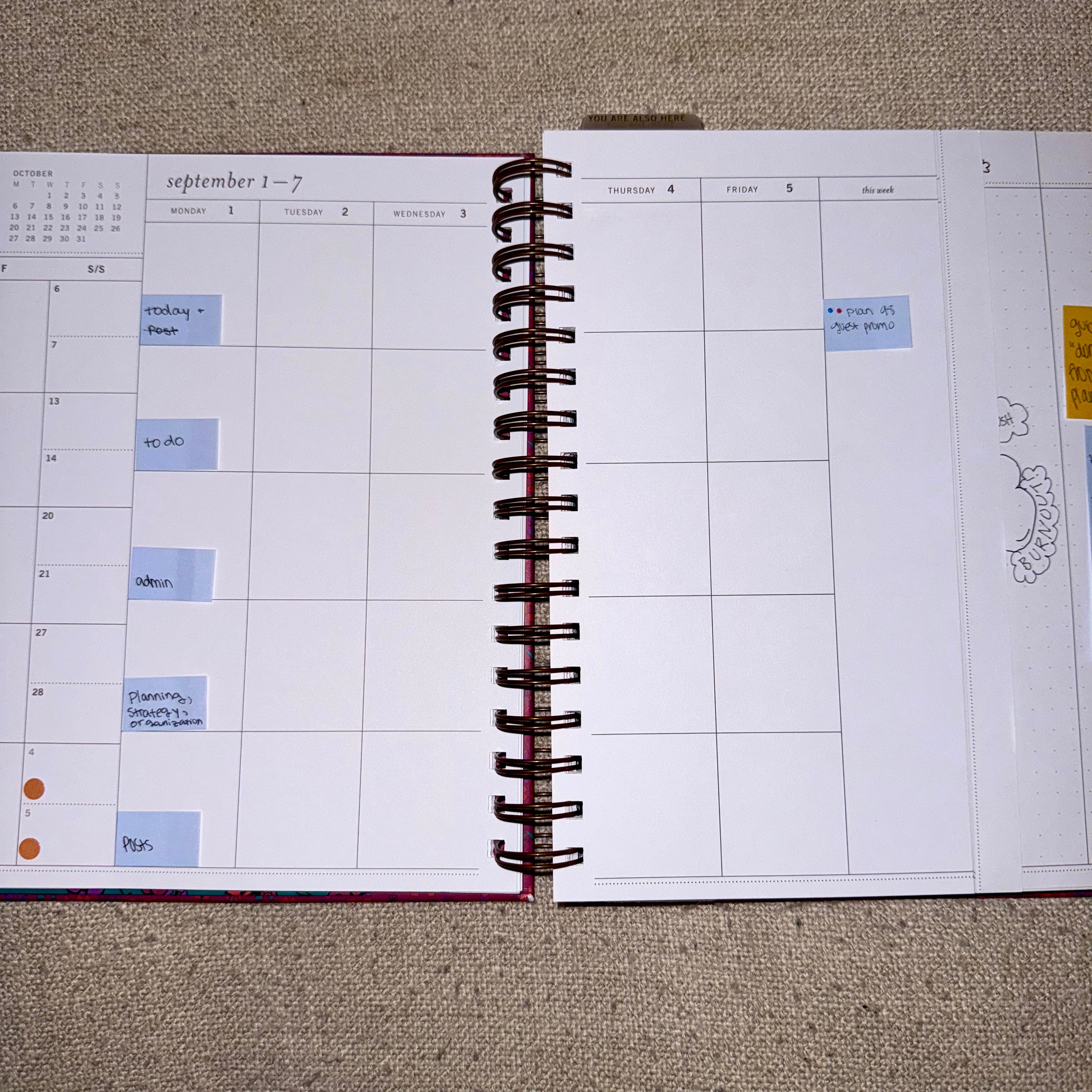
Another thing that I love about the Laurel Denise system is that she sells “insert pages” to truly give you the opportunity to customize your planner based on your needs.
So behind the month’s weekly pages, I keep a Project Planning Insert. Honestly, this is the first time I planned out the specific columns - but I’m loving it.
In the past I’d just title each column as a different brand under the Very Average Ventures LLC + a running checklist, but I was getting annoyed about how I was “wasting” the back page each month. So definitely going to keep doing this (+ it’s kinda cute….).
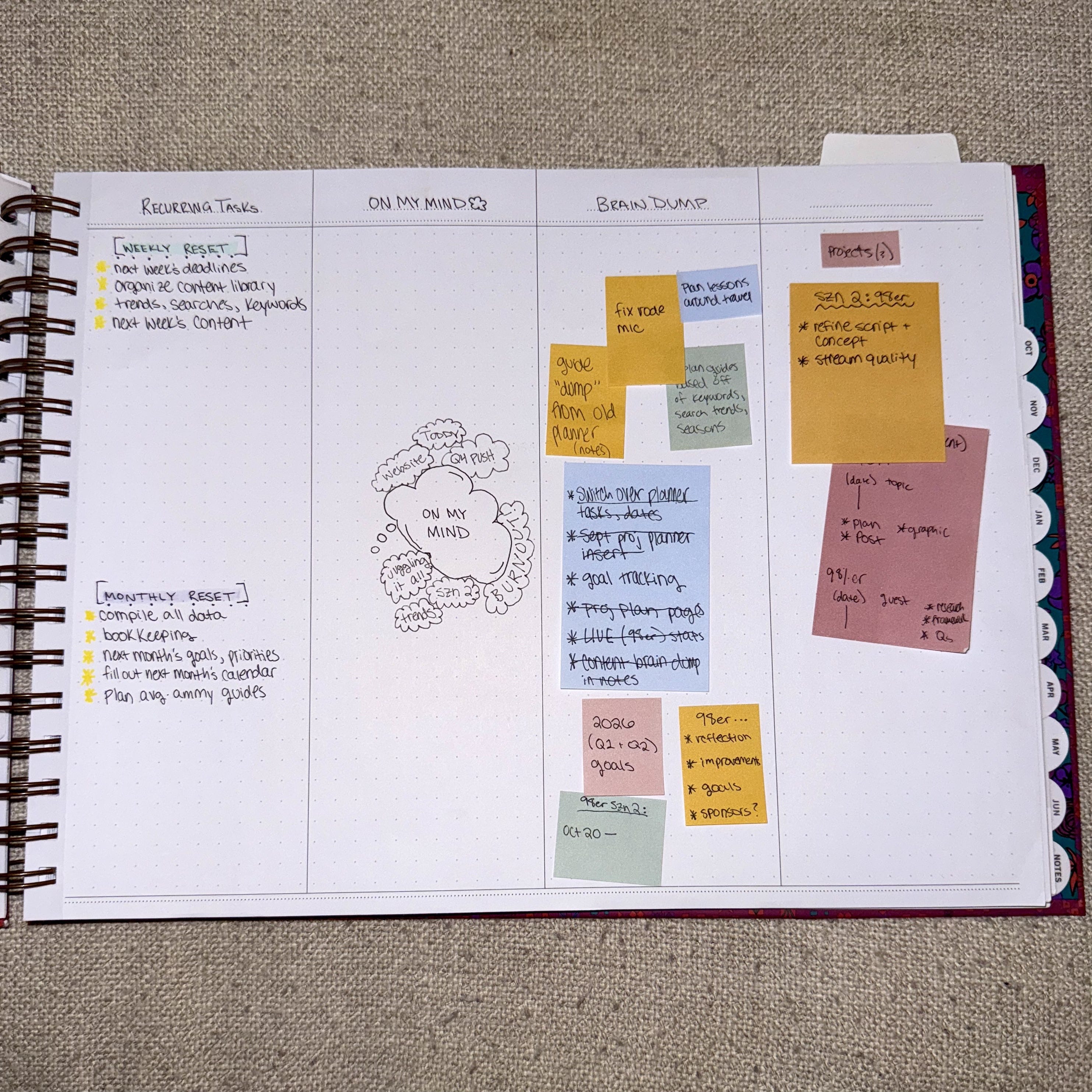
This is fun, right?!?!? You should share with your most organized barn friend. I have a feeling this would be their jam.
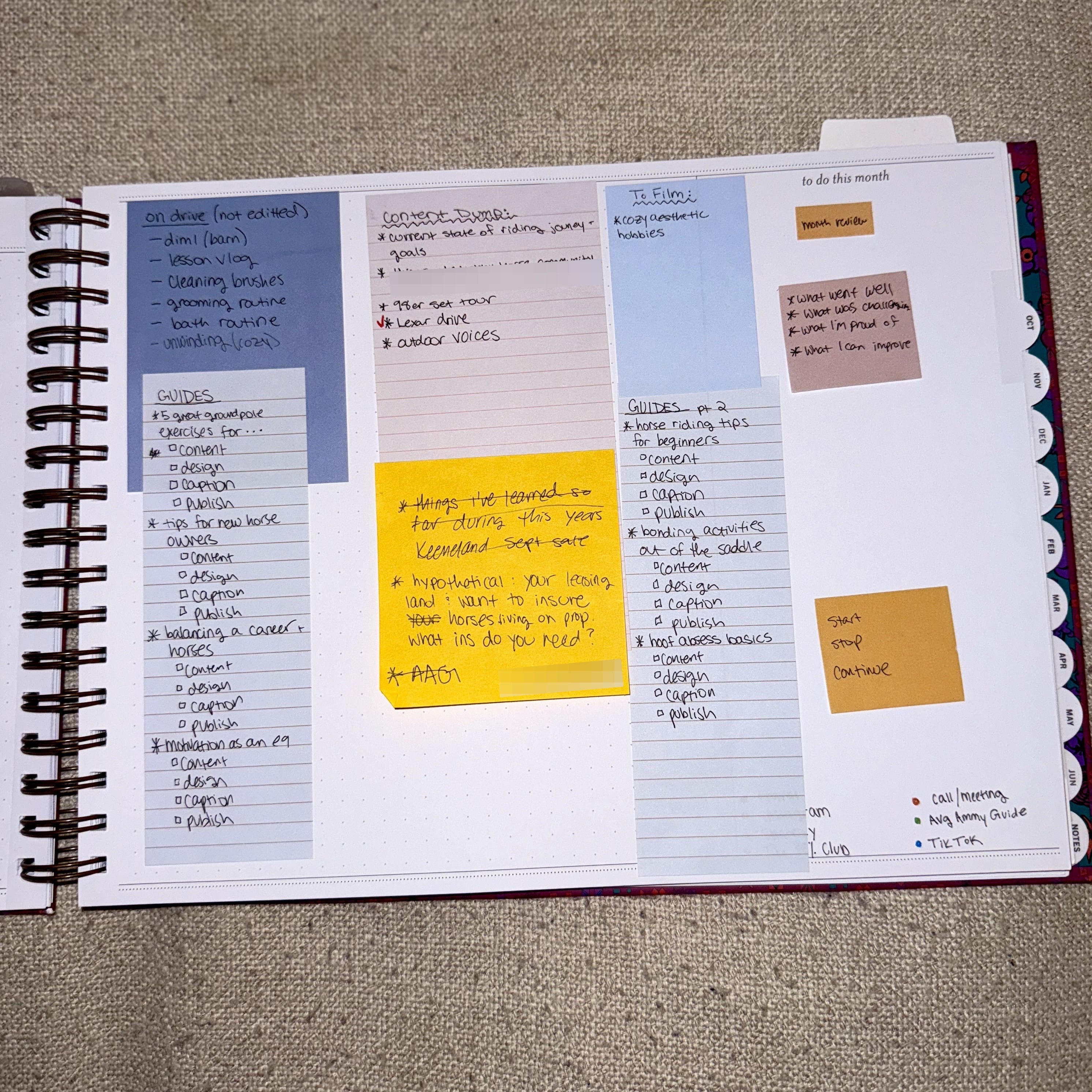
And then I kind of use the very last page in this month’s section as a general catch all for non time sensitive things that I want to get done. These could be admin things, random ideas for content, a random day’s to do, stuff to pick up or order from the tack store…… You never really know what’s back there (for better or for worse…)
As for the stationery to enhance the experience (no seriously):
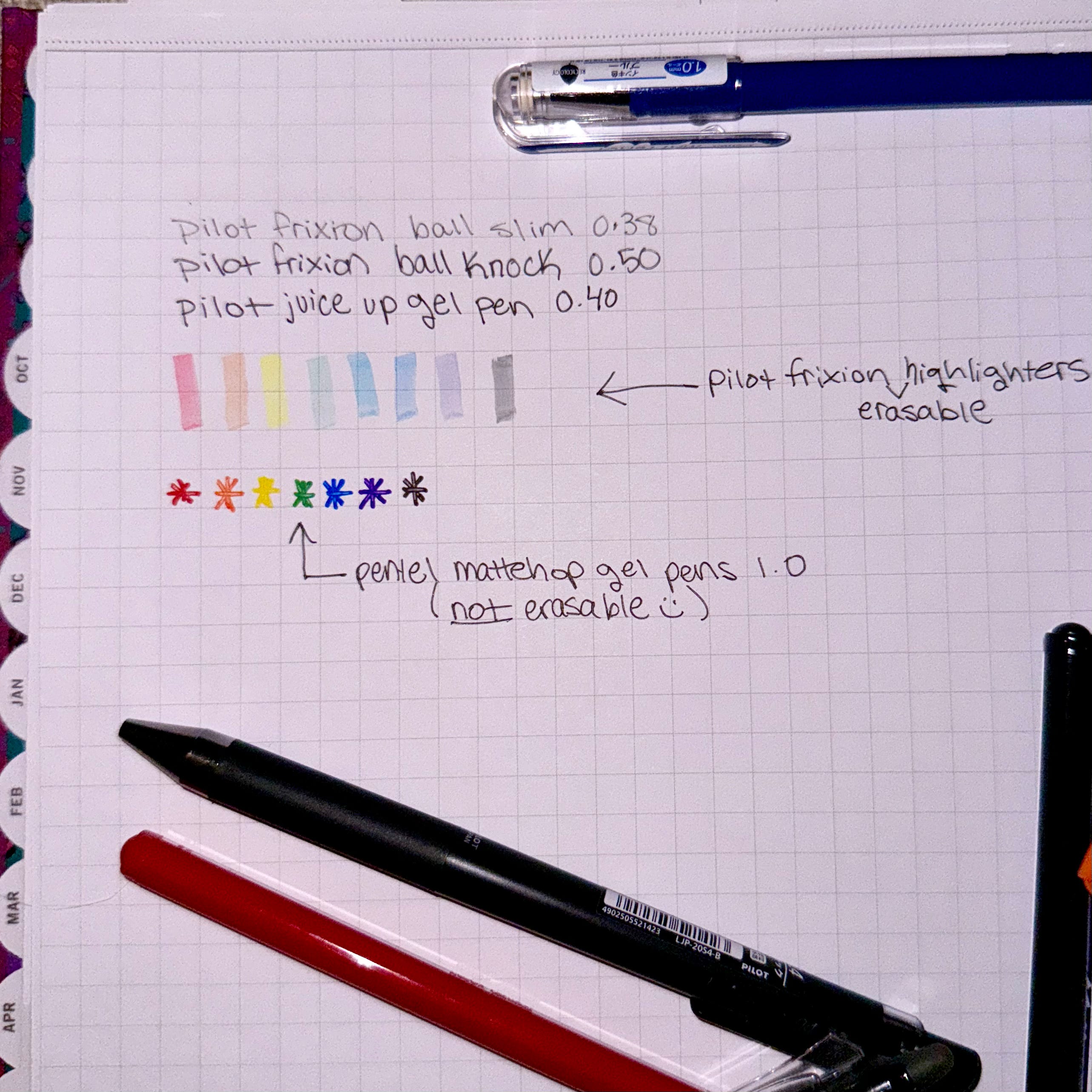
To write in my planner, I am pretty picky and only have 3 pens that I will use to actually write things out:
Holy grail: Pilot Frixion Ball Slim Erasable Pens 0.38 in black
For a subtle heading and/or a thicker font: Pilot Frixion Ball Knock Erasable Pens 0.5 in black
New fav for not regular use in planners (not erasable): Pilot Juice Up 0.4 Gel Ink Pen in black
If I am highlighting, I pretty much am only using the Pilot Frixion Highlighters because, again, erasable.
For the task and calendar dots, I shockingly do NOT use erasable pens for them, because I haven’t found pens that are both erasable and rich in color. No biggie. I’ve been enjoying the Pentel Mattehop 1.0 gel pens - GREAT rich color and the pens are pretty cheap too. I fell in love with a matte pen when I tried the PaperMate InkJoy Bright pens, and although I really like the colors, I cannot recommend them because almost half of the pens per pack just never work.
For sticky notes, I’ve fully converted to the Laurel Denise sticky notes (I have 3 different styles and sizes). I resisted for a long time, but having the matching stickies that fit perfectly in the boxes and spaces just tickles me in a very specific way.
A ruler comes in handy to divide boxes in my planner. I think I got mine at Walmart for like $0.50.
Lastly, if I need to physically write and sketch out a piece of content (usually for videos and media where I’m working with others), I will typically use my iPad and Apple Pencil, although I do have a dedicated notebook that is just designated for those times that I really just need a piece of paper and a pen like the Good Lord intended.
So folks…… There it is!
This is how I plan my content each week and stay on top of what is happening and when.
Your turn! Leave in the comments your current organization set up (this is a safe space). And if you thought this post was helpful, you should share it with your least organized friend. (You might save their life!!)
Thanks for reading - let me know if you like this kind of “productivity” content, and if so, I’ll make a follow up post on some fun ways to plan and organize with digital tools. Until next time!!!!!

Comments
Nothing yet. Say the first thing.
Sign in to join the conversation.