
Most profile pictures have a difficult job. They appear at the size of a coin, surrounded by usernames, buttons, captions, and dozens of competing images. Subtle details disappear. A strong outline does not.
That helps explain why the Giga Chad look works so well online. The wide jaw, carved cheekbones, thick neck, direct stare, and hard lighting remain visible even after the image has been reduced to a tiny circle. The face behaves almost like a logo.
The meme is funny, but its usefulness goes beyond one joke. It can turn an ordinary selfie into a deadpan reaction image, make a game character look absurdly self-assured, or give a group chat a new avatar that everyone understands immediately.
The character communicates one idea very quickly: complete, almost unreasonable confidence. No speech bubble is required. The expression is controlled, the posture is still, and the lighting makes the face feel more like a monument than a casual portrait.
This is why the effect travels so easily between contexts. Put the same visual treatment on a bodybuilder and it looks heroic. Put it on an accountant holding a stapler and it becomes a joke. Apply it to a cat refusing to move from a chair and the cat suddenly appears to have made an unshakable moral decision.
The subject changes; the attitude stays.
That is also why the meme has survived repeated remixing. Its identity does not depend on a particular caption, background, or platform. A few visual cues carry the whole idea:
A broad, clearly defined lower face
Prominent cheekbones
A calm or slightly amused expression
Direct eye contact or a deliberate profile
Simple, high-contrast lighting
Enough empty space for the face to dominate the frame
Creators can change almost everything else.
Before uploading a photo, decide what the image is for. “Make me Giga Chad” describes an effect, but it does not describe the joke.
A reaction image might need a restrained smile that says, “Of course I chose correctly.” A gaming avatar can be more intense, with neon rim light and a centered crop. A birthday image for a friend might work better as an absurd fantasy emperor. A brand account should probably use a fictional character rather than altering the face of a real person.
Try finishing this sentence:
This character looks completely confident because ________.
The answer gives the portrait a reason to exist. Perhaps the character has just ordered water at an expensive cocktail bar. Perhaps a knight is calmly holding a grocery list during a battle. Perhaps an office worker has fixed the printer on the first attempt.
Small, ordinary victories often make better Giga Chad jokes than generic scenes of strength. The face supplies the epic confidence; the situation supplies the contrast.
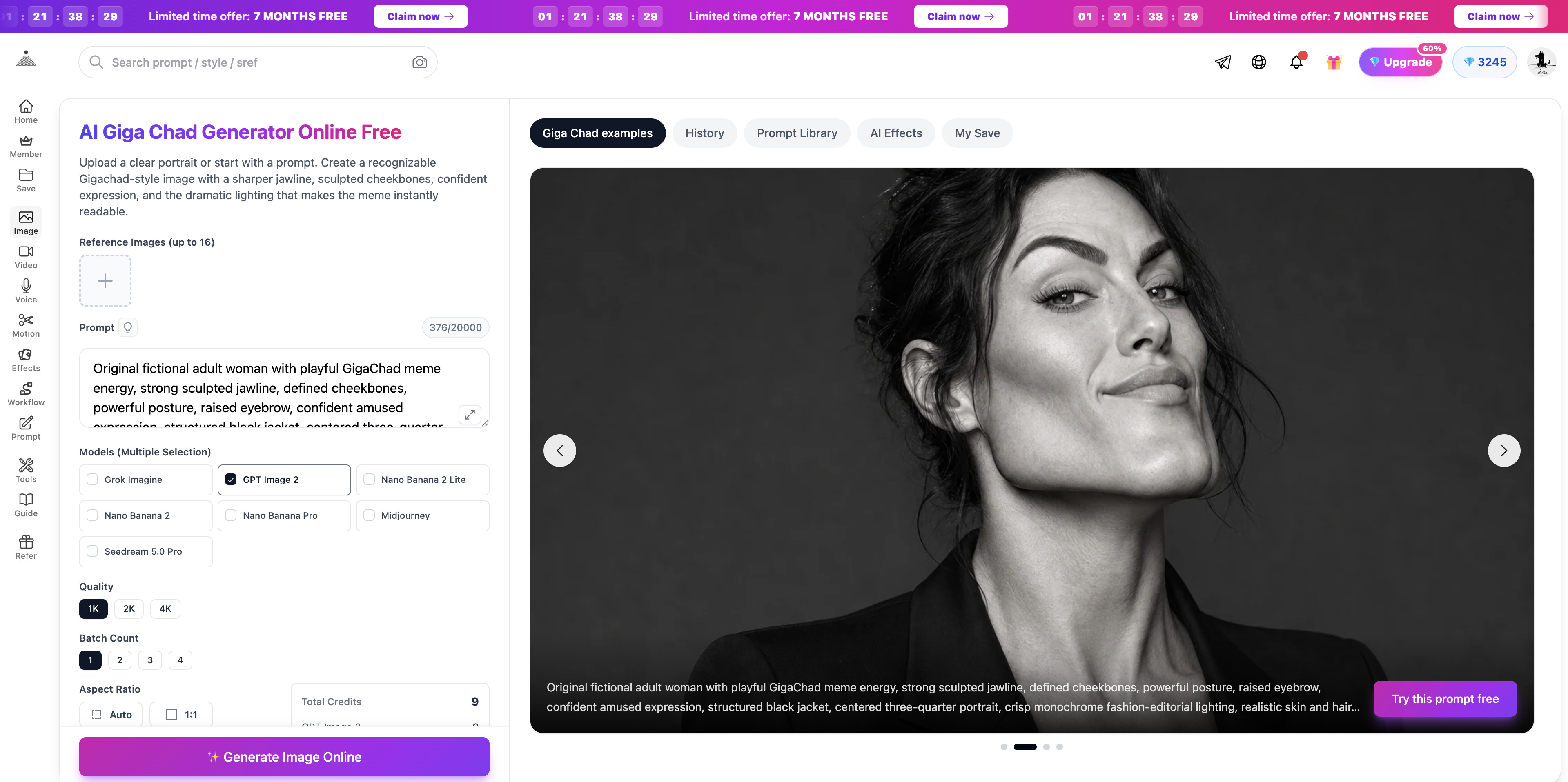
The AI Giga Chad Generator Online Free can work from either a portrait or a written character description. A reference photo is useful when the result should still resemble a particular adult. Text-only generation is better for an original knight, gamer, office worker, animal, or fictional hero.
Here is a practical workflow.
If you are using a portrait, tell the generator which details must remain recognizable. Eyes, hairstyle, skin tone, facial hair, and general age are often more useful identity anchors than a vague instruction such as “keep the same person.”
Use a clear image with one adult face. The chin and hairline should be visible, and the subject should be large enough to inspect. A clean source photo gives the effect somewhere solid to begin.
For a fictional character, establish the role before the meme treatment:
An exhausted night-shift librarian in a plain dark sweater, standing beside a cart of returned books.
That description already contains a person and a situation. Now the Giga Chad treatment can change the way the scene feels.
Describe the jaw, cheeks, neck, and expression separately. This gives you control over the strength of the effect.
For example:
Give the character a wider square jaw, strongly defined cheekbones, a broad neck, relaxed eyebrows, and a restrained half-smile. Keep the expression calm and slightly amused, not angry.
“Not angry” matters. Strong shadows, a large jaw, and words such as “intense” can easily push a portrait from confident into hostile. The Giga Chad joke usually works better when the subject appears unbothered.
If the image will become an avatar, ask for a centered head-and-shoulders portrait with a simple background. Keep important details away from the corners because most platforms crop square images into circles.
For a reaction image or meme post, leave some empty space above or below the subject for a caption. Generate the portrait without text, then add the exact wording afterward. This avoids distorted letters and gives you control over typography.
A poster or character illustration can use a wider composition, but the face should still be large enough to carry the expression. Elaborate armor is not much help if the jawline becomes a ten-pixel detail.
Classic Giga Chad lighting is black and white, hard, and directional. It cuts the face into simple planes and strengthens the silhouette. That is ideal for immediate meme recognition, but it is not the only option.
Try soft daylight for a strangely sincere version, colored neon for a gaming avatar, or warm editorial light for a polished profile photo. Keep one clear lighting idea. Blue rim light, orange fire, green fog, lightning, sparks, and five lens flares in the same prompt usually weaken the face rather than improve it.
Here is a full example built around an office joke:
Original fictional adult office worker standing beside a printer that has finally started working, holding one freshly printed page. Transform the character with playful Giga Chad meme proportions: a broad square jaw, defined cheekbones, strong neck, relaxed brow, and a small knowing half-smile. Centered head-and-shoulders composition, direct eye contact, plain office shirt, ordinary fluorescent break-room setting. Dramatic black-and-white side lighting makes the moment look absurdly heroic. Realistic skin and believable anatomy. Leave clean space above the head for a caption. No text, logo, or watermark.
The prompt works because the visual treatment and the situation disagree. Fixing a printer is mundane. The portrait treats it like a legendary achievement.
You can keep the same structure and replace only the scenario:
A student who remembered to save the document
A cook whose soufflé did not collapse
A gamer who read the tutorial before asking for help
A cat that chose the expensive cardboard box over the bed
The humor comes from specificity. “Confident man looking cool” has no story to carry.
A focused generator is convenient when you want the familiar jaw, cheekbones, expression, and portrait lighting. Some projects need more control. You may want to compare several models, combine multiple references, create a full-body composition, or build a larger scene around the character.
In those cases, a general AI Image Generator gives you more room to test models, aspect ratios, image references, and output variations. Keep the same core prompt while comparing results. If the subject, joke, camera, and style all change together, the comparison tells you very little.
Judge each version at the size where it will actually appear. Shrink an avatar before choosing it. View a meme on a phone. If the expression disappears, simplify the lighting or move the camera closer.
An image library is useful when you are unsure how to describe a portrait. Browsing Promptsref lets you study generated images alongside prompts for lighting, framing, character design, and different visual styles.
Look for individual decisions you can reuse. One image may have the right side lighting. Another may show a good profile crop. A third may suggest an unexpected setting. Combining those observations produces something more personal than copying a single prompt and changing one noun.
The same rule applies to the original meme. A successful AI version should borrow the visual grammar, not impersonate the real person behind the well-known photographs. The generator discussed here is independent and is not affiliated with the original model, photographer, or photo project.
Use your own photo only when you are comfortable with the transformation. Get permission before uploading somebody else’s portrait, especially when the result will be posted publicly or used as a joke.
Giga Chad images succeed because they compress a whole personality into a few shapes: the jaw, the stare, the posture, and the light. AI makes those shapes easy to apply, but a strong image still needs a reason.
Choose the attitude first. Decide where the image will appear. Build a clear identity, control the amount of exaggeration, and give the confidence something specific to react to.
The finished picture does not need to be louder than every other meme in the feed. It just needs to look completely certain of itself.
No posts
Comments
Nothing yet. Say the first thing.
Sign in to join the conversation.