
If you are in the creative industry, I am sure you have at one time poured over Pinterest boards full of infographics, or Behance collections of hand-drawn note summaries, scrolled the Google Image returns of excellent designs, or if you are OG like me - you might recall uncovering excellent creative work in Communicative Arts that earned a sticky note at the top of the magazine (to revisit later). Even if you are a professional illustrator - these sorts of things take time to create, and making it an editable version - takes even longer!
Sketchnotes work because they drastically reduce cognitive load. The low-fidelity, hand-drawn aesthetic feels human and approachable, turning complex technical pipelines into instant visual maps anyone can retain.
I used Gemini to act as my Art Director and Content Strategist. I fed it the inspiration images and the source content as follows:
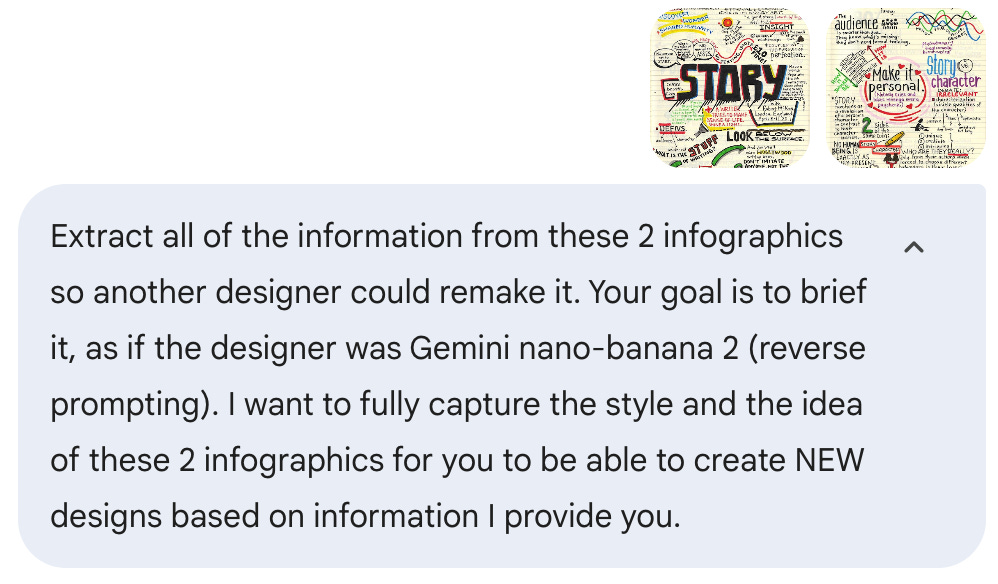
To recreate or expand upon this style, a designer (or an AI model like Nano Banana 2) needs to understand both the visual “sketchnote” vocabulary and the thematic structure.
These images are “Graphic Recordings” by Sunni Brown, capturing a Robert McKee seminar. The style is deliberately “low-fidelity/high-insight,” mimicking a highly creative person’s personal journal.
Gemini went on to define the Visual Style Guide (which it called the ‘Reverse Prompt’), a Content Breakdown (Essence of the Story, Character vs Characterization) and Designer Briefing for NEW Iterations.
So, here is a brief, clear blueprint showing the repeatable modular pipeline for how to instruct Gemini or ChatGPT to grab the necessary content before creating the image. Note the image creation, is the FINAL step.
The 4-Stage Conversion Framework:
Source Video → Extract timestamps and core technical steps.
Structured Content Breakdown → Distill into bite-sized visual logic.
Visual Style Guide (Reverse Prompt) → Lock down linework, palette, and layout rules.
Image Generation → Execute the final hand-drawn visual asset.
So, it is good to go. Then I fed the following instructions to Gemini, along with the most recent video I produced:
The 6-Step Pipeline That Makes AI Characters Look Hyper Real.
I want you to match the deciphered style you created, and produce a Sketch Note of a video I recently produced for a workflow:
First, watch the full video, extract the key information in a structured manner by creating a written overview of all the contents detailing the complete workflow, and then produce a sketch note matching the style extracted.
Here is the structured written overview of the video's content and complete workflow, followed by the hand-drawn sketchnote created in the original Sunni Brown visual style.
NOTE: Instead of asking the engine for a generic summary, Gemini generated a detailed spatial prompt specifying the 6-panel zigzag flow, hand-lettered bold typography, and visual callouts matching the exact Sunni Brown style rules.
Video: The 6-Step Pipeline That Makes AI Characters Look Hyper-Realistic and Remain Consistent!
Creator: Brian Sykes (AI LAB), adapting a commercial production pipeline by David Litwin (Pure Fusion Media / Detail AI).
Most AI generations fall into the “plastic” uncanny valley because users try to prompt everything (face, setting, pose, wardrobe) in a single step.
The Solution: Treat AI generation like commercial art direction: separate casting, set design, wardrobe, and composition into modular stages, then blend them together.
Prompt Framework: Powered by the 16 Elements of Generative Control (expanded from Sykes’s 2023 12 Essential Prompt Elements book) to precisely control subject, wardrobe, lighting, optics, and composition.
Tool: Magnific AI (Image Generator).
Engine/Model: SeeDream 4 (4K) using the “Fashion Photo” style.
Prompt Strategy: Generate a “single horizontal 4-panel editorial casting board” on a 16:9 canvas.
Output: 4 variations × 4 panels = 16 distinct model faces per generation run.
Action: Iterate prompts for unique hairstyles and personality expressions, select the best face, download full-res PNG, and crop down to an isolated headshot in Photoshop.
Goal: Define character narrative and visual world (e.g., modern grunge ‘90s rocker at an urban skatepark).
Tool: Pinterest.
Action: Search and find reference imagery with strong lighting, camera perspective, and composition (not to copy-paste, but to extract environmental essence).
Tool: ChatGPT.
Action: Upload the Pinterest reference image and prompt ChatGPT to analyze the composition, lighting, camera lens, and setting to produce a ~2,000-character prompt for Google Nano Banana Pro, organized across the 16 Elements of Generative Control.
Tool: Magnific AI (Google Nano Banana Pro, 4K).
Action: Generate 4 environmental scene variations (e.g., skatepark bowl, bridge architecture, dramatic backlighting). Select the frame with the best depth, lighting, and camera angle.
Wardrobe Source: Isolate a targeted piece of clothing (e.g., Wornstar White Skull sleeveless hoodie).
Tool: Magnific AI using multi-image reference handles:
@image1: Cropped Character Headshot (Step 1)@image2: Generated Scene/Environment (Step 4)@image3: Wardrobe/Clothing Asset
Prompt Architecture: “Recreate the exact scene from @image2 (lighting, angle, setting), replace the person with the man in @image1 (hair, face, build), and dress him in the garment from @image3...” with a Natural style setting.
Result: A hyper-realistic, seamless composite blending face, wardrobe, and scene with consistent lighting.
Goal: Generate a multi-pose commercial campaign around the exact character.
Tool: Magnific AI (Google Nano Banana Pro, 16:9 widescreen).
Prompt Strategy: Reference the master render (
@image1) and prompt for a 3-panel side-by-side vertical editorial lookbook showing varied poses, quirky expressions, and camera angles.Finishing: Slice the resulting 5504×3072 px render in Photoshop into individual assets for social media or ad campaigns.
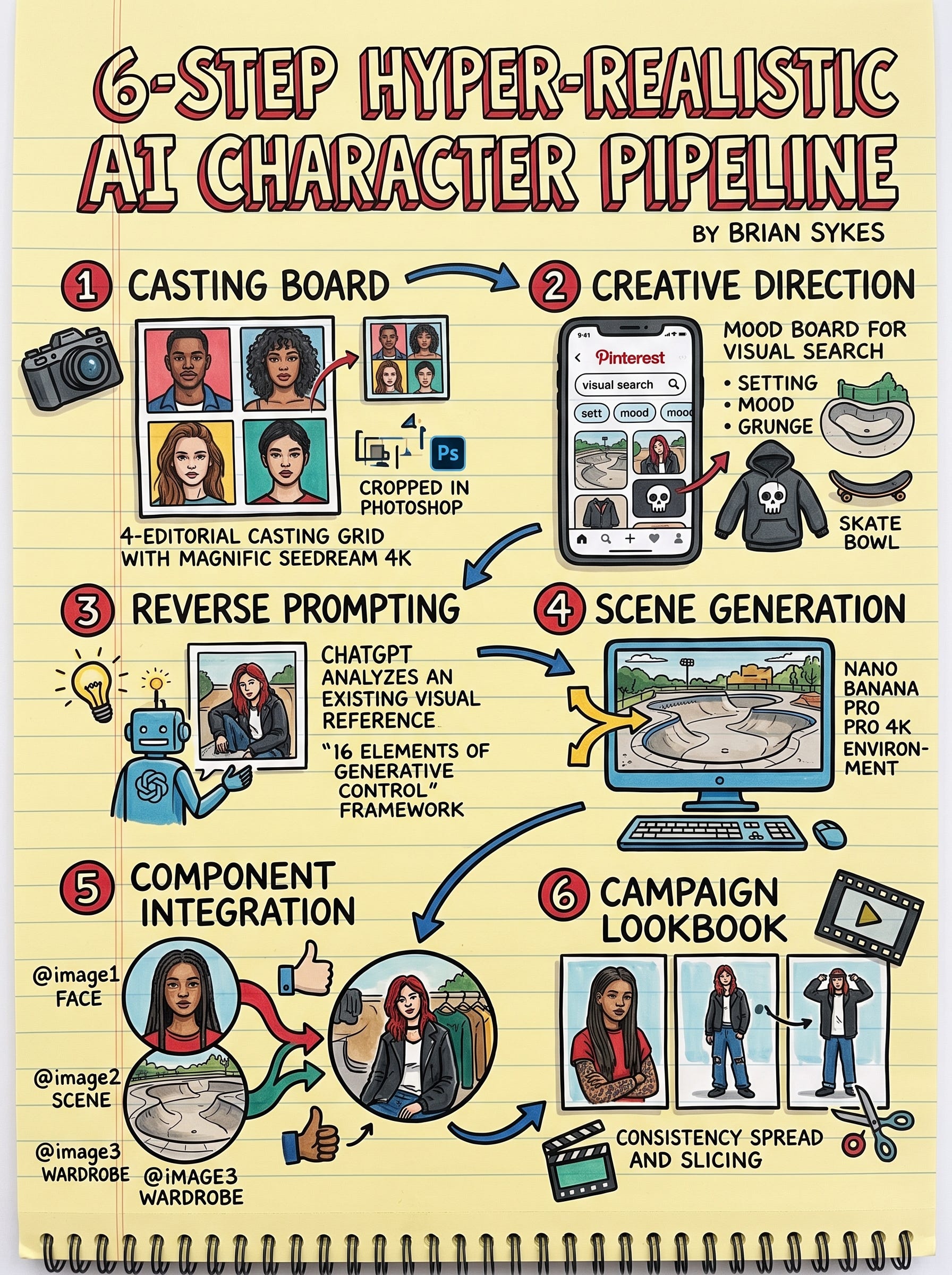
There you go. A quick way to take your own posted videos and turn them into sketch notes in the style of a favorite creative (including yourself!)
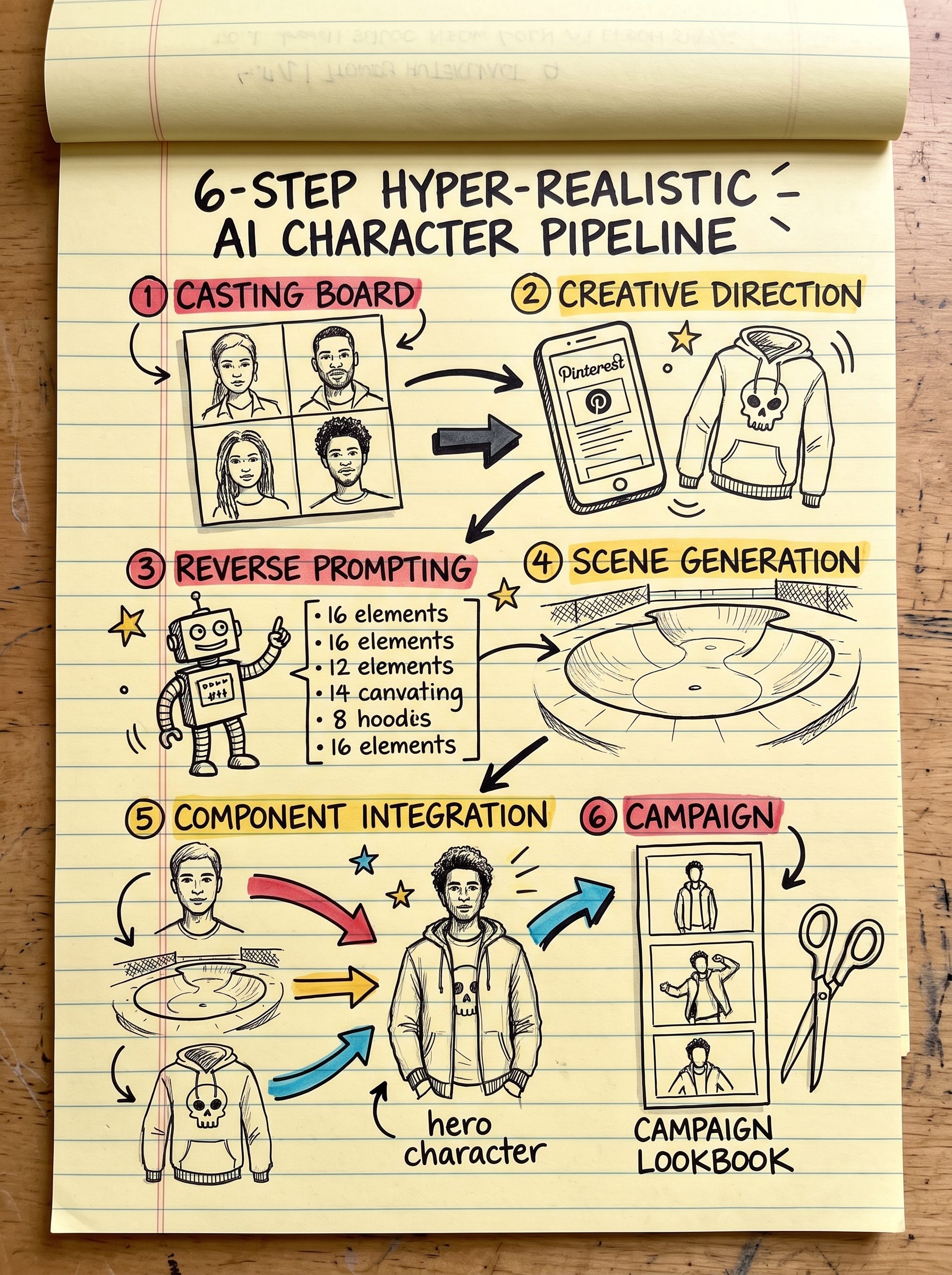
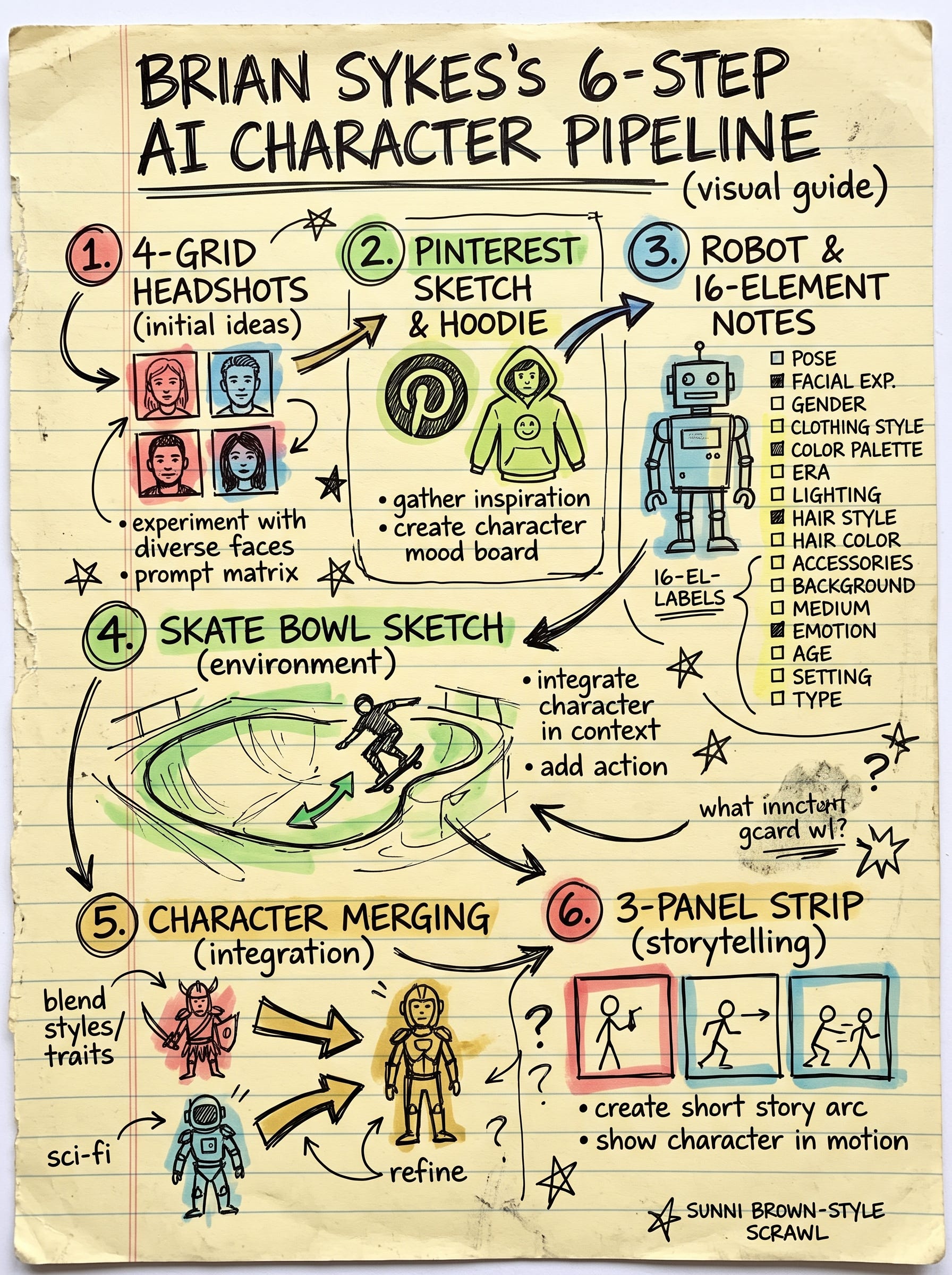
But I am not yet satisfied. It is too perfect for me, I want to push it a bit more. Now this actually took MULTIPLE iterations to get a result I was genuinely pleased with. Here is what it finally created, and below the paywall is how I pushed the AI to give it to me.
Comments
Nothing yet. Say the first thing.
Sign in to join the conversation.