
This year I set a goal to start making consistent income from my personal brand. I had no idea where that income would come from. There were only two rules:
Content creation would not be, and would not become, my full-time job.
I would do it as an educator, not an influencer.
Both of those rules forced me to get brutal about simplifying my life and more importantly, my tool stack. Because being a ‘part-time creator’ is the hardest job you could ever have.
Showing up on social media without slacking off on your job or business (usually only achieved by sacrificing your sleep, social life or relaxation). Sitting down to work at 6pm but having no brain power left to write. We do not have the luxury of spending our spare time experimenting. Our ‘spare time’ IS our content creation time. It’s our business development and product building and strategic planning time.
What I’ve learnt is that despite all the hype on your Instagram FYP or Twitter feed, the 1% edge the latest model might give you is not worth the time, energy or focus it steals.
I’m incredibly grateful to say that I’ve now built up 4 streams of income through my personal brand: my Substack paid community, sponsorships, 1:1 consulting and in a slightly indirect way, a pay rise that came in the form of a new job, directly off the back of my content. (There mayyy be a few more plans in the works too!)
So today I want to take you through how I chose the 7 categories of tools that keep my part-time creator business running, what each one is for, and exactly how I use them, so that you can sit down this weekend, make your decisions, and then spend the next six months locked in and actually growing, instead of letting the noise and hype steal your three most valuable assets: your time, your energy and your focus.
Because yes, being a part-time creator is hard. But, it’s also the best opportunity for wealth creation and positive impact that exists right now. Here’s how to make it easier.
Thank you to Metricool for sponsoring this issue (which is still INSANE to me because I would have been mentioning them anyway).

Metricool is an all-in-one social media management platform built for creators and marketing teams who want everything under control, without being connected 24/7. I personally use Metricool multiple times a week to grow my personal brand by working smarter, not harder.
There are two ways to look at this:
Perspective 1: The optimiser. Whatever you use, it has to be the best. So you go looking. Testing Claude against ChatGPT, then JasperAI and OpenClaw and Hermes Agent and Grok. When you find one you like, you add it to the stack, and two weeks later a model update drops and you’re reassessing all over again.
I started with this perspective, and it absolutely consumed me. I think it’s one of the biggest causes of digital overwhelm right now, because it keeps you on the hamster wheel and your mind on overdrive, constantly questioning whether something better is out there.
Perspective 2: The minimalist. You work out what you actually need, find the smallest set of tools that does those things, and then commit. You lock in for 6 months. You don’t over-analyse the launch posts. You don’t reassess. Then at the six-month mark you surface, look around properly, and ask whether your needs have changed, whether there’s something new that’s actually worth exploring, and whether your teach stack still fits. You make your changes, feel satisfied, and lock in again.
This is where I’m at right now, and as a part-time creator, it’s the best thing I’ve ever done for myself.
Nothing has ever grown (in my life or work) while I was too consumed in finding the best thing out there. Experimenting with tools is not the work. Sitting down and creating is the work.
So I’ve kept my rules for evaluating tools pretty simple:
1. Does it fit the way I actually work?
If I’m sitting down on Tuesday at 6.40pm, tired, slightly unfocused, smashing out a deadline, will this make my life easier or harder? Will it help me be more efficient? Does it connect with the rest of my tool stack?
2. What does it cost me a month, and what does it replace?
I have a full-time job. This is not a funded business, it’s my own money, and every subscription is money I could have put toward investing - in myself, my business, those around me, or the S&P500.
So when I’m using a tool, it has to justify its own cost, either by saving me time or making me money. My whole stack runs at $122 AUD a month (occasionally higher on the months I upgrade to the Claude Max plan or do some extra testing of new tools).
3. Do I feel good about supporting this company?
I’m going to be using these tools for hundreds of hours a year, and I’d rather that time went to companies building something I believe in, with values I believe in. For me, this looks like:
Innovation: are they building something new instead of copying someone else’s model?
Mission and social responsibility: are they transparent about data and safety? Are they working towards a better humanity and doing good for society?
Community: Do they strive to bring people together? Do they care about their users and respond to feedback? Are they in it for more than just the profits?
I’m not going to pretend this is the deciding factor, but when two options are close, these are what help me make the final decision.
Where do you work with AI agents?
For the first couple of years of AI, the whole conversation was about which model was the best. But they’re much closer now and they’ve come so far in capability that what decides whether AI is useful to you now comes down to the ‘agent harness’. Basically, the platform that turns a model into an actual agent. The platform is what determines how well AI can read your files, remember your past conversations, interact with other tools, hold your context so you’re not re-explaining your business every time you open it, and go and actually do the work rather than write you instructions for doing it yourself.
That’s what people mean when they say super app, and it’s why both Anthropic and OpenAI have basically hidden plain chat, and replaced them with Cowork and ChatGPT Work. The better the harness, the more you can do.
I’d say having one of these is a non-negotiable now. If someone can choose between working with a person who uses AI well and a person who doesn’t, they’ll take the one who does, because they’ll receive their product or service to a better standard or for less money, and I don’t see that reversing.
My tool of choice: Claude
Why: At the start of this year Claude was miles ahead of ChatGPT for the kind of work I do. I built an entire 6-week Claude MBA around one tool instead of a general AI course, which is about as strongly as I can put it.
There’s much less difference now. I’m still primarily on Claude for the reason we just went through though, because I’m used to it and don’t see enough ROI to justify switching across. I’m testing ChatGPT properly because that’s literally my job, and I’ll re-evaluate my recommendation later in the year when things are less busy.
How I use it:
Almost every edition of this newsletter is a version of this answer, so I won’t repeat myself here. If you want the short version, I wrote up my main Cowork use cases in full:
But the one thing I’d add specifically is skills. A skill is a set of instructions Claude follows to complete a process is the same way each time. My newsletter, repurposing and email skills are the reason any of this is sustainable around a full-time job.
Where do you get the data and ideas?
Alex Hormozi’s whole method for building a business that makes $250M+ each year and gaining 7.8M followers is volume plus data. Put out far more than feels reasonable, then let the numbers tell you exactly what to double down on. The Diary of a CEO team have been open about running the same way, combing through their podcast analytics to identify the exact moments people hit subscribe, or stop watching.
I don’t think you can take growth seriously without doing some version of this. Posting and hoping is completely fine if it’s a hobby, and there’s nothing wrong with that. But if you’re like me, building a career or an income out of it in the hour you’ve got left after work, I think we have better things to do than spend three evenings on a reel that completely flops.
And once you start actually looking at the patterns, what performed for you, what’s going viral in your niche, what to double down on, you’re already doing more than most people ever will. It shows up in reach and follower count, but it does even more for you in terms of income, whether that’s improving your own business or being able to specifically report to the sponsors who want to work with you.
My tool of choice: Metricool
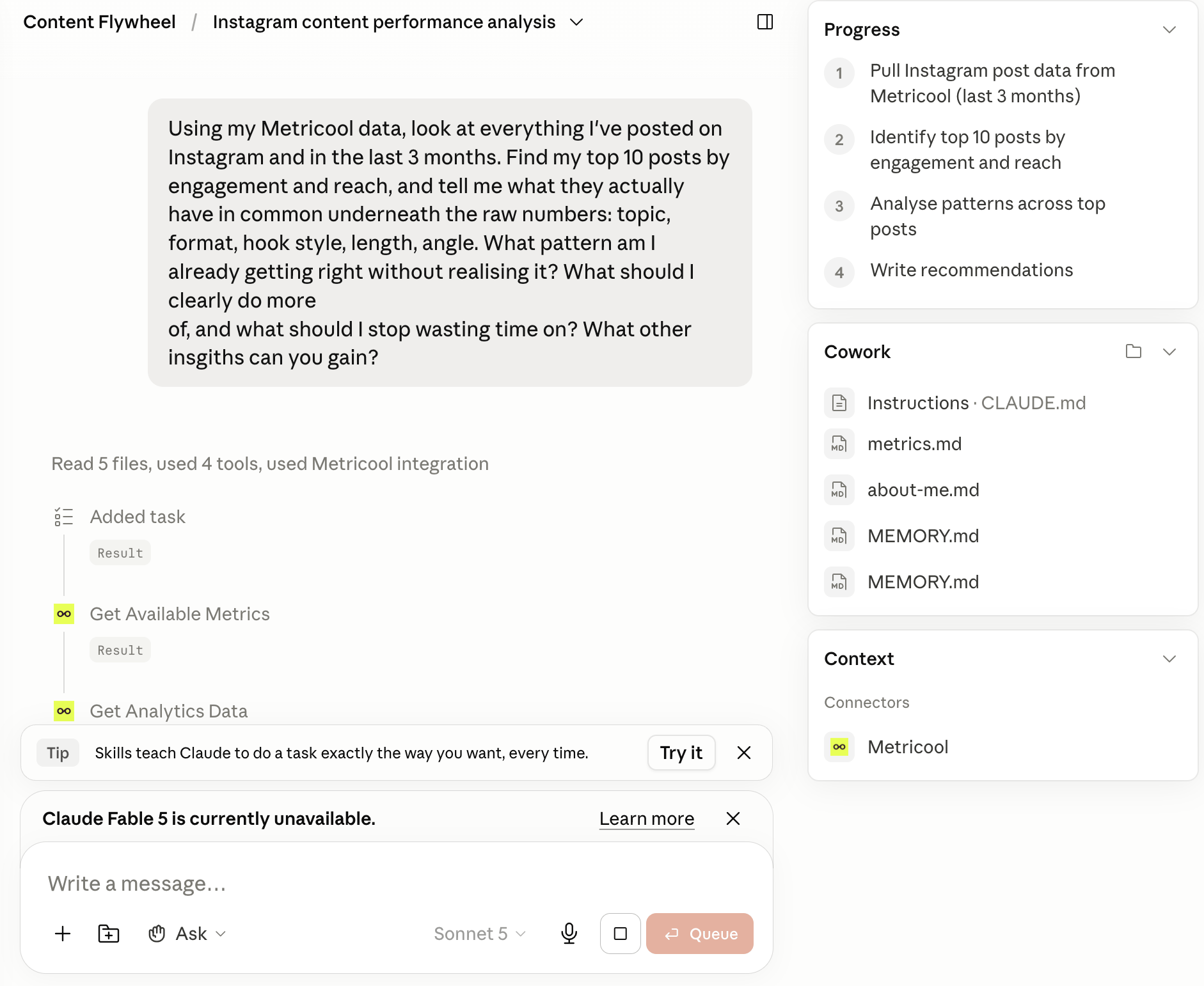
Why: The main reason I love Metricool is that it makes this whole process of pattern recognition so much faster and easier than doing it all manually, especially when combined with AI. Using the Metricool MCP, Claude can read my analytics, my competitors’ top performing posts and the underlying patterns behind each without me spending any time pulling the data myself. This process is one of the biggest things that has helped me stay more consistent on social media without being connected 24/7.
How I use it:
The board of content advisors. I wrote a full guide on this a few weeks ago so I won’t repeat it, but essentially I built a skill where four Claude agents use the Metricool connector to analyse my past performance and my competitors’ top posts, audit and improve my strategy, and recommend content ideas for my next week of posts. You can read the full issue here:
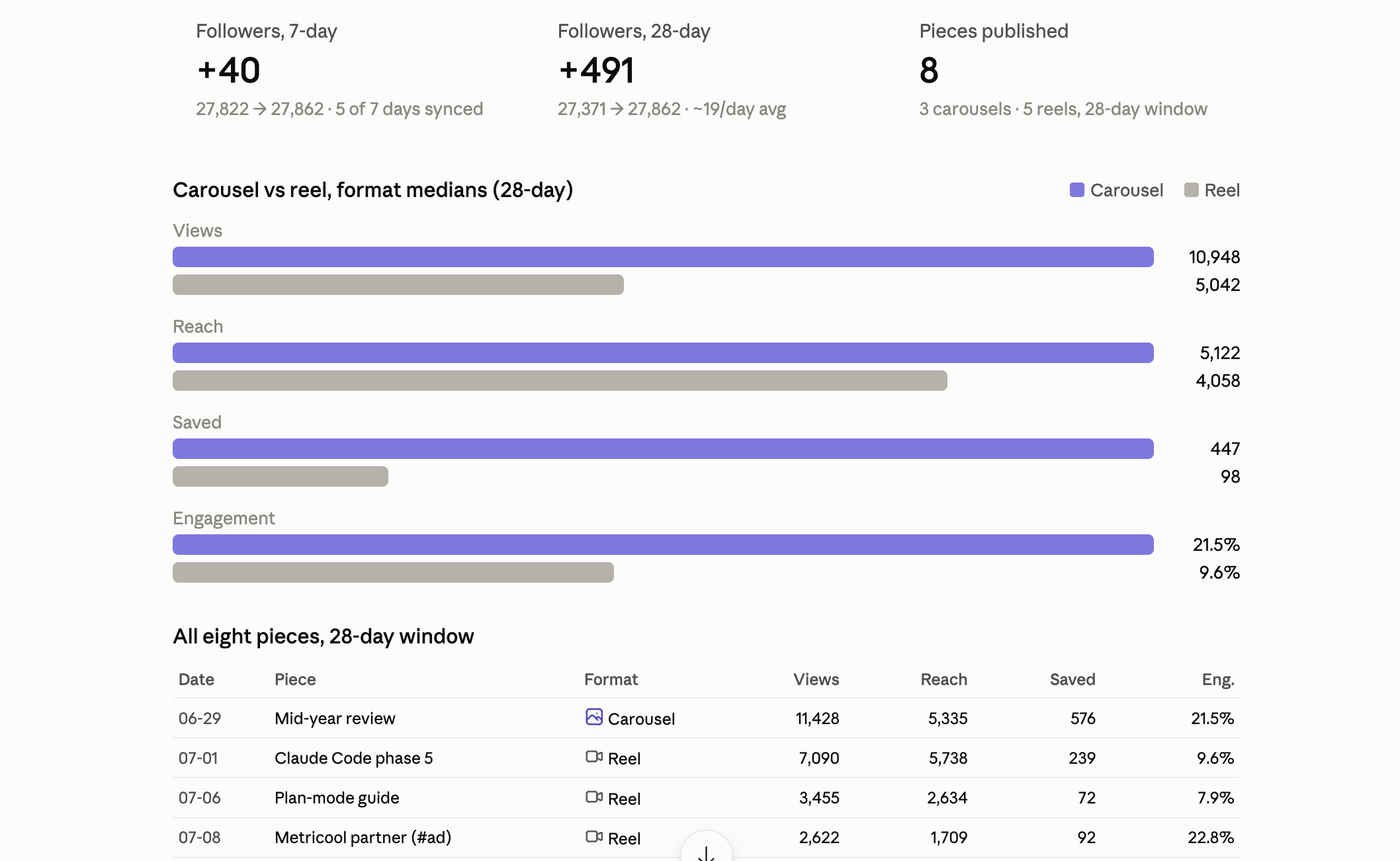
A scheduled Monday performance loop. This is a newer one I’ve built. Every Monday, it pulls last week’s posts out of Metricool, compares what performed against what I’d planned, and writes me a short report. It also updates my Claude.md files with up-to-date follower counts.
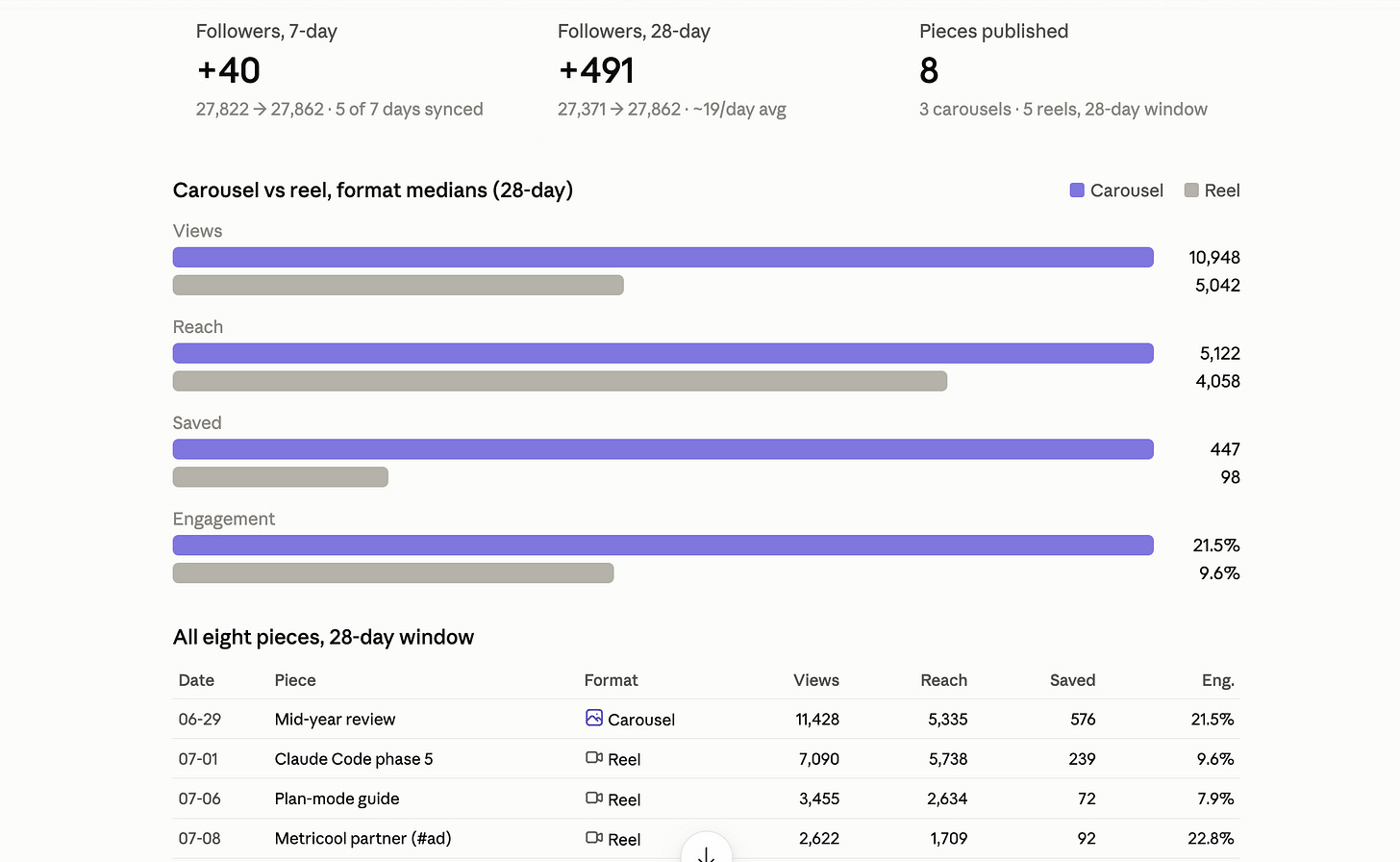
Last week’s monthly review. Instagram hasn’t been a priority for me this month, so it’s interesting to see how that shows in the numbers. Analytics for brand deal reporting: Pulling analytics from across platforms to create reports I can distribute to brands I work with. This could also work well for freelancers or social media managers who need to collect data for client reports.
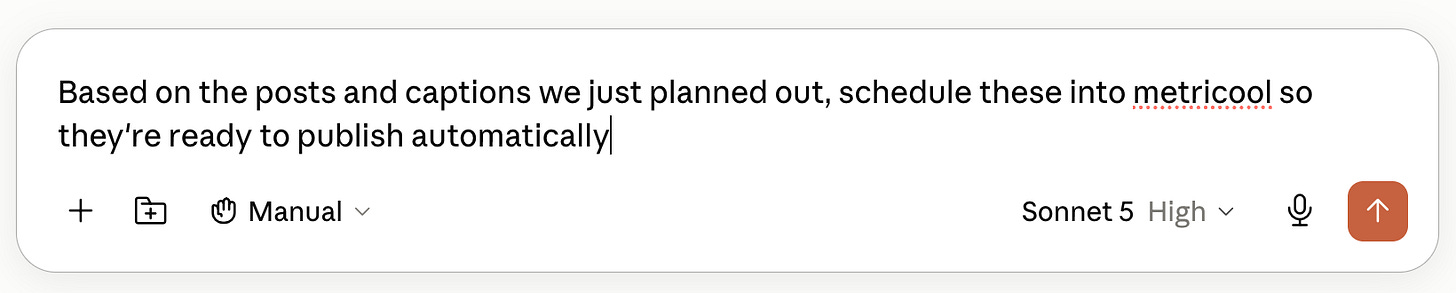
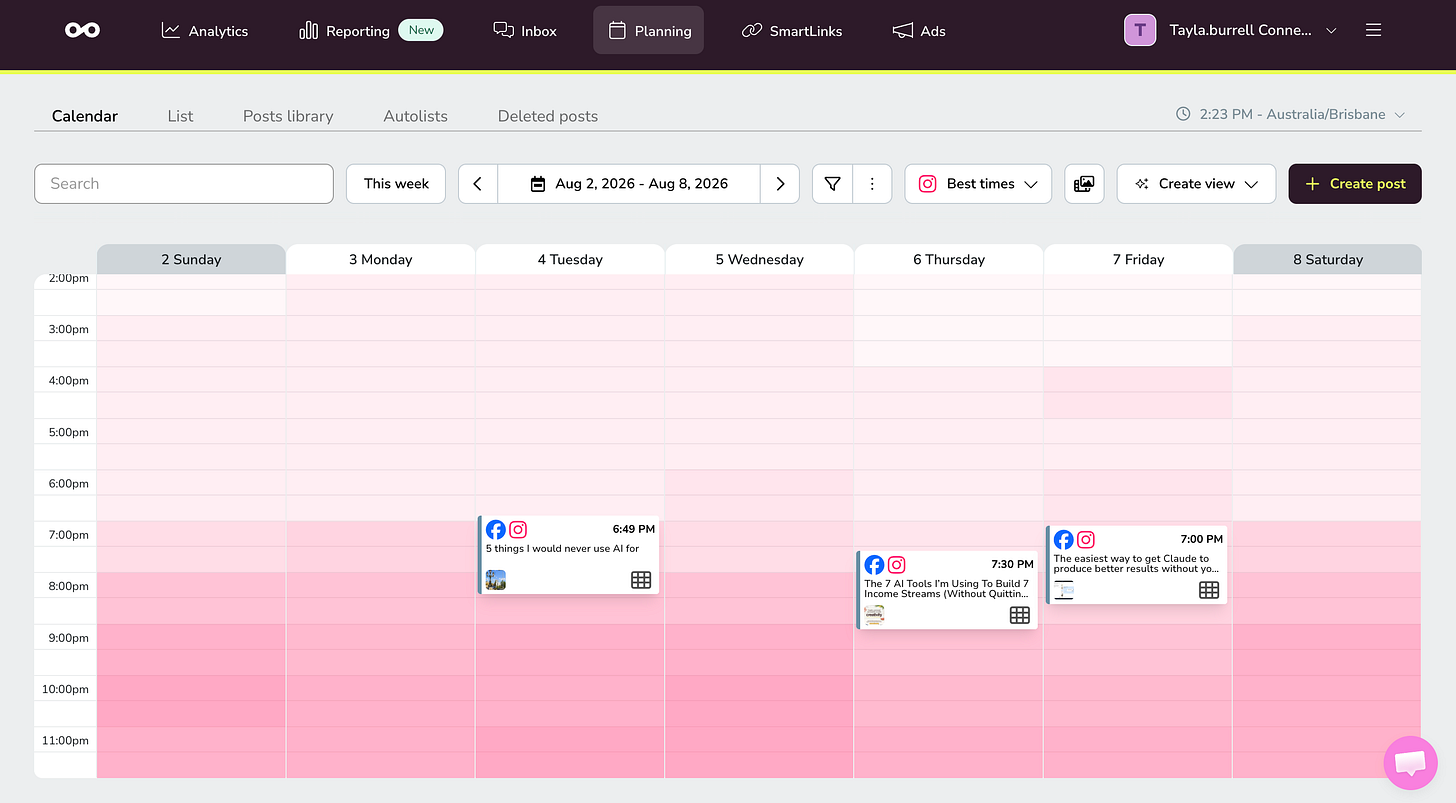
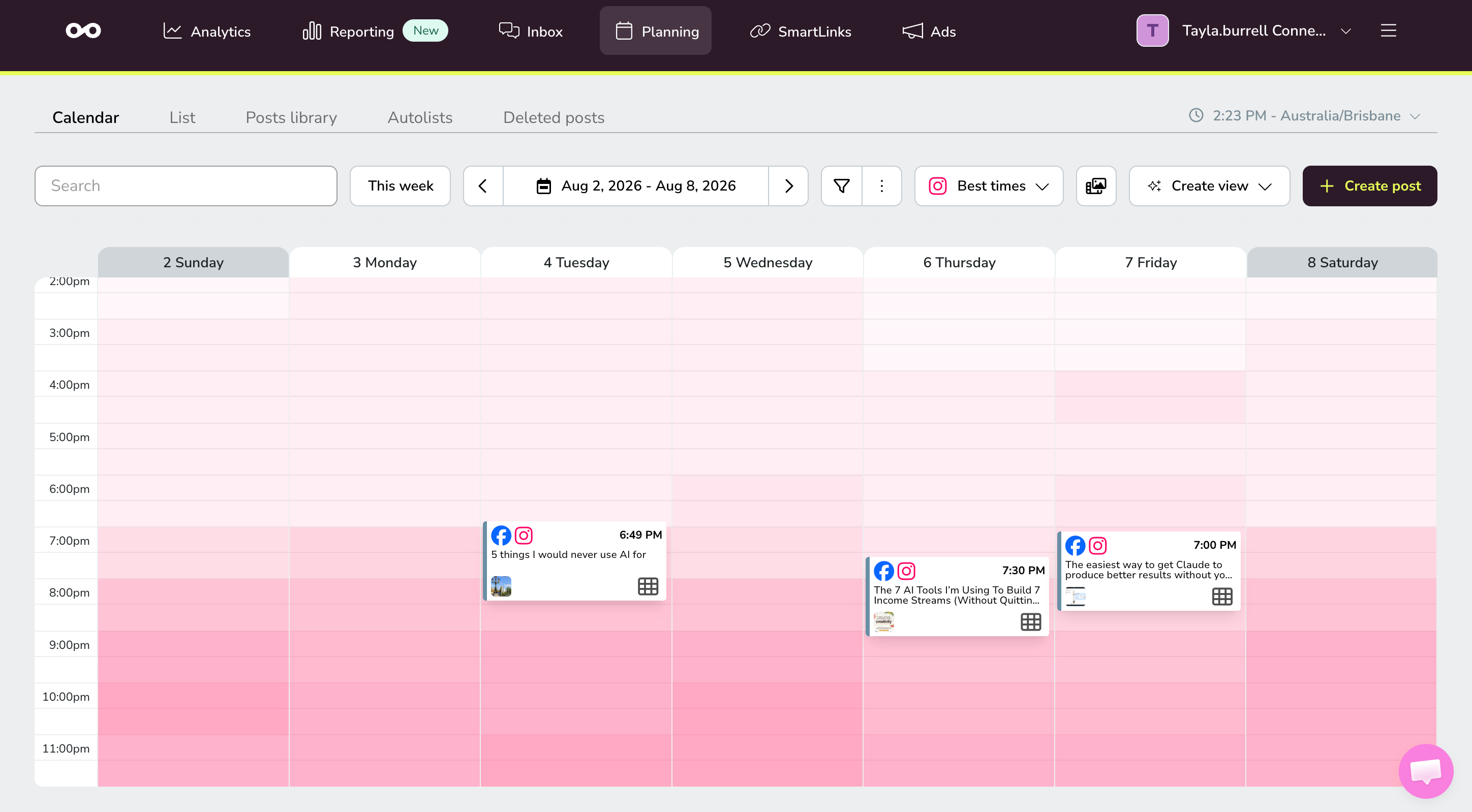
Scheduling. Once the angles exist I prep and schedule from the same place instead of copy-pasting captions into Instagram at midnight.
Link in bio. This is a feature built in to Metricool, so that’s one fewer subscription.
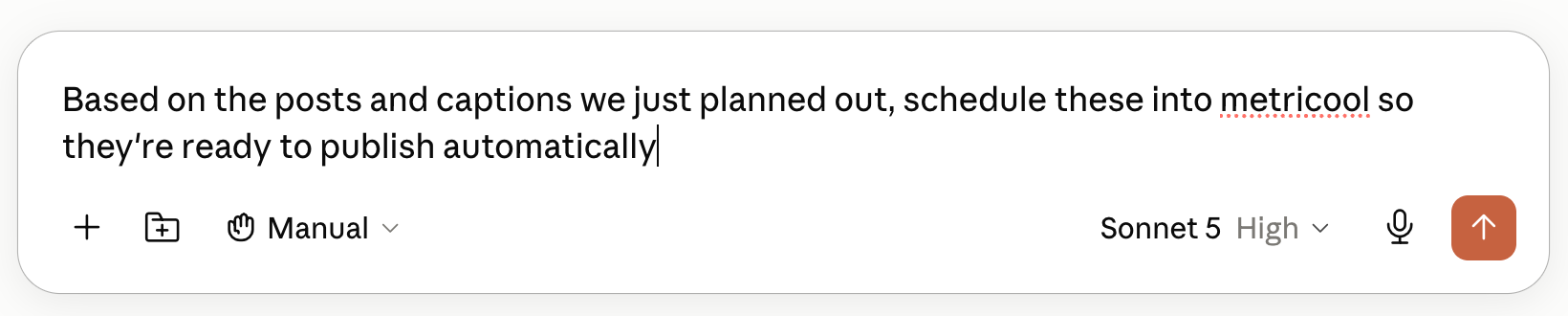
I’ve added some prompts to get you started into my Metricool x Claude Board of Advisors skill guide that you can grab for free here.
If you want to set Metricool up while you’re here, you can use TAYLA for 30 days of Metricool Premium here:
Where do you keep, manage and actually DO the work?
Everything else on this list produces something, and Notion is where all of that work goes. I think the reason most people’s AI setups fall short of their expectations is that there’s nowhere for the output to land, so it ends up buried in a chat thread you’ll never find again or in a Google Doc called Untitled(3).
You must have one place that holds the work, and it needs to be somewhere you’d have opened anyway, because I will not remember to open a second app and I’ve proven that to myself several times.
My tool of choice: Notion
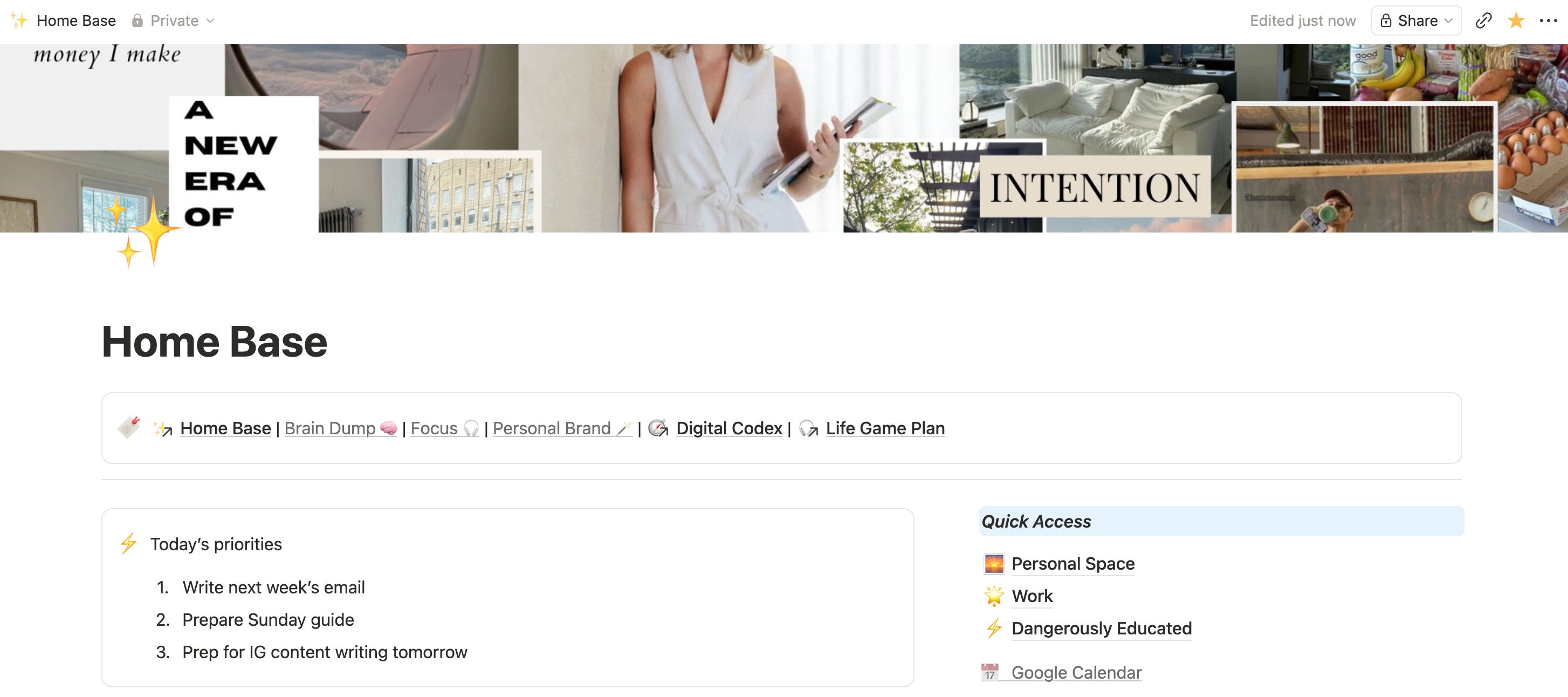
Why: I first found Notion almost 9 years ago, back when almost nobody had heard of it. I published my first digital products on there, built client hubs when I was doing productivity consulting, planned content, did my yearly resets and organised my life, literally everything. It’s a bit surreal watching what they’ve become since.
I’ve never found an issue with it either. The hub-and-spoke content database I run now would have been way too complicated anywhere else. The customisation is incredible, and I also think they’re doing some really cool things with AI that I’ve been exploring more of recently. Plus, the brand itself and the entire community around it is so wholesome and aligned with my own values.
How I use it:
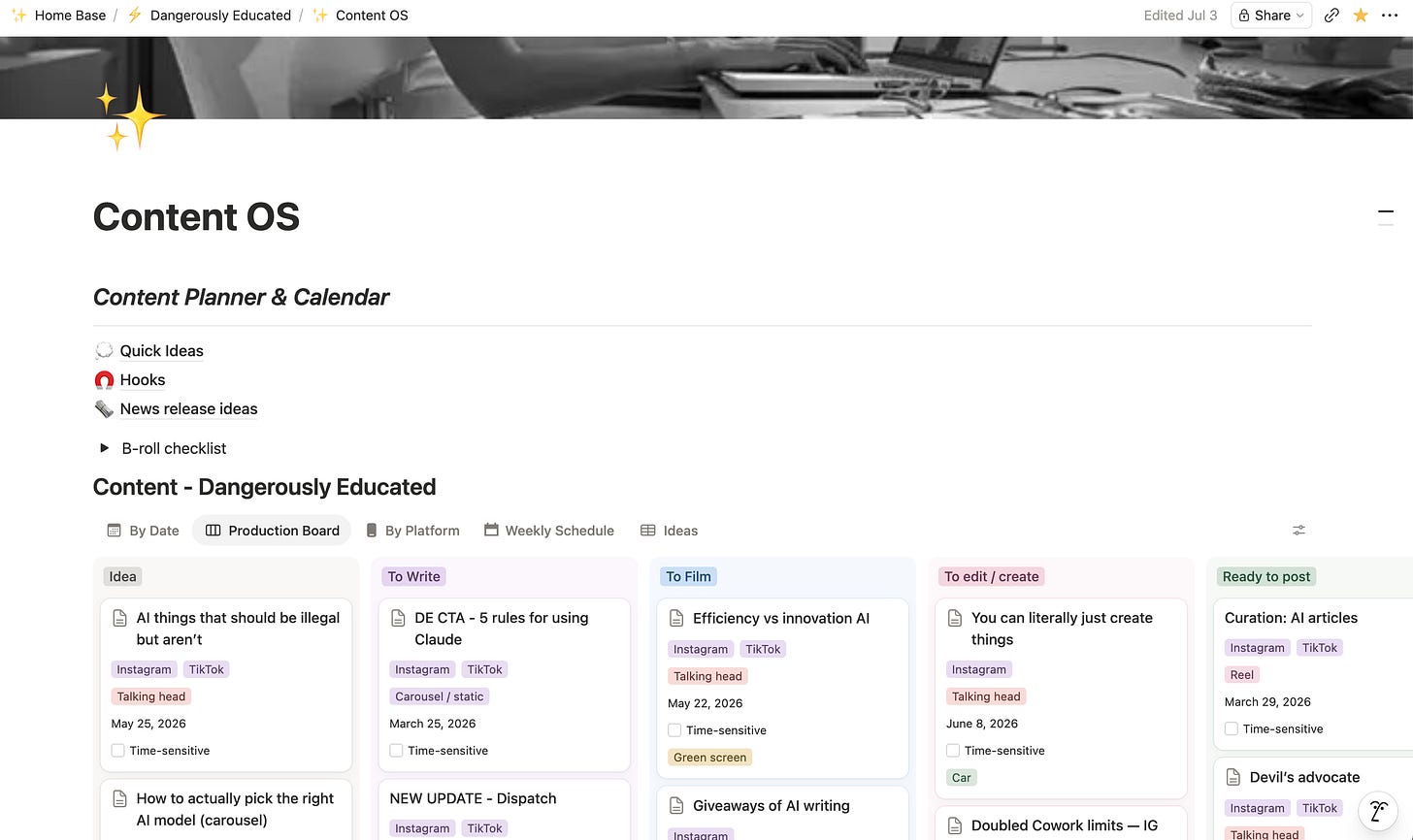
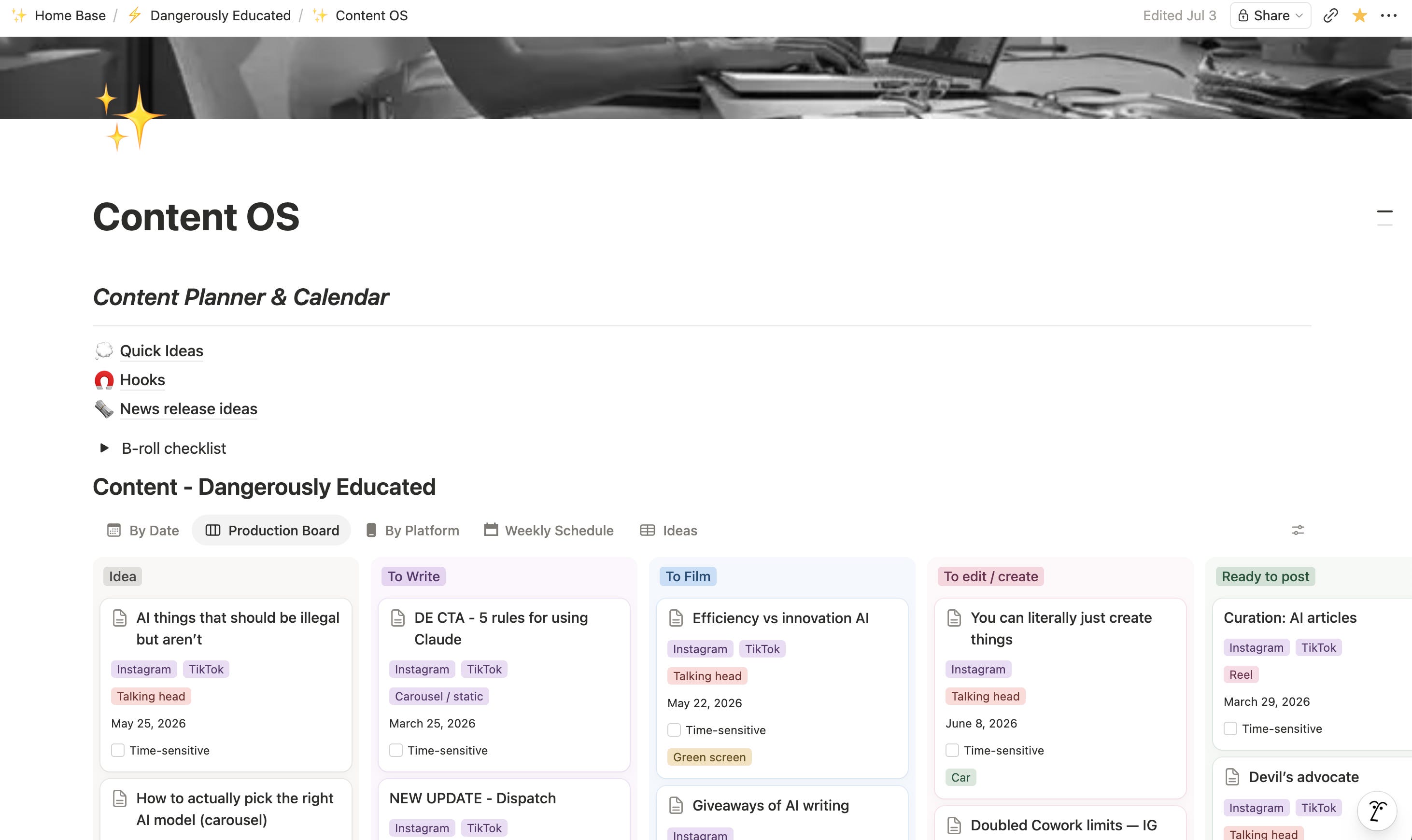
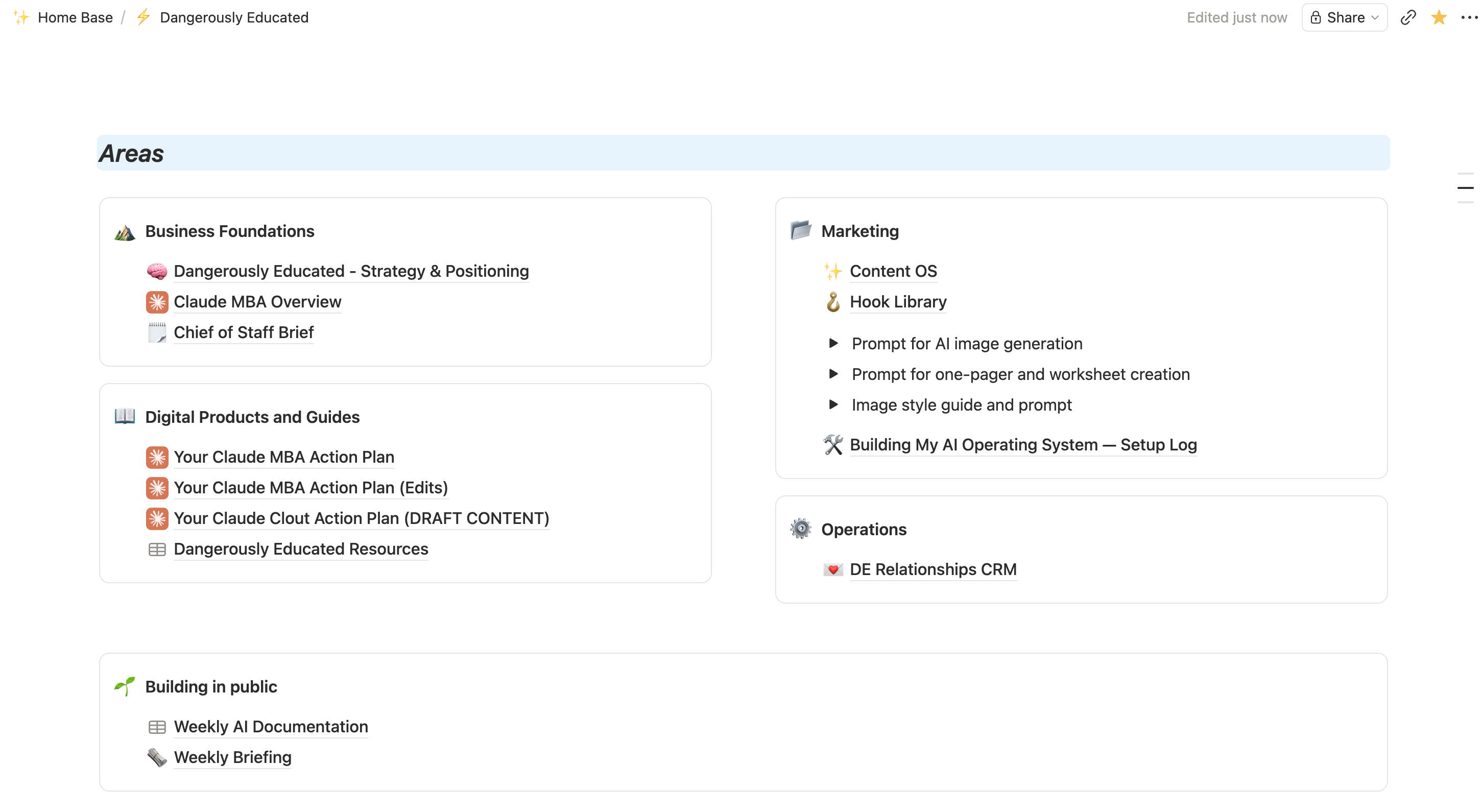
My content operating system. Every idea, guide, newsletter and post sit in one database, with hub-and-spoke relations so a guide connects to every reel, carousel and caption that came off it. I have separate pages for brain dumps, a Guide Library that holds my bonus Sunday pieces, and a Guide Radar where Claude writes in ideas for topics to write about each week.
My CRM. Every sponsor, client, collaborator, prospect, work contact and even friends, with context, deal value, stage, last contact and a next action date against each one (well, not the deal part for the friends). It’s helped me keep track of everything despite having so much going on.
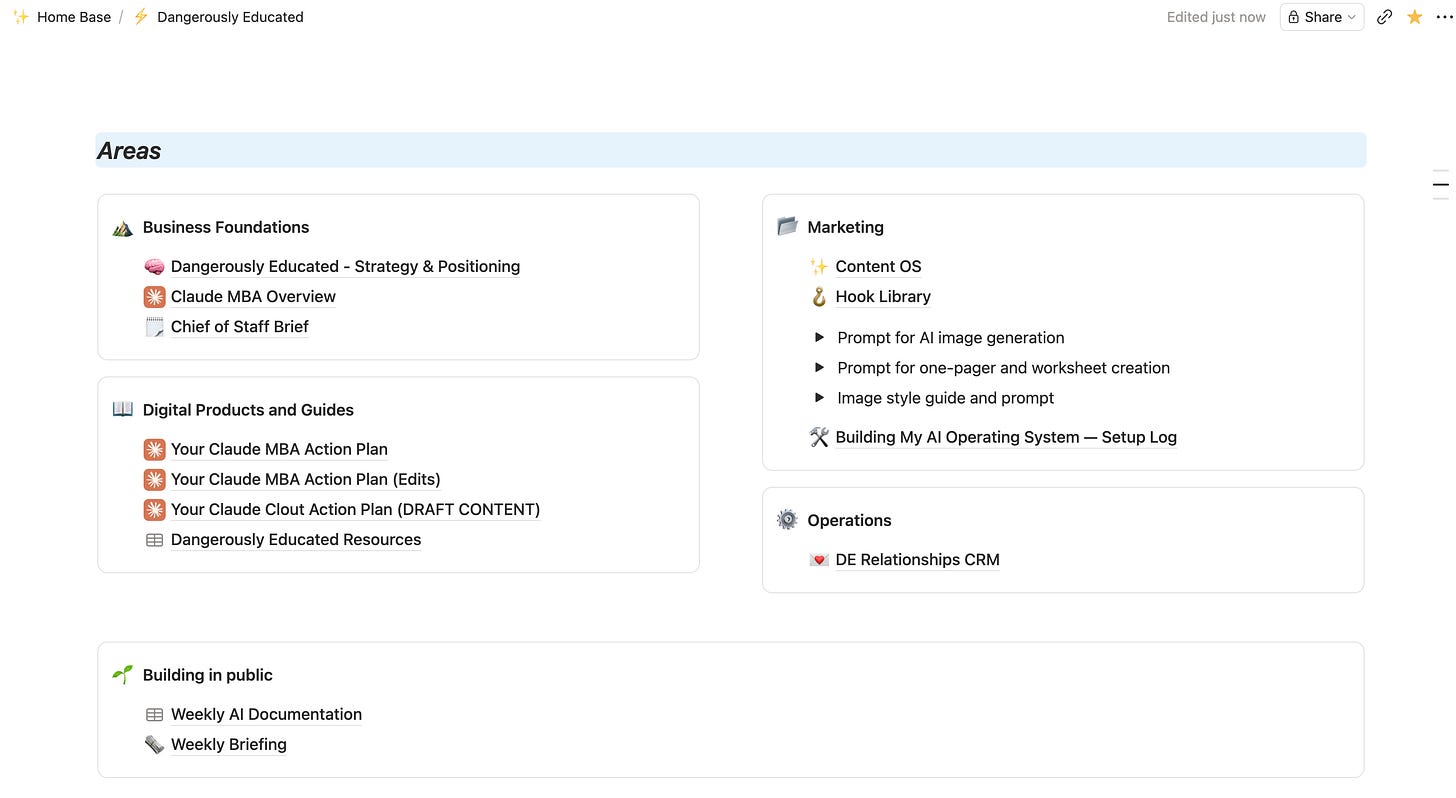
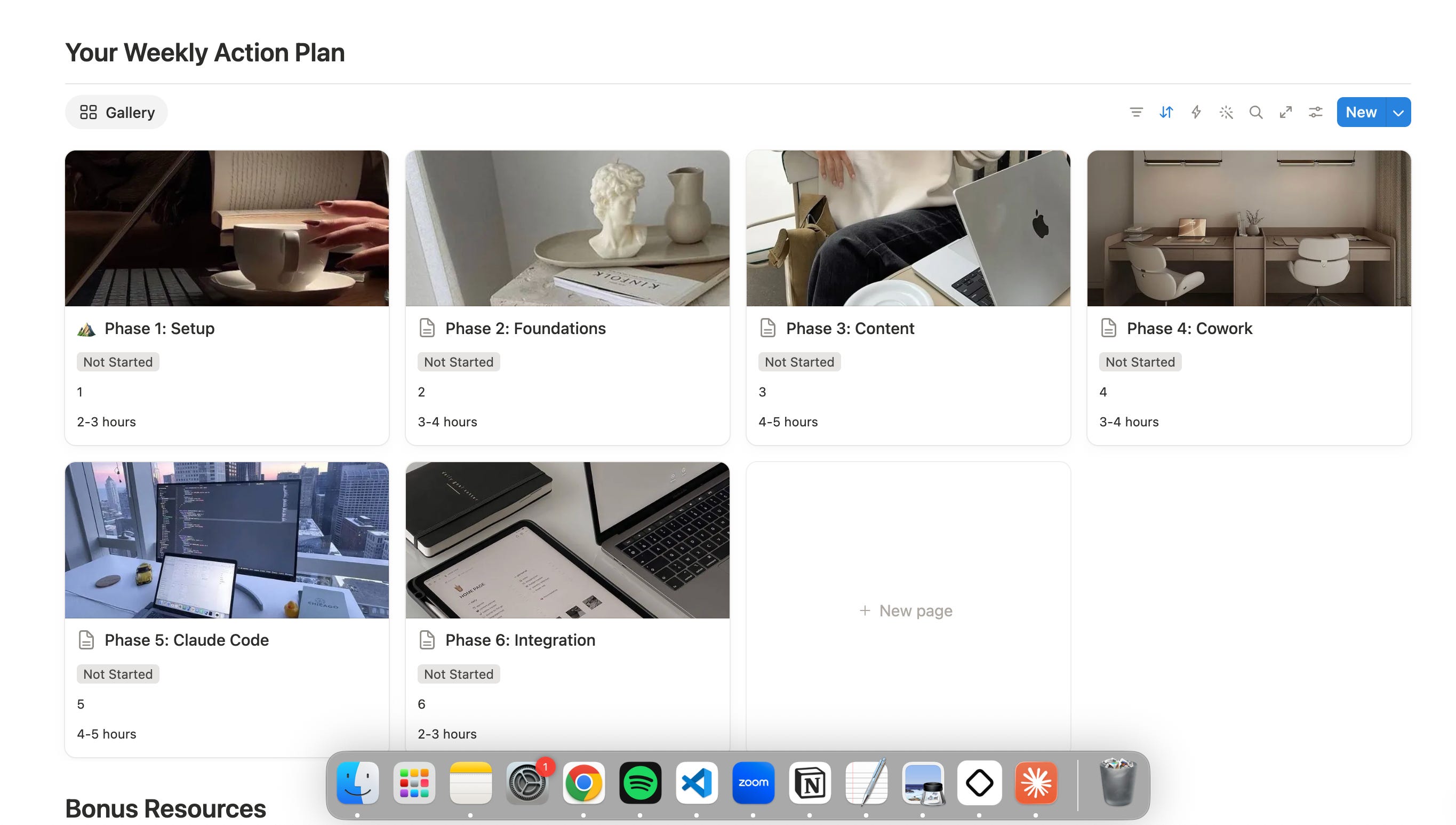
Publishing. The Claude MBA Action Plan is a Notion template people duplicate, and more than 10,000 of you have. I’ve done this with other courses and resources in the past, and I love the aesthetic.
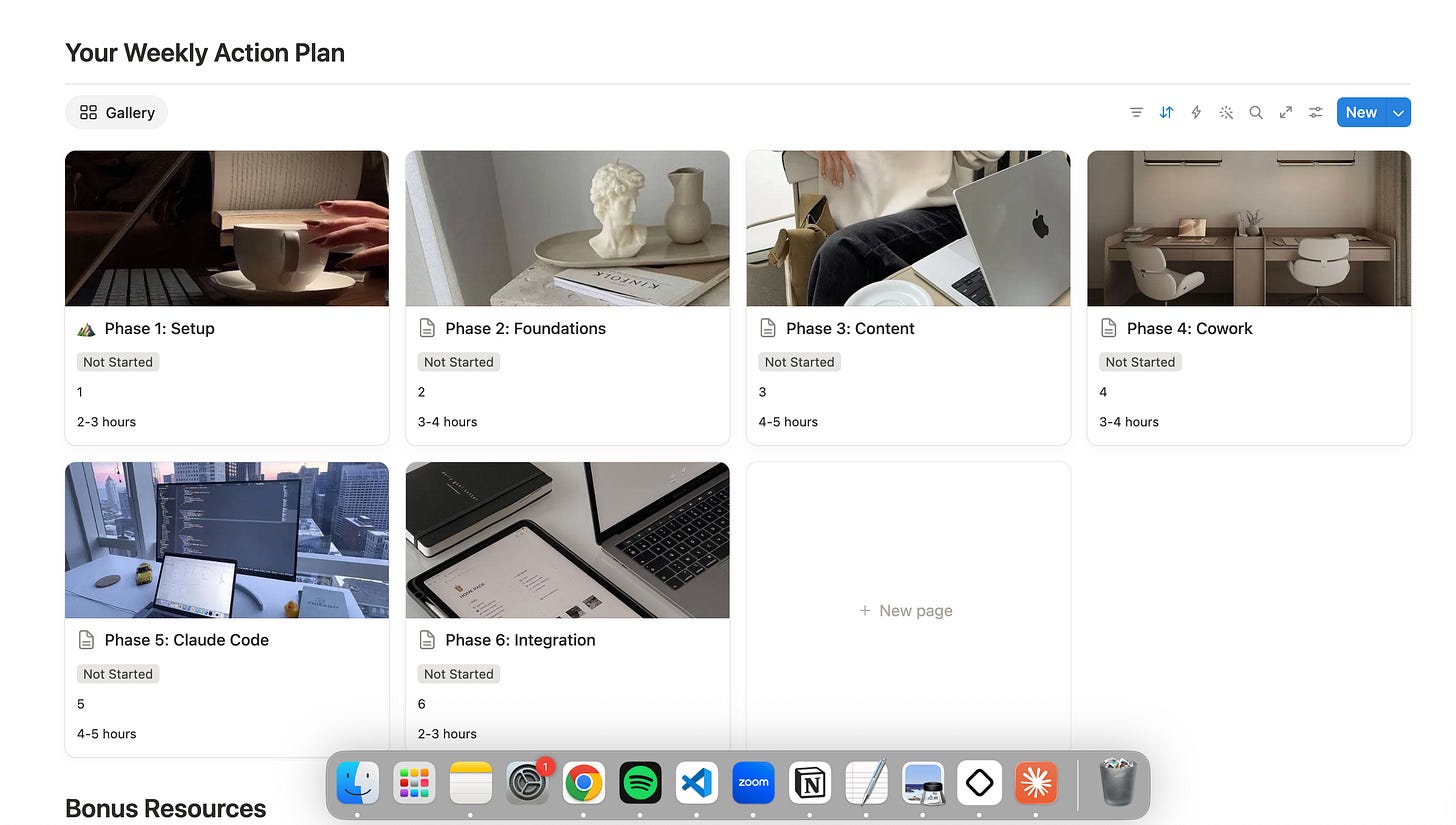
Client work. Delivery hubs for 1:1 engagements so everything a client needs sits behind one link.
Life admin, planning and goals. Habit tracking, weekly reviews, goal setting, workout trackers, and lists upon lists of everything you could imagine.
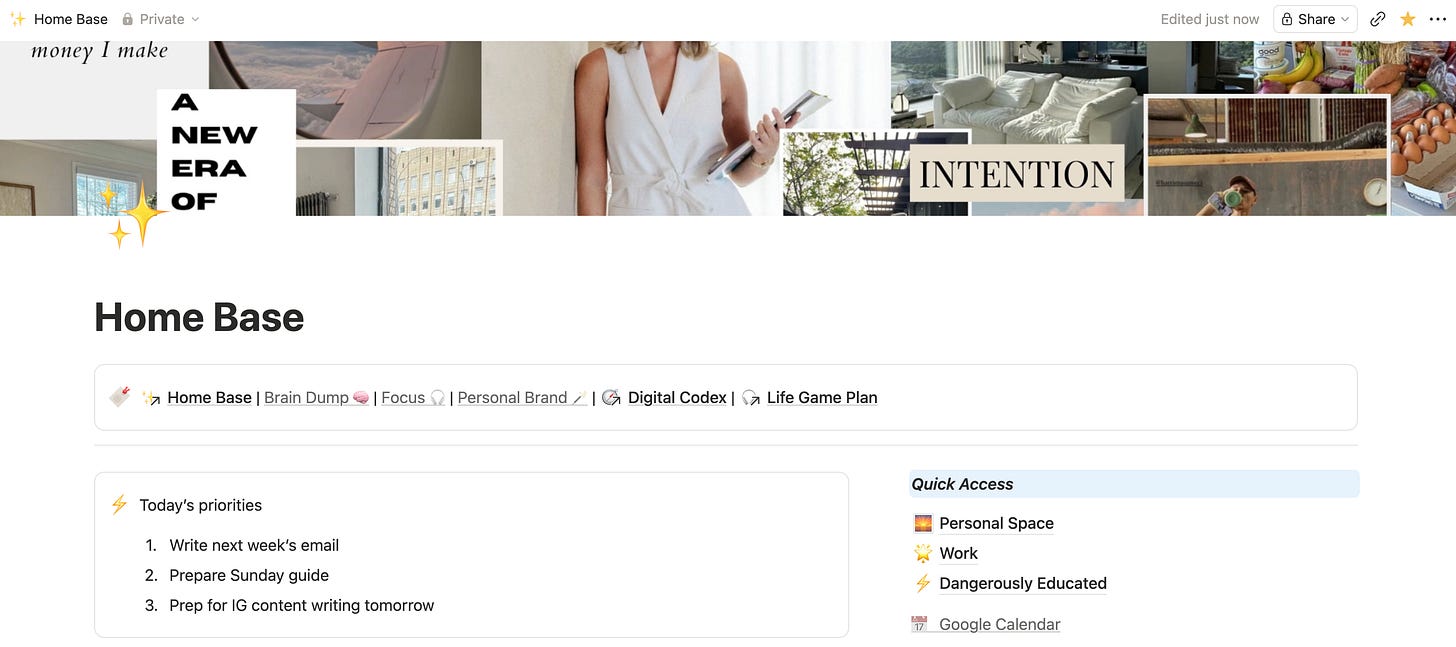
Meeting notes. I didn’t realise you could do this for so long and it’s ridiculously convenient.
Notion AI. For two years my whole relationship between Notion and AI ran one direction. Claude reads my Notion and writes to my Notion. What I hadn’t done was use the AI inside Notion, and until a few months ago I didn’t realise just how good Notion AI had become. If you’d like me to share more content on how I use this, just leave a comment or reply to this email.
Where do you build things with AI?
I don’t think the biggest change AI brings is going to come out of knowledge work. Getting AI to write emails and create slide decks and document stuff is not revolutionary. The revolutionary part **is that AI can code.
You can build the reporting you needed, the visualisation that would have taken you hours, the internal tool that never justified the cost, the automation that connects one system into another because neither company was ever going to build that bridge. A whole category of things that used to be “someone should build that” now take a few hours.
AI making code accessible to everyone is what creates innovation and opportunity. And I think the income and impact over the next few years is going to flow to the people who do just that, which is what this tool category is about.
My tool stack of choice: VS Code (to work with Claude Code), GitHub (to store the code), Vercel (to put apps and websites live on the internet).
Why: Honestly, I started with this setup because it was recommended in the first three YouTube videos I watched about vibe coding. GitHub is a non-negotiable, Vercel is free and very hard to get wrong, and VS Code became my default after Antigravity’s updates back in May left me thoroughly confused. I’ve never had a reason to reassess.
How I use them:
Vibe coding websites: My own site and my media kit.
Vibe coding apps: A Gold Coast coffee finder, an AI project tracker, a conference dashboard, a New Zealand trip planner.
Getting tools off my laptop: I built an email QA bot at work that lets account managers upload an email straight into Slack, have AI run the full QA process, and get a verdict back without leaving the app. This only works because the skill and all its infrastructure moved off my machine and onto a server that runs whether my laptop is open or not.
Where do you maximise the return from your work?
A couple of months ago I lost my Instagram account for five days. Twenty-seven thousand followers, thousands of hours of work, gone with no warning and no human to email about about it.
Almost everyone who found out asked why I seemed so calm about it.
I wasn’t happy by any means, but I was fine because I read The Daily Stoic. (Okay that was part of it, but a joke.) The reason I was fine was because my business didn’t live on Instagram. It’s the top of the funnel, and only the top. Many of you who found me there have already joined us here on Substack, others entered their email to grab a free resource, and some of have even moved into our paid community. Starting over on Instagram would have sucked, but it wouldn’t have left me helpless.
That’s why I encourage every single creator to have a distribution engine that takes surface-level attention, which is cheap and unreliable and not yours, and moves it somewhere you own.
And honestly, even though I enjoy writing these and want to help as many people as possible, I value my time far too much now to post with no purpose. If I’m going to spend Sunday creating something, I want it to reach people, I want it to hook them in, and I want to be able to keep reaching them when I have more content or resources they’d find valuable.
My tool stack of choice: ManyChat, Kit, Stripe.
Why: There aren’t many substitutes out there that will beat Manychat or Stripe in terms of cost, integrations or performance. As for Kit, I actually started writing on there 3 years ago now, back with my old newsletter The Strategic Edge (shoutout to any of you who have been with me for this whole time!). It’s always done the job for me, so I’ve had no reason to switch.
How I use them:
ManyChat: the comment triggers on Instagram. You comment a word and the guide lands in your DMs a few seconds later, which is the only reason I got 10,000+ emails from my Claude MBA.
Kit: landing pages for my lead magnets. I could honestly be doing far more with email sequences here than I am. I’ve also used Kit to sell and deliver digital products, like my Notion Digital Home Base.
Stripe: payments from paid Substack subscribers (thank you, I appreciate you all!) and 1:1 engagements.
Where do you bring your ideas and writing to life?
I’m not good at the creative side of this and I really don’t enjoy it. I never have.
I’ll happily spend a full Saturday writing and building, but ask me to make something look good and I will suddenly need to clean the kitchen or even answer my emails. So this category works differently from every other one on the list, and the only thing I care about is how little stress sits between finishing the thinking and having something I can post.
My tool stack of choice: Canva, Edits, Higgsfield
Why: Canva is the GOAT and I’ll fight anyone about it. Nothing comes close for what I need, and templates mean I can save time and mental energy on the design so I can do better things with my time.
For editing, I used CapCut for a while but it took up an absurd amount of storage on my phone. My editing is pretty basic by choice, so Edits does everything I need without getting in the way.
Higgsfield I choose for the convenience. Every image and video model I’d want sits behind one subscription instead of three, and the connectors have become very good. If you only want one model you could swap it for ChatGPT or Nano Banana and be perfectly fine.
How I use them:
Canva: Primarily to make my Instagram carousels and slide decks for workshops. Canva’s integration with Claude design is getting better and better every month.
Edits: Editing my reels (I typically just film on my iPhone camera)
Higgsfield: Generating images for my newsletters, reels or workshops, particularly when sharing a more advanced concept where I think a visual representation would make it far easier for you to understand.
Your AI brain needs to live somewhere that isn’t Claude or ChatGPT. All the context that makes AI useful, who you are, what you’re building, how you write, what you’ve already decided, has to sit in files you own, so you can move it anywhere. Mine lives in Google Drive, and it’s what I point both Cowork and Claude Code at. If I switched tools tomorrow, the setup would come with me. That’s the whole reason I never stress about the Claude versus ChatGPT question. I can move at any time.
The second part of the productivity piece is speech-to-text. The fastest way to get something useful out of AI is to just talk at it, and explain all the context without overthinking it. The more AI knows about what you’re trying to achieve, the better the output gets, and talking is roughly three times faster than typing. What comes back is also better too, because it comes straight from your brain rather than the filtered words you could have typed.
My tool stack of choice: Whispr Flow, Google Workspace.
Why: Google Workspace is a non-negotiable once you’re running something properly. It gives you a custom email on your own domain, google meet, and extra storage, for very little cost.
Whispr Flow is the best speech-to-text I’ve found mostly because it’s really good at understanding intent, rather than just transcribing word for word. It removes the umms and ahhs, and if I say “I want to do X, wait, actually, I want to do Y”, it writes Y. (When I run out of limits on WhisprFlow I switch to Resonant.)
How I use them:
Voice noting on walks. Ideas for content, strategy, products, even replies to emails I don’t want to sit down for.
Prompting with real context. Anything where Claude needs the full background before it starts, which is most of the time. I’ll talk for two minutes instead of typing for fifteen.
First drafts of anything I’m stuck on. Saying the messy version out loud is usually how I work out what I actually think.
Google Workspace: Gmail, Calendar, Meet, and Drive holding the whole AI operating system.
If you go looking, I can almost guarantee that you’ll find something newer than every single one of these tools before you finish reading this, along with a very confident person on your feed explaining why you’re behind for not having switched already.
Ignore them, pick your seven, and give yourself one day to set them up properly before you lock in for six months and actually build something. Come to the surface in February, have a proper look around, change whatever needs changing, and lock in again. I promise, it’s the best thing you could do for yourself.
If you want a structured way to spend that first day, the Claude MBA Action Plan is the six-week version of all of this. It’s free and more than 10,000 people have gone through it, and it’s six weeks of “open Claude and do this today” rather than a list of essays.
And if you know someone who’s been questioning which tool to use, maybe send them this to help them simplify the process.
One final thing. The question I get most about a list like this isn’t which tools to use, it’s “which of these is right for me“, and that answer changes completely depending on whether you’re a consultant, a founder, or someone building this around a nine to five. If you want to ask about your own setup, the chat inside the paid community is where I can give you a personalised recommendation. It’s $18 a month and there are almost 100 of us in there now.
No posts
Comments
Nothing yet. Say the first thing.
Sign in to join the conversation.