
There’s a piece of AI advice going viral right now from one of the most credible people in the industry. But copy him literally and it could cost you a fortune.
The person who built Claude Code, Boris Cherny, said last week that he doesn’t prompt Claude anymore.
“I don’t prompt Claude anymore. I have loops that are running. They’re the ones that are prompting Claude and figuring out what to do. My job is to write loops.”
That got clipped and shared everywhere as a kind of verdict: prompting is the old way, loops are the future, and if you’re still typing one instruction at a time you’re behind.
Loops are real and worth learning. But the viral version skips the one thing that decides whether a loop saves you three hours or torches your token budget on work that fell apart while you weren’t looking.
So here’s the whole thing, start to finish: what a loop actually is, the one question that tells you whether to build one, exactly what it looks like to run one in Claude, Claude Code and Cowork, the pieces that make it stronger, and the first loop I’d run today.
P.S. When you’re ready to actually apply this, there’s a prompt at the bottom that gets your own AI to walk you through it, built around your own context.
The way most people work with AI right now is what people call human-in-the-loop. You give Claude a prompt, it produces something, you read it, you decide if it works, and you either use it or send it back. You’re in the driver’s seat at every step.
An agent loop takes you out of that seat.
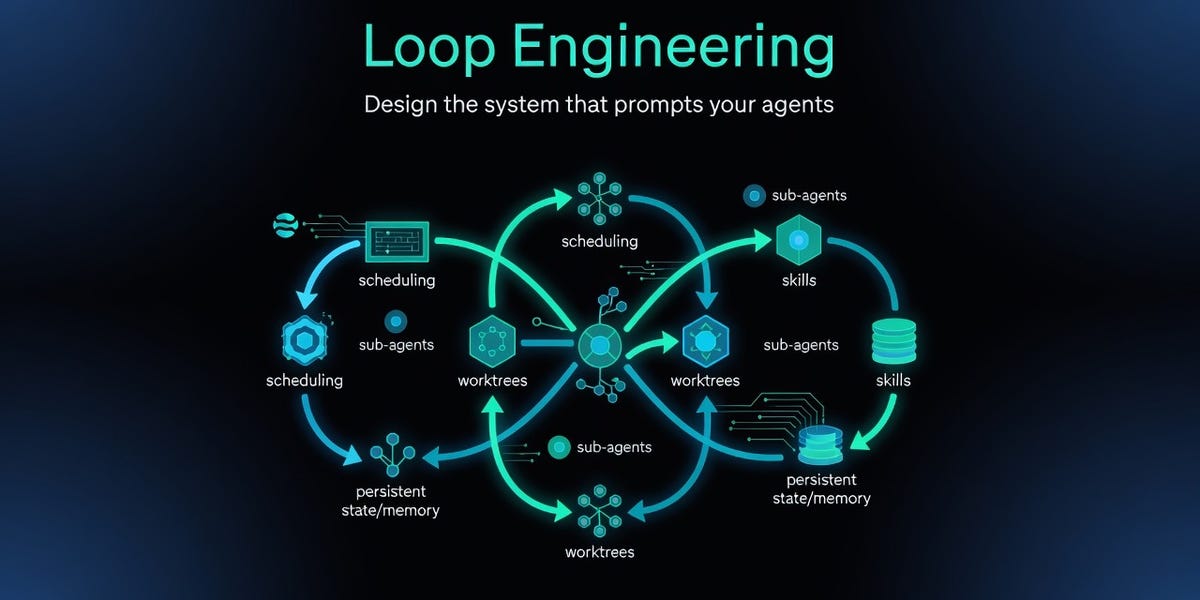
Every loop, however fancy, runs the same five steps:
Work out what needs doing. It looks at wherever the work lives, a task list, a folder of files, an inbox, a queue, and pulls the next thing off the pile.
Do that one thing. It works a single item at a time, exactly the way you would have prompted it if you were sitting there yourself.
Mark its own work. This is the step that matters. It checks whether the thing is not just done, but done properly against the standard you handed it.
Note where it’s up to. It keeps a running record of what’s finished, so it never repeats work and can pick up mid-job if it stops.
Go round again. It keeps going until the pile’s empty, then either stops or notifies you.
A prompt gets you one good answer. A loop gets you something that keeps turning out good answers while you're off doing something else entirely. You go from doing the task to designing how the task gets done, and that shift is the whole game.
Most takes online treat loops as the new default for everything. They’re not.
A loop only works when the task has an objective signal that can tell it it’s done without you in the room. That signal is the engine. It’s what the loop grades itself against on every pass. No signal, nothing to check, and it just stops like a normal prompt and hands you whatever it produced first try.
So ask yourself one question before you build anything:
Is the right answer here objectively verifiable, or does it need my judgment at multiple points?
If it's verifiable, a loop is brilliant:
300 SEO pages off one template where “correct” just means “matches the structure.”
40 messy testimonials that all need the same format.
Code that has to pass a test.
A draft that has to score four out of five on a specific rubric to get through.
In every one of those, the loop doesn't need you hovering, because the standard you set is doing your job for you.
But if it needs your judgment, that’s a different story (and it's the part everyone glosses over because it's less exciting than firing off a goal and walking away).
Imagine hiring a brilliant developer, handing them a detailed brief, and telling them to go build the whole thing without checking in. They’ll build something. And when they show you, things will be wrong that had nothing to do with their skill, because your brief missed things you didn’t know you had opinions about until you saw them built differently. You work out what you want by watching it take shape and reacting to it. That’s just how building works.
A loop closes every one of those gaps with a guess, at full speed, with no way to feel it’s drifted. By the time it finishes, the assumption it made at step three is baked into everything after it.
AI can follow your instructions. What it can’t do is fill the gaps in your instructions that you didn’t even know existed. That part is all on you: your taste, your judgement, your expertise, and what you’re actually trying to build.
Every loop needs a trigger. Here are the three I actually use, depending on where I’m working and whether the job has a finish line.
Here’s the loop I’d start you on.
It’s not some sprawling autonomous agent left running for over an hour. It’s one tight scoring loop around a single task you do over and over and already know what “good” looks like.
Here’s the template. Fill in the brackets and paste it straight into Claude:
You're going to draft this, then score your own work and revise until it passes. Don't show me anything until it does.
THE TASK
[What you want made. Example: "a 6-slide Instagram carousel on [topic], in my voice."]
THE CRITERIA (score each out of 5)
[List 3-5 things that make this good. Example:
- Voice: adheres to the rules in my 'write-in-voice' skill
- Hook: slide 1 is something controversial, novel or curiosity-inducing
- Specificity: real examples and numbers, nothing generic
- Structure: one idea per slide, clean flow]
THE LOOP
1. Draft it.
2. Score yourself honestly against each criterion, out of 5, with one line on why.
3. If anything scores below 4, revise that part and score it again.
4. Repeat until every criterion is at least a 4. Max 3 rounds, then show me what you've got and flag whatever is still weak.
Once we've gone through our iteration process together and I'm happy with the performance, offer to turn this into a sub-agent that runs automatically, or a simple skill.
I use one for carousels. After Claude drafts the first version, it scores itself against the criteria I care about, voice, structure, hook strength, specificity, and if it scores below a five it has to revise and go again until it hits at least a four. It works because I can define “good” clearly enough that Claude can grade itself against it. It’s not me handing over my judgment, it’s me writing my judgment down once so the loop can apply it on repeat.
If you're working in Claude Code, there are two built-in commands that turn that same pattern into a proper hands-off loop.
/goal runs until the job is finished. You describe what "done" actually looks like, and Claude keeps working at it, turn after turn, on its own. The clever bit is what happens between turns: every time it finishes one, a separate check runs to ask whether you've actually hit the goal yet, and if the answer is no, it hands Claude the reason and sends it straight back in. It only stops once the goal is properly met, and that self-check on every single turn is the thing that makes it a real loop rather than a prompt that fires once and hopes.
Try this in Claude Code:
/goal every draft caption in this doc is under 125 words, opens with a line that isn't a question, and finishes with a comment prompt. Print the word count next to each. Fix the ones that miss and stop when they all pass.See why this works: the goal is something Claude can actually measure, so the checker knows the exact moment each caption passes. Claude trims a caption, counts the words, sees it's still over, trims again, counts again, and only moves on once it clears the bar. You never once had to sit there typing "nope, again."
/loop is for the work that never really finishes, the stuff you need to happen in the background. You tell it how often and what to watch, and Claude re-runs itself on that rhythm, either on a schedule you set or one it works out for itself.
Try this in Claude Code:
/loop 12h update my website to ensure it reflects my current number of customers / followers by loading the homepage and cross-checking against my airtable database.The simplest way to remember it is to use /goal when there's a finish line and you want it worked at until something is true. Use /loop when there's no finish line, just a beat you want kept, checked again and again. Most of the powerful loops you will build start with /goal.
This is the /loop idea for anyone not using Claude Code. In Cowork you hand it a job and a cadence in plain English, “every weekday at 7am, read my inbox, draft replies to anything that needs one in my voice, and give me a brief to review and action,” and it runs itself on schedule while you’re asleep.
The make-or-break for all three is the same: your bar has to be something the loop can measure. "Make it good" gives it nothing to check against. A number, a checklist, a passing test. Verification isn't a step in the loop, it is the loop, and a loop that can't check its own work just makes mistakes faster than you ever could by hand.
The trigger is the engine, and honestly it's plenty to start with. These four are the upgrades you reach for once you're asking a loop to do more for you:
A context file (or skill): Give AI a context file about how your project works, your rules, and your voice. Every run then starts already knowing all of it, instead of you re-explaining yourself from scratch each time.
Connectors: Plug in your real tools, your inbox, your task board, your Drive, and “find the work” stops meaning a folder of local files and starts meaning your actual pile of real work.
A memory file: The loop keeps a running note of what it’s done. It’s the difference between ten runs that each start from zero and one that behaves like a person who remembers what they were doing yesterday.
A separate checker: Whatever built the thing is the worst possible judge of whether it’s any good, so you set up a second agent whose only job is to mark the first one’s work. That independent second look is what makes a loop safe enough to leave running while you’re not watching.
The quickest way to feel why a loop beats a prompt is to hand it something at volume. Say you’re updating 30 landing pages to make them all consistent, and every page has to carry the same handful of things: the right location in the headline, a meta description under 155 characters, three internal links, and no placeholder text left lying around.
Ask a single prompt for all 30 and you’ll get 30 pages that look right at a glance. Then a fortnight later you find four of them are missing the meta description, two still have the last suburb’s name sitting in the headline, and one has a “lorem ipsum” block you never caught. The prompt had no way of knowing, because it produced them all in one pass and moved straight on.
A loop does it the way you would if you had the patience for it. It builds a page, runs it against the checklist, spots the missing meta, fixes it, checks again, and only counts that page as done once every box is ticked, then it starts on the next one. Thirty pages, every single one actually checked, and you weren’t the one checking.
/goal every page in /landing-pages carries the right location in the H1, a meta description under 155 characters, exactly three internal links, and zero placeholder text. Check each page against that list, fix anything missing, and re-check before you call it done. Stop when all 30 pass.Loops burn tokens fast, by design, several turns per task. Peter Steinberger, who builds with loops at scale, posted about spending $1.3 million on tokens in a single month (most people don’t earn that in ten years). On a $20 or $100 plan the same pattern plays out smaller but just as real: you chew through your allowance and land on something half-finished that drifted sideways while you weren’t looking.
That’s the whole reason the viral take doesn’t transfer cleanly to you. Boris isn’t wrong. Boris has unlimited access to Anthropic’s tokens, and what makes sense with that looks very different from what makes sense on a subscription while you’re trying to build something for an actual business or brand. So start small. One task, one check, watched closely the first few times before you ever leave it alone.
Pick one job you already do on repeat and already know what "good" looks like, and honestly, the more boring and rule-bound it is, the better a first run you'll get. Drop the scoring loop in, fill it with your own criteria, and run it once with your eyes on it the whole way through. Once it's earned your trust, schedule it and let it run without you.
That's the entire journey from prompting to looping. And the question underneath it never changes: if the answer is objectively checkable, build the loop and let it off the leash. If it needs you, stay in the chair. You're the judgment layer, and for now that's still the part that matters most.
Don’t just read this one and nod along. The point is to walk away with a loop actually running, and the fastest way there is to let your own AI coach you through it, built around your work instead of my examples.
Two quick steps:
Grab the guide so you can hand it over. Copy the link to this page, or hit print and save it as a PDF.
Open Claude or ChatGPT, paste the prompt below, and give it the guide (the link, or the PDF) when it asks. It’ll read the whole thing and take you through building your first loop, step by step, personalised to what you actually do.
I've just read one of Tayla's guides and I want your help actually applying it to my own work, not just understanding it.
Here's the guide: [paste the link to the page, or paste the full text / attach the PDF]
Before you say anything, read it properly and get clear on what it's actually teaching. Then act as my hands-on implementation coach and take me through this one step at a time, waiting for my answer before you move on:
1. Start with what you already know about me and my work, from our history, my saved context, or anything I've given you. Tell me what you already understand about my situation, then ask me only the questions you still need to fill the gaps. Don't ask me things you can already answer yourself.
2. In plain terms, tell me the core thing this guide is teaching and why it matters for someone in my position.
3. Look at my situation and tell me exactly where this applies to me, which parts are most relevant, and which I can skip for now.
4. Pick the single best place for me to start, and walk me through applying it to a real example from my own work. Keep asking me questions until it's specific and genuinely usable, not generic.
5. Give me the finished output or the exact steps to take, tell me how to put it into action, and what to watch for the first time.
6. Once it's working, show me how to make it repeatable so I'm not starting from scratch next time.
Keep it simple and non-technical. Assume I'm smart but not a developer, and only move to the next step once I've answered the one before.
New here? Every week I break down what’s actually working with AI to build something real, without the hype and without assuming you’ve got unlimited tokens and a team. Join the newsletter below, or become a paid member for direct responses to your challenges:
No posts
Comments
Nothing yet. Say the first thing.
Sign in to join the conversation.