
I built nearly 40 AI skills for my business and then forgot to check if they were actually working.
Not the building part. I checked that. You write the instructions, wire up the triggers, watch it do its thing for the first time and think holy shit, that actually worked. Then you move on to the next one.
Weeks go by. Months. Your agents are running in the background. Quietly. Doing their jobs. Probably. Nothing’s screaming at you. No errors in your inbox. No angry clients. So you assume everything’s fine.
But “nothing’s screaming” is not the same as “everything’s working well.”
Last night I finally looked. Found a problem I didn’t know I had, fixed it in 20 minutes, and saved hundreds of wasted agent runs per month. All because I built one simple thing most people skip.
At Smooth Ops, we run nearly 40 active AI skills. Calendar sync, email capture, meeting follow-ups, project state updates, Slack channel context. The works.
Each skill has written instructions, clear inputs and outputs, and a defined way to run. Some fire automatically on triggers, dozens of times a day. Others get kicked off manually by the team. Someone asks the AI to do something, it finds the right skill and runs it.
Both kinds are invisible once they’re running. The automated ones because they’re in the background. The manual ones because the person who triggered it moves on to the next thing.
And for a while, I had zero visibility into any of it.
I could see the outputs. A meeting appeared in the database. An email got captured. A project status updated. But I couldn’t see the runs themselves. How many times did Calendar Sync fire today? Did it succeed every time? When Catherine ran the proposal skill last Tuesday, did it actually finish? Were there errors I never noticed because the next run quietly fixed the problem?
No idea.
If you manage people, you know this feeling. Imagine hiring five staff, giving them tasks, and then never checking in. Never doing a 1-on-1. Never looking at their work. Just assuming it’s fine because nobody quit.
That’s what most of us are doing with our AI skills.
The fix is boring. That’s how you know it’s important.
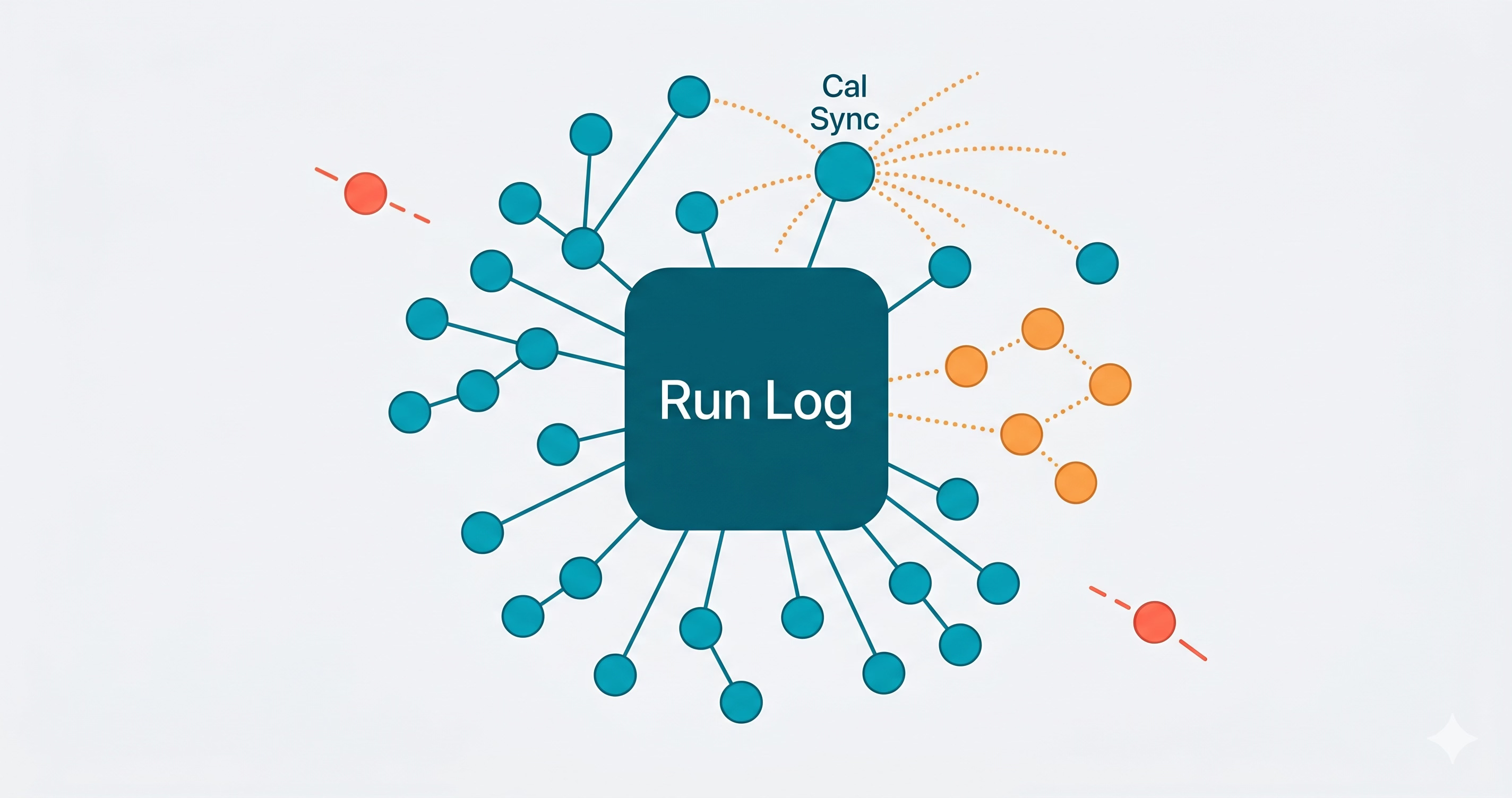
I created a database called the AI Skill Run Log. Every time an agent runs a skill, it logs two things:
Before it starts work: Create a row. Status: Partial. This is the “I’m about to do something” breadcrumb.
After it finishes: Update that same row with the result. Success, Error, or Skipped. Plus a one-sentence summary of what happened.
That’s it. Every skill follows this pattern. Log first, work second, update last.
The “Partial” status is the sneaky important bit. If an agent crashes mid-run, you’ve got a Partial row that never gets updated. That’s your evidence. Without it, a crashed run is just... nothing. A ghost. You’d never know it happened.
Each log entry captures:
Which skill ran (relation back to the skill)
When it ran
What triggered it (manual, scheduled, database trigger, etc.)
What it did (one-sentence input and output summaries)
What it touched (links to pages created or updated)
What went wrong (if anything)
Nothing fancy. Just structured, consistent breadcrumbs.
Here’s where it gets interesting.
I had about 950 logged runs sitting in this database. I hadn’t really analysed it. Built it, used it, moved on. Classic.
So I did something simple. I asked AI to look at the log and tell me what it saw.
Not a vague “any issues?” prompt. I asked it to query the actual data. Break down runs by skill, by status, by trigger type. Look for patterns. Find the noisy ones. Find the broken ones. Spot anything weird.
Here’s what came back.
444 runs out of 947. Nearly half of all agent activity was one skill. 69% of those runs were marked Skipped.
Why? Because every person on the team has their own Calendar Sync agent watching their own Google Calendar. When someone updates a shared meeting, every agent fires. Five people on the invite means five agents all racing to process the same change. The first one does the work. The other four detect it’s already done and skip.
The runs were harmless individually. But 307 skipped runs is a lot of wasted log noise and wasted attention when you’re trying to read the data. And with custom agent pricing about to land, those skipped runs stop being free. Each one is a real dollar cost for work that didn’t need to happen.
Only 22 runs total, and 7 were errors. A 32% error rate on a skill that’s supposed to be quietly capturing client emails. The errors pointed to edge cases in email formatting that the skill wasn’t handling.
Sync Slack Channel Context was failing for specific channels. Not all of them. Just enough to miss context that other skills downstream depended on.
It processes projects in batches. When there were more projects than the batch size, it just... stopped. No error. Partial completion every time. The kind of bug you’d never notice unless you counted.
Meeting Follow Up, Extract Meeting Texture, Prepare Meeting Brief. All running clean with high success rates. That’s good to know too. You want to see what’s working so you can leave it alone.
The Calendar Sync noise was the obvious first target. 307 unnecessary runs per month.
The root cause is architectural. Google Calendar doesn’t have a “notify one person” mode. When a shared event changes, every attendee’s calendar gets the update. Every agent watching those calendars fires independently. They don’t know about each other.
The existing skill already had a dedup check: if the meeting record already exists and nothing meaningful changed, skip. That’s why most of the duplicate runs were Skipped, not duplicated work. But “skipped” still means the agent woke up, queried the database, compared fields, and then bailed. Multiply that by four agents and it adds up.
The fix: a fingerprint.
Google Calendar events have an updated timestamp. It’s an RFC 3339 timestamp that changes on every meaningful edit, including RSVP changes. And critically, it’s the same value across every attendee’s copy of the event.
So now the skill works like this:
Before doing anything: Build a fingerprint:
{eventId}::{updated timestamp}Check the meeting record: Does it already have this exact fingerprint stored?
If yes: Another agent already processed this change. Log as Skipped, exit immediately. No database queries, no field comparisons, no wasted work.
If no: Process normally. At the end, stamp the fingerprint on the meeting record.
First agent in does the work and stamps the record. Every subsequent agent for the same event change hits the fingerprint check and exits in one step instead of five.
The whole change took about 20 minutes. One new text property on the Meetings database. Two new sections in the skill instructions. Done.
This isn’t really about Calendar Sync. It’s about the feedback loop.
Most people building with AI agents are doing step one well: build the thing, make it work, ship it. Some are even doing step one really well, with proper instructions, clear scoping, good trigger design.
Almost nobody is doing step two: come back later and ask how it’s going.
The run log is the mechanism. It turns invisible background work into visible, queryable data. But the real value isn’t the log itself. It’s the conversation you have with it.
“Hey, I’ve got 950 runs logged. What’s going on? Anything weird?”
That one question surfaced five findings I didn’t know about. One of them led to an architectural fix. The others are now on my list.
Your agents aren’t going to tell you they’re inefficient. They’ll just keep running. Keep doing unnecessary work. Keep silently failing on edge cases. Keep hitting batch limits and stopping early.
You have to go look.
If you’re running AI agents in Notion, here’s the practical version:
1. Create a run log. A database. One row per run. Capture: which skill, when, trigger type, status (Partial → Success/Error/Skipped), what it did, what went wrong.
2. Log first, work second. The agent creates its log entry before it does anything. This catches crashes. A row that stays “Partial” forever is a red flag you’d otherwise never see.
3. Review it periodically. Monthly is fine. Weekly is better if you’re actively developing new skills. You’re looking for:
Skills with high skip or error rates
Unexpected volume spikes
Skills that stopped running entirely
Patterns in error messages
4. Use AI to do the analysis. Seriously. Dump the data and ask “what do you see?” You’ll get a breakdown in 30 seconds that would take you an hour to do manually. Follow the threads that look interesting.
5. Fix one thing at a time. Don’t try to optimise everything at once. Pick the noisiest or most broken thing, fix it, let it run for a week, then come back.
Building agents is exciting. Maintaining them isn’t. But the maintenance is where the compound value lives.
Notion is about to start charging for custom agent runs. That changes the game. A skill with a 5% error rate that runs 50 times a day isn’t just failing quietly anymore. It’s failing on your bill. 2-3 wasted runs a day. 75 a month. 900 a year. Each one a missed email, a stale project status, or a meeting that didn’t get logged. And each one costing you real money to not work.
My Calendar Sync storm was 307 unnecessary runs a month. That’s not a rounding error once you’re paying per run.
You won’t notice any single wasted run. You’ll notice the bill. Or worse, you’ll notice the accumulated data drift six months later when your systems are full of gaps and you don’t know when it started.
The run log catches both problems early. The periodic review turns them into action. The fixes compound.
Build the agents. Then build the thing that watches them.
If you’re building AI agents into your business and want help setting up the observability layer (or any of the other 39 skills), reach out. This is what we do.
No posts
Comments
Nothing yet. Say the first thing.
Sign in to join the conversation.