
The runbook is being reborn — from a static PDF that humans read into a dynamic skill that AI agents execute. Here’s how to build them, with practical use cases you can try today.
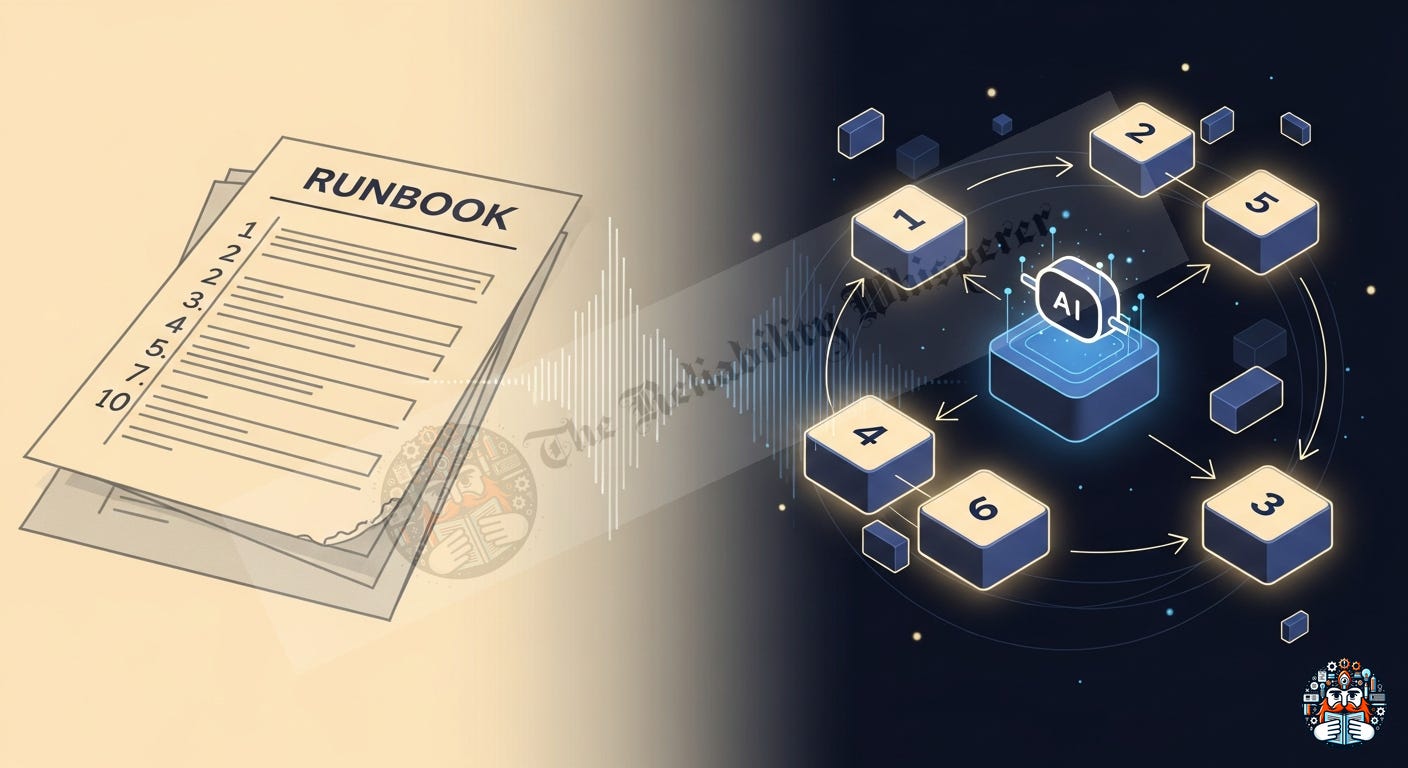
In the early days of IT, the runbook was a static binder containing “if-this-then-that” procedures. Today, in the era of autonomous agents and LLMs, runbooks are no longer just documentation — they are the executable DNA of AI skills.
The shift is simple: instead of a human reading a procedure and typing commands, an AI agent loads the procedure as a “skill” and executes it through tool calls — with humans governing the boundaries.
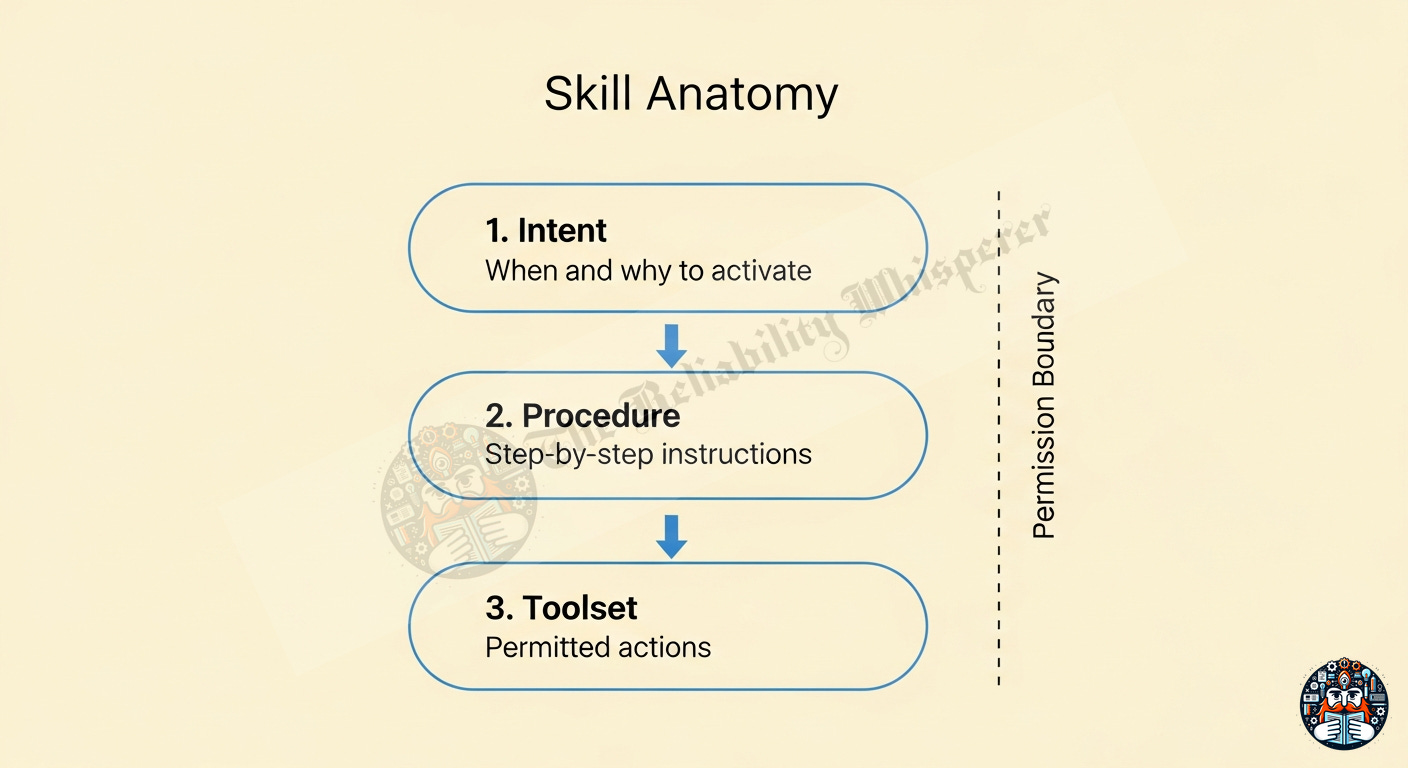
Every AI skill has three components:
name: "secret-rotation"
description: "Rotate expired credentials in production"
triggers: ["rotate", "expired secret", "credential renewal"]
## Steps
1. Discover which secrets are expiring (scan vault paths)
2. Generate new credentials via provider API
3. Update the Kubernetes secret
4. Trigger rolling restart
5. Verify health checks pass
allowed-tools: ["Bash", "Read", "WebFetch"]
The toolset is the permission boundary — the AI can only use tools explicitly granted.
Property Traditional Runbook AI Skill Execution Manual (human reads & types) Autonomous (agent executes) Environment handling Hardcoded values Dynamic discovery from live system Adaptability Fails on edge cases Reasons through gaps Testing “Did anyone try this recently?” Automated eval suites in CI Maintenance High (manual updates) Low (AI reads source of truth) Error rate High (copy-paste mistakes) Low (reads system directly) Versioning v2_final_FINAL.docx Git commits with PR reviews
Source: Concepts synthesized from Living Documentation (Martraire, 2019) and the Docs-as-Code movement (Gentle, 2017).
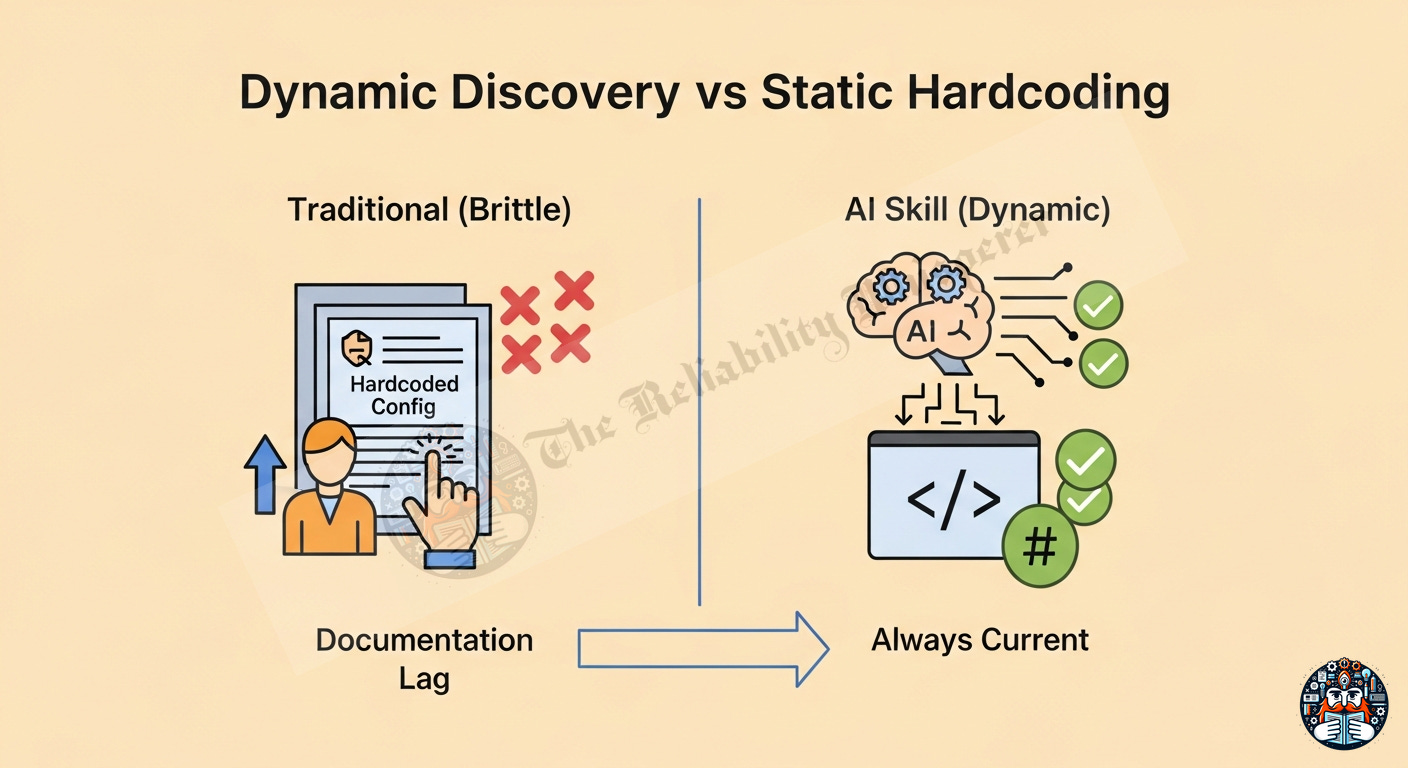
The biggest problem with traditional runbooks in complex environments:
“We added Staging-2 last month. Nobody updated the runbook. Deployment failed.”
## Environments
- Production: prod-cluster-us-east-1.internal
- Staging: staging-cluster-us-west-2.internal
## Environments
Scan the Terraform state files and Kubernetes namespaces
to discover all active environments matching pattern `*-cluster-*`.
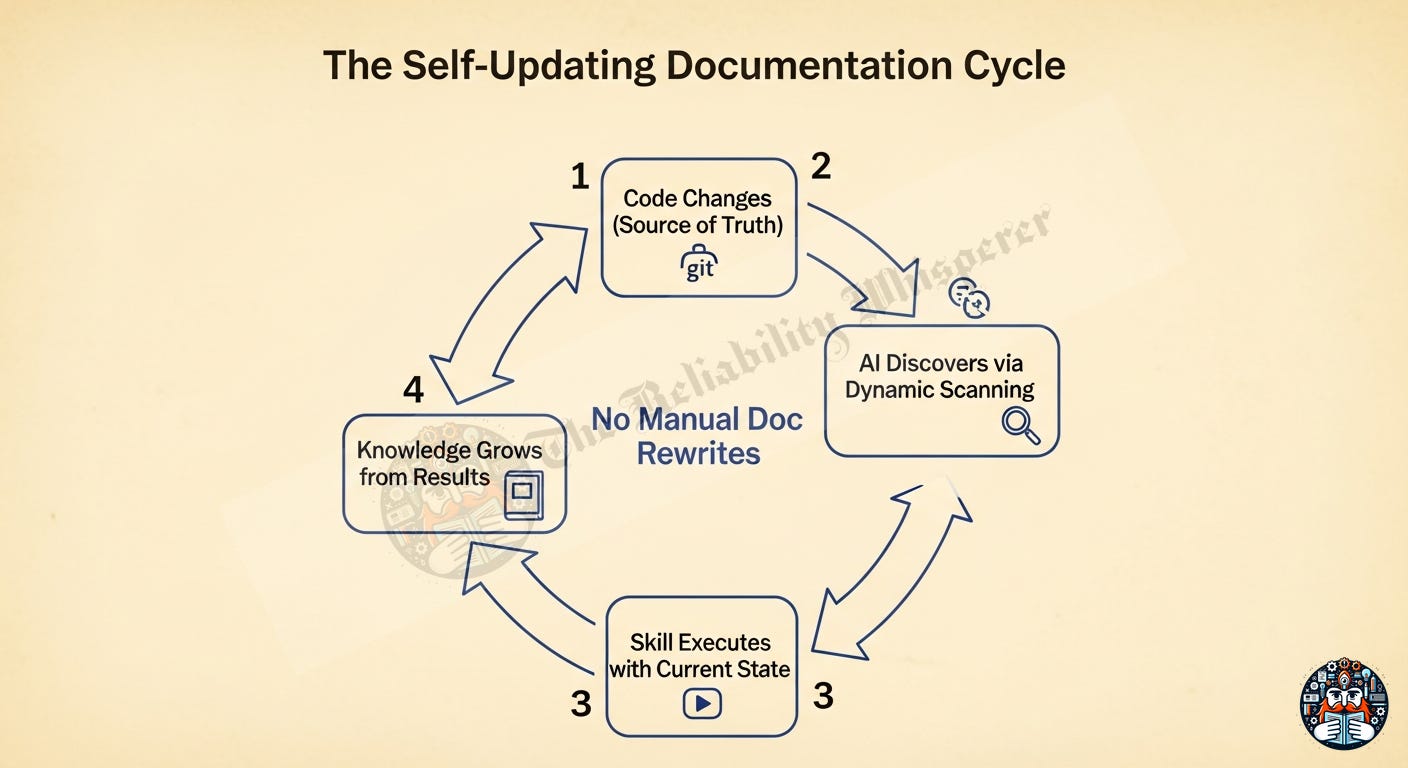
The AI reads the infrastructure-as-code and picks up new environments on the fly. No human needs to update the runbook when Staging-3 appears.
This principle comes from the Living Documentation approach (Martraire, 2019): if the system is the source of truth, generate from the system — don’t duplicate it manually.
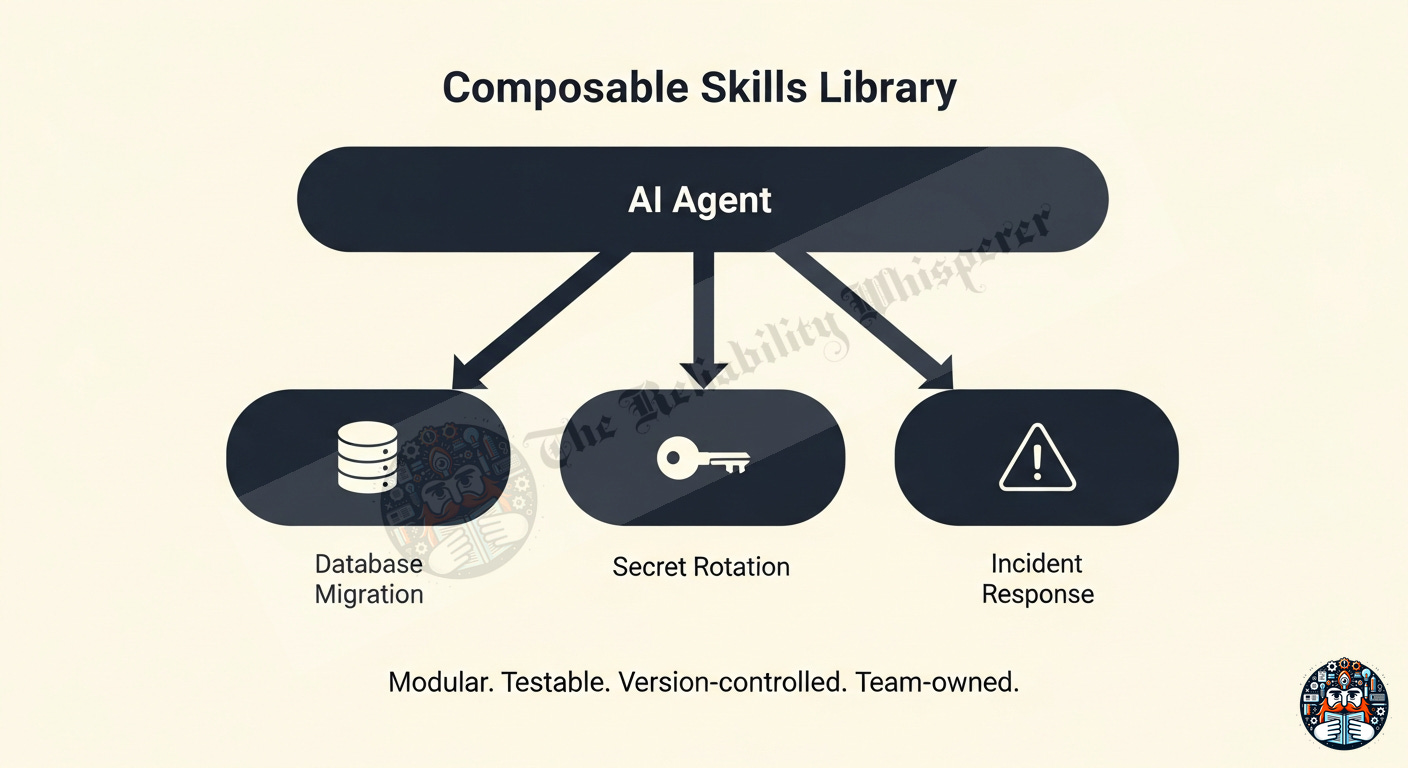
Instead of one monolithic runbook, build a library of specific, modular skills:
The agent mounts the right skill based on context. Each skill is independently testable, versionable, and team-owned.
We’re exiting the era of “prompt engineering” (coaxing one good answer) and entering Skill Governance — curating a library of skills that AI uses reliably.
This requires:
Standardization — Open formats (Markdown + YAML frontmatter) that work across platforms
Continuous Testing — Run agents against eval sets to catch hallucinated steps
Human-in-the-Loop Checkpoints — Pause points before high-stakes operations
## Step 4: Apply migration to production
⚠️ CHECKPOINT: Show the migration SQL to the user.
   Wait for explicit approval before executing.
This is the copilot pattern — the AI prepares, the human approves. Research from Microsoft’s Xpert (ISSTA 2024) showed engineers trust and adopt this iterative suggestion pattern over full autonomy.
Scenario: Your university course requires students to set up a Kubernetes cluster, database, and monitoring stack for each assignment.
Traditional approach: 15-page PDF guide → students get stuck at step 7 → TA spends 3 hours debugging environment differences.
Skill approach:
---
name: lab-env-setup
description: Set up course lab environment for assignment
---
# Lab Environment Setup
## Steps
1. **Discover OS:** Check if running macOS, Linux, or WSL
2. **Install dependencies:** Based on OS, install Docker, kubectl, helm
3. **Create cluster:** `kind create cluster --config lab-cluster.yaml`
4. **Deploy stack:** `helm install monitoring ./charts/monitoring`
5. **Verify:** Check all pods running, dashboard accessible
6. **Report:** Show student the access URLs and credentials
## On failure at any step
Show the exact error and suggest the most common fix for this OS.
The AI adapts to each student’s environment automatically — no hardcoded paths.
Scenario: Team members keep pushing directly to main, forgetting to create PRs, or skipping CI checks.
Skill approach:
---
name: safe-merge
description: Merge a feature branch safely with all checks
---
# Safe Merge Procedure
## Steps
1. **Verify branch:** Confirm current branch is NOT main
2. **Check CI:** Query GitHub Actions — all checks must be green
3. **Check reviews:** PR must have ≥1 approved review
4. **Rebase:** Rebase on latest main to catch conflicts early
5. **Merge:** Create merge commit (not squash — preserve history)
## If CI is failing
Show which check failed and the relevant log lines.
Do NOT merge. Ask the developer to fix first.
Scenario: You’re building a REST API for a class project. The docs are always out of date.
Skill approach:
---
name: generate-api-docs
description: Generate API documentation from source code
---
# Generate API Docs
## Steps
1. **Scan routes:** Read all files matching `routes/*.py` or `controllers/*.ts`
2. **Extract endpoints:** Parse HTTP method, path, parameters, response types
3. **Check for changes:** Compare against existing `docs/api-reference.md`
4. **Update if needed:** Write the updated reference doc
5. **Report:** Show what changed (new endpoints, modified params, removed routes)
The docs literally cannot go stale because they’re regenerated from code on demand.
Scenario: A student is learning database migrations and wants to avoid accidentally dropping a production table.
Skill approach:
---
name: safe-migration
description: Review and execute database migrations safely
---
# Safe Database Migration
## Steps
1. **Read migration file:** Parse the SQL/migration script
2. **Classify operations:** Identify CREATE, ALTER, DROP statements
3. **Risk assessment:**
   - DROP or DELETE → ⚠️ HIGH RISK — require explicit confirmation
   - ALTER with data loss potential → ⚠️ MEDIUM RISK — warn
   - CREATE or ADD → LOW RISK — safe to proceed
4. **Dry run:** Execute against test database first
5. **Show diff:** Display schema before/after comparison
## NEVER
- Auto-execute DROP statements without human approval
- Run against production without dry-run on test first
Scenario: Your deployed class project is down at 2 AM. You don’t remember the troubleshooting steps.
Skill approach:
---
name: incident-triage
description: Diagnose why my deployed application is down
---
# Incident Triage
## Steps
1. **Check health:** Curl the health endpoint
2. **Check pods:** Are containers running? (`kubectl get pods`)
3. **Check logs:** Recent errors in last 10 minutes
4. **Check resources:** Is the pod OOMKilled? CPU throttled?
5. **Check dependencies:** Is the database reachable? Is Redis up?
## Diagnostic Table
| Symptom | Most Likely Cause | First Fix |
|---------|------------------|-----------|
| Pod in CrashLoopBackOff | Application error on startup | Check logs |
| Pod in Pending | No node capacity | Scale cluster or reduce resources |
| 502 from ingress | Pod not ready | Check readiness probe |
| Connection refused to DB | DB pod down or wrong credentials | Check DB pod + secret |
## If unable to diagnose after 5 checks
Report what was checked and suggest asking on the course Slack channel.
Scenario: Before submitting a project, check for common security issues.
---
name: security-check
description: Audit project for common security vulnerabilities
---
# Security Audit
## Steps
1. **Scan for secrets:** Search for API keys, passwords, tokens in source files
2. **Check .gitignore:** Verify .env, credentials files are excluded
3. **Check dependencies:** Run `npm audit` or `pip-audit` for known CVEs
4. **Check HTTPS:** Verify all external API calls use HTTPS not HTTP
5. **Check SQL:** Search for string concatenation in database queries (SQL injection risk)
## Report Format
| Finding | Severity | File | Fix |
|---------|----------|------|-----|
| Hardcoded API key | CRITICAL | src/config.js:12 | Move to .env |
| HTTP endpoint | MEDIUM | src/api.ts:45 | Change to HTTPS |
Pick one repetitive task you do weekly (deploy, test, setup)
Write it as a skill (intent + steps + tools) in a Markdown file
Test it — can an AI agent follow these steps with the tools listed?
Version it — put it in Git, iterate when you find gaps
Compose — once you have 3+ skills, combine them into workflows
The goal isn’t to automate everything on day one. It’s to build a library of operational knowledge that grows with your projects and makes your AI tools actually useful.
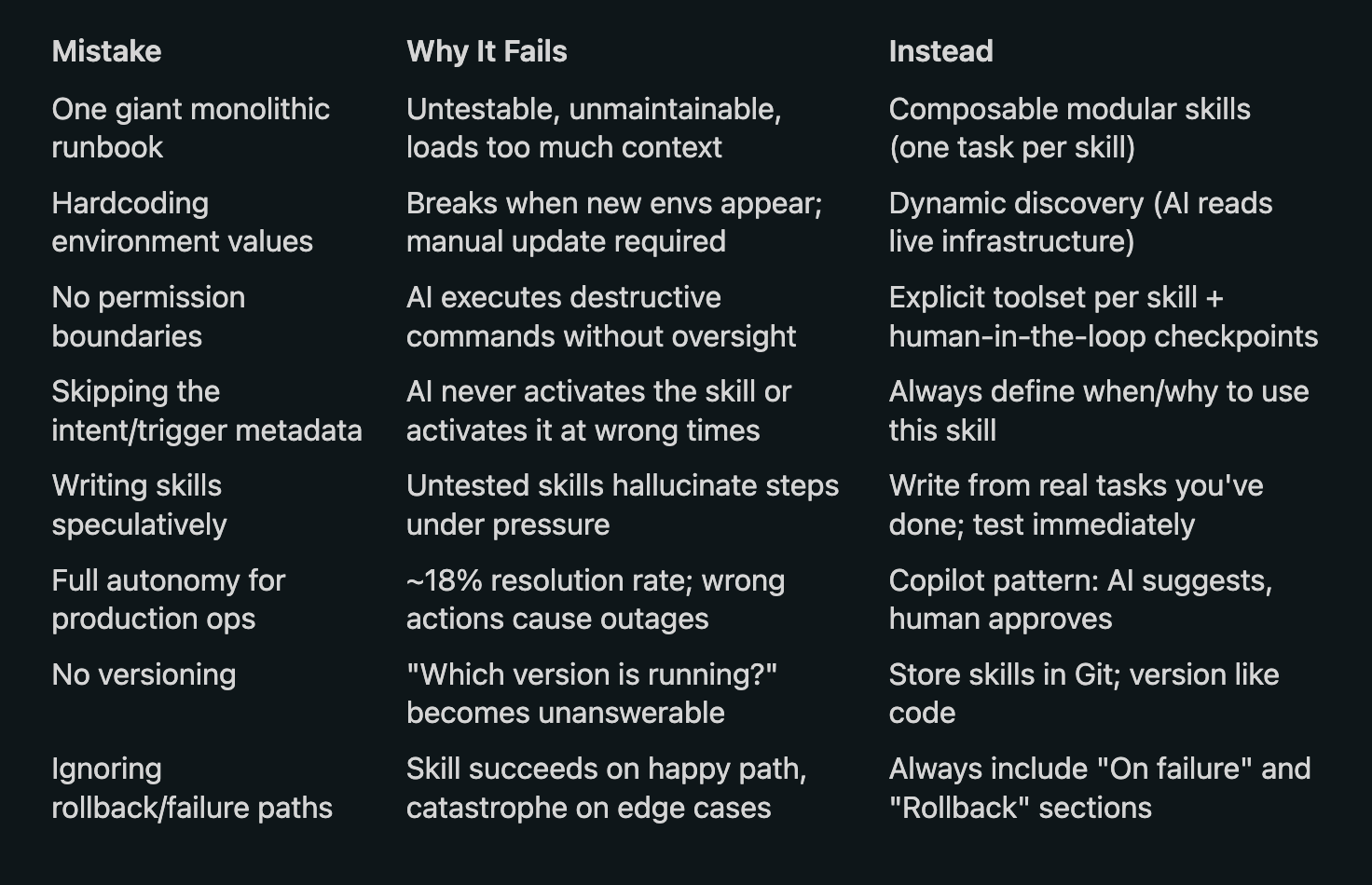
Skills = Intent + Procedure + Toolset. Three components, nothing more.
Dynamic discovery > hardcoded values. AI reads the live system; runbook describes the process.
Composable > monolithic. Small testable skills mounted on demand beat one giant runbook.
Copilot pattern works. AI prepares, human approves high-stakes actions (research-validated).
Version skills like code. Git, PR reviews, CI testing — same workflow as software.
Start with one repetitive task. Don’t boil the ocean. One skill, tested, iterated. Then grow.
This article covers HOW to turn procedures into executable AI skills. The companion article covers how to organize all your documentation for the AI era:
← Kill the Wiki: Managing Knowledge at Scale in the AI Era
Martraire, C. (2019) — Living Documentation: Continuous Knowledge Sharing by Design. Addison-Wesley.
Gentle, A. (2017) — Docs Like Code. Lulu Press.
Xpert (Microsoft, ISSTA 2024) — Copilot pattern for operations. Engineers trust suggestion over autonomy.
AIOpsLab (Microsoft Research, 2024) — Benchmark for AI agents in operations. ~18% end-to-end resolution with full autonomy.
Procida, D. (2023) — Diátaxis: A systematic approach to technical documentation.
ReAct (Yao et al., 2022) — Reasoning and Acting in Language Models. Foundation for tool-augmented agent loops.
No posts
Comments
Nothing yet. Say the first thing.
Sign in to join the conversation.