
RaceClocker grew up at a head race. The first version was a small in-house tool to time a single Dutch rowing club's annual time trial: a rolling start, one boat every fifteen seconds, a long stretch of river, and a finish line 4 kilometres downstream. More than ten years on, head races are still where RaceClocker excels. The workflow has barely changed, but the tooling and features around it certainly have.
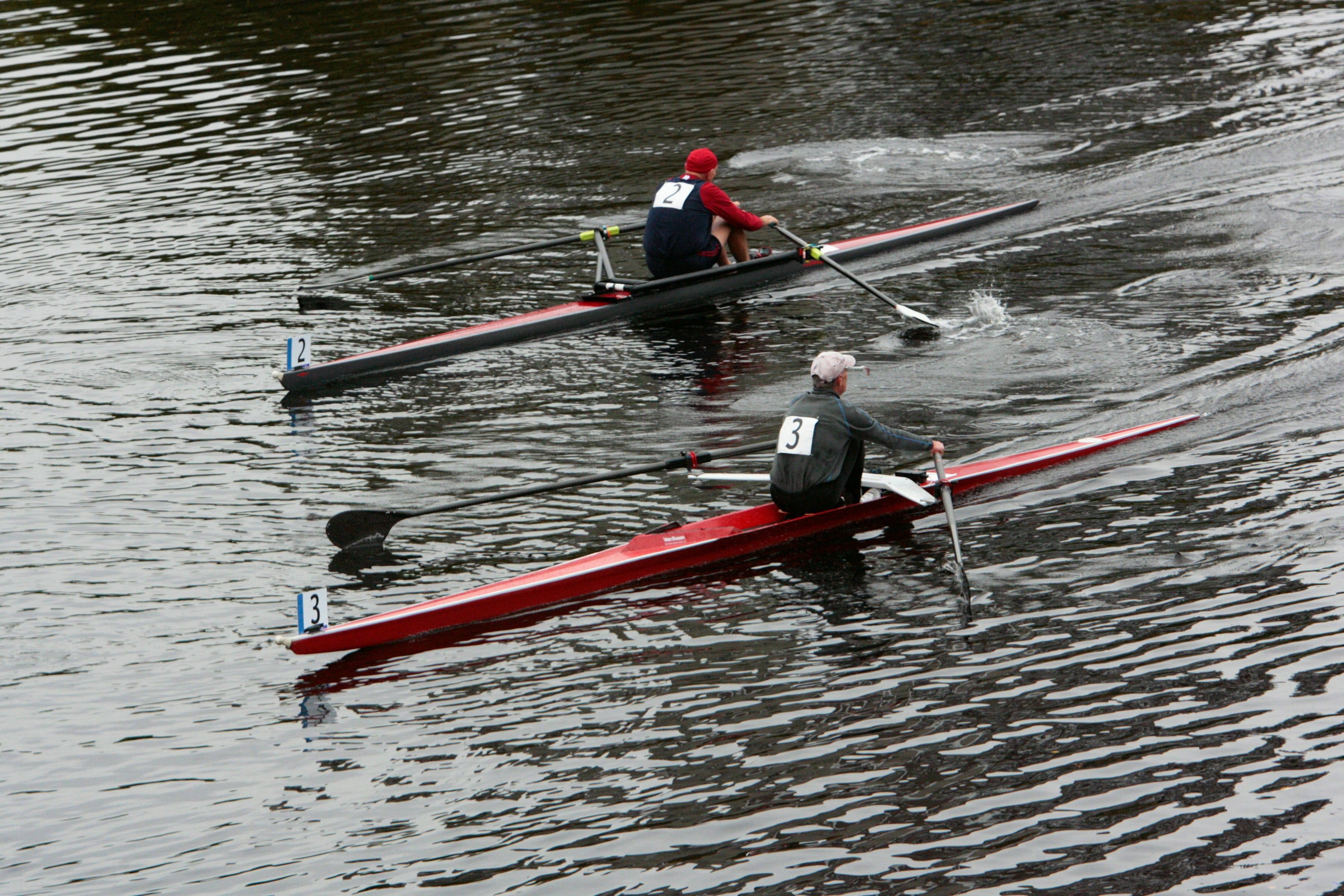
This post walks through how a typical head race is set up and run in RaceClocker, what's specific to the head-race format, where to be careful, and which features were built with head races in mind. Whether you're timing a club time trial with 30 crews or a national head with several hundred, the flow is the same. Only the size of the start list and the number of timekeepers scales.
As soon as you race is created in RaceClocker as a ‘time trial’ race type, then the first step is turning your entries into a start list with bow numbers and a starting order. For most head races the source data comes out of a registration platform as a CSV or Excel export, ordered by category. The starting order can be randomized in the start list editor or seeded by the race director based on results of prior editions.
RaceClocker imports your start list via a sheet import module and lets you tweak order and details once the data is in. It accepts an Excel or CSV file via drag/drop, or you can also copy/paste straight out of a Google Sheet. Once the data is in, the column mapper appears so you can match your own columns to the RaceClocker fields.
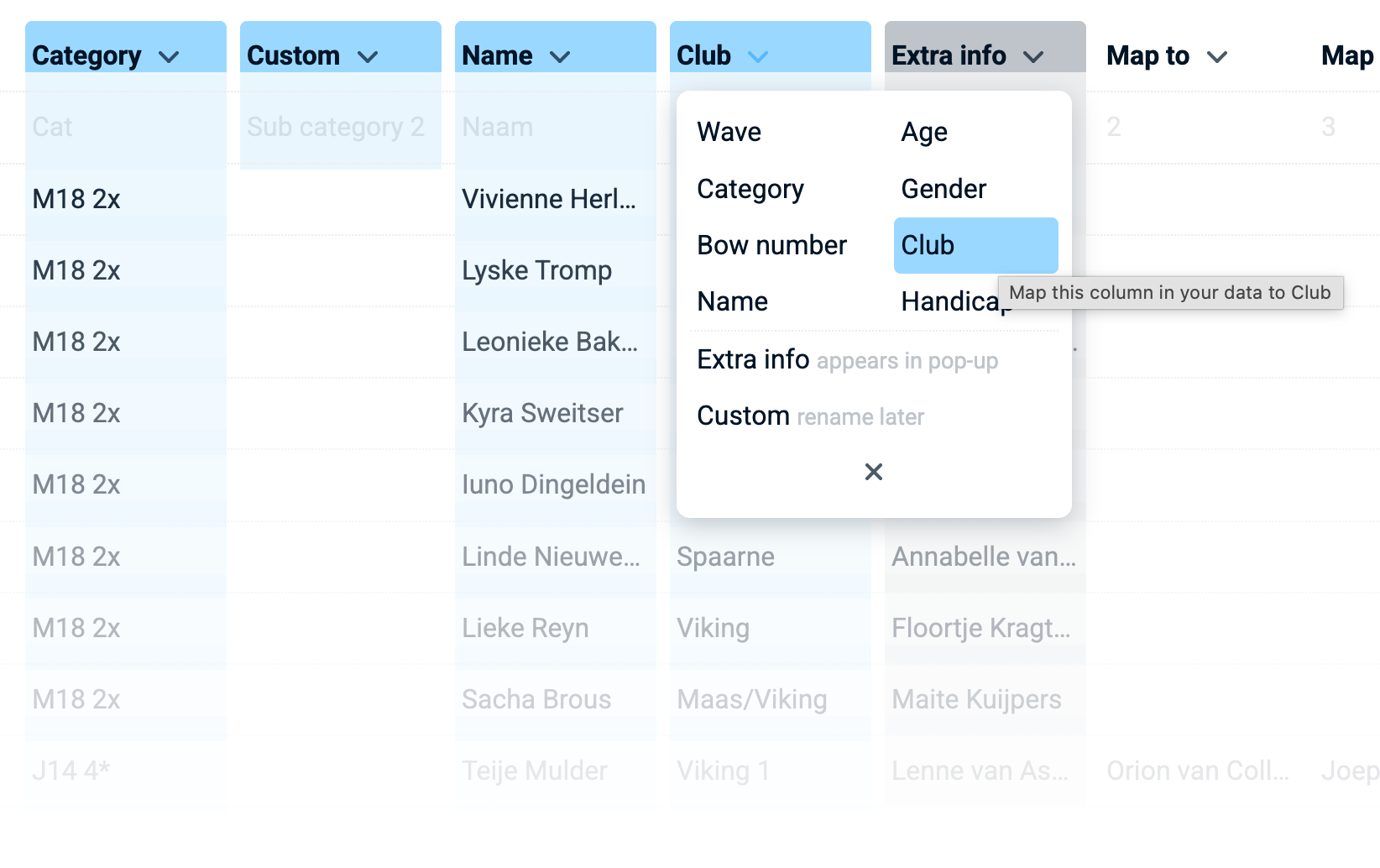
There’s also a “Custom” field that can be renamed. This field is often used for sub-groups in masters categories to segment (and award winners in) various age groups within one and the same category.
A multi-column “Extra info” field whose contents pop up when you click a crew name in the start list or in the results, is the best place for details like rower names and their seat number in the team, coaches, boat name and anything else you want to communicate publicly. Everything in Extra info is indexed by the search box, which is what makes a long and rich results page browsable fast.
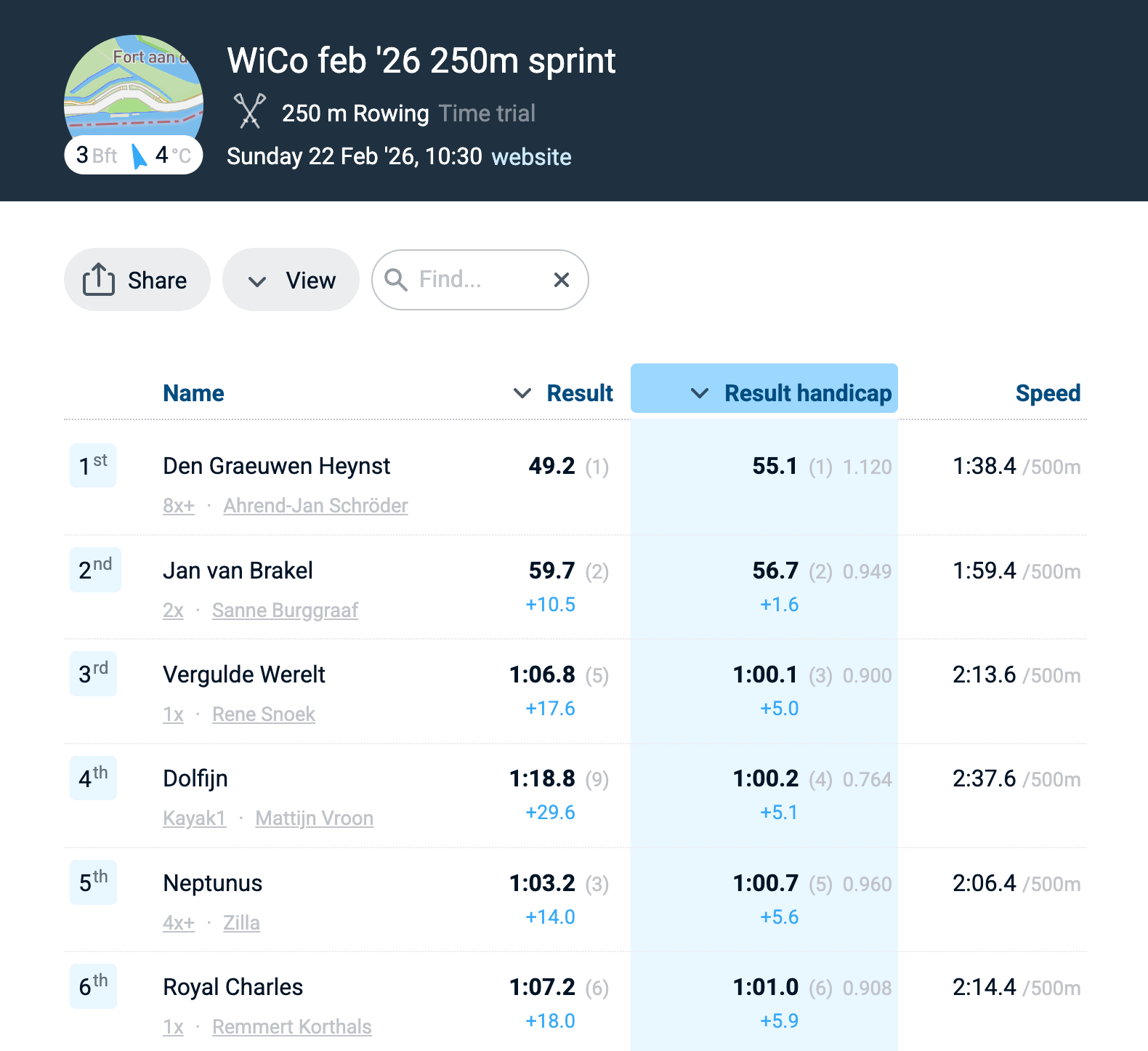
Most head races run masters categories alongside opens, and some apply an age- and gender-based correction factor so masters crews can be ranked fairly. RaceClocker handles this two ways, depending on where your data comes from. First, if your registration platform already calculates the masters handicap factor, map that column to RaceClocker’s handicap field during import. Results then show both the raw time and the corrected time. If you calculate the factor yourself (the USRowing tables, the FISA tables, the Dutch ‘correctiefactoren’ or your own club’s rule), the same column works to calculate calibrated result. Note that our handicap factors are a multiplier, and not a fixed seconds offset.
For Dutch RaceClocker users, the direct import from the KNRB registration system pulls categorised entries straight in and applies the masters correction factor automatically, derived from each rower’s age and gender. No spreadsheet step in between. The KNRB import has matured over the last year and now also generates the age sub-categories on import, which removes another manual step from start list preparation. Similar import options for other rowing registration sites are on the roadmap
A head race start list reads in most cases as a sequence of categories: Open Mens 8+, then Masters E Womens 4x, then Junior Mens 16 4x+, and so on. RaceClocker mirrors that. The start list editor groups crews by category (This is a view setting in the start list editor), and both the public start list and the results pages let you switch between this predefined grouped-by-category, grouped-by-gender, or a flat list.
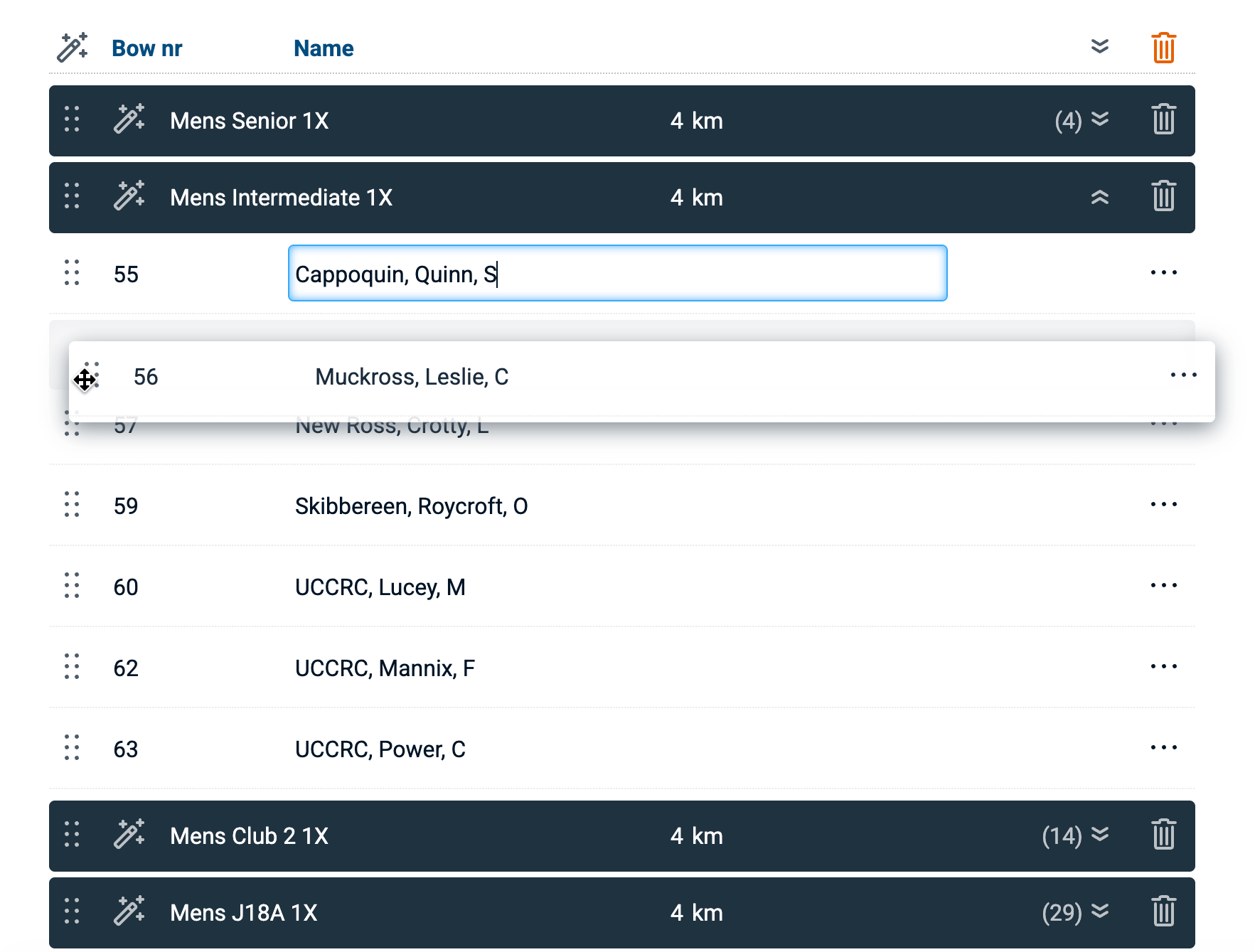
Inline editing of all participants data, ideal for last minute changes to crew members for example)
Randomise order within a category, which is handy for creating a neutral draw within any category
Drag/drop individual crews, or entire categories, to rearrange late changes or to adjust some of the random order results
Auto-number bow numbers across the whole field downwards as soon as starting order is finalised
Set a distance override, when one or more categories row a different distance than the main event distance, the distance override makes sure that rowing speed is correctly calculated
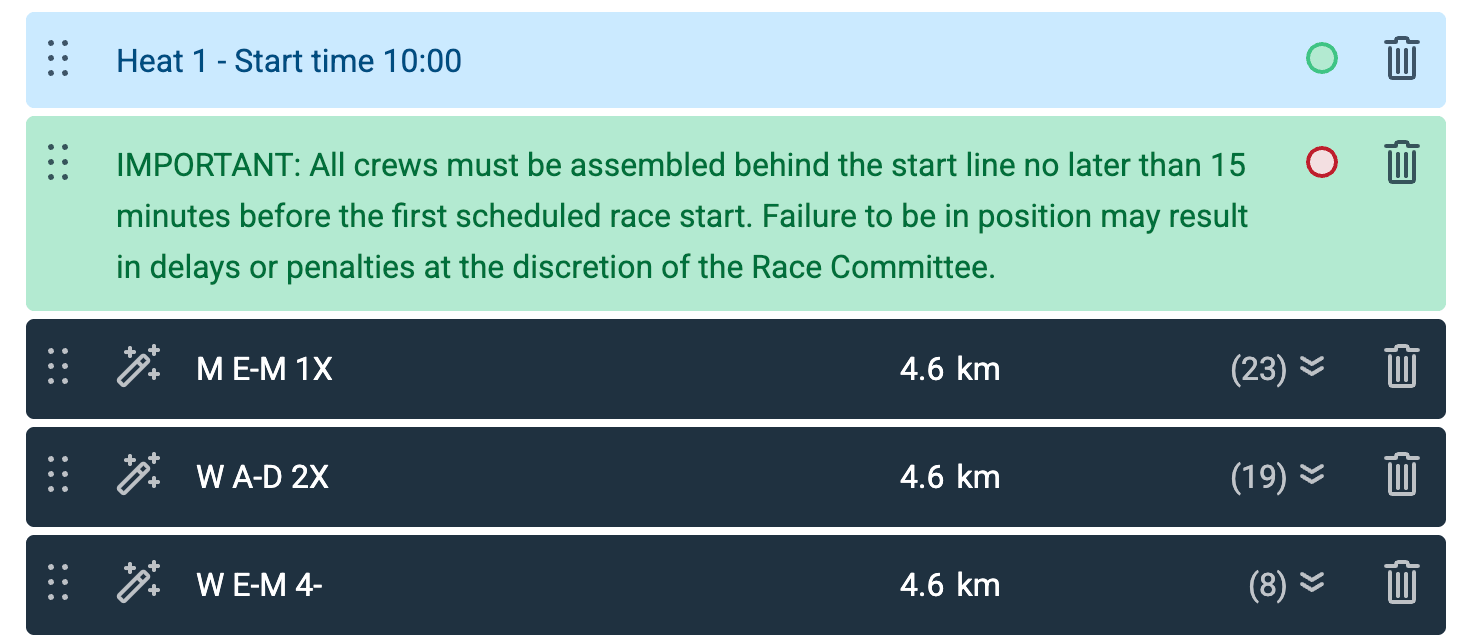
A head race has a natural rhythm of heats or blocks of categories that race together inside a time window with a marshalling pause before the next block. Start list notes are the tool to separate the start list for this, also to mark the break between days in multi-day event. List notes sit as a coloured line anywhere between categories in the start list (and theye appear in the results just as well), and they’re useful for three things at once:
List separators, to visually distinguish groups of categories within the same heat
Messages to participants, to raise awareness of special conditions or requirements.
Notices on the results page, like marking results as preliminary first and as final later, after the jury has declared them as such.
For the process of race timing itself and the various timing modes, it’s best to have a look at our extensive feature list descriptions on raceclocker.com or one of the video tutorials in our Vimeo showcase.
That said, a few notes are worth calling out. For small, local races like club events - phone based, single timekeeper timing with RaceClocker does the job nicely. Yet, at a high stakes national head race we always recommend to have a robust set up based on laptop timing and live stream video backup. Make sure to station two internet connected laptops equipped timekeepers at both start and finish (preferably in a dry and warm environment where they can focus on the task at hand. The first timekeeper is responsible for an accurate time stamp and marks the line passings (by pressing space bar or a connected hardware button to make the time stamp) and a second identifies the correct crew and pairs them to the latest time stamp. The 2-step timer mode is the one to use here.
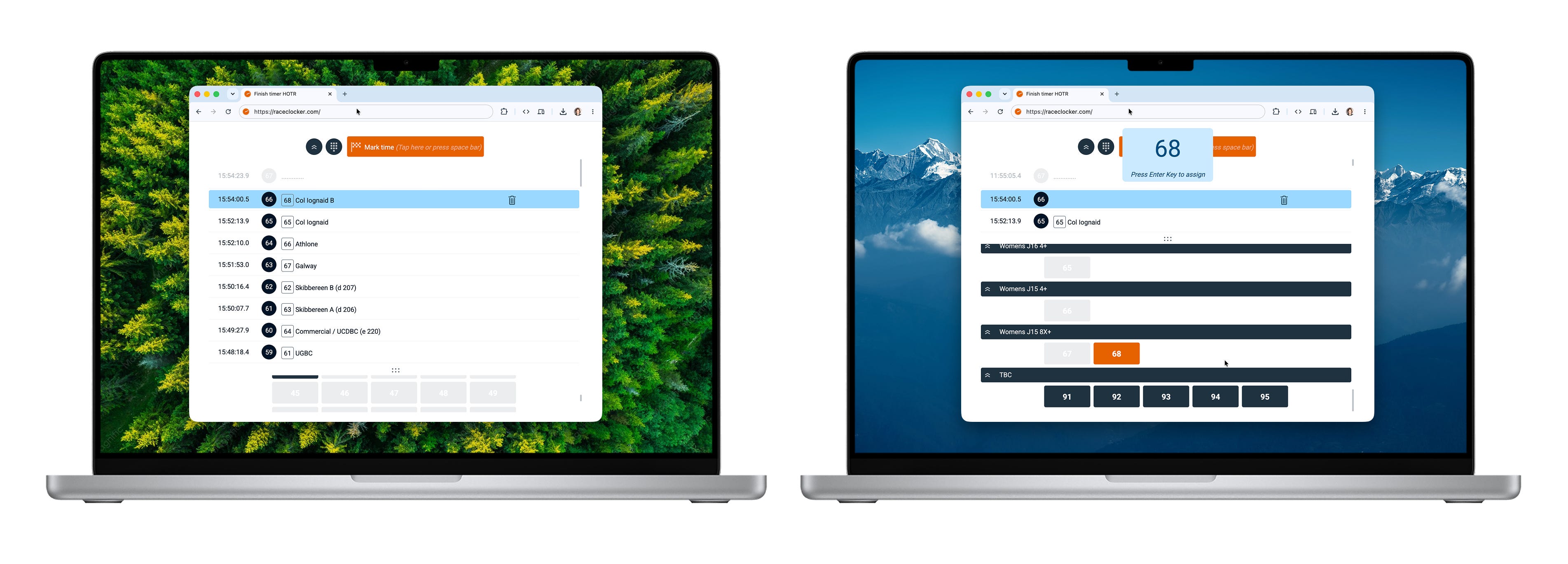
Learning more about using a laptop or hardware buttons connected to your timing device is found in this related post.
When a race has a very close finish, or when the manual timing missed a time stamp mapping, the livestream Finish Cam app for iPhone is a perfect backup option. More recent iPhones have an excellent camera and are very capable for video streaming. For head races, having both a live stream set up at the start as well as at the finish line is a great way to have a full capture of the key timing points of the race.
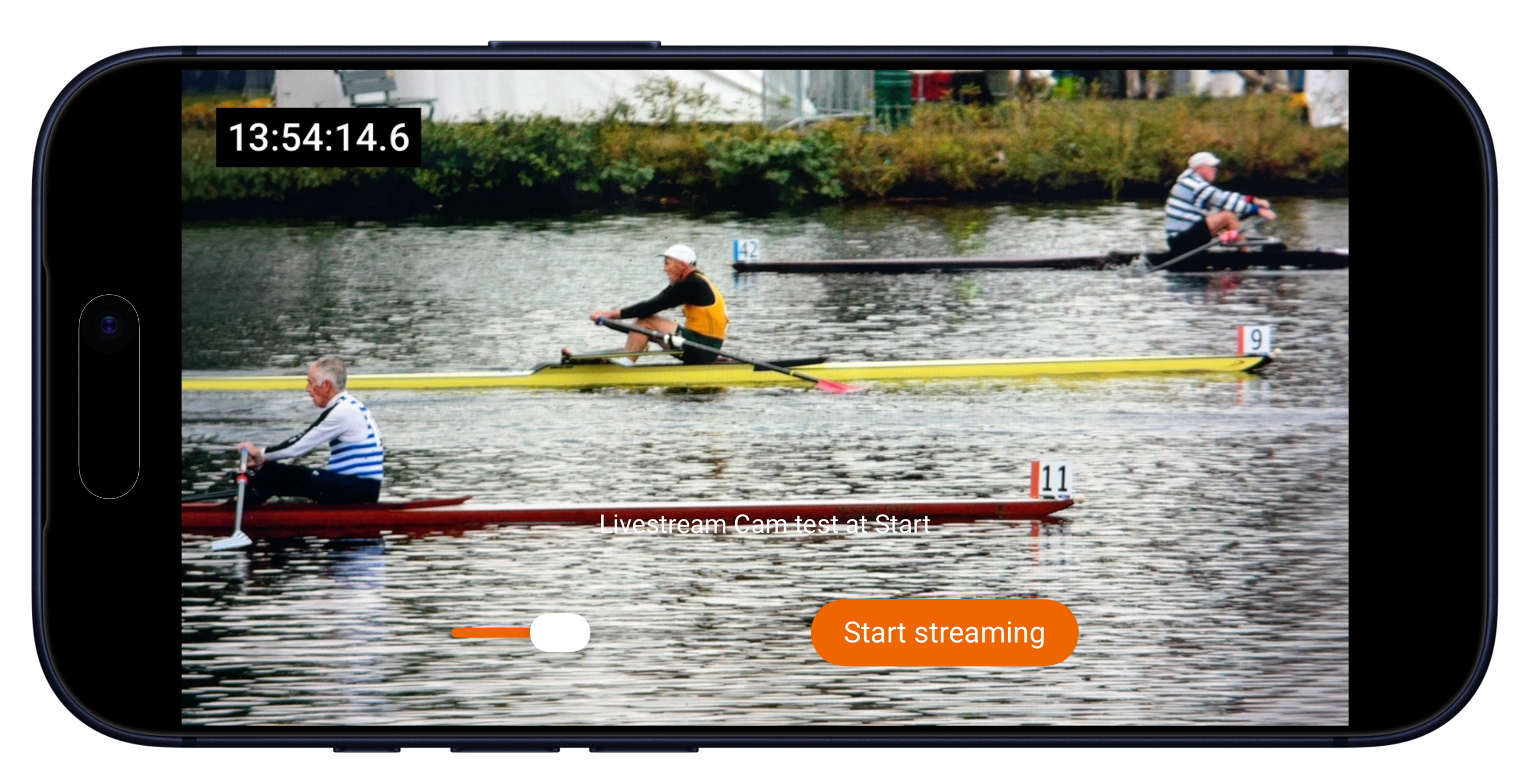
The live stream is fully integrated in the RaceClocker Dashboard. A synchronized ‘wall clock’ time is embedded in the video and can be used in multiple ways: 1) in the dashboard any time stamp can be clicked which moves the playback head to the corresponding point in time and 2) any time stamp from the video can be copied in a single click from the video to the dashboard - which makes processing a photo finish or making a correction fast and easy. More about the Finish Cam app for iPhone in this post.
Time stamps that are made during a race are not only available via live results or as an Excel file download, but also as JSON data. A custom built app can pull in the results and raw time stamp data and use this for example to compare main and shadow timing. Some head race organisers do shadow timing of the main event in a second or even third RaceClocker event, and compare the manual time stamps in a custom app or by means of a spreadsheet that pulls the data in. One of the users in the RaceClocker community has published a PHP comparison tool that does shadow timing against a second RaceClocker race. In case there are discrepancies between main and shadow timing, the back-up video may then get reviewed to make the result accurate.
Other applications using our JSON feed include custom broadcast graphics overlays, livestream tickers, and custom dashboards for the press box.
Live results update the second a finish time gets paired with a bow number. No reload required. On a phone, which is where most rowers, coaches, and supporters actually read them, the page is built to stay legible: turn off ‘Details’ for a compact view, hide the splits when you only need the final time, and use the search box to find one specific crew in a 500-boat field.
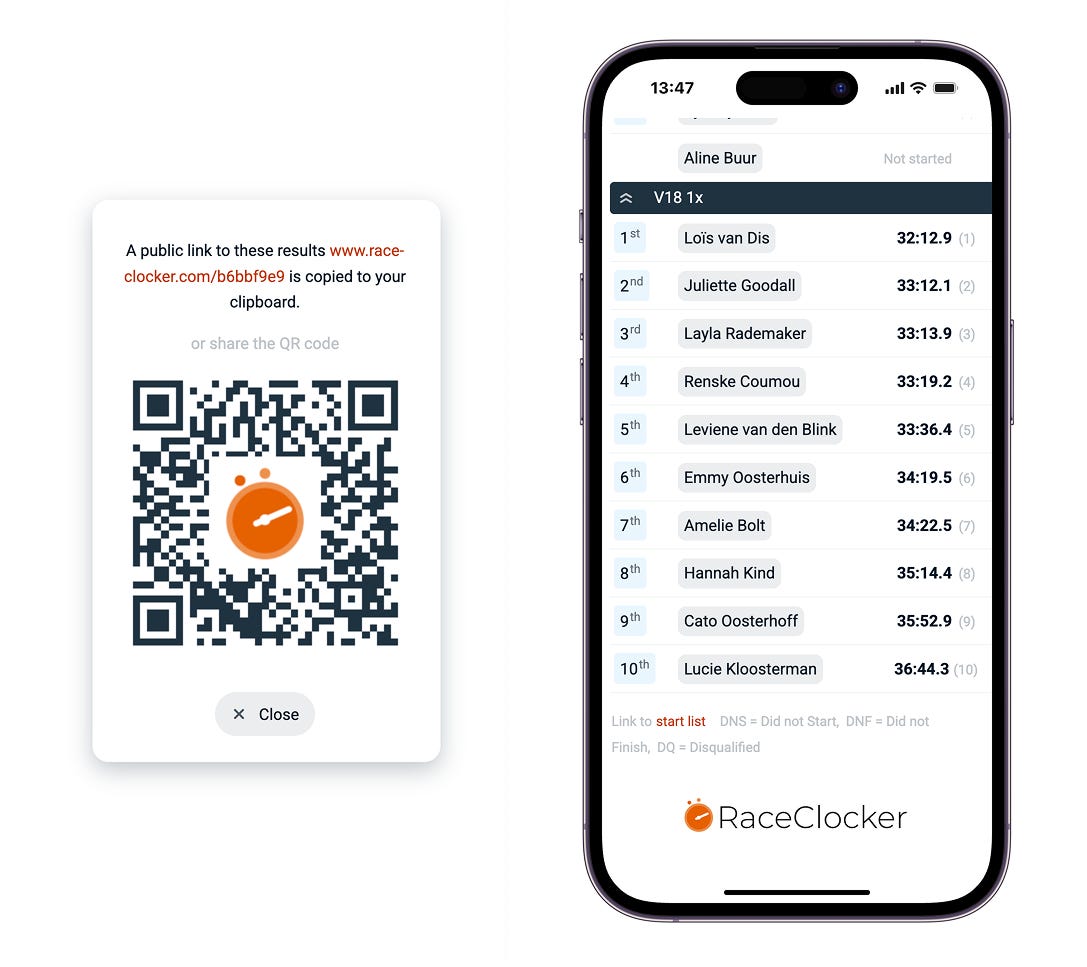
The Live Finishers view (open it from the View menu, or append #finishers to the link) floats the most recent boats to the top, so the page reads less like a results table and more like a feed of what just happened on the river.
Tap the ranking badge on any row and the result fills the screen, ready for a screenshot to drop into a club WhatsApp group. Share the page as a short link or as a printed QR code at the boathouse, No account or download needed, anyone with a phone can open it.
A small addition that goes a long way at a head race: the results page includes a weather widget on top of the map thumbnail, available for any race that has a location set via the map editor in the race setup.
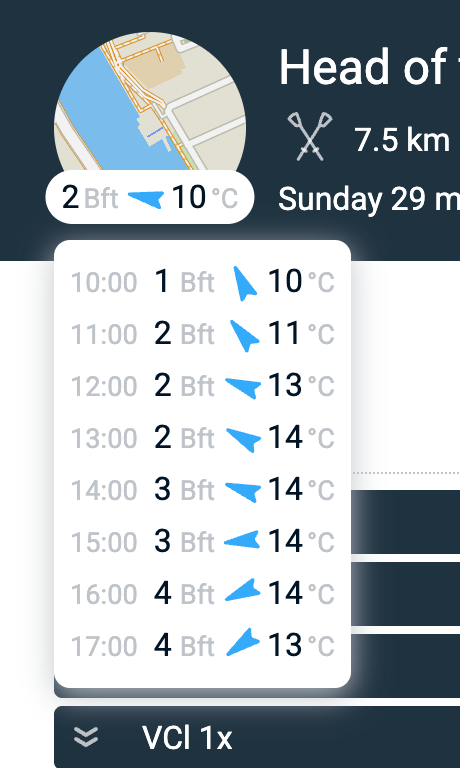
Based on the location and the date, it shows wind speed (or Beaufort), wind direction, and temperature. Click it and you get an hourly breakdown ranging from the hour before the first time stamp to the hour after the last. The weather widget provides some context for comparing results, not only during race day itself, but also year on year when comparing historic results with recents ones.
#happytiming

No posts
Comments
Nothing yet. Say the first thing.
Sign in to join the conversation.