
Hi designers,
It’s Tuesday, and I wanted to close the Design Thinking series by actually walking the whole process with you, start to finish, in one go. Not the deep version of each phase — the speed-run. Enough to take a small feature through all six Design Thinking phases in an afternoon, and know what you’re doing at each one, with a link to slow down later if you want.
One rule for the whole run: the AI does the gathering, sorting and drafting at every step — but you read the output like a designer, not a stenographer. The judgment is the job.
Talk to a few users first — even three is plenty solo. Record or take rough notes, one short summary per person. Then hand all of them to AI at once and ask for structure, not opinions:
“Here are my interview summaries. Cluster the recurring needs into 3–5 themes, quote the exact line that supports each, and flag anything only one person said so I don’t over-weight it.”
Now read the output the right way. Don’t take the themes as findings — take them as candidates. Look for the one theme where the supporting quotes are specific and emotional rather than vague; that’s usually the real one.
The trap: letting AI hand you a clean consensus. Always make it surface the lonely quote — that’s where the interesting problem usually hides.
→ Deeper: Issue 20: Understanding Your Users
Understanding is what people say; Observe is what they do. Watch two or three people use the current version — screen-share, recording, or just over a shoulder. Take notes fast and messy. The key move is to make the AI separate behaviour from your interpretation before you analyse anything:
“From these session notes, separate what the user actually did from what I assumed they were thinking. Give me the behaviours only — no interpretation.”
Read the behaviours-only list and notice what you’d already explained away. Now you’re solving the problem that actually exists, not the one you imagined.
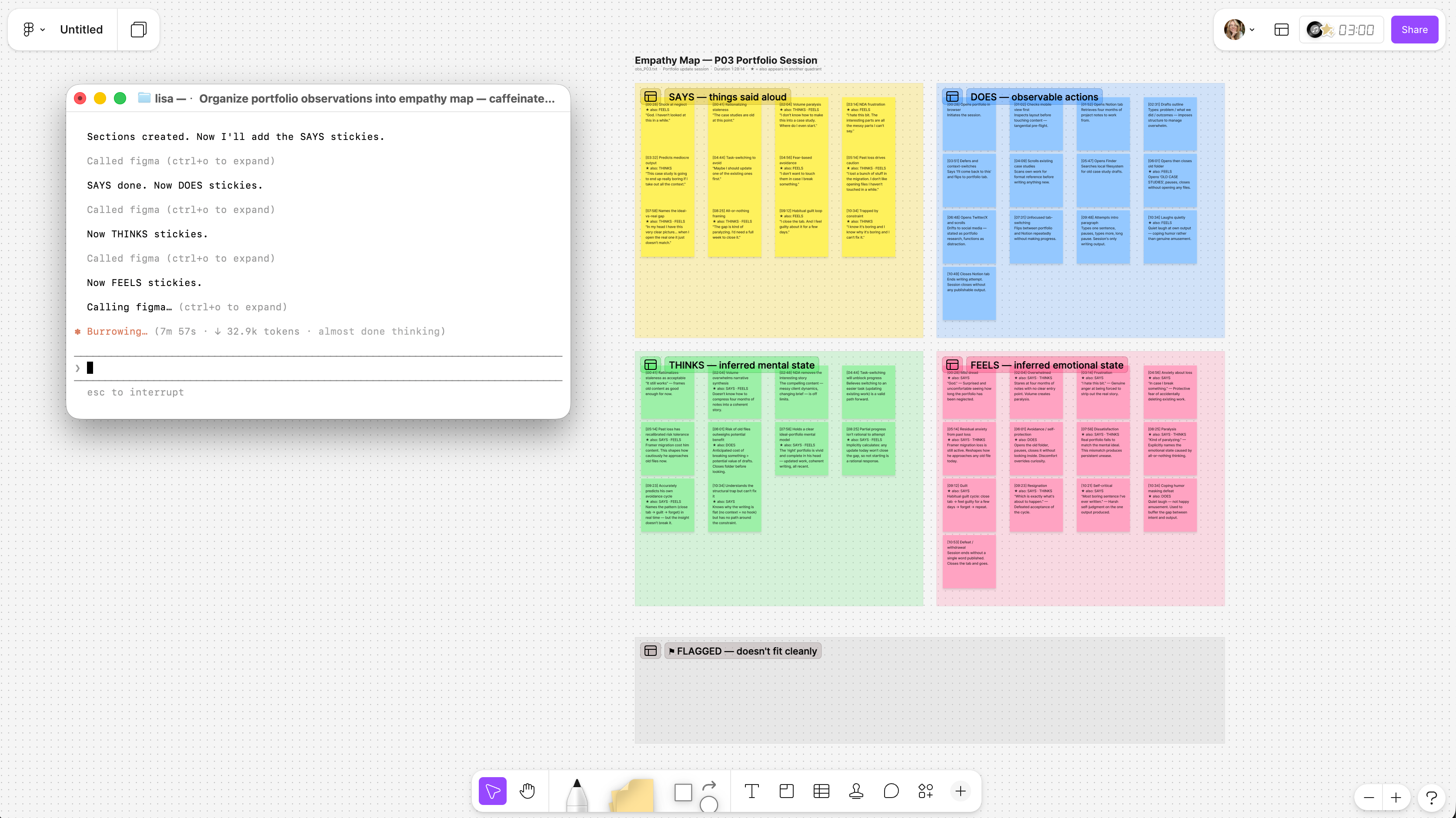
The trap: analysing while you observe. Keep watching and capturing first; let the AI hold the wall between fact and story until you’re ready to cross it deliberately.
→ Deeper: Issue 21: How To Observe And Analyse Your Users’ Behaviour
This is the squeeze. Everything you’ve learned has to compress into one point-of-view sentence — user + need + insight. Write your best attempt, then immediately refuse to trust it. Make AI attack the framing from every direction:
“Reframe this problem statement ten different ways — change who it centres, the cause it assumes, and the scope. Then tell me which framing would be most expensive to get wrong.”
Most of the ten will be junk. You’re hunting for the one or two that relocate the problem. Pick the framing that’s both true and the riskiest to get wrong, and write it down as your brief.
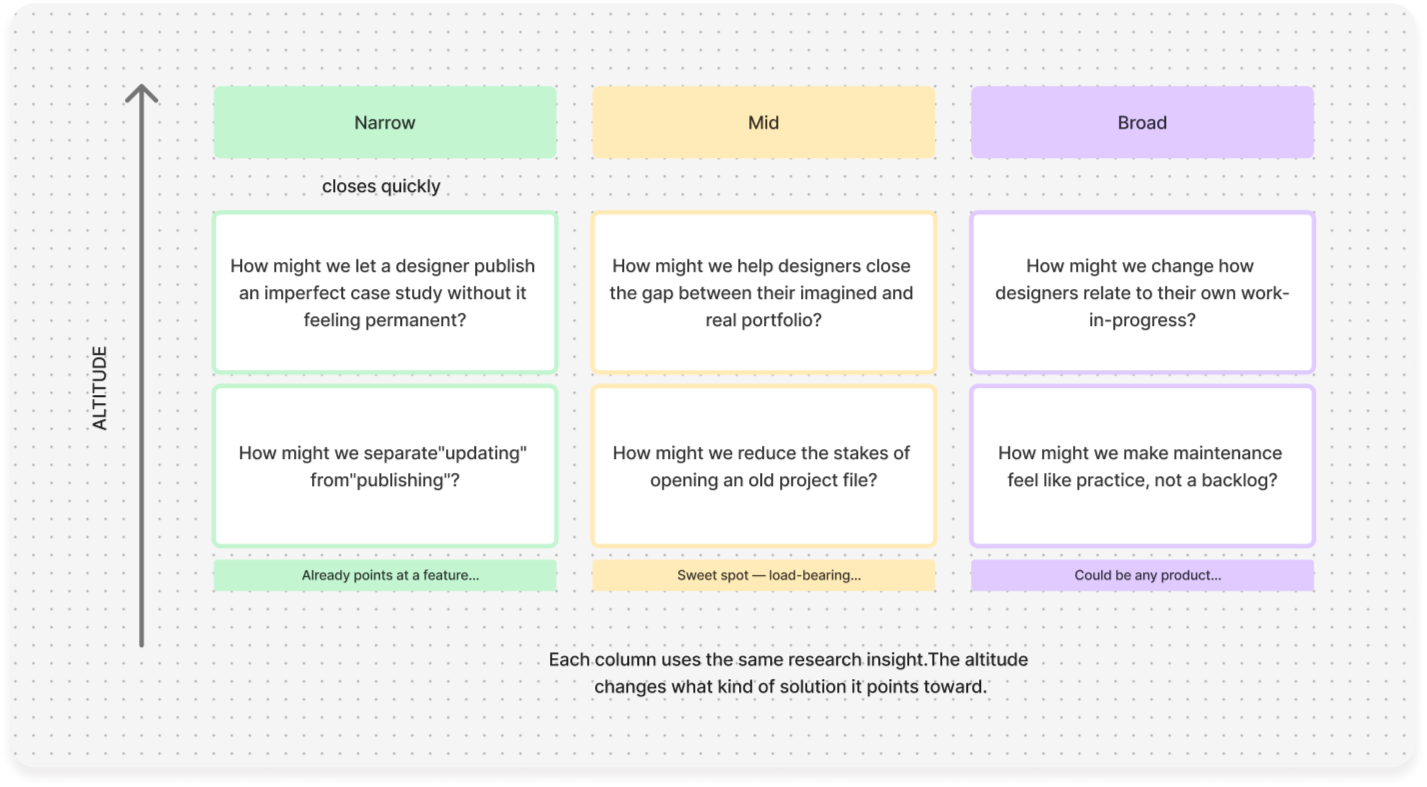
The trap: marrying your first sentence. The first framing always feels obviously correct — that’s exactly why it needs ten challengers.
→ Deeper: Issue 22: How To Define And Frame Problems And Pick The Right One
Solo brainstorming is flat because there’s no one to push back. So don’t ask AI to dream with you — make it the skeptic, then the sorter. Two moves, back to back:
“Here are my ideas. Argue against each one the way a tough PM would — where it breaks, who it ignores, what it costs.”
Then, once the weak ones have collapsed under their own problems:
“Cluster what survived by impact vs. effort, and tell me the smallest idea that would still meaningfully solve the defined problem.”
You leave this step with three or four ideas that earned their place and a clear sense of the smallest one worth prototyping.
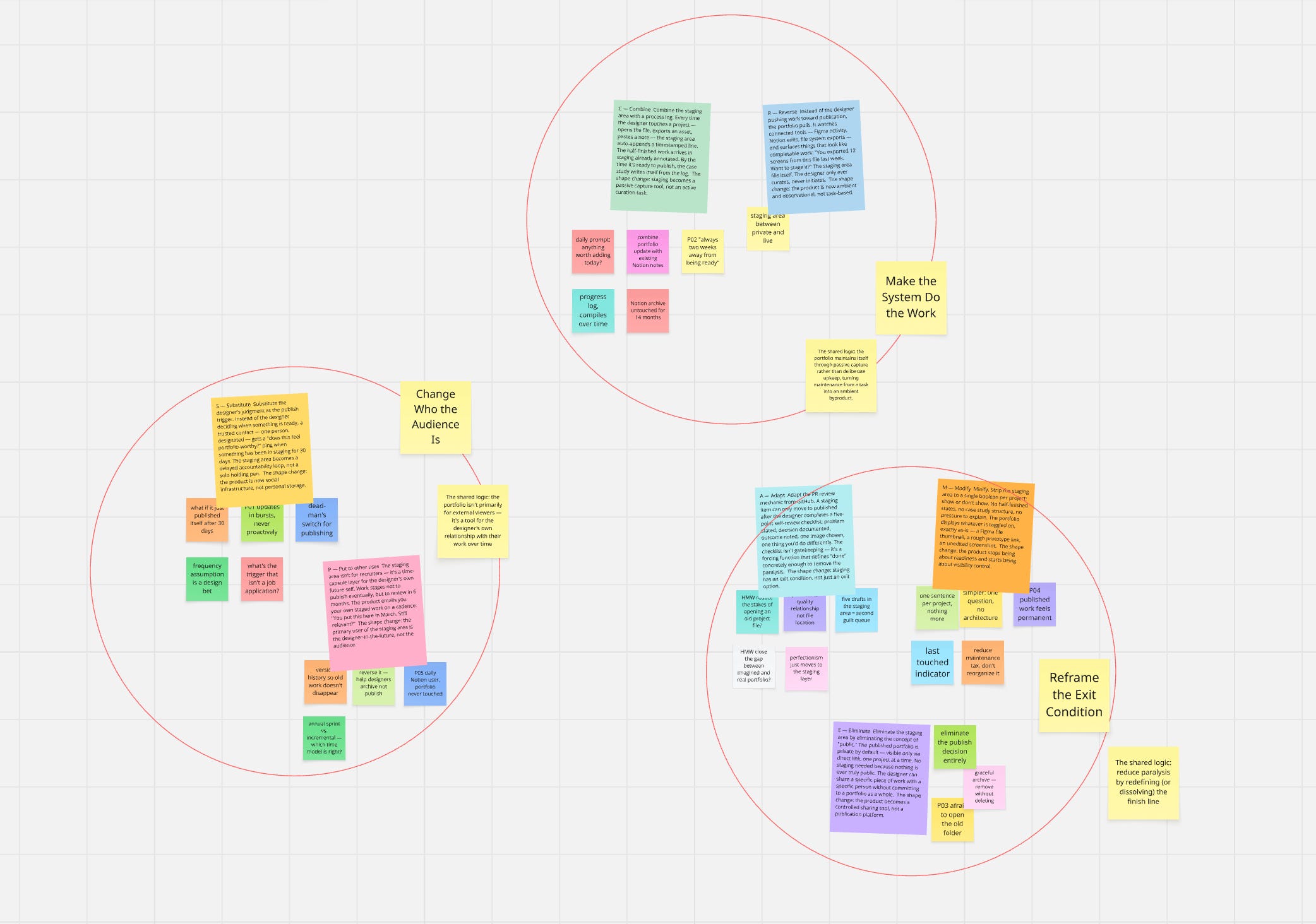
The trap: a long, flattering idea list. Quantity feels productive but it’s noise — the friction of the argument is what makes the survivors trustworthy.
→ Deeper: Issue 23: Solo Brainstorming · Issue 24: Taking Ideation Further
Resist opening Figma. Start by describing the flow in plain language and let AI draft the screens, states, and copy as a rough structure — happy path, empty state, error state. You’re trying to make the idea touchable as fast as possible, not pretty.
Then bring that skeleton into Figma and spend your design judgment where it counts: hierarchy, spacing, the actual feel. Figma joins the process to make decisions; it shouldn’t be where you start thinking. Fast and ugly is correct at this stage, because you’re about to test the idea, not the polish.
The trap: polishing before testing. Every pixel you perfect before a single user sees it is a pixel you’ll resent reworking.
→ Deeper: Issue 25: Tips and Tricks For Prototyping With AI
Put the prototype in front of a few people with a real task, and stay quiet while they struggle. The one move that makes solo testing honest: before each session, write down what you expect to happen. Then your own surprise becomes data instead of getting quietly rationalised away:
“Here are my notes from five test sessions, and here’s what I predicted before each one. Show me where reality didn’t match my prediction, and what those gaps have in common.”
The gaps are your next iteration, ranked for you. This phase is the finale I’m finishing now — Part 7/7 — so the full, detailed how-to lands next week.
The trap: explaining your design to the tester. The second you start guiding them, you’ve stopped testing and started selling.
That’s the whole process — six steps, one afternoon if you keep it light. At every step the AI took the heavy middle and handed the decision straight back: which theme matters, which framing is true, which idea survives, what the test really meant. Offload the sorting. Keep the judgment.
🧠 Designers as “orchestrators” — AI in Design 2026 — on designers being expected to work across the whole arc of creation, not one phase. Why it matters: it’s the argument under this entire series — the value moves up to judgment and direction.
📊 The State of AI Design 2026 report — a snapshot of how teams are actually folding AI into design this year. Why it matters: a gut-check on where you sit, especially if you’re solo and quietly wondering if you’re behind. (You’re probably more current than you think.)
🛠️ AI UX research tools, ranked by research stage — a stage-by-stage map of the testing tools landing right now. Why it matters: good companion reading before next week’s Test issue.
If one of these steps is where you always get stuck, reply and tell me which — I read everything, and it quietly shapes what I write next. And if this walkthrough was useful, forward it to a designer who’d like it. That’s the nicest thing you can do for a small newsletter like this one. 🧡
Until next time 👋
— Lisa
If you find my content useful, the best way to support me is by checking out the tools and resources I use in my workflow (affiliate links included — thank you for supporting my work).
Seeking design inspiration? Mobbin is my go to - 100s of screenshots of real products for you to learn best practices from. Works with MCP as well. Enjoy 10% off with the invite.
Join AI App builders Academy to learn how to build an AI app business — from strategy and design to growth, with unlimited support.
With UXMagicAI you can not just ideate on your designs, but try interactions and flows before you dive into prototyping. Export to Figma for refining or build straight in code.
Use UX Pilot to ideate and create wireframes and designs with the power of AI.
Find wireframing meditative? Try Mockup to find your design zen.
Looking for the ways to become more confident in the competitive Product Design industry? Join AI-First Designer School and confidently transition into a future-ready, AI-powered design professional.
Lots of thoughts and nowhere to store them? Try Milanote to get yourself some creative clarity
No posts
Comments
Nothing yet. Say the first thing.
Sign in to join the conversation.