
Hey designers,
Happy Thursday!
There’s a version of “designing with AI” that most of us got stuck in. You open a chat, type “design me a home screen for a fitness app,” and get back something plausible, generic, and slightly wrong. You tweak the prompt. It gets differently wrong. Eventually you give up and open Figma, quietly convinced the whole thing is overhyped.
When I started exploring AI, this was the way I worked. Then, I flipped the order of operations — and AI stopped feeling like a slot machine and started feeling like a collaborator who’d actually read the brief.
The shift is easy to say and weirdly hard to live by:
AI is extraordinary at generating and executing. It should not be the one deciding.
The strategy, the point of view, the taste, the final call — those stay with you. The moment I stopped asking AI to think for me and started teaching it how I think, the quality jumped and the work got faster at the same time.
Here’s the story, how I worked on a client’s project and at the end, the exact playbook I pulled out of it.
I was auditing a career-discovery app. Lovely product, real emotional promise: answer some questions, and it reveals a career path that fits you. The problem was brutal and right there in the data. Day-1 retention was around 20%. By Day 7 it had collapsed to under 4%. Fewer than one in a hundred users ever converted to paid.
Five minutes with the app told you why. Everything built toward one big moment — and then dead-ended. You got your answer, felt a spark, and had no reason to come back tomorrow. The habit loop never started. It was a firework, not a fire.
So before I touched a single screen, I did the messy, human part. I opened a FigJam board and mapped it all out: the user journey step by step, where the emotional highs and drop-offs landed, a personas I was designing for, and the strategic pillars for the redesign. Keep the user in constant engagement. Make usage circular, not linear. Sell momentum, not results. Meter the “wow” across days, not minutes. Charge for depth — never for the emotional reveal.
None of that came from AI. It came from looking at retention data, using the app, and thinking like a designer. Hold onto that distinction — it’s the whole point.
The loop — AI summarizing and organizing, me curating and deciding, several rounds — before a single screen got designed.
1. I mapped my raw thinking on the board (human). Journey map, drop-offs, persona, loose strategic ideas — sprawling and half-organized, the way real thinking is. No prompt can shortcut this. Skip it and you’re asking AI to invent your strategy. It will. Confidently. And it’ll be average.
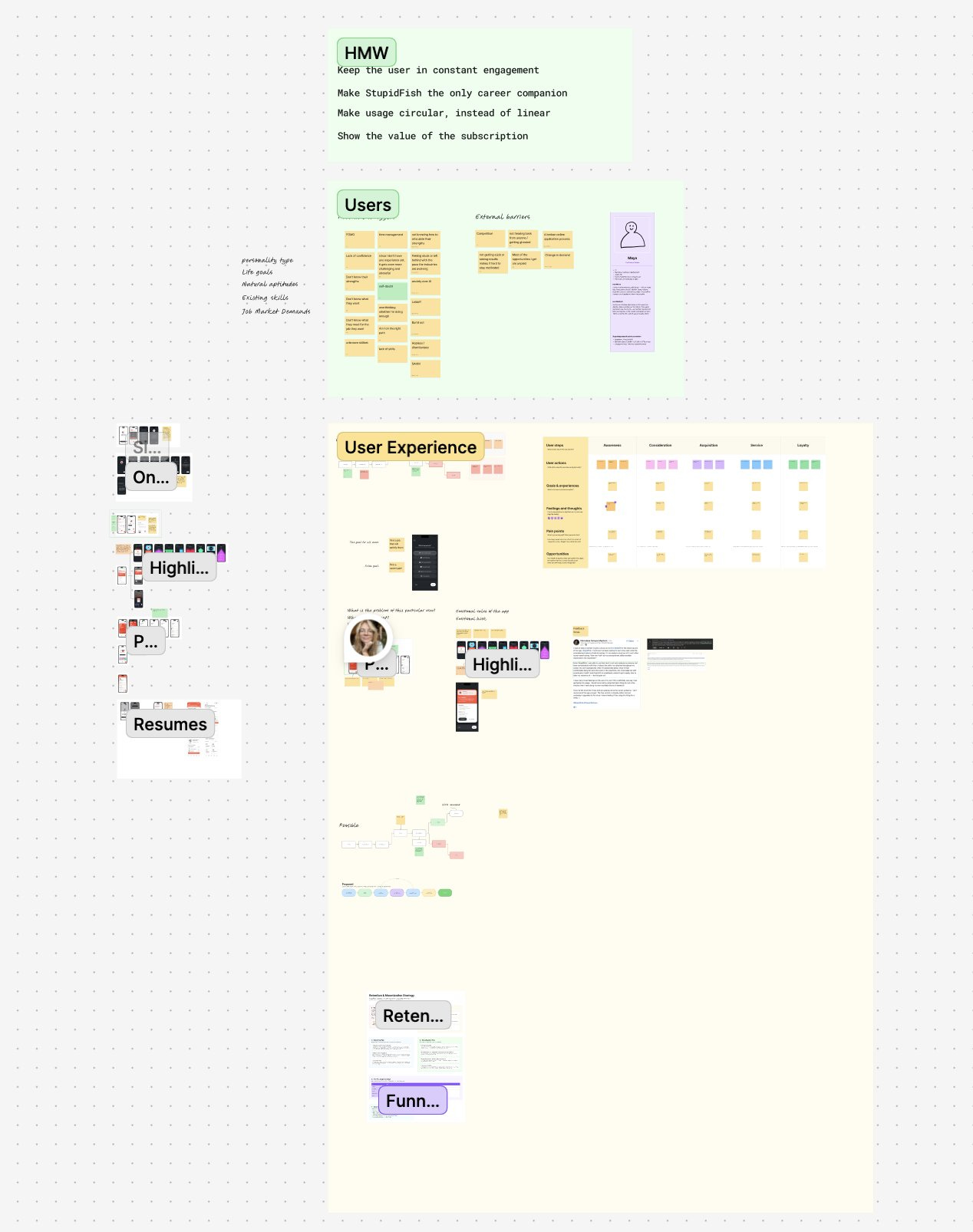
2. I asked AI to summarize the board (AI). First I just had Claude read the whole mess and summarize it back — not “have ideas,” but prove it understood mine.
3. I asked it to organize the mess into strategy sections — on the board (AI). The move most people miss: I had it lay everything out as separate, structured sections right back on the FigJam board — the pain points, the decisions, the ideas, each grouped. A wall of stickies became a readable strategy I could actually compare.
4. I polished and chose what made the cut (human — the first gate). I went through its sections and decided what was real: which pain points mattered, which ideas survived, what got cut. AI laid out the options; I made the calls. What was left was a tight strategy (Discover → Prepare → Get hired → Succeed), not a brainstorm dump.
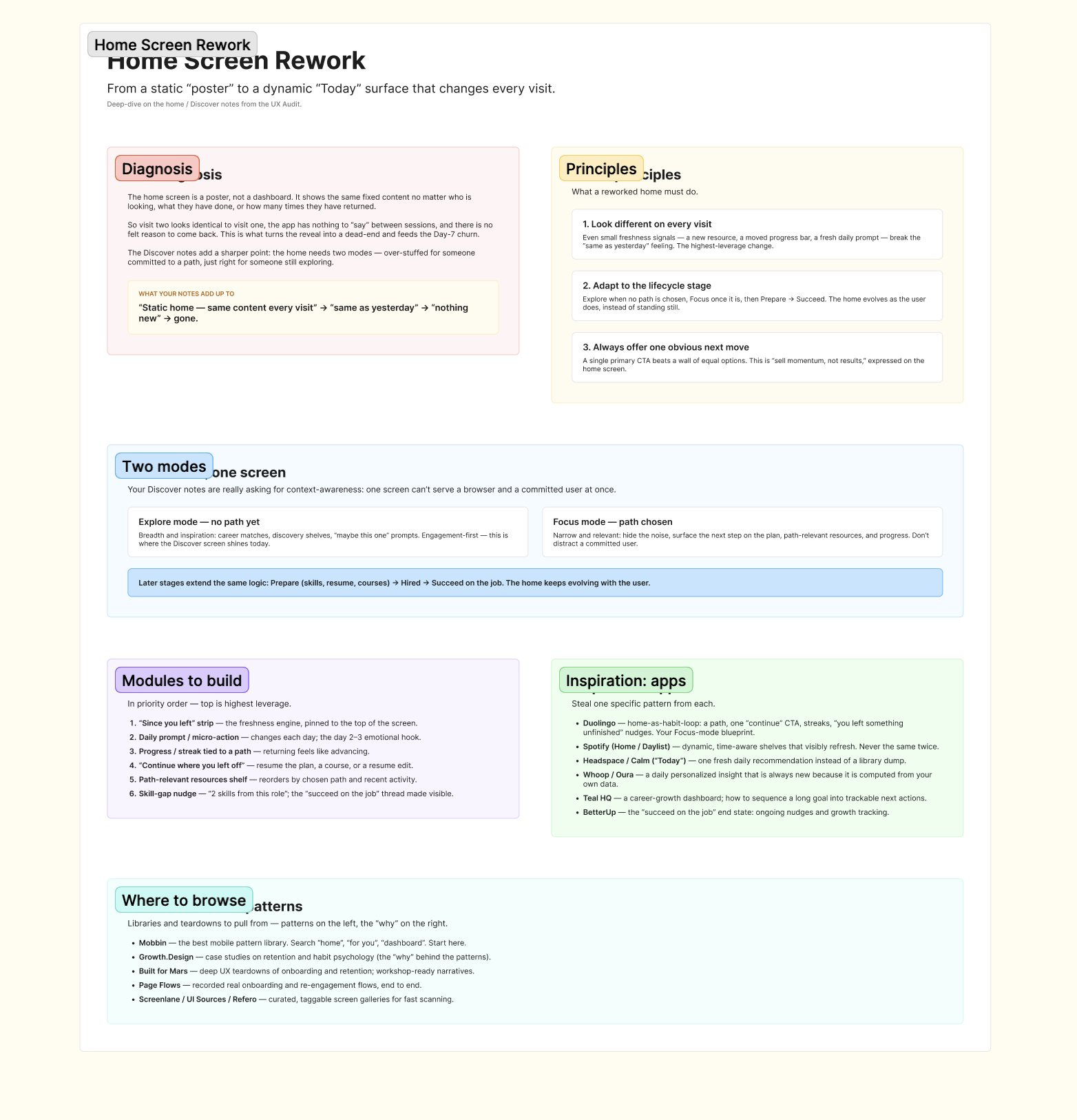
5. I had it summarize the final strategy into a prompt (AI). With the strategy locked, one more summary — distilled into a clean brief I could use as the design prompt: what to change, what each screen must contain.
6. Only then — with the DESIGN.md — I asked for first drafts (AI). Now, not a step before, I handed it the prompt plus a DESIGN.md (the app’s design system — colors, type, spacing, components, tone) and asked for screens. It nailed the styles and put the right content in the right place. Days of work, compressed — because everything upstream was already decided.
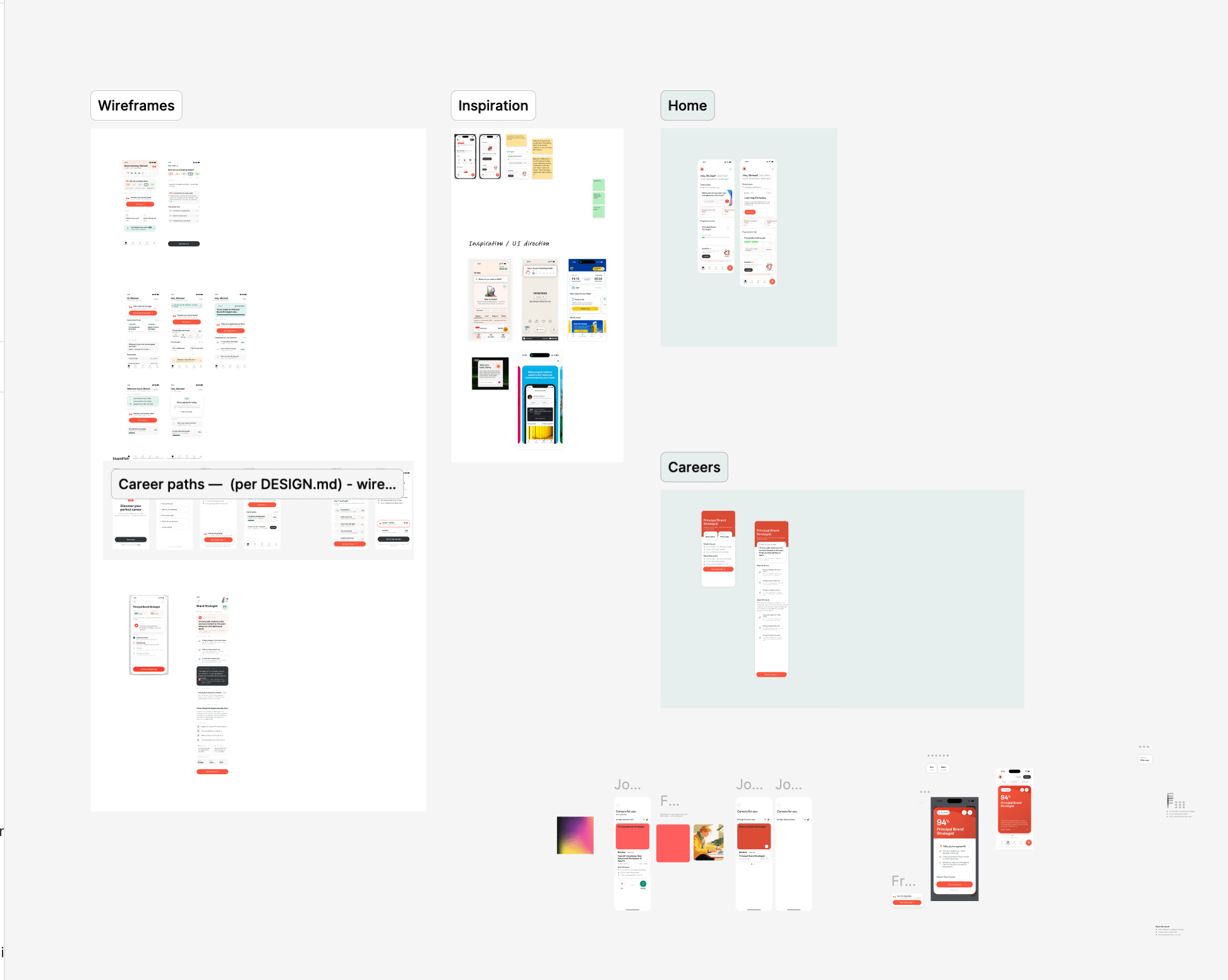
7. I polished for authenticity and made the final calls (human — the last gate). The screens were accurate but not yet authentic. That last mile was mine. AI got me to 80% fast; I owned the 20% users actually feel.
AI summarizes, organizes, and executes. You curate and decide — at every gate. Or, shorter: AI brainstorms, you decide.
It works because it gives the work to whoever’s actually better at it.
AI is fast, tireless, and structurally excellent. It holds a whole design system in its head, applies it without drifting, and generates ten variations before you’ve finished your coffee. It’s brilliant at breadth and execution.
You are slow, opinionated, and context-rich. You know why the app exists, who it’s really for, what the client is nervous about, and what “authentic to this brand” feels like in your gut. You’re brilliant at depth, judgment, and taste.
The mistake is asking AI to do your job — or doing AI’s job by hand. Stop doing both, and you land on a first draft shaped by your strategy from the very first token: faster and better at the same time, which almost nothing in design work ever is.
That’s the story and the principle — free for everyone.
Below the line is the part you can actually run tomorrow: my full step-by-step playbook, the exact prompts I used (copy-paste ready), and two templates I hand to AI on every project — a DESIGN.md skeleton and a one-page brief template. This is the operational core, and it’s for paid subscribers.
If you’ve ever gotten “plausible but slightly wrong” output and didn’t know how to fix it — this is the fix.
Here’s the reusable version — apply it to any project.
Comments
Nothing yet. Say the first thing.
Sign in to join the conversation.