
You can now choose between Colorful and Midnight themes in your app, or let your phone settings decide! Pagebound has become distinctive for our whimsical design and vibrancy, and it was important to us to keep the essence of our unique visual identity present in dark mode, while following accessibility best practices.
Here’s a sneak peak of how major screens have shifted in Midnight mode:
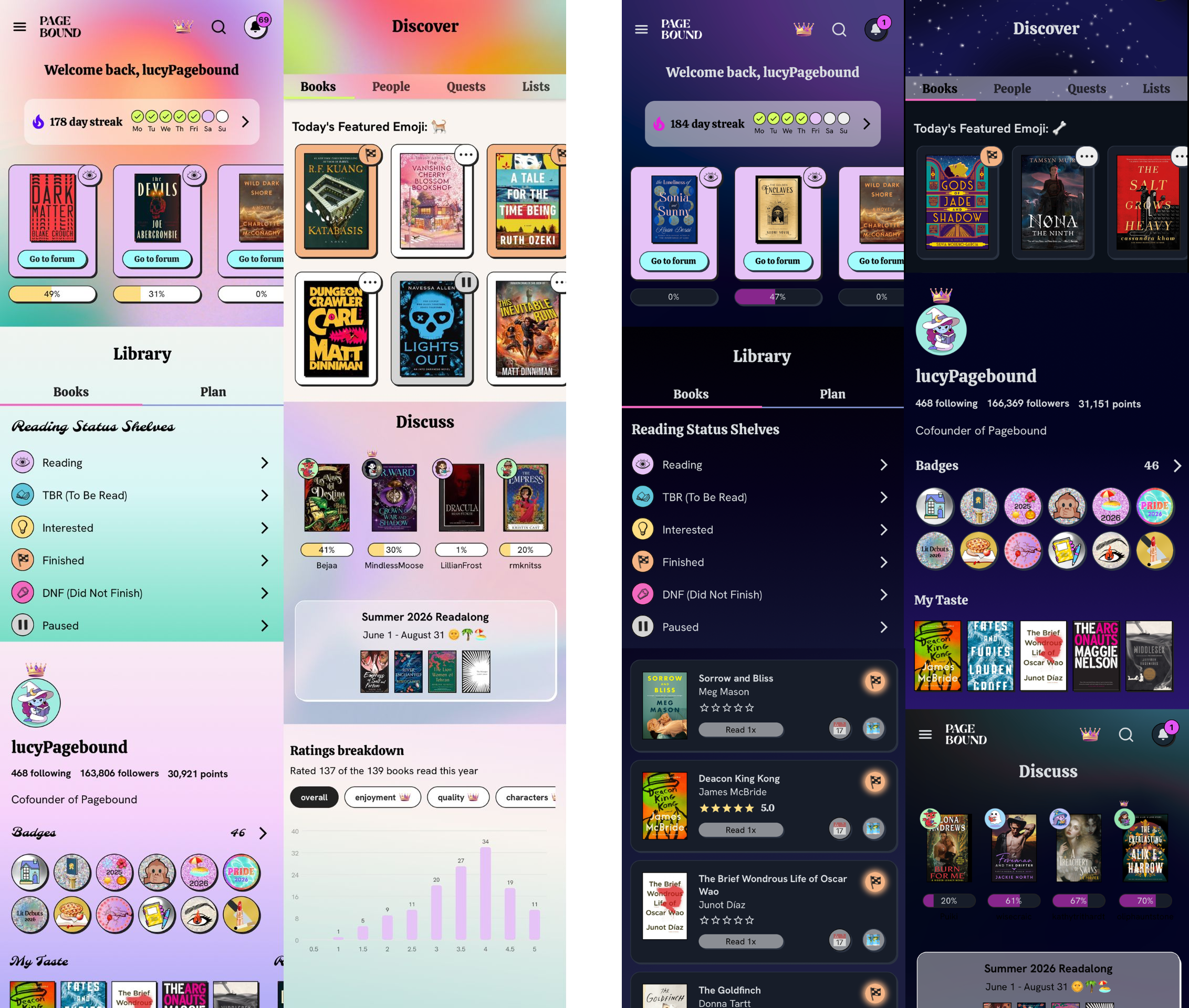
It’s been wonderful hearing the positive feedback from our community and seeing the passionate debates that have popped up around which version is superior in Pagebound Club…which will you be using as your default?

Notifications are now categorized so you can view comments and likes/updates separately. You can also sort and filter each category as well as mark them read/unread one at a time by clicking the blue dot next to the notification.
When adding a book to a List, Plan, or shelf, you now have the option to search from “All Books” aka the entire Pagebound library or “My Books” aka just your Library. You can even filter by a specific status/shelf in your Library, so you can look at just your TBR books and scroll through them when adding to your monthly Plan.
When you change a book’s status, you can now edit read dates, format, and total length anytime while the book is marked “reading” or when you move it to “finished.” You can also create new custom shelves directly from this screen.
As part of Home Feed customization, you can choose to turn off posts from people you follow when the book is not in your Library. There are also more tools to manage your books: export your Library as a CSV, mass edit/delete shelves and books.

The Fall Readalong will run September through November, and we announce book selections a month in advance for those placing library holds. These four picks span literary horror, cozy fantasy romcom, dark academia fantasy, and scifi:
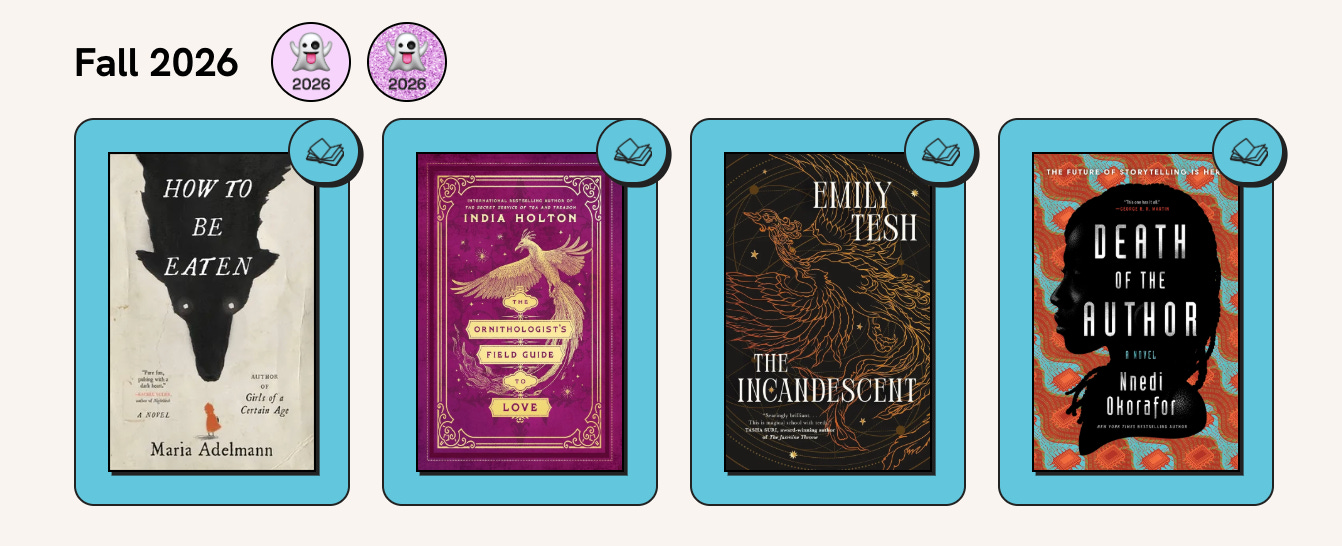
To participate, post or comment in the book forum during the Fall Readalong, and have the book marked as “finished” (it counts if you read it in the past).
Happy reading!
Jennifer & Lucy 💜💙
Comments
Nothing yet. Say the first thing.
Sign in to join the conversation.