

You bought Scrivener ages ago. The muse was hot, the writing was lightning, and in a whirlwind of emotion, you transferred everything into the app, completely disregarding reason and basic human decency. You now owned the premier writing app made by writers for writers. The problem? Every time you open it, you’re filled with a deep, existential dread.
Wasn’t this supposed to be easy? Wasn’t Scrivener supposed to make your life easier?
Well, I’ve got news for you. It’s not Scrivener. It’s you. That’s right. In your chaotic rush to get started, you threw any semblance of common sense out the window and now your project is a disorganized mess that would make a landfill blush.
I have some rules that can help with that:
But let’s be honest, you’re not going to read them.
What you really need to know is how to beat the Binder into submission. How to force it to work with any plot structure you want to throw at it, even one of your own questionable creation. Now grab a drink. It’s time you learned how to structure your project without having a complete meltdown.
Look, I know what you’re thinking. “Structure? That’s for corporate drones and people who enjoy filing their taxes.” But hear me out. Taming the chaos now will save you from a complete psychological meltdown later. Here’s the deal:
It Stops You From Getting Lost: A solid structure is like a GPS for your novel. Without it, you’re just wandering in the literary wilderness, probably about to be eaten by a plot hole.
It Makes a Prettier Corpse: When it’s time to stitch your Frankenstein’s monster of a manuscript together in the compiler, a good structure means all the limbs are probably already in the right place. This means less time spent wrestling with structure, more time cackling maniacally at your creation.
It Lets You Play God (with your ideas): Having everything neatly arranged means you can move chapters around like a crazed deity rearranging the cosmos. “Hmm, I think I’ll smite this character... in Chapter 3 instead of Chapter 10.” The power is intoxicating.
It Makes Your Future Self Hate You Less: When you realize that one scene in Chapter 2 completely ruins the ending, you’ll be able to find it without scrolling through 80,000 words of your own questionable prose. You’re welcome.
Basically, a little organization now means you can spend more time on the important stuff: writing, and pretending you’re a tortured genius. Now’s let’s see how it done.
There are several “acceptable” ways to structure your project in Scrivener. I’m going to teach you my favorite, not because the others aren’t valuable, but because it has served me best and offers the most flexibility for our particularly frantic methods.
It all starts with the Folder. A folder is whatever you tell it to be. It can be a book, a part, an act, or even a single, lonely chapter. What matters is the title you give it and its position in the binder. Hierarchy is everything.
Here are two approaches I tolerate:
Manuscript Folder > Part Folders [Optional] > Chapter Folders > Scene Documents
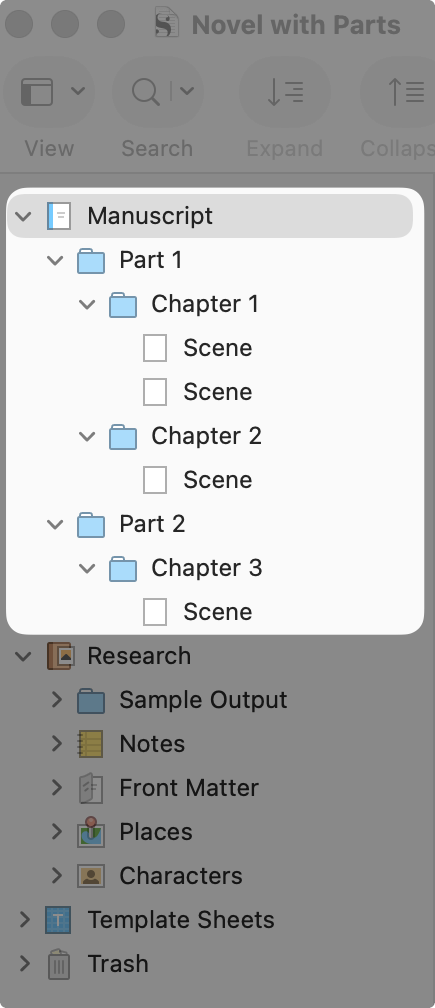
Figure 1 Series Folder > Book Folders (1+), Part Folders [Optional] > Chapter Folders > Scene Documents
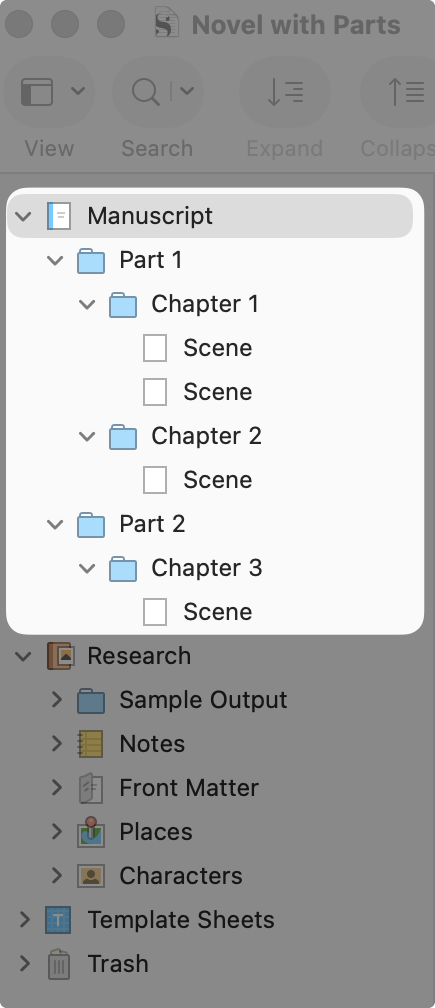
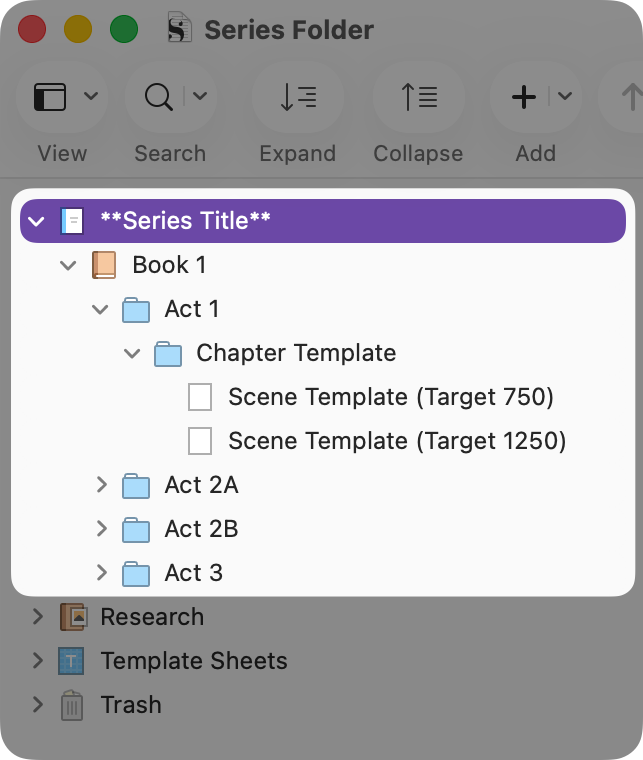
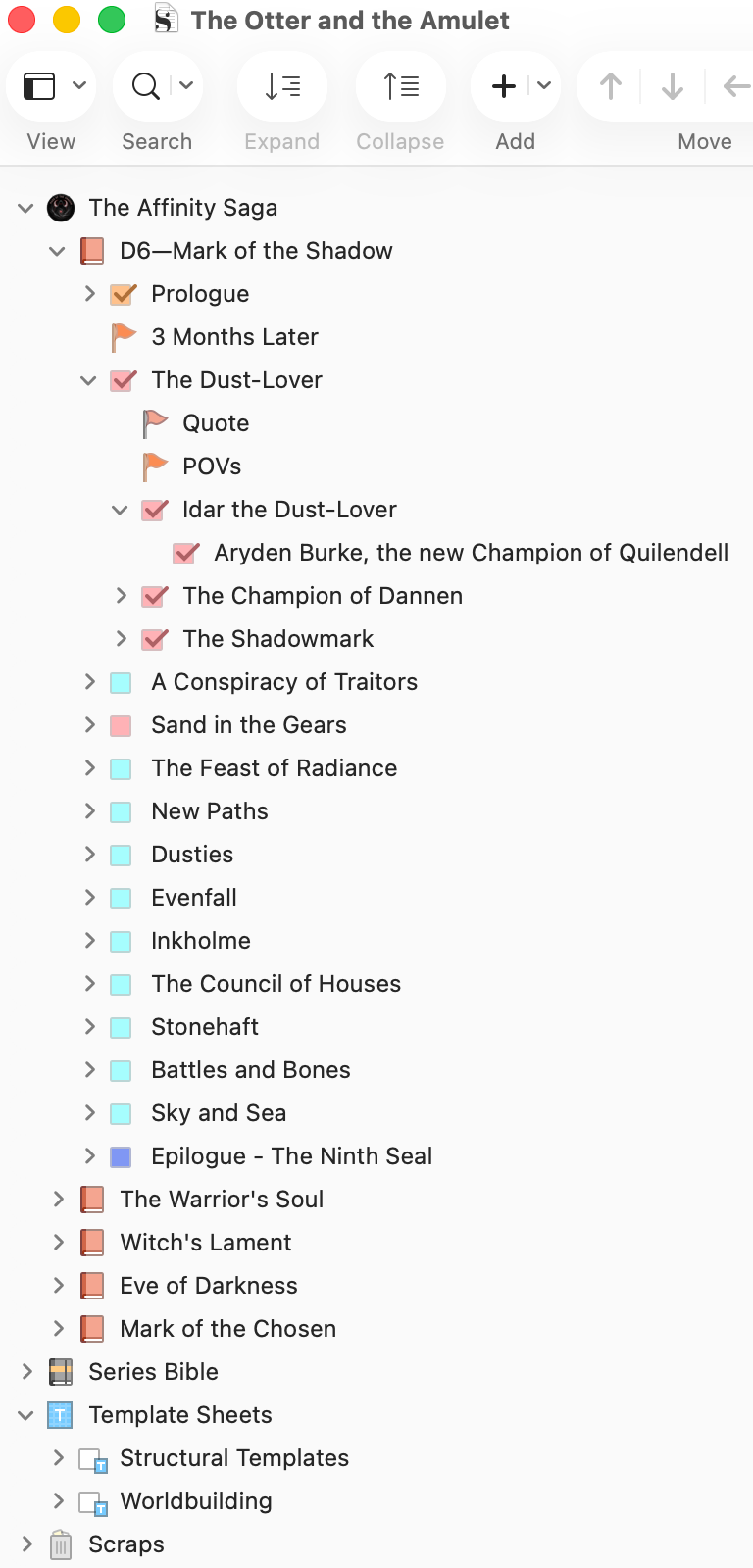
You may notice I added Part Folders as optional. I personally love breaking up books into smaller, more digestible chunks of misery, but that’s not for everyone. You do you. You’ll also notice that in Figure 1.1, I renamed my “Parts” as “Acts.” Whether I call it Part or an Act is really irrelevant as ultimately all those names will be replaced by even more specific names as show in Figure 1.2.
The goal is to understand how Scrivener thinks, so you can exploit it.
Once I had a solid grasp of structure I no longer needed to labels things in parts and chapters. I switched to clear names that would help me understand what’s going on in my book.
Since I write series, and the first structure is basically just the “Novel with Parts” template, I’m going to show you how to structure a series folder. It’s more complicated, which means more opportunities for things to go horribly wrong. Perfect.
Look, nobody expects you to nail the structure on your first try. The goal here is just to create a vaguely organized space to begin. This structure isn’t set in stone; you’re supposed to mess it up as you go.
Don’t just leave it as “Manuscript.” That lacks specificity. This is the god-level container for your entire series. Give it the name!
To do this, simply double-click on the “Manuscript or Draft” folder in your Binder and rename it.
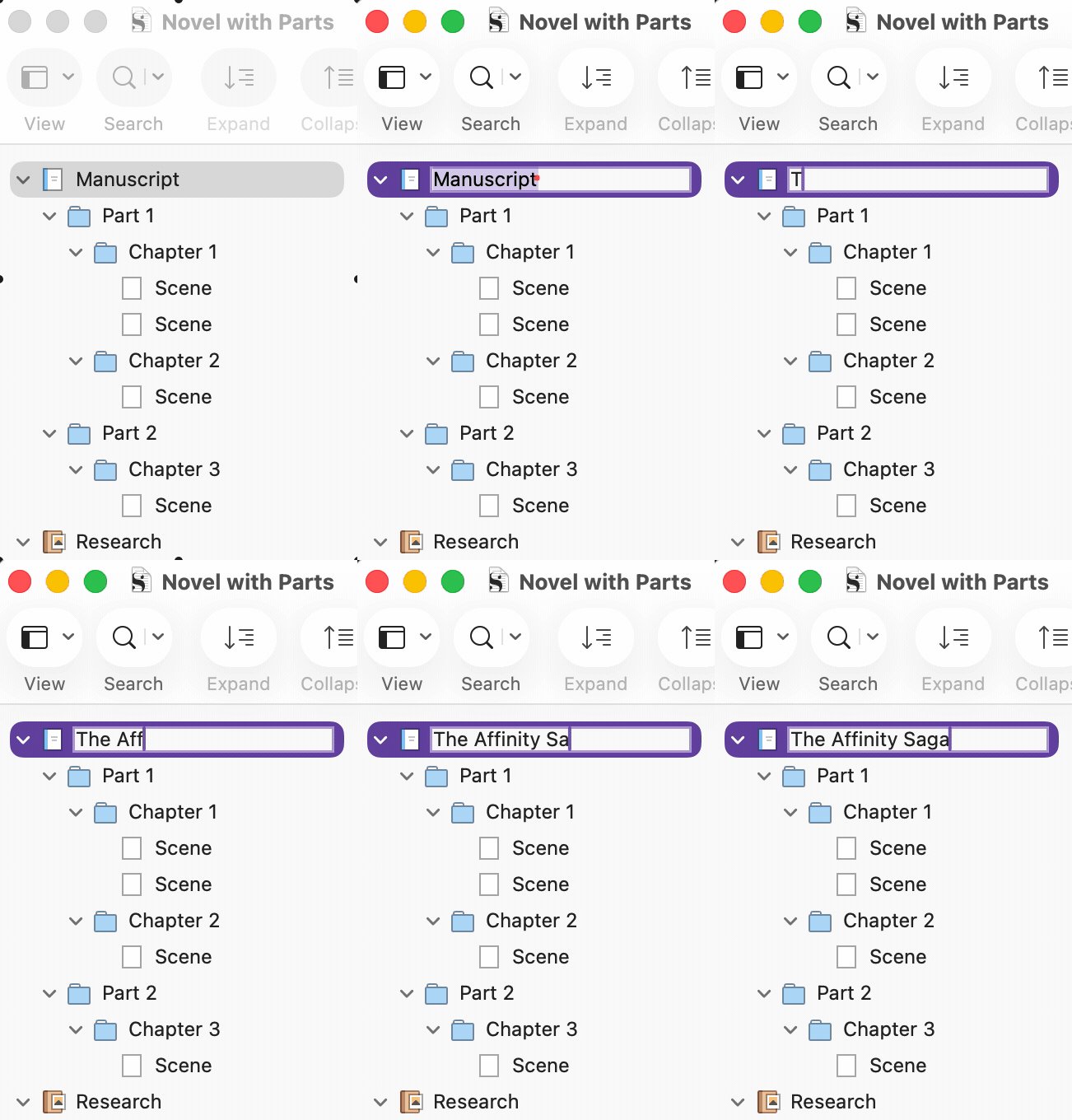
Unsure what to name your series? You could name it "Series Folder," because even a placeholder title is better than nothing. But why not aim higher? My current series went from "The Phantom Lord of Shadows Series" to "The Phantom Lord Saga," before finally becoming "The Affinity Saga." Who knows, it might change again. Scrivener makes it ridiculously easy to update.
Will your book have parts? Probably. Make folders for them.
While you’re at it, create more folders for chapters.
Create these documents inside your chapter folders. If you mess up, just drag and drop them into the right place.
If pretty pictures help you understand your own book, you can change the icons.
There. You did a thing. Want to make structuring your novel ridiculously easy while also taking advantage of several powerful tools?
Find out how here:
I get it. You’re an overachiever. I know because you’re reading this article. But building out 50 chapters for a book you haven’t even started is the digital equivalent of counting your chickens before they’ve hatched, been processed, and served with a side of fries.
Start small.
Create the folder for your first book.
Then the first part.
Then the first chapter.
Utilize your Chapter and Scene Templates to build as you go.
This keeps things manageable and prevents you from getting overwhelmed by the sheer, terrifying scope of your own ambition.
Seriously. Stop organizing. Stop color-coding. Stop looking up new plot structures on Pinterest.
You’ve beaten the Binder into submission. It now does your bidding. The only thing left to do is fill it with words. Go on. The blank page is waiting. Don’t keep it waiting too long. It gets angry.
Comments
Nothing yet. Say the first thing.
Sign in to join the conversation.