
Momos rolled out Claude Code company wide a few months ago. We have been seeing both a boost in productivity and new inefficiencies. Nevertheless, so far it has been net positive.
Since then, HR, marketing, and sales teams have been building internal tools and workflows that improve their quality of lives. Claude becomes co-author of most of the commits (first-author for all of mine) and the first who investigates alerts throughout the system.
To push adoption even further, we organized an org-wide hackathon where everyone can build anything.
I built Momies - an agent that follows users as they navigate the platform, answers questions by text or voice and walks users through workflows step by step - and won (third hackathon won over four participated in the last 16 months - not bad compared to my track record of getting into 0 finalists of all hackathons I participated in during 4 years in college).
This post explains the ideation process, how I built Momies, and what’s next for it.
We had 2 weeks to build, so similar to the previous Cursor hackathon, I spent more time thinking than building.
There were two separate rounds. Submissions would be evaluated by judges to get the top 5, then the whole company would vote to choose the best. So you need something that is technically impressive that brings clear business impact but at the same time eye-catching and easy to understand.
My guess was that everyone would build some information-retrieval style products - LLM read information from multiple sources then answer questions or perform action based on the gathered data - which turns out to be true.
So to win, I need to do something differently.
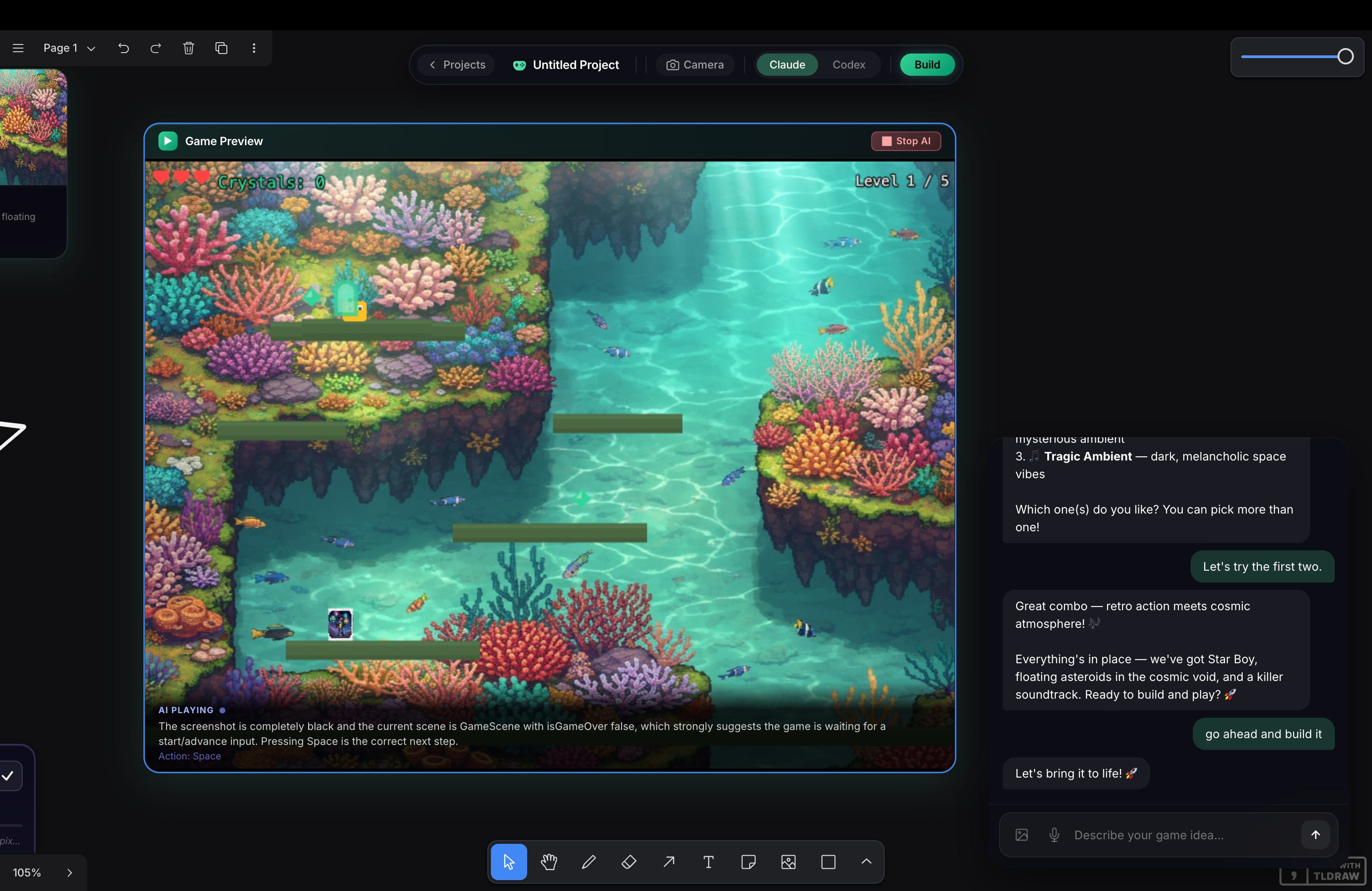
My first idea was to built something canvas-based, something that has a Figma-like UI for internal use. I built a canvas-based game maker a few weeks before in another hackathon and the judge liked it (I got into top 20 despite messing up the demo).
I quickly prototyped a GTM tool for sales team, which lays out all important information & artifacts to a canvas, including profiles of key decision makers to target, sample reviews from prospect’s Google Business profile, and customized slide deck.
But it didn’t feel right. I could not explain the whole thing in a few sentences. So I threw a way that idea and forget about the whole hackathon for a few days.
A few days later, I saw this Farza’s post about Clicky.

Farza 🇵🇰🇺🇸@FarzaTV
I built this thing called Clicky. It's an AI teacher that lives as a buddy next to your cursor. It can see your screen, talk to you, and even point at stuff, kinda like having a real teacher next to you. I've been using it the past few days to learn Davinci Resolve, 10/10.
12:38 AM · Apr 7, 2026 · 2.96M Views
1.32K Replies · 1.19K Reposts · 15.8K Likes
Things suddenly clicked.
Computer use would be something completely different. And I can still stack information retrieval and voice on top of it.
The pitch for Momies is: an AI-powered Chrome extension that lives inside the Momos platform. It knows what page you’re on, answers questions in natural language by text or voice, highlights elements on screen, and walks users through workflows step by step. Customers onboard themselves, so Customer Service team can focus on what matters.
I won’t go too deep into the details here since building is an easy part now.
Similar to my strategy in recent hackathons, I prioritized building for an impressive demo rather than a fully completed set of features.
Farza open-sourced Clicky, so I asked Claude to read that repo and build up the skeleton, plus some enhancement, including:
A Chrome extension shell
A backend server that talks to an AI model and lets it call “actions”: point at a thing, click a thing, type into a thing, read what page users are on
A voice agent with ElevenLabs so people can talk to it
For the demo, I added some shortcuts that allows the AI to perform actions faster.
For example, initially I followed Clicky to allow Momies screenshots of the real Momos platform and snapshotted its page structure, but it’s pretty slow. So I hand-built a “map” of every important button (sidebar links survey buttons, charts). The AI references this map by name, so it always knows where things are.
I simplified a lot more things, then added more fun (2 hidden games) to the project. Here is the final demo.
I don’t have a plan to continue working on Momies, but it seems to be an useful thing for a lot of enterprise apps.
Farza and his team are double down on Clicky, and they are building cool stuff with it.
You can check out the source code for Momies here. And feel free to reach out to me if your team need something similar.
Comments
Nothing yet. Say the first thing.
Sign in to join the conversation.