
Every day, we have a lot of ideas, things we notice, learn, or figure out during work or daily life. Most of them disappear within hours. A few days later, we don’t even remember we ever thought them. And the ideas we don’t capture are the ones we can’t build on later.
I used to deal with this constantly. I’d have an insight, assume I’d remember it, and months later think, “Didn’t I already figure this out?” I’d search old bookmarks and notes, but the thought was gone. It always felt like starting from scratch, and it was frustrating when I actually needed it.
Most people don’t have trouble writing ideas down. The problem is finding them later. Notes get buried in Apple Notes, random docs, or notebooks. And if you can’t retrieve something, it’s like you never wrote it at all.
Once I changed how I capture and organize my thoughts, everything became easier. I don’t lose ideas anymore. I write faster. I make connections I didn’t see before.
This isn’t the usual “Notion is your second brain” pitch. I’m just sharing how I keep track of my thoughts and how Notion’s AI features cut down the manual work.
Notebooks are great for daily to-dos, but they’re not built for long-term ideas. You can’t search them, attach links or screenshots, and anything you write eventually gets lost.
Notion is like Google for your own brain. Store everything digitally and search through it just like you’d search the internet. Links, screenshots, videos, work notes, personal thoughts, course takeaways—everything stays in one place.
I’ve been doing this for roughly five years. Here’s a sneak peek of what I save, the things I actually return to as a designer.
1. Feedback Locker I don’t just listen to feedback; I log it to spot patterns in my growth. This includes critique from mentors, peer reviews, and performance notes. By writing it down, I can turn a one-time comment into a recurring checklist to ensure I don’t make the same mistake twice.
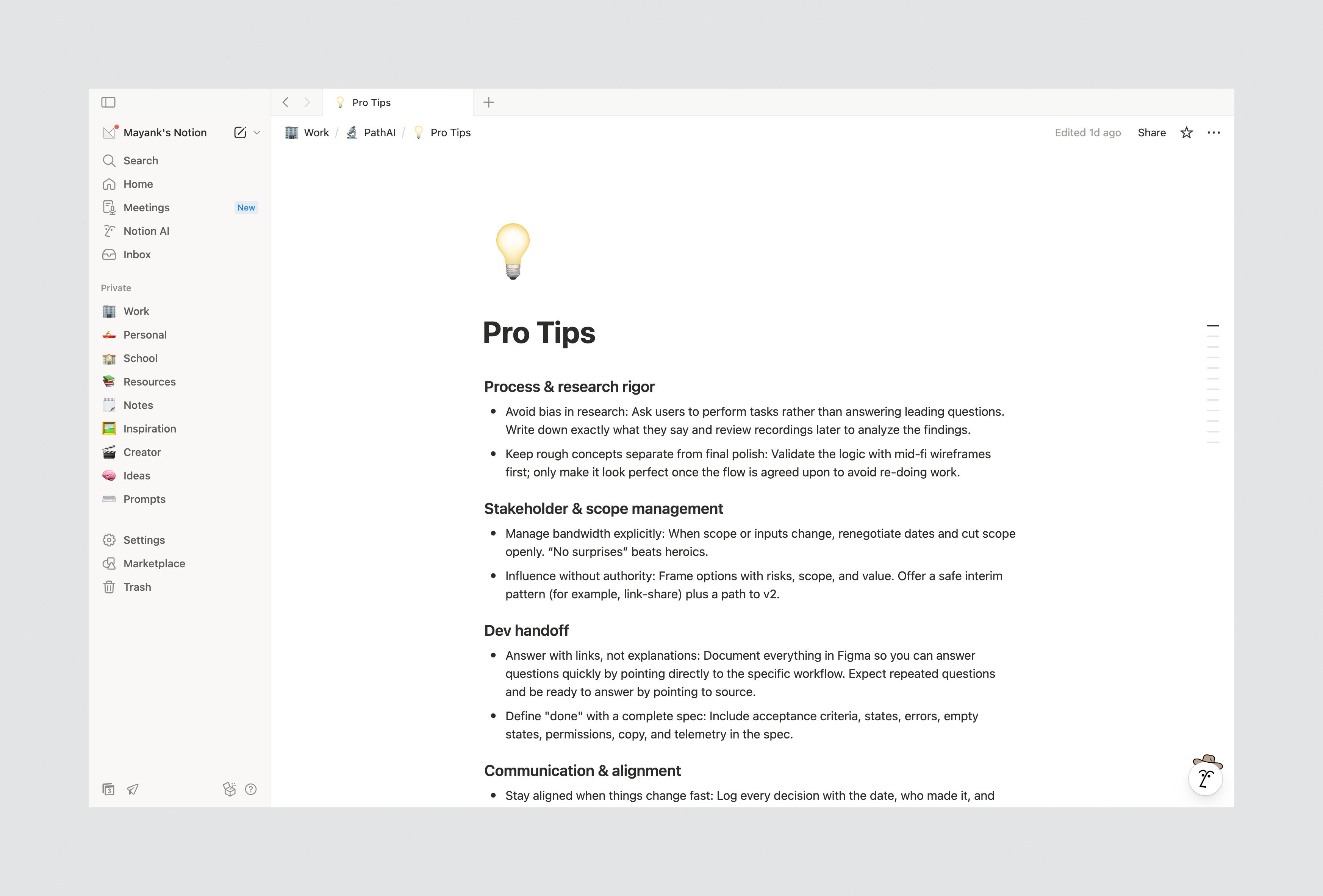
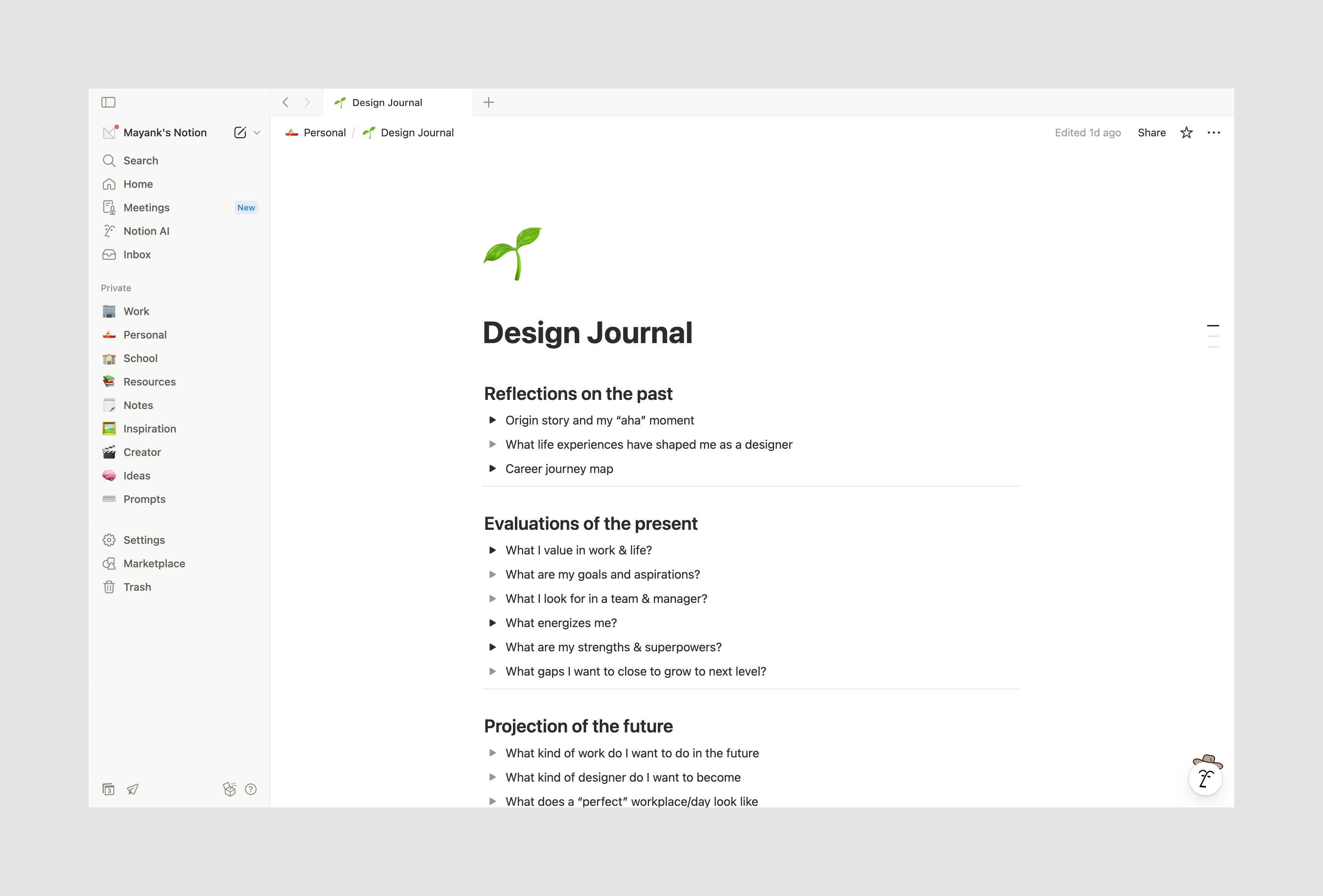
2. Personal Reflection: This section is about documenting my design journey and career strategy. What I think my strengths are, opportunities for growth, skills I want to gain, etc. It’s a space for me to be honest with myself so I can understand who I am as a designer.
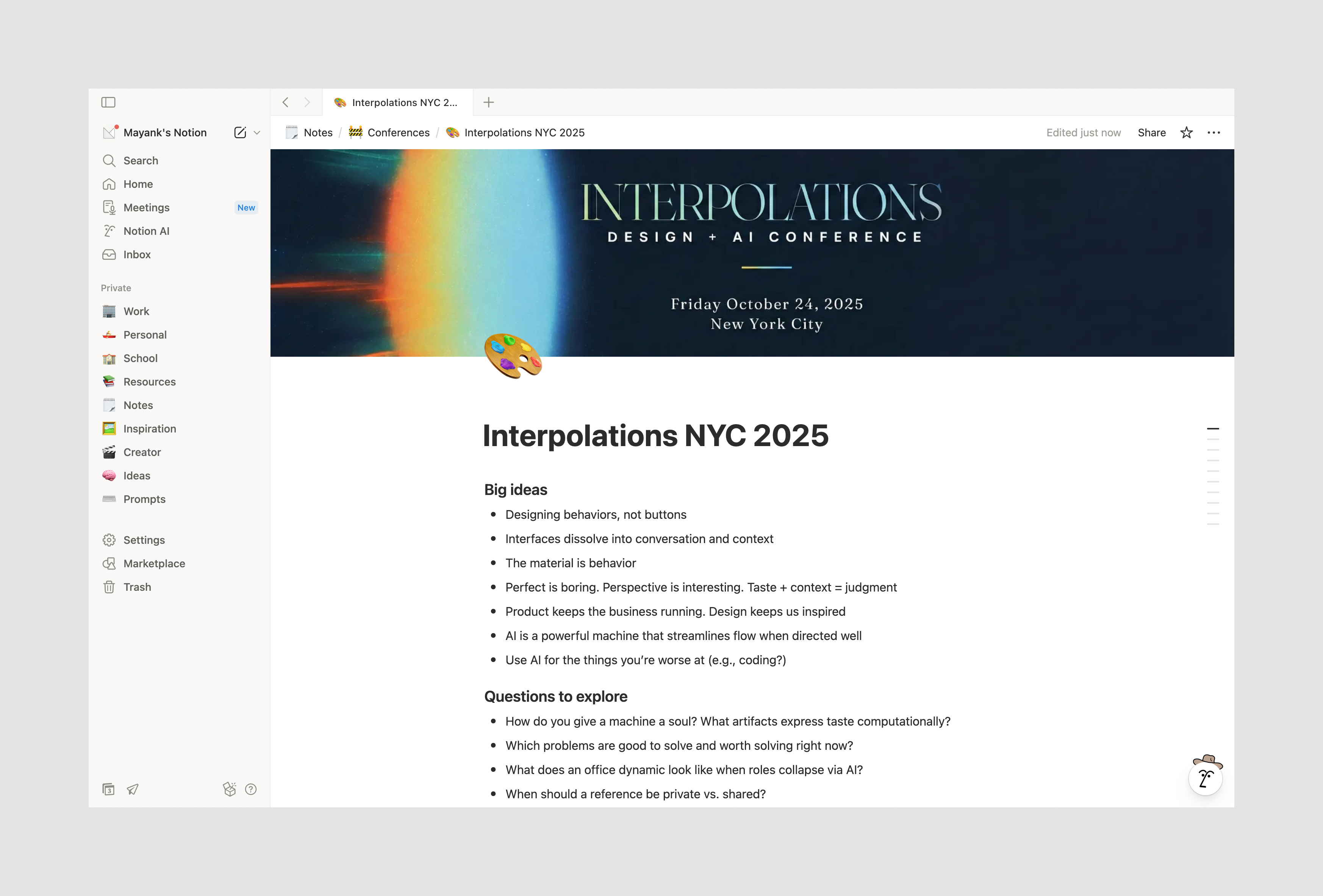
3. Insight Log: Raw insights from conferences and talks. When I learn something new, I make a note of it immediately—key takeaways, questions to explore, new tools people mention, interesting people I meet.
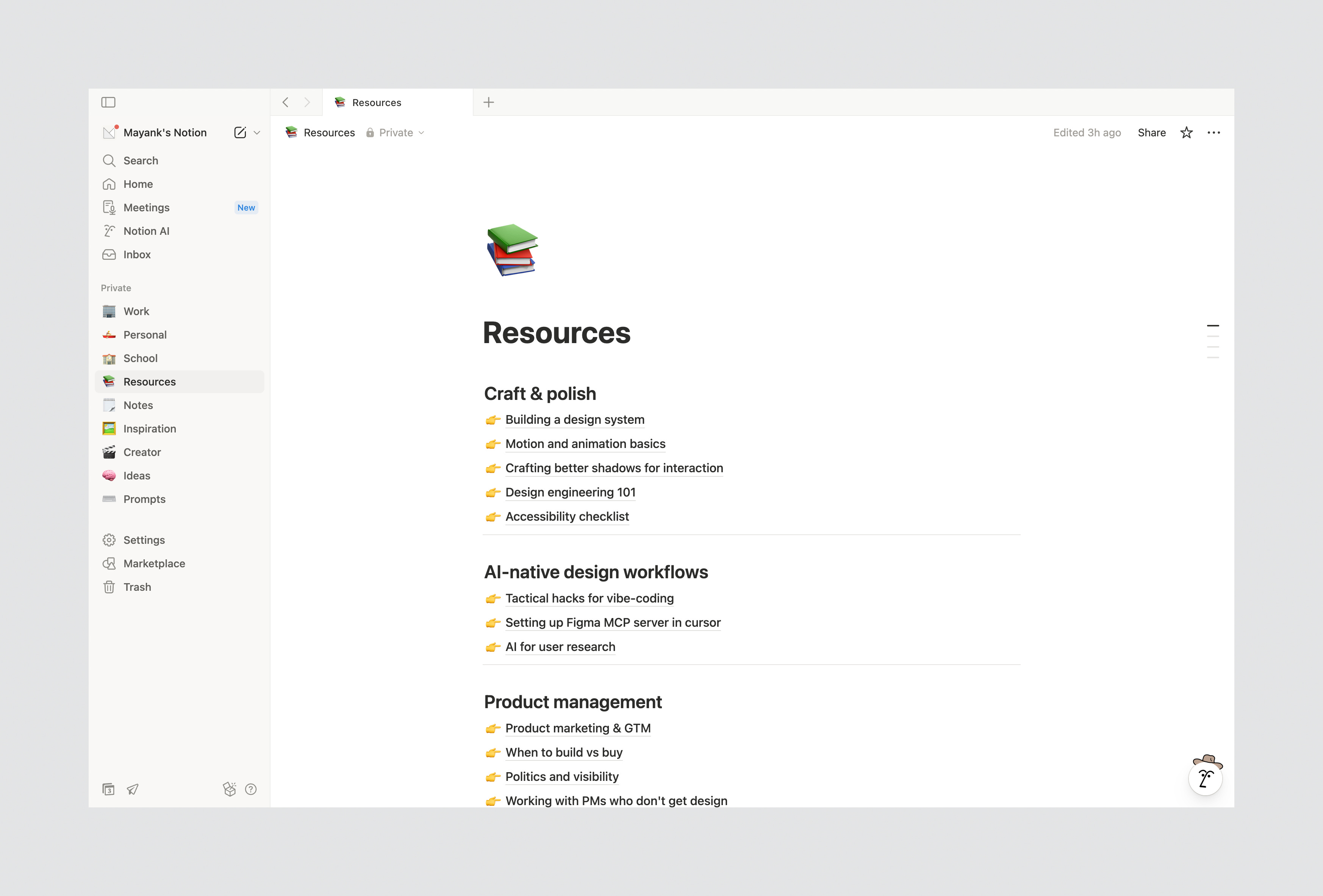
4. The “Go-To” Toolkit Resources I have vetted, used, and trust. It isn’t a link dump; but I like to think of them as curated guides that work like revision notes I can pull up when I need them.
Your system doesn’t need to look like mine. The specific buckets don’t matter as much as the habit of writing things down. The idea is to build a “thought cabinet” that reflects your experiences and serves your needs.
If I hadn’t written any of this down, it would’ve all disappeared. Because I did, I can pull it up anytime, reference it, and keep building on it.
Once your thoughts are in Notion, you can search using normal language. With Notion AI, I ask questions like:
“What did I learn from my PathAI projects?”
“Show me notes about onboarding friction from last year.”
“What were my takeaways on dealership buyers from June?”
It finds the exact notes from months ago, sometimes years. Instantly.
It’s like talking to past versions of yourself.
Let’s be honest—manually organizing notes is a pain. We already have enough on our plates, and this isn’t the first thing you wanna do unless you’re one of those people naturally wired to organize everything.
I’m definitely not. So I’ve stopped trying to be perfect upfront. When an idea hits, I throw it into Notion however it comes out. Messy paragraphs, half-sentences, typos everywhere. It’s fine.
For years, my Notion was full of chaotic notes just sitting there. Then Notion AI showed up and changed the game.
Now I simply ask Notion AI to organize it for me. It magically puts things into themes, action items, blocks, formatting, summaries—whatever I need. You’re still the one guiding it though, so you know what ends up where.
Sometimes I don’t even type—I use voice dictation (Wispr Flow) to brain dump when I’m on the go or don’t feel like it. Way faster without the friction. It drops the text straight into Notion. (More on this tool later.)
The point: capture first, polish later. Don’t let messy notes stop you from writing things down.
On a side note—cluttered desktops tend to create cluttered thinking, so I try to keep up with regular hygiene sessions. You know how good it feels when you finally clean your desk or room? Same thing applies to your digital space. Your Notion, Google Drive, desktop, phone storage full of random screenshots.
Notion works great for all my notes and thoughts. I’ve seen others use different tools too, so it might be worth exploring what fits your style:
Raindrop.io – For bookmarks. Way better than Chrome’s mess. Lets you create folders, tag things, search properly. I used to use mymind but switched to this.
Arc Browser – If you don’t want a separate bookmark tool, Arc has solid built-in bookmark management with spaces and folders.
Obsidian – Great if you want markdown-based notes with heavy interlinking. More technical but powerful.
Craft – Clean, Apple-focused notes app. Good for writing and organizing visually.
Apple Notes – Honestly underrated. If you’re deep in the Apple ecosystem, it’s simple and syncs everywhere. Go for it.
mymind – I was a paid user, but it didn’t work for me so I moved on. But I know a lot of people find this helpful and cool. It’s easy to right-click and save and also has AI categorize things into tags.
The tool doesn’t matter as much as having a system. Pick one. Use it consistently. Point is to not let stuff pile up with no organization.
Most people think this is just about “being organized.” It’s not.
Real leverage comes from producing with what you already know, not consuming more. AI tools work better when they have context—and when you document your thoughts, you’re building that context.
Unless Neuralink chips or AI hardware that captures everything becomes mainstream, you need to manually create this repository.
Right now, I can ask my Notion “what did I learn about X last year?” Imagine what AI will do in a few years with everything you’ve captured. That context compounds.
In a world where everyone’s using the same AI tools and reading the same articles, your unique observations—the stuff only you would notice—become your actual advantage.
The insights you save today are what you build on tomorrow. Just start. Future you will be grateful.
Know someone who loses their best ideas? Share this with them.
— Mayank
No posts
Comments
Nothing yet. Say the first thing.
Sign in to join the conversation.