
There is a website called The C-64 Scene Database (CSDb) that collects and curates programs and information about the Commodore demo scene from the early 80s.
On this page, someone has collected demos I wrote for the Commodore 64 between 1985 and 1986. My demo scene handle back then was “Hacktec” (on X my handle is Hackteck because the former was taken):
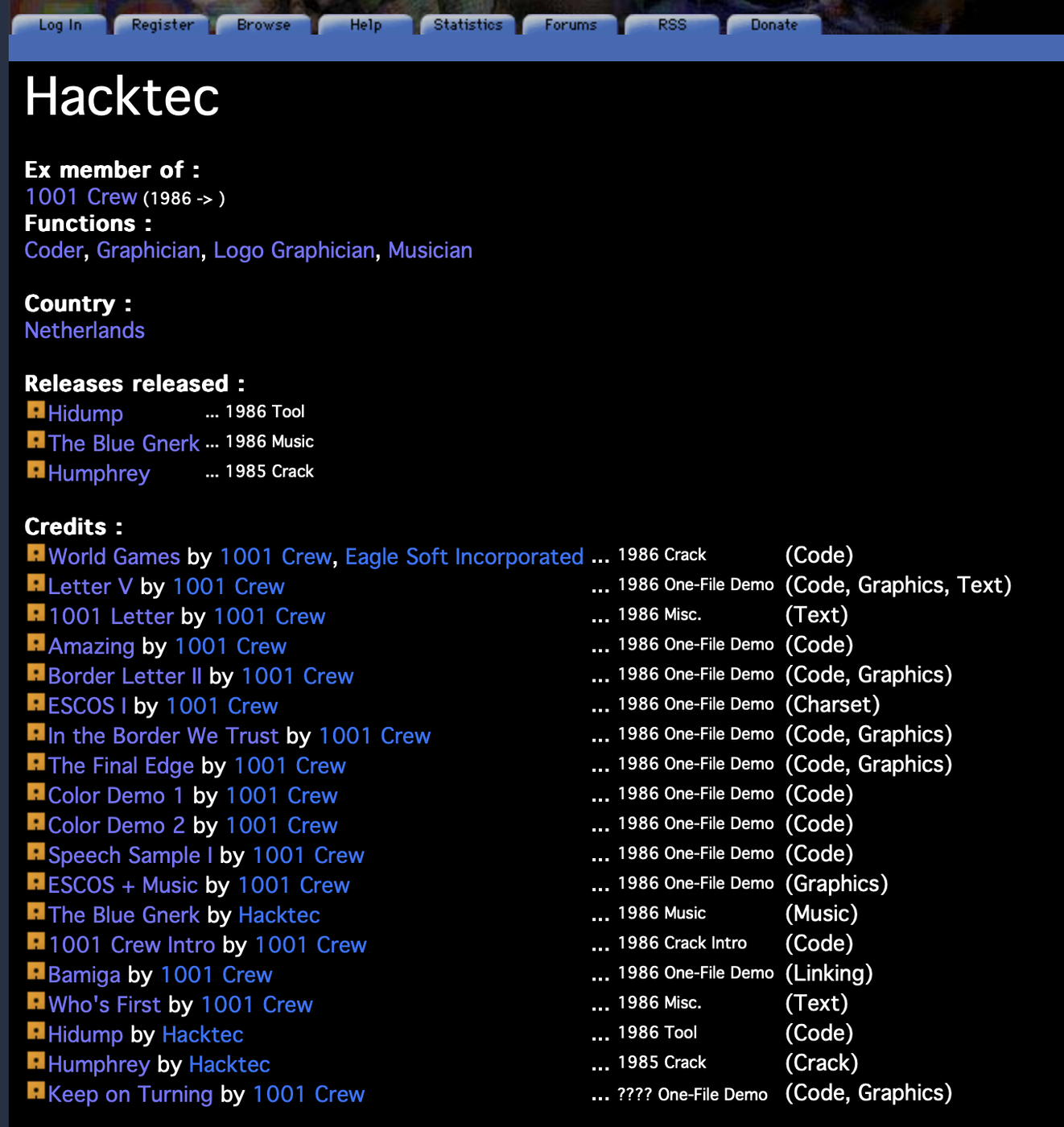
All demos can be downloaded and run using emulators for Windows, Mac, and other operating systems. For this article, I’ve used VICE to run a demo and disassemble its source code.
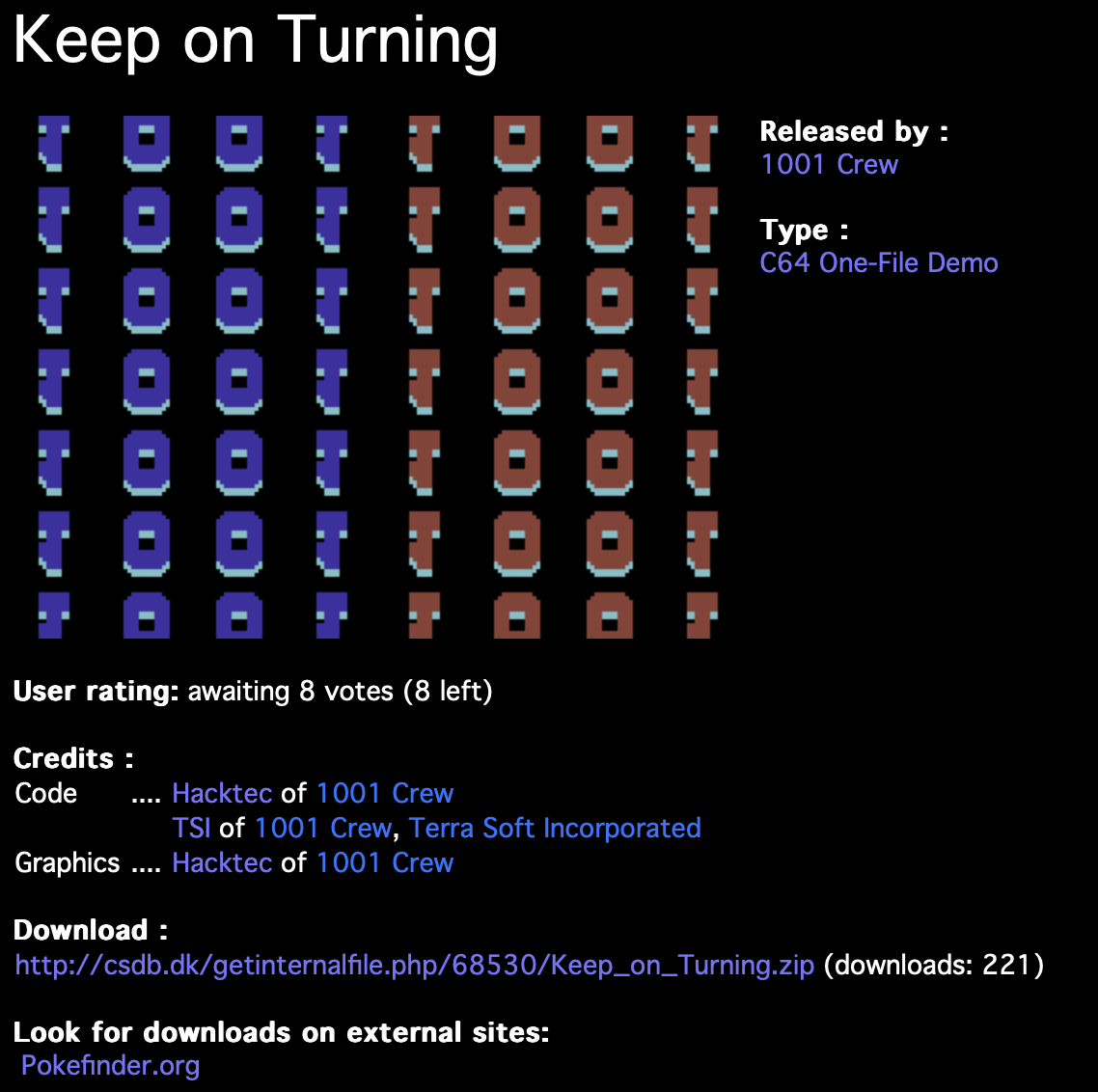
The program I chose to analyze is called “Keep on Turning”. It is interesting because it makes use of a special trick to display more than eight sprites simultaneously. Although the C64 supported only eight hardware sprites, a hacker would not be a hacker if they did not try to circumvent this limitation.
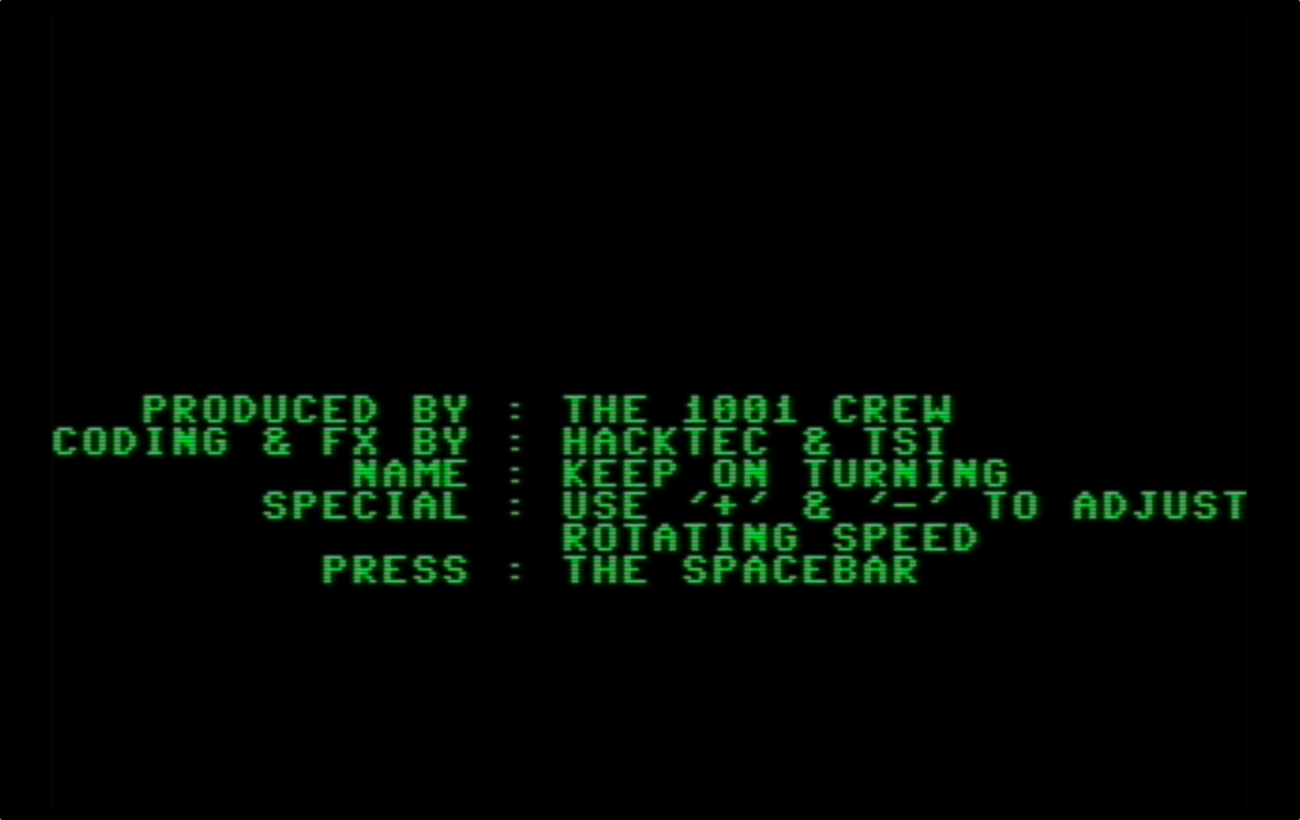
After loading and running the program, you are greeted by a splash screen that mentions Hacktec and TSI, a fellow 1001 Crew hacker:
On pressing space, the actual demo starts. While it looks unassuming today, back then people were stunned to see so many sprites at the same time:

In order to disassemble the code, I opened the built-in “monitor” that ships with VICE. A monitor, in this case, is a tool for inspecting registers, memory contents, and displaying assembly code.
I started by running r (as in registers) which displays info about the running program:
(C:$c681) r
  ADDR A  X  Y  SP 00 01 NV-BDIZC LIN CYC  STOPWATCH
.;c681 07 01 fa ed 2f 37 10100101 040 016   20208904
This tells me the program is likely running around memory location $c681 (the Commodore’s memory map ran from $0000 to $ffff, which is, of course, 64 kB).
After some more digging, I created the following assembly listing, with a bit of help from Antropic’s Claude 3.5 Sonnet for the comments. The listing can also be found here as a gist.
;===============================================================================
; BINARY ROTATION DEMO
; Produced by The 1001 Crew
; Code & FX by Hacktec & TSI
;===============================================================================
;===============================================================================
; CONSTANTS & ZERO PAGE VARIABLES
;===============================================================================
VIC_SPRITE0_Y = $D001 ; Y coordinate of sprite 0
VIC_SPRITE_Y = $D001 ; Y positions for sprites 0-7 are consecutive
VIC_RASTER = $D012 ; Current raster line
VIC_CTRL1 = $D011 ; VIC control register 1
VIC_CTRL2 = $D016 ; VIC control register 2
VIC_VIDEO_PTR = $D018 ; Video matrix and character base
VIC_BORDER = $D020 ; Border color
VIC_BACKGROUND = $D021 ; Background color 0
VIC_INT_STATUS = $D019 ; IRQ status register
VIC_INT_CONTROL = $D01A ; IRQ control register
;===============================================================================
; STARTUP CODE - Displays title and waits for spacebar
;===============================================================================
.org $CB00
StartDemo: JSR $FF8A ; Initialize screen
LDA #$0B ; Set dark gray
STA VIC_BORDER ; for border color
LDA #$00 ; Set black
STA VIC_BACKGROUND ; for background color
LDA #$1E ; Set text color to green
JSR $FFD2 ; Output character
JSR $E544 ; Clear screen
; Copy title text to screen memory
LDX #$00 ; Initialize counter
.titleloop: LDA TitleText,X ; Load character from title text
STA $05E0,X ; Store in screen memory
INX ; Increment counter
BNE .titleloop ; Loop until 256 chars copied
; Wait for spacebar press
LDA #$00 ; Clear
STA $C6 ; keyboard buffer
.keyloop: JSR $FFE4 ; Get key from keyboard
CMP #$20 ; Compare with space
BNE .keyloop ; Loop if not space
JMP Initialize ; Start the demo proper
;===============================================================================
; INITIALIZATION CODE
;===============================================================================
.org $C000
Initialize: SEI ; Disable interrupts
LDA #$7F ; Disable
STA $DC0D ; CIA interrupts
LDA #$01 ; Enable
STA VIC_INT_CONTROL ; raster interrupts
; Setup interrupt vector
LDA #$C1 ; Set high byte of
STA $0315 ; interrupt handler
LDA #$00 ; Set low byte of
STA $0314 ; interrupt handler
; Initialize VIC registers
LDY #$40 ; Init counter
.initloop: LDA VicData,Y ; Get VIC register value
STA VIC_SPRITE_Y,Y ; Store in VIC register
DEY ; Decrement counter
BPL .initloop ; Loop until done
; Final setup
INC VIC_BORDER ; Change border color
LDA VIC_INT_STATUS ; Acknowledge
STA VIC_INT_STATUS ; any pending IRQs
CLI ; Enable interrupts
BIT $D021 ; Screen setup
LDA #$00 ; Black
STA VIC_BACKGROUND ; background
LDA #$1B ; Set screen
STA $FF ; control value
LDA #$96 ; Set VIC
STA $DD00 ; memory bank
JMP MainInit ; Go to main initialization
;===============================================================================
; SPRITE ANIMATION ROUTINE
;===============================================================================
.org $C600
UpdateSprites: STA VIC_SPRITE0_Y ; Update Y coordinates
STA $D003 ; for all eight
STA $D005 ; sprites to create
STA $D007 ; the rotating
STA $D009 ; binary pattern
DEC VIC_CTRL2 ; Screen effect
INC VIC_CTRL2 ; (smooth scroll)
STA $D00B ; Continue setting
STA $D00D ; sprite Y
STA $D00F ; coordinates
LDA AnimData,X ; Get next animation
STA VIC_VIDEO_PTR ; frame pointer
INX ; Next frame
; Timing delay for animation
NOP ; Fine-tune
NOP ; the timing
NOP ; of the
NOP ; sprite
NOP ; animation
NOP ; sequence
DEC VIC_CTRL2 ; More screen
INC VIC_CTRL2 ; effects
RTS ; Return
;===============================================================================
; RASTER INTERRUPT HANDLER
;===============================================================================
.org $C64E
RasterIRQ: BIT $EA ; Timing stabilization
LDA VIC_RASTER ; Get current raster line
AND #$07 ; Mask to get 0-7
CMP #$02 ; Check if line 2
BNE .check4 ; If not, check line 4
LDA #$18 ; Update screen
STA VIC_CTRL1 ; control register
NOP ; Timing
NOP ; delay for
NOP ; stable raster
DEC VIC_CTRL2 ; Screen effect
INC VIC_CTRL2 ; (smooth scroll)
RTS ; Return from interrupt
.check4: CMP #$04 ; Check if line 4
BNE .other ; If not, do other
LDA $FF ; Restore screen
STA VIC_CTRL1 ; control value
DEC VIC_CTRL2 ; Screen effect
INC VIC_CTRL2 ; (smooth scroll)
RTS ; Return from interrupt
.other: NOP ; Timing
NOP ; delay for
NOP ; other lines
DEC VIC_CTRL2 ; Screen effect
INC VIC_CTRL2 ; (smooth scroll)
RTS ; Return from interrupt
;===============================================================================
; MAIN PROGRAM LOOP
;===============================================================================
.org $C800
MainLoop: LDX #$07 ; Init sprite counter
.spriteptr: LDA SpriteData,X ; Load sprite pointer
STA $43F8,X ; Store in sprite
STA $47F8,X ; pointer areas
STA $4BF8,X ; across multiple
STA $4FF8,X ; screen banks
STA $53F8,X ; to create the
STA $57F8,X ; full rotation
STA $5BF8,X ; effect
DEX ; Next sprite
BPL .spriteptr ; Loop for all sprites
; Animation check/update
LDA SpriteData ; Check if animation
CMP #$90 ; needs reset
BEQ .reset ; If so, reset it
; Update animation counters
LDX #$07 ; Init counter
.decloop: DEC SpriteData,X ; Update animation
DEX ; for each sprite
BPL .decloop ; Loop for all sprites
; Speed control delay loop
LDX #$F1 ; Outer loop
LDY #$EB ; Inner loop
.delay1: INY ; Increment inner
BNE .delay1 ; Loop inner
INX ; Increment outer
BNE .delay1 ; Loop outer
JMP .checkkeys ; Check keyboard
.reset: LDX #$07 ; Reset counter
.resetloop: LDA SpriteData+8,X ; Get reset values
STA SpriteData,X ; Store reset values
DEX ; Next sprite
BPL .resetloop ; Loop all sprites
JMP MainLoop ; Back to main loop
; Keyboard handling
.checkkeys: JSR $FF9F ; Scan keyboard
JSR $FFE4 ; Get key
BEQ MainLoop ; If no key, loop
CMP #'+' ; Check plus key
BEQ .speedup ; If plus, speed up
CMP #'-' ; Check minus key
BEQ .slowdown ; If minus, slow down
JMP MainLoop ; Back to main loop
.speedup: INC DelayVal1 ; Increase delay
INC DelayVal2 ; (slower)
JMP MainLoop ; Back to main loop
.slowdown: DEC DelayVal1 ; Decrease delay
DEC DelayVal2 ; (faster)
JMP MainLoop ; Back to main loop
;===============================================================================
; DATA SECTIONS
;===============================================================================
; Animation sequence data - Frame pointers for sprite animation
AnimData: .byte $07,$17,$27,$37,$47,$57,$67,$77 ; First 8 frames
.byte $87,$97,$A7,$B7,$C7,$D7,$E7,$F7 ; Last 8 frames
; Initial VIC register values for sprite setup
VicData: .byte $00,$04,$30,$04,$60,$04,$90,$04 ; Sprites 0-3
.byte $C0,$04,$F0,$04,$20,$04,$50,$04 ; Sprites 4-7
; Title screen text
TitleText: .text " PRODUCED BY: THE 1001 CREW " ; Title line 1
.text " CODING & FX BY: HACKTEC & TSI " ; Title line 2
.text " NAME: KEEP ON TURNING " ; Title line 3
.text " SPECIAL: USE '+' & '-' TO ADJ " ; Title line 4
.text " PRESS: THE SPACEBAR " ; Title line 5
.byte 0 ; String terminator
; Sprite pattern data
SpriteData: .byte $92,$82,$82,$92,$92,$82,$82,$92 ; Initial sprite pointers
.byte $9F,$8F,$8F,$9F,$9F,$8F,$8F,$9F ; Reset values
; Speed control values
DelayVal1 = $C82D ; First delay value
DelayVal2 = $C82F ; Second delay valueI do not recall, after 40 years, exactly how TSI and I managed to display more than eight sprites simultaneously, so I asked Claude to take a stab at it:
/* Start of AI answer */
Let me analyze this code to explain how it managed to exceed the C64's 8-sprite hardware limitation.
The key to understanding this trick lies in how the demo exploits the C64's raster interrupt system and precise timing. Here's how it works:
The demo uses the VIC-II chip's raster interrupt capability (as seen in the
RasterIRQroutine at $C64E). The raster interrupt allows the program to execute code at specific screen positions during the display refresh.-
Looking at the sprite update code and interrupt handler, we can see that it's using a technique known as "sprite multiplexing." Here's how it works:
The VIC-II chip draws the screen line by line from top to bottom
Each time the raster beam reaches a specific line (checked with
AND #$07in the interrupt handler), the demo quickly changes the sprite positions and propertiesBy changing sprite positions after the VIC-II has already drawn them in one location, but before it draws the next frame section, the same hardware sprites can be reused to appear in multiple locations
-
The timing is absolutely critical for this to work:
The code includes carefully placed
NOPinstructions for precise timingThe screen effect commands (
DEC VIC_CTRL2followed byINC VIC_CTRL2) are likely used for timing synchronizationThe sprite positions are updated rapidly during the vertical blank period when the electron beam is moving back to the top of the screen
So while the C64 still only has 8 hardware sprites available at any instant, this demo creates the illusion of more sprites by rapidly repositioning them during the screen refresh. It's essentially reusing the same sprites multiple times per frame, showing them in different positions before the human eye can detect the change.
This was quite an advanced technique for 1985-1986, as it required precise understanding of the VIC-II chip's timing and careful cycle counting to ensure the sprite updates happened at exactly the right moment between scan lines.
/* End of AI answer */
It is amazing to be able to run and analyze a program I wrote 40 years ago and have an AI assist me with the annotation of the source code. It is an incredible time to be alive.
Comments
Nothing yet. Say the first thing.
Sign in to join the conversation.