
Thesis: Most of what you find, you can build a better-fitting version of yourself. Evaluate anything interesting without installing it, by having your system read it.
‘SHORTCUTS’ is a new weekly series to guide people on setting up and filtering through the valuable ways to put agentic tools to use. This is part 03, the last of the setup arc.
Part one, was the foundation, a private AI workspace built on Claude Code: files of its own, synced across my computers; a memory of my decisions, instruction files, a voice trained on hundreds of samples, hard safety rules enforced in code, recursive learning that turns mistakes into rules, a daily log, and watchers that catch silent failures.
Part two: first things to build with that foundation.
A process for planning and deciding what’s worth building, a workbench of tools you’ll use daily, a primer on connecting to apps you already use, a CRM, project management, daily briefing emails, cost monitors, and accurate build estimates.
Part three hardens it, adding more sophisticated builds that work with that foundation in place.
If you skipped one and two, you can still use everything here. Anything that depends on something earlier, I indicate and link to.
This is for anyone who wants to learn and use AI as leverage in the work they already do. People like me, creatives and operators, not engineers.
For part three to be effective, I’ll assume you follow AI progress somewhere, whether that’s X, newsletters, or a few profiles you trust.
It’s best that you have a system that knows how you work, so new ideas have something to measure against (what we did in part 01 is a great start).
YOU WILL LEAVE WITH:
A method for assessing any new tool, project, or repository. Shown with two large examples.
A /build-intel skill that surfaces trending AI news, creating a shortlist of things worth building.
An understanding of knowledge vaults, and ways to use them.
A system for book-notes that resurfaces ideas in random bits every morning to keep from getting forgotten.
A better research tool, that references everything you’ve written or researched on a topic alongside web searches with scrapers and multiple models for far better results.
A loop where your system writes down what it learns while working, constantly improving itself.
A heartbeat monitor for when a part of your system breaks, and monthly best practices for housekeeping.
VOCABULARY NOTES:
A repo is a published project, code and instructions, basically an entire installable system sitting on a site called GitHub where anyone can read it for free.
A skill is a packaged instruction for a specific job. Usually it is a single text file, it can also be a folder that can carry scripts the system will run.
A harness is the scaffolding of an AI model. Instructions via memory, skills, security guardrails, tools, all the things that evolve a model past simple reading and writing of text.
FIRST, YOU DON’T NEED TO INSTALL ANYTHING. ASSESS AND HAVE YOUR SYSTEM BUILD A BETTER VERSION FOR YOU.
Every week, new skill libraries and plugins are released. I love the constant flow of information, but the sheer volume is overwhelming. While a lot of it is genuinely powerful, it’s also riddled with malware and risky as hell to put things blindly on your machine. I’m wary of installing anything from a repo or a free skills database. It reminds me of pirated games or Photoshop back in the day. A Faustian bargain.
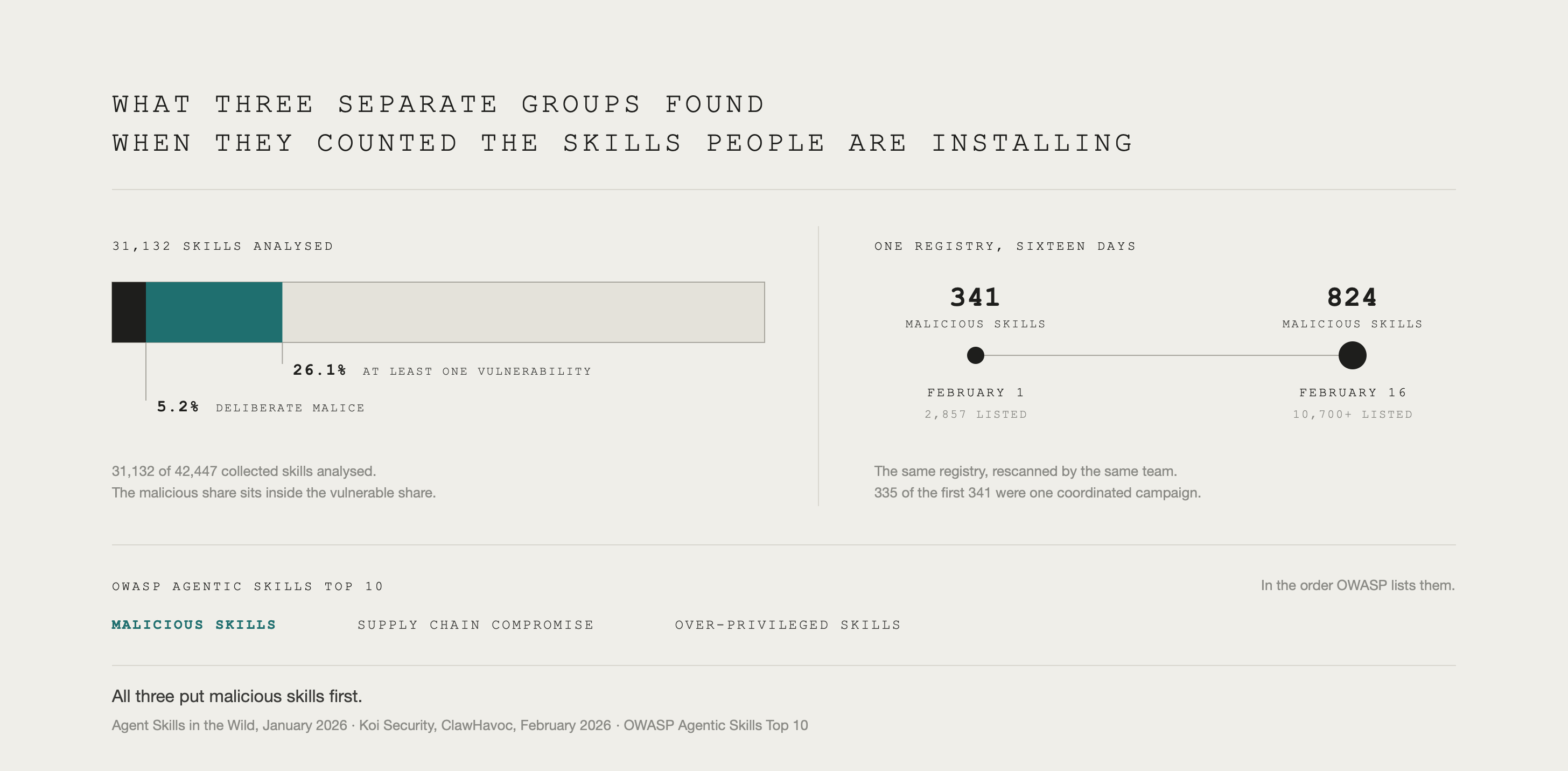
A study published in January, collected 42,447 skills from two major marketplaces, skills.rest and skillsmp.com, and found 26.1% carried at least one security vulnerability and 5.2% showed deliberate malice. One in twenty.
Even crazier, the paper found that only 11.5% of those skills bundle any runnable code, the ones which do are twice as likely to carry a vulnerability.
In February, Koi Security audited ClawHub, and found 341 of the 2,857 skills listed were malicious, nearly twelve percent of the registry. 335 of those were one coordinated campaign. A professional-looking README with a step telling you to run a command, which installed a stealer going after keychain passwords, browser data, crypto wallets, and SSH keys.
OWASP, the highly reputable open source cyber security nonprofit, opened a draft Agentic Skills Top 10 in March tracking security risks, The first three entries are malicious skills, supply chain compromise, and over-privileged skills.
ALL THIS GOES TO SAY; READ, DO NOT INSTALL.
This is where SkillSpector, from part one, earns its keep. NVIDIA’s open-source scanner is free, it checks around 69 known vulnerability patterns across 17 categories.
Mine runs automatically before I install anything.
Fear mongering aside, you do not really need to install any of these skill libraries or third parties, instead try having an agent read the whole thing and tell you what's beneficial. The system we’ve built over these issues, even base level code setups, can read and assess anything you’d consider installing. From there build it yourself or improve what you already have.
A SIMPLE PROCESS FOR CAPTURE AND ASSESSMENT
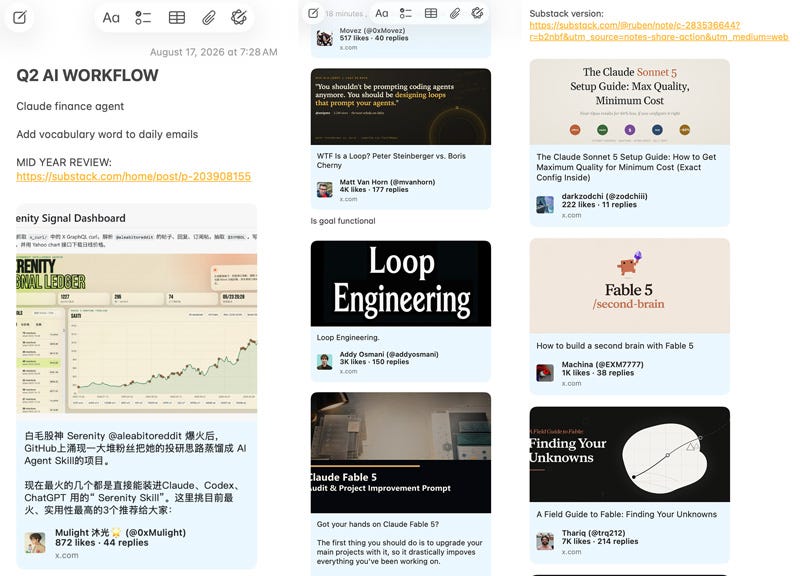
Mines really simple, I use Apple Notes.
I make a note per quarter, anything that catches my eye goes in. All the nerdy stuff I see across X and anything else I come across, I keep a high bar on what I save but I save a lot. Then when I have time I pull out what I’m interested in, and run a deep assessment.
SPECIFIC QUESTIONS IN ORDER:
One: Do I already have a version of this, is mine better or worse?
Usually I’ve go something like it. If theirs is better, my agents find the specific ways it can improve.
Two: What do I not have that’s worth having?
Most valuable against big libraries.
Three: What is noise?
You will see a lot of phantom material. Botted engagement, big feature counts made mostly of sparse text files, testing and benchmark machinery without measured results.
One caution, this can over-filter. Don’t let noise discard something on its own.
Both of the projects below failed several of these checks, but still gave me things I built.
STEAL THIS: THE ASSESSMENT PROMPT
I’ve put a sanitized copy of a real assessment here: SAMPLE ASSESSMENT.
A re-read of Hermes I did for this article. (Hand it to your own agent alongside the prompt above and tell it to produce one at that standard.)
WHAT I GOT FROM TWO OF THE BIGGEST AGENT PROJECTS ON GITHUB
To show how this works, here is what came from scanning two enormous public agent projects.
NousResearch/hermes-agent. A self-improving agent harness from Nous Research, one of the most followed. 197 skills across 9,418 files.
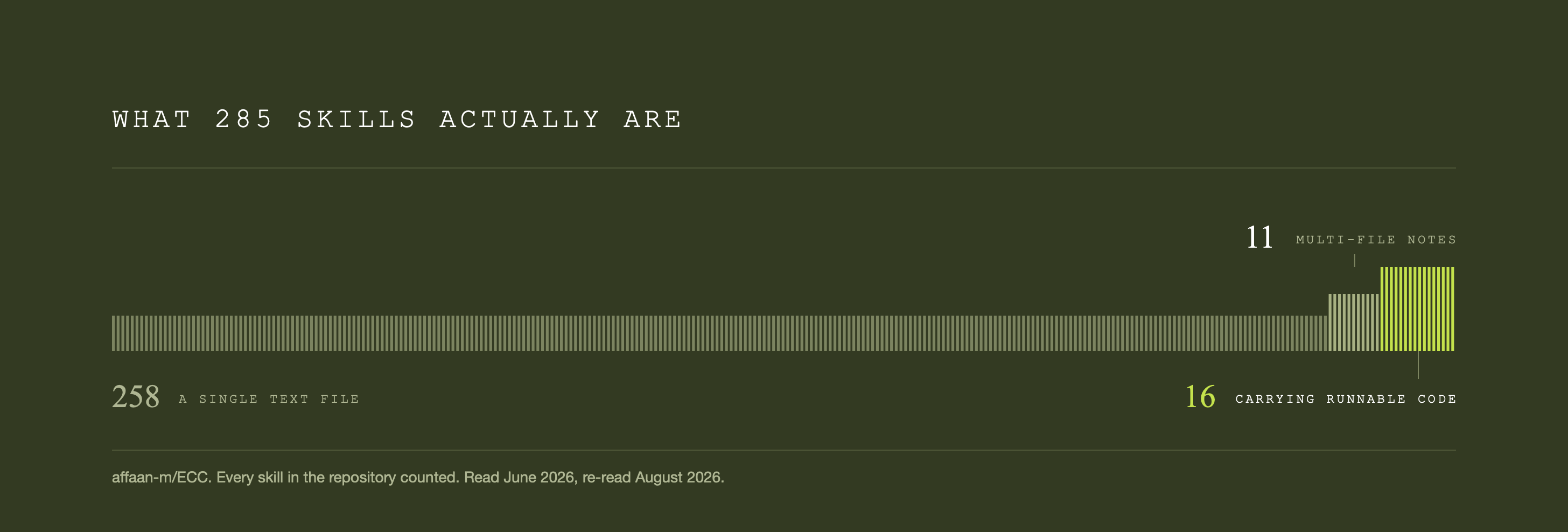
affaan-m/ECC. A rival with an even larger following, pitched as an operating system for agent work. 285 skills, built up over 2,422 recorded changes.
HERMES

“the agent that grows with you.” Hermes writes its own skills from experience, keeps a memory that deepens with use, works from five different messaging apps, and runs on anything. It is one of the most-starred third-party agent projects of 2026, with north of 230,000 stars.
What I already had. Everything except the messaging system, all built in part two. I haven't missed messaging, because Claude Code now runs from the web and from a phone via ‘/remote’.
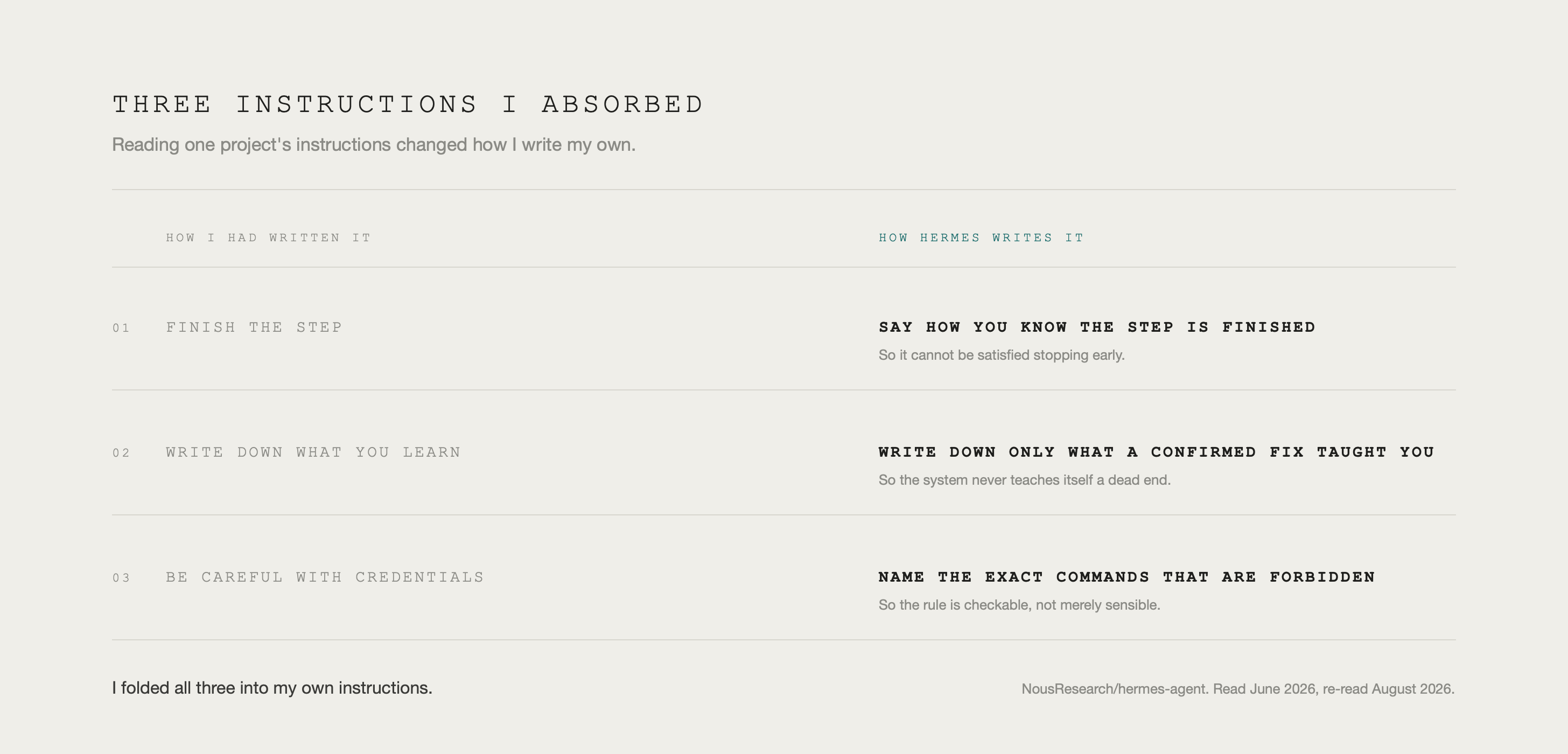
What it made better. Hermes writes better scope instructions than I did, so I absorbed its approach. For example, every step has to say how you know it is finished, so it can’t be satisfied stopping early. There were about 3 other way Hermes improved my setup, all in the assessment doc above.
What I didn’t have, and built. Four things, two from the June read and two from the re-read.
The security gate, probably the most valuable, covered in part one. The re-read added a trust tier to that gate, an anonymous source is held to a higher bar and no override flag can push things through.
It also gave me a dismissal memory: Now, when I turn a suggestion down it doesn’t keep getting offered to me. That one fixed my weekly intel run, covered next.
The security read found an optional folder. Inside is a working toolkit for defeating a model's safety training: jailbreak prompts tuned per model, thirty-three ways to rewrite a request so a keyword filter stops recognizing it, and a leaderboard scoring fifty-five models by which are easiest to bypass.
Teknium, Nous Research’s cofounder, announced the folder on X, as a ‘God Mode’ feature, so it wasn’t hidden. Is it malicious? Not really. But it sets up tools for getting around model safety training which can unlock Pandora’s Box.
A lesson on reading what you install.
ECC
An agent harness operating system. 285 skills, 68 subagents, 94 commands, a memory layer, coding rules and a security scanner.
I already had most of that, assembled in piecemeal over months without knowing it, the rest is per-language code review tooling I have no use for.
The noise check earned its place here: of those 285 skills, 258 are a single text file, only 16 carry runnable code, and the rest are multi-file notes. A lot of noise.
On security, credit where it's due. The install path is cleaner than Hermes: nothing runs on its own when you install it, and it writes only in its own folders.
There is a risk, ECC can learn a behavior from watching you work and export it to a file, so you can carry it to another machine. The problem is its import command, which accepts a URL, and skips confirmation. Essentially, prompt injection, the first entry on the OWASP Top 10 risk for Large Language Model Applications.
An example of a convenience feature, where ease gets swapped for security. I took the file format and discarded the dangerous parts.
BOTH READS FOUND A GAP I TURNED INTO A PROPER BUILD:
Every session with an agent throws off small lessons, but they die with the session. I had no system to save learnings from my working sessions. I close sessions with /retro, covered in part one, which pulls out rules but never reads the entire session.
That became a build: a scanner that reads the day’s closed sessions every night filing what it finds into a vault the system can search later. (Setup is in section 2 of this article).
These big skill libraries can be a great source for inspiration. Re-run assessments quarterly on the big libraries. They are great sources of inspiration.
They update constantly, have your agent stamp the version, so the drift is visible and the next read starts from the last one.
EVOLVING TO A “/BUILD-INTEL” SKILL
Built: month four. Would build: month two, as soon as there is a build tracker for it to read.
The Apple Notes habit only catches what I see. For a read across the whole AI landscape I built /build-intel: it scans X for the highest-engaged posts across specific subjects and filters them into a document that surfaces ideas worth building.
X is where AI industry coverage is. However you feel about the platform or its owner, model releases, feature announcements, and essays from industry experts building in AI all land there first.
Grok is the only model with native live access, so my process involves bringing prompts over to Grok and bringing the results back to Claude for synthesis. (X data is reachable through xAI’s API if you would rather automate the whole thing. It costs money per call, and I found the results worse than what expert mode returns by hand.)
The skill runs on two primary inputs: subjects, and sources you trust.
My thirteen subjects are knowledge management, agent patterns, platform releases, workflow essays, agency tooling, audience growth, art practice, personal finance, ops, generative media, the creative industry, frontier builds, and one open slot for whatever broke through that week.
When planning this, I worked with Claude to determine the subjects that cover the ways I’m working. The prompts update every time the skill runs, pulling from my build tracker so the search adjusts to builds I’ve shipped. Yours will differ, the skill prompt below interviews you for them.
The second input is trusted accounts. Any handle that has not surfaced a top candidate in six weeks gets dropped.
Subjects gets searched a second time with no handle restriction, so viral ideas still surface regardless of who its from.
A credible starting set: Andrej Karpathy, Simon Willison and Hamel Husain. Boris Cherny created Claude Code at Anthropic. Peter Steinberger, Guillermo Rauch are some examples.
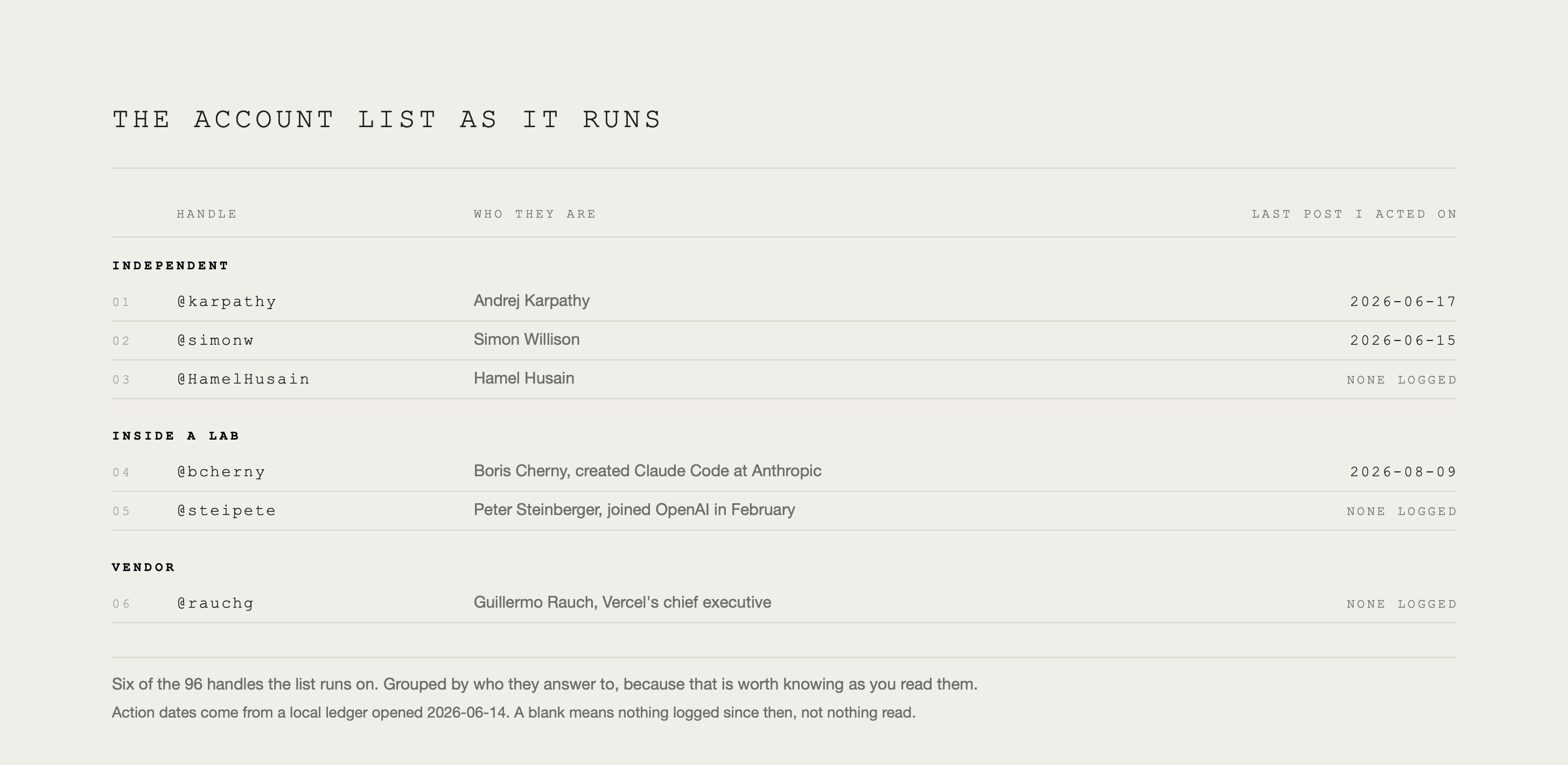
Here is a template: TRUST LIST TEMPLATE.
THIS PROMPT FILLS YOUR TRUST LIST:
Save this document, the skill reads it every run.
A Build tracker is also critical, otherwise the synthesis keeps recommending things you’ve already built.
STEAL THIS: /BUILD-INTEL SKILL PROMPT
Running it. That document goes into a dedicated Grok project, replacing last week’s attachment. Set Grok to expert mode, then run the thirteen prompts one at a time, pasting each result back rather than firing them all at once.
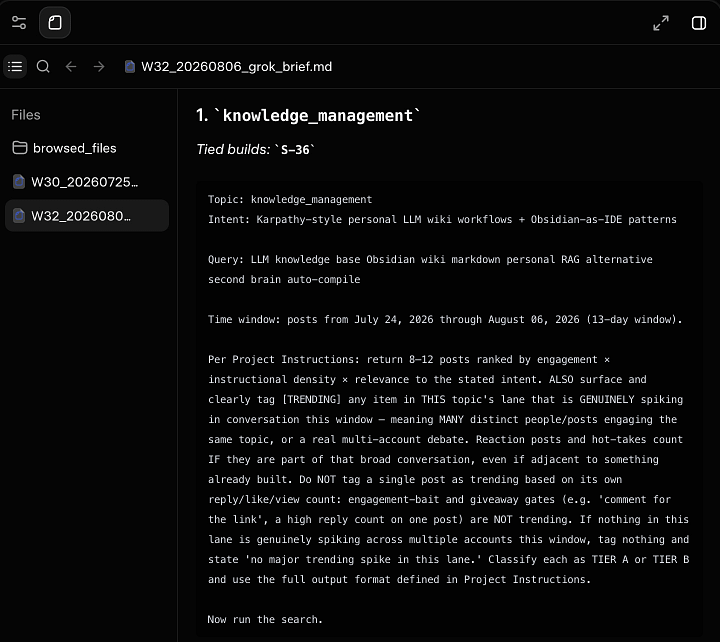
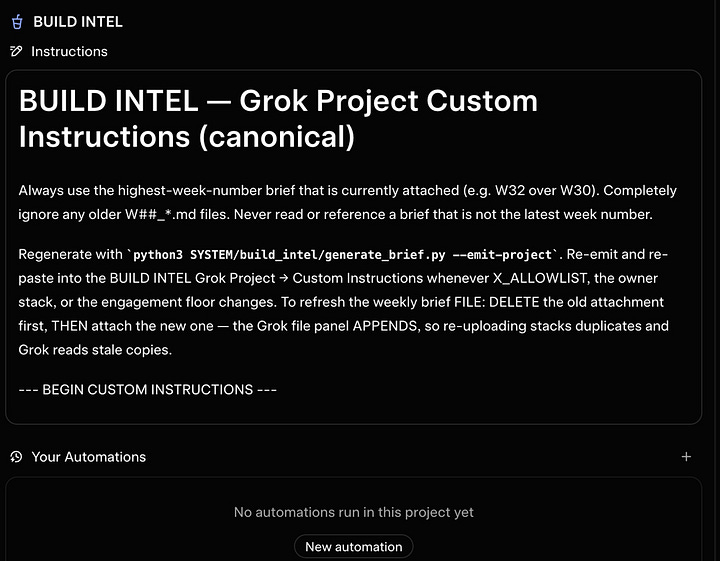
The skill then synthesis those results, runs scoring, and filters back build candidates.
Here is a: SAMPLE BUILD SYNTHESIS.
Script names and file paths are replaced with plain descriptions, nothing else is changed.
Whats great is candidates arrive scoped, so it’s easy to copy one and say: “give me a prompt to plan and build this (XX) in a new session”.
RESULTS
For me, twenty runs since May 9, between 73 and 142 posts once duplicates are stripped, about half of those clear the topic filter, and roughly six survive as candidates. So far, 89 distinct candidates in three months.
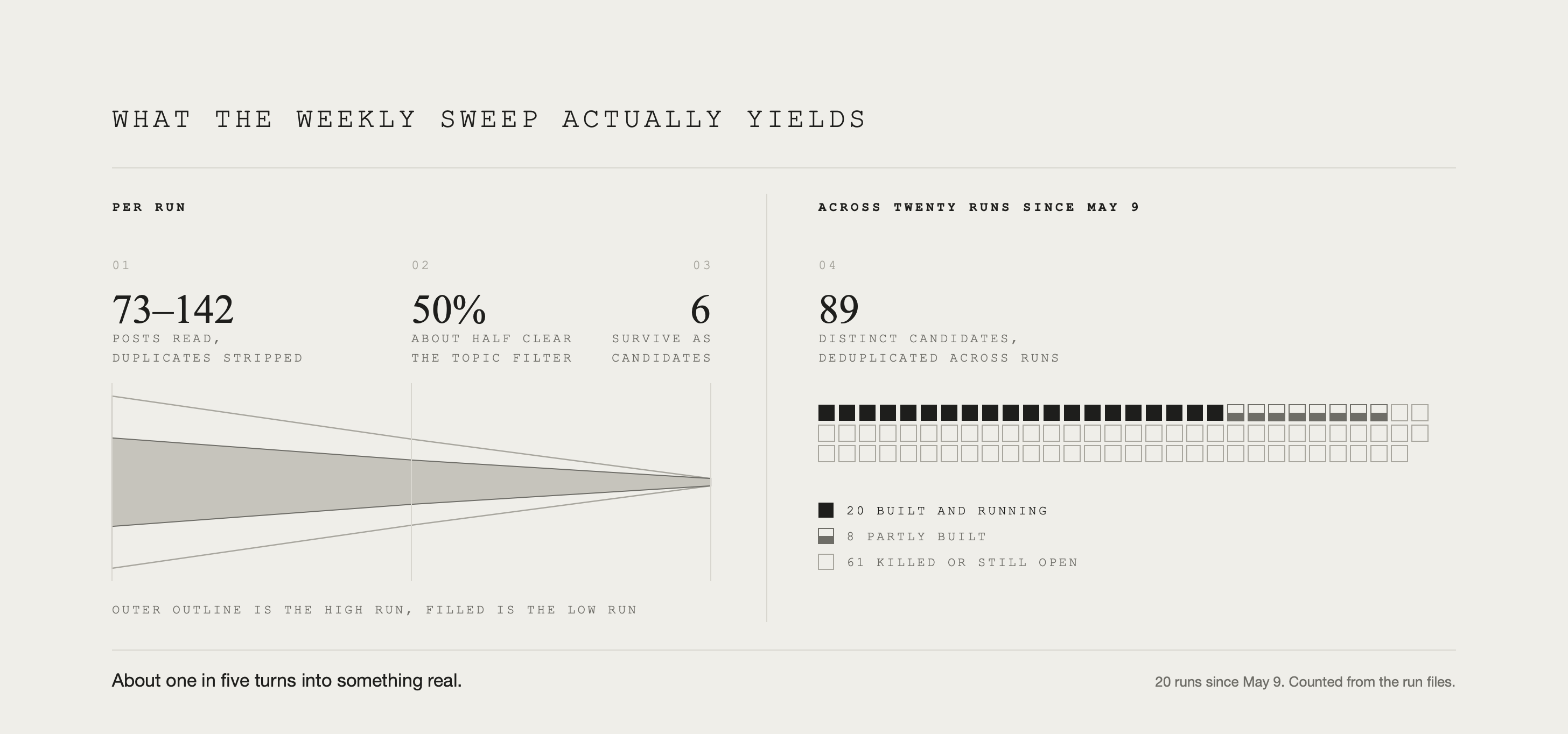
About one in five of what /Build-Intel surfaces turns into something I’ve built or am building.
The filter learns, it sees what got built every time it runs. That cuts both ways. Left alone it over-indexes to a few lanes, and then you build more in those lanes. Re-baseline the whole thing quarterly.
2. KNOWLEDGE VAULT(S)
In April, Andrej Karpathy published a note he called an LLM Wiki, describing a model that incrementally builds and maintains a persistent wiki. Others like Kenneth Reitz and Stefan Imhoff had published similar accounts of running an Obsidian vault through Claude Code; people had figured out the system was perfect for agentic use. Karpathy’s article just pushed it mainstream.
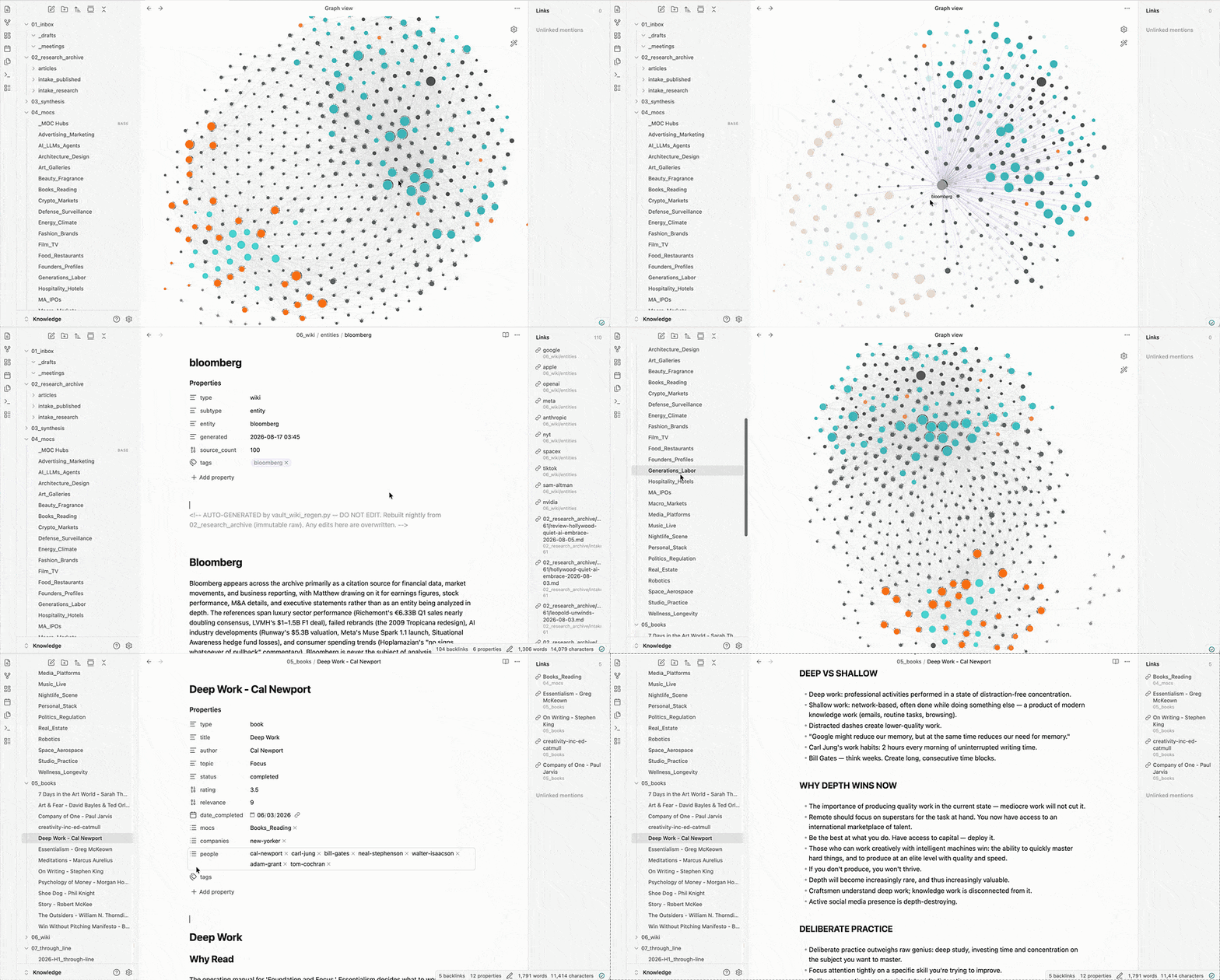
For a few months timelines were flooded with vaults, everybody’s second brain, screengrabs of bouncy connected dot grids showing thousands of linked ideas.
Those hit hard :)
So what the hell is obsidian and why should you care?
Like setting up code, I put it off because I wasn’t sure of its value and it seemed complicated. When I finally sat down to do it, like code, I was surprised at how easy it was to get working, and how valuable it has been.
Obsidian is a note taking app that has been around since 2020, well before AI gave it superpowers. Their own headline is three words: sharpen your thinking.
It's free, no account needed unless you want sync. Your notes are plain text files in a folder, written in markdown, which text with a few symbols for headings and links. Notes link to each other in both directions, so a page knows what points at it. It is essentially a personal wiki. It has always been a writer's tool, and a tool for people who want OCD level file organization.
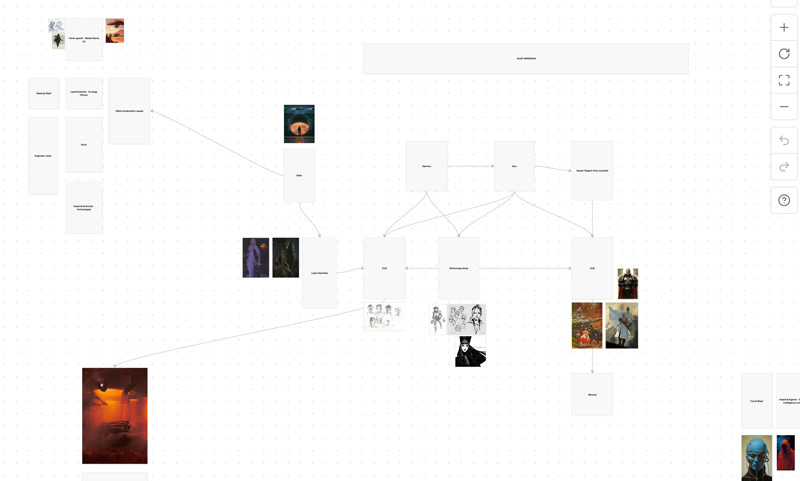
On top of the files there are canvases, where I lay notes out on a board and draw connections. This part works like Figma or Flora, you can visually lay things out, and click into anything to get to that corresponding note. As a visual person, I love this feature.
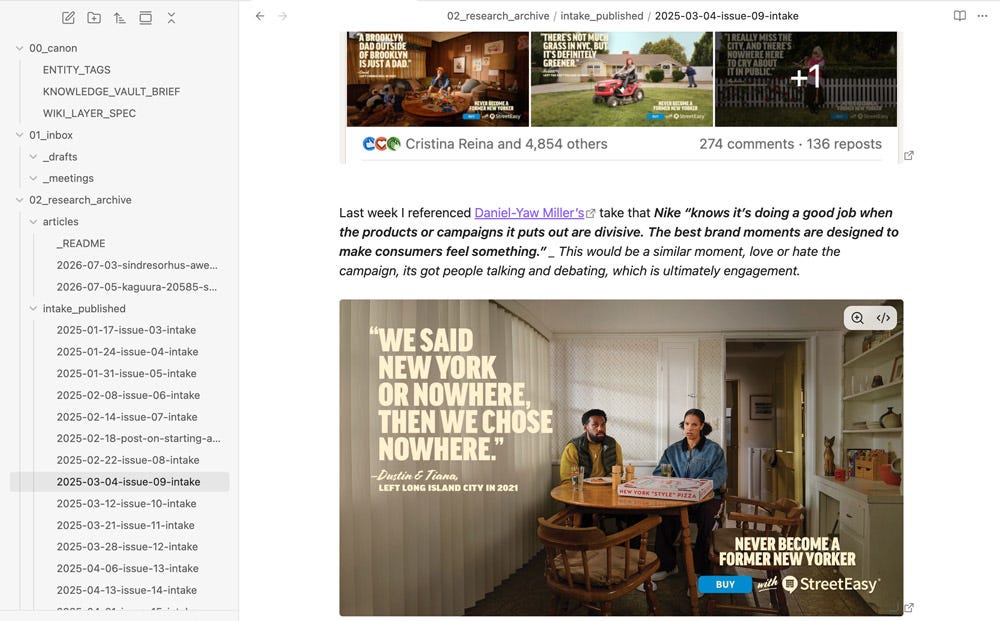
For INTAKE, every issue I've published with the images included sits in an archive (more on this later).
WHAT MAKES OBSIDIAN STAND OUT?
A few months in, with the dust settled, I finally built this by reading the best setups I could find. I wanted to understand why it was worth it over the Google Docs and file-based memory we covered in part 01.
After much research I found Obsidian does not make search better, and the way people describe vaults is misleading.
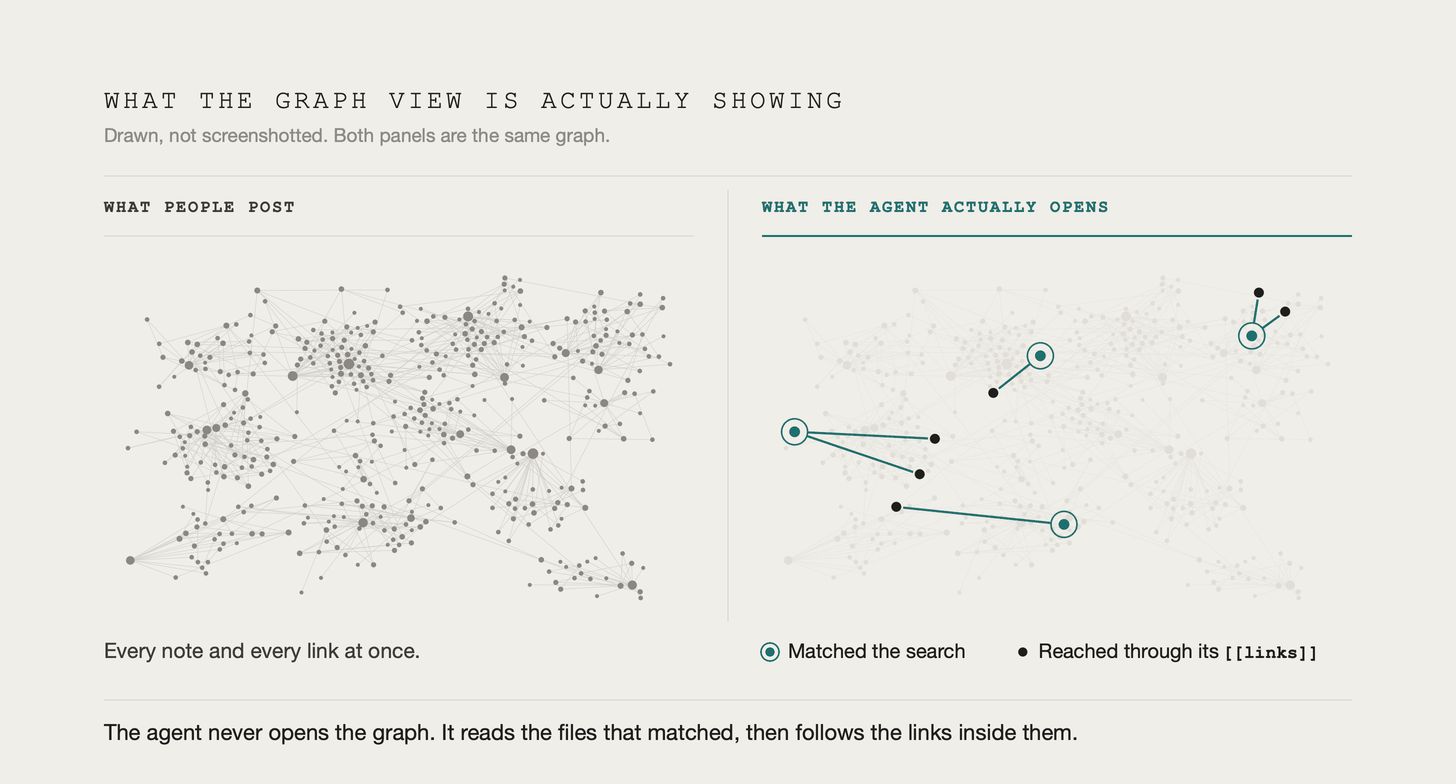
Agents do not read four hundred notes every time you ask for something, they search a folder, open the files that match, and read those in full. Links create a big improvement, they carry an agent to notes that share no words with your question.
Honestly, Claude could do all the retrieval and linking itself, what Obsidian gives is a great UI for accessing that info.
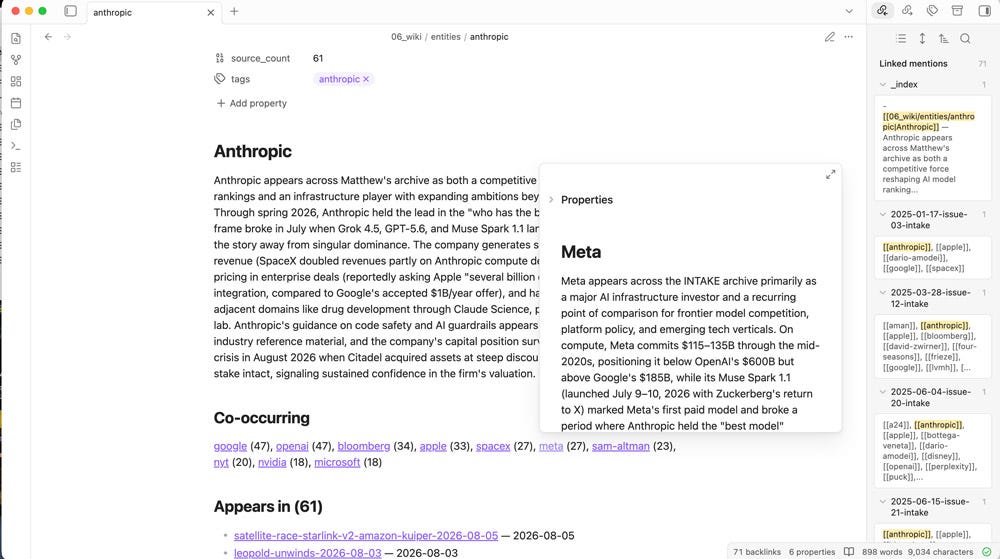
What the app adds, specifically:
Backlinks and hover preview. Open any note and a pane shows everything pointing at it. Links are clickable, and hovering previews other notes, so you can follow a thread three deep without leaving the page you’re on. Markdown files on their own do none of this.
The graph. Every connection in the vault visualized at once, so clusters and orphans are visible. Designed so a person can read it.
Unresolved links surface. I never type a link myself, the jobs write them. In Obsidian a link pointing at a note that doesn’t exist shows up as unresolved instead of sitting in the text looking correct. Renaming works the other way: rename in the app and every link updates. Its a nice clean system that keeps your links working.
SETTING UP OBSIDIAN, ASSUMING YOU KNOW NOTHING
If you’ve never had a vault, an agent should build it, not you. I also have an approach if you already use Obsidian. both below.
The beauty is there is no integration step. No API key, no connector or plugin. A vault is a folder of text files, so all Claude needs is the path to it and it works. Obsidian does not even need to be open. The backlinks, graph, and subject maps are all drawn from links written inside the text files themselves.
My favorite part is that I rarely write notes in Obsidian at all. I open the app to look at things. All my work is done through Claude Code.
Sync is the only reason you need the app open. On a desktop it keeps running in the background with the window closed, but a phone suspends it when you switch away.
SETUP:
Install Obsidian. Free, every feature unlocked, no account required.
Make a vault. Where you put it matters to avoid sync issues. Don’t put it inside iCloud Drive, Dropbox or Google Drive, or a Claude project folder. Mine sit in a folder called Obsidian in my home folder, one subfolder per vault.
Do not install anything else yet.
Have the agent build the structure. Point Claude at the empty vault, tell it what you work on, and let it propose a structure optimized for how it’s going to read the folder later. (Similar to how you set up PARA folder structure in part 01)
If you already have a vault: point Claude at it and let it read everything. That is how I brought in my novel. Years of research and drafts were already in that folder, Claude read all of it, produced a story bible and organized my research.
Decide about sync, the one genuinely annoying part.
MULTIPLE VAULTS AND THE SYNC PROBLEM
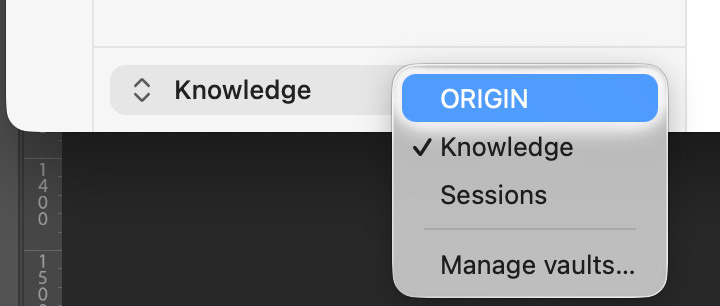
Keep different bodies of work in separate vaults. Three of mine as examples:
Knowledge holds research, book notes, published issues and subject maps. It is the material I write from, this one you could copy directly.
Sessions holds Claude Code’s own working history: what broke, why, and learned rules. Highly custom, and covered below.
ORIGIN holds my science fiction property, its research, story bibles and character notes.
WHY THEY STAY SEPARATE:
Retrieval quality: An agent’s search is text matching, the same words show up in very different work. Point it at everything at once means a good answer has to compete with a novel and several hundred notes about broken scripts.
Linking: If my newsletter research and my novel are in the same vault the machine will create a web of relationships between INTAKE research and a scene on a colony ship. Separate vaults keep your subject matter clean and the links purposeful.
Sensitivity: Different bodies of work carry different rules about where they can sit and who can read them.
Sync is the only thing here with a price, only if you use more than one device. On a single device you don’t need it.
Obsidian Sync is two tiers, split on how many vaults you run: Standard at $4 per user per month billed annually covers one, Plus at $8 covers ten. The API calls I run on top of the vaults, nightly and weekly jobs, have cost $1.71 over two months. Automation is not expensive.
Pick one sync mechanism, a vault sitting inside iCloud Drive while Obsidian Sync is also running creates conflicted copies.
Sync isn’t a backup, it carries your deletions everywhere, so back the folder up quarterly somewhere else as a precaution.
STEAL THIS: THE VAULT SETUP PROMPT (Start here if the vault is empty.)
THE REST OF THIS ISSUE IS FOR PAID SUBSCRIBERS
Whats below:
The prompt that sets up vaults, and the folder system I use inside mine.
Book notes, and the scanner that reads my own working sessions into the vault every night.
Getting your archive off substaor or the platform it lives on, and making it answerable.
A more sophisticated research tool.
A machine that watches and maintains itself
Eight more setup prompts to put to use.
Shortcuts runs weekly for paid subscribers, alongside the full INTAKE issue and its archive.
Many readers expense INTAKE & SHORTCUTS as a professional resource, here's a template for that.
Comments
Nothing yet. Say the first thing.
Sign in to join the conversation.