
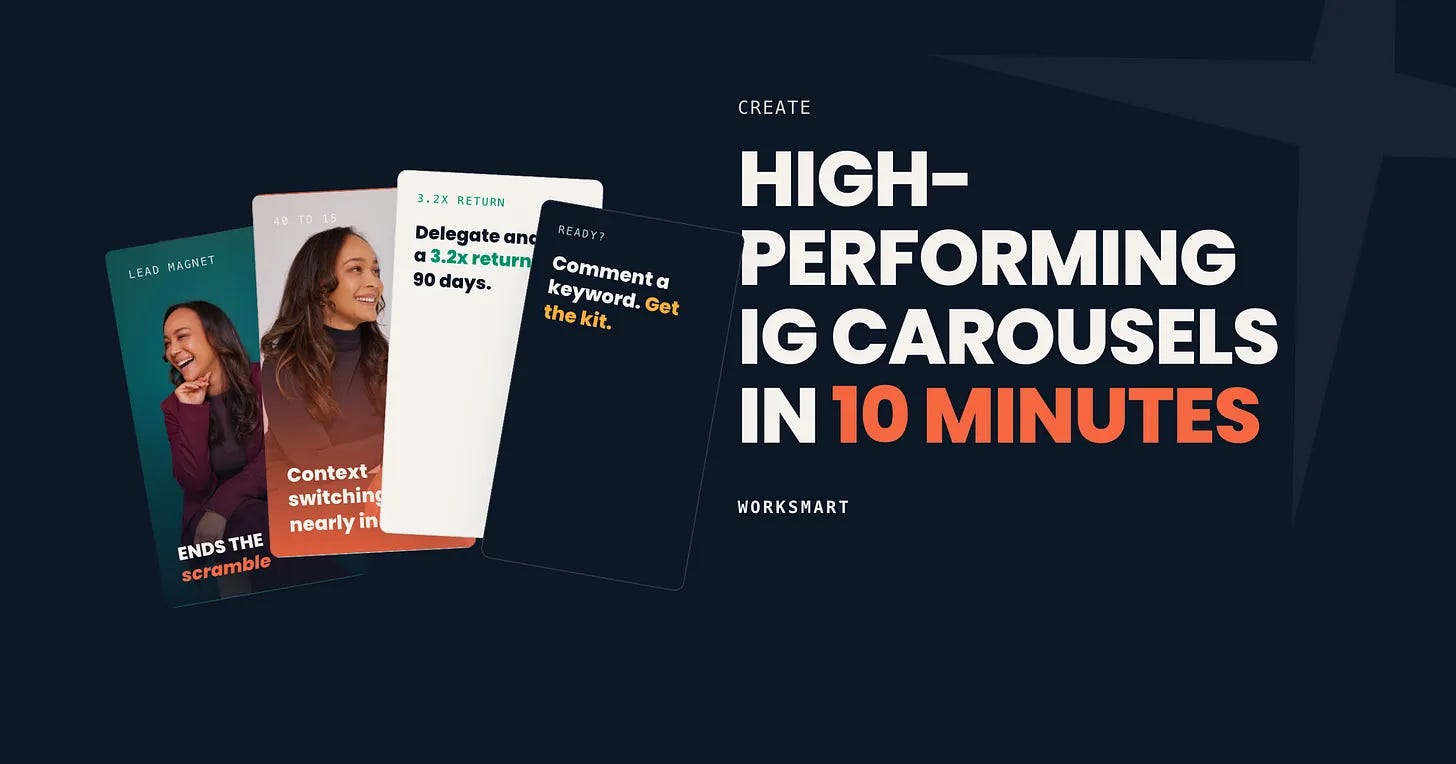
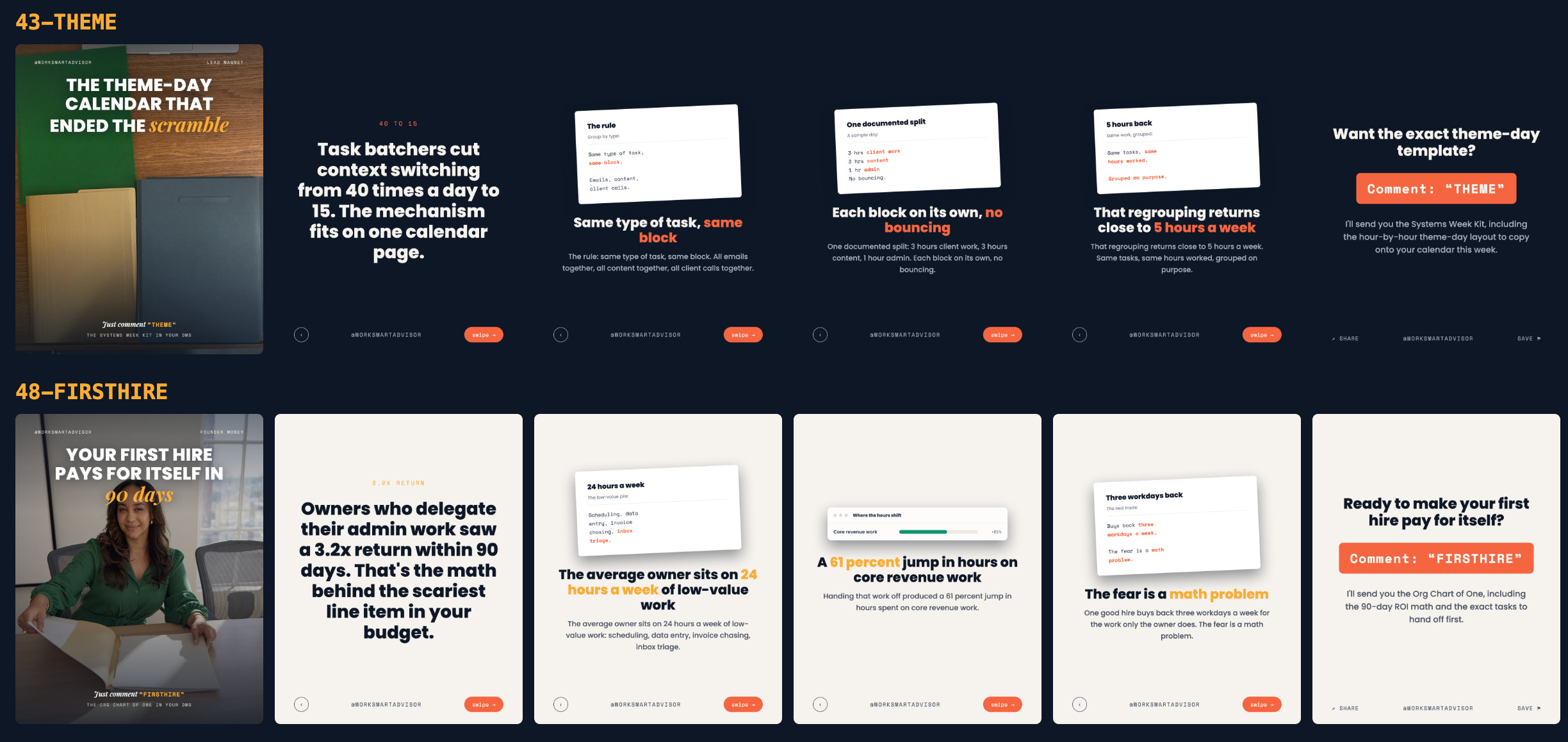
As we all know, Carousels are thriving formats on Instagram, but if you’re like me… you've avoided making them because it requires so much curation! So lets delegate that friction to Claude design. Claude design is an INSANE tool that anthropic dropped and I dont think people are using it well (or at all!) So lets jump into a real ai workflow tutorial so you can ramp up!
Quick disclosure before we start: I make my living as the CEO of AfroTech where we teach professionals how to use technology to advance their careers and build tech for good and my team uses this exact workflow for my accounts. Nothing in this post is sponsored. I pay for my own Claude subscription! But if you find this useful, join us at our AI edge summit at AfroTech where you get live training.
In April 2026, Anthropic launched Claude Design, a tool for making visual work through conversation. It lives at claude.ai/design and comes with Claude Pro, Max, Team, and Enterprise plans. It is still labeled Beta, which in my experience means "works great, expect the buttons to move around occasionally."
The interface is a chat panel on the left and a canvas on the right. You describe what you want, Claude builds it, and you talk your way to the final version.
One thing makes it different from every image generator you have tried: the output is not an image. It is a live web page. Text stays text. You get none of that melted AI lettering, and you can change one word on slide 4 without regenerating the whole thing. For carousels, where the words are the entire product, this is the feature that matters.
Go to claude.ai/design. You get a prompt box that asks "What should we create?" with templates underneath for slides, documents, mobile app designs, and wireframes.
Two controls under the prompt box that are helpful before you type anything:
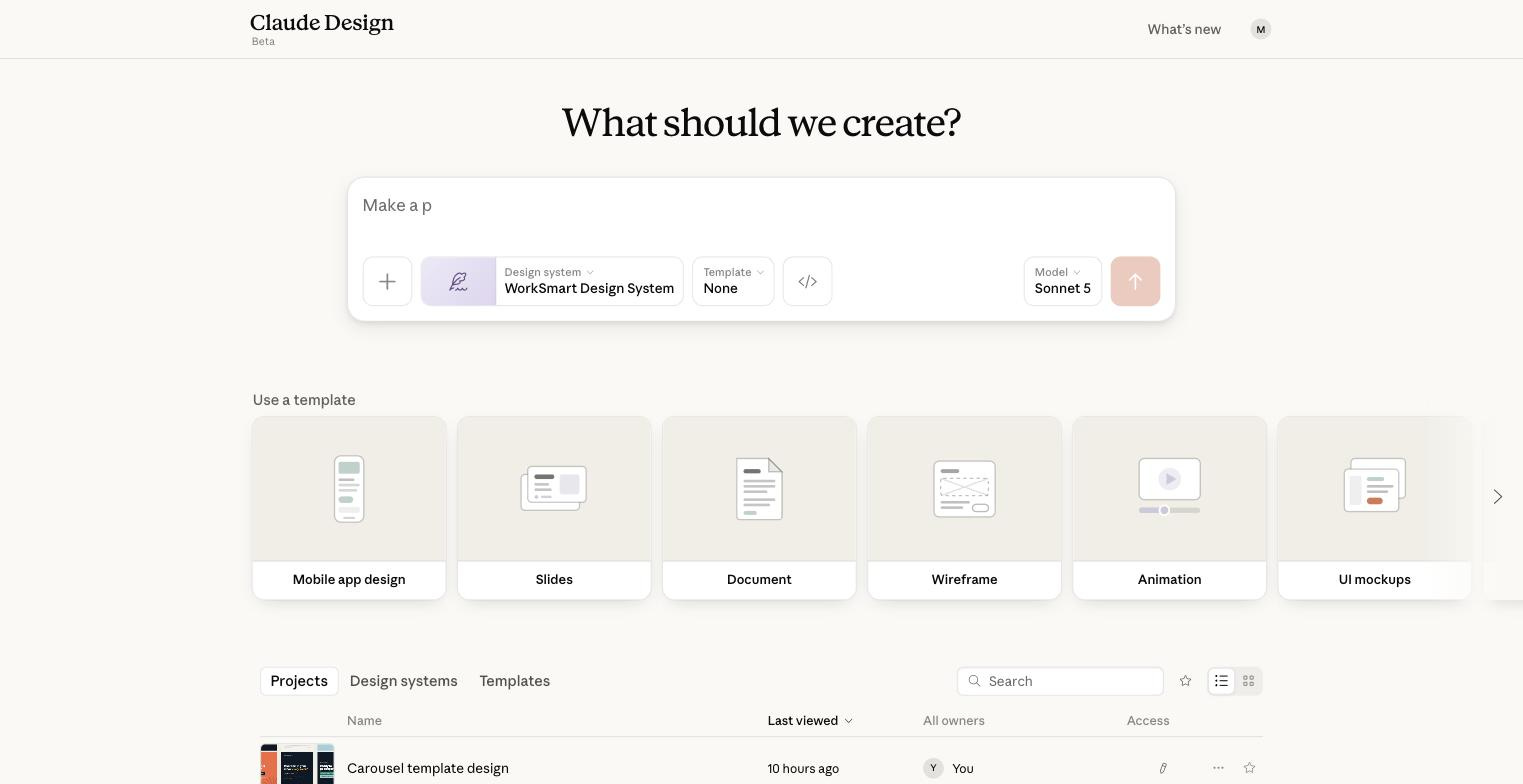
Design system. This is where your brand lives. Mine says "WorkSmart Design System." Yours will say None the first time.
Model. Leave it alone. The default handled everything in this tutorial.
You do not need a design system to follow along. But it is the difference between output that looks like AI made it and output that looks like you made it, so let's set one up together!
Comments
Nothing yet. Say the first thing.
Sign in to join the conversation.