
Over twenty years ago, I learned qualitative analysis by cutting interview quotes into strips of paper, sorting them into piles on the floor, shuffling them around, and painstakingly calculating inter-rater reliability. I’m a bit of an old-school qualitative purist by training and as recently as a few years ago, when a colleague was exploring machine learning for qualitative coding, I scoffed at the possibility.
But lately I’ve been seeing so many possibilities with AI and qualitative analysis now that I can “talk” to my qualitative data through these tools in new ways. Somewhere along the years, my evaluator’s sensibility and pragmatism around making data useful and actionable took precedence over my more rigid and academic ways.
When I gather stories, I feel a deep sense of commitment to honor the voice, effort, wisdom, insight, and time of the storyteller. I want to protect the sanctity of the interaction that we had AND I want to ensure that the data they’ve shared will be put to good use. Balancing this sense of responsibility with the desire to get stories and insights out in the world has always felt impossible to handle amidst the time pressures we often find ourselves under.
I sometimes worry how some of the legends of qualitative methods would respond to AI (I’m a little afraid to ask!). But yes, here I am, advocating for a tool that fundamentally changes how we interact with qualitative data—while insisting we keep our methodological rigor intact.
After spending the past year experimenting with NotebookLM alongside newer platforms like CoLoop, and compared to my previous experience with traditional CAQDAS tools like Dedoose, I’ve discovered that AI doesn’t replace the art of qualitative analysis. Instead, it creates space for deeper curiosity by handling the mechanical work that once consumed our time. And NotebookLM is an incredibly easy to use, accessible, and inexpensive tool that enables AI-assisted qualitative analysis in really powerful ways.
NotebookLM is Google’s answer to the challenge of AI hallucination in research. Hallucination is when the AI makes up answers (often confidently) and is a nightmare for everyone, but especially problematic if you’re using the tool for qualitative research analysis. How does it work? Essentially, NotebookLM allows you to create your own RAG environment. Think of it as creating a “fenced pasture” for your data—the AI can only reference sources you explicitly provide. Unlike general LLMs, which draw from their vast training data, NotebookLM stays within the boundaries you set. (Yes, you can leverage ‘projects’ in the other models to achieve something similar, but I have not found it to be as reliable or transparent in terms of being able to verify the outputs).
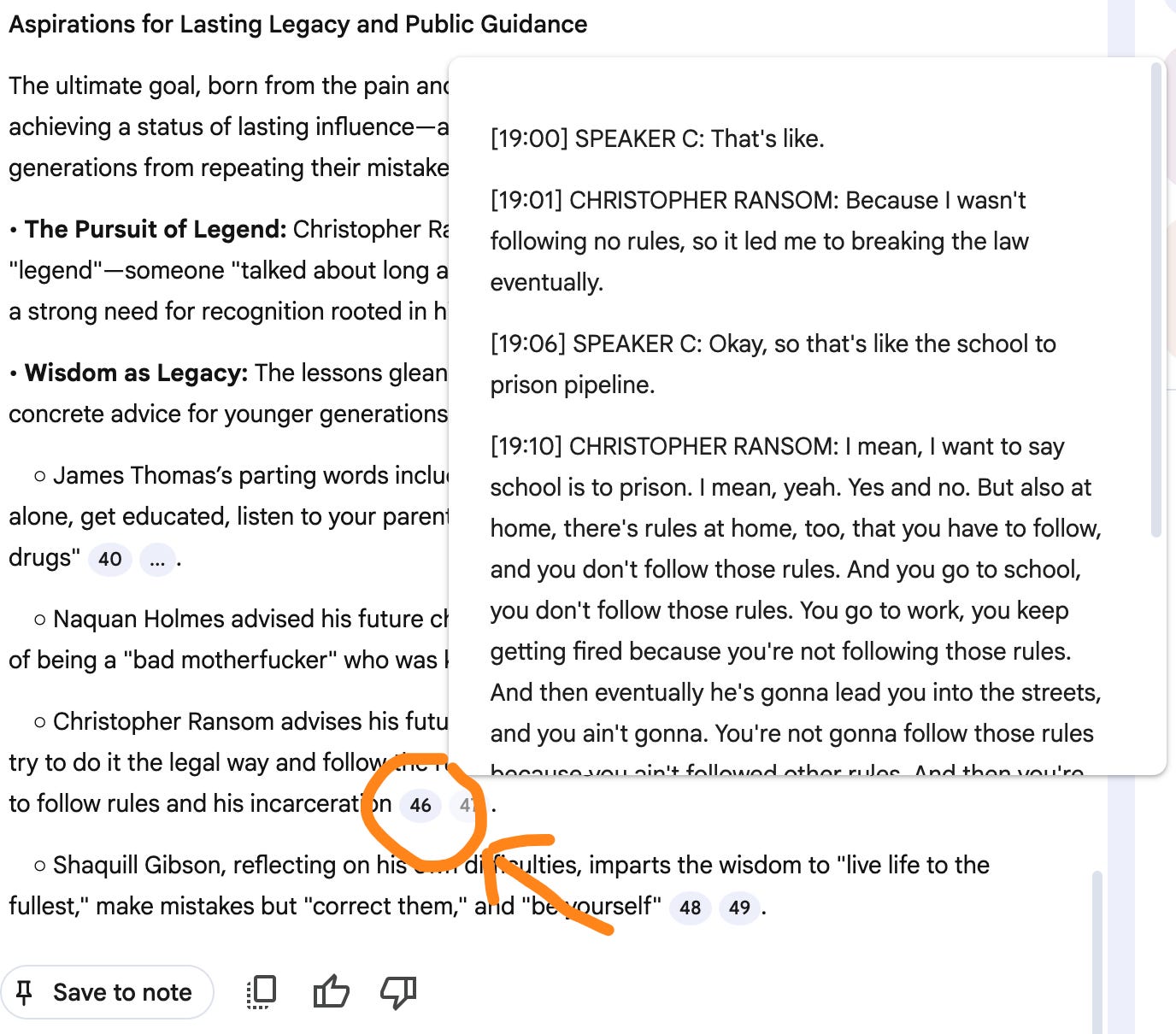
This matters enormously for qualitative researchers. When you upload 30 interview transcripts, NotebookLM won’t accidentally blend your participants’ voices with random internet content. Every theme it identifies links directly back to your source material, complete with clickable citations showing exactly where insights originate. While it doesn’t fully eliminate hallucinations, it does cite sources for all of its statements, and by hovering over the citations you can see exactly what data it is drawing on and judge for yourself. This audit trail is indispensable for researchers.
The tool is free for Gmail users (with stronger privacy protections for Google Workspace or Premium accounts) and can handle up to 50 sources (300 on Premium or Workspace).
But analyzing qualitative data with NotebookLM will look different than what you might be used to in prior methods. Gone are the days of highlighting, tagging, and coding excerpts (I have mixed feelings about this). Instead, AI tools enable us to query our data by talking to it. This is a mindset shift that takes some experimentation, adaptability, and a keen level of discernment. Basically, you still need to know your data.
The shift from coding to conversation feels radical at first. Instead of methodically highlighting and categorizing, you’re asking questions like:
“What transformation stories appear across these interviews?”
“How do participants from different sectors describe this challenge differently?”
“Find all mentions of systemic barriers, but distinguish between individual and organizational perspectives”
Each query becomes an iterative conversation. The AI responds, you refine your question, probe deeper, or pivot to explore an unexpected thread. It’s like having a research assistant who’s read every transcript perfectly but needs your expertise to make sense of what matters.
Because LLMs are built on language, ‘talking’ to them is both intuitive and produces better results. However, as you’ll learn if you experiment, you’ll want to think through your approaches and prompts so that you get the most reliable and insightful information from the conversations you have with your data. Only you can determine what underlying questions will be best to ask and, of course, what you do with the output will still be a critical place for your expertise.
After months of experimentation, here’s what I’ve learned about the best tips and workflows for getting reliable results with NotebookLM. We’ll go through the various components of NotebookLM as they appear on your screen, and consider the overall process of qualitative research, analysis, and delivery.

The old data adage of garbage in, garbage out remains true. Avoid Zoom’s auto-transcription (accuracy issues abound). Better options include Otter.ai, Rev, and Fathom. [Note: the best transcription I’ve found is CoLoop, which is a robust qualitative analysis platform, but with a higher price-point than NotebookLM. CoLoop is my recommendation for teams with budget and a desire to build out a repository of qualitative research studies.]
Another excellent feature of NotebookLM that isn’t quite as straightforward or intuitive in other LLM-based ‘projects’, is the ability to toggle sources on or off. This means that when you enter a prompt into the chat, it will only reference the sources you’ve selected. And, if you’ve given your sources names that help you categorize them (such as demographic categories, source type, or another descriptor), you can quickly toggle on or off sources to focus your query. You could ask the same prompt to different batches of sources to begin to see how themes may differ across sources.
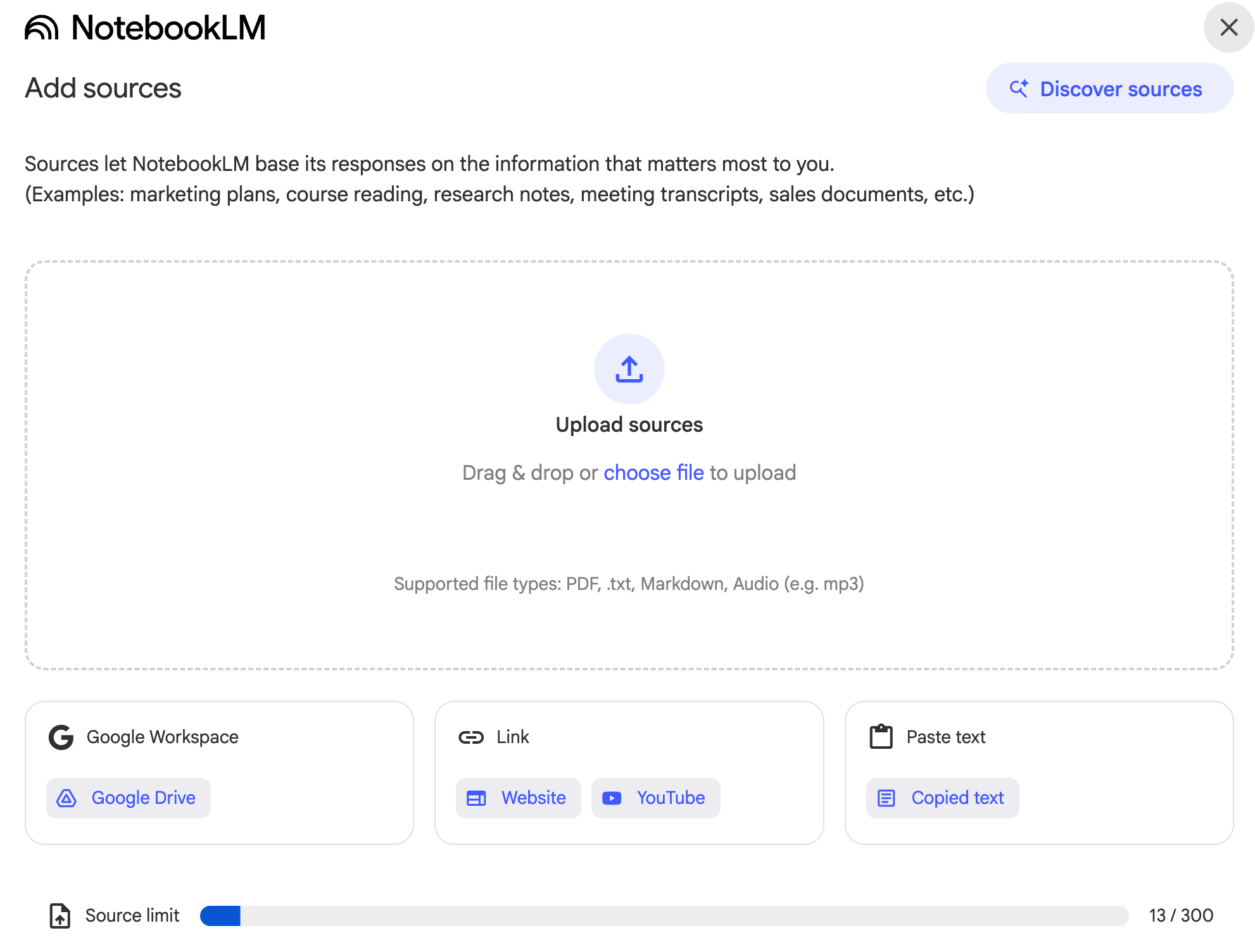
NotebookLM can accept a variety of sources, including PDFs, web links, and audio files. Note that it does not allow Word documents, so you may need to convert. It also may lose headings and hierarchy if you import PDFs, so if that’s important, use Markdown instead.
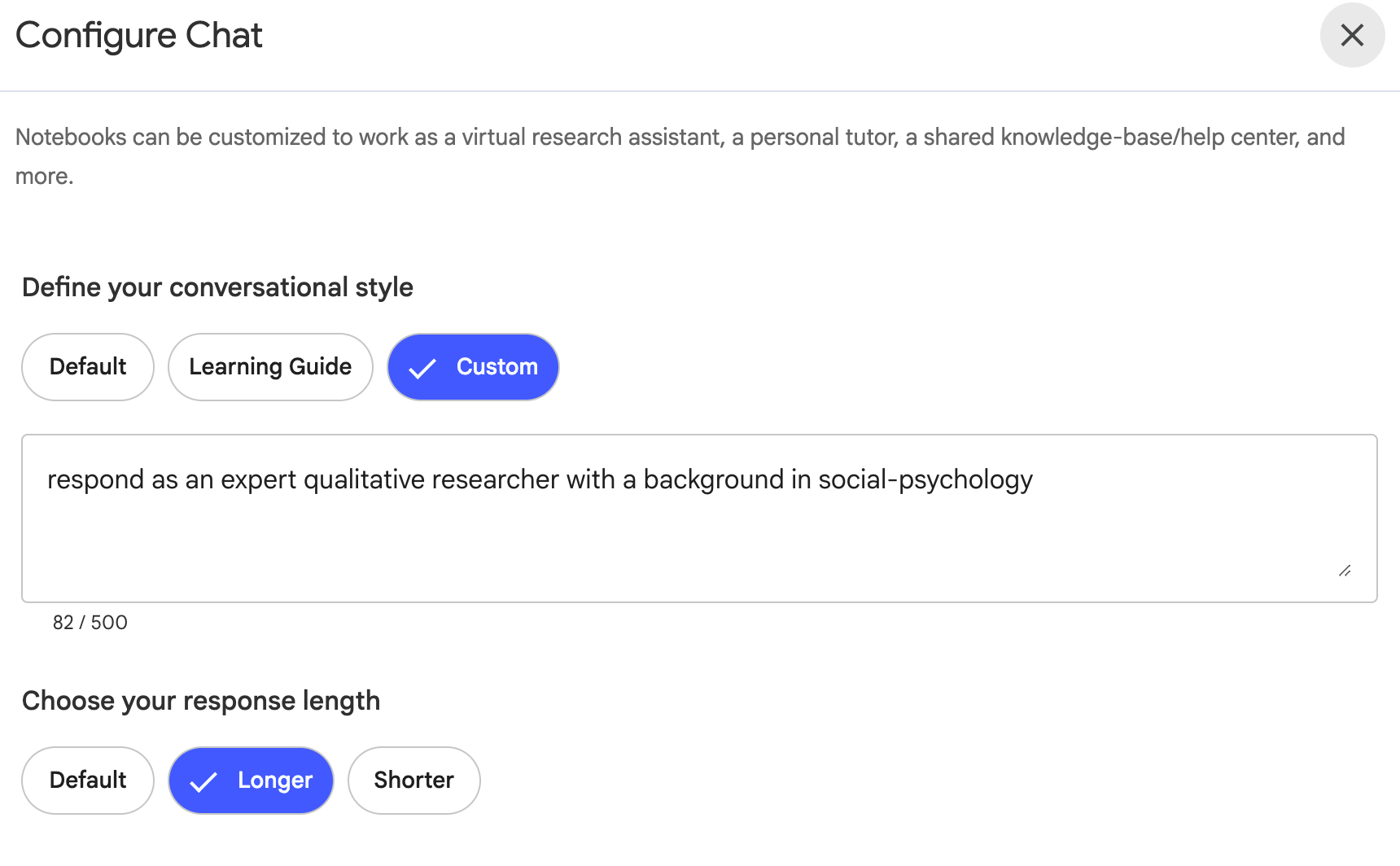
NotebookLM lets you set a 500-character “personality” for your analysis. I typically use: “Act as an expert qualitative researcher specializing in [your domain]. Provide detailed analysis with source attribution. Focus on patterns across multiple sources versus single mentions.” Don’t over-engineer this, because you may inadvertently limit the quality of the responses. Just give it a basic lane to stay in and experiment until you get it working optimally.
There are many approaches you can take to your analysis in NotebookLM. This layered approach to analysis would have taken weeks or months to do manually. But with NotebookLM you can run these queries in seconds.
First pass: Broad thematic overview across all sources. Use your expertise and intuition to gut-check this. Does it match up with your sense from the interviews? What surprises you? What do you learn?
Second pass: Deep dive into top themes with specific sources selected. What nuances do you see within the themes? What questions does it prompt and what other frameworks might be useful to bring in?
Third pass: Look for contradictions and outliers across themes. This is a great way to check our own biases. We’re humans, after all, and may be more attuned to some types of stories than others. AI can help us interrogate our own assumptions.
Fourth pass: Extract stories and quotes for different audiences. This is especially useful when writing reports where you want to provide illustrative quotes. And because it always references the source, you can easily check the transcript for the entire quote and context.
Fifth pass: Test your interpretations against the data. Ask it to ‘pressure test’ your findings, identify more nuance, or challenge your thinking.
One initial (painful) learning I had with NotebookLM is that it doesn’t save what it produces in the chat window. Unlike major tools, which you can return to and pick up loose ideas (unless you’re in temporary chat), NotebookLM will lose what you’ve asked it if it gets refreshed. If you like the output, you’ll want to click the button to save it as a note.
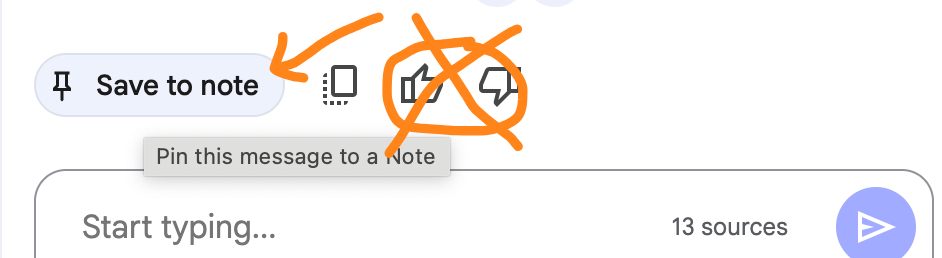
The notes appear on the right of the platform. Notes based on outputs generated within NotebookLM can be saved but not edited. They can also be converted into Sources to feed back into the analysis. This enables you to save analytic memos and begin to pull across them. However, there are tradeoffs that come with that in terms of degradation of quality (AI analyzing AI outputs) that warrant another post.
I’d be remiss if I didn’t note NotebookLM’s biggest and most problematic limitation: it doesn’t save your prompts. Even if you save the output as a note, once you navigate away, you’ll never know exactly how you generated that particular insight. This is maddening for a researcher and for a team that might be collaborating on a research project. My simplest solution is to rename my notes with the prompt I used to generate them. A more thorough approach is to maintain a research log in Google Docs where you paste both prompts and outputs. Yes, it’s clunky. But it’s necessary. Iterative qualitative research based on dialoguing with your data needs to be able to be traced back to what questions you asked to get the outputs.
Years ago, when I taught qualitative methods, I would belabor the idea of memos. They are truly where the magic happens. Memoing is the process of gathering your initial insights and reflections, noting themes and discrepancies, deepening your ideas on the theory or pathway you’re exploring. It’s the first layer of analysis and often the most generative.
NotebookLM supports the practice of Memoing via its Notes feature. While you can save the tool outputs as notes, you can also save your own notes that can be edited and shared. This allows you to do querying, reading/reviewing, and your own writing within the same platform. Those notes can then become portable, fed back in as sources, or your first drafts of analysis.
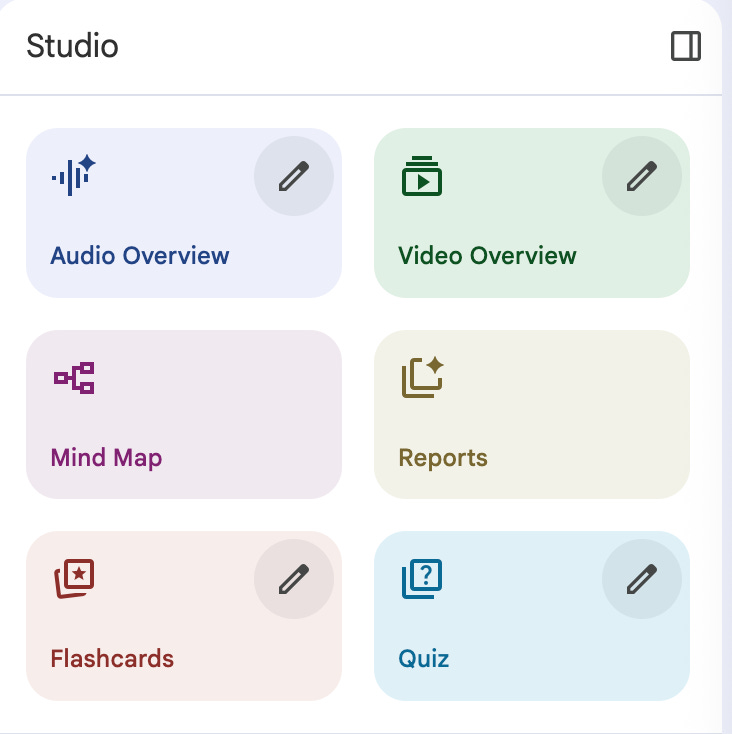
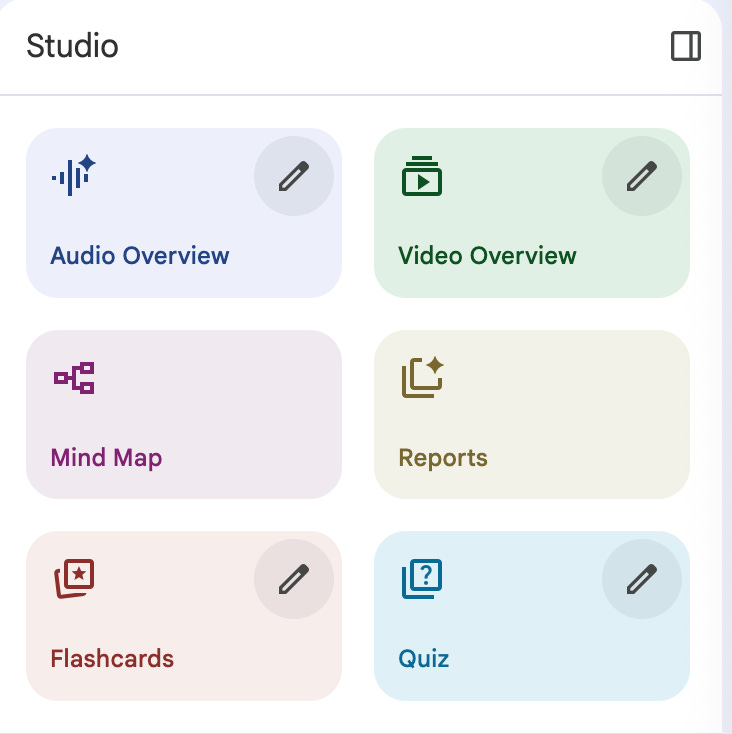
Beyond the core chat interface, NotebookLM includes “Studio”—an experimental space where Google’s team continuously drops new features, often without announcement. Think of it as a playground where different ways of interacting with your data appear and evolve. Some features are genuinely useful for research; others feel more like novelties (for now).
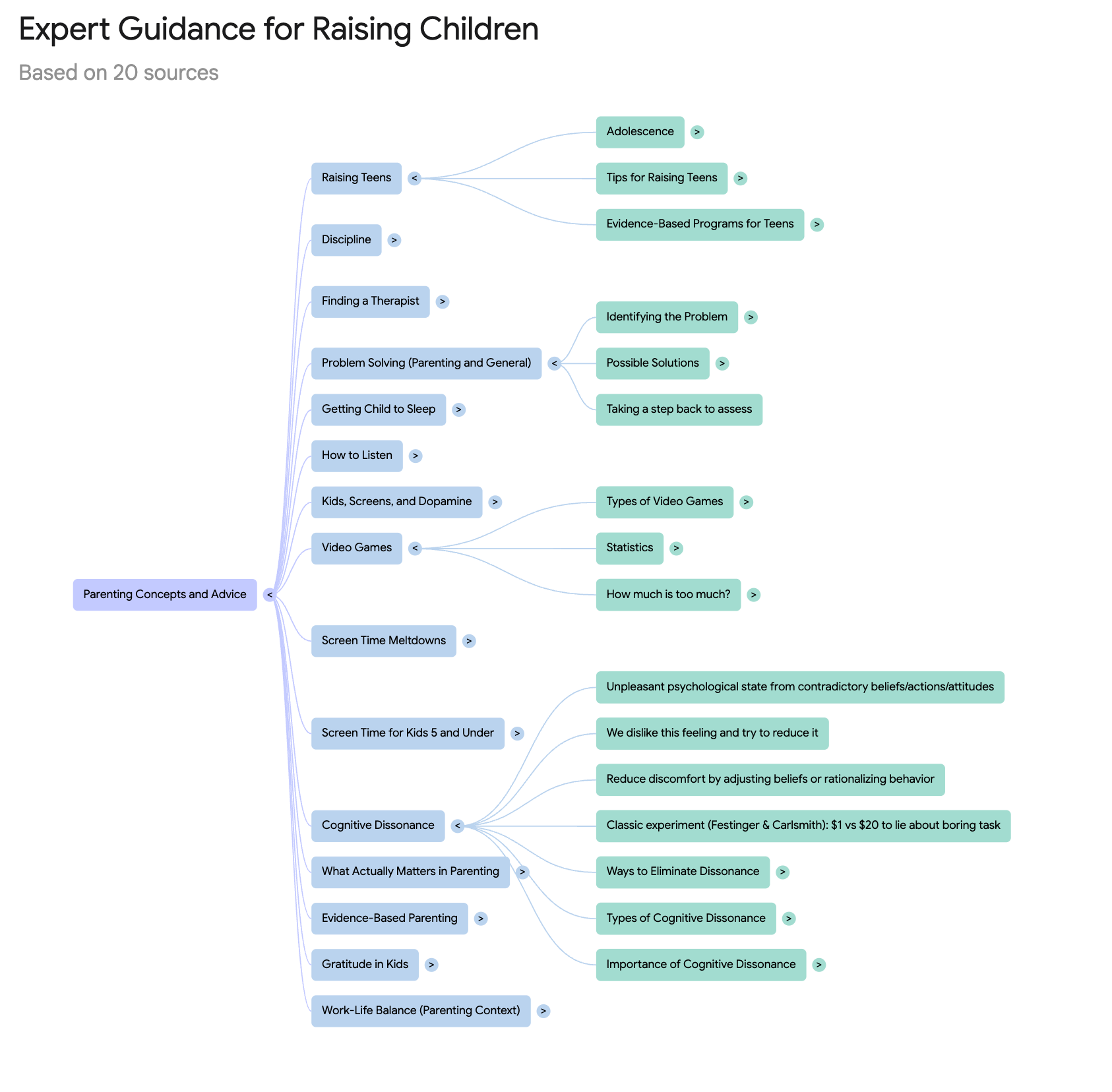
Mind Maps: The mind map feature visualizes connections between themes in your data. The main frustration here is that you can’t direct what it maps (unlike the audio and video overview tools). It decides whether to organize by source documents, themes, or some other logic entirely. I can’t wait until they give us some control over this!
Audio Overviews: The Viral Podcast Feature. This is what made NotebookLM famous—it generates surprisingly natural (though somewhat generic) podcast-style discussions about your data. You can now customize format (deep dive, brief, debate), length, language, and focus topics. The AI hosts banter, interrupt each other, and sound unnervingly human. You can even jump in and interact, which is similar to voice mode in other tools and a potentially interesting feature for ‘talking’ to your data.
Reports: Powerful with Good Prompting. The newest addition generates structured reports in various styles. I recently produced an “80% there” discovery report with a single detailed prompt. It took a lot of experimenting to get it right, but I can see that it will be valuable in the future. The catch? The moment you navigate away, your prompt vanishes forever. The report remains, but you’ll never know exactly how you generated it. Save your prompts immediately in a separate document—you’ll want to reuse the ones that work.
Video Overviews: Resource-Heavy Experimentation. NotebookLM now creates video presentations with animated slides. While technically impressive, these consume significant computational resources. Unless you specifically need video output, I’d skip this feature—both for environmental reasons and because the generic visuals rarely add value to qualitative findings. But we’ll see how this develops in the future.
If you’ve got a batch of interviews to analyze, here are some ways to get started. If you just want to play, there are many publicly available Notebooks that you can tinker with. Of course, if you’re uploading interview transcripts into an AI tool, especially the free version, be sure you have de-identified them in accordance with your organization’s privacy policy, or obtained proper permission. Be sure you understand those Terms of Service!
These are just starter examples. You’ll want to adapt them to your specific needs and bring in your own expertise.
For Thematic Analysis:
Analyze all interviews for themes related to [your research question].
For each theme provide:
- Clear definition
- Number of sources mentioning it
- Representative quotes from at least 3 participants
- Assessment of evidence strength (strong/moderate/emerging)
For Story/Quote Uplifting:
Identify 5-10 transformation stories that could be shared publicly.
For each: remove identifying details, preserve emotional arc,
note which interviews it comes from, suggest framing for maximum impact.
Focus on unexpected outcomes and systemic change.
For Comparative Analysis:
Compare how [theme] appears across different participant groups.
Create a matrix showing which groups emphasize which aspects.
Note surprising differences and unexpected common ground.
There are many tradeoffs in using AI for qualitative analysis. I’ll mention a few here, but this warrants a much deeper discussion. The efficiency gains are really undeniable. What once took weeks now takes days. But speed isn’t the only benefit. I can now:
Query the same data through multiple theoretical lenses. I can even give NotebookLM information about a theory through the Sources tab and ask it to anchor its response in those frameworks.
Keep qualitative data “alive” for future questions rather than archiving after one analysis. Unlike the manilla folder, stacks of index cards, or transcripts that were coded one way but not another, the data is instantly accessible when you have a new idea. This can be both a blessing and a curse (because it’s unclear when you should stop and share), but it means the stories have life beyond one question.
Generate insights tailored for different audiences without starting from scratch. Because you can adjust the tone and depth within NotebookLM’s responses, you can quickly gather insights that will be tailored to different stakeholders and audiences.
Find patterns across larger datasets than I could previously handle. I definitely can’t hold 300 sources in my brain at once, and if I do a mental query of them, I know that my own biases will creep in to influence what I remember and recall. AI doesn’t have that problem. My expertise has a role to play with what happens with the outputs and how I situate in context, but it lets me have a Mary Poppins style bag of knowledge to draw on versus whatever I’m able to stuff into my little brain pockets.
At the same time, there are real risks to navigate:
The Flattening Problem: Every transcript that represents a conversation between humans has already lost the pauses, the nervous laughter, the moment someone’s voice breaks and all the nonverbal cues. AI adds another layer of distance. One way I mitigate this is by recording voice memos after each interview, capturing observations about energy and nonverbals. I don’t do this for all of my interviews, but if the project is deep enough to warrant that layer of information and I don’t want to lose it, then the easiest way to retain it is to get it out of my brain ASAP.
The Seduction of Speed: It’s intoxicating to generate themes in minutes. But sometimes the slow, immersive reading is where breakthrough insights emerge. AI can show you patterns; it can’t feel the importance or insight. The rapid generation of themes can also become overwhelming. Suddenly, we can do SO MUCH with our data — but if we overwhelm our audience and stakeholders or we’re then staring down 50 pages of outputs, we’ve lost sight of the task. Keep your thesis statement, framing question, or analysis goals forefront in your mind (or taped to your monitor, if you’re like me…) to help keep you on track and contained.
The Authority Transfer: When the AI confidently presents five themes, it’s tempting to accept them as truth. Remember: you’re the researcher. The AI is a tool that’s only as good as your questions and judgment. Hover over those citations and make sure you agree with the interpretation by the AI. You can also use those to identify if one theme is primarily coming from one source saying something repeatedly, or many sources touching on it. This is all important context that your background and experience with qualitative analysis and your data that you’ll need to produce the best analysis.
Unlike tools like CoLoop, NotebookLM wasn’t really designed for team research and collaboration. They’ve slowly been adding in collaboration features, and I suspect this will continue to grow in the future. But, you can still work collaboratively with a few creative workarounds. While you can share notebooks, the platform doesn’t support real-time collaboration or track who did what. Note that sharing of entire Notebooks varies depending on the type of account you have set up within Google. If you’re using it within a Workspace you can share within your organization but not externally. And within publicly shared Notebooks, you have options to allow people to edit the sources or just chat with them.
For team projects, I recommend:
Create a shared prompt library: Document successful prompts in a team Google Doc (or a shared Note in NotebookLM, but a Google doc will support more iteration and commenting and a longer document history)
Establish analysis protocols: Decide who analyzes what and how you’ll synthesize findings
Regular synthesis meetings: Compare what different team members discover using the same prompts. Pro Tip: record your analysis conversations and save the transcripts as sources. You’re doing the work of analysis when talking to other humans, don’t lose it!
External documentation: Maintain a research audit trail outside NotebookLM. What did you ask, what was the result, how did you refine it? Where did it excel and where did it fall short? What questions do you notice it is good at handling, and which queries don’t go as well? These are the process insights you don’t want to lose.
There are definitely aspects of leveraging AI for qualitative analysis that make me uncomfortable, particularly the privacy of participants and the sense of honor and responsibility I feel to those whose stories I’ve collected. I hold that integrity central to my work experimenting with AI-assisted qualitative analysis. Yet, I’d argue we’re not abandoning rigor when we use AI. When used properly and under the guidance of our own expertise, we’re redistributing our cognitive labor. Instead of spending 80% of our time on mechanical tasks (highlighting, sorting, copying), we can focus on what humans do best: understanding context, recognizing power dynamics, feeling the emotional undertones, connecting findings to larger meanings, and communicating them in compelling ways for our audience.
But it’s true that this shift demands new competencies and mindsets around qualitative analysis. We need to become expert prompters, critical evaluators of AI output, and clear about our analytical frameworks before we start querying. The researchers who’ll thrive aren’t those who resist these tools or blindly trust them, but those who learn to leverage them thoughtfully.
If you’re curious but cautious (the appropriate stance), here’s how to begin:
Start with familiar data: Use transcripts you’ve already analyzed traditionally (and de-identified)
Compare findings: What does the AI catch that you missed? What nuance does it flatten?
Test different prompts: The same data queried differently yields different insights
Stay close to your sources: Always click through to verify the AI’s interpretations
Document your process: Build your own prompt library and track what works
NotebookLM and similar tools don’t replace your research expertise, but just like the tools decades ago that enabled computer-assisted qualitative data analysis, they can amplify and augment it. They can’t feel the weight of a participant’s pause or catch the significance of a metaphor. They can’t make ethical judgments about what stories to share or recognize when power dynamics skew the narrative. They can’t know stories or insights will resonate most with your audience and stakeholders.
What they can do is help us work with larger datasets, explore more theoretical frameworks, and get insights to stakeholders faster. In a world where qualitative research is often undervalued because it’s “too slow” or “too expensive,” these tools might help us demonstrate the unique value of deep, human-centered understanding—at a pace that matches organizational decision-making.
The art of qualitative analysis is evolving. And those of us who learned on highlighters and sticky notes might be uniquely positioned to guide that evolution thoughtfully.
What’s your experience with AI in qualitative analysis? Have you tried NotebookLM or similar tools? I’d love to hear what’s working, what’s failing, and what questions keep you up at night. Drop a comment below or reach out directly.
💡Did you know?🌱 Helping mission-driven leaders, teams, and organizations thoughtfully and responsibly adopt AI is what I do! If you want to learn more, please reach out!
To stay up-to-date on my writings across platforms, please join my mailing list.
Thanks for reading The Bloom Shift! This post is public so feel free to share it.
Comments
Nothing yet. Say the first thing.
Sign in to join the conversation.