
An agency once quoted me $200,000 for a company rebrand.
Last week I built a brand almost as good in Claude Design for just $200 a month.
In this article, I’m going to show you how I did it.
I know it seems too good to be true. You’re probably thinking, “Sure, but isn’t AI design just slop?”
Fair.
We can all spot AI slop from a mile away. I hate it as much as you do. But with this new method, the designs are downright gorgeous and definitely NOT slop.
You’ll see that by just typing a few simple sentences you can create designs so good that people will think you paid thousands for it.
And don’t worry… I’ll walk you through everything step-by-step. That way you’ll be able to do this too even if you’re not a designer (like me).
Oh, and you don’t even need the pricey $200 Claude plan I’ve got. The $20 plan does everything I’m about to teach you.
All you really need to make my method work are opinions.
Surely you’ve got those, right?
Okay, good Let’s do this 👇
I’ve got pretty good design taste, and I bet you do too.
(Even if you don’t realize it).
Have you ever looked at something and been like, “Wow, this is amazing!” but didn’t know why exactly? You could just feel it?
Or have you ever used an app and been like, “This design sucks bad. I don’t know why. But it does.”
Well, congrats. That’s taste.
And to the dismay of designers everywhere, notice what’s missing from both of those reactions. There’s no mention of:
Composition
Values
Colors
Spacing
And other fancy design terms
In other words, we can tell you quite emphatically that something isn’t working, but we’ll never be able to tell you how to fix it.
For designers, this basically means we are clients from hell 🤣
(Go us! 🥳)

Now, I want to give designers their due. If you’ve ever spent any time in Canva trying to hack a graphic together, you know that design is a real skill, and it’s shockingly hard to do well.
There are about ten million tiny decisions hiding inside any design that make it look great...
And every single decision is a chance to totally screw the whole thing up.
This is why designers exist. The rest of us mortals eventually get frustrated and toss our laptops out the window. But if you’ve been down this path, you also know that designing something in Canva vs. designing something with a pro is usually just trading one frustration for another.
Here’s what I mean:
Once upon a time, I ran a weekly live stream for 5 years straight. Every week, we’d need a YouTube thumbnail for it, and that thumbnail also doubled as the title card for the stream itself.
So, it was important.
Like clockwork, my talented design team would put something together and send it over. I’d take one look and go, “No, that’s not quite right.”
“Okay, what do you want us to fix?” they’d ask.
And I’d just sit there for a few minutes trying to pinpoint why I didn’t like it.
Coming up empty handed, I’d eventually blurt out, “Man, I don’t freaking know what to tell you to fix. I don’t even know what’s wrong with it. All I know is it’s not good. It doesn’t feel right. Can you just make me like, 10 variations on the concept and I’ll pick the best one?”
But of course, they couldn’t do that because we didn’t have the time to churn that many variations out. So, I’d settle for a design I didn’t love and that was the loop I lived over and over.
Me: knowing it was wrong.
Them: waiting on direction I couldn’t give.
I was stuck, they were stuck, and the image still wasn’t right. It was maddening for all of us.
But now, with Claude Design, this is no longer a problem.
I’m sure you’ve heard of vibe coding by now.
It’s where any normal non-technical person can use AI to build software. The general idea is that you just describe what you want in plain English, and AI writes all the code.
You just kinda steer it with feedback as it goes.
Well, I’m coining something new:
Vibe Branding
(original, I know)
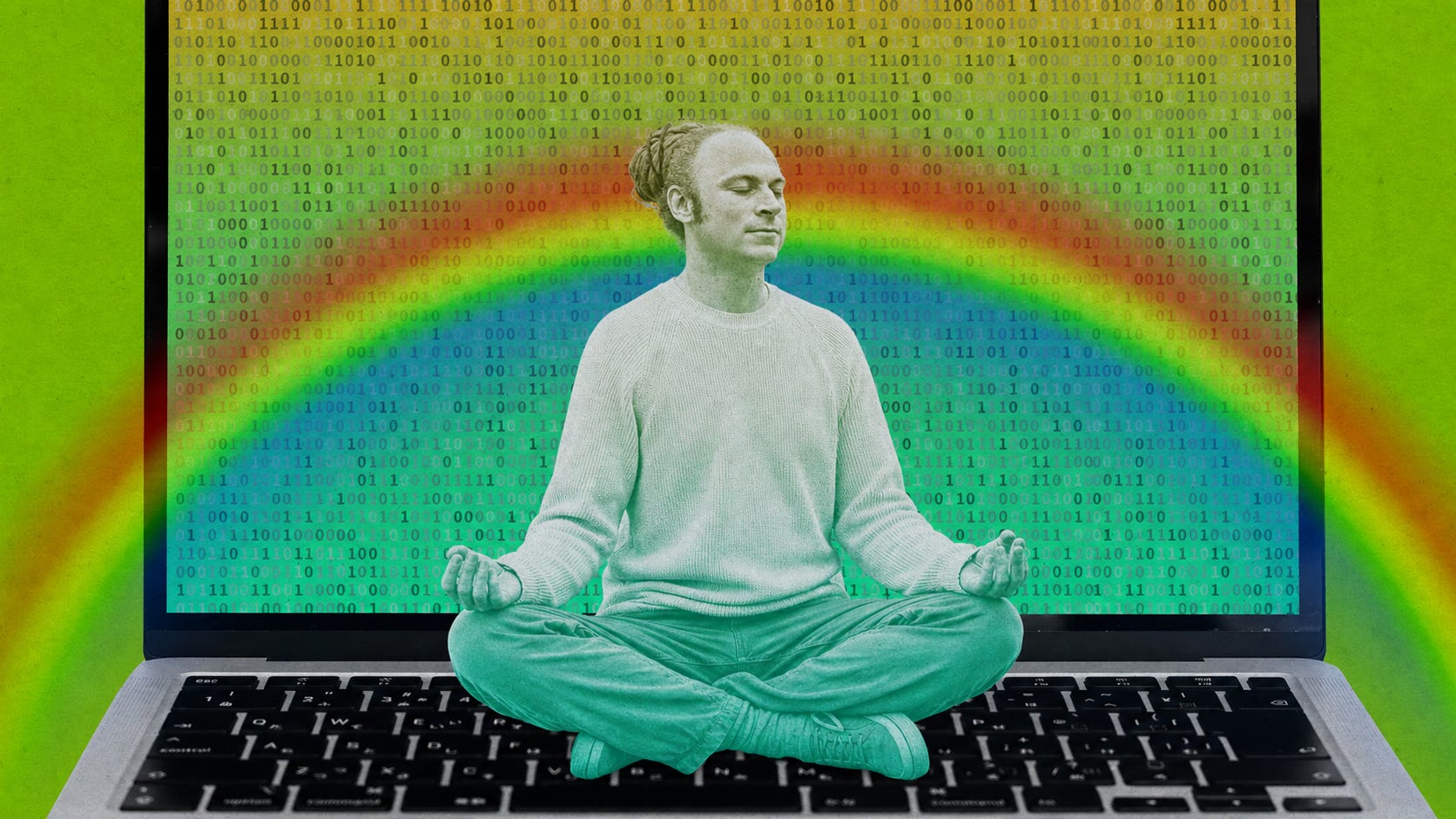
It’s basically the same thing as vibe coding, but with - you guessed it - branding.
You describe the vibe you want in plain English. Claude Design does the rest.
The coolest part about vibe branding is that you can just blab on a keyboard and Claude Design, with it’s infinite patience, will do it’s best to interpret whatever it is you want and make you happy.
It’s kinda like having a world class designer with the heart of a golden retriever.

If you want a brand that’s loud, well by golly, it’ll do loud.
If you want something that’s high energy, it’s got you covered.
If you want something that’s slightly ephemeral with a touch of nostalgia and a hint of goth in the fresh pouring rain... well... whatever the heck that is... it’ll do that too.
And every time you have a new request or revision, Claude Design will meet you at the door with a wagging tail and abounding joy.
All you need are messy opinions, and it just works.
Beyond that, with the method I’m going to teach you in a minute, everything it cranks out is visually gorgeous.
In my experience, if Claude Design hands me four options, it’s not a thing where there are three duds and one keeper that I have to rescue.
No. They’re all friggin’ awesome. Any of the four would work (examples coming later).
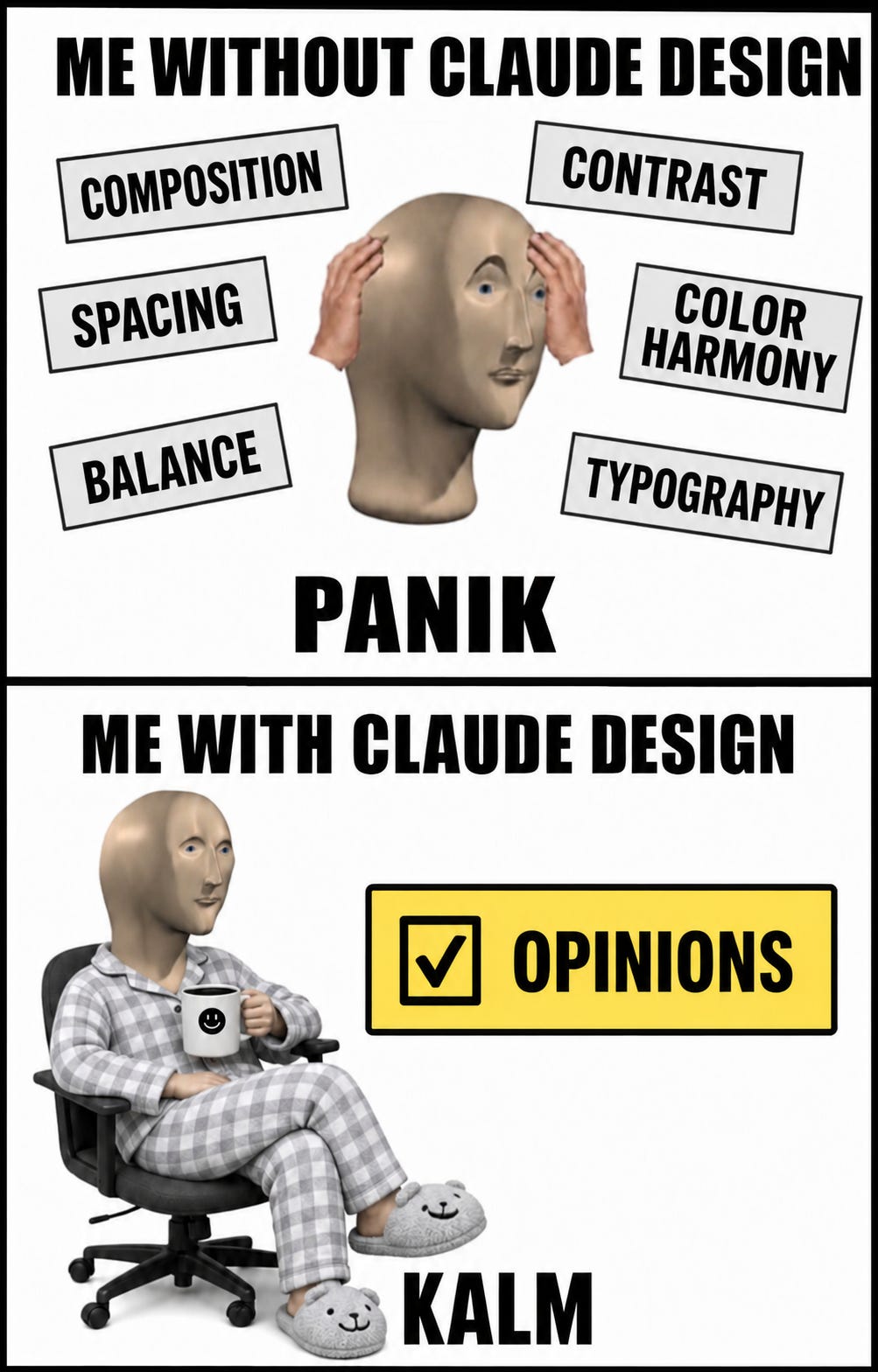
That’s because all those big brain designer skills, like understanding:
Composition
Contrast
Spacing
Color harmony
Balance
Et cetera
A lot of these components are objective, which means they can be defined and written down as rules. The AI models today are so good at those rules now they’ll make your head spin.
So, Claude Design just spits fire.
But there’s one thing Claude Design doesn’t have:
It doesn’t know WHAT FEELING you’re going for.
It can hand you four gorgeous versions and still not know which one is right for your thing, your mood, the way you want somebody to feel when they see it.
That part is still yours.
All you have to do is show up with an opinion.
That’s how easy this is now... like, do-it-from-the-couch-in-your-pajamas-easy.
So, let’s do a mini-recap:
Claude Design is a design agency in a box, sitting right there on your laptop
It works the way a good agency works, but comes with a 99.9% discount
You riff, it comes back with a smorgasbord of designs
The designs rock because Claude has taste built into it
You just follow your opinions and mood
That’s the world we’re in now. You get a whole design agency - a good one - in a box for pennies.
I hope you’re psyched. I’m psyched.
Let’s keep going 👇
Now, I’ll show you how to do this too.
I’m going to walk you how I built a design system for an app I built called YadaYada. I think it’s beautiful:
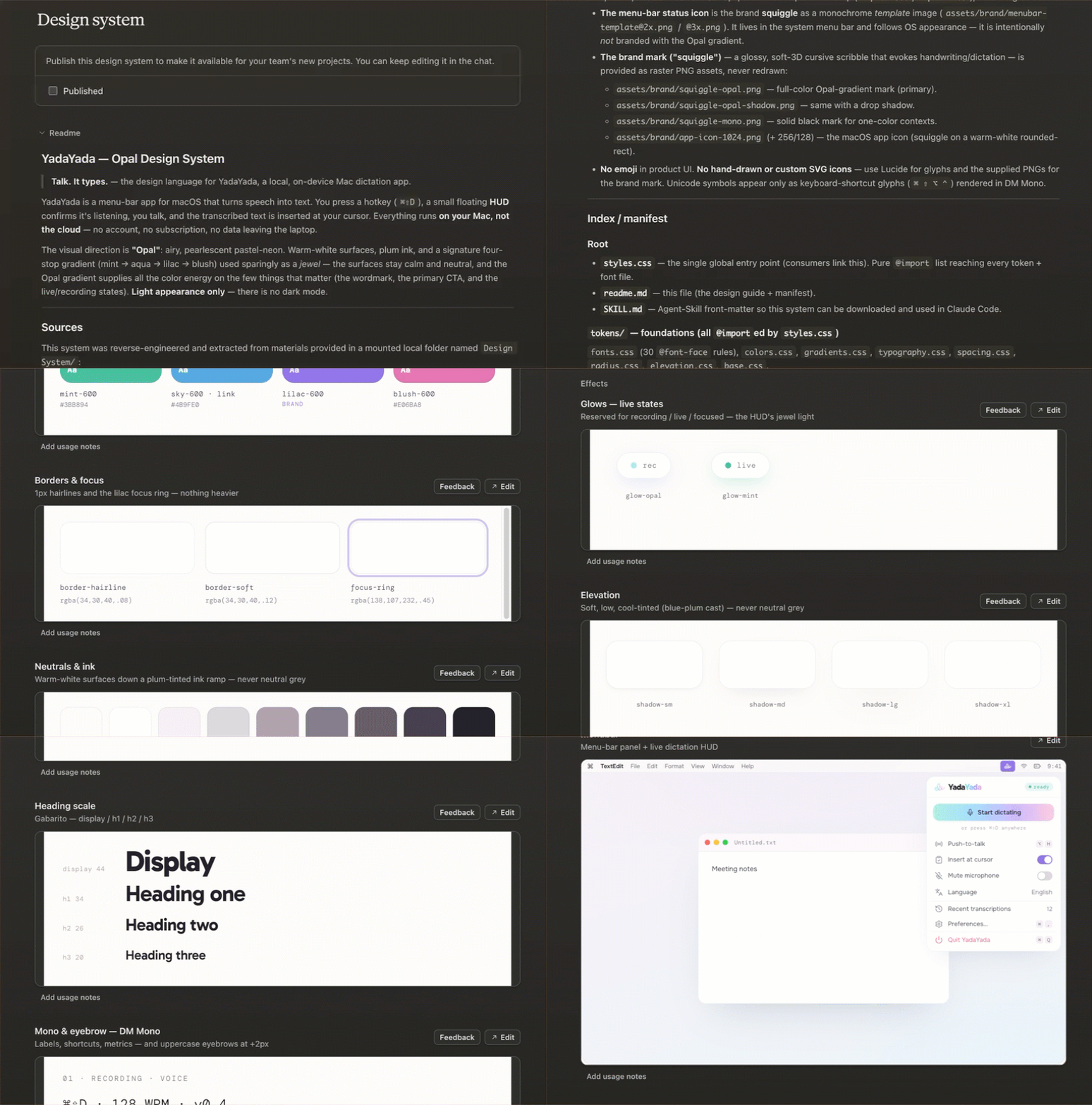
I’ll explain everything start to finish, so you can turn around and do the same thing for your own project.
The best part is you’re not going to open a single design tool. No Canva, no Photoshop, none of that.
All you’re going to do is type.
Click this: claude.ai/design
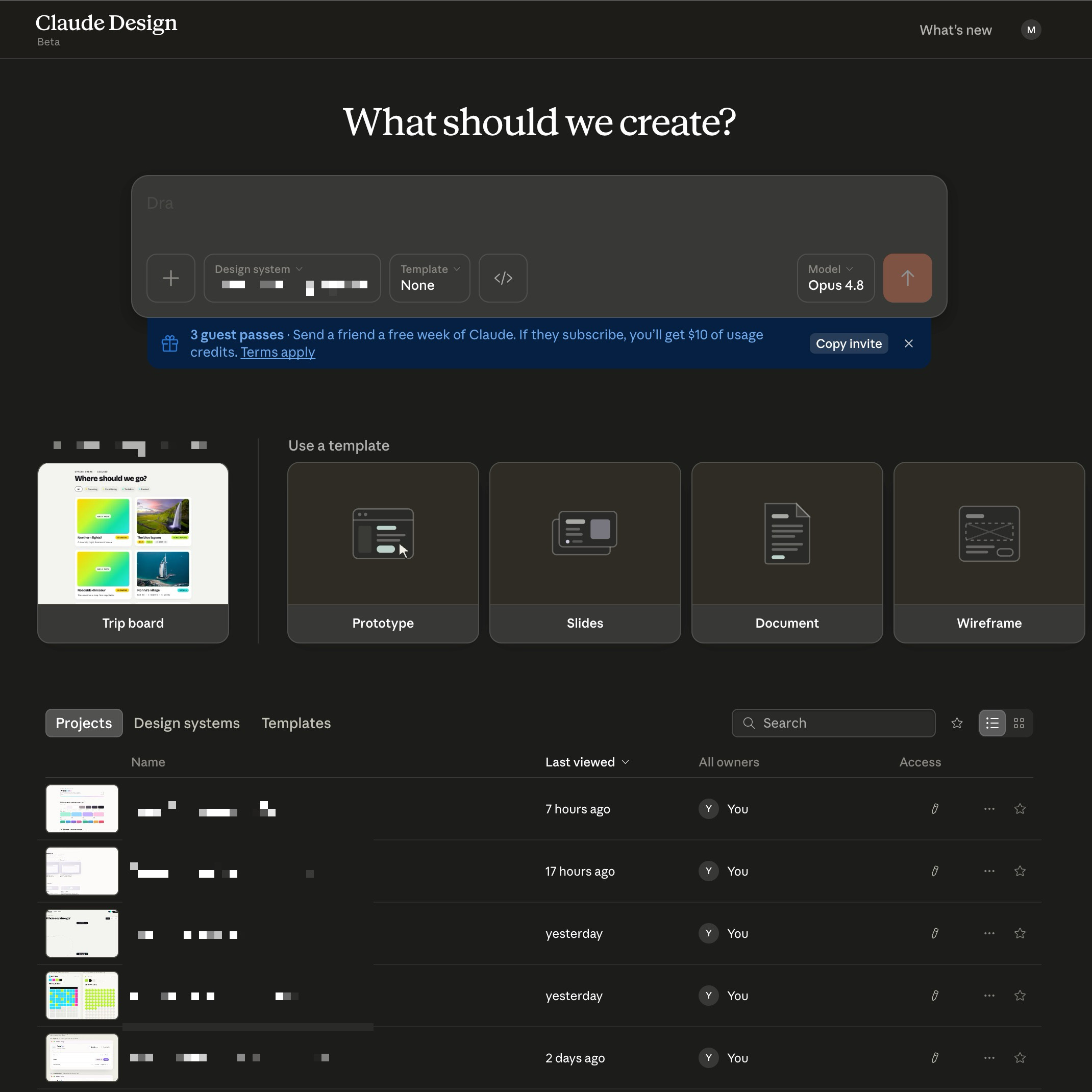
There’s no download, and nothing to install. Claude Design is just a web app.
Congrats, you completed step one.
Awesome, I know.
Quick note before we go further, because this confuses some folks:
Claude Design is not an image generator. It’s not DALL·E or Nano Banana or Midjourney or the ChatGPT image thing. You’re not making pictures of puppies and rocket ships riding pink unicorns. Claude Design can build real artifacts. Think slide decks, wireframes, websites, etc. In this tutorial, we’re building what designers call a “design system”. It’s the actual colors and fonts and rules of a brand that make all of those other things look pretty.
For all you Claude Design veterans out there, this is where I detour from conventional wisdom.
Most tutorials will tell you to hop into Claude’s design system builder. I don’t like to start out that way, and think that’s how you get a platter of AI slop.
So, stay away from this button for now:
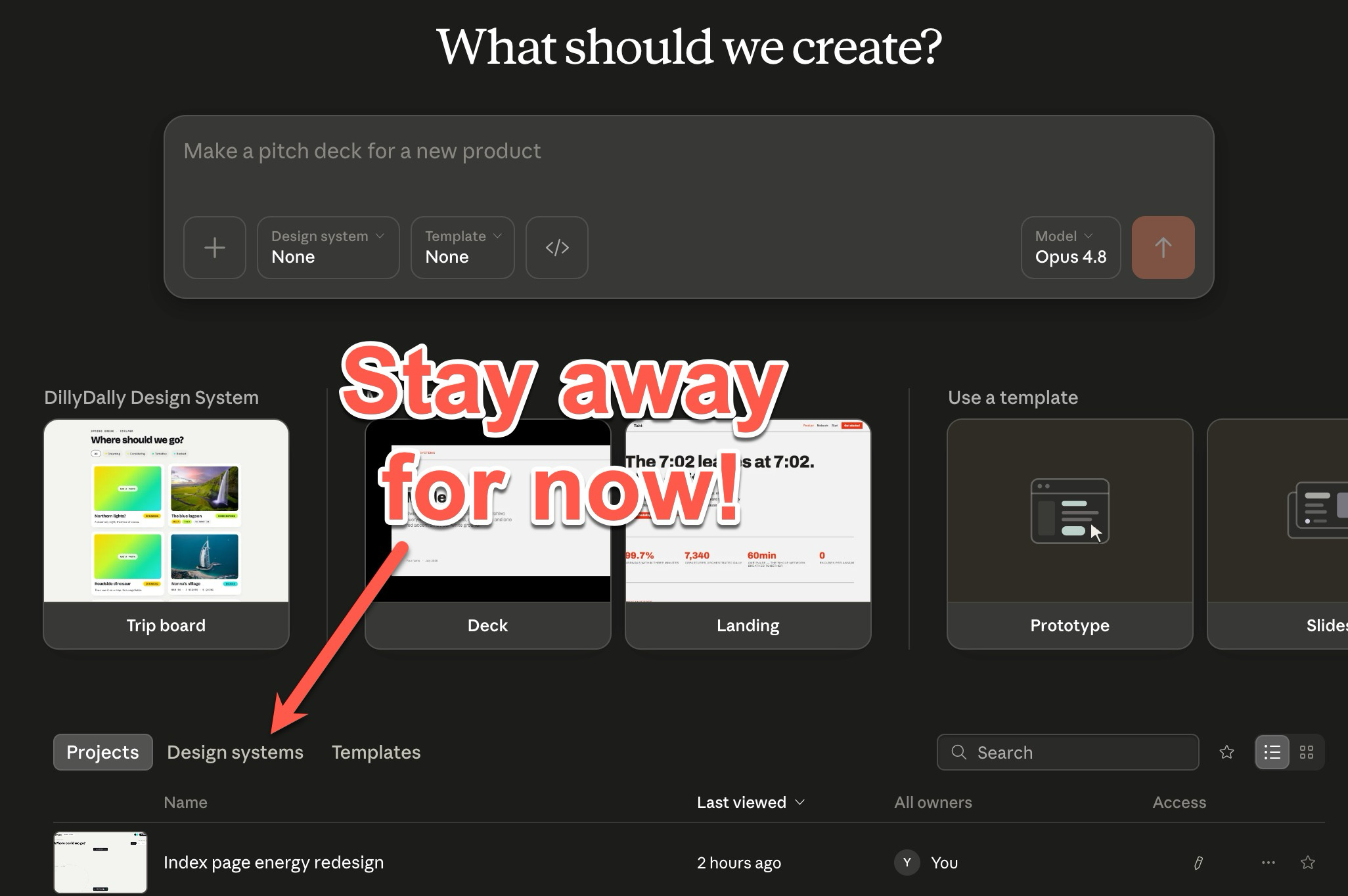
Instead, I start riffing on designs straight from here and go to the design system builder later:
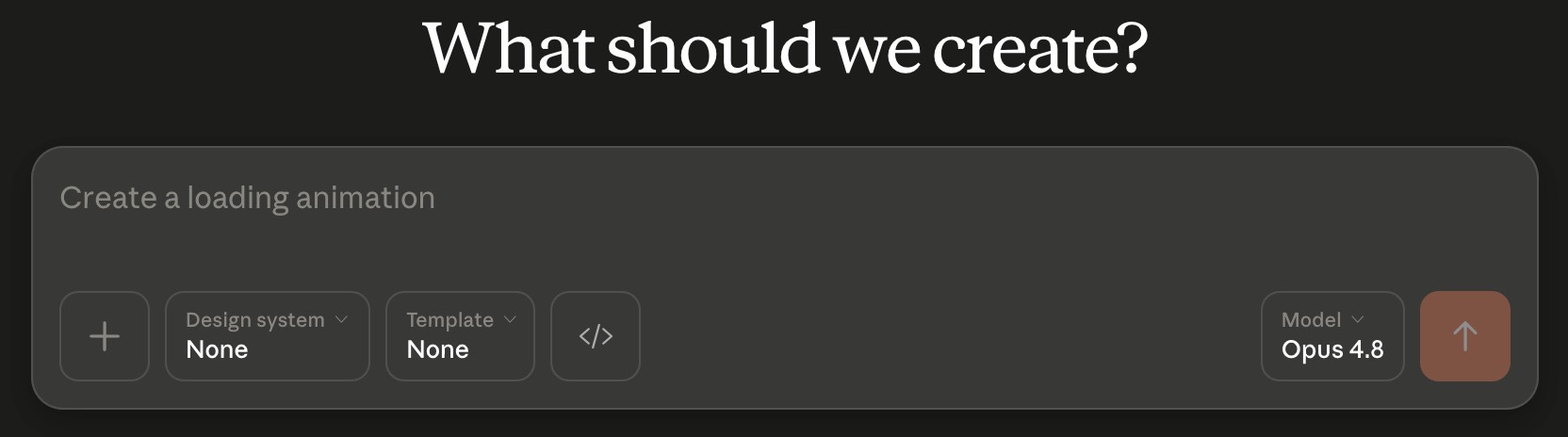
Here’s the only real skill I need you to have, and it barely counts as a skill.
(Sorry to all you English majors, I’m just being honest 😬)
You have to be able to describe what you want like you’re telling a friend over coffee. There’s no need to be precise. You just have to be in the ballpark.
So, ramble off the kind of brand you’re going for, the colors you lean toward, whether you want it warm or cold, high energy or calm. Try to describe the feeling you want to invoke. This is the level you want to riff at. You don’t need hex codes, but if you’ve got them, great. Same with design jargon or an actual spec... bring them if you have them, but nobody’s asking you to.
Here’s the exact prompt I used for YadaYada.
I’m actually a tinge embarrassed to share this, because most of you think I’m some kind of AI wizard and I’d like to keep it that way.
But no.
I’m just like anybody else. I ramble, I repeat myself, I’m not always the most clear in what I want. And this STILL WORKED.
(IE. You can do this, too!)
This is my exact prompt that I voice-dictated into Claude Design:
Hey, I need you to help me build a new design system. This one is going to be for an app called Yada Yada. This is a voice dictation app and the way it works is it uses local models on your machine and doesn’t go to the cloud. That way you don’t have to pay a subscription basically. Now, I like design systems that are kind of minimal in nature, easy to use, but also I like bright, fun, high energy. I like neon colors. I like pastel colors. I like things that are, you know, not really corporate. So I like fun, bright, high energy, things that feel fresh. I like lots of white space with splashes of color. And I definitely like pastels and I like neon colors and I’d like to kind of lean into those. So can you help me build? You know, I need a few different options for design system for the app. I don’t want you to design the app, right? I don’t want you to come up with how the app could look, you know, with the button placement and all that stuff right now. I just want to focus on the design system itself, like the fonts, the colors, the tokens, et cetera.
Notice what I did NOT do there.
I didn’t pick colors. I didn’t type a single hex code. I gave it a vibe and told it I wanted a few different options.
After this prompt, Claude Design will think for a while and then ask you a handful of questions.
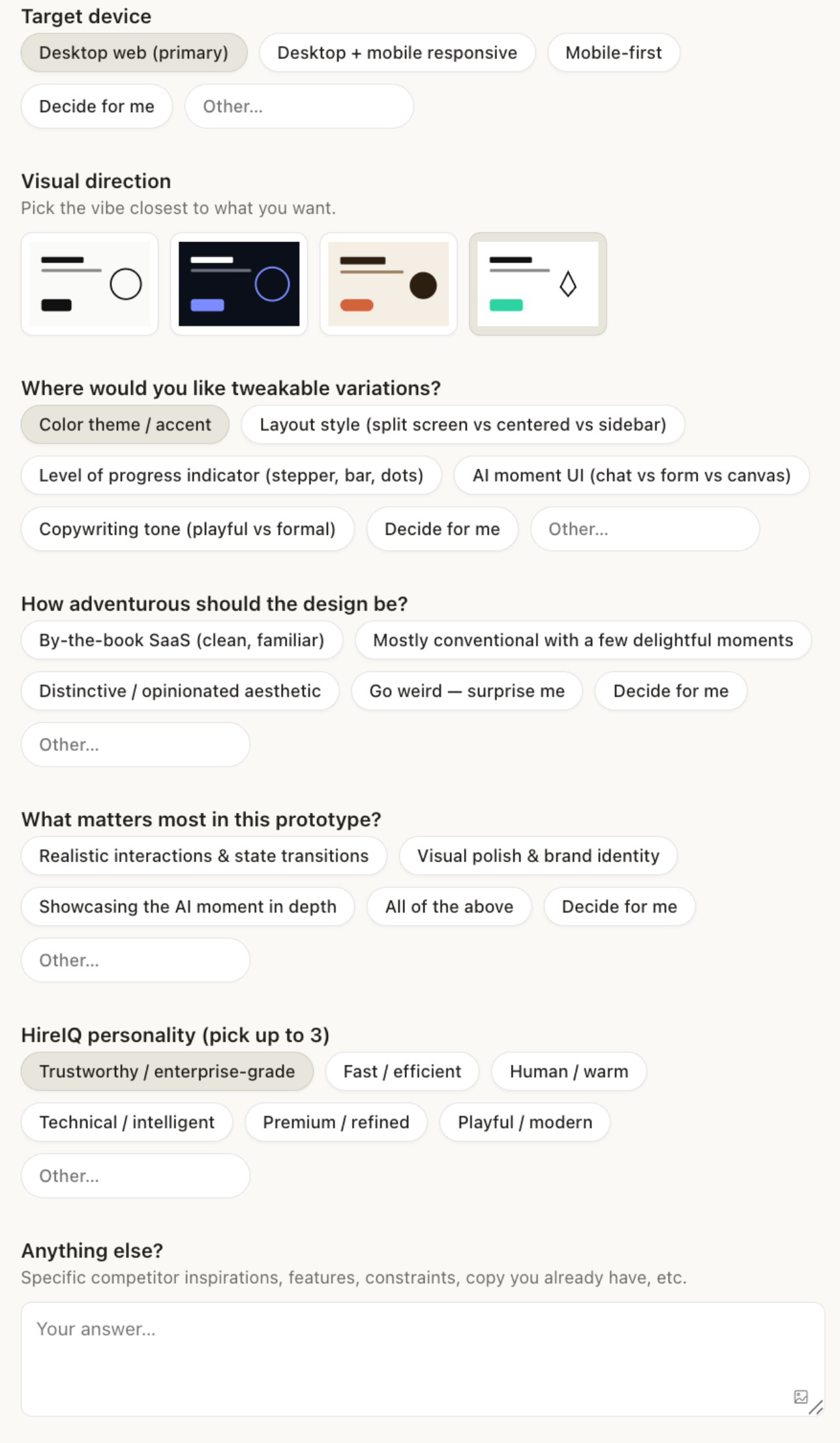
This part is easy to get through because the questions are multiple choice. There’s almost never anything open-ended.
It’ll ask stuff like “how many directions do you want to explore?” with options like, one, two, three, or “you pick for me”.
You won’t get visuals yet, it’s still just gathering information. I answered a few questions on whim and let it decide the rest.
It takes like, 5 minutes tops.
You really can’t screw this part up.
Now it gets fun. After cranking for 15-20m, it’ll lay out a few complete directions and gives each one a name.
There was one called Sherbert I liked right away. Beautiful fonts, beautiful colors, most of the way to what I wanted.
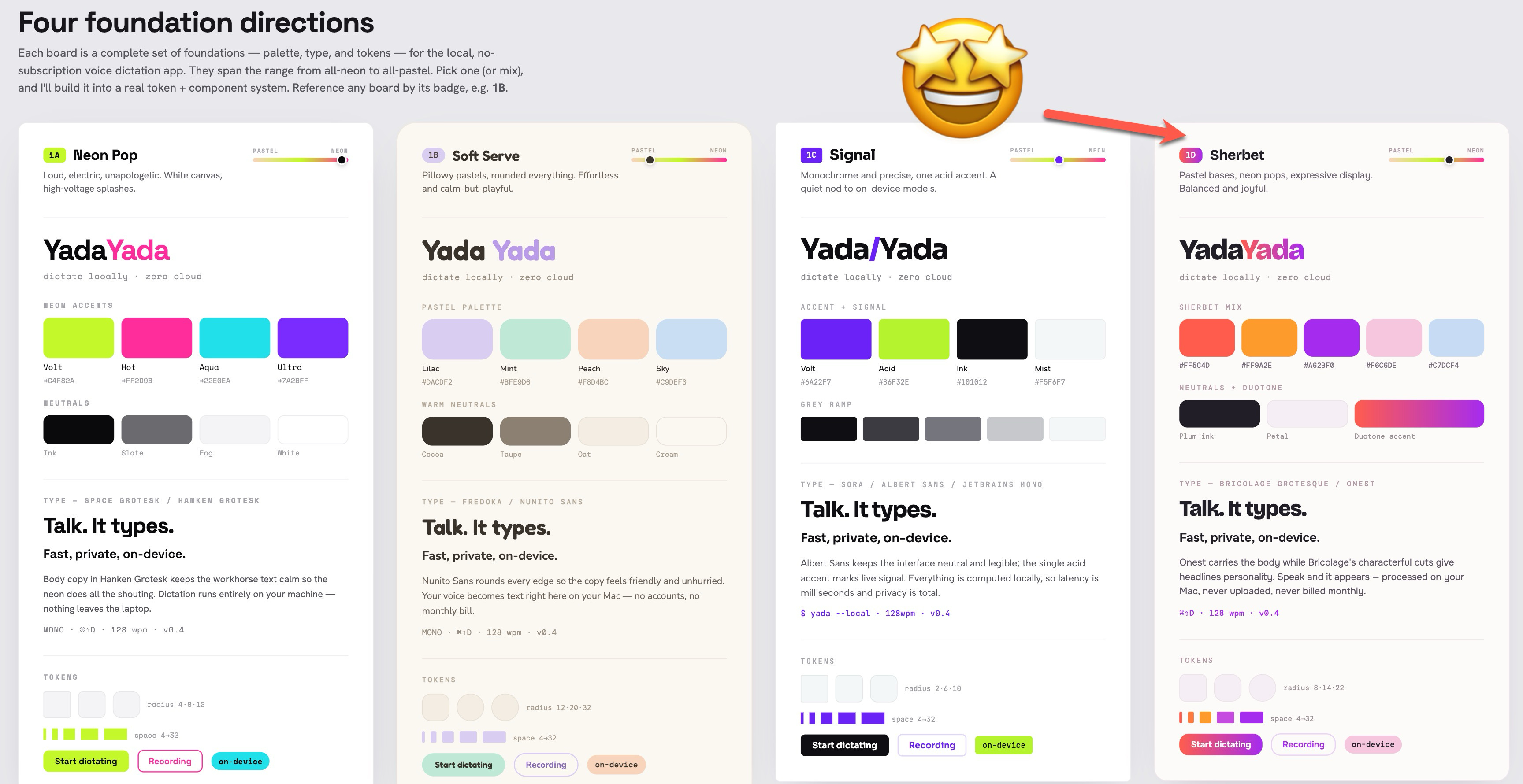
So, I just told it that:
I love the gradient on Sherbert. Can I see maybe three more variations on Sherbert? I’d like to see some different gradient options. Also, I’m not positive that’s my favorite font on Sherbert, but it is my favorite font out of all the others you shared.
A few minutes later I had three siblings sitting next to Sherbert.
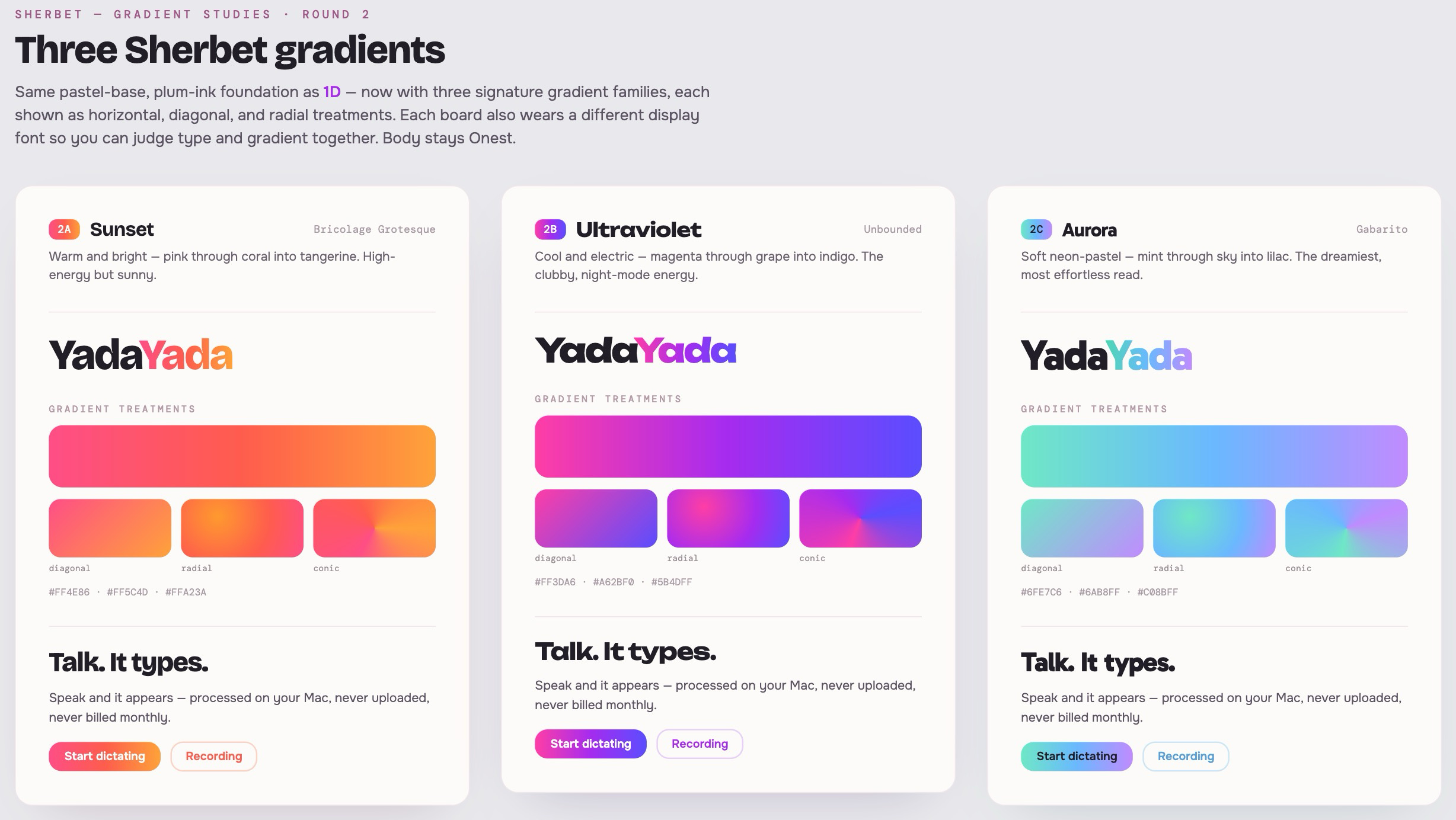
One called Aurora stood out to me, so again, I just told it:
Aurora is beautiful. Love the fonts. Love the gradient temperature. Let me see 3 more just to see if you can top Aurora
It cranked for a while, then spit out a variation that I just thought was stunning. It called this one Opal.
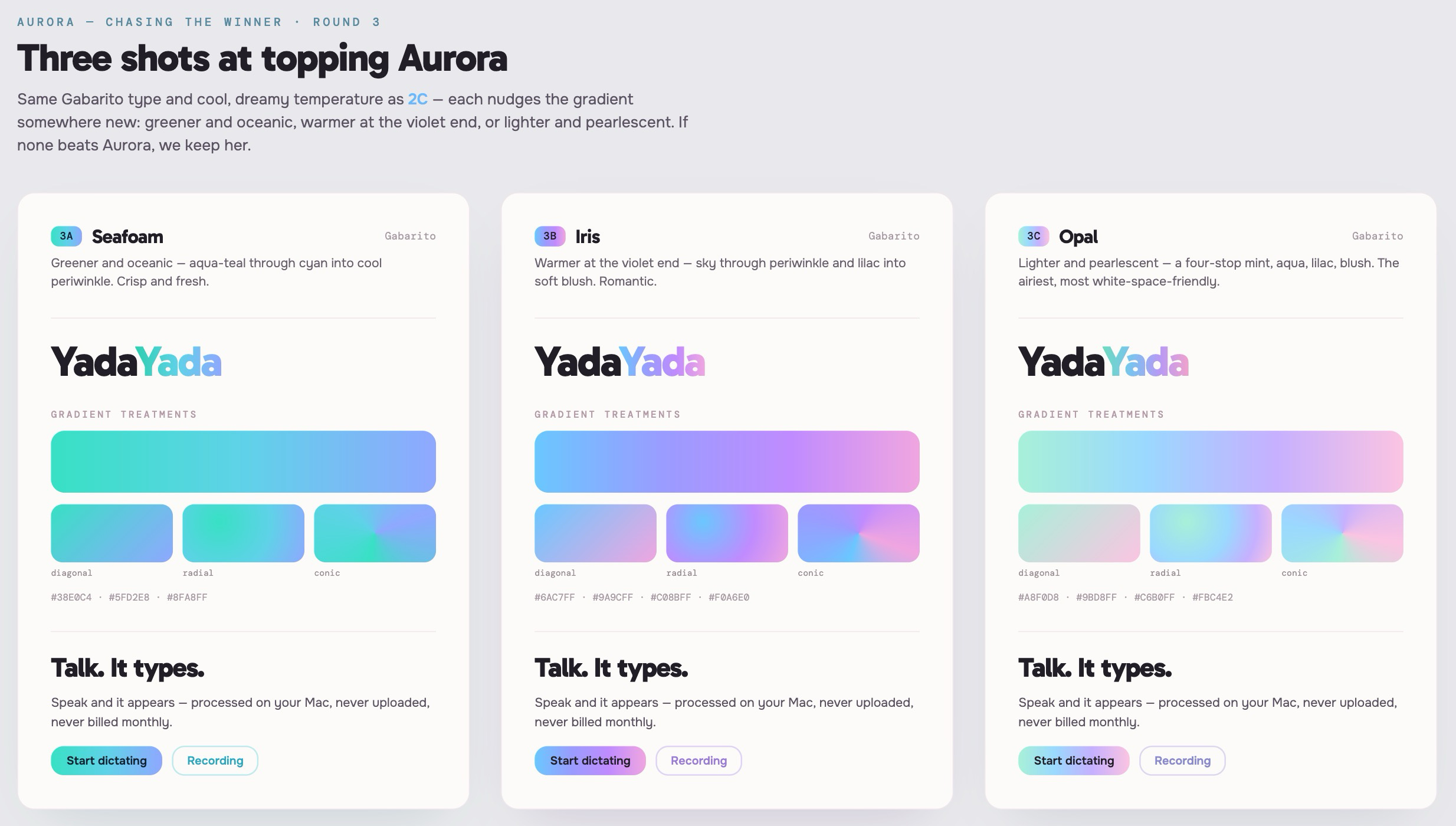
I can’t tell you how delightful this process actually is.
You get to see as many directions as you want laid side by side, and it costs you nothing but some tokens and the time it takes to look.
After finding a winner, I simply prompted Claude like this:
Ohmy. Opal is beautiful. Let’s do that one
Remember, back in Step 1 I told Claude the real goal was a brand kit. Everything since has just been nailing the look so it could go build it.
So, after you pick your winner, stand back and let Claude cook.
I told it I wanted Opal, and to keep it to the foundations for now... the colors, the type, the spacing, the way the gradient works, the brand itself... and to NOT run ahead and start designing the actual app.
I just wanted the layer everything else gets built on top of.
So that’s what it made.
A stack of token files with every color and font and size in them, the whole foundational kit, sitting in one place. Here’s what it looked like when it was finished:
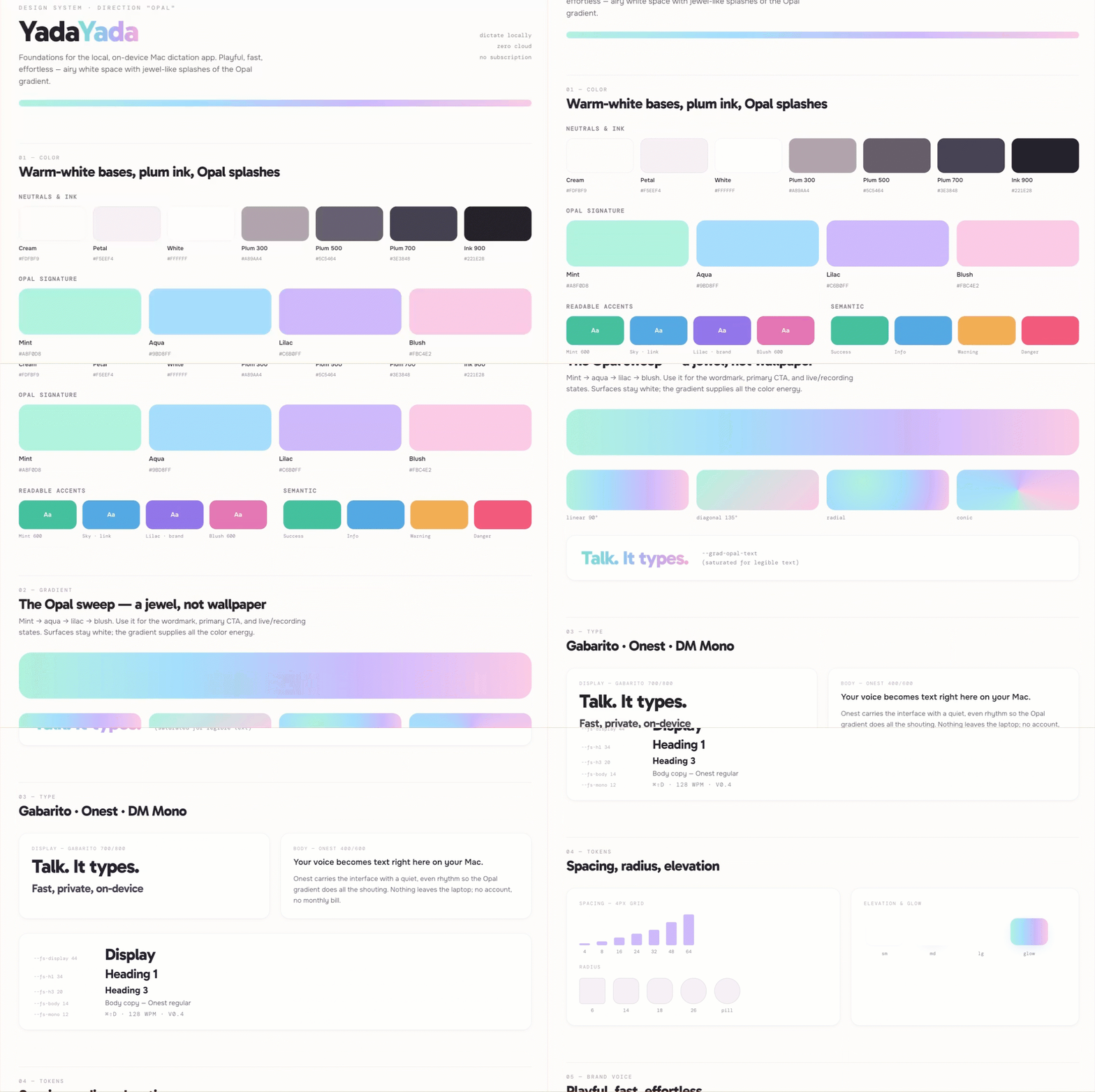
One thing I noticed is that Claude Design likes to spread the system across a bunch of separate pages. This probably comes down to personal preference, but I wanted mine all on one tall page I could open and scan in a single scroll.
So I just prompted it to build one scrollable overview page with the whole system laid out top to bottom, and to save that as standalone HTML.
Once it’s done and you’ve got the tweaks the way you want them, click “Share” in the top right, and then “Project HTML”.
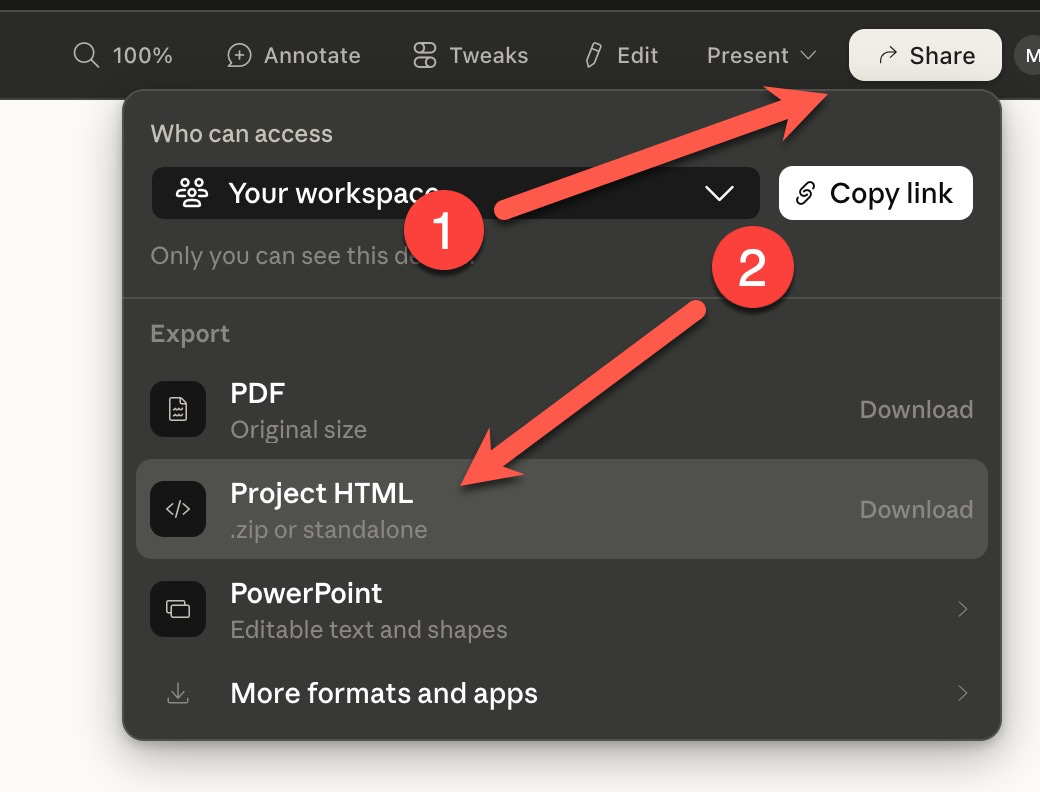
After this, you’ll see a pop-up asking if you want to download the “Project archive” or “Standalone HTML”. Both of these options work, but I prefer a standalone HTML file so that’s what I went with
After this, it’ll cook a bit longer, and then give you a link to download straight to your machine. The HTML is great because it works offline, fonts and all baked right in. It’s also really easy to use as a reference file for any future work you do.
But wait... THERE’S MORE!
We’re still not done yet, but if you wanted to stop here you could. You just built out a pretty lightweight MVP of a design system. However, if you want the full experience, I’d encourage you to continue.
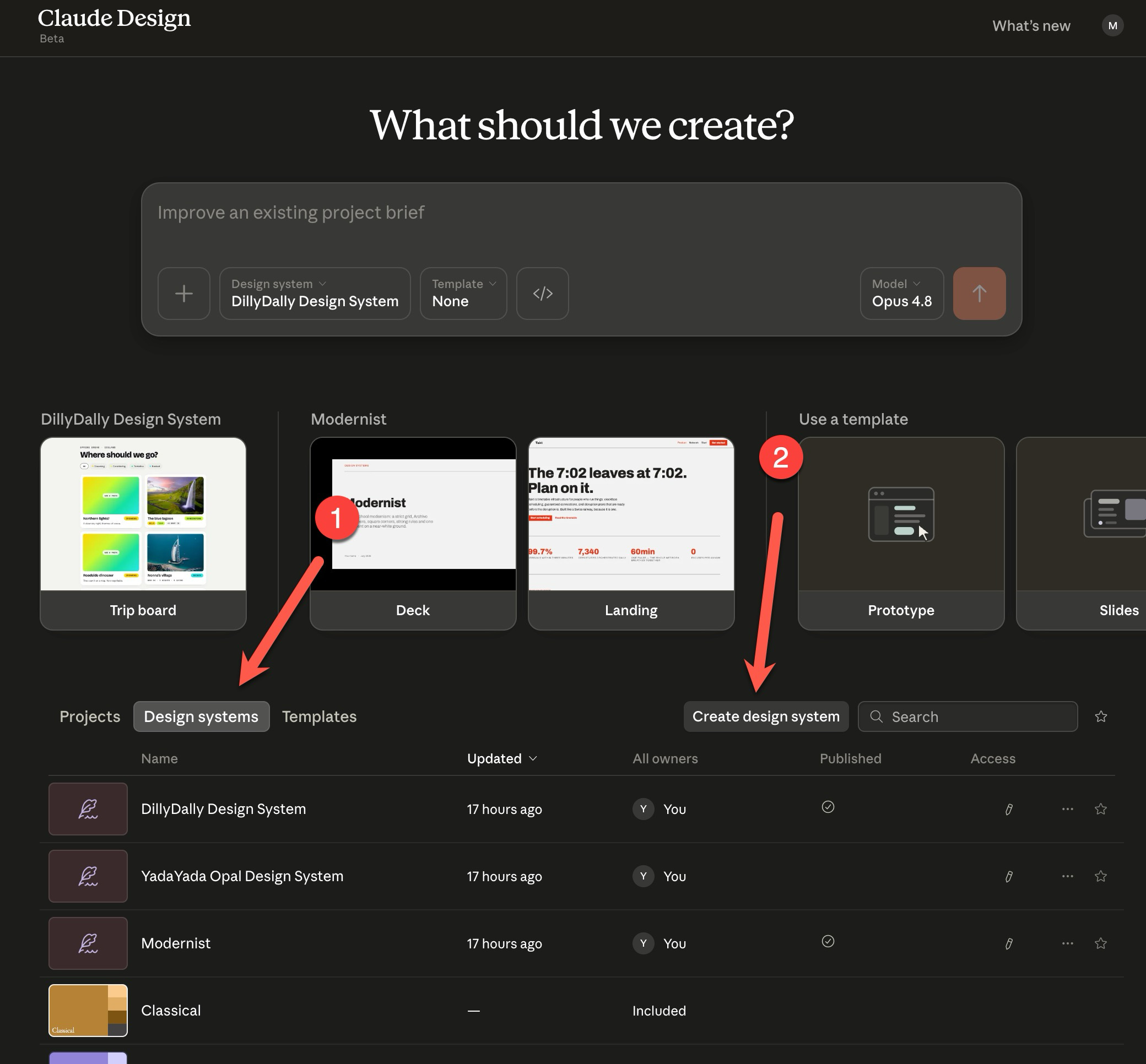
Now, we’re going to go back to Claude Design, but this time we’re going to click the “Design systems” tab, and then the “Create design system button.”
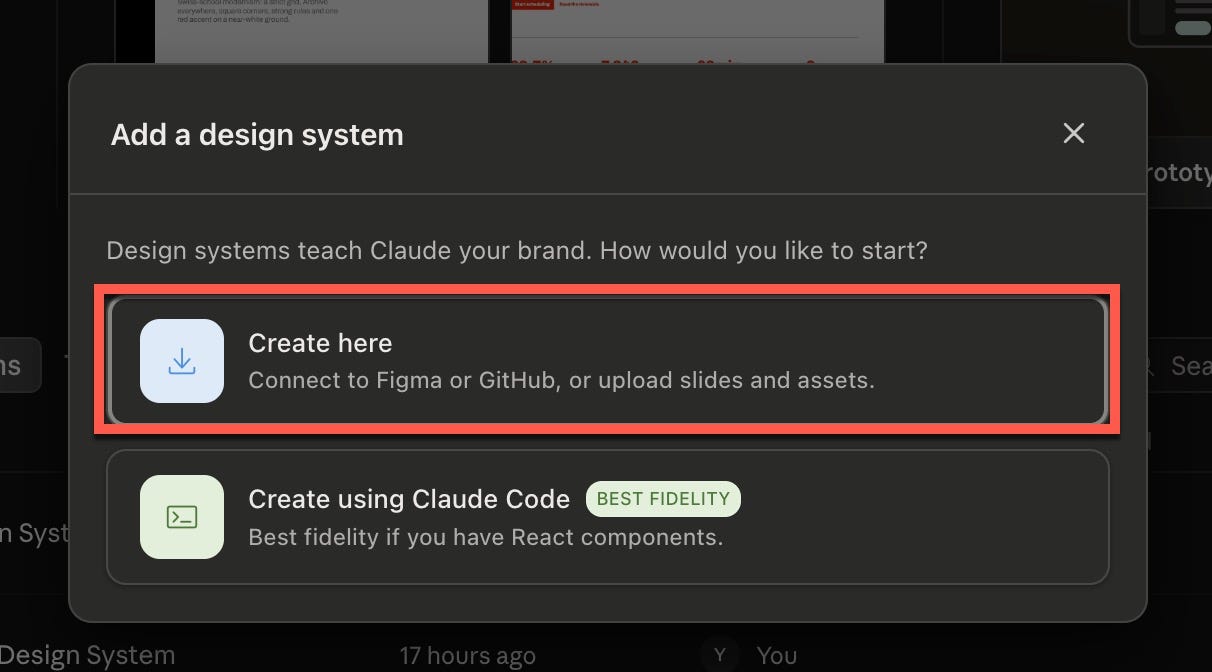
Next, you’ll get a popup with two options. You’re going to click “Create here”
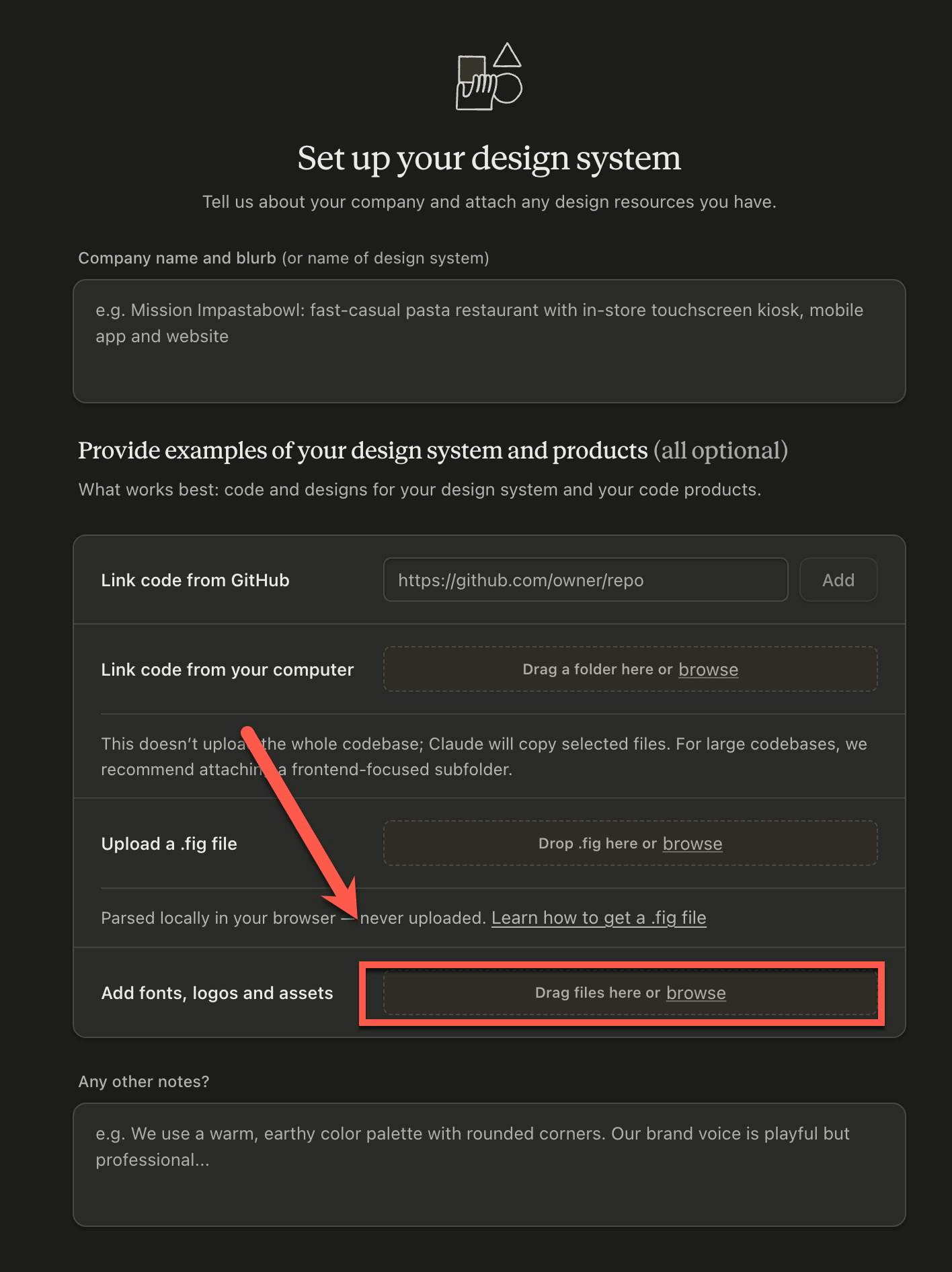
This will present another screen with some questions on it. You can tell Claude a little bit about your company if you want.
The most important, thing, however, is to click the “Add fonts, logos and assets” button here and upload the HTML file you just downloaded:
Note: If you opted to download the “Project Archive” earlier, you can choose the “Link code from your computer” option and point it at the archive on your computer.
After that, click “Continue to generation” in the top right of the screen, and Claude Design will get to cooking on a FULL design system workup.
When it’s finished, it should look something like this. It’s basically a fleshed out version of the MVP:
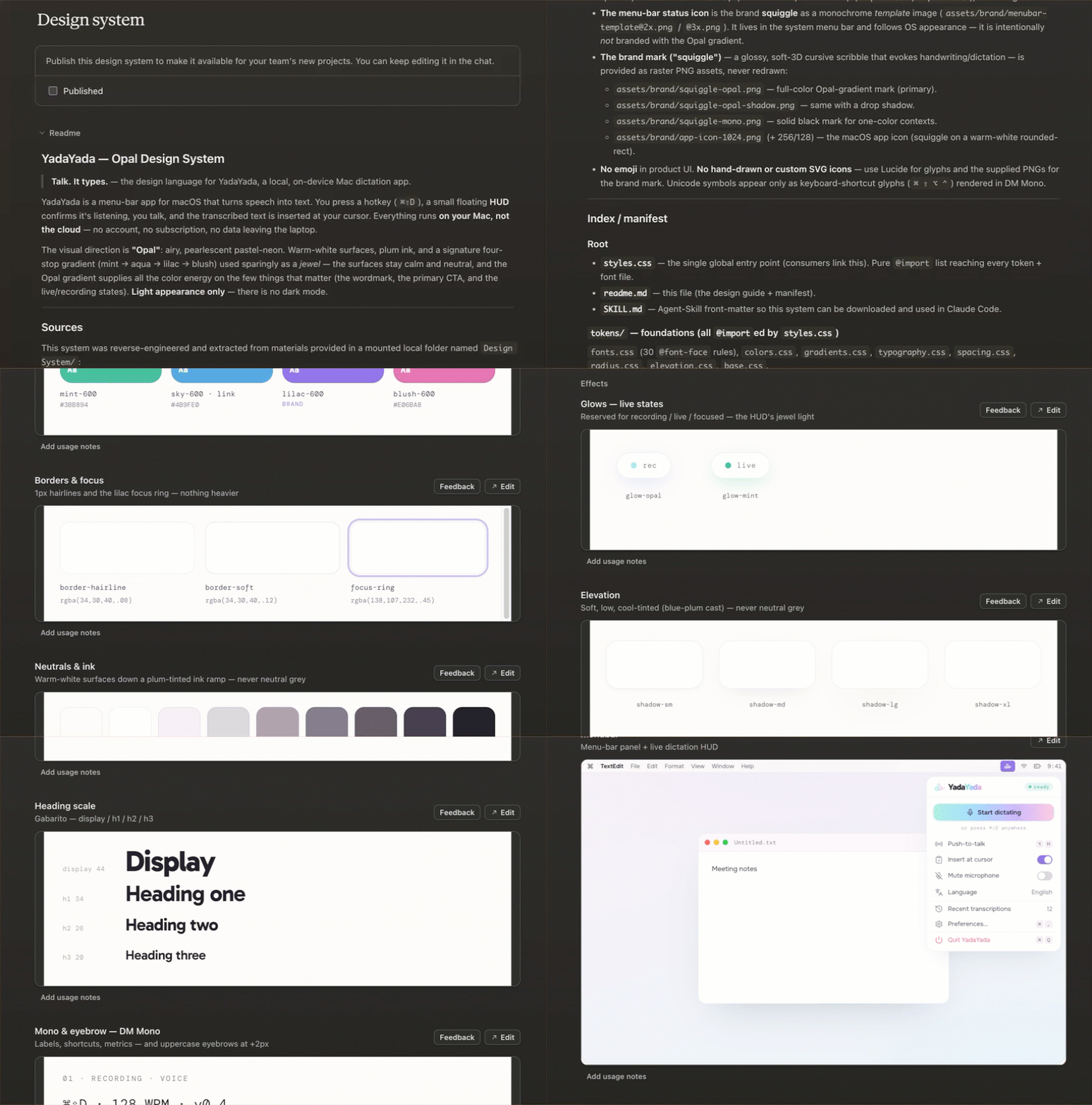
Note: You probably saw an app icon fly by in the screen. This was not created by Claude Design and not covered in this tutorial.
Okay, time to pause for a second. Let’s think about what just happened.
You shot from the hip, you vibe branded (as the cool kids say), and you’ve got a complete, genuinely professional design system sitting in a file.
It’s not the same thing a $200k brand agency would produce, and I don’t want to pretend it is. An actual agency would build out an entire strategy, perform in-depth customer research, interview stakeholders and host workshops. But for nailing brand colors, tone, energy, typography, and everything else... it’s definitely like, 80% as good and covers the overwhelming majority of use cases.
And that took what? 15-20 min tops?
And you didn’t need to know the first thing about design to make it.
This design system is super high leverage. EVERYTHING else you create after this can now ride this design system, and the outputs will come out looking on brand.
Think of all the digital assets you produce:
Decks
Charts
Docs
Sites
Videos
Infographics
etc.
All you have to do is attach your design system, and ask AI to help you create the asset so it looks like your brand.
It’ll take care of the rest.
Want the exact prompts for turning your new design system into finished work? I made a paid companion pack with five copy-and-paste prompts, a video walkthrough for each one, and a bonus app-icon prompt.
Just a few years ago, this would have cost thousands of dollars minimum, not including the time you would have lost in the back and forth on the project.
You just did it with AI in a browser tab for whatever your subscription cost is.
And the cool part I want to make sure you catch is that it’s not like your skill level rose. You didn’t get better at design. On the contrary, the bar just dropped all the way down to something you’ve been able to do since you were a kid:
Have opinions.
Think about that for a minute.
If you have opinions you can build things now.
The world just opened wide.
Just writing these words I’m getting excited, a little itchy to go dive in and build something else.
If you found this useful, it’d mean the world to me if you subscribed, restacked, or dropped a comment. All of that’s free for you but a huge boost for me, and I’d really appreciate it.
Take care & see you in the next one ✌️
Michael
No posts
Comments
Nothing yet. Say the first thing.
Sign in to join the conversation.